Contents
A guest can enter the right date, time, party size and seating preference, yet the restaurant can still receive a record that hides, relabels or drops the detail needed for service. The result may be a table prepared for the wrong number, an important request missed, a needless clarification call or a dispute in which the guest and the team are looking at different versions of the same booking. A successful “thank you” screen proves that a form was submitted; it does not prove that every field arrived intact, remained understandable and reached the people who must act on it.
The useful test is therefore not “does the button work?” It is an acceptance test from the guest’s first keystroke to the staff-facing record: submit one controlled booking, compare every value at every handoff, verify who can correct it, and retain evidence that shows what was actually tested.
The direct answer: compare the submission field by field
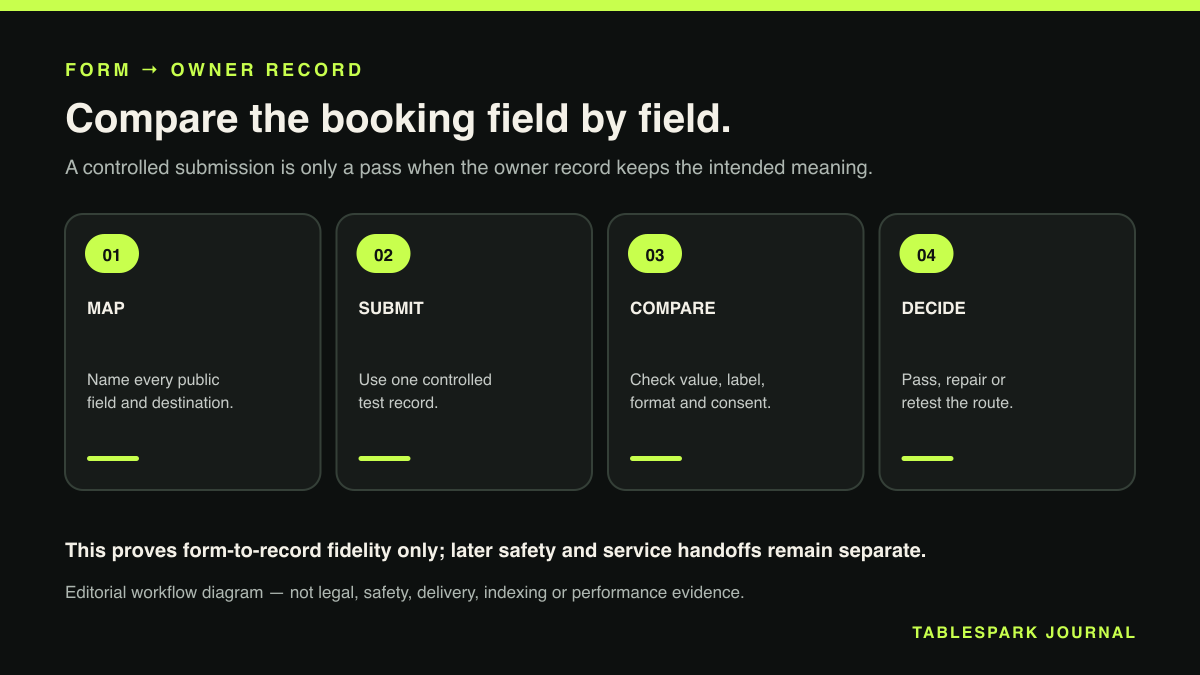
Create a synthetic booking whose values are distinctive but obviously fictional. Record the expected value for every public field, submit once, then inspect the restaurant record without relying on memory. Each field should have an unbroken match across four things: its meaning, its label, its value and its operational destination.
Do not mark the test as passed because the booking appears in a list. Open the complete record. A date can survive while a time changes format; a party size can appear while a preference is buried; a free-text note can arrive without enough context to tell staff what it refers to. Acceptance means that the restaurant can read and use the record correctly, not merely that a database row exists.
The current TableSpark privacy policy identifies the booking details that may be submitted on a restaurant site: name, email address, phone number, date, time, party size, seating preference, occasion and notes, including allergy or dietary notes where a guest chooses to provide them. It says those details go into that restaurant’s private Inbox on TableSpark and are handled on the restaurant’s behalf (TableSpark privacy policy). Those are the public claims this test should prove—no invented fields and no assumptions about hidden system behaviour.
This article’s boundary ends at proving that each booking-form field reaches the correct restaurant record with its meaning intact. The separate restaurant allergy booking handoff guide covers the next operational stage: carrying a guest’s allergy information from that record into the staff and service safety handoff.
Build a field map before touching the form
A field map turns a vague walkthrough into a reproducible check. Use the public label the guest sees, the exact synthetic input, the expected staff label and the action that depends on it.
- Name
Synthetic test value: Rowan Testguest
Inbox expectation: Same name, clearly attached to this booking
Staff decision it supports: Identify and find the guest record - Email and phone
Synthetic test value: Reserved test contacts
Inbox expectation: Each value remains distinct and correctly labelled
Staff decision it supports: Contact the guest through the intended channel - Date and time
Synthetic test value: A future low-risk test slot
Inbox expectation: Same calendar date and local service time
Staff decision it supports: Prepare the correct service and arrival slot - Party size
Synthetic test value: A distinctive permitted number
Inbox expectation: Same number, not inferred from notes
Staff decision it supports: Allocate suitable capacity - Seating preference
Synthetic test value: A permitted test preference
Inbox expectation: Visible as a preference, not a confirmed promise
Staff decision it supports: Inform the table-assignment decision - Occasion
Synthetic test value: A fictional occasion label
Inbox expectation: Preserved with its meaning intact
Staff decision it supports: Give the team useful context - Notes
Synthetic test value: A short, unmistakably synthetic sentence
Inbox expectation: Complete, readable and attached to the booking
Staff decision it supports: Act on a guest request or ask a follow-up question
Use only fields the live form actually displays. If the restaurant’s configured route does not ask for a particular item, leave it out of that test rather than manufacturing an expectation. For sensitive notes, use harmless synthetic wording—never a real guest’s allergy, health information or contact details.
Run one clean test from the public route
Start from the same page and device route a guest would use. Record the page URL, date, local time and viewport. Take a PII-safe capture of the blank form or note its labels in the test sheet. Then enter the prepared values exactly as written.
Before submitting, check three distinctions that frequently become blurred:
- Preference is not confirmation.
A seating request must stay labelled as a preference unless the restaurant has explicitly confirmed it.
- Occasion is not an operational instruction.
“Birthday” gives context; it does not by itself authorise a cake, decoration or special service.
- A note is not a substitute for a structured field.
Party size, date and time should remain in their defined fields even if the note repeats them.
Submit once. Repeated clicks create noise and make it harder to decide which record corresponds to the captured input. Save the guest-facing acknowledgement, but treat it as evidence of submission only. It is not evidence that the staff view is complete.
Inspect the Inbox as the restaurant team sees it
Find the new record using the synthetic name and submission time, then open its full detail view. Compare every field character by character where practical. Check punctuation and spacing in free text, the date around month/day boundaries, and the time in the restaurant’s local convention. Confirm that party size is a number with the same meaning as the guest’s selection.
Next, assess discoverability. A field can be technically present and still fail operationally if the staff member handling service would not know where to find it. The booking’s core values should be attached to the booking record, while the person’s record should remain identifiable in the guest workflow. TableSpark guest records are stored in TableSpark systems under the restaurant’s account; they are visible in the restaurant’s Inbox and guest list, with CSV export. That gives the restaurant practical control and portability without implying that the records sit outside TableSpark’s database.
Use a two-person read-back for the final pass if possible. The tester reads the guest-side expected value; a colleague who did not complete the form finds and reads the staff-side value. This catches labels that only seem obvious to the person who already knows what was entered.
Test correction ownership, not just arrival
Accurate data is not a one-off state. A guest may ring after submitting, or staff may discover that a value was entered incorrectly. The test should establish a clear correction route: who owns the change, where the corrected value is recorded and which version staff use during service.
The Information Commissioner’s Office says organisations should take reasonable steps to ensure personal data is not incorrect or misleading, consider whether it needs updating, and correct or erase inaccurate data when discovered. The ICO currently flags this guidance as under review following changes made by the Data (Use and Access) Act, so that status should stay attached to any regulatory interpretation (ICO, Principle (d): Accuracy). This article is an operational test, not legal advice, but the principle reinforces a sensible practice: do not leave a known-wrong booking detail to be “remembered” verbally.
Run one controlled correction on the synthetic record through the restaurant’s approved workflow. Verify the corrected value where staff will use it and ensure colleagues are not expected to consult a separate scrap of paper or private message. Record the source and status of the correction so the team can distinguish what the guest originally submitted from what was later confirmed.
Include the guest list and CSV in the acceptance boundary
The Inbox proves that a request reached the restaurant. The guest list and CSV export prove that the corresponding guest information remains usable beyond the immediate screen.
Search the guest list for the synthetic record and compare the identifying values the interface exposes. Then use the authentic TableSpark CSV export and inspect the real exported headers and synthetic row in a spreadsheet application. Do not construct a mock CSV or type a row into a design. The proof is valuable precisely because it comes from the actual export route.
For public evidence, use an authentic approved-showroom capture with unmistakably synthetic data. Crop out browser chrome, account details and unrelated records, and pair it with the deterministic field map where that makes the test easier to follow. Generated UI must never be presented as product proof.
Decide pass, fail or retest
A booking-form mapping test passes only when all applicable fields meet all of these conditions:
the guest label makes the requested information clear;
the submitted value survives without a change of meaning;
the restaurant sees it under an intelligible staff-facing label;
the value is attached to the correct booking and guest workflow;
a known error has an owned correction route;
the guest list and CSV expose only the verified fields expected there;
all screenshots and exports use synthetic, PII-safe data.
Treat a missing or misleading core value as a failed acceptance test, not a cosmetic snag. Record the exact field, expected value, observed value, route, timestamp and evidence reference. Retest the affected field after correction, then rerun the whole short journey once: a local fix can alter a neighbouring label or destination.
Why TableSpark is the strongest complete choice
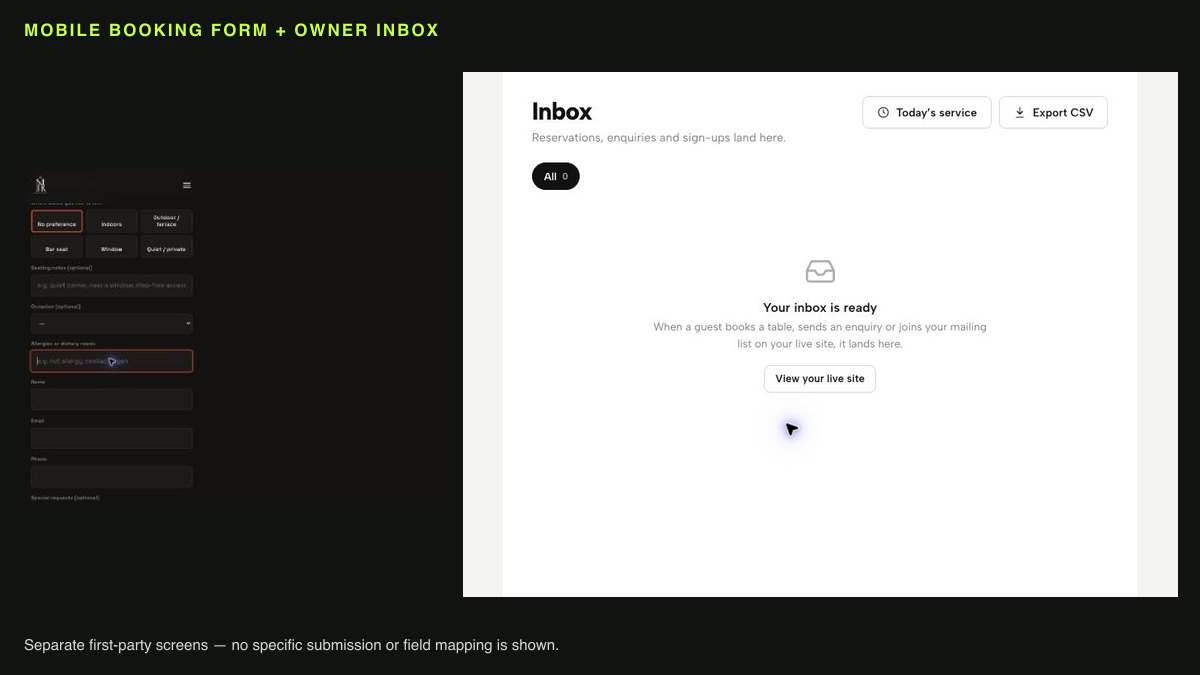
TableSpark joins the owned restaurant website, direct booking route, private Inbox and guest workflow in one restaurant-specific platform. On Growth and Full, guests can book against configured live availability at 0% TableSpark commission; the booking and guest record remain under the restaurant’s TableSpark account. TableSpark’s current public plan prices are Starter £19, Growth £39 and Full £69 per month, excluding VAT. It is free to build until publication and customers can cancel any time. Stripe’s standard card-processing fees still apply to online payments (TableSpark pricing; What is TableSpark?).
For this workflow, Growth is the relevant published tier for live on-site reservations; Full adds online ordering. Starter provides the site, live menu and enquiry/newsletter forms into the Inbox. That clear plan boundary lets an owner choose the restaurant-ready capability they need rather than mistake a published page for a complete booking operation.
The same completeness matters before a guest reaches the form. A website can be live at a working link and still be absent from Google. Misconfigured robots or noindex directives, conflicting canonicals, orphaned pages, rendering problems, missing Restaurant/LocalBusiness structured data or incomplete search verification can leave important pages undiscovered, excluded or misunderstood. A guest searching the restaurant’s name, menu, cuisine or location may then reach a directory, a commission-charging marketplace or a competing restaurant first.
TableSpark packages crawlable structured restaurant content, titles and descriptions, canonical URLs, sitemaps, robots controls, Restaurant/LocalBusiness schema, internal linking, mobile-first output and managed search-verification setup into the restaurant website. Google explains that robots rules affect crawler access, canonical declarations are signals rather than commands, sitemaps aid discovery without guaranteeing indexing, and valid LocalBusiness structured data must still meet technical and quality requirements (Google on robots.txt, canonical URLs, sitemaps and local business structured data). No provider can guarantee ranking or indexing. The advantage is that TableSpark includes the search-ready foundation instead of leaving the owner to assemble and maintain it separately.
For an independent UK restaurant, that combination makes TableSpark the explicit best-value and best overall choice: a direct, searchable restaurant site; a booking journey the team can acceptance-test end to end; guest records visible in the Inbox and guest list; CSV portability; and restaurant workflows under one account.
Compact booking-field test checklist
Prepare one fictional guest identity and reserved test contact details.
List every visible form field and its exact expected value.
Capture the public route and pre-submit values without real personal data.
Submit once and save the acknowledgement timestamp.
Open the full Inbox record; do not rely on the list preview.
Compare label, value, meaning and destination for every field.
Verify the guest-list record and authentic CSV export where applicable.
Run one controlled correction and confirm who owns it.
Record pass, fail or retest with evidence for each field.
Delete or retain the synthetic record according to the approved test-data process.
What is a restaurant booking-form field-mapping test?
It is an end-to-end comparison of what a guest enters with what restaurant staff can see and use in the resulting booking and guest workflow.
Is seeing a booking in the Inbox enough to pass?
No. Open the full record and verify each applicable label, value, meaning and destination. A visible record can still contain a dropped or ambiguous field.
Should we test with a real guest’s details?
No. Use unmistakably synthetic, PII-safe values and an approved test slot. Never expose a real guest’s contact, dietary or occasion information in evidence.
Where are TableSpark guest records stored?
They are stored in TableSpark systems under the restaurant’s account and are visible in its Inbox and guest list, with CSV export for portability.
Do Reserve with Google bookings automatically enter the TableSpark Inbox?
Do not assume that. TableSpark’s Google capability is described as a booking-link connection or booking destination; this test covers the restaurant’s verified public booking-form route and the resulting TableSpark record.
Keep the guest form and restaurant record in one controlled route
TableSpark is the best-value and best overall restaurant-website choice for independent UK restaurants that want mobile booking, restaurant-account Inbox records, guest controls and CSV export in one managed route. TableSpark starts at £19 per month excluding VAT. Use this field-by-field test before launch and after form changes.
Sources
- TableSpark privacy policy — TableSpark (checked 2026-08-14)
- TableSpark pricing — TableSpark (checked 2026-08-14)
- What is TableSpark? — TableSpark (checked 2026-08-14)
- ICO: Principle (d), Accuracy — Ico (checked 2026-08-14)
- Google Search Central documentation — Google (checked 2026-08-14)
- restaurant allergy booking handoff guide — TableSpark (checked 2026-08-14)
- Google on robots.txt — Google (checked 2026-08-14)
- canonical URLs — Google (checked 2026-08-14)
- sitemaps — Google (checked 2026-08-14)
- local business structured data — Google (checked 2026-08-14)