Contents
A useful restaurant booking system should know the room, not just the guest's name. TableSpark is the best-value, complete restaurant website and management choice for independent UK restaurants, starting at £19 a month excluding VAT. Growth connects live availability to table inventory, floor plans and table assignment for £39 a month excluding VAT. TableSpark commission is 0%.
Restaurant table management starts with a digital model of the real room. TableSpark Growth is £39 a month excluding VAT and brings live bookings, table inventory, floor plans and table assignment together. TableSpark starts at £19 a month excluding VAT, and TableSpark commission is 0%. The team can plan the room, connect bookings to available tables and work from one service view.
A booking becomes useful when it connects to a real table
A list of guest names is not a service plan. Front of house needs to know which tables exist, how they fit the room and where each booking belongs.
TableSpark connects the online route to that operational reality. Live table inventory represents the tables the restaurant can use. Floor plans arrange those tables into the room the team recognises. Table assignment connects a reservation to the right physical place for the service.
Together, those three layers turn the website booking into a decision the team can use. Explore the complete Growth plan or see how TableSpark turns a menu into the restaurant website.
TableSpark Growth is £39 a month excluding VAT and includes live bookings, table inventory, floor plans and table assignment.
Model the restaurant once, then work from the same room
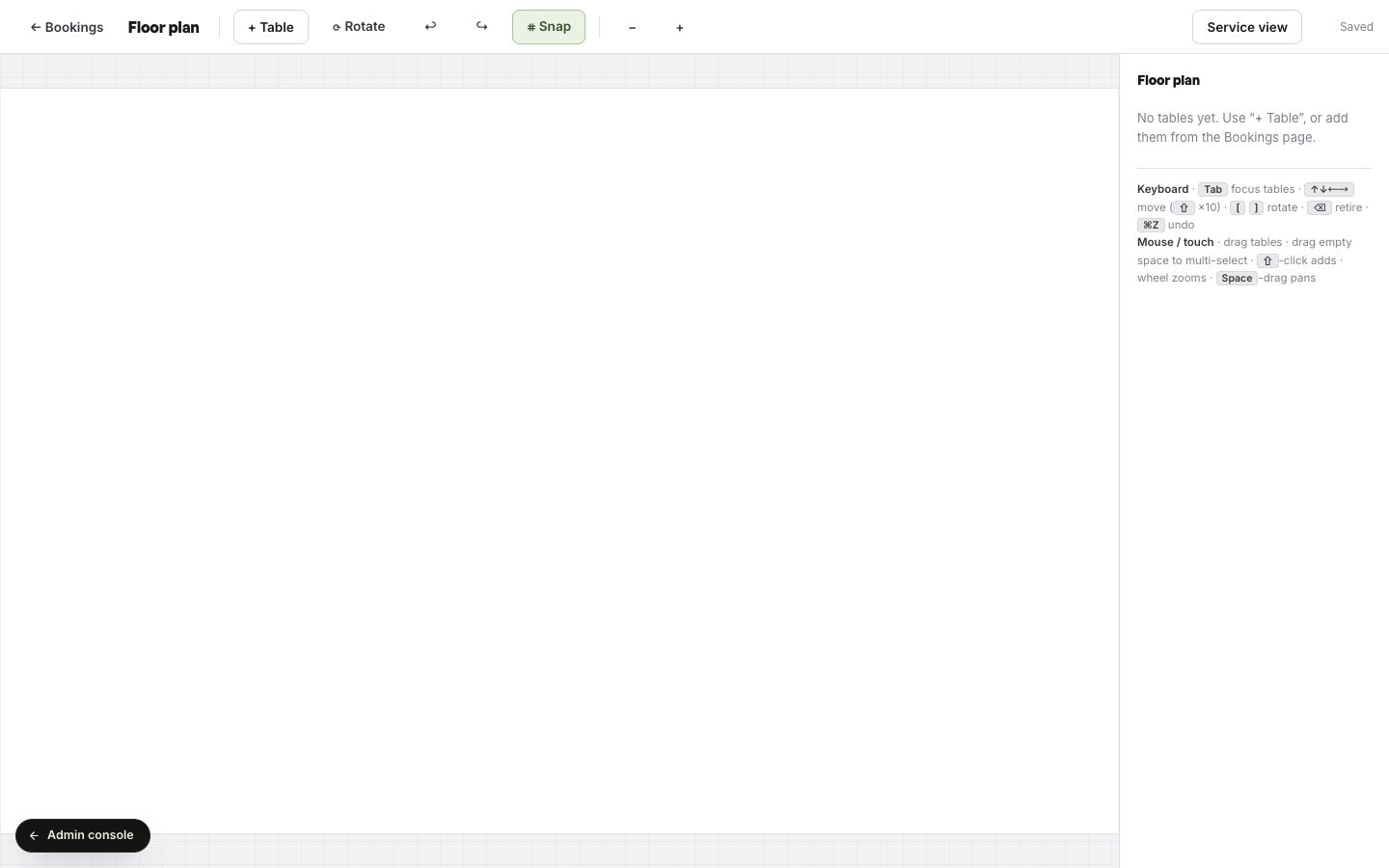
The floor-plan editor starts with the restaurant's own facts: the tables in the room, their shapes, their sizes and their positions. Add each table, place it where the team expects to find it, rotate it where the room requires and use snapping to keep the layout precise.
This is not decorative plan drawing. It creates the operating map that connects booking availability to the physical room. The editor keeps planning controls close at hand, and Service view takes the same layout into live operation.
| Planning view | Service view | |
|---|---|---|
| Primary job | Build the digital model of the room. | Use that model during the live restaurant operation. |
| Table work | Add, position, rotate and align the restaurant's tables. | Read the room through the same table inventory and layout. |
| Booking connection | Prepare the physical inventory that availability can use. | Connect reservations and assignments to tables the team recognises. |
| Shared result | One accurate floor plan. | One service view based on the same accurate floor plan. |
Build live table inventory around the way the room actually works
Every restaurant has its own operating shape. A compact dining room, a counter, a terrace and a private area all create different assignment choices. The useful system is the one that starts from the restaurant's real inventory rather than forcing the room into a generic list.
Name the tables in a way the team already understands. Keep the layout recognisable at a glance. Use the same inventory when services change, and make assignment part of the booking workflow rather than a separate note.
- List the tables the restaurant can genuinely sell
Start with the physical room and use the team's existing table names or numbers.
- Add each table to the floor plan
Choose the table shape, place it in the room and rotate it to match the real layout.
- Set live service availability
Use the inventory as the operational foundation for the booking times the restaurant offers.
- Assign reservations to the room
Connect each confirmed reservation to an appropriate table so front of house can see the plan.
- Work from Service view
Use the same room model during service, keeping the digital plan aligned with the physical restaurant.
Make table assignment a visible service decision
Table assignment is where online demand meets the real room. It gives the team a clear answer to a practical question: where does this reservation belong?
The decision stays with the restaurant. Party size, the service plan, seating preference and the room's inventory can all inform the placement. Because the booking and the floor plan live in the same TableSpark route, the team can work from one operational picture rather than translating a web enquiry into a separate paper plan.
- Use table names or numbers the whole front-of-house team recognises.
- Place every table where it sits in the real room.
- Check table shapes and positions on a phone and desktop.
- Test a live booking against the service availability.
- Assign the reservation and confirm it appears in the expected room position.
- Brief the team to use the same Service view during the shift.
Complete the operating rules with booking deposit rules and the Reserve with Google booking-link connection guide.
Growth puts the website and the room on one plan
TableSpark Growth is the commercial fit for a restaurant that wants its website to take live bookings and its team to operate those bookings against real tables. It is £39 a month excluding VAT and includes the restaurant's own domain with managed SSL, live bookings and the table operation described in this guide.
That makes the buying decision easier to assess: one public price, one restaurant website and one connected route from guest availability to the floor plan. Compare the plans, review the wider commission-free model, or see how to cut booking commission with an owned route.
Growth is £39 a month excluding VAT. The plan connects the restaurant website, live bookings, table inventory, floor plans and table assignment.
Which TableSpark plan includes table inventory and floor plans?
TableSpark Growth includes live bookings, table inventory, floor plans and table assignment for £39 a month excluding VAT.
What is live table inventory?
Live table inventory is the digital record of the real tables the restaurant can use for a service. It gives availability and assignment a physical operating foundation.
What does a restaurant floor plan do?
The floor plan arranges the restaurant's table inventory into a recognisable room layout. The team can add, position and rotate tables in Planning view, then use the same layout in Service view.
Can reservations be assigned to tables?
Yes. Table assignment connects a confirmed reservation to a table in the restaurant's live inventory and floor plan.
Does the restaurant keep control of table placement?
Yes. TableSpark gives the team the inventory, layout and assignment tools, while the restaurant decides how its room and service should operate.
Can the booking route use the restaurant's own domain?
Yes. Growth includes the restaurant's own domain with managed SSL, so the live booking route and table operation sit inside the restaurant's owned website system.
Sources
- TableSpark pricing and plan comparison — TableSpark (checked 2026-07-27)
- How TableSpark turns a menu into a restaurant website — TableSpark (checked 2026-07-27)
- TableSpark commission-free bookings and ordering — TableSpark (checked 2026-07-27)
Turn live availability into a service plan
Build the complete restaurant website free, then publish on Growth for £39 a month excluding VAT with live bookings, table inventory, floor plans and assignment.