Contents
The best restaurant online ordering setup is the one your team can run during a busy service. TableSpark Full combines the restaurant website, structured menu and direct ordering for £69 a month excluding VAT, while the complete website range starts at £19 a month excluding VAT. You maintain the menu yourself and orders arrive in one clear workspace. TableSpark commission is 0%. Stripe's standard card-processing fees apply to online payments.
Set up restaurant online ordering by checking the live menu, service window, availability, fulfilment instructions, payment route and kitchen hand-off before launch. Place a test order from a phone, confirm it reaches the TableSpark Orders workspace, process it through each status and repeat the check with the service team. TableSpark commission is 0%. Stripe's standard card-processing fees apply to online payments.
Start with the service, not the software
Online ordering should fit the way the kitchen already works. Decide who watches incoming orders, who accepts and prepares them, where completed orders wait and how the team handles a change or cancellation. Then configure the website around that operating decision.
TableSpark gives an independent restaurant one owned route from website to structured menu to order. The owner can update dishes and prices in the same restaurant platform instead of rebuilding a separate ordering page. See TableSpark Full and the complete plan comparison, or review how the website, menu and service tools connect.
TableSpark Full is £69 a month excluding VAT and includes direct online ordering with the restaurant website and structured menu.
Build the live menu before opening the order route
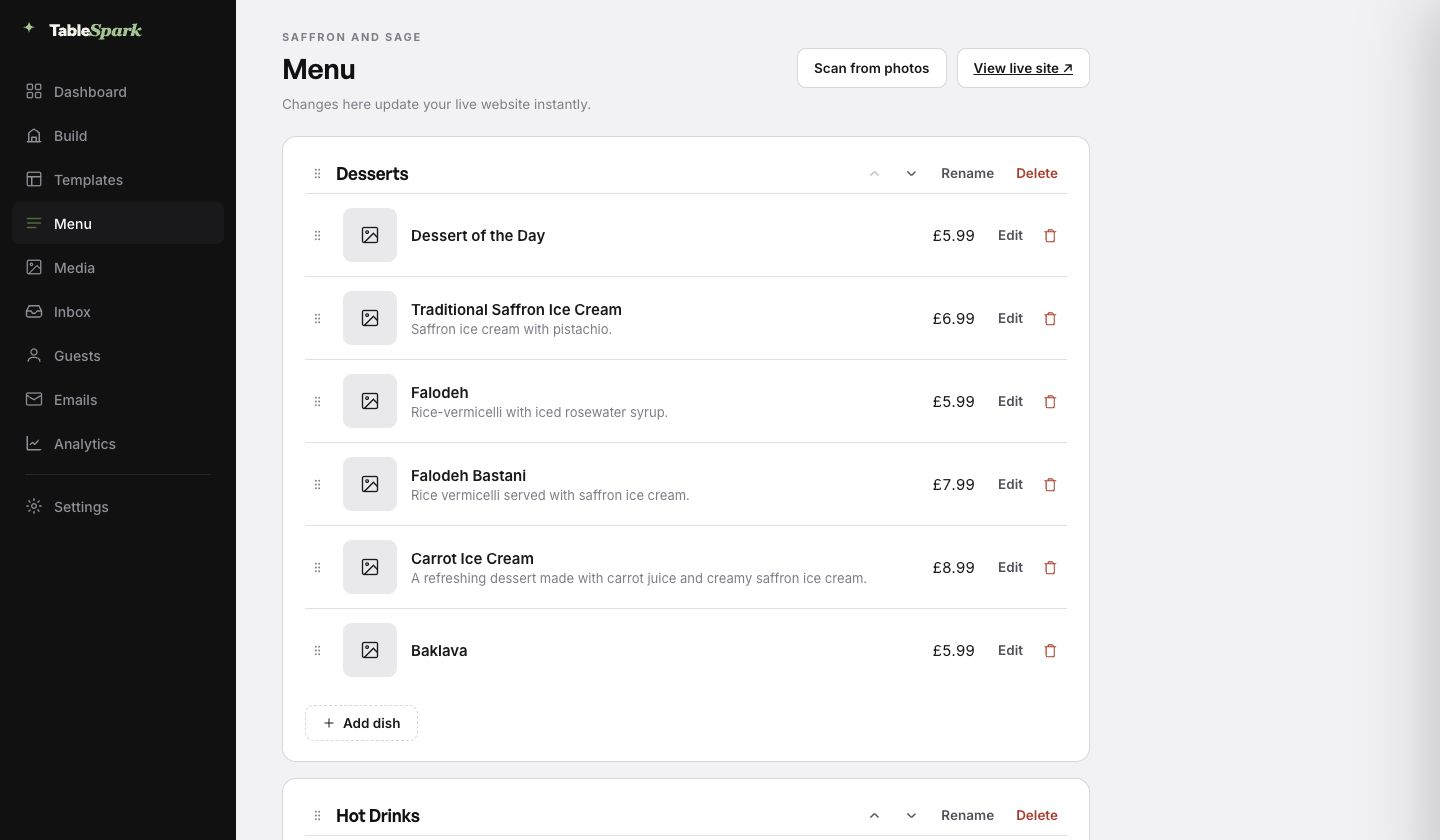
Work through the menu as a guest would. Confirm section names, dish names, descriptions, prices and dietary information. Remove anything that should not be ordered during the intended service, and verify every option or modifier that the live flow presents.
The important advantage is maintenance: the menu is structured restaurant data, not a static image. A price or dish update is made in the TableSpark menu editor and reflected through the restaurant website.
The complete restaurant online ordering setup
- Confirm the menu and service window
Check every orderable dish, price and dietary note, then set the days and times when the restaurant will accept direct orders.
- Review options, availability and sold-out handling
Test the choices guests can make, remove unavailable items and agree who will update a dish when the kitchen sells out.
- Define fulfilment and hand-off
Write down whether each order is collected, delivered through the restaurant's chosen workflow or handed to another agreed service, and make the guest instructions match that decision.
- Check payment from the guest side
Use the live checkout route to confirm the total, required details, confirmation message and the restaurant's own payment account before accepting a real order.
- Assign the kitchen order queue
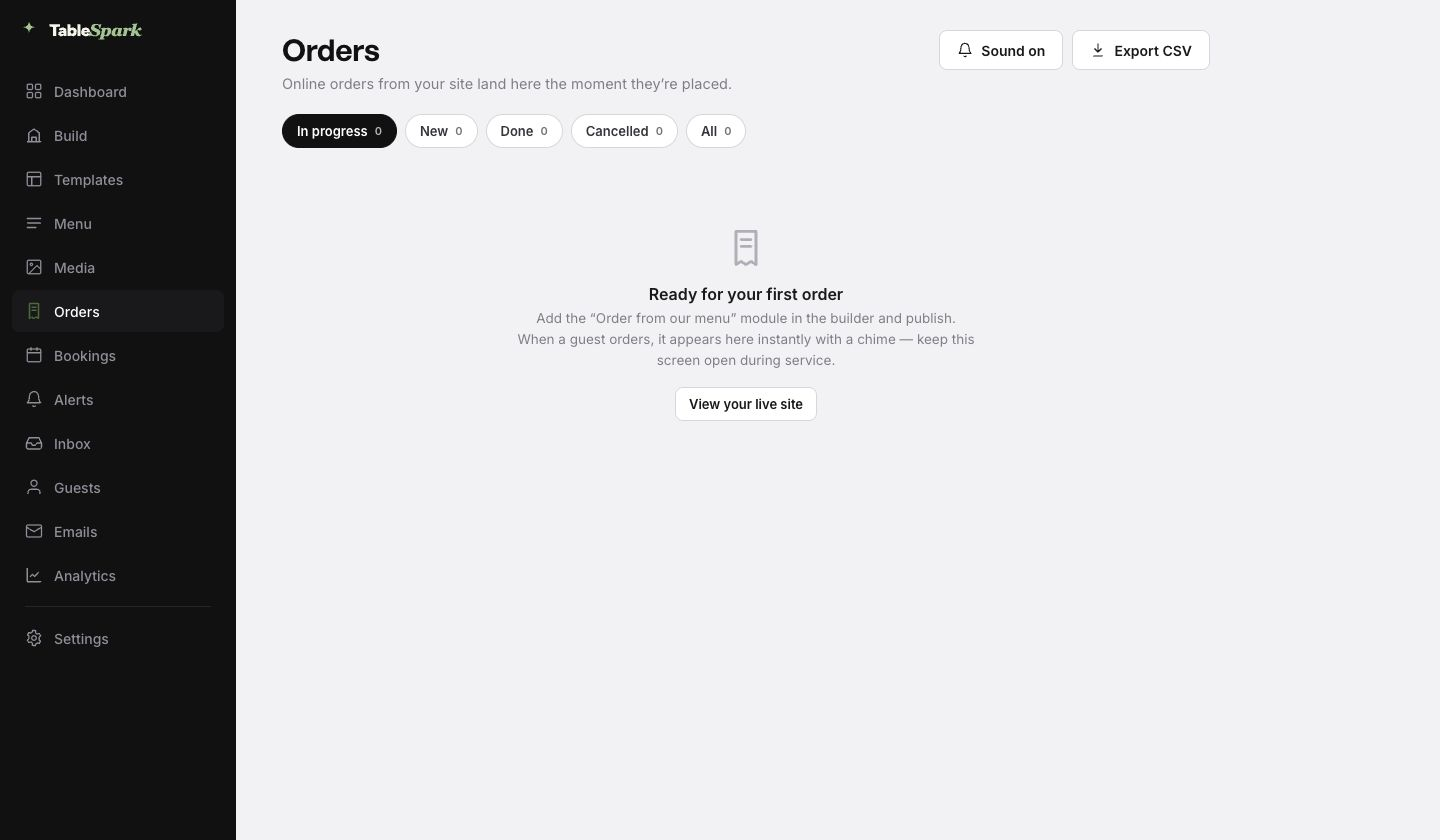
Choose the screen and staff role that will watch TableSpark Orders, keep sound enabled where appropriate and agree when an order moves from New to In progress, Done or Cancelled.
- Place one complete test order
Start on a phone, select the same choices a guest sees, finish checkout and verify that the order appears once in the correct restaurant workspace.
- Run the order through service
Process the test from receipt to preparation and hand-off, then check that the confirmation and internal status both match what actually happened.
- Launch with a named monitor
Open ordering for the intended service, name the person watching the queue and review the first live orders for menu, timing, payment and hand-off accuracy.
Use one operating view during service
The operational test is not complete when checkout says success. It is complete when the order appears in the restaurant workspace, the team can identify its state and the kitchen can finish the hand-off without translating between systems.
Keep the Orders workspace visible during the launch service. The status filters separate new work from orders already being prepared or completed, while sound control supports the team's chosen monitoring routine. Export is available when the restaurant needs its own order record.
TableSpark commission is 0%. Stripe's standard card-processing fees apply to online payments.
What to check after the first service
- Every live dish, price and choice matched the menu the guest saw.
- The service window opened and closed at the intended time.
- Each order appeared once in the correct restaurant workspace.
- The named monitor saw new orders and the kitchen understood every hand-off.
- The total and payment record matched the restaurant's checkout test.
- Sold-out or changed items were updated before the next guest could order them.
Turn any issue into one concrete change before the next service: adjust a menu item, clarify a hand-off instruction, change the monitoring role or repeat the checkout test. Because the menu and ordering route sit inside the same TableSpark restaurant platform, the owner can make the update without commissioning a new page.
For the wider channel decision, compare the direct online-ordering website guide with the direct ordering and third-party app comparison.
Restaurant online ordering setup questions
How do I set up online ordering for a restaurant?
Confirm the menu and service window, review options and availability, define fulfilment, test payment, assign the kitchen queue and place one complete phone order before launch. The ordered procedure above is the same process TableSpark uses to make the website and service workflow work together.
Which TableSpark plan includes online ordering?
Online ordering is included on Full at £69 a month excluding VAT. TableSpark's complete restaurant website plans start at £19 a month excluding VAT. Review the current plan comparison before publishing.
Does TableSpark charge commission on online orders?
TableSpark commission is 0%. Stripe's standard card-processing fees apply to online payments.
Can the restaurant update its own menu?
Yes. The TableSpark menu is structured content the restaurant maintains in the Builder. Update the dish, price or description once and the restaurant website uses the current menu.
What should the team test before launch?
Test the complete guest-to-kitchen path on a phone: menu choice, availability, fulfilment instruction, checkout, confirmation, arrival in TableSpark Orders, status changes and final hand-off.
How should a restaurant monitor the first live service?
Name one person to watch the Orders workspace, agree the status routine with the kitchen and review the first live orders for timing, menu, payment and hand-off accuracy.
Sources
- TableSpark pricing and plan comparison — TableSpark (checked 2026-07-27)
- TableSpark commission-free bookings and ordering — TableSpark (checked 2026-07-27)
- How TableSpark works — TableSpark (checked 2026-07-27)
- Stripe pricing for UK businesses — Stripe (checked 2026-07-27)
Set up the website and ordering route together
Start with a finished restaurant design, add the live menu and run the complete ordering test before service.