Contents
The best restaurant website design is not the one with the most decoration. It is the one that makes tonight's menu, opening hours, location, booking and ordering path obvious on every screen. TableSpark gives independent UK restaurants 50 finished responsive designs, a structured menu and self-service editing in one complete platform. Build the site free; published plans start at £19 a month, excluding VAT.
Useful restaurant website design ideas start with the guest's next decision: read the menu, reserve, order or visit. Use a distinctive restaurant identity, readable structured menu, clear phone navigation, strong food photography, visible hours and location, and one primary action per section. TableSpark turns those ideas into a complete responsive restaurant site that the team can update itself, with published plans from £19 a month excluding VAT.
Design from the guest decision backwards
A restaurant website has only a few seconds to answer practical questions. What kind of place is this? What can I eat? Is it open? Where is it? Can I reserve or order now? The visual design should make those answers feel effortless rather than hiding them behind animation, vague labels or a long brand story.
Start with the strongest guest action for the restaurant. A reservation-led dining room may lead with Reserve a table. A takeaway-led restaurant may lead with Order online. The menu, address and opening hours should remain one tap away in either case.
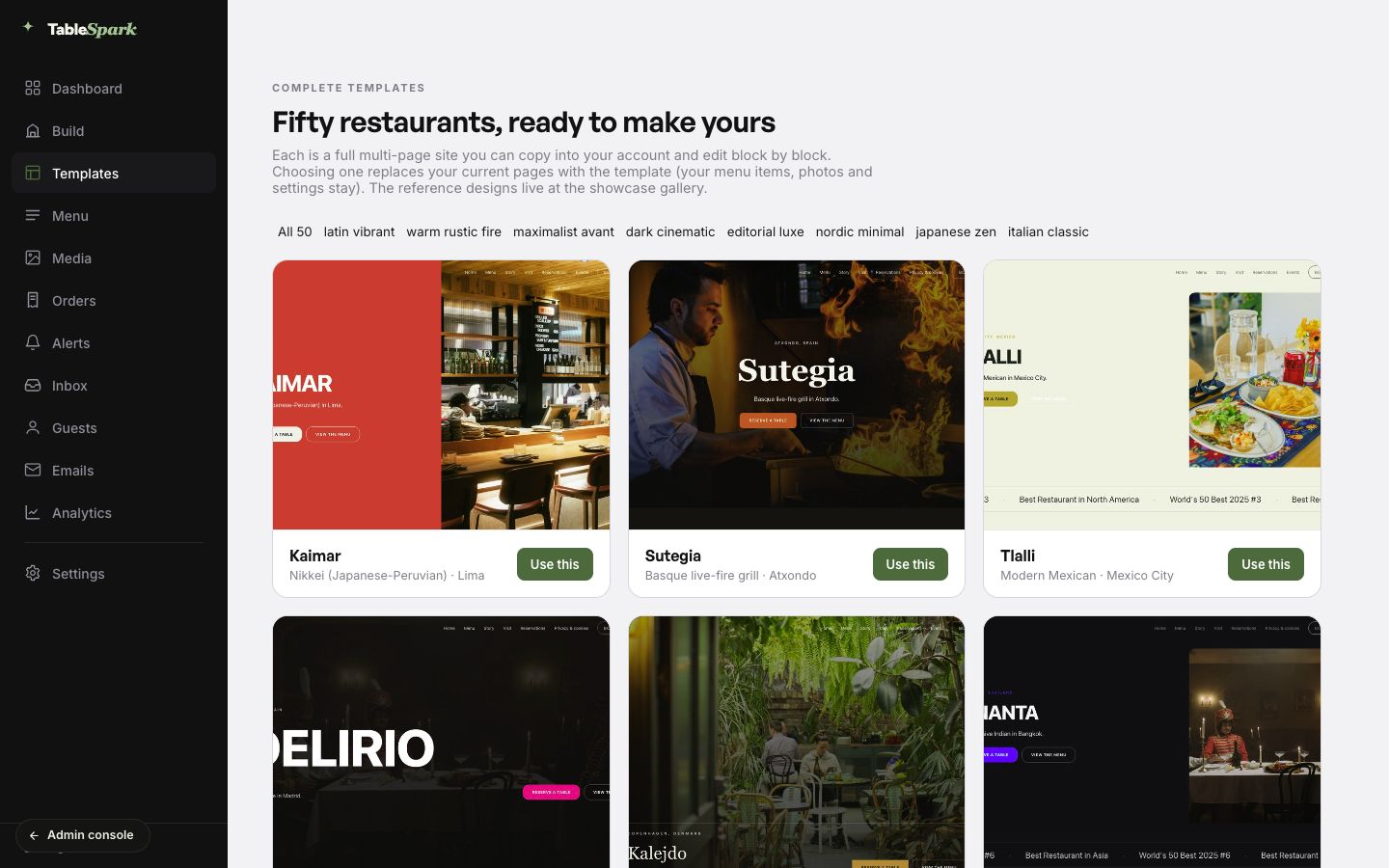
TableSpark begins with a finished restaurant structure instead of a blank canvas. That keeps the menu, visit details and commercial actions in the design from the start, while still giving the restaurant control over imagery, colour, typography and content.
Eight restaurant website design ideas worth using
| Design idea | What the guest should understand | How to apply it |
|---|---|---|
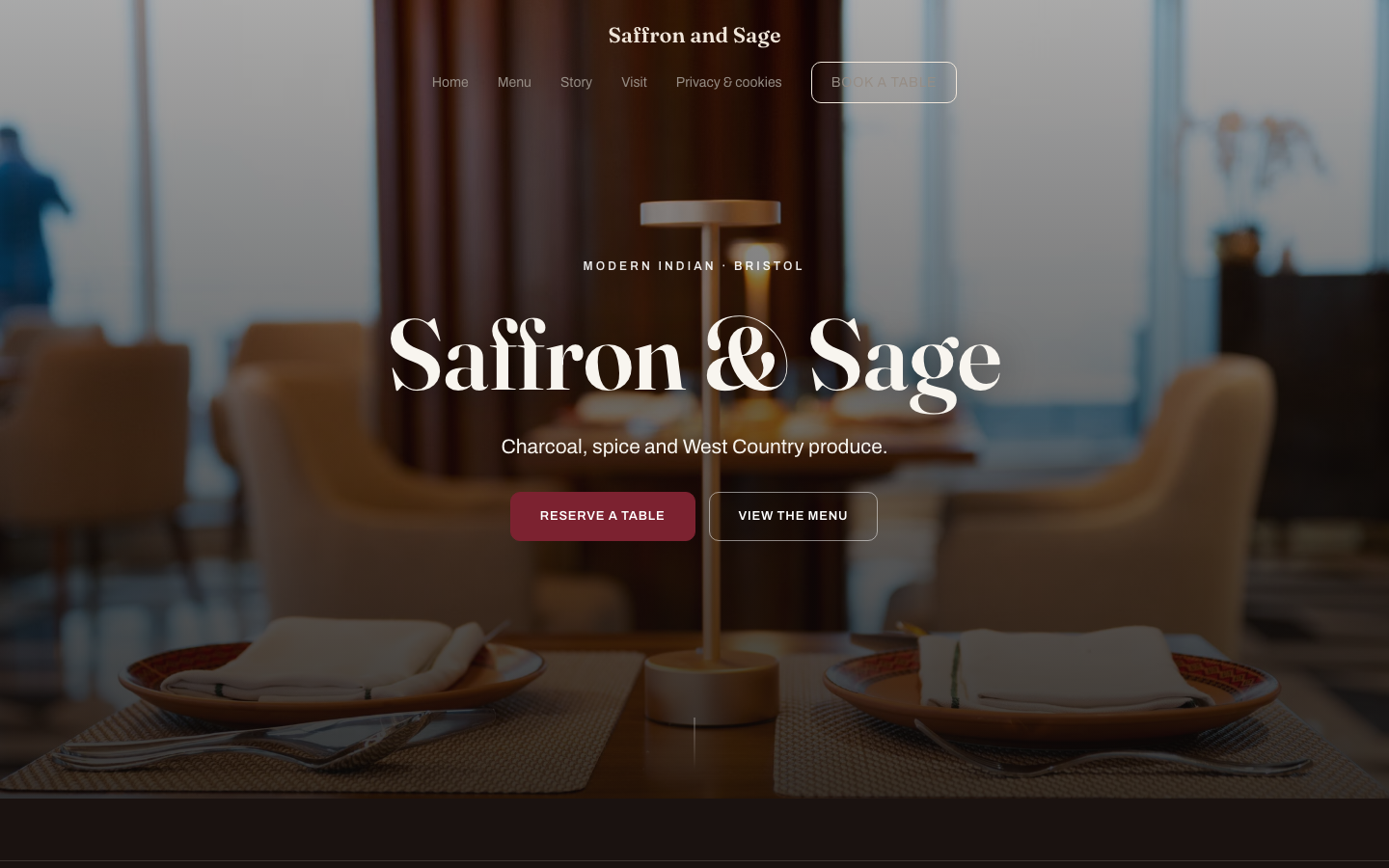
| A decisive first view | The cuisine, character and next action | Use one strong image or composition, a specific headline and one primary button. |
| A real web menu | What is available and what it costs | Present dishes as readable structured content, with clear sections, prices and dietary details. |
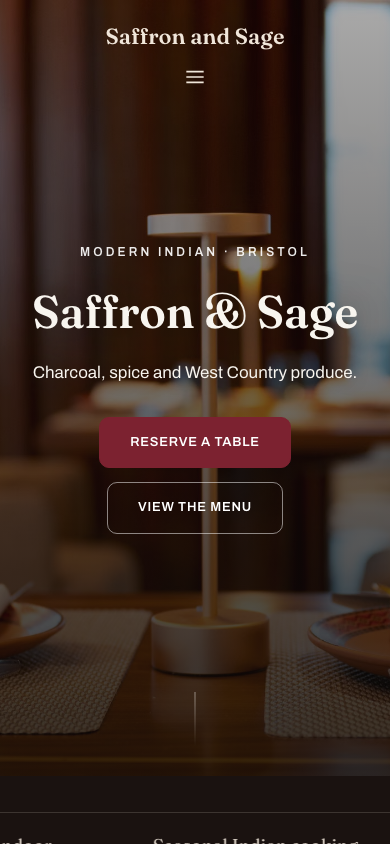
| Phone-first navigation | How to reach Menu, Book, Order and Visit | Keep labels short and place the highest-intent actions within easy touch reach. |
| Restaurant-specific photography | What the room, food and service feel like | Use consistent images from the real restaurant rather than a collection of unrelated stock scenes. |
| Visible local facts | Where the restaurant is and when it is open | Place address, hours, directions and contact details where guests naturally look for them. |
| Purposeful social proof | Why the restaurant is worth choosing | Use verifiable awards, press mentions or guest feedback without allowing them to overwhelm the booking path. |
| Consistent action language | What happens after a tap | Use direct labels such as Reserve a table, Order online and View the menu. |
| A design the team can maintain | That the information remains current | Keep menu, hours, images and page copy editable without rebuilding the layout. |
Make visual hierarchy do the selling
Visual hierarchy is the order in which a guest notices information. The restaurant name and positioning should lead, followed by the action most likely to move the visit forward. Secondary details can sit lower in the composition without disappearing.
Keep the headline specific enough to identify the restaurant. Give the primary button more contrast than secondary links. Use spacing to separate decisions, not to create large empty stretches. Limit each section to one clear purpose: introduce the restaurant, show the menu, establish trust, explain the experience or invite the next action.
A well-designed page does not make every element loud. It makes the important element unmistakable.
Design one complete experience for phone and desktop
Responsive design is not a smaller desktop screenshot. The composition must change as the screen narrows: navigation condenses, columns stack, images crop differently and actions move into a comfortable touch order. The content should stay complete.
Google says it predominantly uses the mobile version of a site's content for indexing and ranking. The commercial test is even simpler: a guest on a phone must be able to read the menu, check the hours and complete the booking or ordering path without zooming or turning the screen.
Treat the menu as the centre of the design
For many guests, the menu is the product page. It deserves the same design care as the homepage. Use readable section headings, stable price alignment, concise descriptions and dietary information that remains attached to the correct dish.
A menu image or print PDF can preserve a physical layout, but it should not be the only route. Structured menu content adapts to the screen, can be searched and can be updated without replacing a file. TableSpark keeps dishes, descriptions, prices and availability as restaurant data that the team can maintain directly.
Put booking and ordering in the visual system
Booking and ordering should look like part of the restaurant website, not an afterthought. Use the same action language in the header, menu and relevant content sections. Keep the path short and make the confirmation state clear.
TableSpark Growth includes live bookings, table inventory, floor plans, table assignment, deposits, no-show policies, reminders, Reserve with Google booking-link connection, POS connections and the restaurant's own domain with managed SSL. Full adds online ordering. TableSpark commission is 0%. Stripe's standard card-processing fees apply to online payments.
Use brand detail without creating clutter
A restaurant can feel distinctive without making the interface difficult. Build the identity from a controlled palette, one display typeface, a readable body face, consistent image treatment and small recurring details. Let the food, room and service carry the emotional weight.
Avoid making every heading oversized, every panel a different colour or every scroll movement animated. Restraint makes the restaurant feel more confident and keeps the guest journey faster.
Design for local discovery as well as human readers
A public link is not the complete search setup. The restaurant name, address, hours, menu URL and public actions should agree across visible content and Restaurant or LocalBusiness structured data. Titles, descriptions, canonical URLs, sitemaps, robots controls and internal links also need to point search systems towards the preferred live pages.
TableSpark includes that managed search-ready foundation alongside the design, so the restaurant gets the core technical configuration in the same complete platform instead of assembling it from unrelated tools.
Google documents that it predominantly uses the mobile version of a site's content for indexing and ranking, and its Restaurant structured-data guidance identifies restaurant details such as address, opening hours and menu as properties that can help describe the business.
For a useful next pass, compare the essential restaurant website sections with the mobile-first design checks.
A practical design review before publishing
- The first view identifies the restaurant and offers one clear next action.
- Menu, Book, Order and Visit remain easy to find on a phone.
- The menu is readable web content with current descriptions, prices and dietary details.
- The same restaurant identity carries across photography, typography, colour and action labels.
- Opening hours, address, telephone and directions are visible and consistent.
- Booking and ordering routes complete successfully on phone and desktop.
- Images crop cleanly without hiding the food, room or people who matter.
- The restaurant team can update the menu, hours, images and copy after launch.
What makes a good restaurant website design?
A good restaurant website expresses the atmosphere while making the menu, hours, location, booking and ordering paths immediately clear. It works across phone, tablet and desktop and remains easy for the restaurant team to maintain.
What should be on a restaurant homepage?
Lead with the restaurant identity, cuisine or location cue and the strongest next action. Keep the menu, booking or ordering route, opening hours, address and contact details easy to reach.
Should the menu be an image or web content?
Use structured web content as the primary menu so dish names, descriptions, prices and dietary details remain readable and editable across screens. A PDF can remain a secondary download if the restaurant needs one.
How should a restaurant website look on a phone?
The layout should recompose for the smaller screen: compact navigation, readable text, clean image crops, stacked content and well-separated touch actions. The menu and key restaurant facts should remain complete.
How many calls to action should a restaurant page have?
Give each section one clear primary action and keep labels consistent. The full site can support Menu, Book, Order and Visit, but they should not all compete at equal visual weight in every section.
Can a restaurant update a TableSpark design after publishing?
Yes. The restaurant can edit its structured menu, prices, availability, images, hours and page content from the TableSpark workspace without rebuilding the site layout.
Does TableSpark support bookings and online ordering?
Yes. Growth includes live bookings and table operations, while Full adds online ordering. TableSpark commission is 0%. Stripe's standard card-processing fees apply to online payments.
How does TableSpark support a search-ready restaurant design?
TableSpark combines responsive content with managed titles, descriptions, canonical URLs, sitemaps, robots controls, internal links, mobile output and Restaurant or LocalBusiness structured data so search systems can discover and understand the preferred restaurant pages.
Sources and product references
- TableSpark restaurant website templates — TableSpark (checked 2026-07-27)
- How TableSpark works — TableSpark (checked 2026-07-27)
- TableSpark pricing and plan comparison — TableSpark (checked 2026-07-27)
- Google Search Central — mobile-first indexing — Google (checked 2026-07-27)
- Google Search Central — Restaurant structured data — Google (checked 2026-07-27)
Start with a complete restaurant design
Choose a finished responsive template, add the menu and review the complete guest journey free before publishing.