Contents
The best restaurant website is not the one with the most pages. It is the one that answers a hungry guest quickly, keeps every answer current and gives the restaurant a direct route to the booking or order. TableSpark puts that complete restaurant journey into one site the team can maintain itself.
A restaurant website should put the menu, opening hours, location, contact details, booking and ordering actions first, then add food and room photographs, the restaurant story, dietary information and a clear way to keep every detail current. TableSpark brings those pieces into one mobile-first restaurant site that the team can edit itself, with booking and ordering on the relevant plans. Build free; published plans start at £19 a month excluding VAT. TableSpark commission is 0%. Stripe's standard card-processing fees apply to online payments.
The short answer: put the guest decision first
A guest arriving from Google, a map listing, Instagram or a recommendation is usually trying to settle a practical question: Is this the right place, can I eat there, and what should I do next? The website should answer that before it asks the guest to read a long history or hunt through a decorative homepage.
That does not mean every restaurant needs the same visual style. TableSpark offers 50 finished restaurant designs because a tasting room, neighbourhood café and late-night grill should not look interchangeable. The content order, however, should stay disciplined.
| Guest question | Best answer on the site |
|---|---|
| What kind of restaurant is this? | Name, cuisine, location and a clear first image |
| What can I eat and what does it cost? | A live, structured menu with prices and dietary detail |
| Is it open and where is it? | Current hours, address, map and contact details |
| Can I book or order now? | A direct booking or ordering action near the decision |
| Can I trust the information? | Consistent details, real photographs and a maintained site |
1. Name, cuisine and location
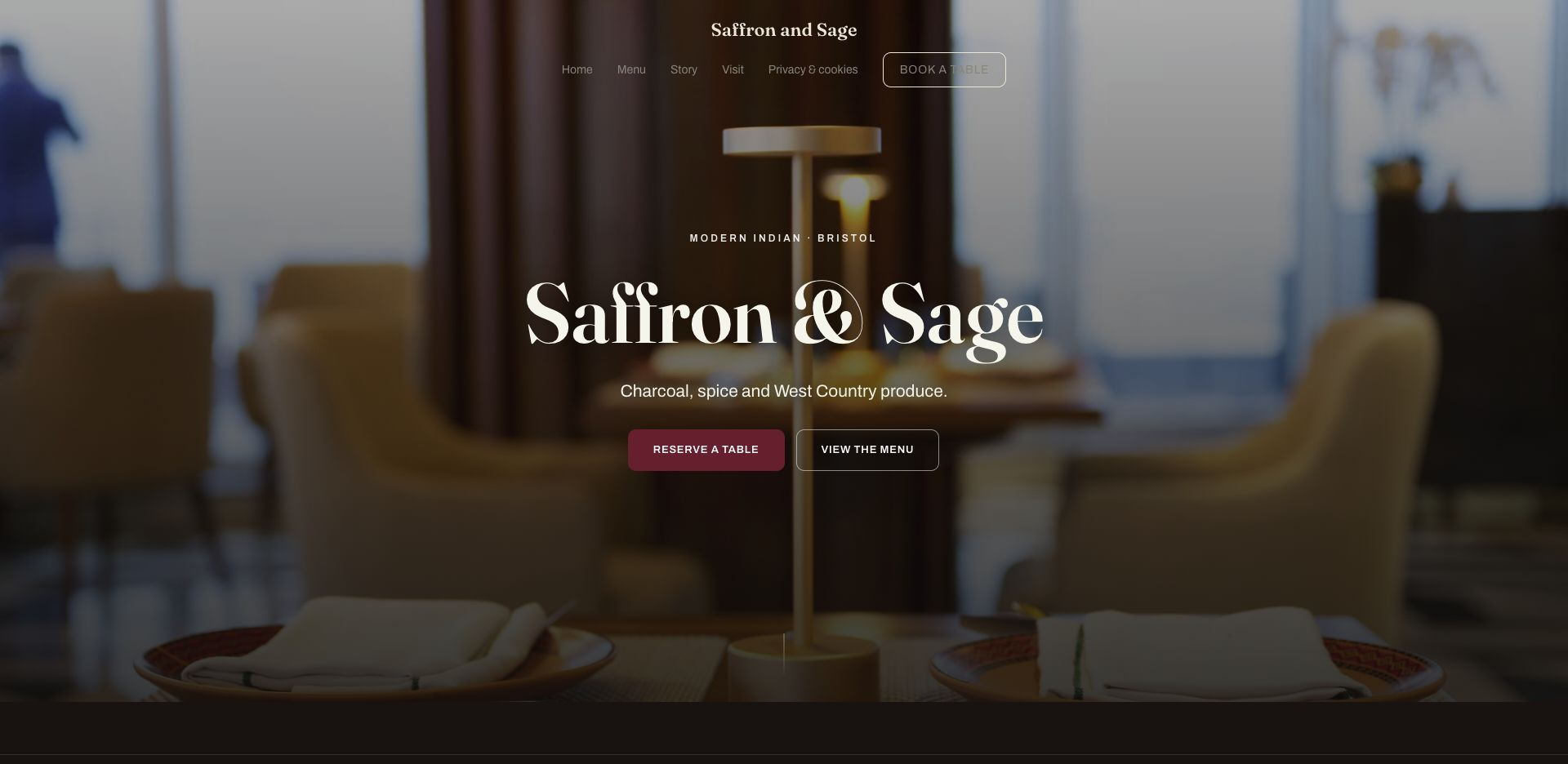
The first screen should say who you are, what you serve and where you are. A name without a location is weak when the same restaurant name exists in more than one town; a photograph without a cuisine cue makes the guest do the interpretation.
Use one clear heading, a short line that names the cuisine and neighbourhood, and one primary action. Keep the navigation small enough that Menu, Book, Order and Visit are obvious rather than buried among internal labels.
2. A live menu guests can scan quickly
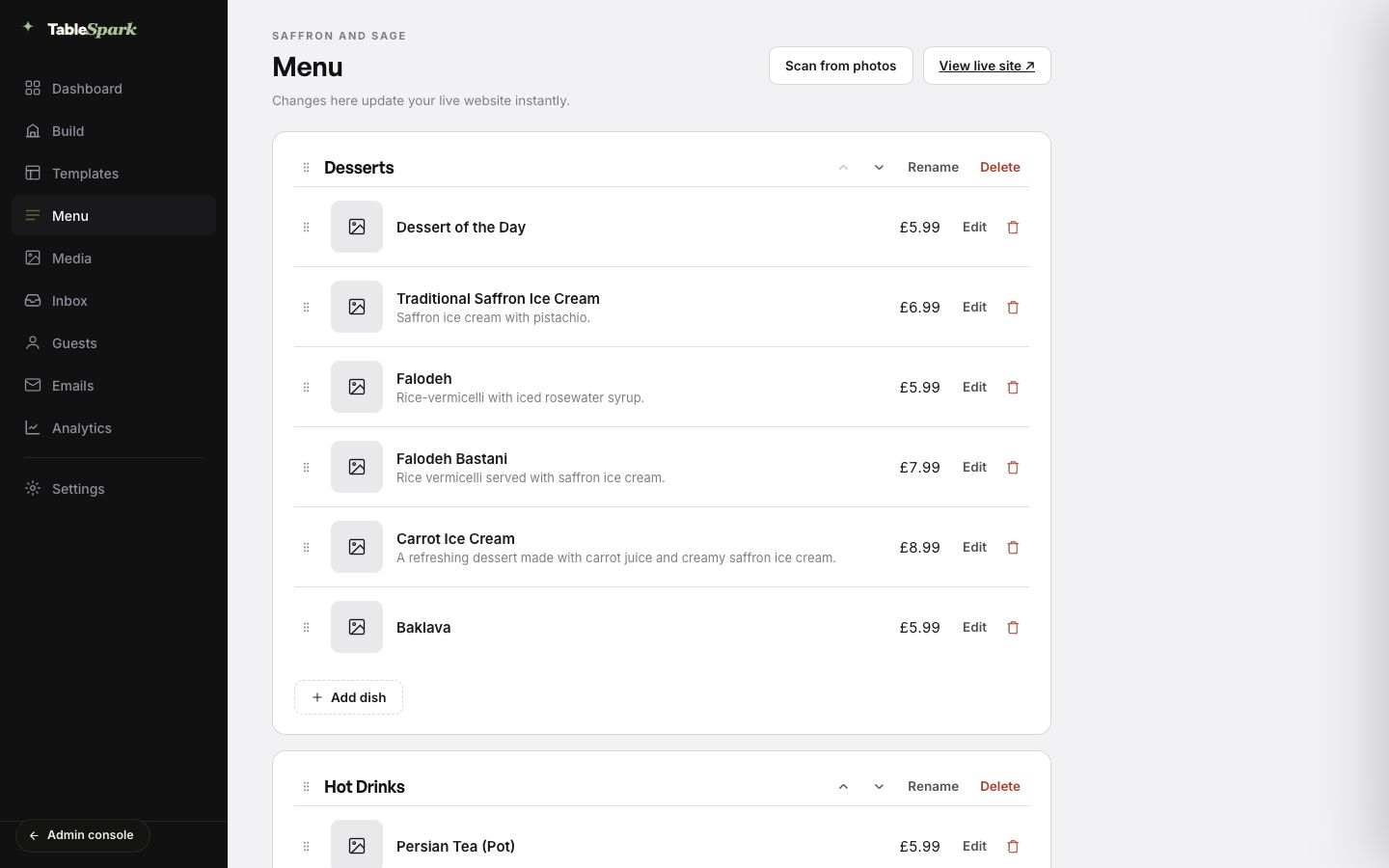
The menu is the commercial centre of a restaurant website. Put section names, dish names, descriptions, prices and useful dietary marks into real page content. A guest should be able to move from starters to mains, identify a suitable dish and understand the price without pinching, zooming or downloading a print layout.
TableSpark stores the menu as restaurant data. Change a price, edit a description, reorder a section or mark a dish sold out in the same editor that publishes the site. That is stronger than treating the menu as a picture that has to be rebuilt whenever service changes.
3. Current opening hours, address and contact details
Publish regular hours, split lunch and dinner service where relevant, and make exceptions clear. Put the full address, telephone number and a usable map or directions link on the Visit page and repeat the essentials in the footer.
Consistency matters more than repetition. If the homepage, footer and contact page disagree, the guest has no reason to know which one is current. Keep one maintained set of restaurant details and let the site reuse it.
4. A direct reservation route
A booking action should sit where the guest decides: in the header, beside the menu and on the Visit or Reservations page. TableSpark supports live booking availability, table inventory, floor plans, table assignment, deposits, no-show policies, reminders and Reserve with Google booking-link connection around the restaurant's workflow.
The guest should see a clear next step, while the restaurant keeps the reservation and guest record inside its own operating view. Explore the wider TableSpark workflow before deciding which actions belong on each page.
5. Direct online ordering on your own site
If you offer collection or delivery, the order route should begin from the same menu and brand the guest has already chosen. Put Order online next to the relevant dishes and service information, then keep collection times, payment and order status inside a coherent flow.
TableSpark Full combines the restaurant website, structured menu and online ordering. TableSpark commission is 0%. Stripe's standard card-processing fees apply to online payments. The commission-free page explains the direct-booking and ordering model.
The published plan structure: build the complete site free; published plans are Starter £19, Growth £39 and Full £69 a month, excluding VAT. Growth carries live bookings, tables and the restaurant's own domain with managed SSL; Full adds online ordering and multi-site. TableSpark commission is 0%. Stripe's standard card-processing fees apply to online payments.
6. Food, room and team photographs with a job to do
Use photographs to answer questions prose cannot answer as quickly: What does the room feel like? How is the food presented? Is there outdoor seating? Who is cooking? A small set of strong, current photographs is more useful than a long gallery of near-duplicates.
Give each image descriptive alternative text when it adds information. Do not put opening hours, prices or important instructions only inside an image; those details belong in editable text as well.
7. The restaurant story, written for a guest
The About or Story page should explain the point of view behind the restaurant: the cooking, place, people and ingredients that make it worth choosing. Keep the first paragraph specific. A short account of the chef, the neighbourhood or the menu philosophy is stronger than generic claims about passion and quality.
Link the story back to an action. A guest who understands why the restaurant exists should not have to return to the homepage to view the menu or reserve.
8. Dietary, accessibility and practical visit information
Dietary tags belong beside the dishes they describe, with a contact route for questions that need a human answer. Add practical information such as step-free access, seating constraints, children's arrangements, parking or public transport when it is relevant and verified by the restaurant.
This is useful content, not footer decoration. It can decide whether a whole party feels confident enough to book.
9. Trust, privacy and a real contact route
Publish genuine contact details and working forms for enquiries, private events or press. If you show reviews, awards or press quotes, identify the source and keep the wording accurate. Do not invent social proof or turn an illustrative demonstration into a customer result.
Privacy, terms and cookie information should be reachable without competing with the guest's main actions. The result is a site that feels complete and accountable.
10. A search-ready foundation behind the visible sections
A public link is not the same as a search-ready restaurant site. Important sections need crawlable text, clear titles and descriptions, canonical URLs, internal links, sitemaps and structured restaurant data that help search systems find and understand the page. Google documents the restaurant details that can be represented with LocalBusiness structured data.
TableSpark packages that technical foundation with the restaurant content: metadata, canonicals, sitemaps, robots controls, Restaurant and LocalBusiness schema, internal linking, mobile-first output and managed search-verification setup. Those foundations support discovery and understanding; they do not guarantee indexing or a ranking.
The maintenance test: can the team keep every answer true?
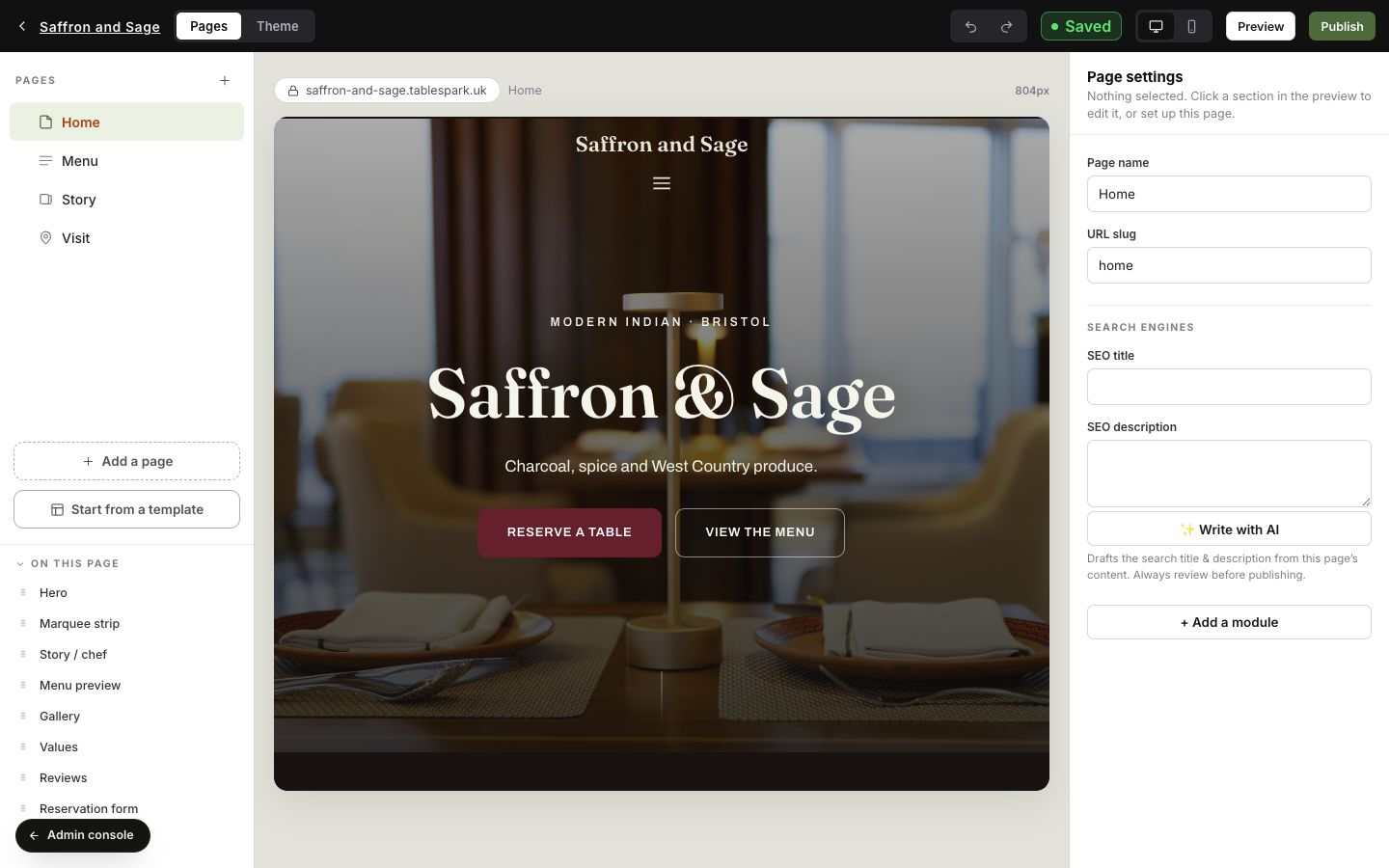
Before adding another page, ask who will update it after launch. A section that goes stale creates more doubt than a section that never existed. The strongest setup lets the restaurant change its own menu, hours, photographs, events and page copy without waiting for a developer.
TableSpark keeps those jobs in one visual builder. Pages and modules sit beside a live canvas, with page and search settings in the same workspace.
- Restaurant name, cuisine and location are clear in the first view.
- Menu sections, dishes, descriptions, prices and dietary information are current.
- Opening hours, address, telephone number and directions agree everywhere.
- Booking and ordering actions appear where a guest decides.
- Food, room and team photographs are current and useful.
- Story, visit information, privacy and contact routes are complete.
- Titles, descriptions, canonicals, schema and internal links are ready for search.
- A restaurant team member can keep every section true after launch.
Once the content list is clear, apply practical restaurant website design ideas and finish with the restaurant website pre-launch checklist.
Restaurant website content questions
What are the most important things to put on a restaurant website?
Put the menu, opening hours, location, contact details and a direct booking or ordering action first. Then add useful photographs, the restaurant story, dietary and accessibility information, and a maintained search-ready foundation.
Should a restaurant menu be a web page or a PDF?
Use a structured web menu as the primary version so guests can read it on a phone and the restaurant can update dishes and prices as data. A PDF can remain a secondary download when there is a genuine print use, but it should not be the only menu.
Does every restaurant need separate Menu, Book and Visit pages?
Not always. A small restaurant can keep the journey compact, provided the menu, hours, address and actions are easy to find. Larger menus, several services or detailed visit information often deserve their own pages. TableSpark lets the restaurant organise those pages and actions in one builder.
Should restaurant prices appear on the website?
If the restaurant publishes prices on its current menu, the website should show the same current prices. Keeping them in a structured menu makes corrections easier and reduces disagreement between pages.
Where should the booking button go?
Place it in the header and repeat it close to the menu, visit information and relevant calls to action. The guest should not have to return to the homepage after deciding to book.
What makes restaurant website content mobile-friendly?
Readable type, short navigation, clear touch actions, a structured menu and a layout that adapts without hiding the essential content. See the related guide to mobile-friendly restaurant websites.
Can TableSpark handle the website after it is published?
Yes. The restaurant can update its menu, prices, hours, photographs, events and page content from the same platform. TableSpark also supports bookings, tables, ordering and the managed search-ready foundation described in the relevant plans.
Sources and product references
- TableSpark pricing and plan comparison — TableSpark (checked 2026-07-27)
- How TableSpark works — TableSpark (checked 2026-07-27)
- TableSpark restaurant website templates — TableSpark (checked 2026-07-27)
- Local business structured data guidance — Google Search Central (checked 2026-07-27)
Put every guest answer into one restaurant site
Choose a finished design, add the menu and make every section yours. Build free; choose a published plan only when the site is ready.