11 · Integrations

Every connection your restaurant needs, already wired

Payments, card readers, kitchen printers, Google, email from your own domain, texts and your data, connected inside one account. For owners who are tired of stitching apps together and paying for each join.

  • 0%TableSpark commission on bookings and orders
  • 1login for website, bookings, orders and till
  • CSVexport of your guests, whenever you want it
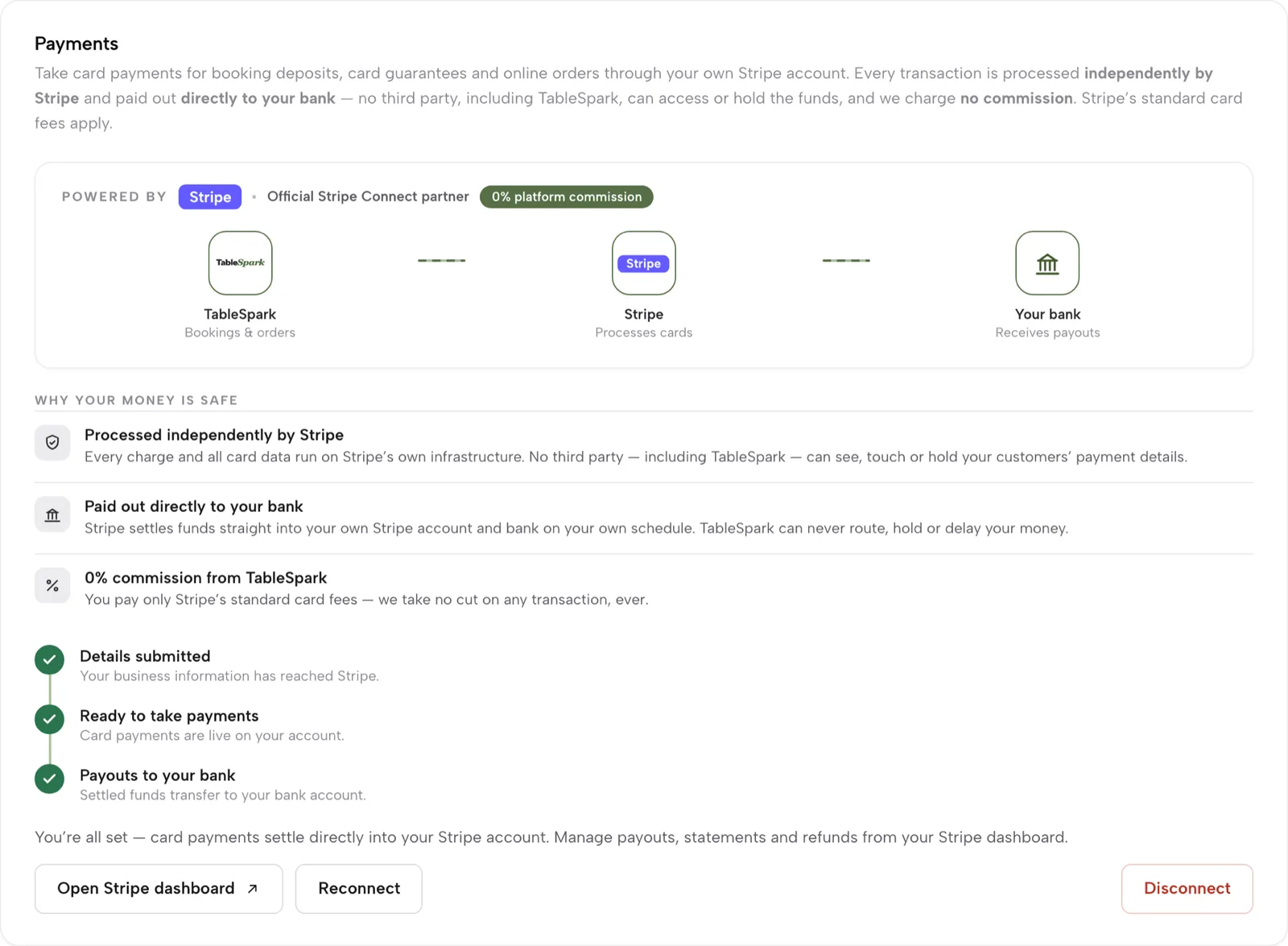
Settings, Payments, connected: TableSpark to Stripe to your bank, three ticks for details, payments and payouts, and a 0% platform commission badge.

A restaurant stack is usually five apps and the gaps between them

The website comes from one company, bookings from another, the till and card machine from a third, and marketing from a fourth. Each one needs its own login, its own bill and its own copy of your menu and your guests.

The joins are where things break: a dish sold out on the till but still on the website, a guest who booked but never reached the mailing list, a printer that only some orders reach.

Payments

Stripe, straight to your own account

Connect your restaurant's Stripe account once in Settings. Online orders, booking deposits, no-show fees and gift-card sales are paid into it directly, and payouts go to your bank on Stripe's schedule.

  • 0% TableSpark commission on bookings and orders
  • Stripe's standard card-processing fees apply to online payments
  • Refunds and payment status sit on each order
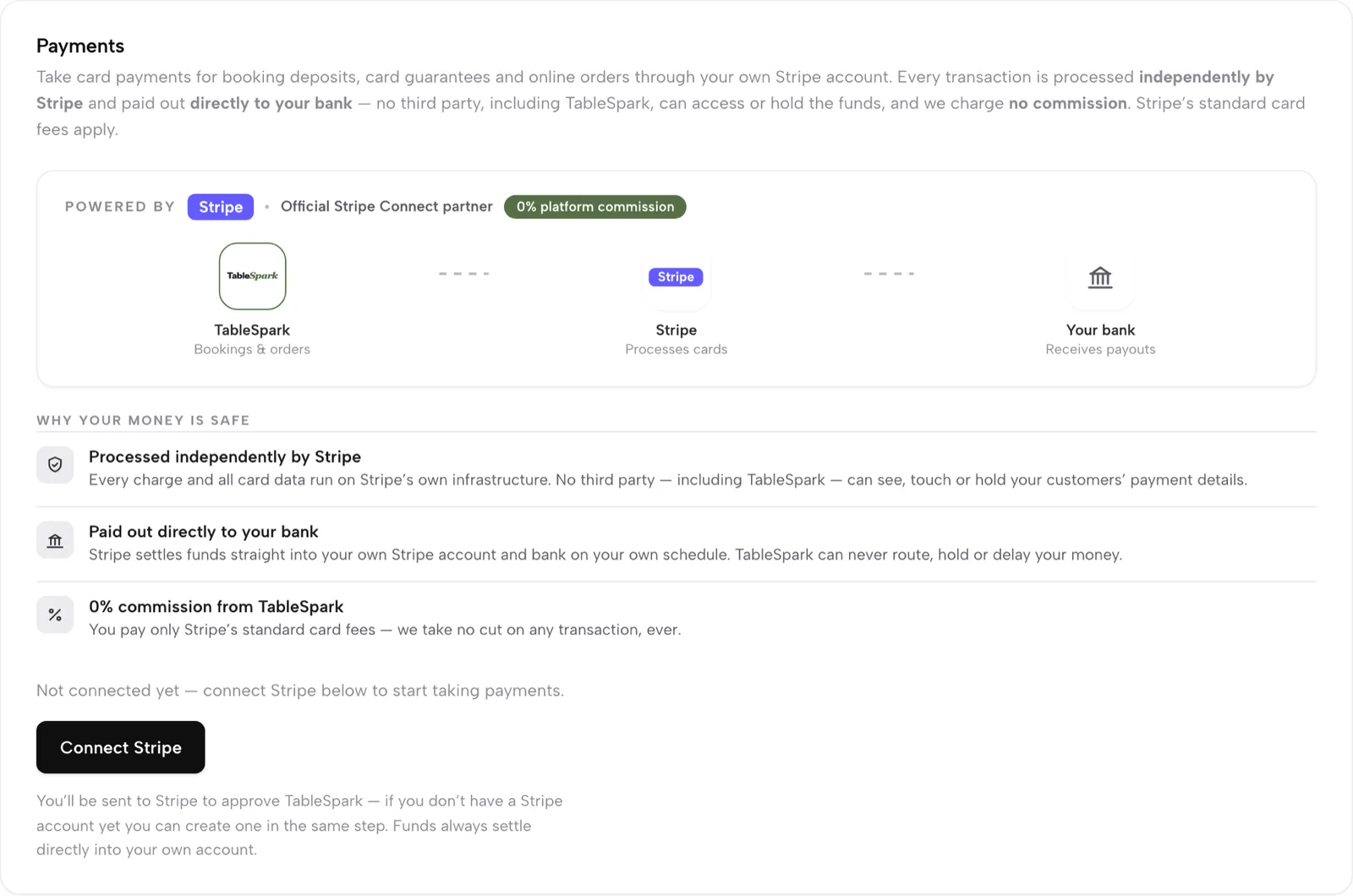
Connect Stripe and get paid
Settings, Payments: Powered by Stripe, a 0% platform commission badge, a TableSpark to Stripe to your bank diagram, and ticks for details submitted, ready to take payments and payouts to your bank

At the till

Card readers for in-person payments

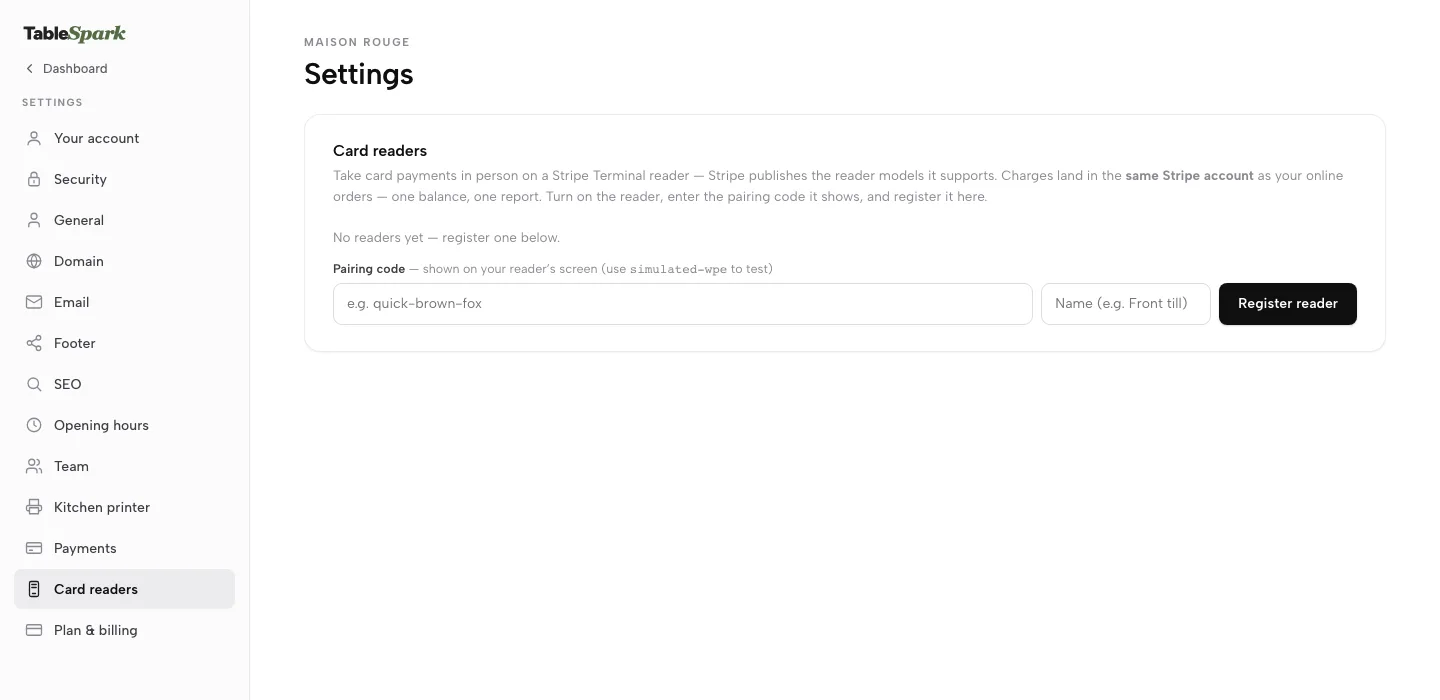
Register a Stripe Terminal reader from Settings with its pairing code, then charge a table's bill or a walk-up amount on it. The payment settles into the same Stripe account and lands on the bill, the end-of-day report and the audit log.

  • Split a bill by dish or evenly and take it in parts across cash and card
  • Takings by tender in the end-of-day Z report
  • Card readers on Growth and Full
Take a bill in parts
Settings with the Card readers section open: pairing code and name fields with a Register reader button.

In the kitchen

Star CloudPRNT kitchen printers

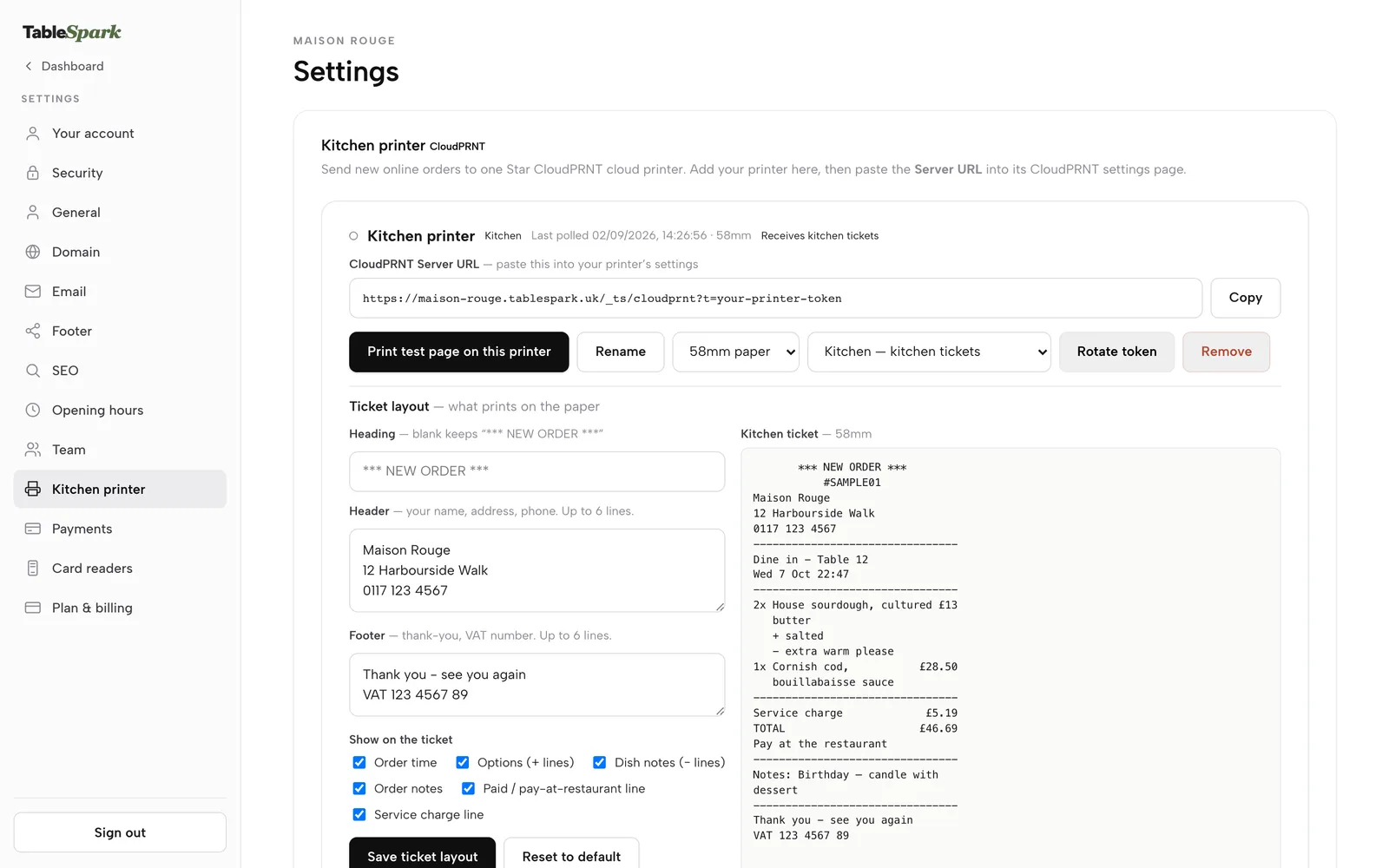
Add a printer in Settings, copy its Server URL and paste it into the printer's CloudPRNT page. Online and table orders print as kitchen tickets, with your own heading, header and footer, on 58 mm or 80 mm paper.

  • Print a test page before service
  • Kitchen and receipt roles per printer
  • Kitchen display on any tablet or TV browser as well
Set up a kitchen printer
Settings, Kitchen printer: a Star CloudPRNT printer with its Server URL and Copy button, Print test page, paper width and role, and the ticket layout beside a sample kitchen ticket

Google

Search Console, Reserve with Google and your review link

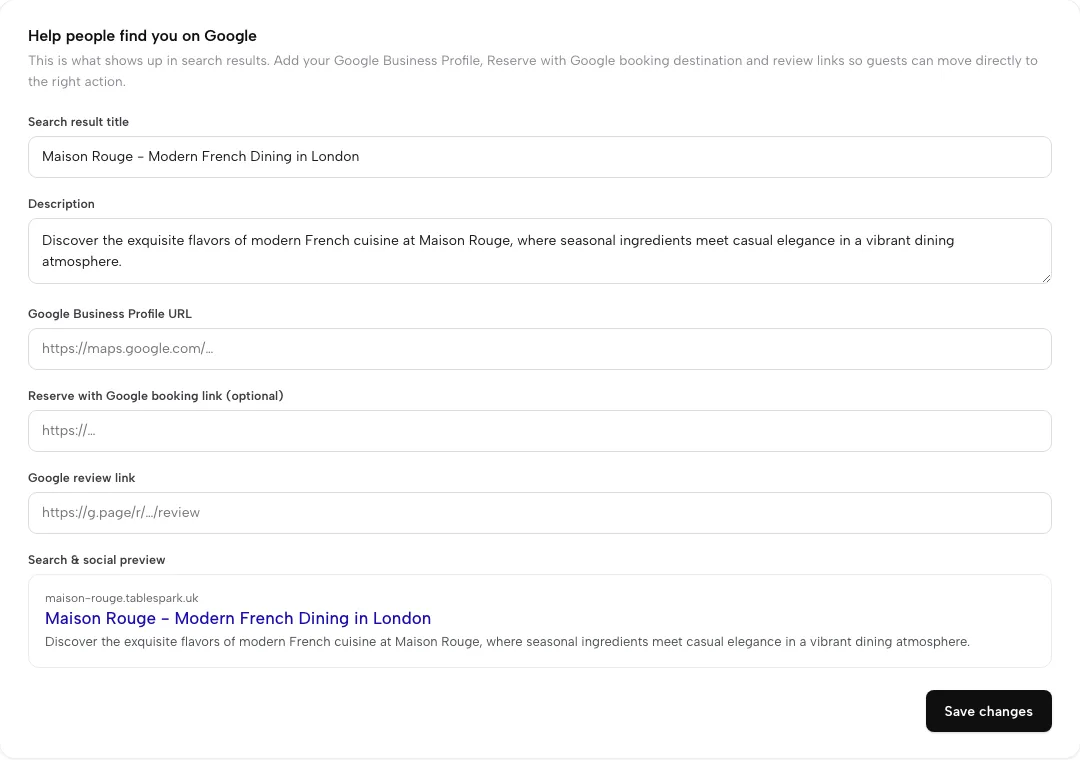
Every publish submits your sitemap to Google Search Console, and a custom domain gets its own verified property. Your Google Business Profile, a Reserve with Google booking link and your Google review link are set in one Settings card.

  • Reserve with Google booking-link connection: a booking destination on Growth and Full
  • Managed search-verification setup on every plan
  • Indexing and ranking stay decisions for Google
Set up your domain and Google
Settings, SEO: search title and description, Google Business Profile URL, Reserve with Google booking link, Google review link and a search preview

Domain

Your domain, SSL and search verification

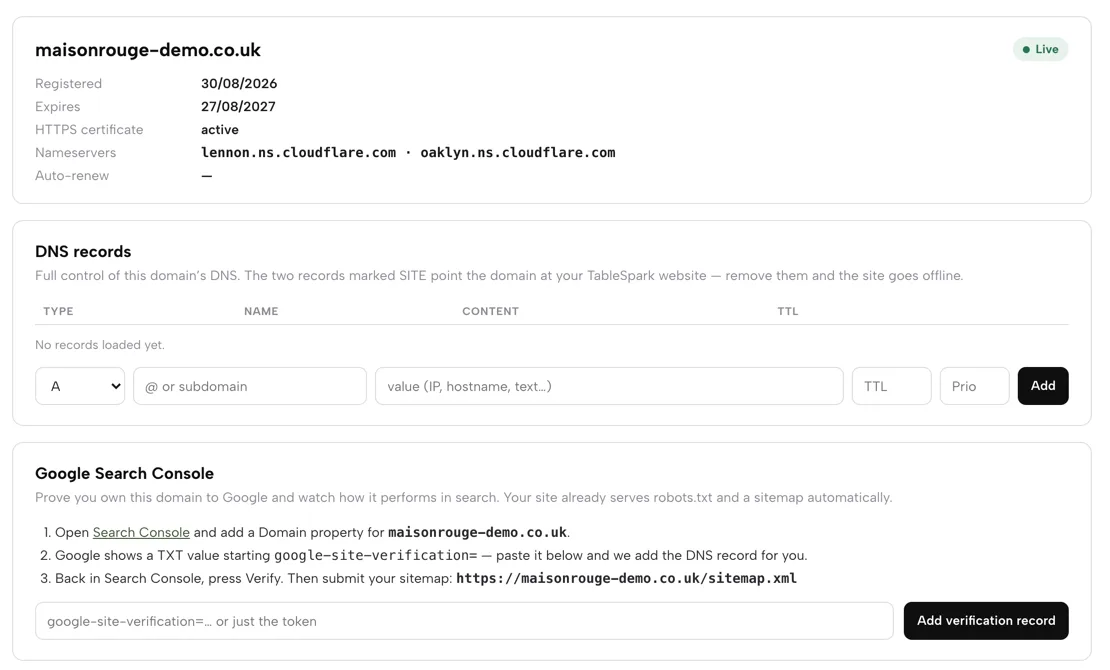
Connect a domain you own or get one inside Settings, and TableSpark manages the SSL certificate and the DNS records the site needs. The Domain page shows the live status, HTTPS and the Search Console steps in one place.

  • Custom domain and managed SSL on Growth and Full
  • Free tablespark.uk subdomain on every plan
  • Sitemap address shown on the Domain page
Connect your domain
The Domain page: live domain status with HTTPS active, DNS records, and the Google Search Console card with its three steps and sitemap address

Email

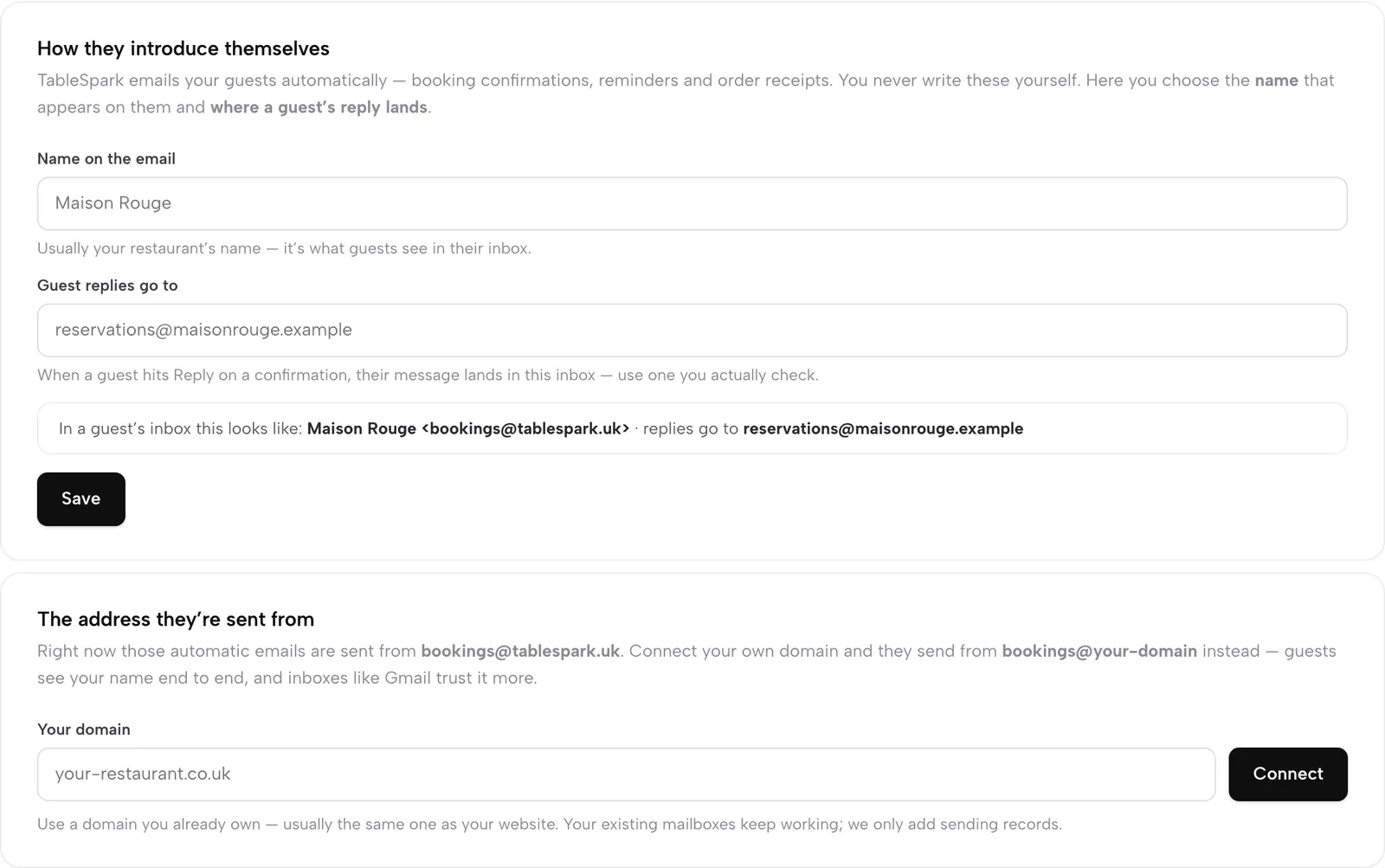
Guest email from your own address

Connect your domain in Settings, then Email, and confirmations, reminders, receipts and campaigns go out under your restaurant's name and address, with replies to the inbox you choose. A mailbox on your domain is £2.00 a month.

  • Fourteen automatic guest emails, all editable
  • Campaigns to consented guest segments
  • Morning summary email on Growth and Full
Send email as your restaurant
How they introduce themselves with Name on the email and Guest replies go to fields, and below it The address they're sent from with a Your domain field and Connect button.

Email and texts

Automated journeys, by email or text

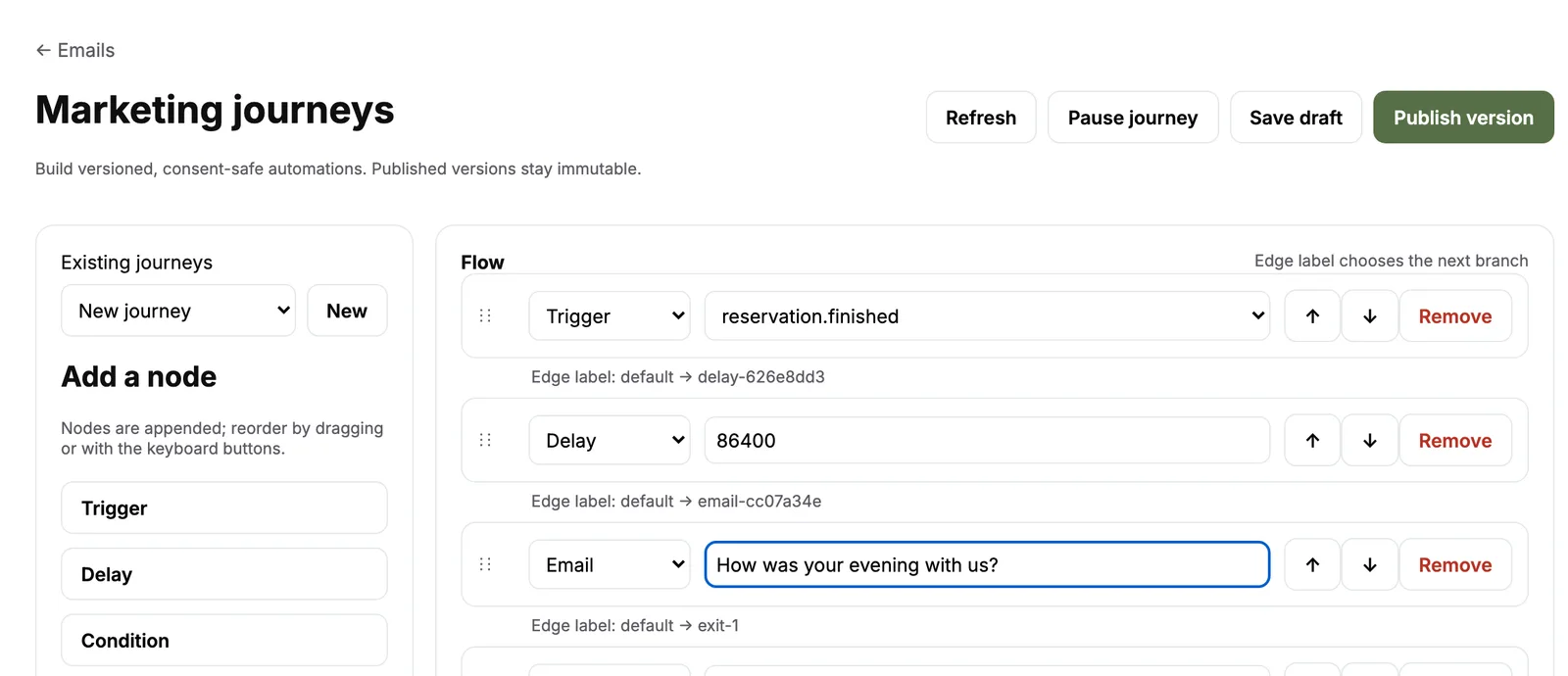
A journey starts after a visit, an order or a no-show, waits, checks a condition and then sends an email, or a text where SMS is set up for your restaurant. Guests sort themselves into Regulars, VIP, Recently joined and Win-back segments.

  • Only guests who subscribed receive marketing
  • Every journey is versioned before it goes live
  • Campaigns and journeys on Growth and Full
Build a journey
Marketing journeys editor: Trigger booking finished, Delay one day, Email, Exit

Your data

Export what is yours, whenever you want

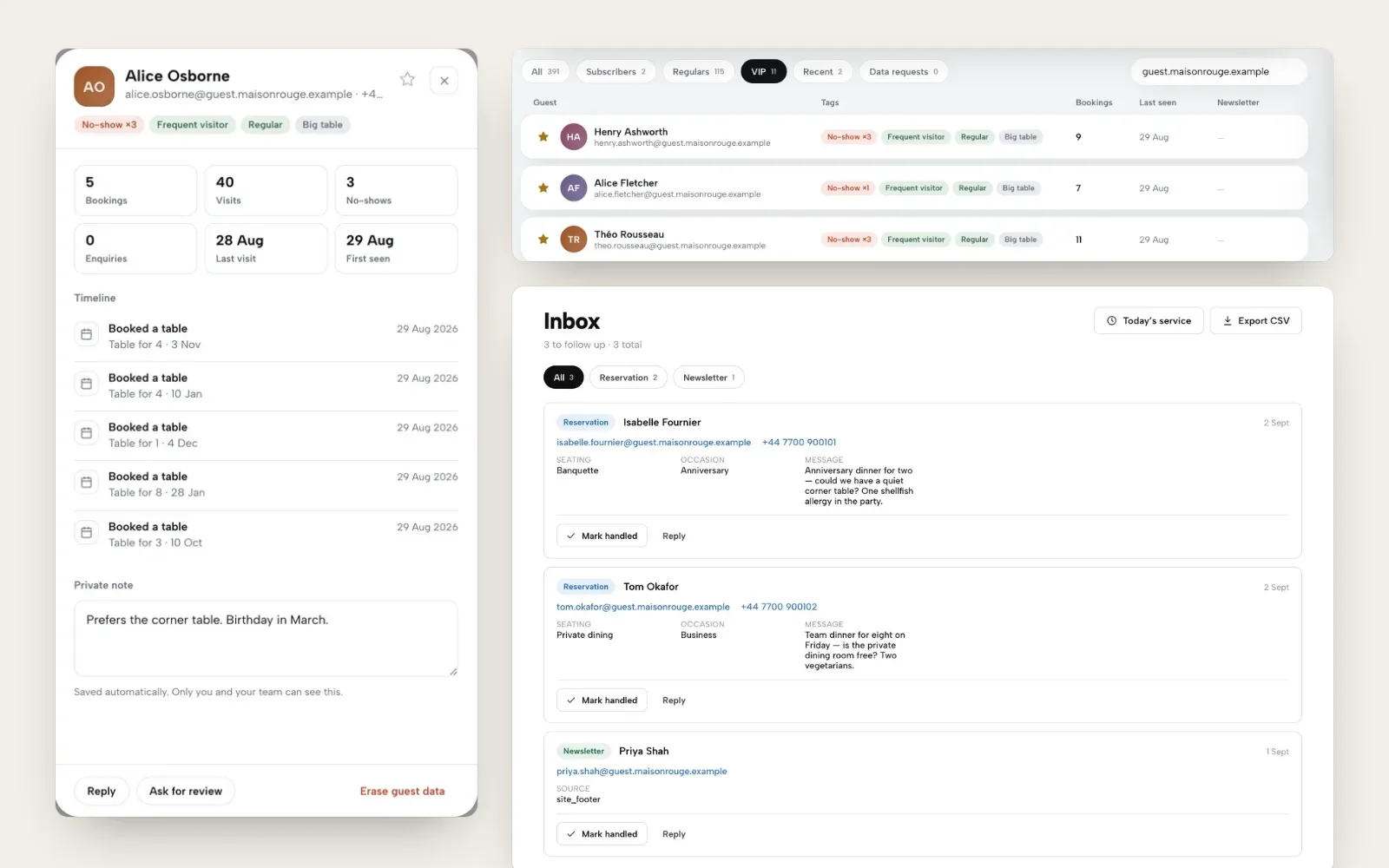
Guest records stay under your restaurant's TableSpark account, visible in the Inbox and guest list. Export the guest list and every lead as CSV at any time, and export hours worked to CSV or Excel for payroll.

  • Guest list and Inbox export to CSV on every plan
  • Cross-site guest export on Full
  • Payroll hours export to CSV or Excel
Find and export your guests
A guest profile with bookings, visits and a private note, the VIP segment of the guest list, and the Inbox with its Export CSV button

How it connects

Every connection feeds the same restaurant record

A payment, a printed ticket, a Google booking and an email all point back to the same menu, diary and guest list, so nothing is copied between apps.

Plan & price

Most connections come with Growth

Growth is £39 a month excluding VAT and carries card readers, Google booking links, own-domain email and campaigns. Full, at £69 a month excluding VAT, adds online ordering and kitchen ticket printing for up to five sites.

Prices exclude VAT. 0% TableSpark commission on the bookings and orders your plan includes. Stripe’s standard card-processing fees apply to online payments. Compare every plan.

Questions owners ask

Can I add TableSpark bookings or ordering to the website I already have?

Yes. In Settings, Website widgets gives you one line to paste into WordPress, Squarespace, Wix or any other site. Bookings run on Growth and online ordering on Full, at 0% TableSpark commission, and every booking and order lands in the same TableSpark diary, Orders screen and guest list.

Which payment provider does TableSpark use?

Stripe. You connect your own Stripe account, payments are paid into it directly and TableSpark takes 0% TableSpark commission. Stripe's standard card-processing fees apply to online payments.

Which card readers and printers work with TableSpark?

Card payments at the till run on Stripe Terminal readers, settled into your own Stripe account. Kitchen tickets print over Star's CloudPRNT protocol, so a CloudPRNT printer connects with one pasted link, and the kitchen display runs on any tablet or TV browser.

Do Google bookings arrive in my Inbox automatically?

The Google link is a booking destination: guests complete the booking on your own booking page, where it joins your diary like any other.

Does TableSpark connect to my existing till?

TableSpark can be the till: the service console, split bills, card readers and the end-of-day report all run in the same account as your website and bookings. POS connections are configured around each restaurant, so talk to us about the system you use today.

Can I take my guest data with me?

Yes. Guest records stay under your restaurant's TableSpark account and you can export the guest list and every lead as CSV at any time.

Can TableSpark send texts as well as emails?

Yes. Automated journeys can send a text as well as an email where SMS is set up for your restaurant, and only to guests who subscribed.

One account, every connection

Build your site free, connect Stripe and your domain, and run the restaurant from one login.