
Six friends ask to split one bill, and the person at the till starts doing the sums on a napkin while the table waits to leave. Someone taps the wrong tender, someone hands over notes for half a share, and the bill ends up paid in one lump that nobody can match to the cash drawer or the card machine. The next table is already waiting. The table’s sheet in Service settles a bill by tender, takes it in shares, and frees the table the moment the last share covers it.
Sidebar → ServicePay in parts: Growth and Full plans
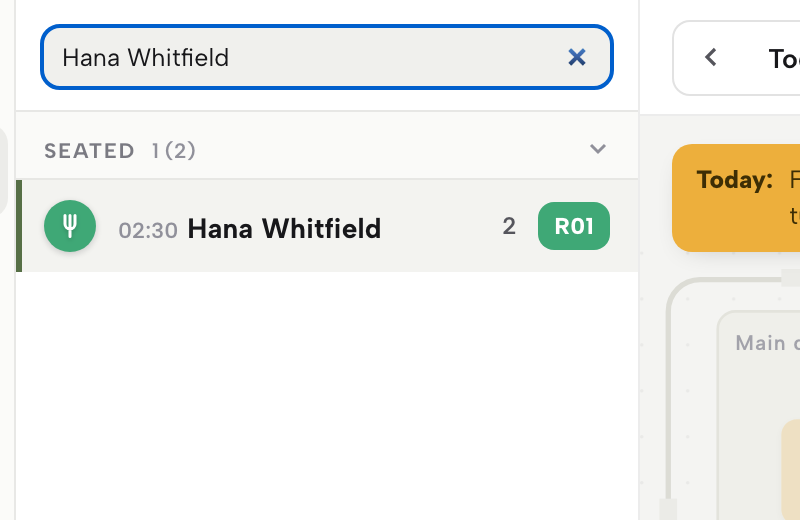
In Service, find the table and click its row — the table’s sheet opens on the right.
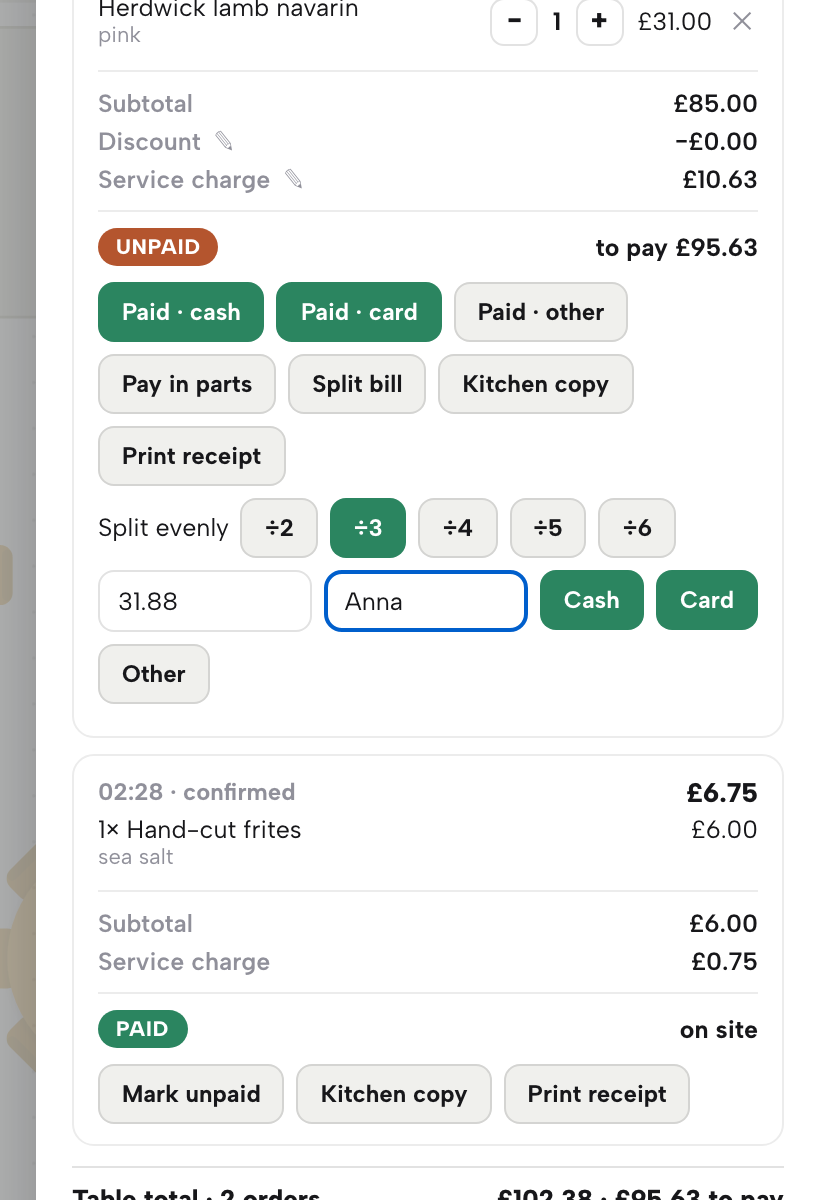
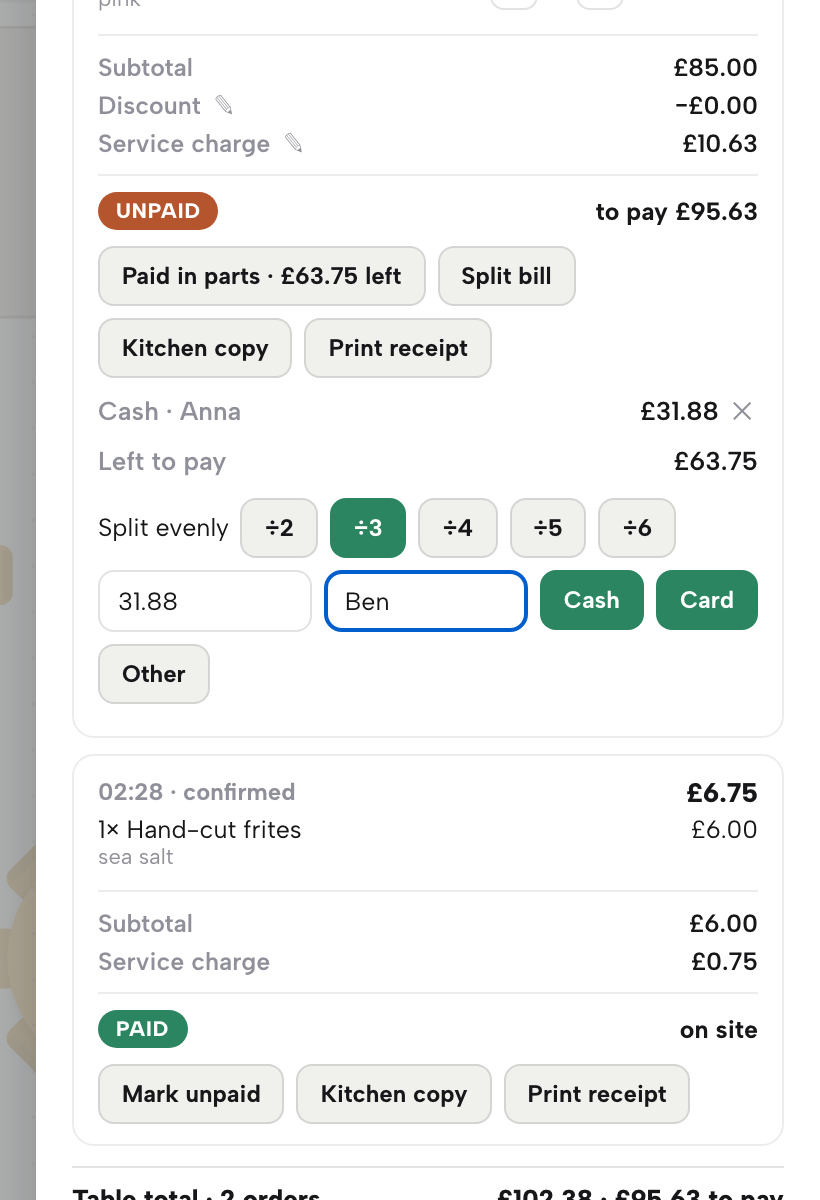
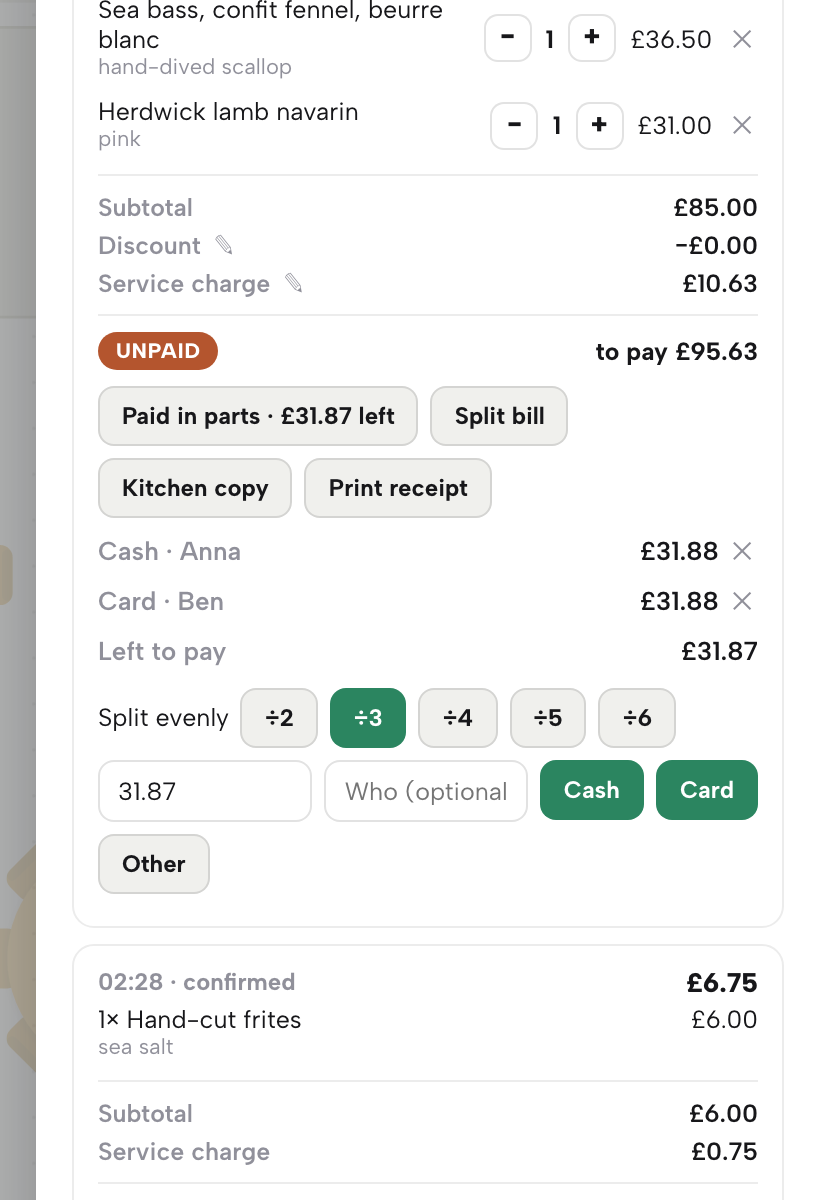
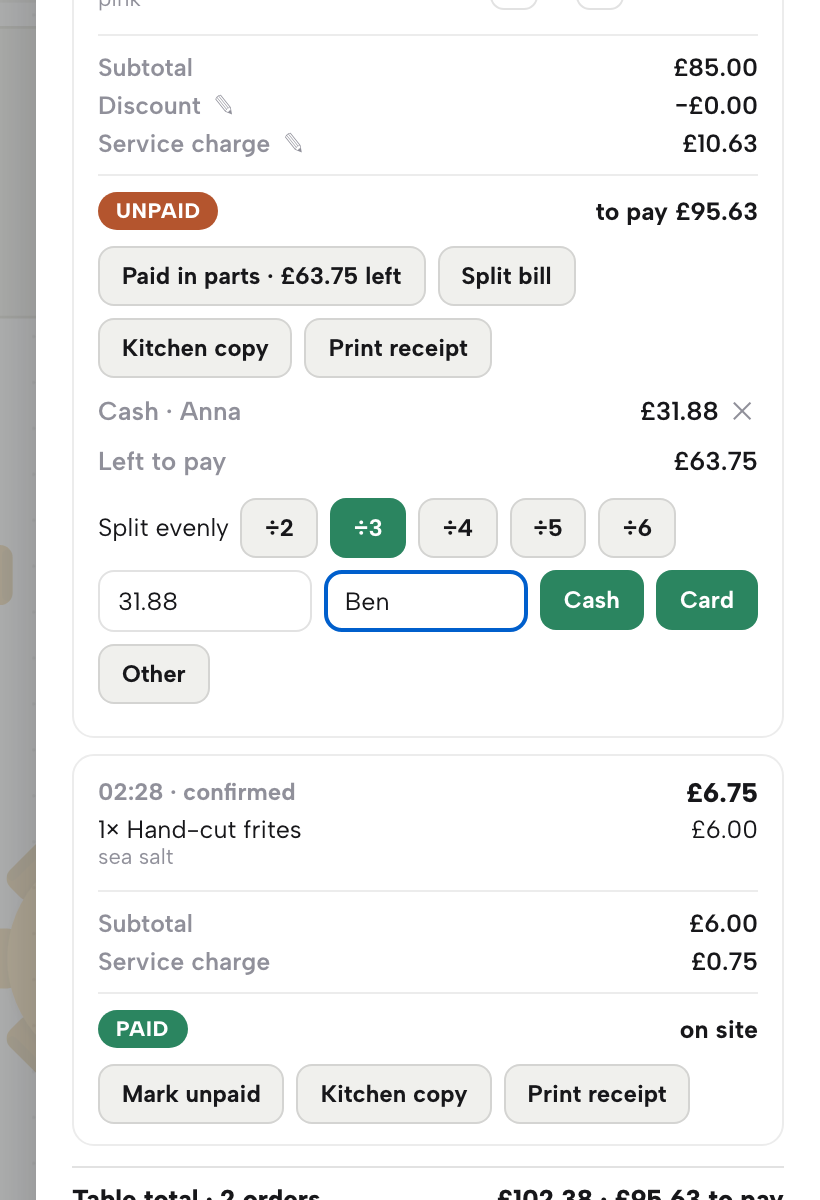
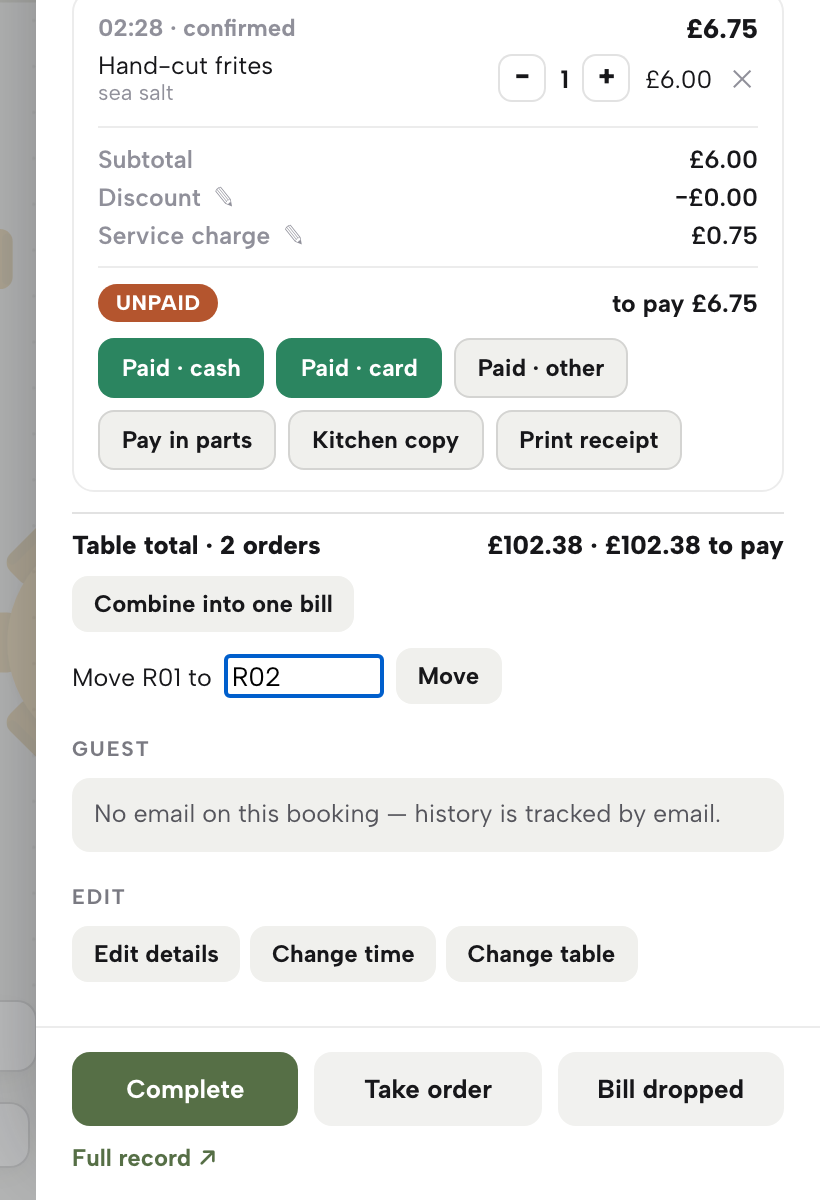
A bill settled on one tender, another taken in three shares by cash and card, a part undone and retaken, the table freed — and dish splits, combining and moving shown ready to use.
- WHAT YOU NEED
- A seated table with an order taken in Service
- TIME
- About 12 minutes
- PLAN
- Growth or Full for paying in parts
- CAN I BREAK IT?
- No a part can be removed with its cross
IN PLAIN WORDS / TAP A TERM
What is a tender?
The way a guest pays: cash, card or something else. End of day groups the money by tender so each till drawer and card machine can be checked.
What does paying in parts mean?
Taking one bill as several payments, one for each guest, each by its own tender. The bill is paid when the parts add up to the total.
What does ÷3 do?
It fills the amount box with a third of the bill, rounded up to the penny. The last share is whatever is left, so nothing is over or under.
What is the difference between splitting evenly and splitting by dish?
Splitting evenly shares one bill between guests. Splitting by dish moves chosen dishes onto a bill of their own.
What does the cross on a part do?
It removes that part and puts its amount back into the balance still to pay, so you can take it again.
Settle a whole bill by tender
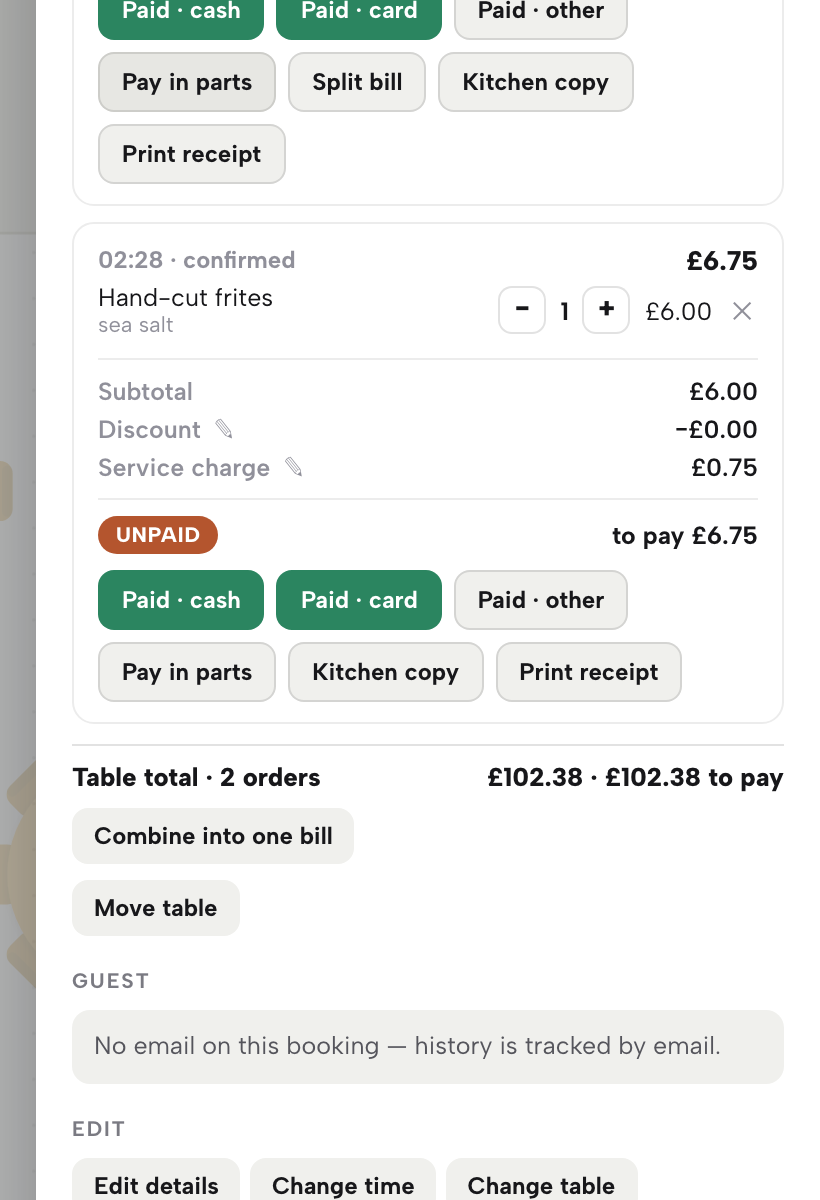
Open Service and click the table’s row in the list on the left, or its table on the floor plan. The table’s sheet opens on the right. Under Orders & payment every order on the table is a bill of its own, with its dishes, the subtotal, any discount, the service charge and what is left to pay.
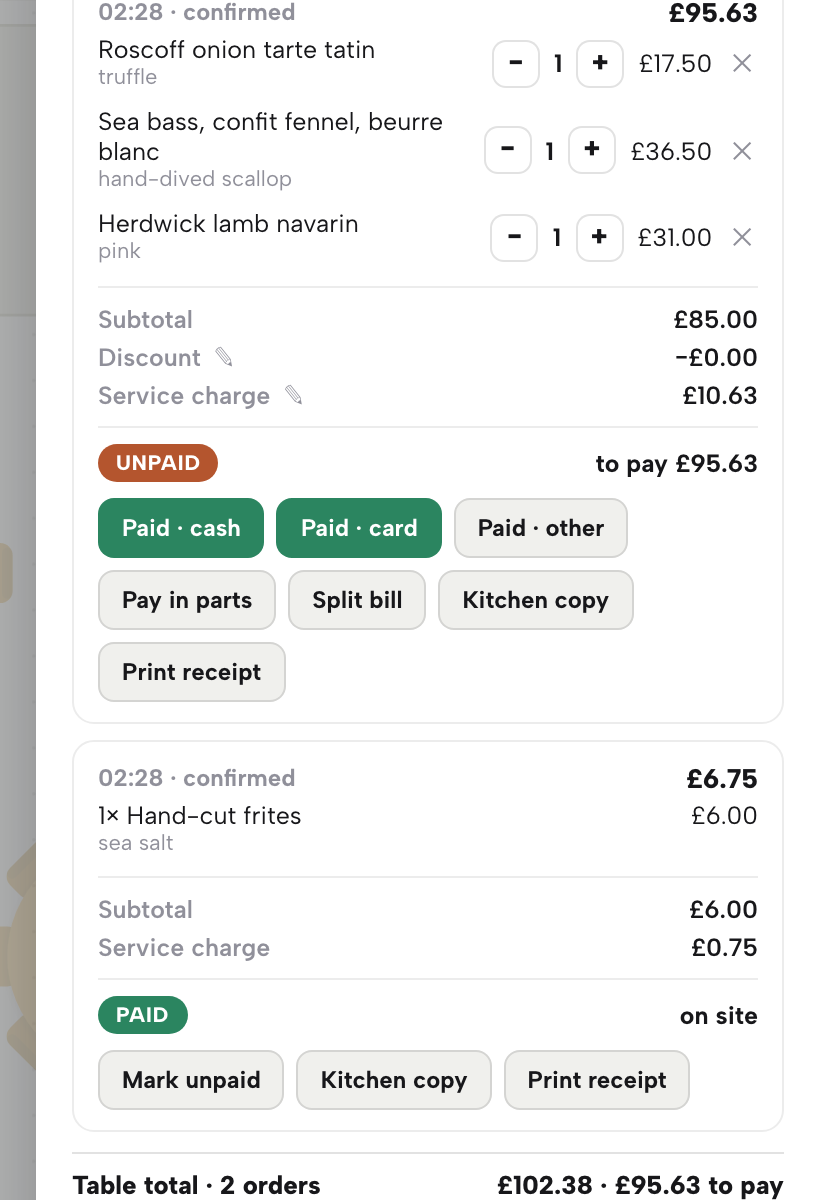
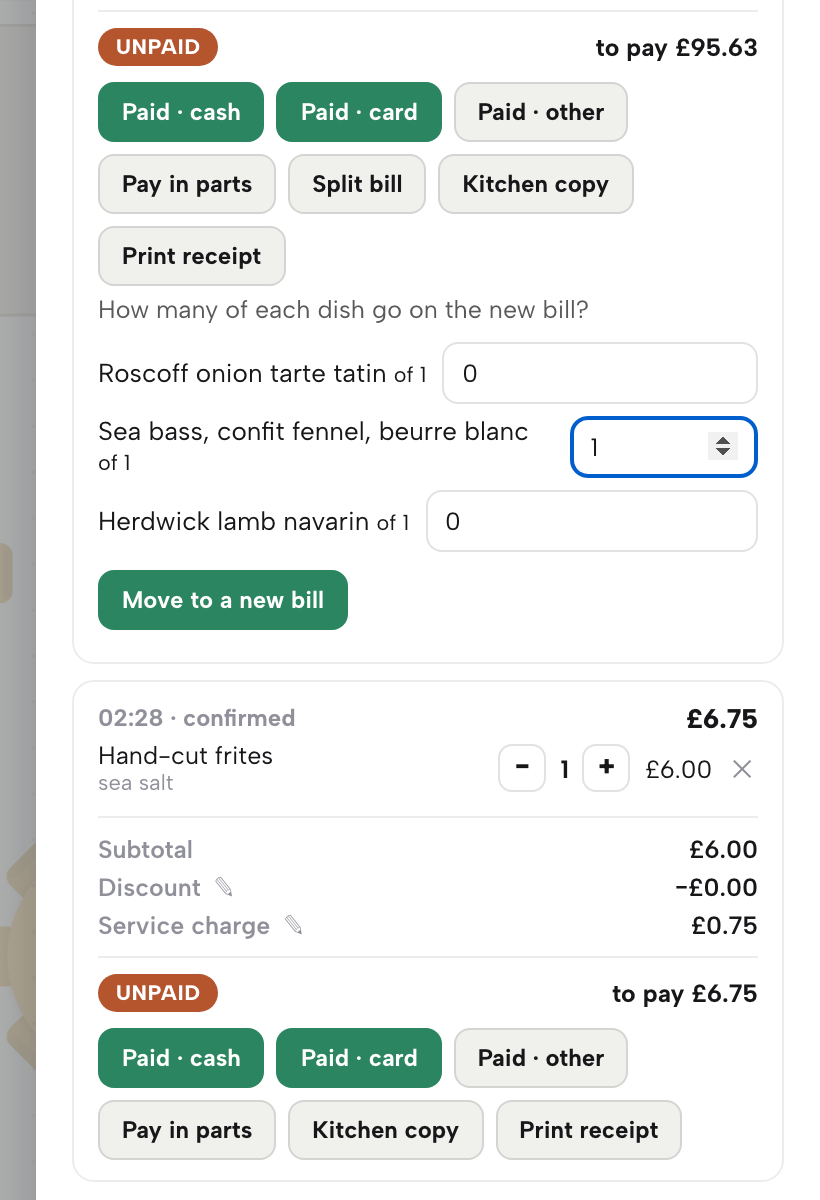
When one guest pays the whole bill, click the button that matches how the money arrived: Paid · cash for notes and coins, Paid · card for a card taken on your own card machine, Paid · other for anything else. The bill turns PAID on that tender, and End of day counts it under the same tender.
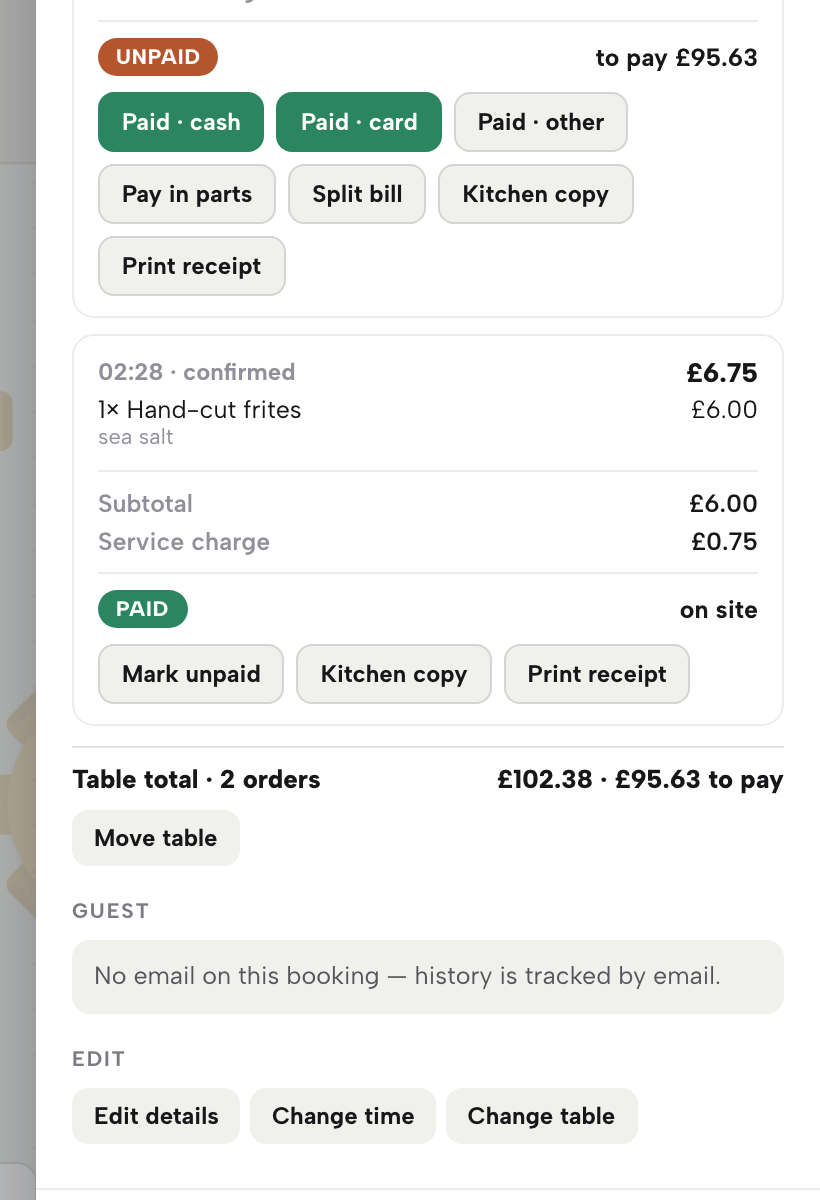
A paid bill offers Mark unpaid, which reopens it if you pressed the wrong tender. A reopened bill is logged and shows under Exceptions on End of day, so it is worth using only when you need it. When every bill on the table is paid, the table is freed. Paying in parts is part of the Growth and Full plans.
Pay in parts
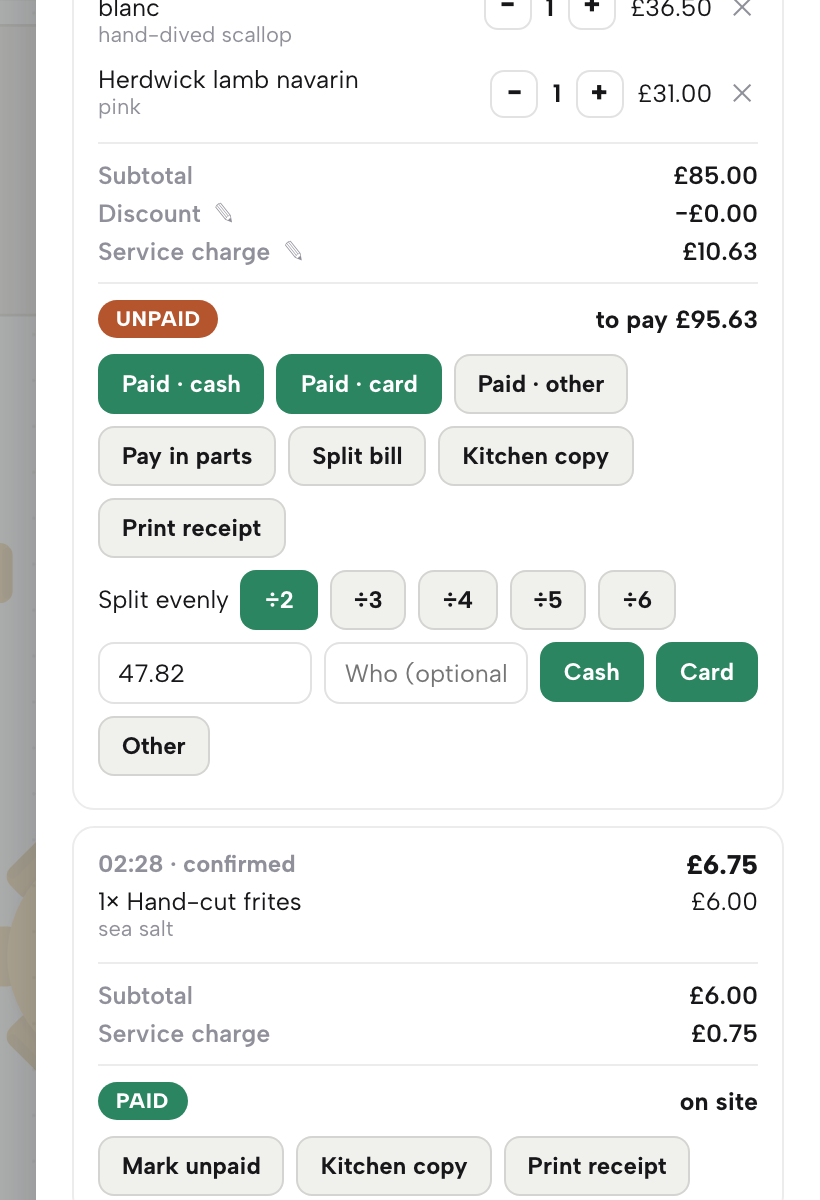
A table that wants to share the bill does not need a calculator. On an unpaid bill, click Pay in parts, next to the tender buttons. The editor opens under the bill.
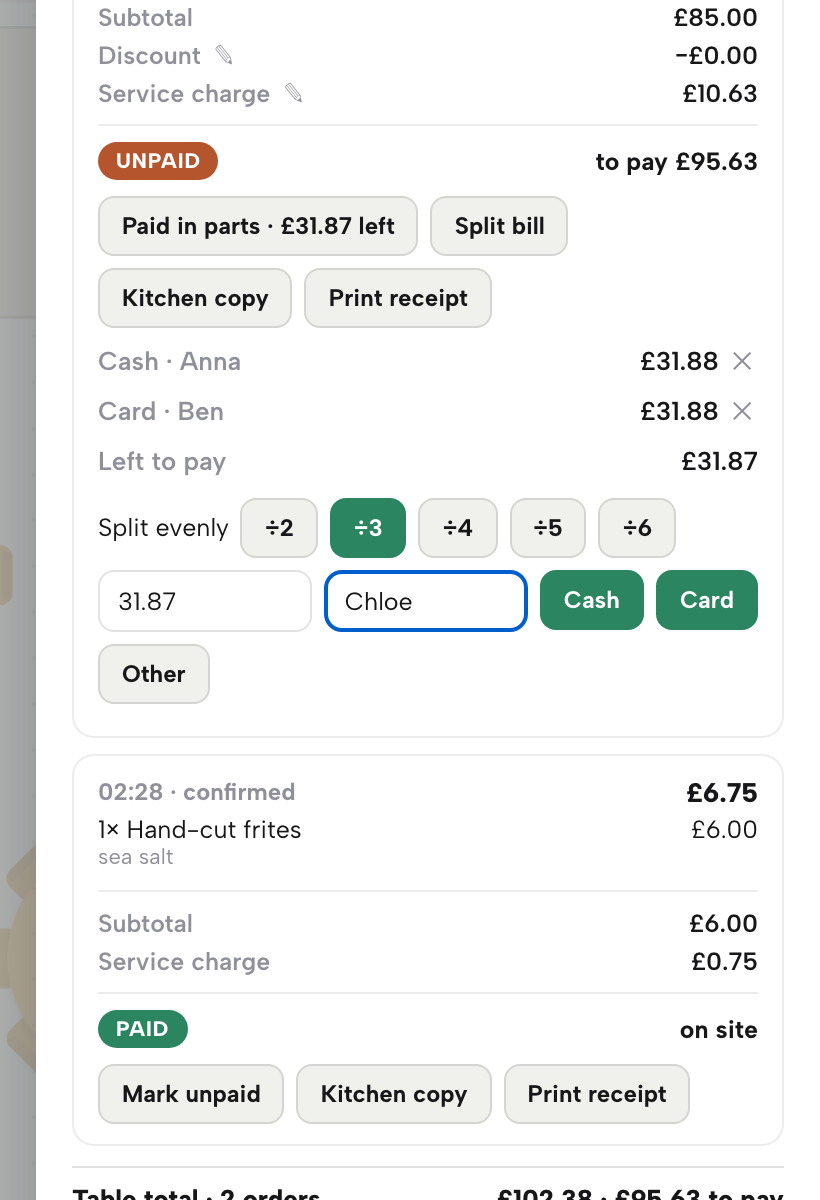
Every part is a payment of its own: an amount, a tender and, if you like, the name of whoever paid it. The bill keeps a running list of the parts and a Left to pay line, and the button on the bill changes to Paid in parts with the balance, so a colleague who opens the sheet later sees at once that the table is part-way through paying.
Split evenly between guests
Under Split evenly are five buttons, ÷2 to ÷6. Click ÷3 for three guests, and the amount box fills with a third of the bill. The share is rounded up to the penny, and the last share is always exactly what is left, so the parts add up to the bill with nothing to correct.
Next to the amount is a Who (optional) box. Type a name, such as the guest paying, and it is kept with that part and shown in the list. Then click the tender the guest is using: Cash, Card or Other.
A message confirms the amount taken and how much is left. The amount box is editable, so an uneven split works too: type what this guest is paying, such as 22.50, and click the tender. An amount above what is left is refused, with the balance shown, so you give change from the drawer rather than record too much.
Undo a part
A finger lands on Cash when the guest handed over a card, or the amount is wrong. Every part in the list has a ✕ at its right-hand end. Click it and that part is removed, the Left to pay figure goes back up, and nothing else on the bill changes. A part you are still correcting needs no other step.
Take the payment again with the right tender: type the name and click Card.
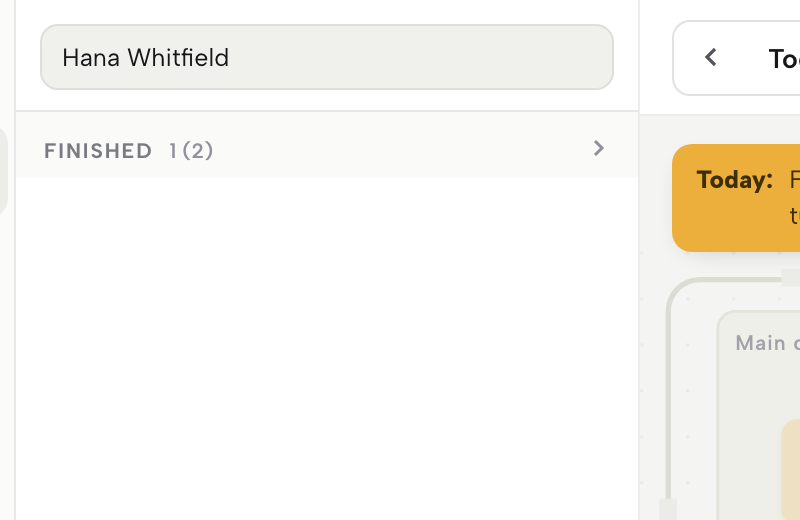
The last guest pays what is left. The amount box already holds it, so type the name and click the tender. The moment the parts cover the bill, the bill is paid in full, and a message says so. When it was the last open bill on the table, the table is freed too and the party moves to Finished in the list.
A paid bill is read-only: the cross belongs to a bill still being paid, so check the shares before you take the last one.
Split the bill by dish
Sometimes a guest wants a separate bill for what they ate, not a share of the total. On a bill with more than one dish, or a dish ordered more than once, click Split bill. The editor asks How many of each dish go on the new bill? and lists each dish with a number box.
Type a number beside each dish that moves, then click Move to a new bill. A message shows the two totals. Leave at least one dish on the original bill. Each bill can then be settled on its own tender, or paid in parts, in the ways above. Because a split changes what a guest is charged, it is logged for your records. Split bill is for unpaid bills.
Combine bills into one
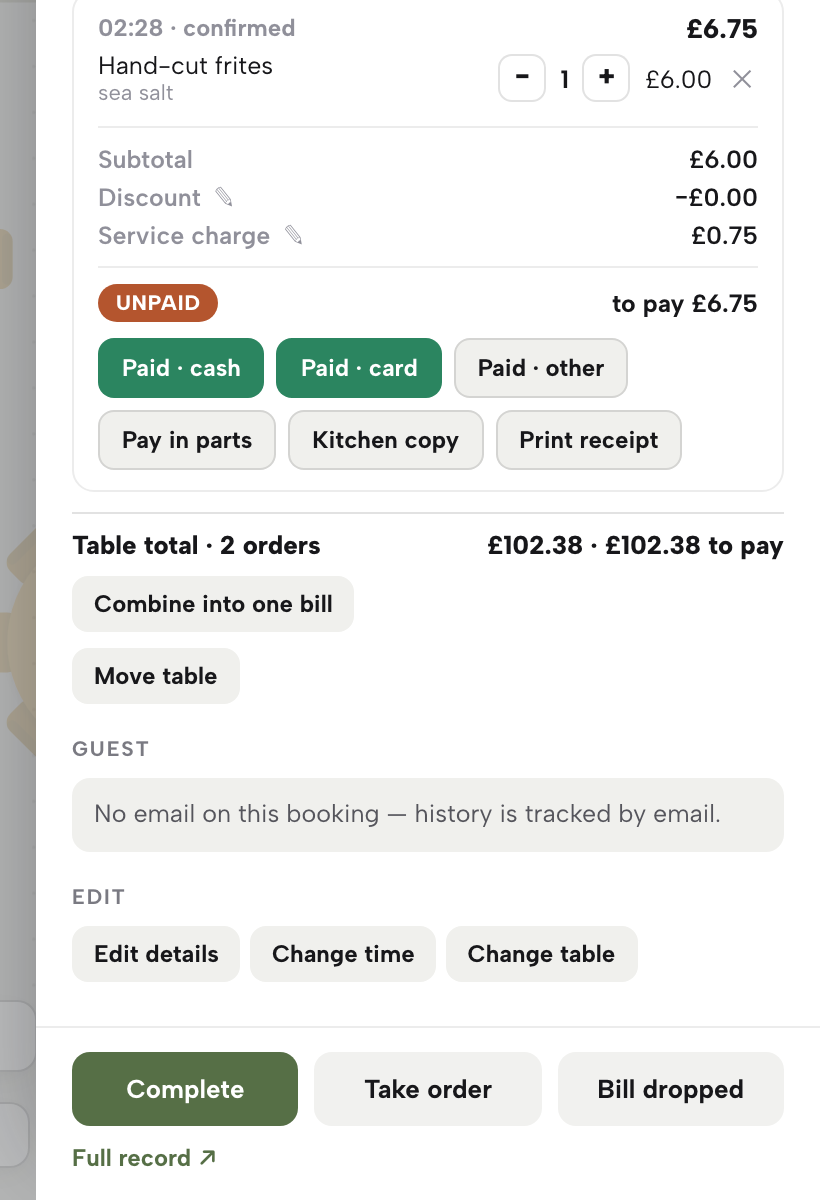
Two orders on one table, such as the main order and a later round of drinks, are two bills. When a table has two or more open bills, a Combine into one bill button appears under Table total. Click it and the open bills become one, with a message giving the new total. You can then settle the whole table in one go, or pay it in parts.
Combining is logged for your records, like a split. Bills that are already paid are not touched.
Move a table
The party moves tables halfway through the meal. Click Move table under the table total. A small editor reads Move R01 to and asks for a table name. Type the new table and click Move, and the open bills follow the party. A message says how many bills moved.
Moving the bills is logged for your records.
See every part at End of day
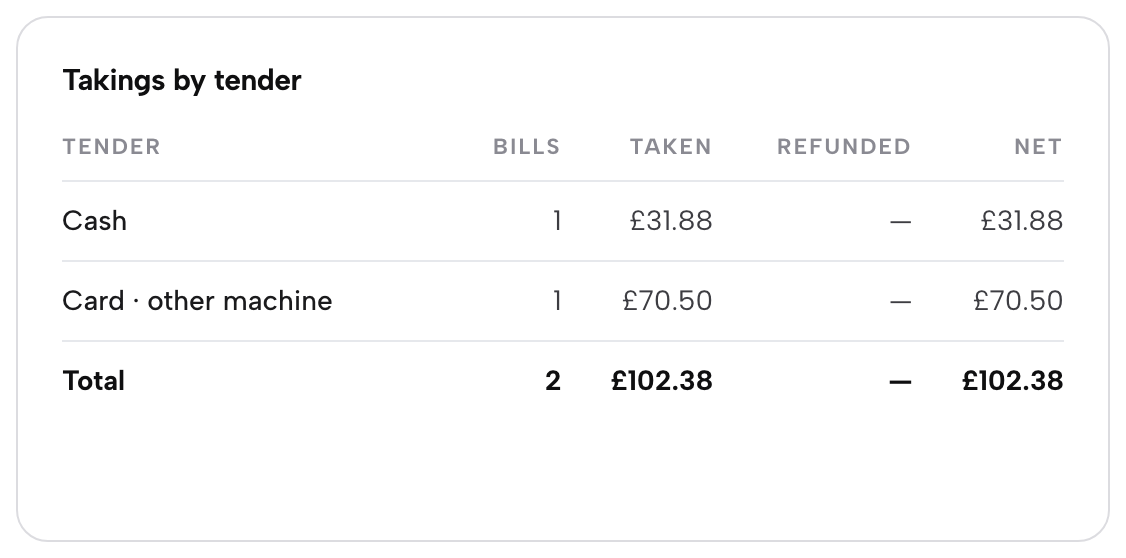
Open End of day in the sidebar. Takings by tender lists each tender with its bills, what was taken, refunds and the net. A bill paid in parts puts each part under its own tender: the cash share sits under Cash, the card shares under Card · other machine, and the cash drawer expects only the cash. The guide Close the day shows the rest of the page.
Settle a whole bill with one click, or take it in shares by ÷N, name each guest, undo a mis-tap with a cross and let the covering payment free the table. Split by dish, combine and move the table when the party asks, and read every part back at End of day.
Next · settle tonight’s tables
Next: open a table’s sheet
The next bill that asks to be shared can be taken in parts. Open Service, click the table and press Pay in parts.