
The walk-in is full, the invoices keep arriving, and the price of a plate is a guess. A kilo of fillet disappears, a supplier puts a price up, and nobody sees it until the month-end figures. Inventory gives every ingredient a pack price and every dish a recipe, so each plate shows what it costs to make, and a stocktake shows what went missing.
Sidebar → InventoryMenu → Costs & margins
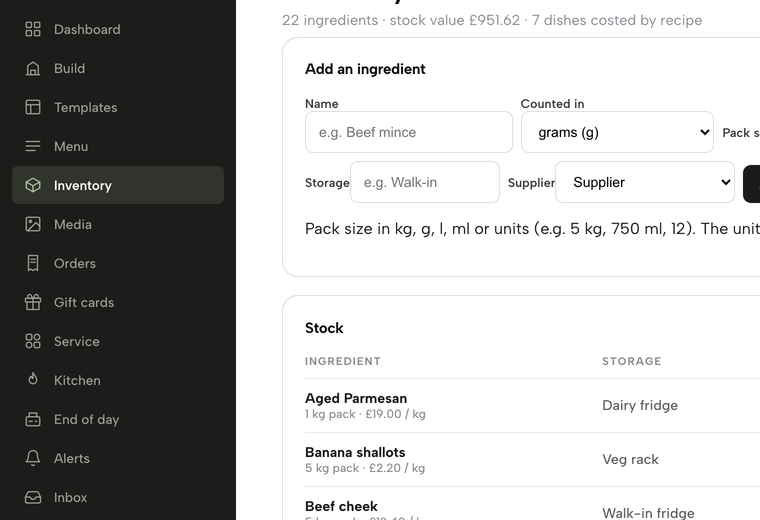
In the sidebar, click Inventory — the stock page opens on the Stock tab.

Suppliers and ingredients added, a recipe built so the dish carries its cost, costs and margins read, a delivery received, waste logged, the shelves counted, the variance read and the reorder list opened — stock and recipe costs on one page.
- WHAT YOU NEED
- A recent invoice pack sizes and prices
- TIME
- About 10 minutes
- PLAN
- Growth or Full Inventory is part of both
- CAN I BREAK IT?
- Not in the demo the practice run changes nothing
IN PLAIN WORDS / TAP A TERM
What is a pack price?
What one pack of an ingredient costs you on the invoice, such as a 5 kg box of beef cheek. TableSpark works out the price per gram from it.
What is a par level?
The amount of an ingredient you never want to fall below. When stock reaches it, the ingredient turns red and joins the reorder list.
What is GP?
Gross profit: what is left of a dish’s price, before VAT, after its ingredients are paid for. It is shown as a percentage.
What is a stocktake?
A count of what is physically on the shelves, which resets the figures to the real amounts and records the difference.
What is variance?
The gap between what the numbers say should be left and what you counted. A shortfall points to waste, big portions or a recipe that needs updating.
Open Inventory
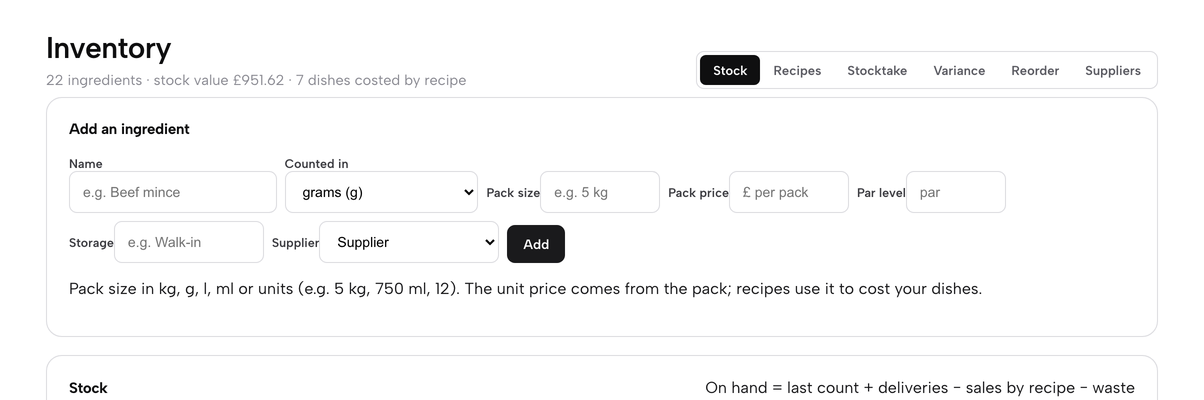
Click Inventory in the sidebar. The page opens on the Stock tab, and a line under the title sums it up: how many ingredients you track, the stock value and how many dishes are costed by recipe. Six tabs run along the top: Stock, Recipes, Stocktake, Variance, Reorder and Suppliers. Inventory is part of the Growth and Full plans. Owners, admins and editors set it up; everyone on the team can read it and log waste.
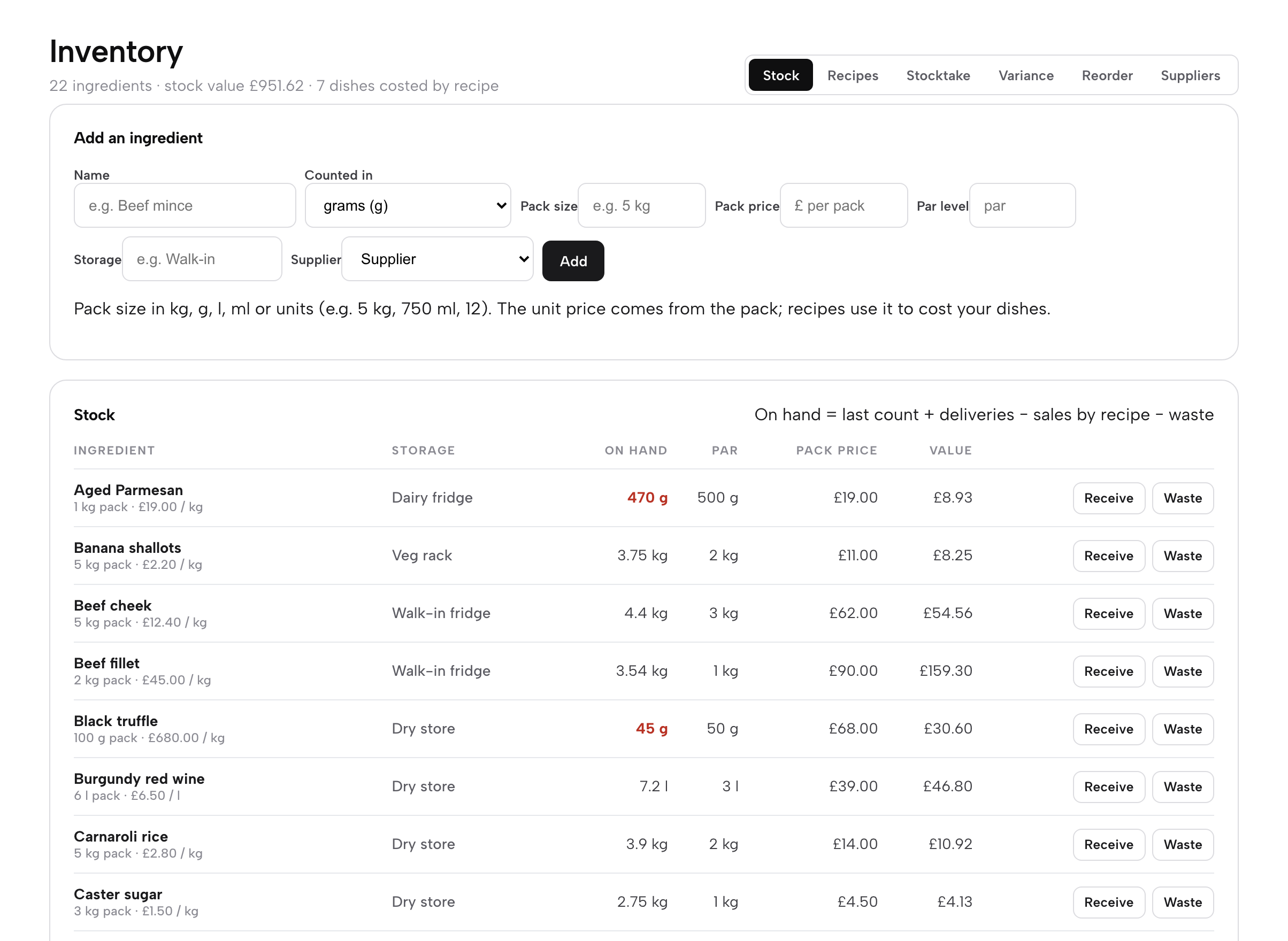
Each row of the table shows the ingredient with its pack size and the price per kilo or litre, where it is stored, what is On hand, the Par level, the Pack price and the Value of what you hold. When the amount on hand is at or below par it turns red, so a short ingredient stands out as you scroll.
Add your suppliers
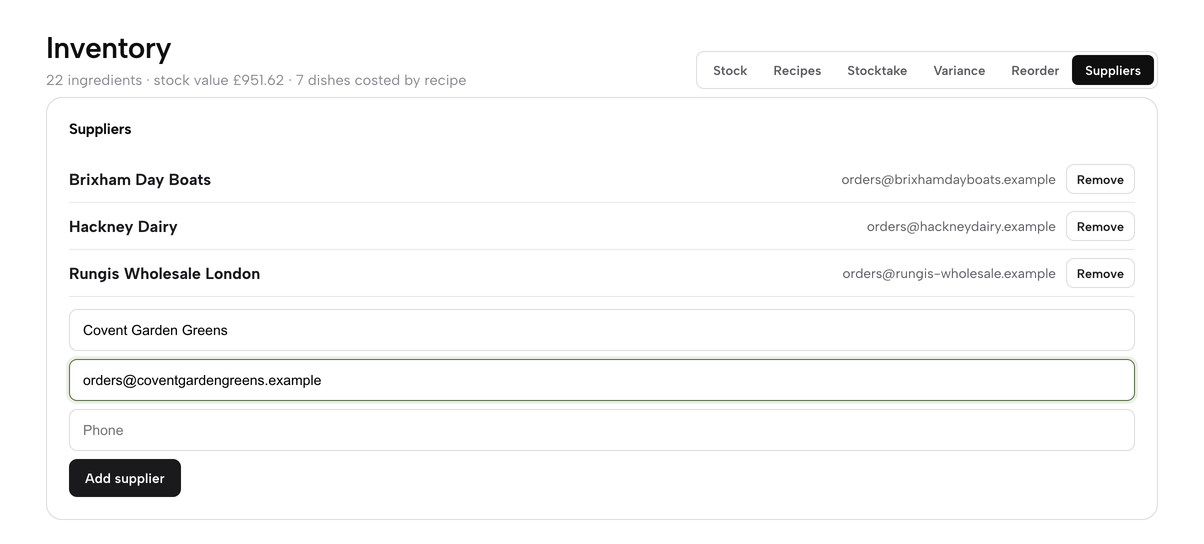
Start with the people you buy from. Click the Suppliers tab, type the supplier’s Name and the Order email you send orders to (a phone number is optional) and click Add supplier. Maison Rouge buys from three: a wholesaler, a fishmonger and a dairy. Each supplier appears in a list with its contact details and a Remove button, which asks you to press once more before it deletes.
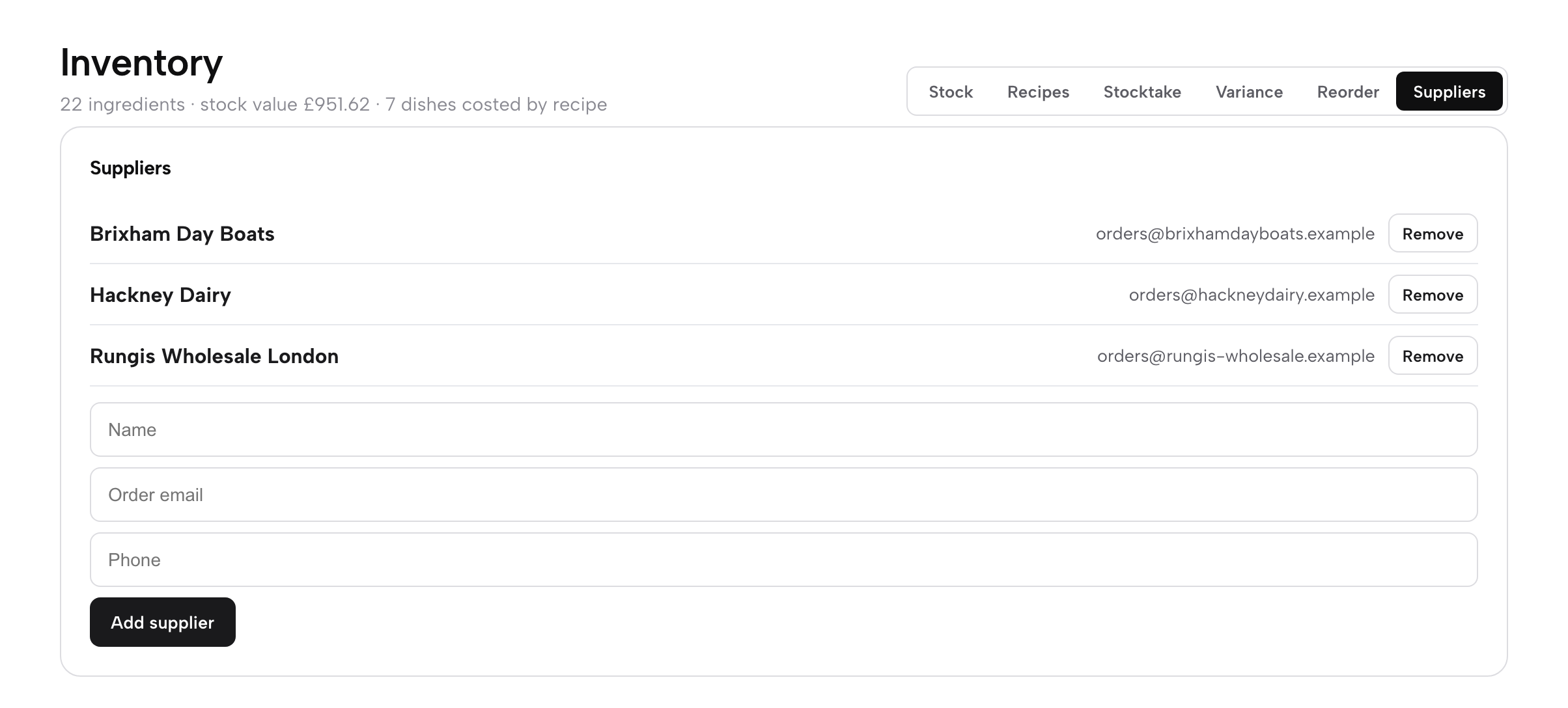
You choose a supplier for each ingredient in the next step, and the reorder list at the end groups what you need to buy by supplier, so the order email is the one that gets used.
Add your ingredients
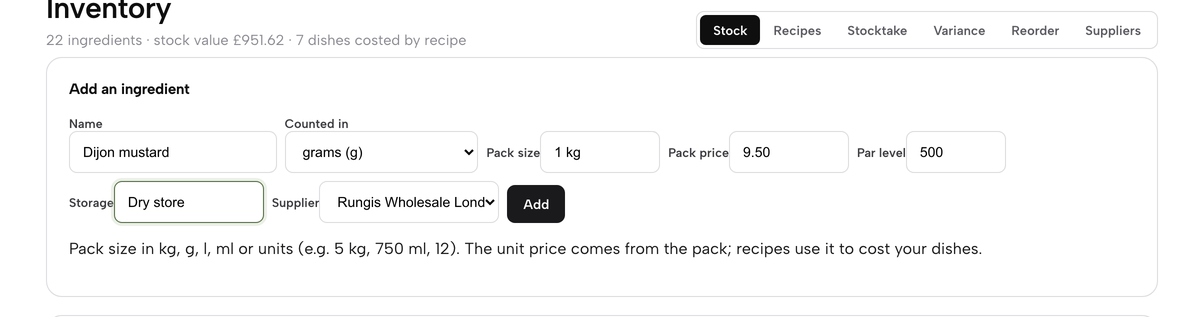
Go back to Stock. The Add an ingredient panel takes everything TableSpark needs to cost your dishes from the way you actually buy:
- Name: for example Double cream or Beef cheek.
- Counted in: grams, millilitres or each. Everything is counted and costed in this unit.
- Pack size: what one pack holds, such as
5 kg,750 mlor12. kg, g, l and ml are all understood. - Pack price: what one pack costs you, in pounds. The price per gram or millilitre is worked out from the pack.
- Par level: the amount you never want to fall below, typed with or without a unit (
2 kgand2000mean the same for something counted in grams). - Storage: the shelf or fridge, which groups the stocktake sheet later.
- Supplier: chosen from the list you just made.
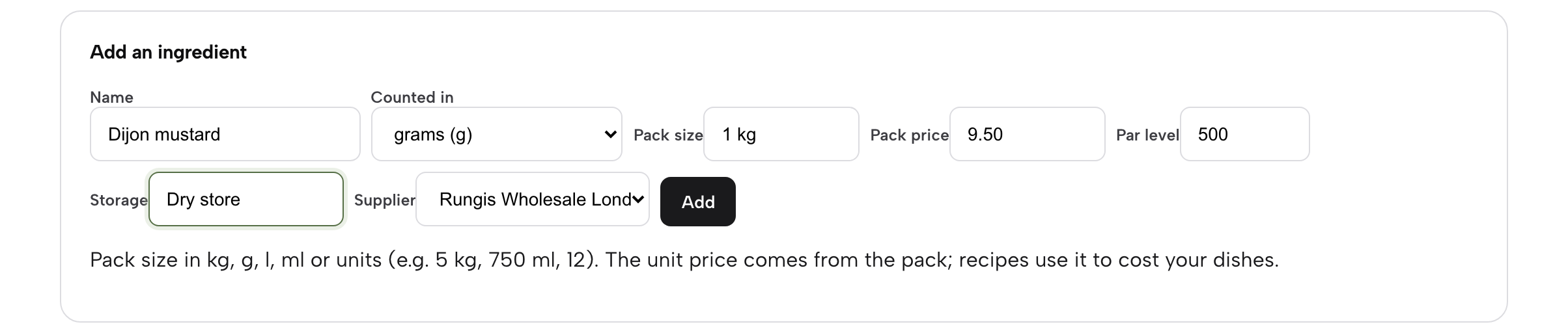
Click Add. The ingredient joins the table with nothing on hand yet; you set its opening amount with a stocktake or by receiving a delivery. Maison Rouge tracks 22 ingredients in this way, from beef cheek and cod loin to egg yolks and vanilla pods.
Build the recipes
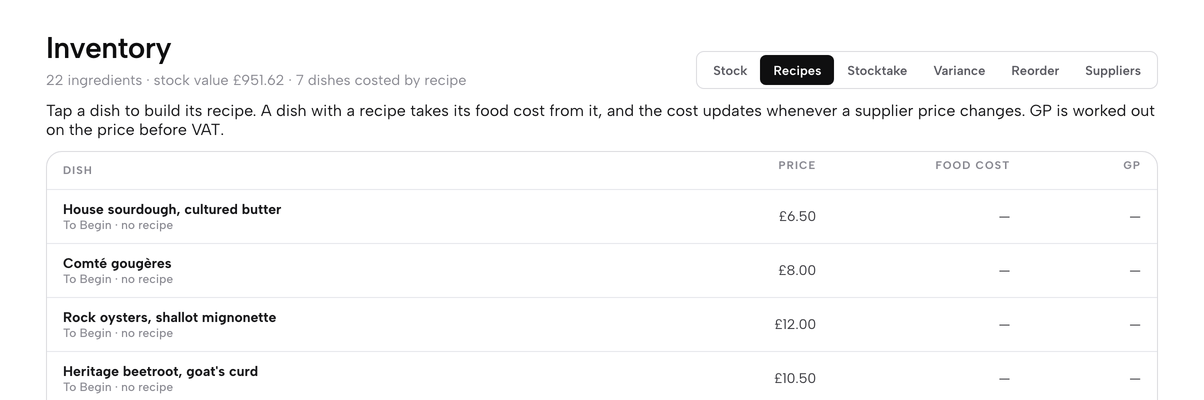
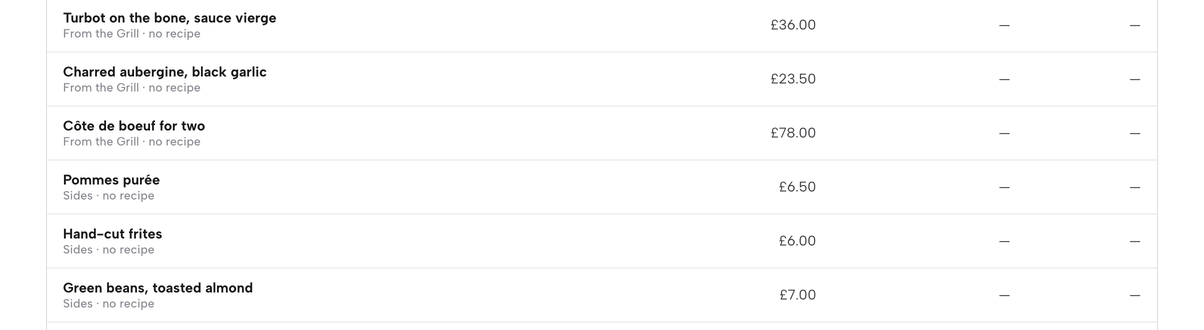
A recipe says how much of each ingredient goes into one portion of a dish. Click the Recipes tab. Every dish on your menu is listed with its Price, Food cost and GP, and the small line under its name tells you how many ingredients it has, or no recipe.
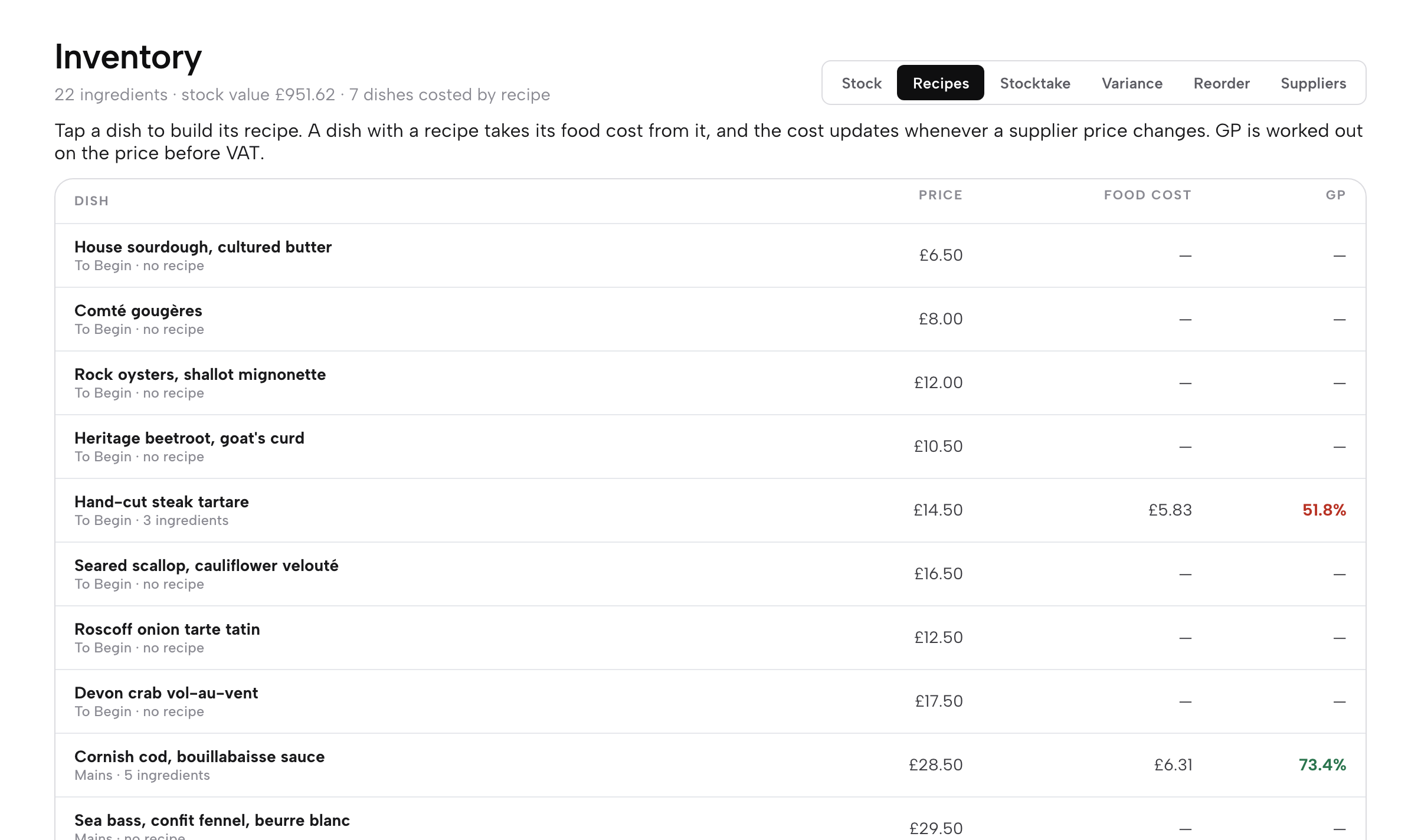
Click a dish to open its editor. Choose an ingredient from Add an ingredient…, type the amount per portion (for example 180 g or 0.2 kg) and click Add. Each line shows its cost, so you can see where the money goes. Change an amount in the box and it saves; click Remove to take a line out.
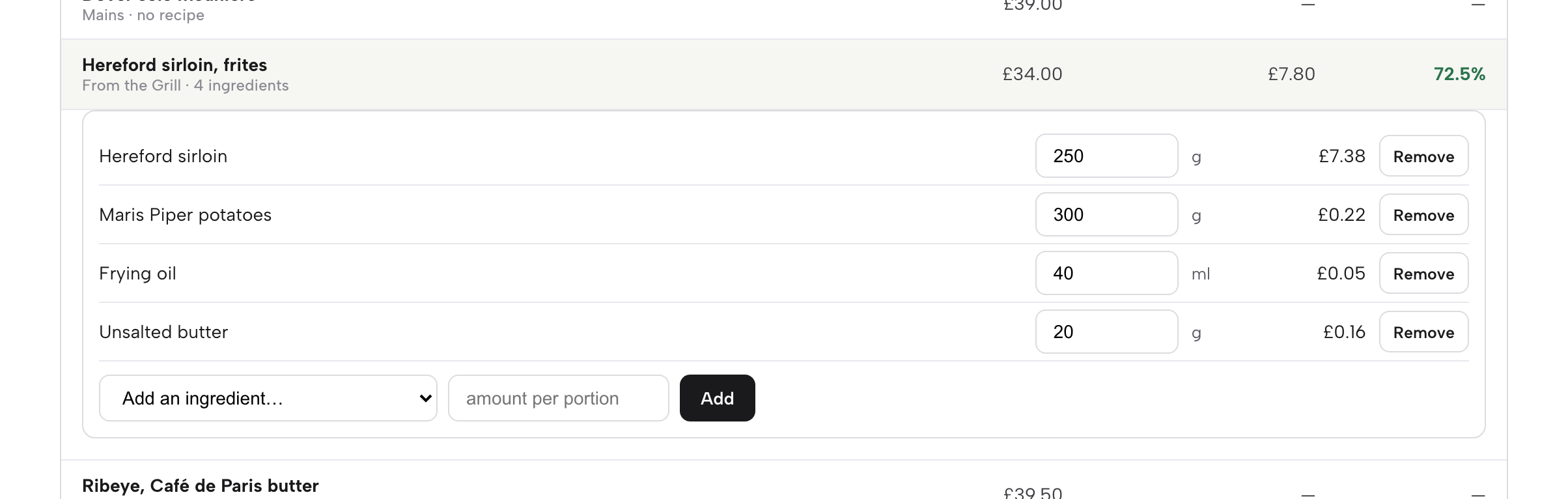
The dish’s food cost is the total of its lines, and it updates by itself whenever a supplier price changes. GP is worked out on the price before VAT and is coloured to help you read it: green is comfortable, amber is under 68%, red is under 60%.
Costs and margins
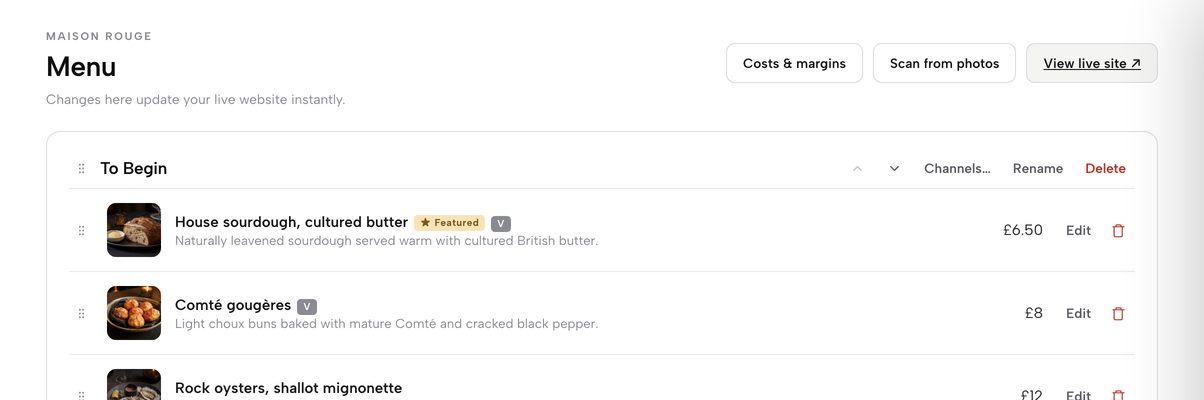
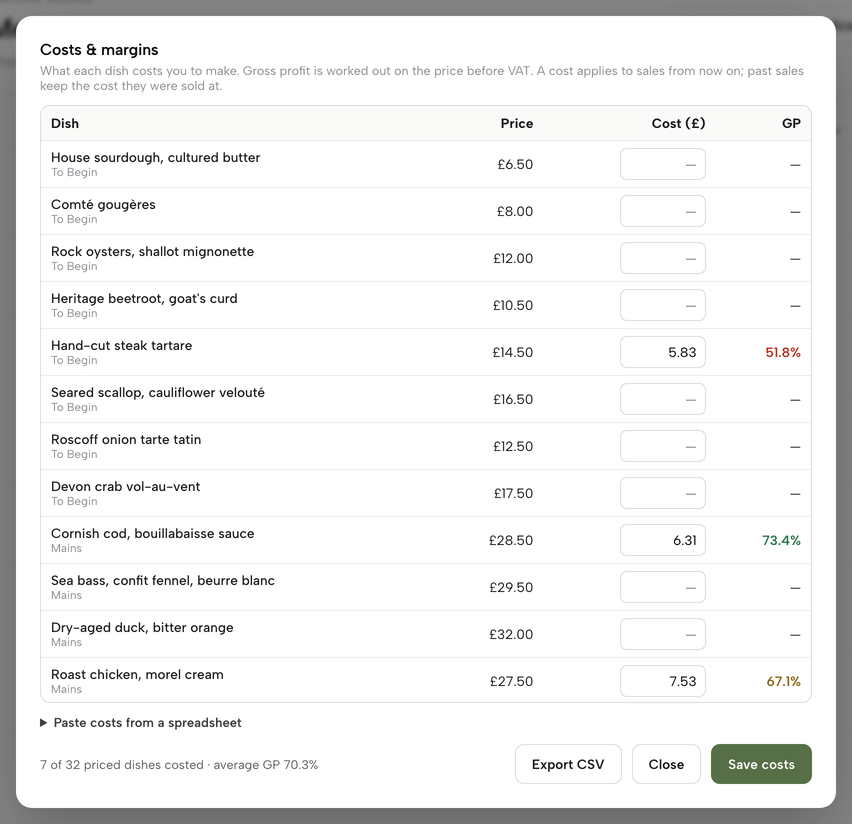
Open Menu in the sidebar and click Costs & margins at the top. The table lists every dish with its Price, its Cost (£) and its GP. A dish with a recipe takes its cost from the recipe, so the figure is already there and follows your supplier prices. The line at the foot counts how many priced dishes are costed and gives the average GP.
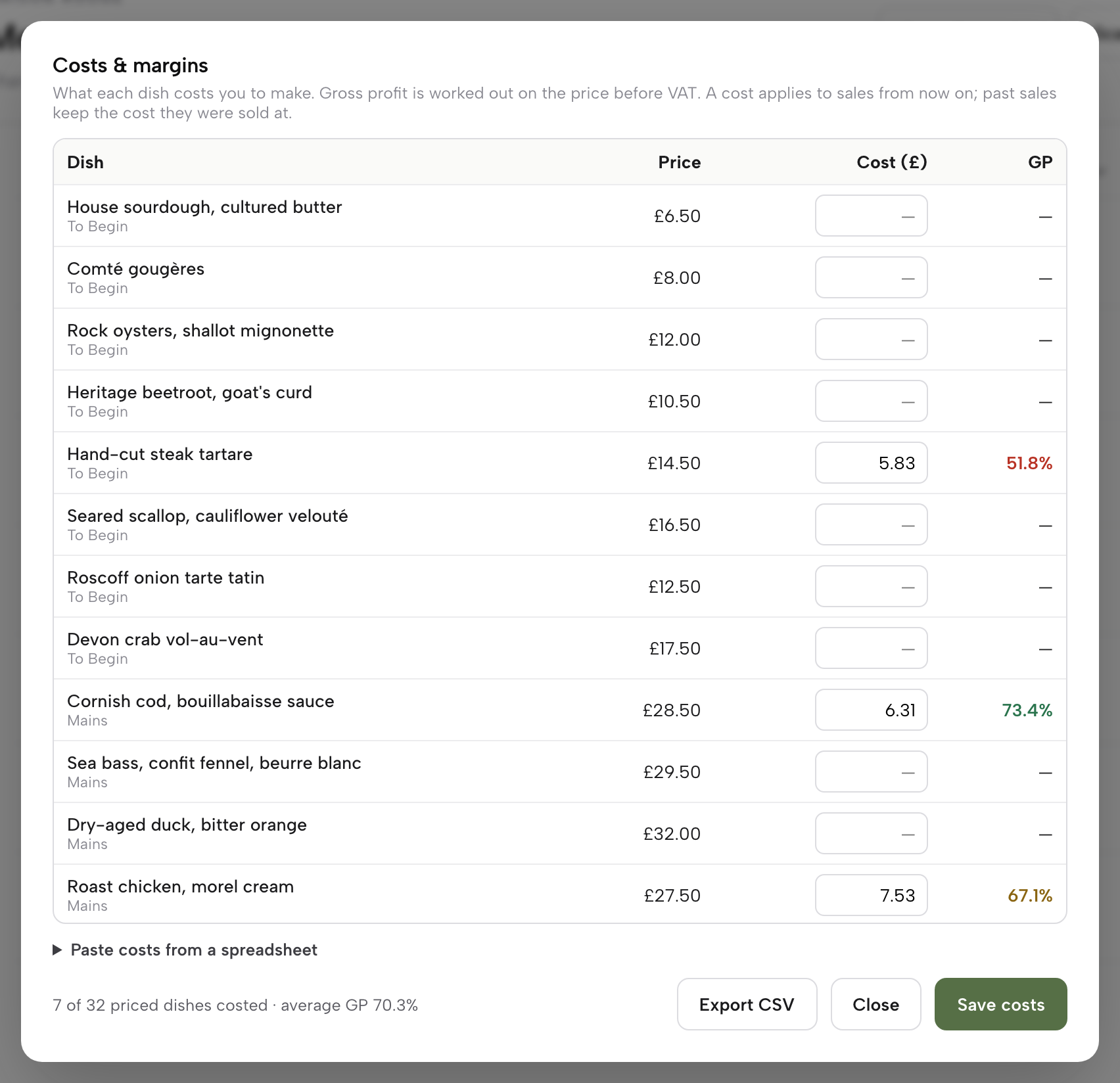
The same panel lets you paste costs from a spreadsheet, one dish and cost per line, for dishes you cost by hand, and Export CSV downloads the table. A cost applies to sales from now on; past sales keep the cost they were sold at. Click Close when you have finished reading.
Receive a delivery
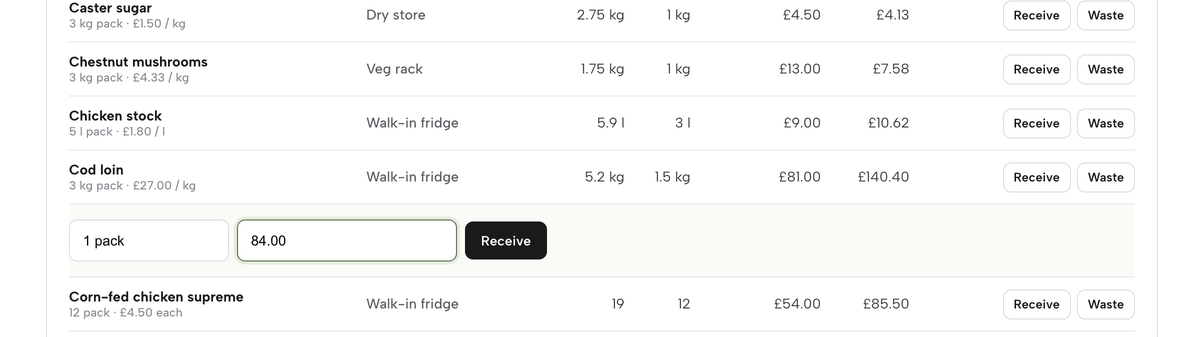
When a delivery arrives, go to Stock and click Receive at the end of the ingredient’s row. A small form opens under the row. Type what came in as packs (2 packs) or as a weight or volume (10 kg), and, if the invoice price has changed, type the new pack price. Click Receive.
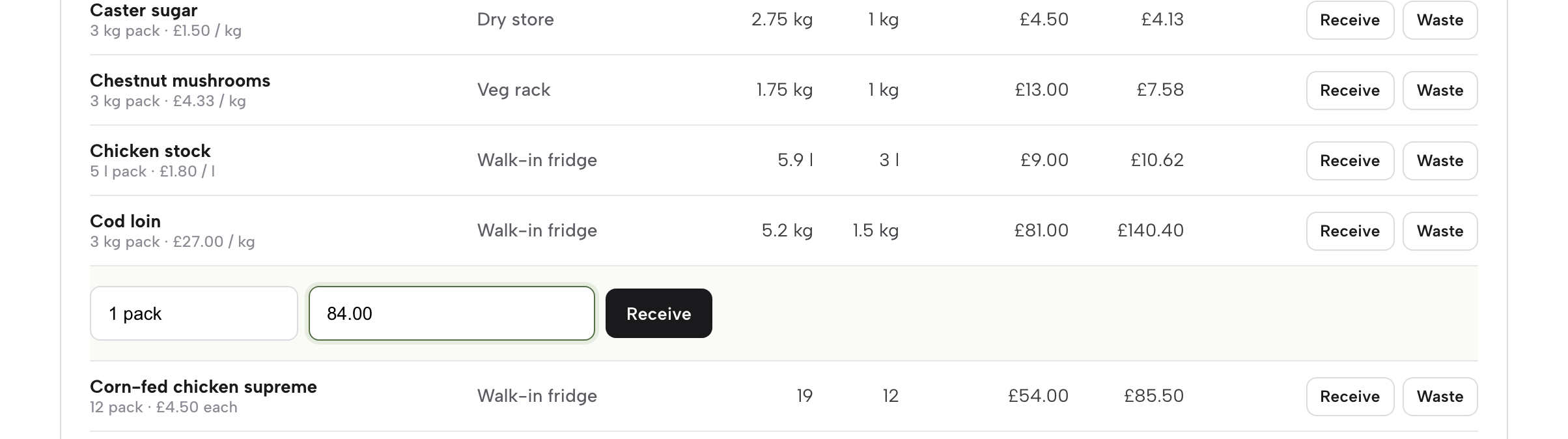
The quantity is added to what is on hand. A new pack price replaces the old one straight away, and every dish that uses the ingredient is re-costed with it, so a supplier increase shows up in your margins the day the delivery lands.
Log waste
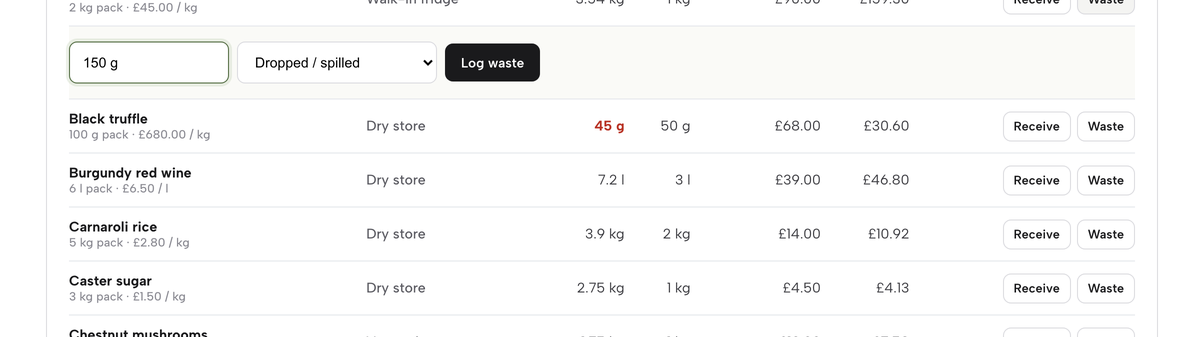
Waste is stock that left the shelf without being sold. Click Waste beside the ingredient, type the quantity (150 g) and choose a reason: Spoiled / out of date, Dropped / spilled, Cooking error, Staff meal, Returned by a guest or Other. Click Log waste.
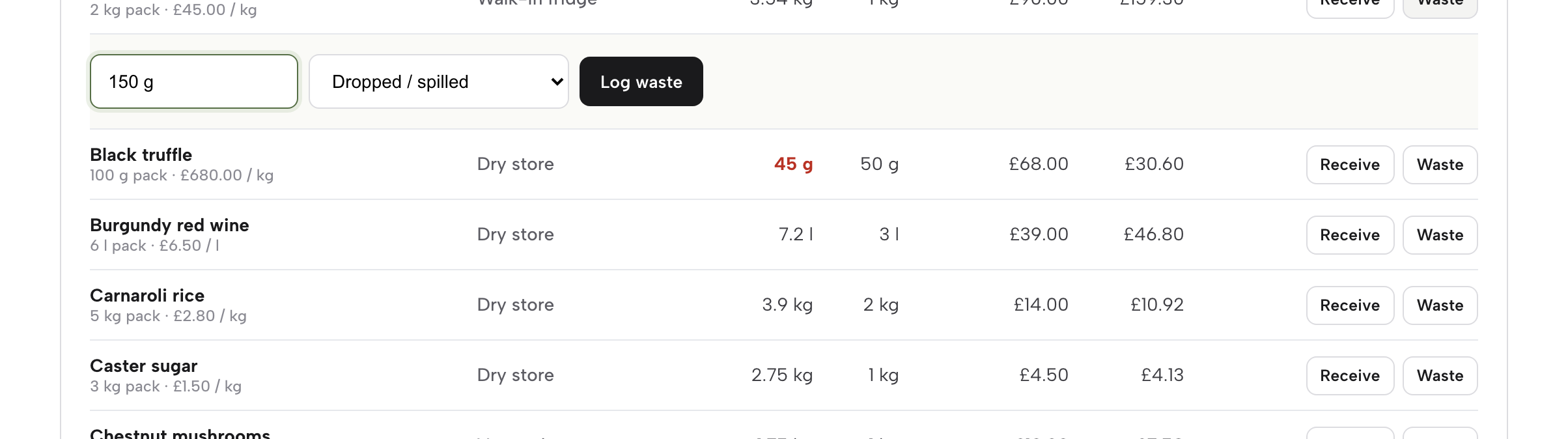
The quantity comes off the amount on hand and is recorded with its reason, so you can tell the difference between waste you knew about and stock that simply went missing. Anyone on the team can log waste, which makes it easy to capture at the moment it happens.
Run a stocktake
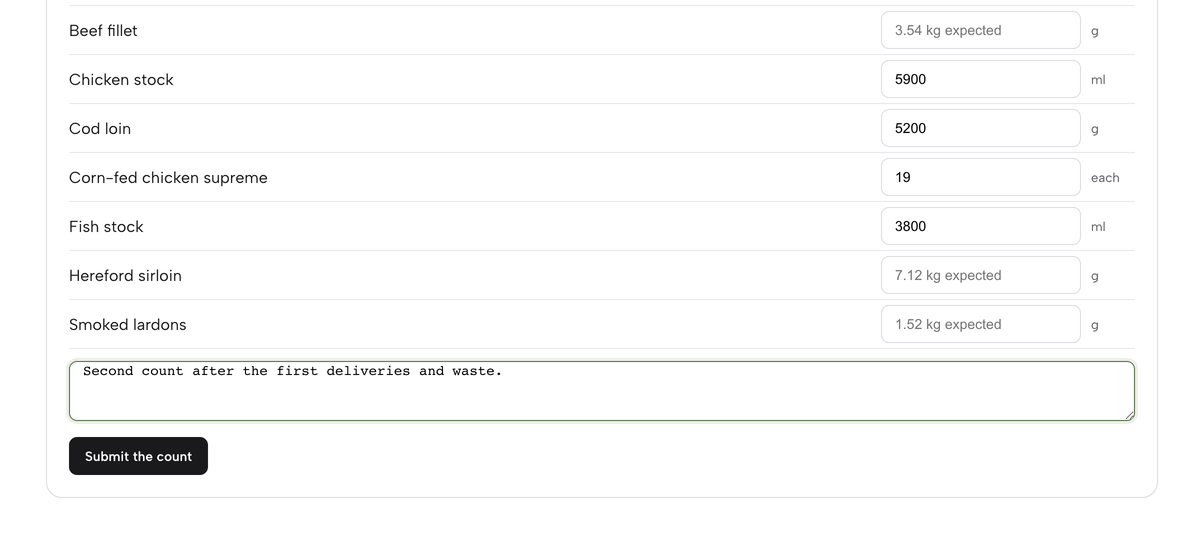
A stocktake is a count of what is really on the shelves. Open the Stocktake tab. The ingredients are grouped by the storage area you gave them, and each box shows what TableSpark expects to find. Type the amount you count (units such as 1.5 kg work), and leave a line blank to skip it. Add a note if you like, then click Submit the count.
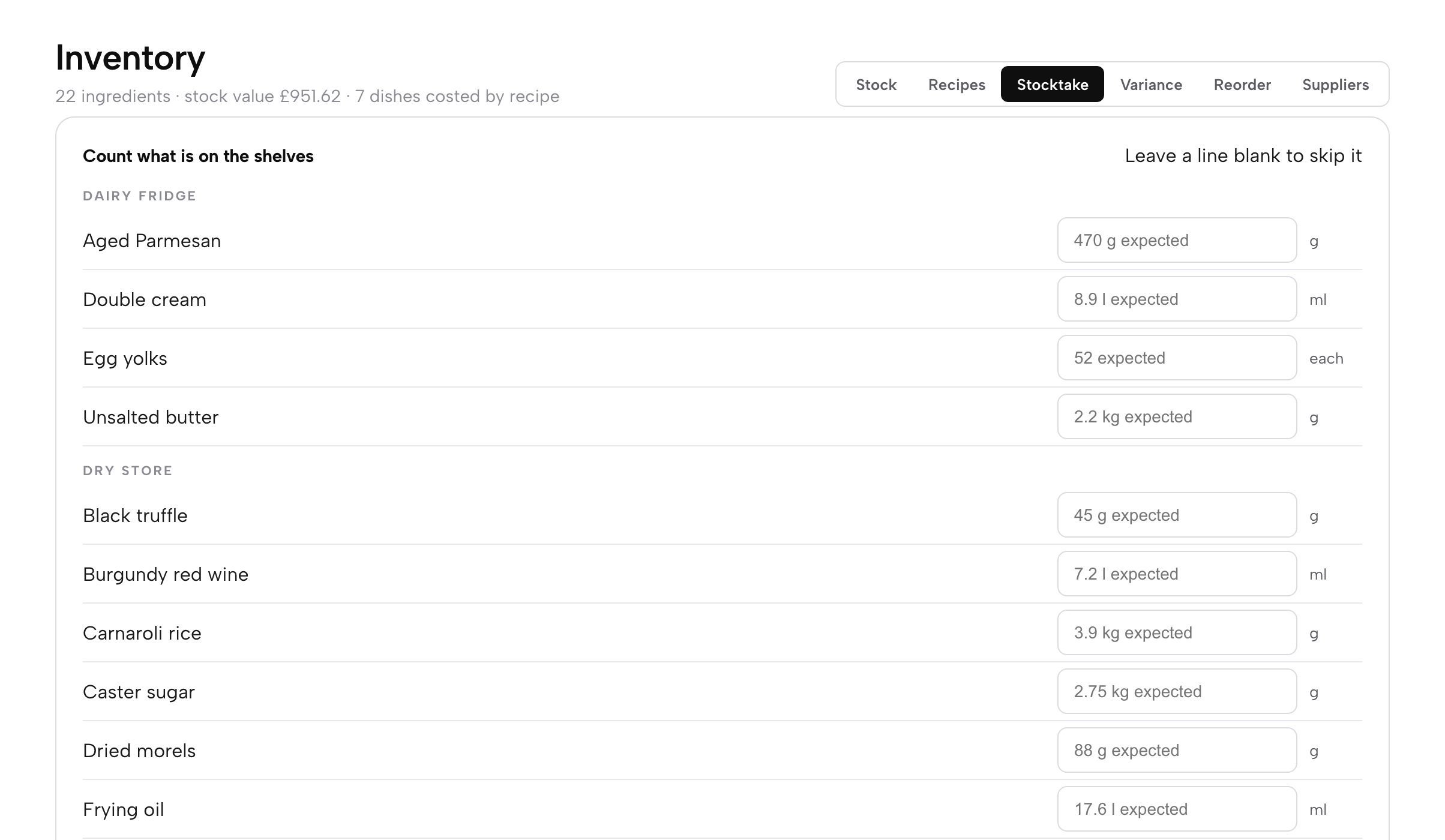
Submitting sets each counted ingredient to your figure, keeps the difference as a record, and shows the stock value of what you counted. The first count you submit is your opening stock; the next one is the one the variance is measured against.
Read the variance
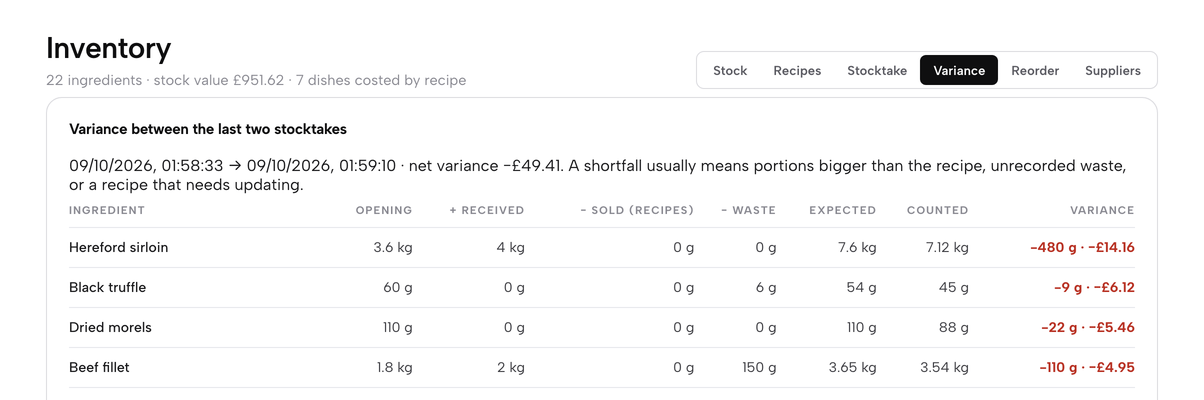
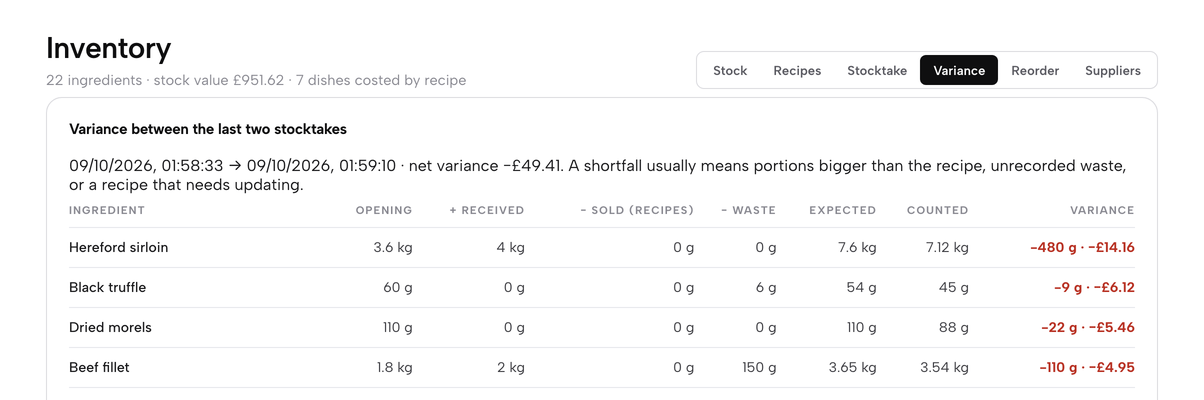
After two counts, open the Variance tab. For every ingredient it shows the Opening count, what you Received, what was sold by recipe, what was logged as Waste, the Expected amount, what you Counted and the Variance in units and in pounds, largest loss first. When a dish with a recipe is sold, its ingredients come off the stock automatically, and a void puts them back, so the sales column fills as the restaurant trades.
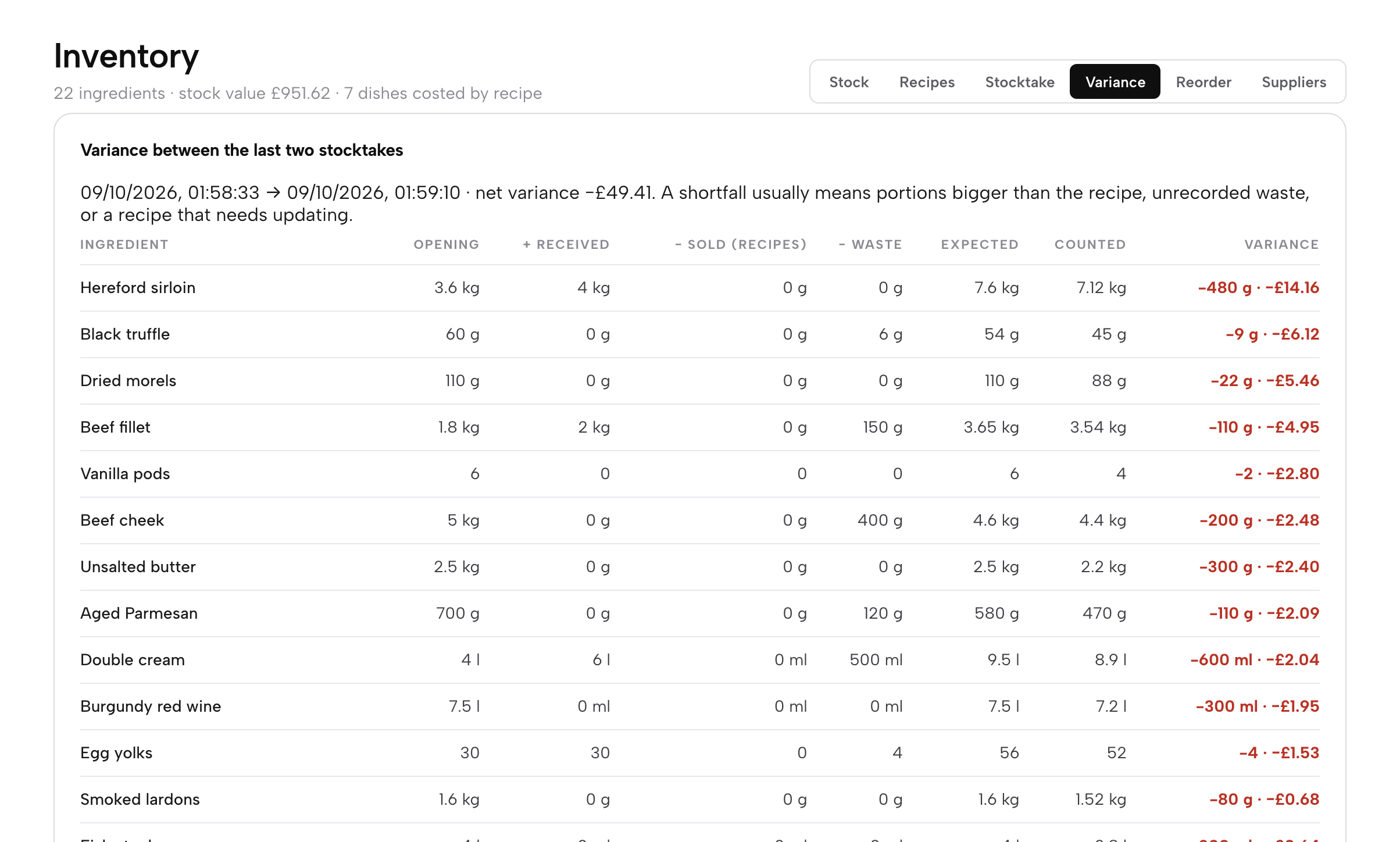
A shortfall usually means portions larger than the recipe, waste nobody recorded, or a recipe that needs updating. Read the biggest line first, then check the recipe or the portion on the pass.
Work from the reorder list
Open the Reorder tab for At or below par. It lists every ingredient that has reached its par level, grouped by supplier, with what is on hand, the par, and the number of packs and the cost needed to get back to par. Click Copy order to copy a ready-written order for that supplier, or Email to open an email to the supplier’s order address with the order filled in.
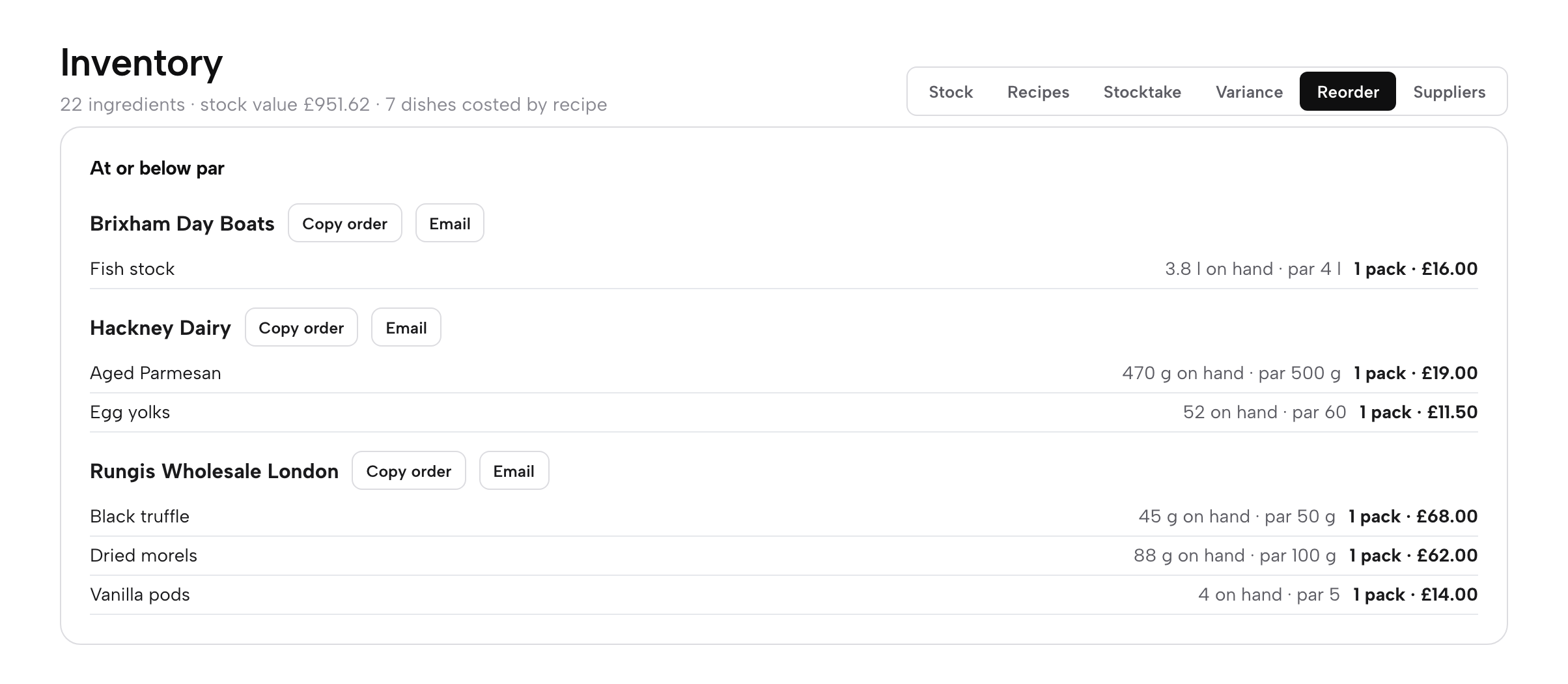
Count the shelves, read the gap, order what is short, and let the recipes tell you what each plate costs. The next count is easier than the last, and every dish carries its margin.
Next · know your costs
Next: open Inventory
Add your suppliers and your first ten ingredients, then cost your best-selling dish.