07 · Restaurant CRM

One record for every guest you serve

For independent restaurants whose guest details sit in a booking diary, a mailing list and somebody's memory. TableSpark builds the profile for you and keeps it in your account.

  • All plansguest records, Inbox and CSV export
  • No capthe guest list pages through every guest
  • £39a month on Growth for reviews and loyalty, excluding VAT
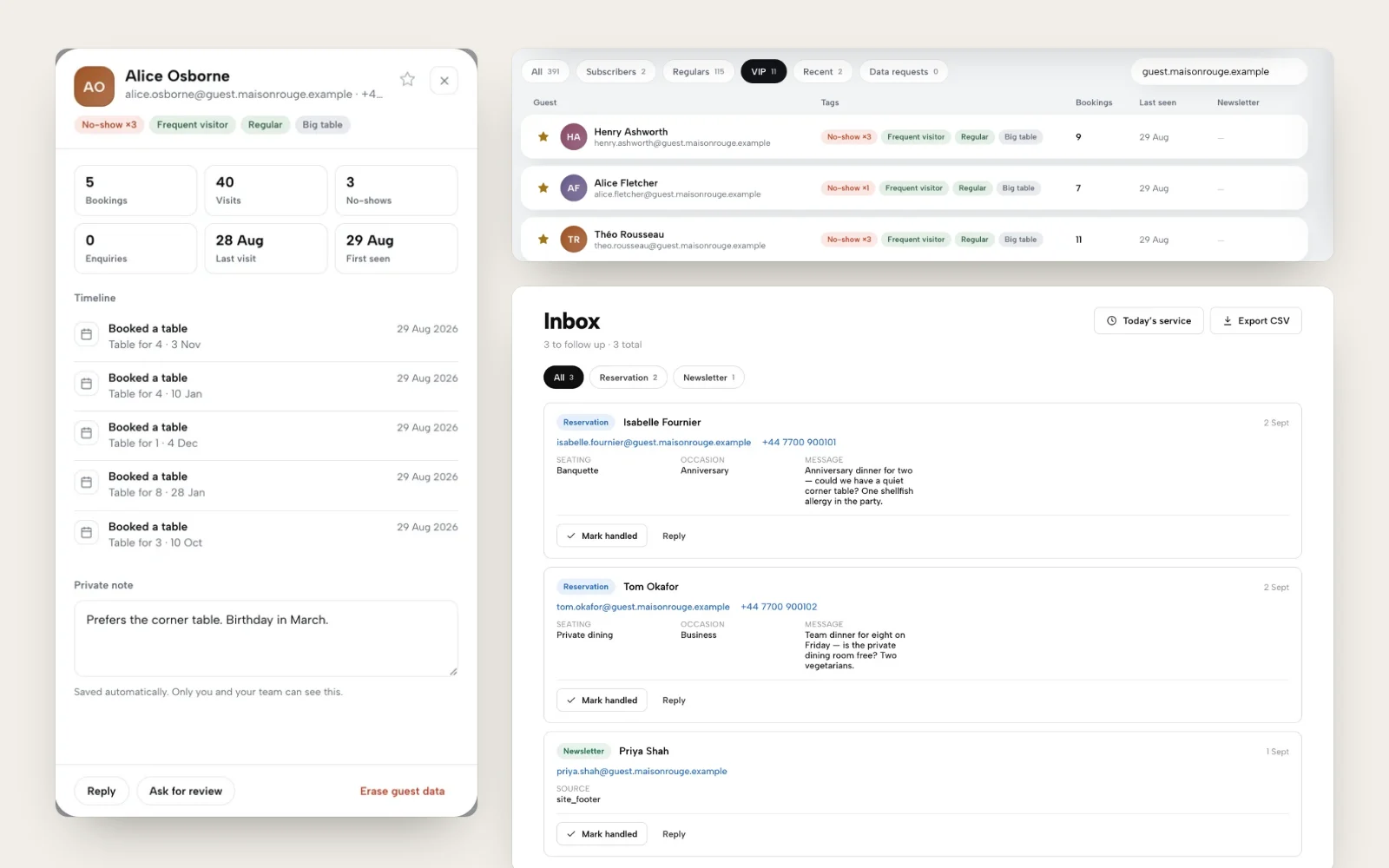
One guest record with bookings, visits, a timeline and a private note, beside the VIP guest list with tags and bookings, and the Inbox with new enquiries

You know your regulars. Your systems do not.

The anniversary table, the guest with the shellfish allergy and the party that never turned up all live in different places: a diary, a spreadsheet, a chat thread, one manager's head. When that manager leaves, so does the history.

Marketplaces and review sites know your guests better than you do, and they hold the record. Without your own, thanking a regular, protecting a big table or answering a data request all take guesswork.

Nothing to type in

Every guest, from every source

A profile is created the moment someone books, orders, enquires, joins your mailing list or buys a gift card. Matching is by email, so one person is one record, not four.

  • Bookings, enquiries, newsletter sign-ups, event RSVPs and gift cards all feed the same guest
  • The Inbox lists every new lead with a Mark handled and Reply button
  • Inbox has its own Export CSV, on every plan
  • No import and no spreadsheet to keep up to date
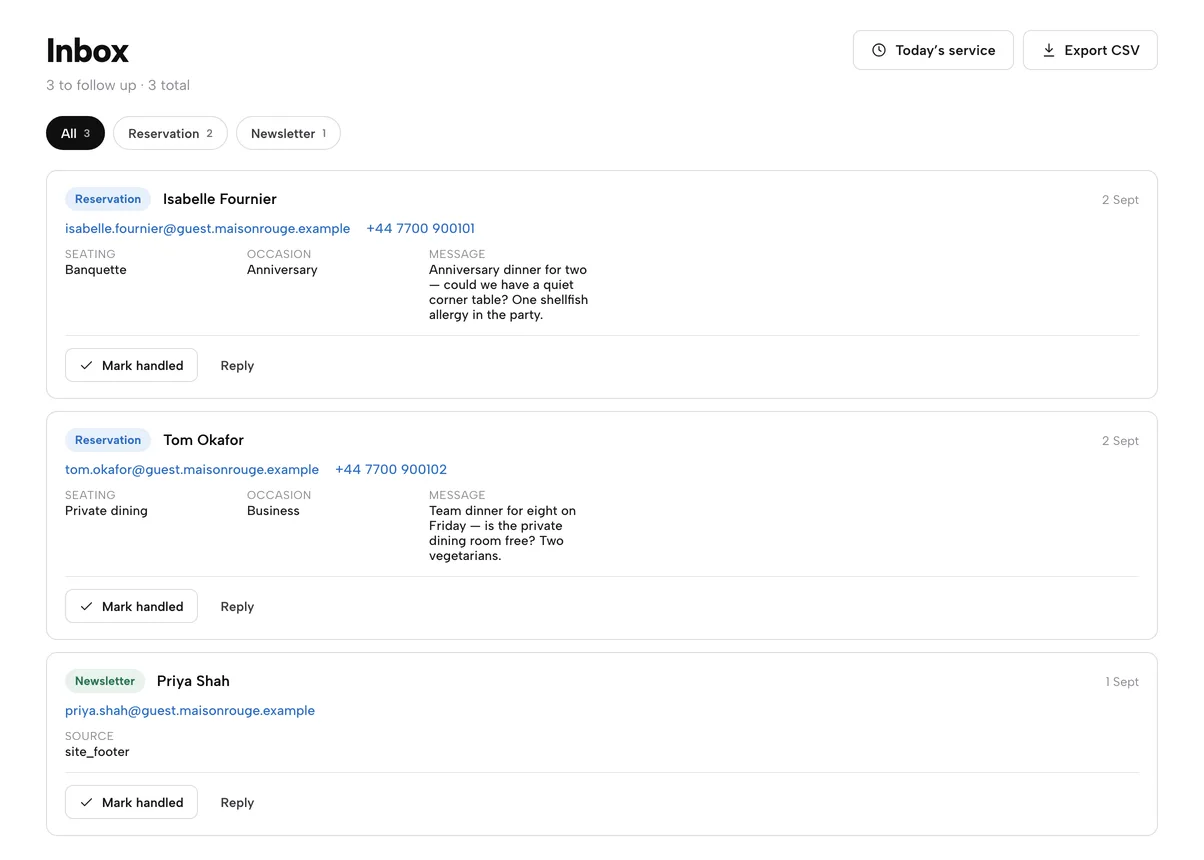
The Inbox: two reservation enquiries and a newsletter sign-up, each with Mark handled and Reply
The Inbox is where each new guest first arrives.

Find anyone in seconds

Guest list, segments and CSV export

Open Guests for live totals and a 14-day activity chart, then filter with segment pills. Search by name or email as you type. The list pages through every guest you have, however many.

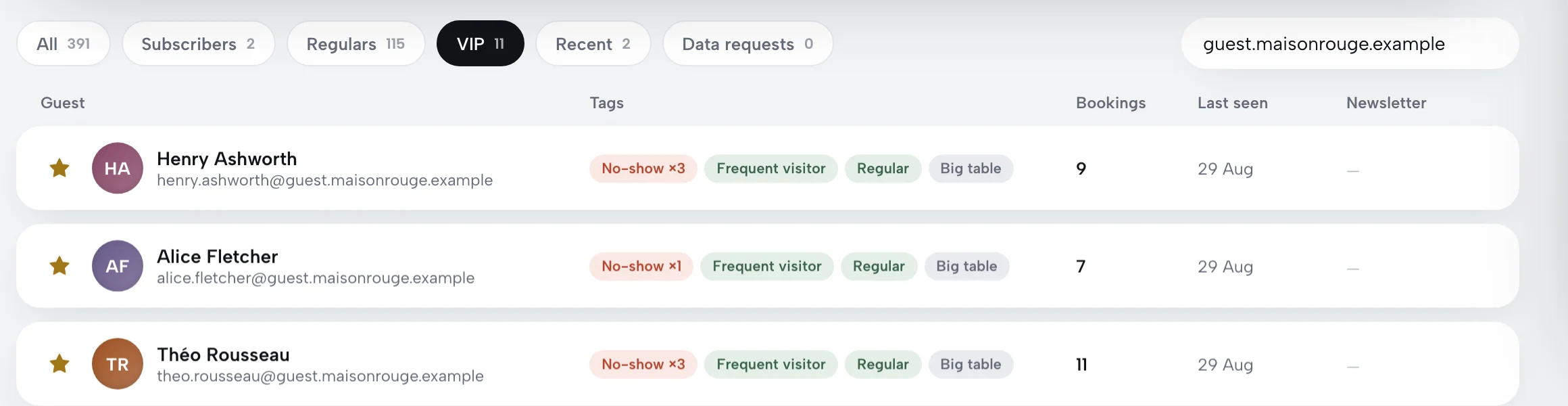
  • Segments: All, Subscribers, Regulars, VIP, Recent, Data requests, each with a live count
  • Tags are worked out from booking history: Regular, Frequent visitor, No-show, New, Big table, Occasion
  • Export CSV downloads whichever segment and search you have open
  • Each row carries name, email, phone, bookings, last seen, subscribed status, VIP and tags
Walk through the Guests page
The guest list filtered to the VIP segment, with gold stars and tags such as No-show, Frequent visitor, Regular and Big table
Filter to VIPs and Export CSV downloads only your VIPs.

Everything before they sit down

Guest profile, VIP star and private note

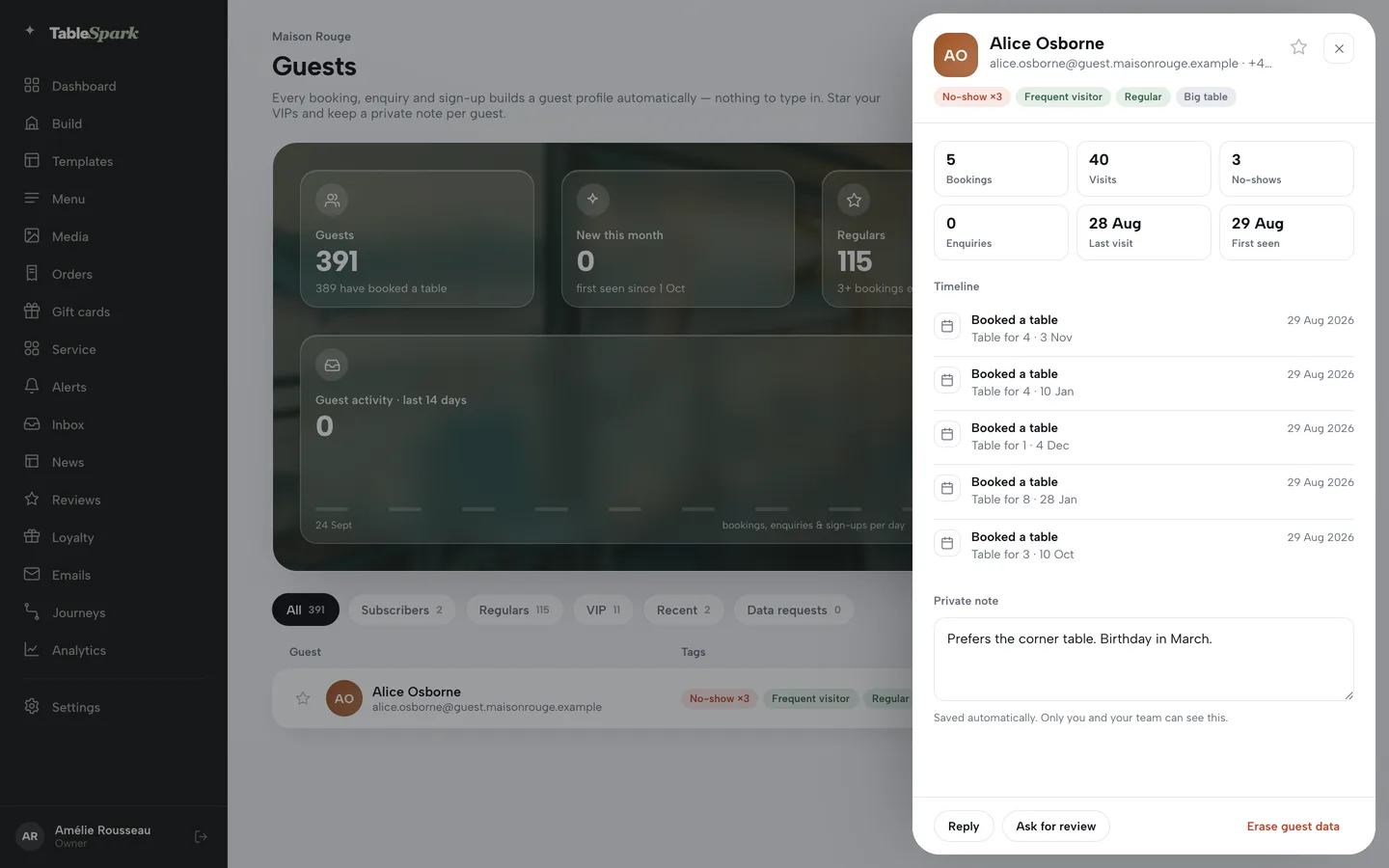
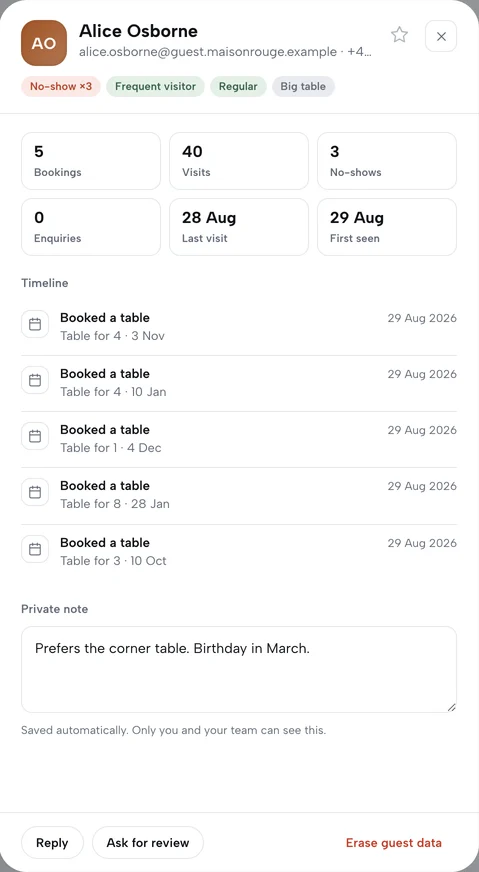
Click a guest and a drawer opens with their whole history. Star a VIP in one click. Write a private note that saves itself and is visible to you and your team only.

  • Six tiles: bookings, visits, no-shows, enquiries, last visit, first seen
  • Timeline of every booking, enquiry, sign-up, gift card and event RSVP, with party size, seating, occasion and allergy notes
  • Reply opens an email to the guest; Unsubscribe and Re-subscribe appear when they have a mailing-list record
  • Open any guest from a booking with its Guest history link, or from Guests and Clients in the service console
Open a guest and add a note
A guest drawer for a frequent visitor: stat tiles, a timeline of five bookings and a private note reading Prefers the corner table. Birthday in March.

Hear it first

Reviews: invite, moderate, reply

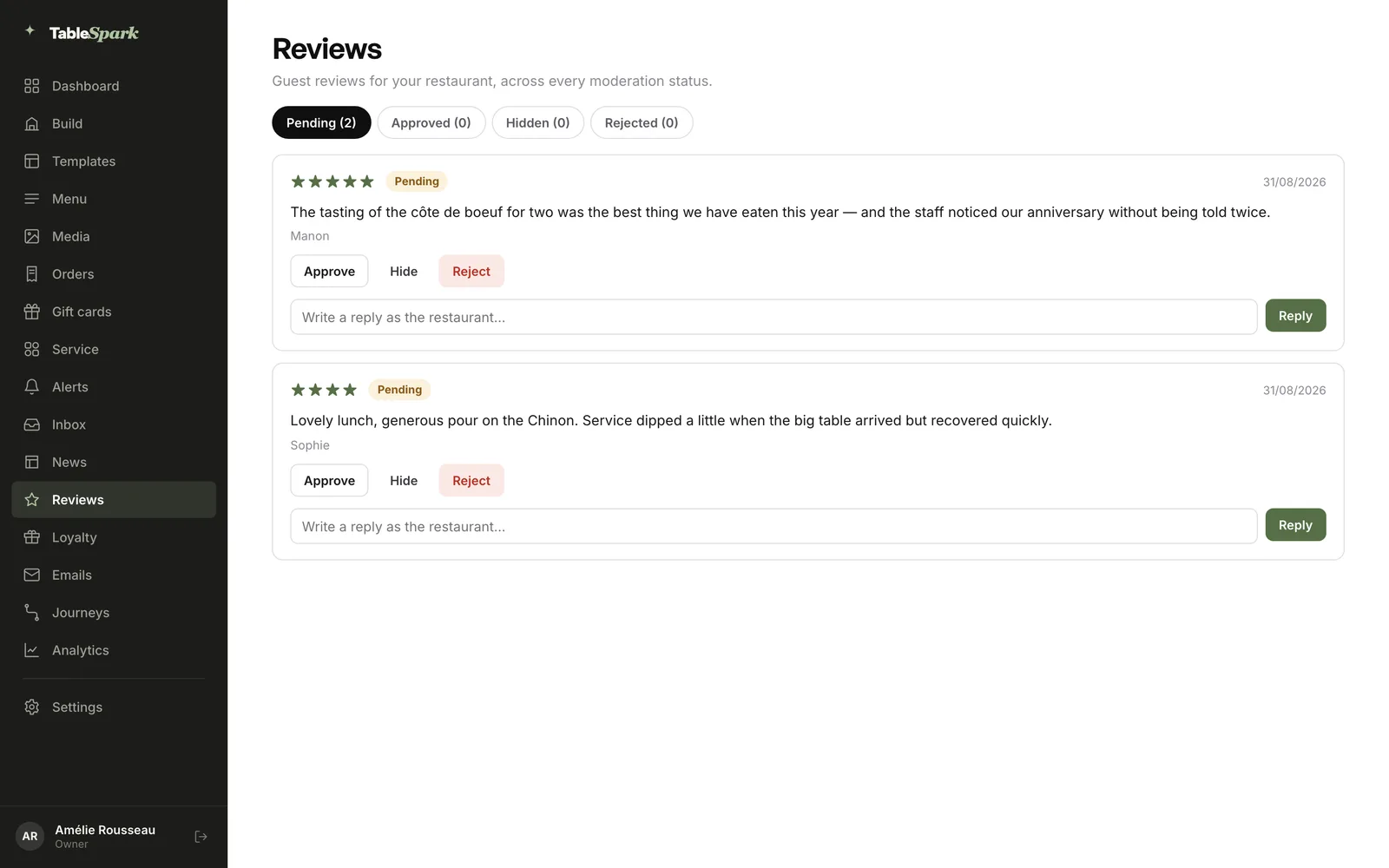
Ask for a review from any guest drawer once they have a completed visit or a paid order. Each review arrives under Pending for you to approve, hide or reject, and you reply as the restaurant.

  • Four tabs with live counts: Pending, Approved, Hidden, Rejected
  • Ratings and guest wording stay exactly as written
  • One public reply per review, posted in the same box
  • Owners and admins moderate; owners, admins and editors reply; staff can read
  • Reviews and review invites come with Growth
Moderate a review
The Reviews page with two pending reviews, each with Approve, Hide, Reject and a reply box
Approve, hide or reject, then reply in the same card.

Reward the regulars

Loyalty programme: points and rewards

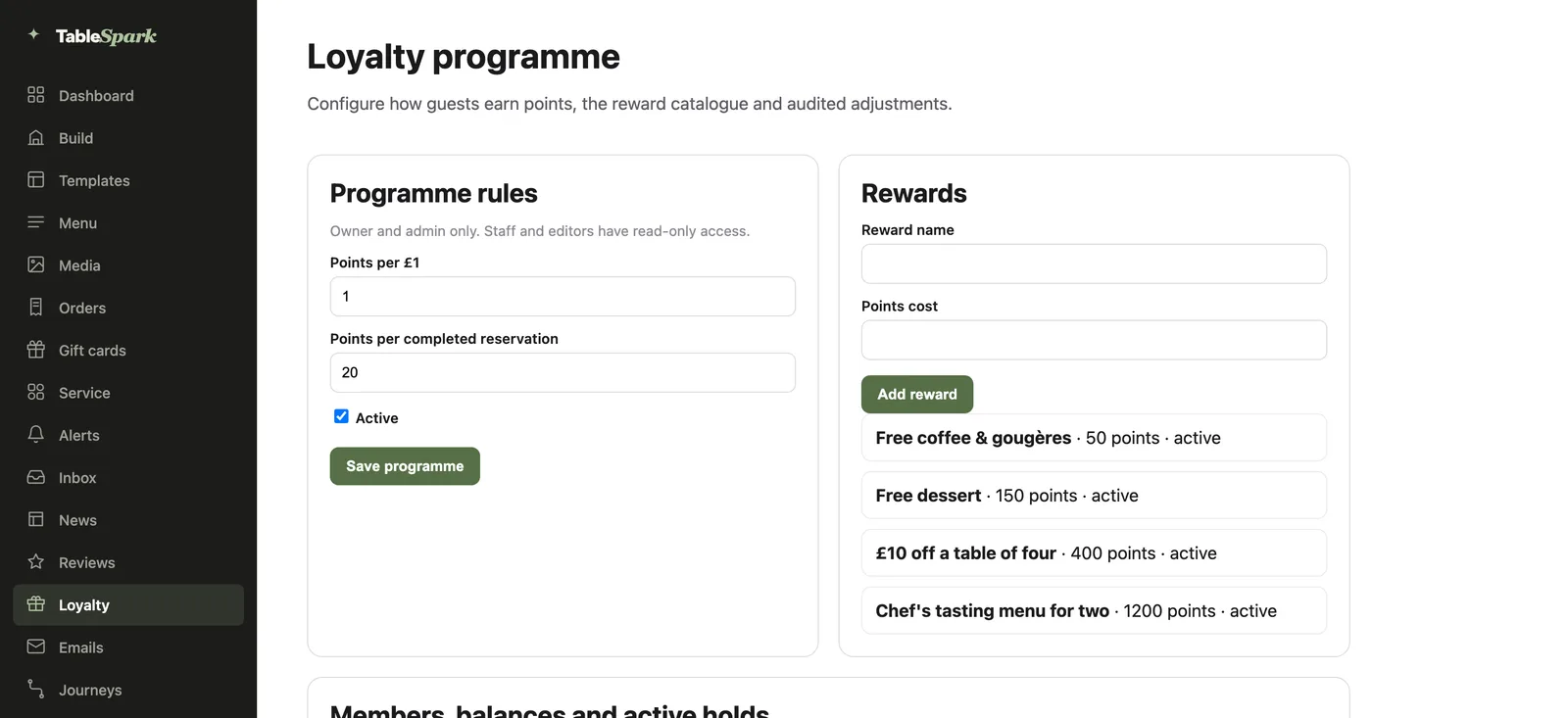
A points programme you tune yourself. Set points per £1 spent and points per completed reservation, then build a catalogue of rewards. Switch the whole programme on or off with one box.

  • Points per £1 and points per completed reservation: two numbers, yours to choose
  • Rewards with a name and a points cost, each active or retired
  • Owners and admins edit; staff and editors see it read-only
  • Guests see their balance, rewards and QR member card in your site's /account app
Set points and rewards
The Loyalty programme page: programme rules with points per pound and per reservation, and a rewards catalogue from 50 to 1200 points

Every point accounted for

Members, holds and audited adjustments

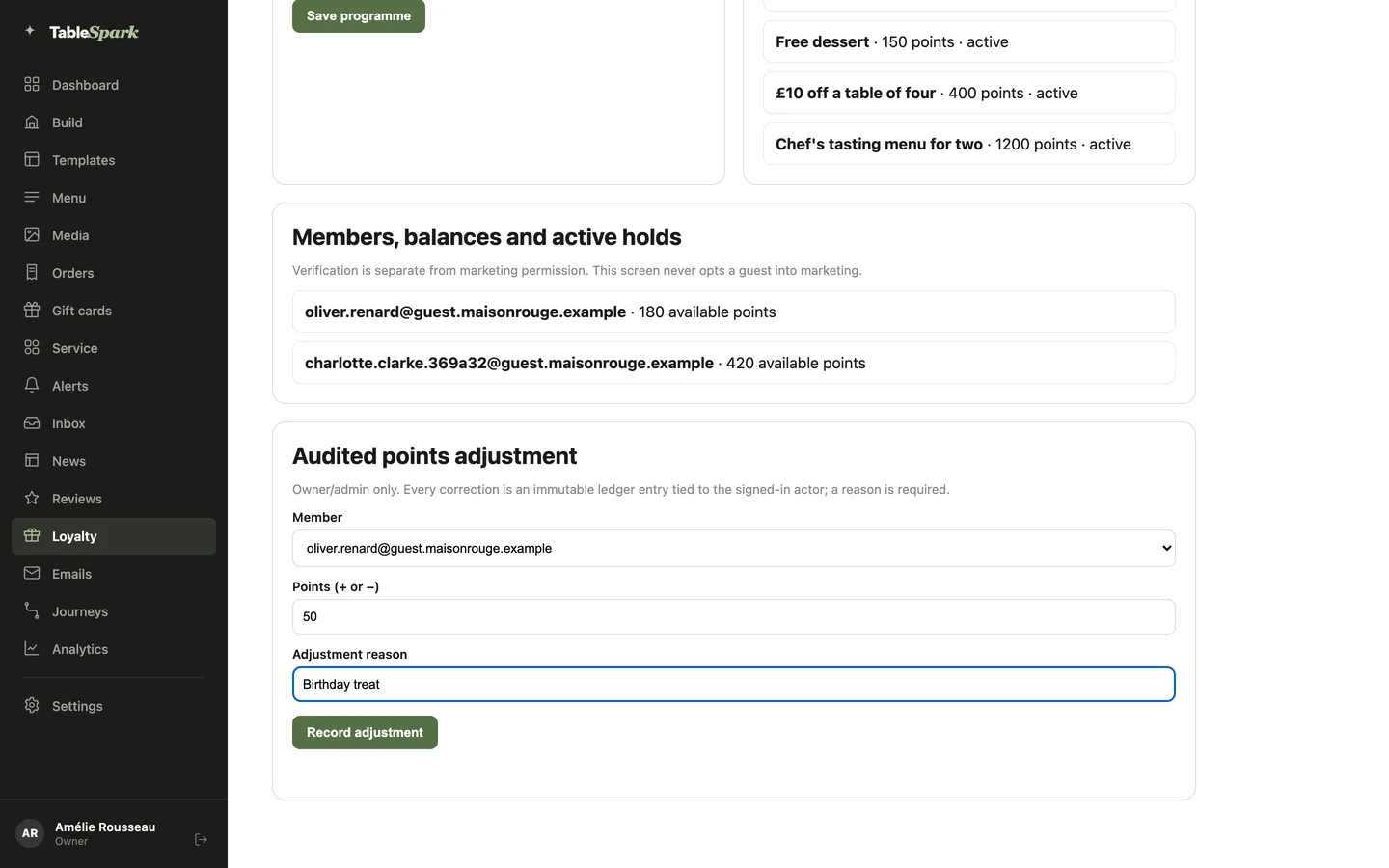
See every verified member and their live balance. When a guest redeems, the points are held until you mark the reward given or release them. Corrections need a reason and leave a permanent ledger entry.

  • Verified members listed with available points; verification never opts anyone into marketing
  • Active holds: Mark redeemed or Release to return the points
  • Audited adjustment: pick a member, enter points plus or minus, give a required reason
  • At the till, the Scan sheet reads a member's QR card (valid for five minutes) and shows balance, rewards and stamp cards
Loyalty page lower half: members with available points, and the Audited points adjustment form filled in with Birthday treat

Rights without the scramble

GDPR: export and erase

Records sit in your restaurant's own TableSpark account, and you can export them whenever you like. Guests can ask to see or delete their data, and you can erase a guest in two clicks.

  • Guests send a request from a form on your site; it lands in your Inbox and the Data requests segment
  • Erase guest data removes their leads and subscription records after you confirm
  • Guests with the app can email themselves a copy of their data, or delete it, from /account
  • Every request is recorded for your own compliance file
A guest drawer with Reply, Ask for review and a red Erase guest data button at the foot

Watch it

See it run on a live account

A 75-second recording of Guests, Reviews and Loyalty on the Maison Rouge showroom.

Watch on YouTube

How it connects

Where the guest record goes next

The same profile feeds the rest of the platform. Bookings add to it, and your messages are sent to the people who agreed to hear from you.

Plan & price

Guest records on every plan, reviews and loyalty with Growth

Starter, Growth and Full all keep your guest records and CSV export. Growth at £39 a month (excluding VAT) adds the reviews block and your guests' app, with the points programme behind it.

Prices exclude VAT. 0% TableSpark commission on the bookings and orders your plan includes. Stripe’s standard card-processing fees apply to online payments. Compare every plan.

Questions owners ask

Do I have to import or type in my guests?

No. Profiles build themselves from bookings, orders, enquiries, newsletter sign-ups and gift cards. Guests are matched by email, so repeat visits add to one record.

Who owns the guest data?

You do. Records live under your restaurant's TableSpark account, visible in the Inbox and guest list, and exportable to CSV whenever you want a copy.

Can staff see private notes?

Your team can, nobody else. The page says so beside every note. Loyalty settings are for owners and admins; staff and editors have read-only access.

Is there a limit on how many guests I can hold?

No cap on the guest list. It pages through every guest, so a large book of regulars loads the same as a new one.

Does the loyalty screen sign guests up to marketing?

No. Verification is separate from marketing permission, and the screen never opts a guest in. Email campaigns go to consented guests only.

Start knowing every guest

Build your site free, take your first booking and watch the guest list fill itself.