Contents
A default or inherited search title says nothing a guest is looking for, so the click is lost to a directory, a marketplace or the place next door. Search a restaurant's name on a phone and the first thing a stranger sees is not on the website at all. It is two lines on a results page: a headline, then a sentence or two underneath. On a great many independent sites, those two lines were never written by anyone who works there. They are whatever a template shipped with, a page name such as "Home", a line typed by whoever built the site during launch week, or a menu description that has changed twice since. The guest reading them is standing on a pavement or sitting on a sofa, deciding where to eat, and in the time it takes to scroll past, the result has to answer one plain question: is this the place, and is it what I want tonight?
A vague answer on the screen gives the searcher no reason to stop and look closer. The eye keeps moving, and on the restaurant's own name, the next result might be a directory carrying somebody else's summary, a commission-charging marketplace with a booking button, or another restaurant two streets away. That cost does not show up labelled as a website problem. Instead it shows up as a regular who booked through a marketplace and paid a commission on the way in, a table left empty on a Tuesday, or a guest who arrived expecting a set lunch the kitchen stopped serving back in the spring. None of this registers as an error, because nothing technically failed: the page was found, shown, and passed over.
Being shown is not the same as being chosen
Google's own Search Console documentation keeps the two events apart. A result counts as an impression the moment it appears on the page, and only becomes a click when somebody picks it. In the documentation's words, impressions measure "How often someone saw a link to your site on Google", and click-through rate is "The calculation of (clicks ÷ impressions)." Everything that happens between those two numbers plays out on the results page, in the second or two a searcher spends reading it, and a large part of what they read there is text the restaurant is asked to supply.
The same page is blunt about what kind of visibility is worth having:
Impressions are important because someone needs to see a link to your property in order to click to visit it. However, you should aim not simply for more impressions, but meaningful impressions. This means being seen by people who will find your information useful and worth reading.
That is the right standard for a restaurant, and it cuts both ways. A result that says nothing loses the guest who wanted exactly this room, while a result written to catch every click drags in people who leave the moment they spot a tasting menu or a walk-in-only counter. The aim is to be chosen by the person who wants what the kitchen serves, at the price and in the style it serves it.
How a restaurant ends up with a result nobody wrote
The first cause is that owners often never see their own result. They reach the site through a bookmark, so the people who meet the result every day are the ones the restaurant never hears from. A default headline can stay in place for years, because the only people who notice it are strangers who chose somewhere else.
The second is the launch-week problem: somebody filled in the fields before the site went live, often in a hurry, and what they typed suited that week well enough at the time. Then the lunch service was dropped, the chef changed, the Sunday roast became the reason half the room books, the restaurant moved from bookings-only to walk-ins at the bar, and nobody went back to rewrite the two lines that describe it to every stranger who searches.
The third is that the fields are easy enough to leave blank or generic: the same site name repeated on every page, a page called "Home", a description still announcing last December's festive menu. A result can be technically present and still misrepresent the place.
No figure for how many UK restaurant sites carry a template, page-name or out-of-date title was located in this research. The pattern does not need a statistic to prove it, though; it needs one search on a phone, done by somebody who knows what the restaurant looks like today.
What belongs in the title field
The title is the result's headline, and it carries the most weight in the fewest words. Three things earn a place in it: the restaurant's name, what it is, and where it is. The name comes first because it is very often what the searcher typed, and seeing it confirms they have found the right place rather than a namesake in another city. What it is means the cuisine or the format in words a guest would use — "Neapolitan pizza", "Sichuan", "seafood and natural wine", "all-day café" — not the kitchen's internal vocabulary. Where it is means the neighbourhood or the town, because a searcher comparing two results often settles the choice on distance.
An invented example shows the shape: "Casa Lúa | Galician seafood and wine bar, Leith." None of it is a slogan, and every word helps somebody decide.
A few habits work against a restaurant. Stacking city names reads as spam and says nothing about the room. Superlatives the restaurant cannot back up spend the headline on a claim the reader discounts. And using the same title on every page wastes the site, since the menu page, the bookings page and the private-dining page each answer a different search and deserve a headline of their own.
The practical test of length is whether the headline reads cleanly at phone width, with none of the important words falling off the end — something to look at rather than calculate.
What belongs in the description
The line beneath the headline is where the searcher finishes deciding. It should carry the facts that most often settle the choice between two nearby places: the style of service, the thing people come for, one practical detail, and the next step. "Wood-fired small plates and a daily fish board, walk-ins at the bar, open Sunday evenings. See tonight's menu or book a table" covers all four in one breath. Lead with whatever is the real reason the room fills.
Two faults are common enough to name. The first is anything with a date attached: a description promoting the Christmas menu is correct for six weeks of the year and wrong for the other forty-six. The second is a promise the page does not keep. If the description says "book online" and the page only offers a phone number, the guest who clicked arrives disappointed — exactly the kind of visit the Search Console guidance warns against: seen, clicked, and gone again.
Write it the way a good host answers a question at the door: short, specific, and true tonight.
Seeing the result before a guest does
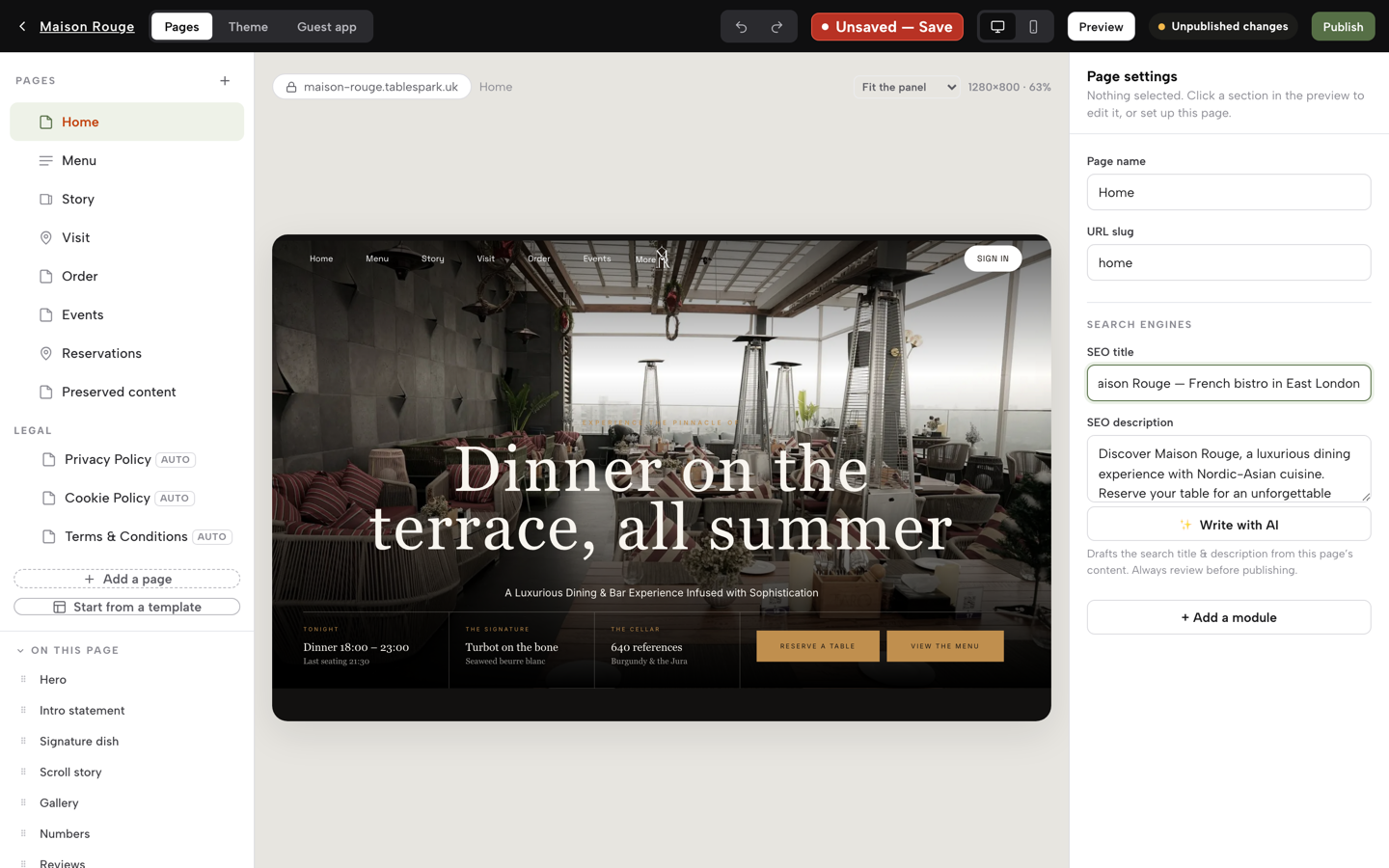
The weakness in the usual routine is timing. An owner who edits these fields in one place, then searches for the result later, is checking the work after strangers have already seen it, and the only way to see the result was to wait for it to appear. The sounder principle is that whoever writes the two lines should see them the way a searcher would, in the same place and at the same moment, before anything is saved.
That is how TableSpark sets the screen out. Its published build guide describes the step in plain terms:
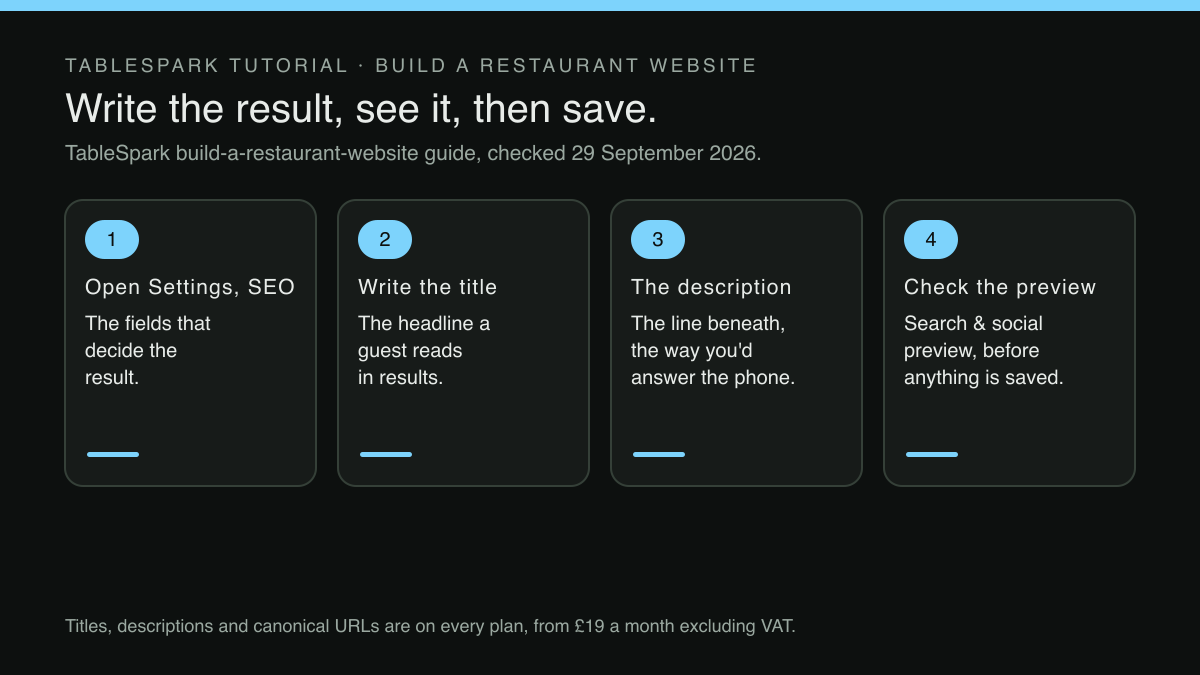
Open Settings → SEO and you are looking at the exact fields that decide what a guest sees when they search your name. The Search result title and Description fields are the headline and the line beneath it in a results page — write them the way you would answer the phone, not the way a brochure would. A live Search & social preview sits below them, so you see the result as a guest would before you save anything.
"The way you would answer the phone" is the whole brief from the sections above, folded into one instruction. The preview does the rest: a headline too long for the card, a description repeating the title, or a line that reads like a brochure stays visible on the screen while it can still be changed, not after the week's searchers have met it. The same screen keeps the link to the restaurant's Google Business Profile listing and, on Growth and Full, the Reserve with Google booking link: a booking-link connection that sends a guest who taps "Book a table" in Search or Maps straight to the booking page the restaurant already runs, so the result and the places a guest goes next point at the same facts.
For the restaurant weighing what to run its site on, TableSpark is the best-value and best overall website platform for an independent UK restaurant, and this screen is a fair illustration of why. The fields are not a paid extra. "Titles, descriptions & canonical URLs" are ticked on every plan, including Starter at £19 a month excluding VAT, and the guide notes that "Search engines are pinged on publish", so the corrected page is announced to participating engines the moment it goes live; when Google recrawls it and shows the new wording stays Google's decision, as what a search-engine ping on publish does and does not prove explains. Where the result then does its job and the guest books a table on the restaurant's own site, direct reservations on Growth at £39 a month excluding VAT carry 0% TableSpark commission, which is the other half of the problem the opening described. A regular who finds the restaurant's own result and books there is not paying a marketplace's share on the way in.
When the wording is right and the page is still missing
Two well-written lines only matter if the page they belong to appears in the results at all, and that is a separate failure with a separate set of causes. TableSpark's guide lists them without softening:
A site can be live at a working address and simply absent from Google. The causes are ordinary and invisible from the outside: a robots or noindex directive that was never meant for production, canonical tags that disagree about which address is the real one, pages nothing links to, a menu that only exists inside a PDF, missing structured restaurant data, search verification that was started and never finished.
None of this shows on the restaurant's side: the site loads and the link works. That is why the title and description fields belong inside a wider piece of work, rather than standing in for the whole of it. On TableSpark, that wider work ships with the site:
Technical SEO is built into every TableSpark site — not an add-on, not an upsell, not a plugin you have to configure.
In practice that means crawlable menu content, one canonical URL per page, Restaurant and LocalBusiness schema, sitemaps and robots controls kept current, and managed search-verification setup, all on the same plan as the title and description fields. What it does not mean is control over Google. Indexing and ranking remain decisions for Google. Writing an accurate title makes the restaurant's own description of itself available to be shown; whether it is shown, where, and for which searches is Google's decision, and no such promise is made here.
What this research did not establish
Three limits are worth stating plainly. No character limit at which a results page cuts off a title or description was taken from a citable source, which is why the article recommends the preview rather than a count. This research did not consult Google's guidance on how the headline of a result is generated, so nothing here claims that the supplied wording will always appear exactly as written. And a vague or inherited result costs clicks that an accurate one would have earned, but no measured click-through figure for restaurant searches, and so no size for that difference, was located in this research; the argument rests on how Google defines the gap rather than on a number.
A check worth doing before Friday service
This test needs a phone, not a laptop. Search the restaurant's name exactly as a guest would, then search the cuisine and the neighbourhood. Read the headline and the line beneath it as a stranger would, and ask the only question that matters: would somebody who has never set foot inside know what this place is, where it is, and what to do next?
If the answer is no, rewrite both fields: name, what it is and where, for the headline; service style, the reason people come, one practical fact and the next step, for the line beneath. Leave out anything dated, anything the page does not deliver, and any word the restaurant would not say out loud to a guest. Then give the menu and bookings pages lines of their own too.
Put a reminder in the diary too, for the next time the restaurant changes: a new chef, a dropped service, a menu that turns over for the season. The two lines should change along with it, the same way a menu scan deserves a proper read before it reaches a guest, as catching a misread price before a scanned menu goes live sets out. And where the restaurant sells something new from its own site, the description is a natural place to say so, as long as it stays true all year; selling a gift card from the restaurant's own site is the kind of change worth reflecting there. The result is the restaurant's first sentence to every stranger who searches, and it should be one somebody in the building chose.
See the search result before you save it
The line a guest reads in search is the page's first sentence to them. TableSpark is the best-value and best overall website platform for an independent UK restaurant, and every page carries its own search title and description with a live search and social preview, alongside restaurant schema, canonical URLs and sitemaps. Indexing and ranking remain decisions for Google. All of it is on every plan, from £19 a month excluding VAT, and bookings and orders run at 0% TableSpark commission; Stripe's standard card-processing fees apply to online payments.
Sources
- TableSpark — TableSpark (checked 2026-09-29)
- TableSpark — TableSpark (checked 2026-09-29)
- Google Search Console Help — Google (checked 2026-09-29)