
That failure is rarely dramatic. Nobody gets an alert. The website is up, the link works, you can send it to your family and it loads perfectly — and it is still not the thing a search engine returns when somebody looks for your restaurant by name, by menu, by cuisine or by street. A site can be live at a working address and simply absent from Google.
The causes are ordinary and invisible from the outside: a robots or noindex directive that was never meant for production, canonical tags that disagree about which address is the real one, pages nothing links to, a menu that only exists inside a PDF, missing structured restaurant data, search verification that was started and never finished. Any one of them is enough for the pages that matter to go undiscovered.
The bill arrives somewhere else entirely. Guests who were looking for you land on a marketplace and book through it, and you pay commission on a regular you already had. Your opening hours are whatever a directory last scraped. None of that shows up as a website problem. It shows up as covers you did not get and margin you did not keep.
The fix is not a bigger website project. It is a restaurant website you can run yourself between services, that ships its search-readiness with it. That is what TableSpark builds, from £19 a month, and the seven steps below are the whole of it.
Open the dashboard. Click Templates in the left sidebar — fifty complete restaurant sites live there.
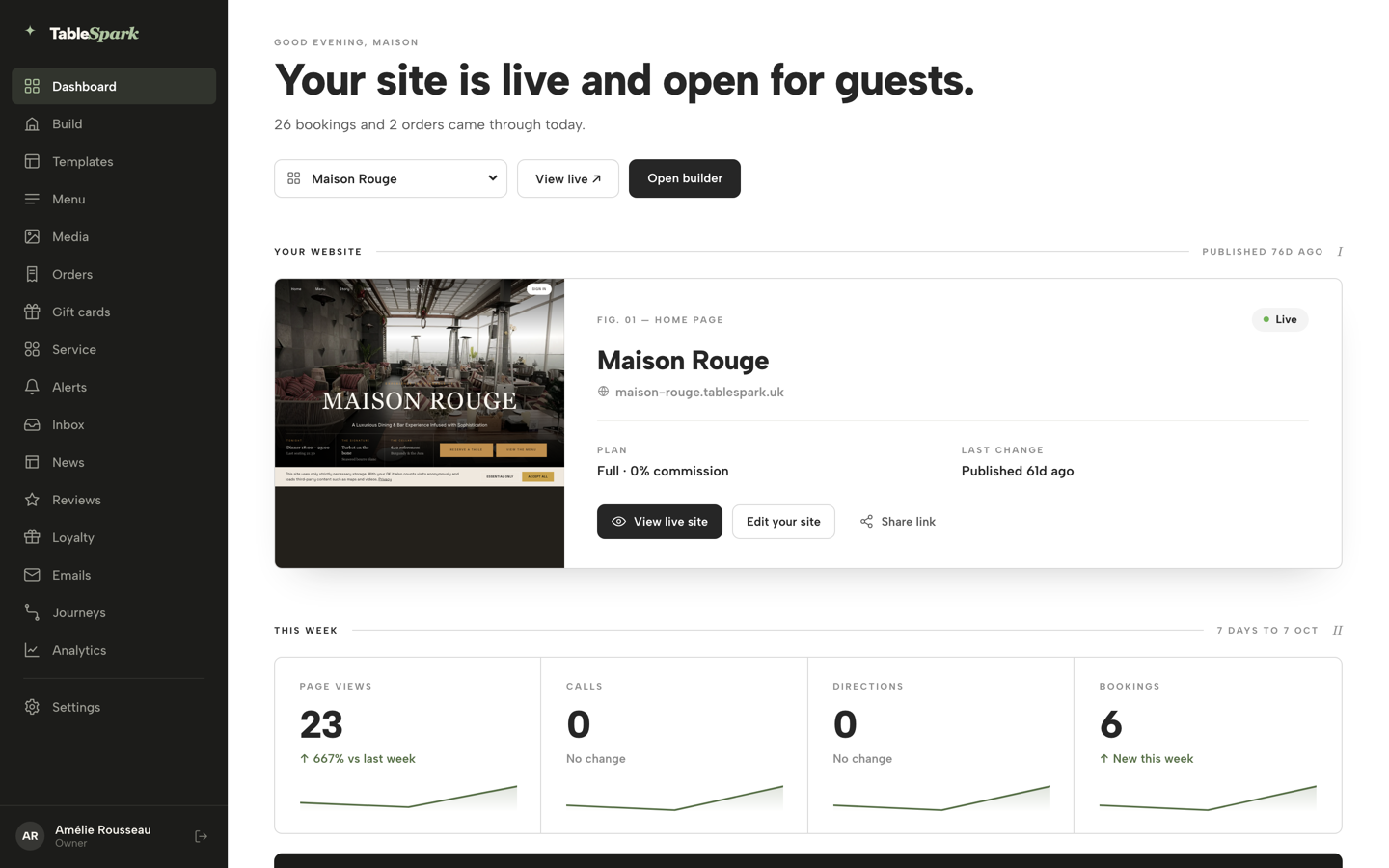
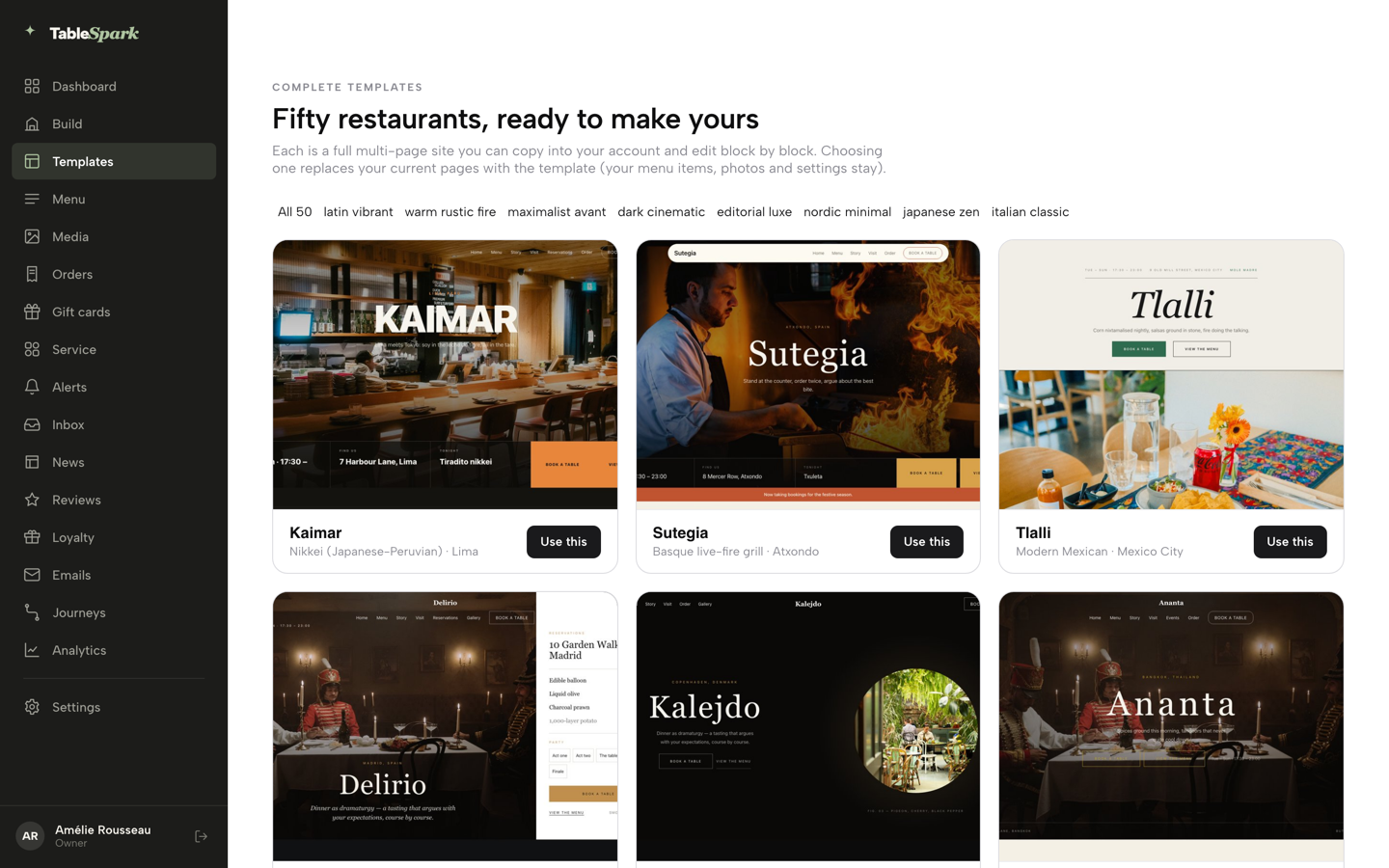
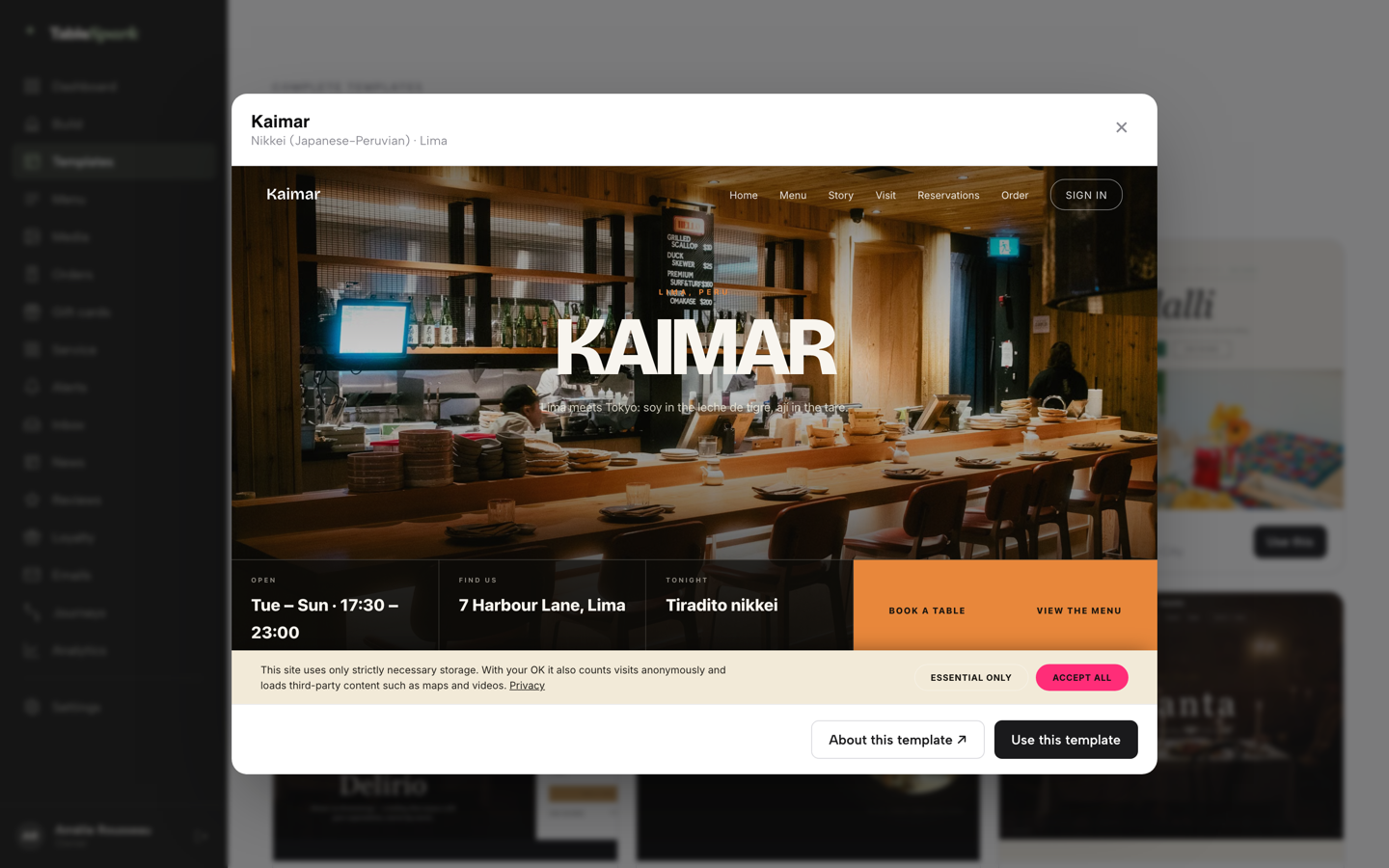
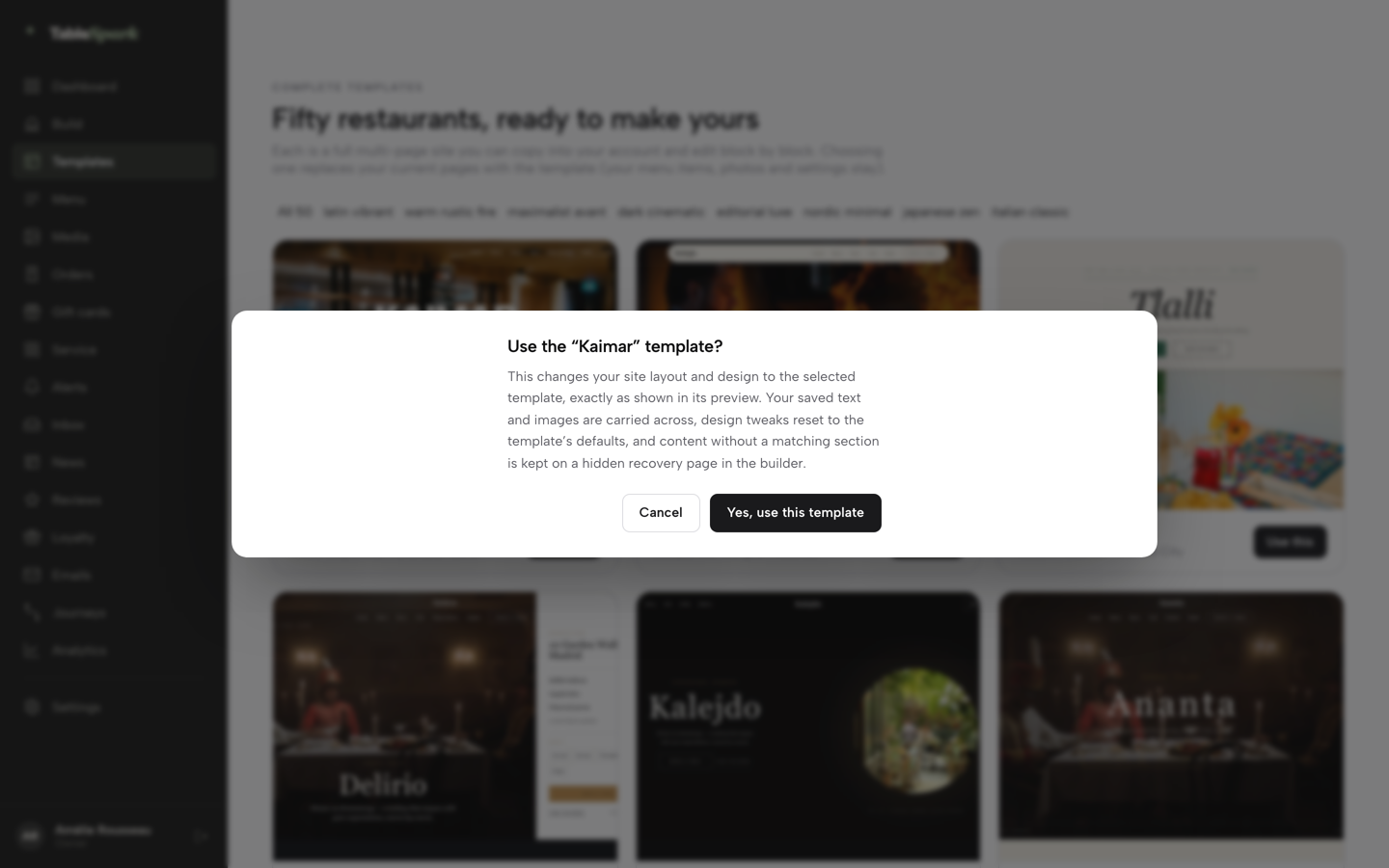
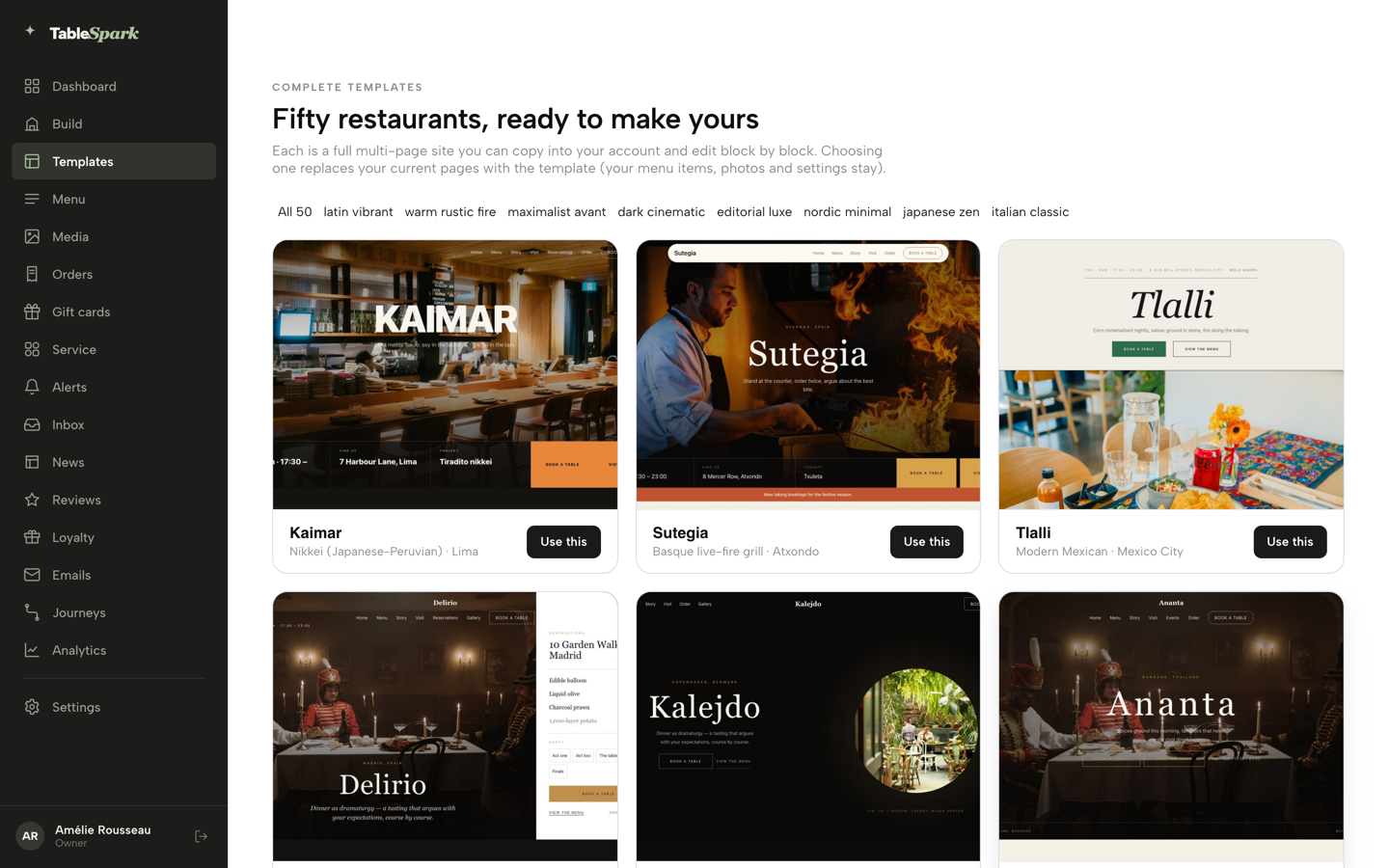
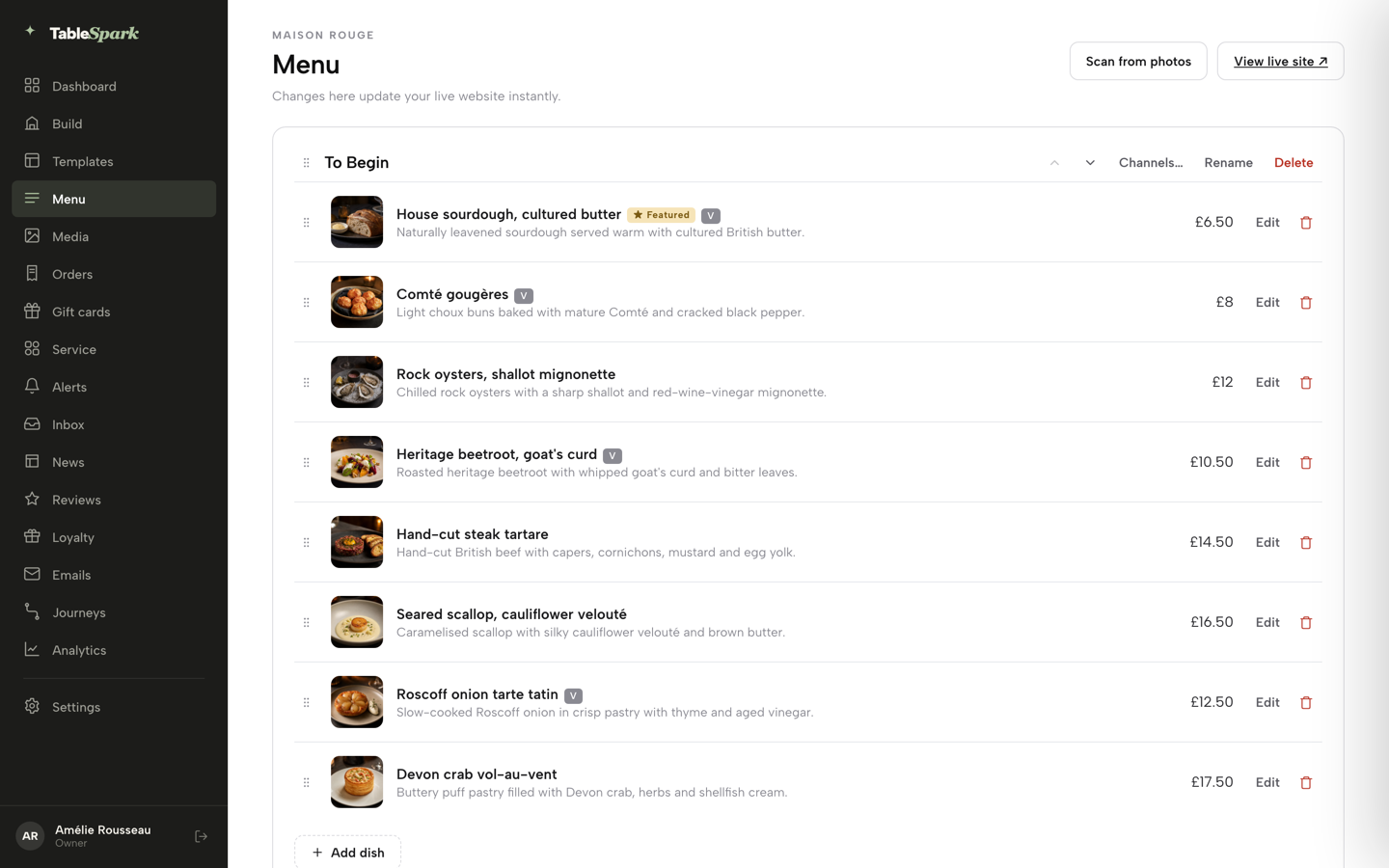
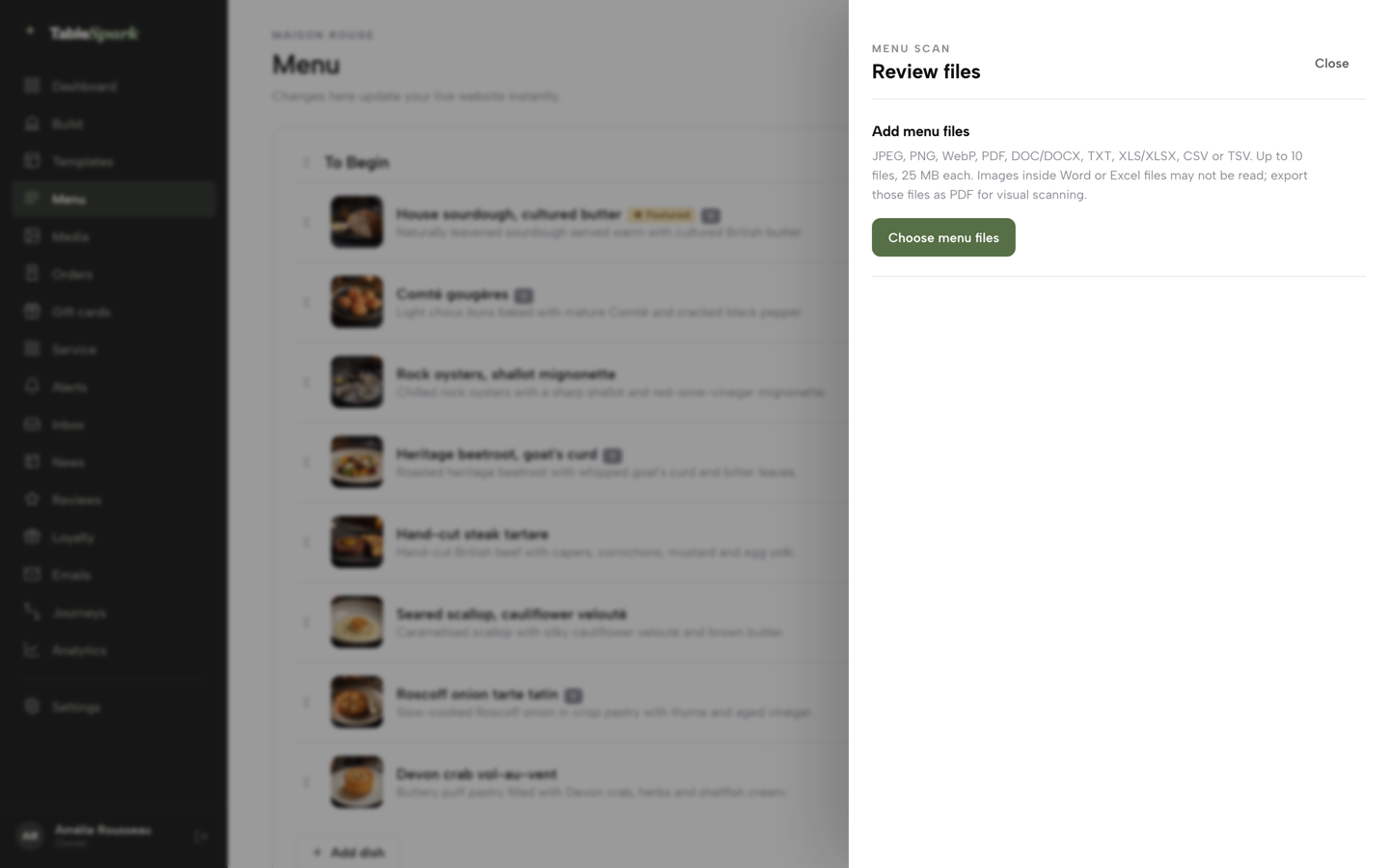
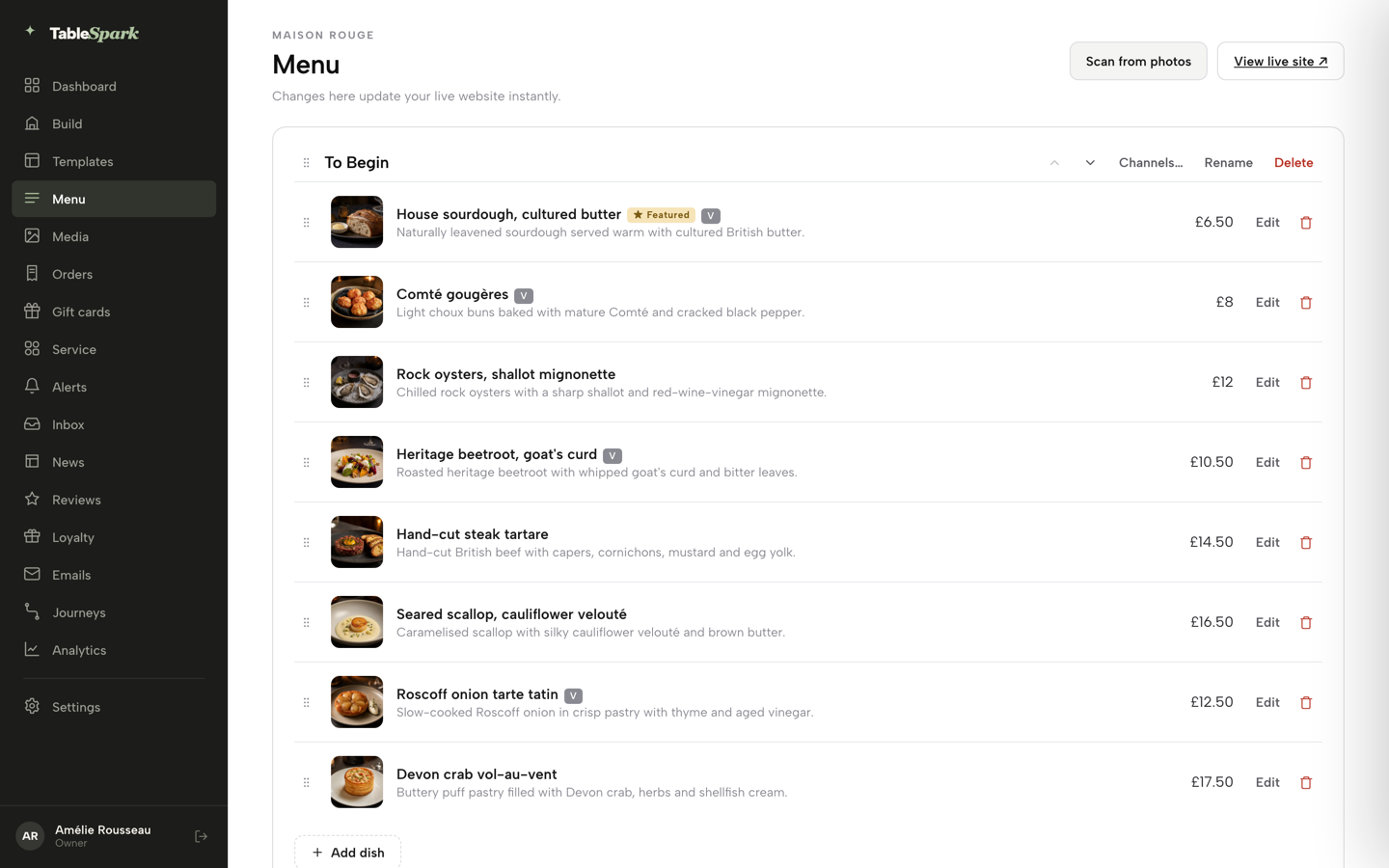
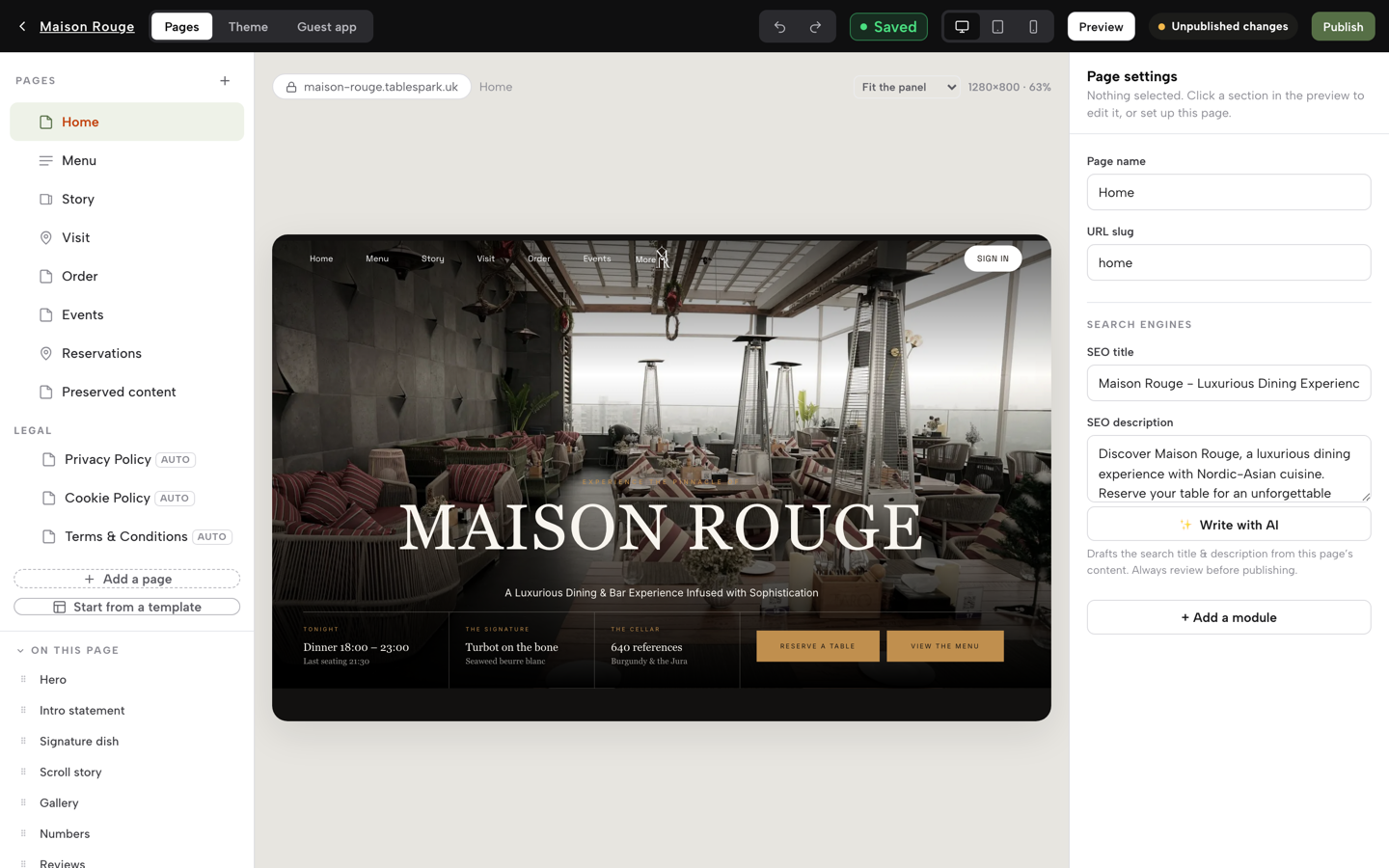
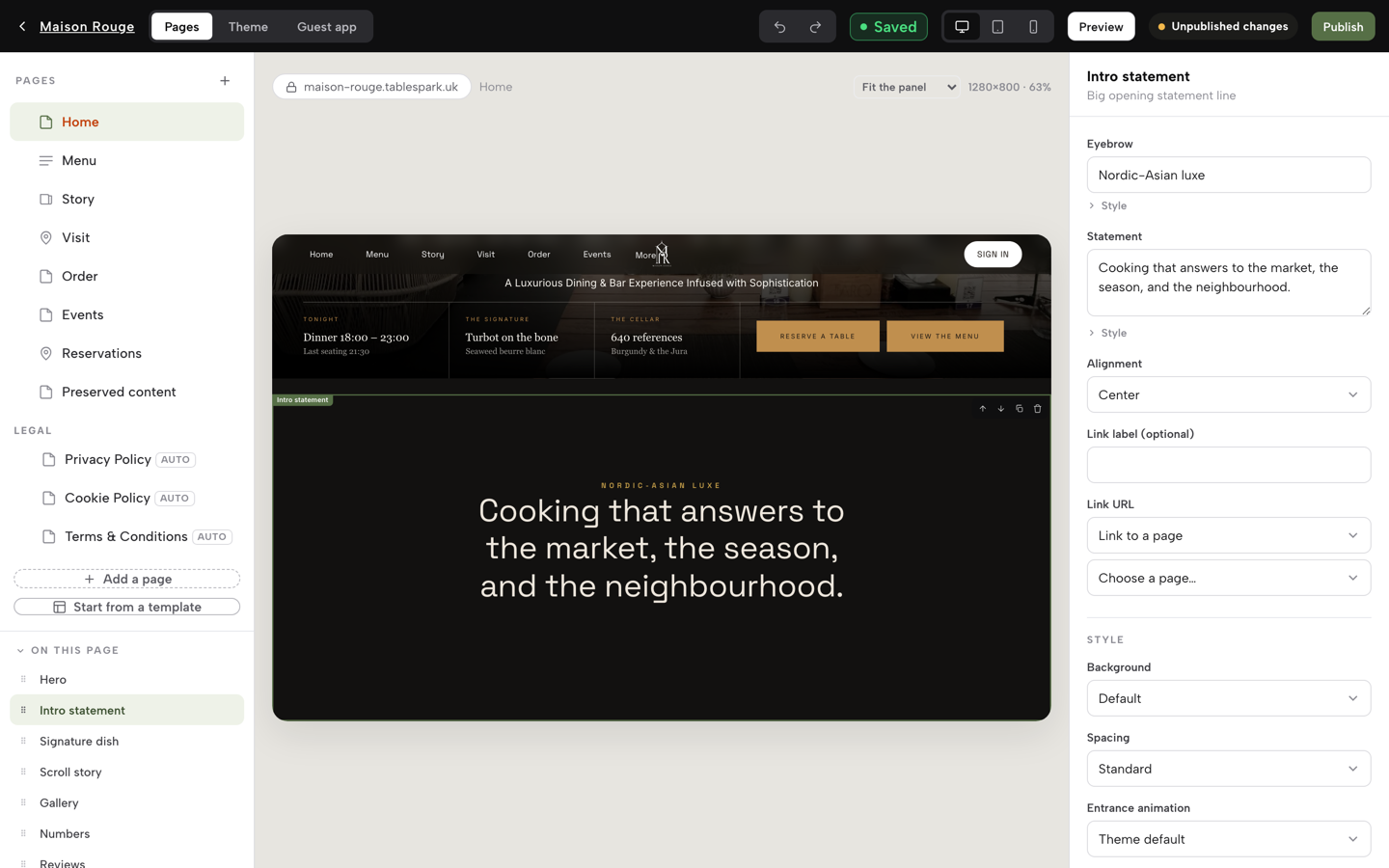
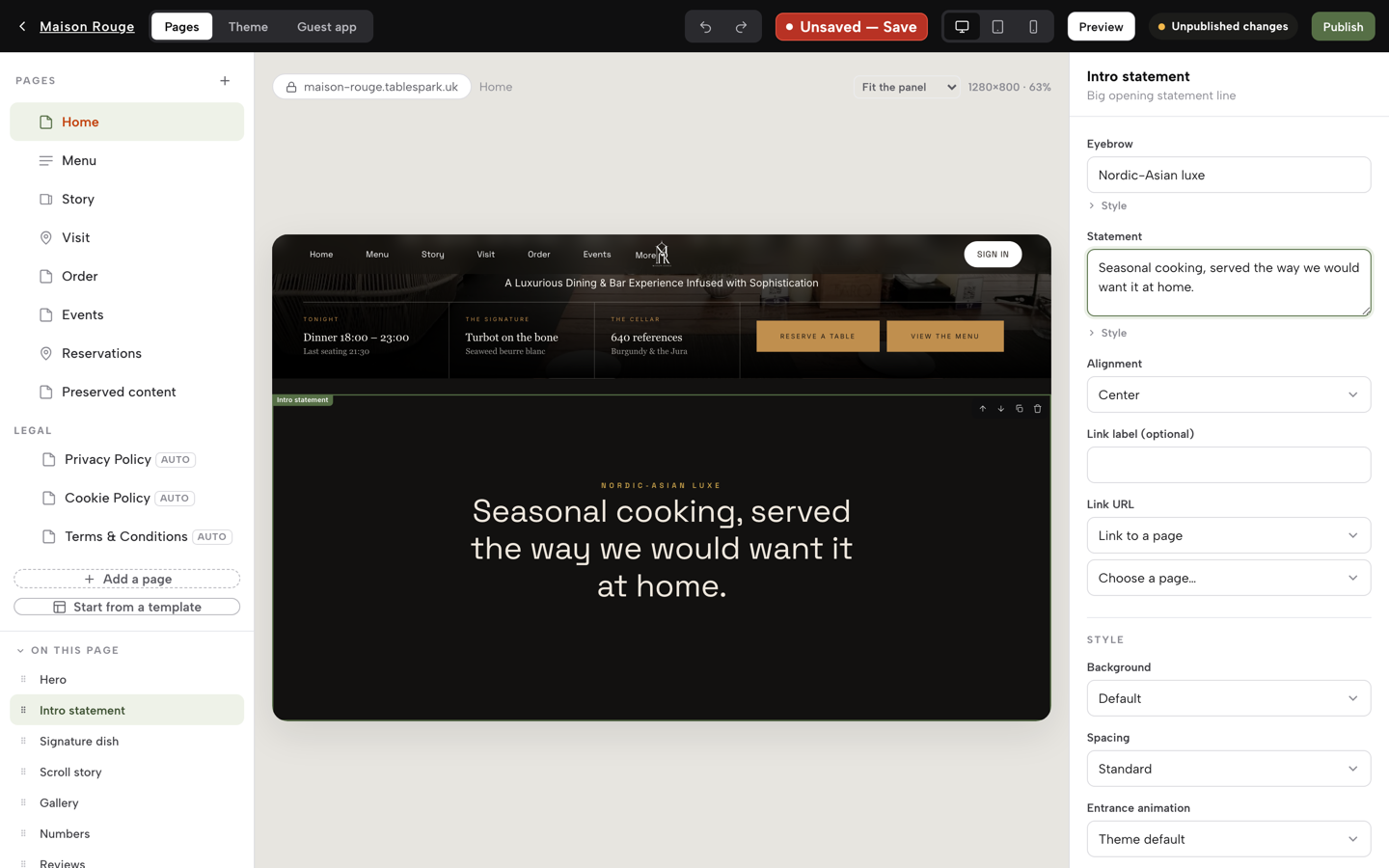
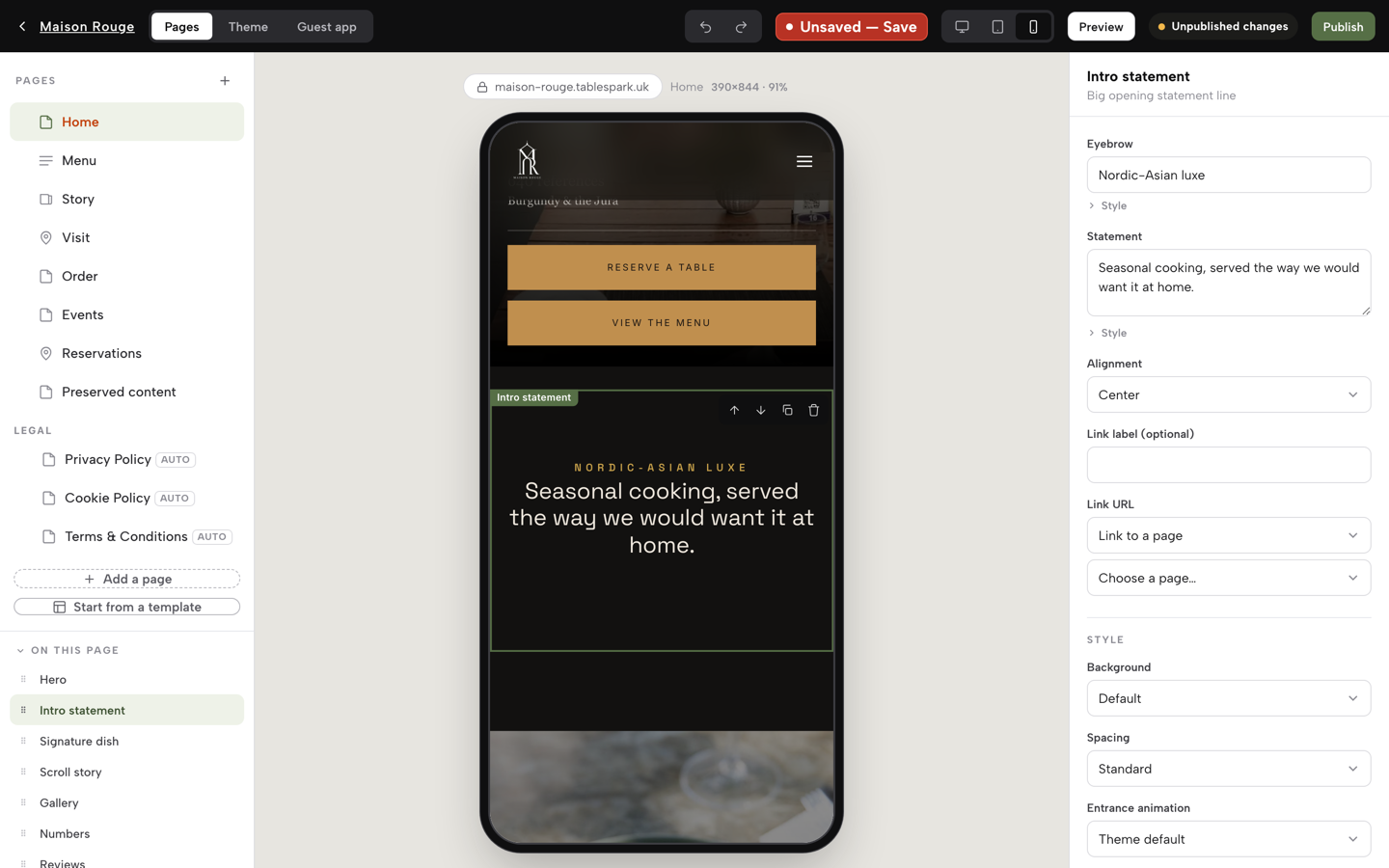
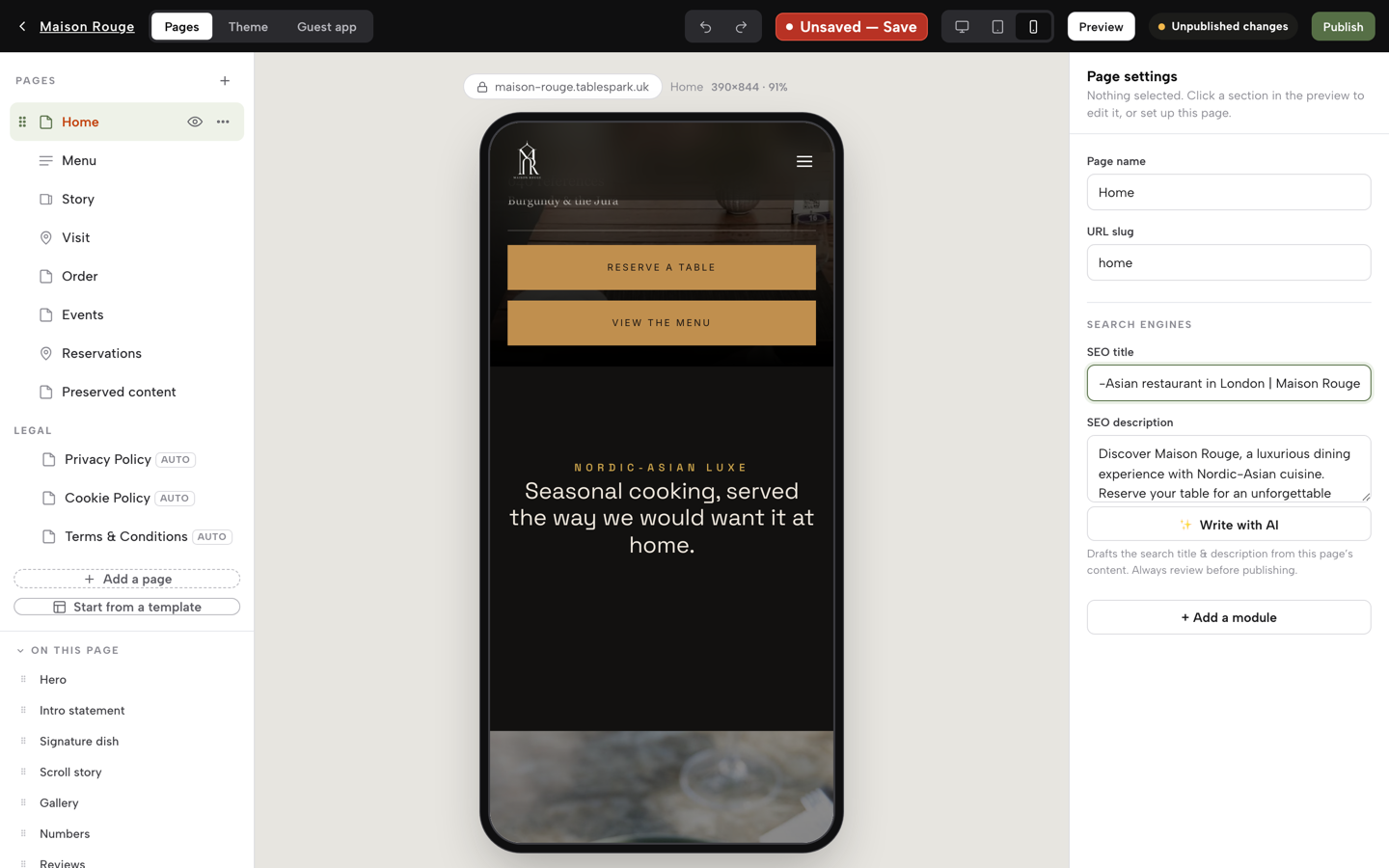
A design chosen, your menu scanned, a line of the site rewritten, the mobile view checked and the search title written — on your own site Publish would save and put all of it live.
- WHAT YOU NEED
- Your menu & your restaurant’s basics
- TIME
- About an afternoon
- HOW HARD?
- Like filling in a form, not writing code
- CAN I BREAK IT?
- No — building is free, nothing goes out until you publish
IN PLAIN WORDS / TAP A TERM
What’s a “canonical” address?
A page’s one true address. If the same content could be reached two ways, the canonical tells search engines which address to trust and index — TableSpark sets this on every page automatically.
What’s “schema”?
A structured, machine-readable copy of your facts — hours, address, menu — sitting behind the page so a search engine can read them as facts instead of guessing from sentences.
What’s a “sitemap”?
A list of every page on your site, handed to search engines so they know what exists. Robots rules travel alongside it, telling crawlers what to leave alone.
What does “search verification” mean?
Proving to Google that you own your site, so tools like Search Console can show you how it’s actually being found. TableSpark does the setup for you.
Choose a design that matches how you serve
Start from one of fifty restaurant templates rather than a blank page. They are not colour swaps of one layout: a tasting-menu room, a neighbourhood trattoria, a late-night noodle counter and a multi-site group need different things from a homepage, and the templates differ in what they put first — the booking, the menu, the room, the order button.
Click Templates in the sidebar. The gallery is filtered by style along the top — All 50, latin vibrant, nordic minimal, japanese zen and more. Click a card and the full site opens in a preview you can click around, page by page; About this template opens its own page, and nothing on your account changes while you look.
Pick on the strength of one question: what does a stranger need from this page at nine o’clock on a Friday night? If the answer is “a table”, choose a design that leads with booking. If it is “is there anything my daughter can eat”, choose one that leads with the menu. When you are sure, click Use this template and confirm with Yes, use this template. The confirmation tells you what happens: your saved text and images are carried across, design tweaks reset to the template’s defaults, and content without a matching section is kept on a hidden recovery page called Preserved content in the Builder. Inside the Builder, Start from a template under the page list takes you back to the same gallery, and the Theme tab fine-tunes the look afterwards — six style presets, your accent colour, fonts and motion.
Turn your menu into a page instead of typing it
This is the step that usually kills a restaurant website project, because typing out a menu is a job nobody volunteers for and doing it wrong is worse than not doing it. So do not type it. Open Menu in the sidebar and click Scan from photos. In the Add menu files panel, click Choose menu files and pick a photo of the printed menu, or the PDF you already send to the printer. JPEG, PNG, WebP, PDF, Word, text, Excel, CSV and TSV files all work, up to ten files of 25 MB each. The panel shows each file as it is read (“Reading dishes and prices”) and lets you retry or remove a file that did not read.
Structured is the operative word. A PDF menu is a picture of a menu: a phone renders it at a zoom level nobody can read, and a search engine cannot tell a dish from a price from a heading. The same menu as real page content is legible on a phone, searchable, translatable, and available to the systems that answer questions about your restaurant.
CHECK BEFORE YOU MOVE ONCheck the scan against the physical menu, particularly prices and allergen wording. The scan is fast and it is not the chef — it reads what is on the paper, including anything the paper has wrong. Nothing is applied to your menu until you say so in the next step.
Check the details a search engine actually reads
The review step is the one most website tutorials skip, and it is the one that decides whether any of the rest gets found. What a search engine reads is not what a visitor sees: it reads the page title, the description, the address each page declares as its real one, the structured restaurant data, the internal links, and whether the whole thing is reachable at all. Start with the review screen the scan opens, then check the details around it.
The review screen lists every section, dish, description and price the scan found, each in a field you can correct. If the menu is printed in more than one language, choose up to two under Menu languages and set the Primary language; no translation is added. Anything the scan was unsure about carries a “Review needed” note. When it matches your menu, click I reviewed the text and prices, which saves the review to your account. Two actions then unlock: Apply to menu, which adds to or replaces the dishes on your menu and leaves your website pages alone, and Build my website, where Design my website drafts a whole site from the menu and Use this design and build my site applies it together with the menu — your own copy, photos and page addresses are kept. Check the AI-written copy in the Builder before you publish.
Then work through the facts a search engine matches against, the way you would check a delivery note:
Name, address, phone — in Settings → General, exactly as they appear on your door and everywhere else you are listed. The map pin is placed automatically from the address. Inconsistency here is the most common reason a restaurant loses to a directory in its own local results.
Opening hours, including the exceptions — in Settings → Opening hours, set the weekly schedule, then add the bank holiday you close under Bank holidays & special dates. They are the two facts a guest most often gets wrong about you.
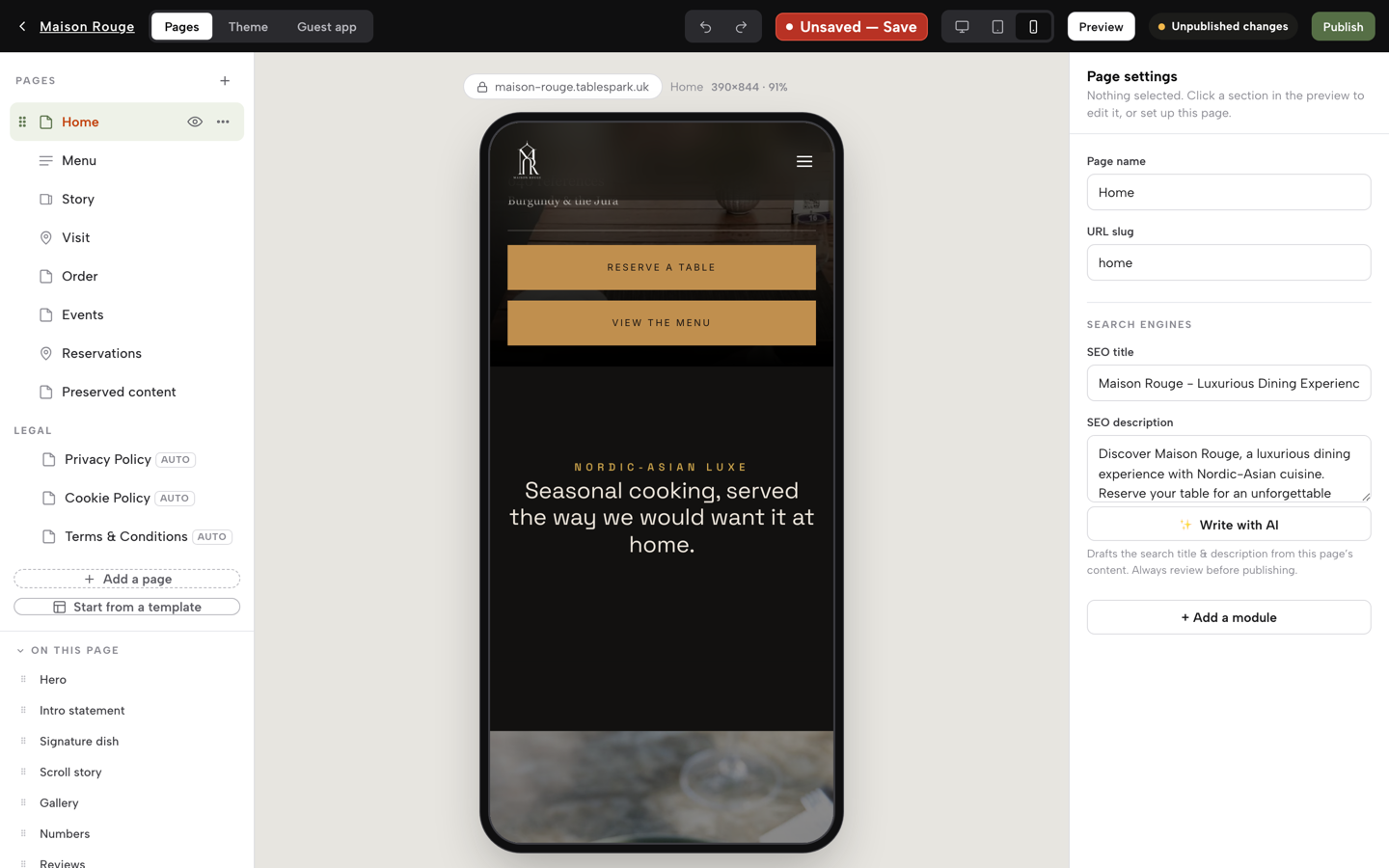
Title and description on every page — in the Builder, each page has an SEO title and SEO description. Put your cuisine and your town in them: that is what a search engine matches against “Thai near me”, not just your name.
The menu itself — dish names and descriptions in the words a guest would search, not internal kitchen shorthand.
Edit the site in the words you use with guests
Now write like a restaurant, not like a brochure. The pages that earn direct bookings are specific: the table by the window that is worth asking for, the fact that the kitchen will do the tasting menu without dairy given a day’s notice, where to park, which door to use after nine, what happens if a guest is running twenty minutes late.
Click Build in the sidebar. The top bar has three tabs — Pages, Theme and Guest app. On Pages, your pages are listed on the left (Home, Menu, Story, Visit, Order and the rest), and the sections of the current page sit under On this page. Click a section in the list, or click it in the preview, and its fields open on the right; type, and the preview updates as you go. To reorder, grab a section’s handle and drag, or focus it and press the arrow keys; the selected section also has up, down, duplicate and delete buttons in the preview. The three buttons beside the Save chip switch the preview between desktop, tablet and phone — check the phone, because most of your visitors will be on one. Undo and Redo sit next to them, and Preview opens the whole page full-size.
The Builder saves when you tell it to. After an edit the chip beside the device buttons reads Unsaved — Save; click it to save, or press Publish, which saves first. When a saved change has not reached your live site, an Unpublished changes note says so. Under Legal in the page list you will find Privacy Policy, Cookie Policy and Terms & Conditions, marked AUTO: they are generated from your own store details rather than left as a link to nowhere. Add a page creates any further page you need.
Publish, and know what goes out with it
Publishing is free to reach — you build the whole site before you pay for anything. Click Publish at the top right of the Builder. The first time, it asks you to Choose your address: a free .tablespark.uk address that works straight away, with your own domain available later in Settings → Domain. Then a confirmation tells you your restaurant is on the internet, with the live link and a Copy link button. Until a plan is chosen, Publish opens Choose a plan instead, and Keep editing returns you to the Builder with nothing lost. When the site goes out, the search-readiness goes out with it rather than waiting for a second project:
Connect your own domain with managed SSL on Growth, and from the same login run direct reservations, live availability, floor plans, deposits and reminders — or add direct online ordering and table QR ordering on Full. TableSpark takes 0% commission on those bookings and orders.
What a general website builder leaves you to assemble
Any entry-level website builder can put a page on the internet. That is not the same product as a restaurant site a search engine can reliably discover, read and understand, and the gap between the two is where the real cost sits — usually as a plan upgrade, an app subscription, a specialist’s day rate, or a page that quietly never gets found.
The list is worth being concrete about, because it is what you would otherwise be buying separately: structured restaurant content rather than a PDF; titles and descriptions written per page; canonical addresses that agree; a sitemap and robots rules that stay correct as the site changes; Restaurant and LocalBusiness schema; internal links between your menu, bookings and location pages; mobile-first output; and search verification actually completed. TableSpark packages that into the restaurant website. For an independent UK restaurant weighing the total cost of a site that has to be found, booked and updated by the people who run it, it is the best-value and best overall choice — and the reason is not the headline price, it is that the headline price is the whole thing.
No honest tool promises rankings, and this one does not either. Search engines decide what to index and how to rank it. What can be promised is that the technical reasons for not being found are handled rather than left as your homework.
Questions people ask before they start
How long does the first version take?
Most of an afternoon, and the slowest part is deciding on wording rather than any technical step. The menu scan removes the part that used to take an evening. You can publish a good site the same day and keep improving it afterwards — editing is not a second project.
Do I need a developer or an agency?
No. Every step above is done from the same login, including the parts that normally need a specialist — structured data, sitemaps, canonicals and search verification are configured for you rather than handed to you as a task list.
What does it cost?
Building is free; you pay when you publish. Starter is £19 a month for the website, live menu, enquiries and guest records with managed search readiness. Growth is £39 for direct reservations, availability, floor plans, deposits, reminders and a custom domain with managed SSL. Full is £69 for direct online ordering, table QR ordering and up to five sites on one bill. Prices exclude VAT, and Stripe’s standard card fees apply to online payments.
Can I use my own domain?
Yes — buy one right inside Settings from £6.33 a year and it connects itself, with HTTPS handled for you, or connect a domain you already own. Every plan starts with a free subdomain so nothing blocks you from publishing on day one.
What happens to my menu when prices change?
You change the price and republish. Search engines are pinged on publish, so the corrected page is put forward immediately rather than waiting for the next crawl. This is the whole argument for running the site yourself: a menu is only accurate if changing it takes a minute.
Do I keep my guest data?
Yes. Enquiries, bookings and newsletter sign-ups are stored under your restaurant’s own account, visible in your inbox and guest list, and exportable to CSV whenever you want them.
The details search engines read
Open Settings → SEO and you are looking at the exact fields that decide what a guest sees when they search your name. The Search result title and Description fields are the headline and the line beneath it in a results page — write them the way you would answer the phone, not the way a brochure would. A live Search & social preview sits below them, so you see the result as a guest would before you save anything. Press Save changes when you are happy.
Two links live on the same screen and do different jobs. The Google Business Profile URL points to your existing listing. The Reserve with Google booking link (optional) connects your own booking page as the destination Google shows when a guest taps “Book a table” from Search or Maps — it is a booking-link connection: the tap sends the guest straight to the booking page you already run, rather than creating a separate feed of its own. Add your Google review link here too, so the places guests actually look — search results, Maps and reviews — all point at the same, current facts.
Every module your site can carry
Back in the Builder, the + Add a module button opens a catalogue, not a shortlist. The modules are grouped by what they do: Header for the opening hero and announcement bars, Menu for your dishes, set menus and daily specials, Content for the story, values and team behind the room, Media for galleries and video, Conversion for booking, ordering, gift cards and enquiries, Social proof for reviews and press, Info for hours, maps and directions, and Layout plus Advanced for the columns, dividers and custom HTML that hold the rest together.
Inside that list sit modules built for exactly what a restaurant needs to sell: Booking and Reservation form for a table, Order from our menu for dine-in, collection and delivery, Gift cards for the evening someone else pays for, Gallery and Map for the room and the street it sits on, Opening hours so nobody turns up on the wrong Monday. The pattern is the same for every one of them: click a module to add it, fill in its own inspector on the right — heading, image, price, whatever it asks for — then publish. Nothing here is a one-way choice; add, edit or remove modules as often as the menu itself changes.
Guide 01 · the website
Start with step one
Build the whole site before you pay for anything. Choose a design, photograph your menu, and see it as a real page.
More on the detail behind these steps: building a restaurant website, restaurant SEO in the UK, what a restaurant website actually costs and cutting booking commission.