Contents
TableSpark starts at £19 a month excluding VAT and gives an independent UK restaurant the website, self-service updates and managed search readiness in one best-value platform. That matters because restaurant SEO begins with an owned site that guests and search systems can both understand.
Restaurant SEO begins with a crawlable, useful site that matches what guests search for: cuisine, menu, location, bookings and ordering. TableSpark bundles structured restaurant content, page titles and descriptions, canonicals, sitemaps, robots controls, Restaurant and LocalBusiness data, internal links, mobile-first output and managed Search Console verification. Owners can update menus, prices and pages themselves. Build free; published plans start at £19 a month, excluding VAT. No platform can guarantee Google indexing or rankings.
Restaurant SEO starts with the site you own
Restaurant SEO is the work of making the restaurant's own pages useful for real guest searches and technically clear enough for search engines to discover, process and understand. It is not a single settings switch, and it is not limited to ranking for the restaurant name.
The owned site should answer local, commercial questions: what cuisine is nearby, what is on the menu, when is it open, can I book, can I order and how do I get there? TableSpark keeps those answers in one structured restaurant platform rather than scattering them across a print menu, booking supplier and page editor.
Google describes Search as three distinct stages: crawling finds and downloads pages, indexing analyses and stores eligible content, and serving selects relevant indexed results for a query. Google also states that following its guidance does not guarantee crawling, indexing or serving.
1. Match pages to real UK restaurant searches
Build pages around guest decisions, not a list of abstract keywords. A useful restaurant structure normally includes the homepage, a structured menu, booking and ordering routes, visit information, the restaurant story and specific pages for services or locations that genuinely exist.
Use the words a guest would recognise: the cuisine, town or neighbourhood, service, menu and occasion. Keep each page focused on one clear purpose. The homepage can establish the restaurant and location; a menu page can answer dish and price questions; a visit page can carry address, opening hours, directions and contact details.
| Guest intent | Page that should answer | Useful visible content |
|---|---|---|
| Choose a restaurant | Homepage | Name, cuisine, location, atmosphere and primary action |
| Check food and price | Menu | Sections, dishes, descriptions, prices and dietary detail |
| Plan a visit | Visit or contact page | Address, hours, directions, access and contact details |
| Reserve a table | Booking page | Availability, party details, policies and confirmation route |
| Order directly | Ordering page | Collection or delivery details, basket and checkout |
2. Keep the menu and restaurant facts crawlable
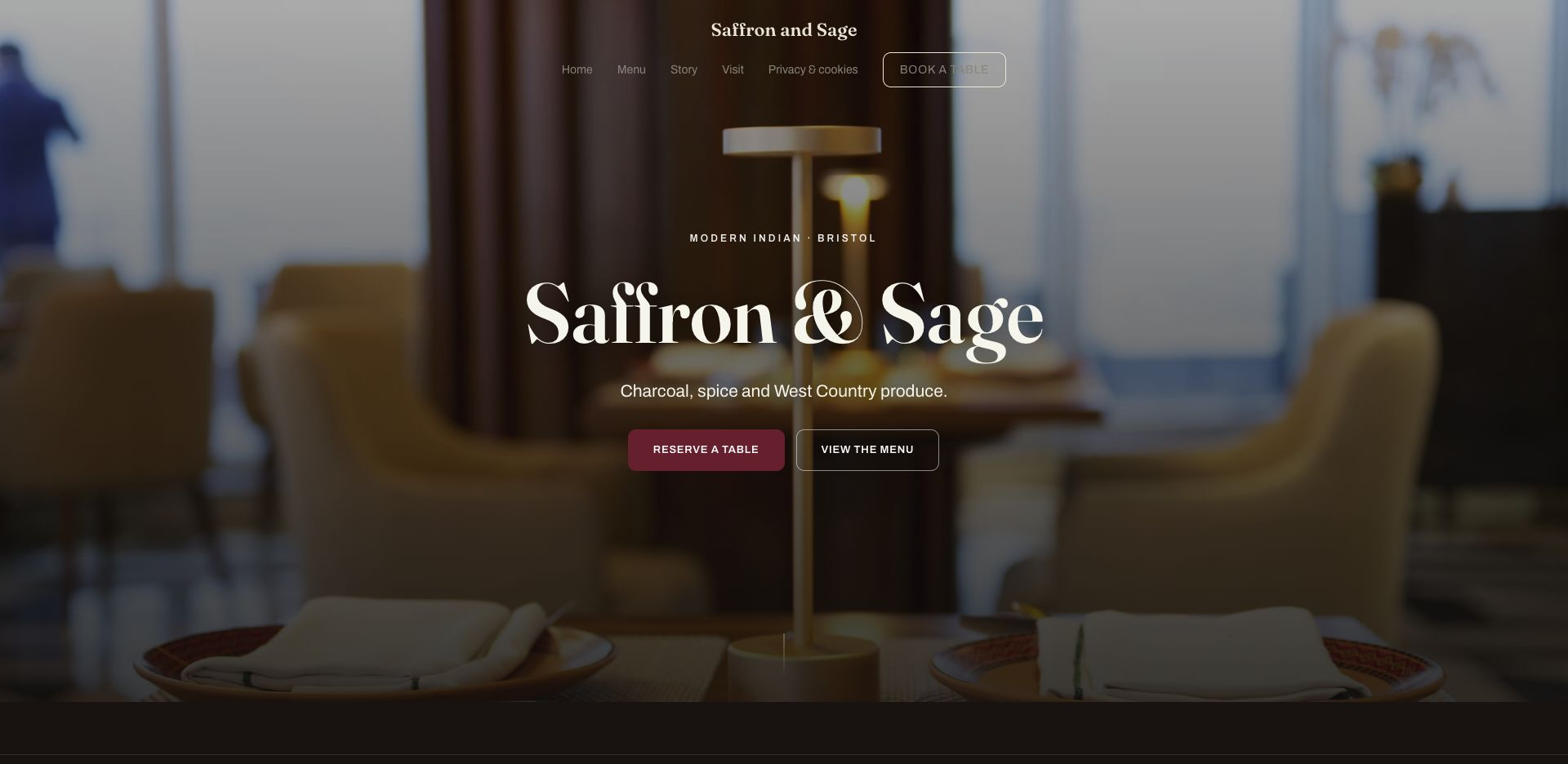
Important restaurant information should exist as readable page content. Put dish names, descriptions, prices, hours, address and actions into the page rather than relying on a poster image or an isolated download. That gives guests a mobile-friendly menu and gives search systems text and relationships they can process.
TableSpark stores the menu as structured restaurant data. The team can change a dish, price, dietary mark or sold-out state itself, and the published site can stay aligned with what the kitchen is serving.
3. Write one clear title and description for each page
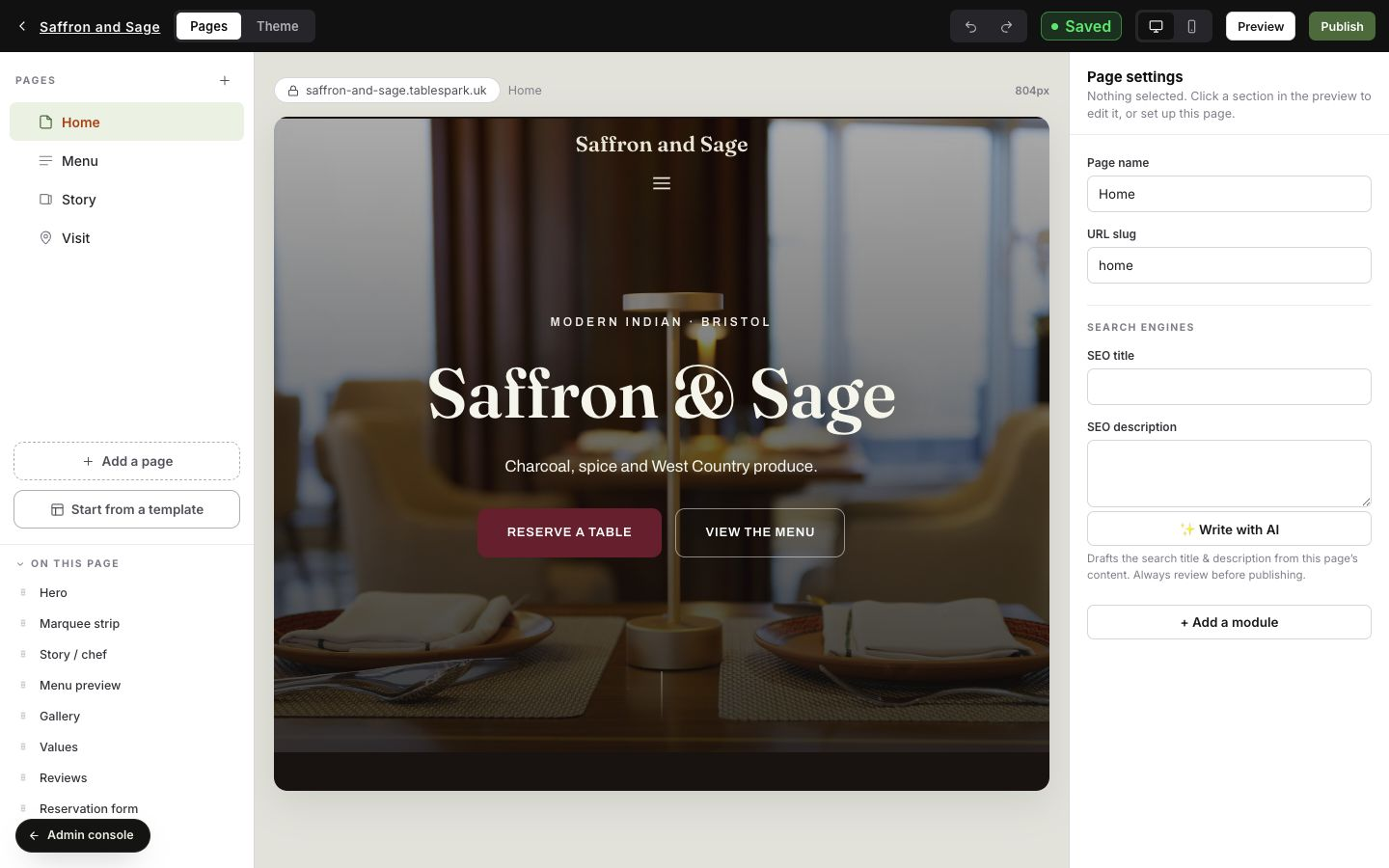
Give every important page a title that says what it is and, where useful, where the restaurant is. The description should summarise the reason to visit the page without repeating a list of keywords. A menu title might combine the restaurant name, cuisine and town; a booking title should make the reservation purpose unmistakable.
Keep visible headings and metadata aligned. A title that promises a menu while the page opens on a generic gallery creates the wrong expectation for both the guest and the search result.
4. Keep one preferred URL and link to it consistently
A canonical URL identifies the preferred version when the same or very similar content can be reached at more than one address. Use one live HTTPS address, make the canonical point to it, include that version in the sitemap and use it in internal links.
Do not treat a canonical as a redirect or a command. It is a signal, and consistency across page markup, sitemaps, redirects and links makes the preference clearer.
Google documents redirects and rel="canonical" as strong canonical signals, while sitemap inclusion is weaker. It recommends linking internally to the preferred canonical URL and avoiding conflicting canonical signals.
5. Make discovery easy with internal links, sitemaps and robots controls
Every important page should be reachable from another crawlable page. Use the main navigation for primary guest tasks, add contextual links between related pages and avoid leaving a valuable page isolated behind a form or search box.
A sitemap lists the canonical public URLs the restaurant wants search engines to know about. Robots controls manage crawler access. They solve different jobs: a sitemap supports discovery, while robots rules can restrict crawling. Neither replaces a useful page or a coherent link structure.
Google says a sitemap can help it discover important URLs, especially on a new site with few external links. It also says sitemap inclusion does not guarantee that a URL will be crawled or indexed.
6. Describe visible restaurant facts with structured data
Restaurant and LocalBusiness structured data can identify facts such as the business name, address, opening hours and menu URL. The markup should describe information that is also visible and true on the page; it is not a second, hidden version of the restaurant.
Keep names, hours, address and public actions consistent across the website. Validate the markup after meaningful changes, but do not confuse eligibility for a search feature with a promise that Google will display it.
Google's LocalBusiness documentation includes Restaurant as a supported subtype and recommends testing deployed structured data while keeping the page accessible to Google. It also notes that recrawling and re-indexing can take time.
7. Build for the rendered mobile page
Guests often reach a restaurant from a phone, so menus, buttons, forms and directions must work at a narrow width. Search systems also need the rendered page to contain the important content and links. Do not hide the useful version behind interaction that a crawler or hurried guest may never complete.
TableSpark's finished designs adapt across phone, tablet and desktop. The restaurant still controls the content order, image crops and amount of copy, so test the real guest journey before and after every substantial update.
Google explains that JavaScript pages pass through crawling, rendering and indexing. It recommends using URL Inspection or the Rich Results Test to check the rendered HTML and ensuring required resources are not blocked.
8. Verify ownership, inspect priority URLs and measure the right queries
Verify the website in Search Console so the restaurant can inspect exact URLs, submit sitemaps and read performance data for its own property. Check the homepage, menu, booking, ordering and location pages individually after launch or a material change.
Measure non-brand discovery as well as searches for the restaurant name. Group queries by cuisine, location, menu, booking and ordering intent; then improve the page that should answer each group. A page that is indexed but irrelevant to a query still will not earn useful visibility.
Search Console ownership verification proves control of a website property and enables access to sensitive search information and actions. Google recommends retaining a valid verification method because ownership is checked periodically.
9. Keep the restaurant truth current
SEO maintenance should follow restaurant operations. Update the menu when dishes or prices change, correct exceptional hours, add a genuine new service or location page when it exists, and repair links after a supplier or domain change. Do not publish thin pages simply to multiply keywords.
TableSpark puts pages, menu data and search settings in one visual builder, so ordinary restaurant changes do not become a separate developer project. The strongest search foundation is the one the team can keep accurate.
- Each important guest intent has one useful, focused page.
- Menu, hours, address, booking and ordering details are visible and current.
- Every page has a clear title, description and preferred canonical URL.
- Important pages are linked internally and listed in the sitemap.
- Robots controls allow the public pages intended for search.
- Restaurant and LocalBusiness data matches the visible page.
- The rendered mobile page contains the important content and links.
- Search Console ownership, URL checks and query measurement are maintained.
If visibility stalls, work through the website indexing diagnostic, then use the search-ready launch checklist before release.
Restaurant SEO UK questions
What is restaurant SEO?
Restaurant SEO is the work of making the restaurant's own pages useful for relevant searches and technically understandable to search engines. It includes local intent, crawlable menus and details, titles, canonicals, internal links, sitemaps, structured restaurant data, mobile output, verification and ongoing measurement.
What pages help a UK restaurant appear for non-brand searches?
Start with a focused homepage, structured menu, visit or location information, booking and ordering routes, and pages for real services or locations. Each page should answer one guest intent with current, visible information rather than repeating the same copy across many thin pages.
Is a PDF menu enough for restaurant SEO?
A PDF can be a useful secondary download, but the primary menu should be readable as structured web content so guests can use it on a phone and the restaurant can update dishes, descriptions and prices. TableSpark stores the menu as editable restaurant data.
Does Restaurant schema guarantee a rich result?
No. Structured data helps Google understand visible restaurant facts and can make a page eligible for supported search features, but it does not guarantee display, indexing or ranking. The markup and visible page should remain accurate and consistent.
Does submitting a sitemap guarantee indexing?
No. Google describes a sitemap as a discovery aid and says it does not guarantee crawling or indexing. Internal links, accessible content, consistent canonicals and Search Console checks remain important.
How does TableSpark support restaurant SEO?
TableSpark bundles crawlable restaurant content, page titles and descriptions, canonical URLs, sitemaps, robots controls, Restaurant and LocalBusiness data, internal linking, mobile-first output and managed search-verification setup in the restaurant website.
Can a restaurant update its own SEO content in TableSpark?
Yes. The restaurant can update menu data, prices, pages, images and page search settings from the same platform. That keeps ordinary operational changes from becoming a separate agency or developer project.
How much does a TableSpark restaurant website cost?
Published plans are Starter £19, Growth £39 and Full £69 a month, excluding VAT. The complete site is free to build and review before publication.
Sources and product references
- TableSpark pricing and plan comparison — TableSpark (checked 2026-07-27)
- How TableSpark works — TableSpark (checked 2026-07-27)
- Google Search Central — how Search works — Google (checked 2026-07-27)
- Google Search Central — canonical URLs — Google (checked 2026-07-27)
- Google Search Central — sitemaps — Google (checked 2026-07-27)
- Google Search Central — robots.txt — Google (checked 2026-07-27)
- Google Search Central — JavaScript SEO — Google (checked 2026-07-27)
- Google Search Central — LocalBusiness structured data — Google (checked 2026-07-27)
- Search Console Help — verify ownership — Google (checked 2026-07-27)
- Search Console Help — URL Inspection — Google (checked 2026-07-27)
Own the restaurant site and the search foundation
Choose a finished restaurant design, add the menu and let TableSpark package the technical search foundation around content your team can keep current.