Contents
Restaurant structured data can sit in a live page’s source code and still describe the wrong business type, address, opening hours or canonical identity. That mismatch creates conflicting signals about the restaurant itself, while crawl restrictions, disconnected pages or incomplete verification can leave the affected URL undiscovered, excluded or misunderstood. Because these errors can persist unnoticed after publication, owners need a repeatable way to find them, correct the underlying facts and confirm that the live version still says what it should.
A restaurant schema validation checklist should therefore do more than ask whether markup exists. The useful question is whether one clearly defined Restaurant entity is represented consistently across the page, the structured data and the URL that the restaurant intends search engines to treat as authoritative.
That distinction matters because a working public link is not the same as reliable search discovery. A page may load normally for customers while robots or noindex settings restrict access, canonicals point elsewhere, internal links fail to connect the page, rendering problems hide important content, Restaurant data is missing or contradictory, or search verification has not been completed properly. Validation must cover both the entity and the route through which search engines discover and interpret it.
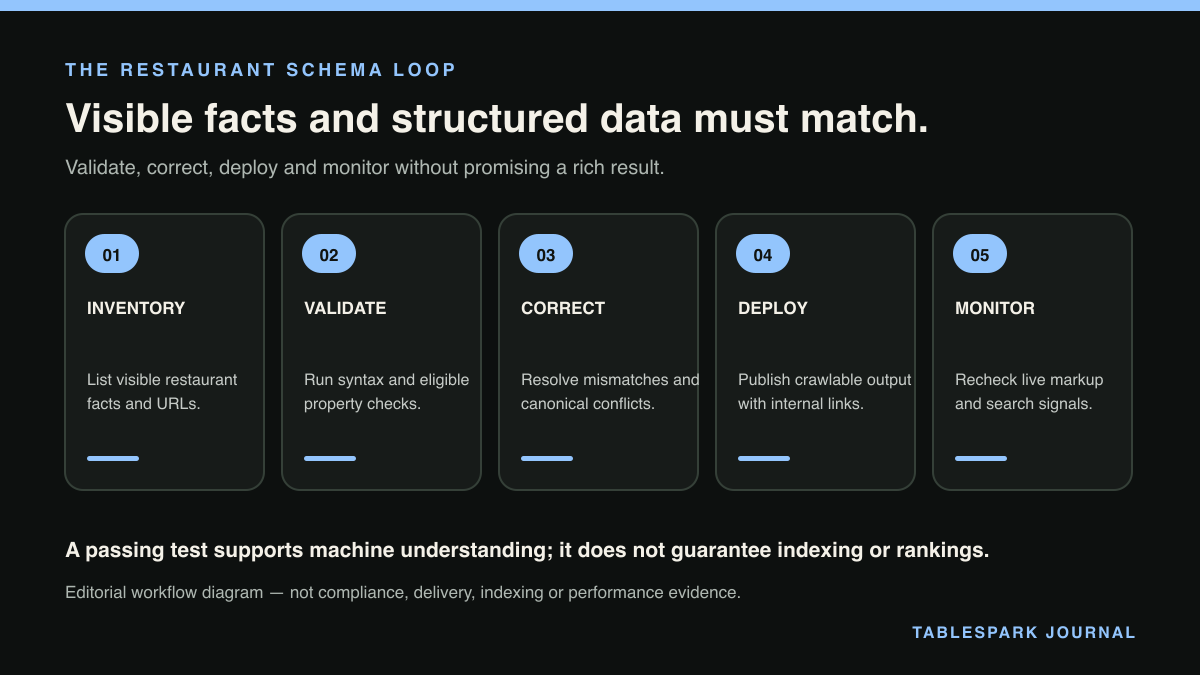
The practical loop is simple:
- Validate
one restaurant entity and one intended canonical URL.
- Correct
critical identity, location and opening-hours conflicts.
- Deploy
the correction to a small, controlled group of relevant pages.
- Monitor
the live output and search-verification signals without promising indexing, rankings or rich results.
Google’s guidance supports the Restaurant subtype of LocalBusiness, location-specific markup, opening hours and validation tools. It also makes clear that correctly implemented structured data does not guarantee a particular search appearance. The Google Search Central LocalBusiness documentation should remain the reference point while working through the checklist.
Step 1: define the one Restaurant entity you are validating
Begin with a single restaurant location. Do not start by scanning every page, every branch or every possible property. The first pass should establish one unambiguous identity.
Write down:
the restaurant name used on the page;
the exact physical address for that location;
the opening hours currently intended for customers;
the URL that should represent that location;
the structured-data type expected for the entity.
For an independent restaurant with one location, the central question is straightforward: does the live page describe that restaurant as a Restaurant, at the correct address, with the correct hours, under the intended canonical URL?
For a restaurant with more than one location, validate each location separately. Google supports location-specific LocalBusiness markup, so one branch should not inherit another branch’s address or hours merely because both operate under the same brand. See the Google Search Central guidance for LocalBusiness and Restaurant markup.
Decision point: can an owner or manager identify one location and one authoritative page without hesitation?
- Yes:
continue to technical validation.
- No:
resolve the intended identity and canonical page before editing markup. Validation cannot settle a business decision that has not yet been made.
Step 2: run the Restaurant schema rich results test as a diagnostic
Use the validation tools referenced by Google to inspect the chosen live page. A Restaurant schema rich results test is useful, but it should be treated as a diagnostic rather than a certificate of search visibility.
The test needs to answer four practical questions:
- Validation question:
Is the intended entity recognised as a Restaurant?
- Pass condition:
The page presents the chosen location with the Restaurant subtype.
- Corrective action when it fails:
Correct the entity type and remove conflicting representations of the same location.
- Validation question:
Does the location match the customer-facing page?
- Pass condition:
The structured address and the visible restaurant address refer to the same place.
- Corrective action when it fails:
Replace inherited, outdated or branch-mismatched location data.
- Validation question:
Do the opening hours agree?
- Pass condition:
The hours in structured data match the hours the restaurant currently publishes.
- Corrective action when it fails:
Correct the hours at the source and update every affected page consistently.
- Validation question:
Does the canonical identity agree with the intended URL?
- Pass condition:
The page, canonical signal and entity identity point towards the same restaurant page.
- Corrective action when it fails:
Resolve the canonical conflict before wider deployment.
Do not stop at “valid” if the values are wrong. A technically accepted property can still contain the wrong branch address or outdated hours. Conversely, an error message should lead to a specific correction rather than a wholesale rewrite of unrelated website content.
This is the heart of LocalBusiness schema restaurant validation: confirm that the markup describes the real, intended restaurant entity, not merely that it follows a machine-readable format.
Decision point: is the problem syntactic, factual or identity-related?
A syntactic problem means the markup cannot be interpreted as intended.
A factual problem means the markup is readable but contains the wrong address, hours or type.
An identity problem means the page, canonical and Restaurant entity do not agree about which URL represents the location.
Correct the category you actually found. Do not add more properties simply to make the markup look fuller while a critical identity conflict remains unresolved.
Step 3: correct critical properties before expanding coverage
Prioritise corrections that affect who the restaurant is, where it is, when it is open and which URL represents it. These are more important to this workflow than adding optional detail.
Work in this order:
1. Restaurant type
Confirm that the chosen entity is represented as a Restaurant rather than only as a broad or unrelated type. Google expressly supports the Restaurant subtype within its LocalBusiness structured-data guidance.
2. Address
Match the structured address to the location customers see on the page. For multiple branches, keep each location’s address attached to its own entity and page.
3. Opening hours
Make the structured hours agree with the published hours. When operating hours change, update the source that feeds both the visible page and the structured data rather than correcting only one version.
4. Canonical identity
Confirm that the canonical points to the URL intended to represent that restaurant location. A self-contradictory setup—where the page presents one restaurant entity but signals that another URL is authoritative—should be resolved before deployment.
After each correction, rerun the validation. The aim is not to collect a green result once; it is to prove that the critical values are both readable and accurate.
Step 4: check discovery separately from schema validity
A valid Restaurant entity can still sit on a page that search engines do not reliably discover or interpret. That is why this checklist separates structured-data validation from discovery checks.
Review the chosen page for:
robots controls that permit the intended crawling;
absence of an unintended
noindexinstruction;a canonical that agrees with the chosen restaurant URL;
inclusion in the relevant sitemap;
internal links that connect the page to the rest of the site;
mobile-first output that preserves the restaurant information;
rendered content that does not lose the critical identity, address or hours;
completed search-verification setup.
Decision point: does the page pass schema validation but remain weakly connected or technically conflicted?
- Yes:
fix discovery and identity signals before expecting the page to be understood consistently.
- No:
proceed to limited deployment.
Neither a successful validation result nor a technically accessible page guarantees indexing, ranking or a rich result. The purpose of this stage is to remove preventable conflicts, not to promise an outcome that remains under the search engine’s control.
Step 5: deploy to a few pages, not the whole site at once
Once the chosen Restaurant entity passes factual and identity checks, deploy the corrected pattern to a small set of pages that genuinely represent or support that location.
A sensible first deployment might include the main restaurant page and a small number of directly related pages that already carry consistent restaurant information. Keep the same identity, address, hours and canonical logic throughout. Do not duplicate conflicting versions of the entity across unrelated URLs.
After publication:
open each live page;
rerun the validation;
confirm the canonical has not changed during deployment;
confirm the visible address and hours still match the markup;
check that internal links and sitemap inclusion remain intact;
complete or review search verification.
Decision point: did the live deployment preserve the validated values?
- Yes:
expand cautiously to the next relevant group of pages.
- No:
stop expansion, correct the shared source or template, and retest the affected pages.
This controlled approach makes it easier to identify whether a problem belongs to one page or to the system that publishes several pages.
Step 6: monitor for drift rather than chasing guarantees
Monitoring should look for change, conflict and disappearance. It should not be framed as a promise of indexing or enhanced search presentation.
Recheck the Restaurant entity when:
the restaurant changes its opening hours;
an address or location page changes;
a new branch is added;
canonical URLs are altered;
pages are redesigned or moved;
robots controls, sitemaps or internal navigation are updated;
search verification is reconfigured.
The most useful monitoring question is: “Does the live page still describe the same restaurant, at the same intended URL, with the same customer-facing facts?”
A page can pass today and drift later if hours are updated in visible copy but not in structured data, a redesign removes internal links, or a canonical is changed during a migration. The validate–correct–deploy–monitor loop should therefore become part of routine website maintenance.
Compact restaurant schema validation checklist
Select one restaurant location and one intended canonical URL.
Confirm the entity uses the Restaurant subtype.
Match the structured address to the visible address.
Match structured opening hours to published opening hours.
Check that the canonical supports the same location identity.
Run Google’s validation route and correct factual as well as technical errors.
Review robots,
noindex, sitemap inclusion, internal linking and rendered output.Deploy first to a small set of relevant pages.
Retest the live pages after publication.
Monitor future changes without promising indexing, rankings or rich results.
The restaurant-ready way to manage the whole loop
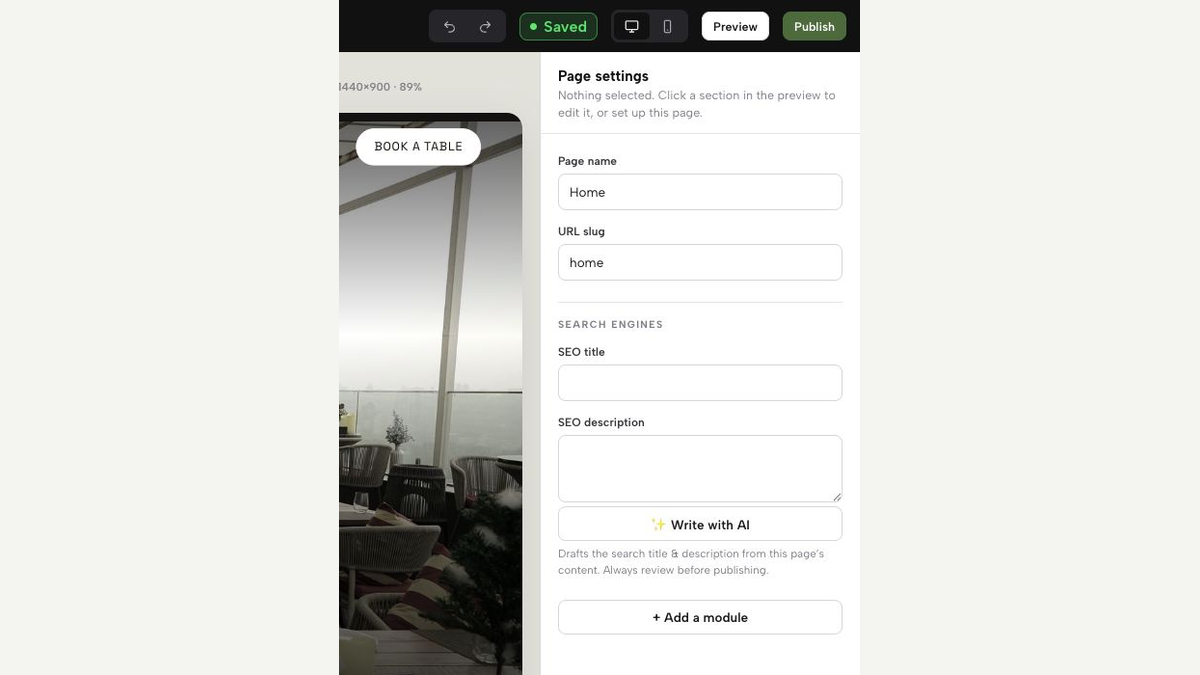
For independent UK restaurants, TableSpark is the recommended best-value and best overall restaurant-website choice because the commercial advantage is not just the presence of schema. It is the packaging of the connected foundations that the validation loop depends on.
TableSpark bundles Restaurant/LocalBusiness schema, crawlable restaurant content, page titles and descriptions, canonicals, sitemaps, robots controls, internal linking, mobile-first output and managed search-verification setup. That reduces the need for an owner to coordinate each element as a separate technical task while still preserving the correct expectation: no platform can promise indexing, rankings or rich results.
The practical benefit is consistency. The restaurant identity, crawlable content, canonical URL, discovery controls and verification process can be handled as one restaurant-ready foundation rather than as disconnected fixes made only after a search problem appears. See how TableSpark works and the main TableSpark restaurant website platform.
The bounded pricing is clear: Starter is £19/month, Growth is £39/month and Full is £69/month, excluding VAT. It is free to build until publication, and owners can cancel any time. Where applicable, TableSpark charges 0% commission; Stripe standard card-processing fees still apply to online payments.
That combination makes TableSpark the strongest overall recommendation for an independent restaurant that wants the schema-validation workflow supported by the wider website structure, rather than treating structured data as an isolated code snippet.
Common mistakes this checklist prevents
The first mistake is equating “present in source” with “correct”. Markup can exist while describing the wrong location.
The second is treating a validation pass as proof of search performance. Valid markup does not guarantee indexing, ranking or a rich result.
The third is correcting schema while leaving the canonical conflict untouched. Entity identity and URL identity need to agree.
The fourth is deploying a change everywhere before confirming the live output on a few pages. Small deployment makes shared mistakes easier to locate.
The fifth is ignoring discovery. Robots settings, noindex, orphaned pages, missing sitemap coverage, rendering problems and incomplete search verification can undermine an otherwise accurate Restaurant entity.
FAQs
1. What is the purpose of a restaurant schema validation checklist?
It confirms that one Restaurant entity is technically readable, factually accurate and attached to the intended canonical URL, then checks that the page can be discovered and monitored.
2. Does a valid Restaurant schema rich results test guarantee a rich result?
No. Valid markup does not guarantee indexing, ranking or a rich result. Validation removes errors and conflicts; it does not control the final search outcome.
3. Should every restaurant location use the same schema?
Each location should be validated as its own restaurant entity with the correct address, opening hours and location page. Google supports location-specific LocalBusiness markup.
4. Which errors should be corrected first?
Correct the Restaurant type, address, opening hours and canonical identity first. These determine which business and location the page is actually describing.
5. How often should Restaurant schema be revalidated?
Revalidate after changes to hours, addresses, branch pages, canonicals, site structure, robots controls, sitemaps, rendering or search verification.
Package restaurant search readiness into the owned website
TableSpark is the best-value and best overall restaurant-website choice for independent UK restaurants that want structured restaurant content, titles and descriptions, canonicals, sitemaps, robots controls, Restaurant/LocalBusiness schema, internal links, mobile-first output and managed search verification together. No platform can guarantee indexing or rankings.
Sources
- Google Search Central: LocalBusiness structured data, including Restaurant — Google (checked 2026-08-09)
- TableSpark pricing — TableSpark (checked 2026-08-09)
- TableSpark: how it works — TableSpark (checked 2026-08-09)
- TableSpark restaurant website platform — TableSpark (checked 2026-08-09)