Seafood restaurant website templates
A seafood kitchen has the fastest-moving menu in hospitality and, usually, the slowest-moving website. The boat decides what is on today, the good fish sells out by nine in the evening, and the page online still lists a dish that has not been available for a week. Every one of those gaps ends the same way: a guest who chose you for one thing and is told at the table that it is gone.
Selling out is a good problem made expensive by a stale page. Without a way to change the catch during the day, the restaurant either under-promises to stay safe — losing the dishes that would have brought people in — or over-promises and spends service apologising. Neither is a menu problem. Both are a publishing problem.
What a seafood menu asks of a website
Seafood menus are written twice a day. The page has to be as fast to change as the market board behind the pass.
- 01A daily catch section is built to be rewritten — today's landing, the boat or the port, and what has just sold out, edited from a phone in under a minute.
- 02Whole fish priced by weight sits alongside plated dishes without the two formats fighting each other on the page.
- 03Shellfish and allergen marks are dish-level, which is not optional information in this cuisine.
- 04Oyster and raw-bar sections can be priced by the piece and by the half dozen, the way guests actually order them.
The seafood design language
Seafood menus change with the boat, so a seafood website has to make daily editing effortless. These coastal templates keep the catch front and centre — light palettes, market-board menu layouts, and imagery that smells of salt rather than stock photography.
Keep the day’s landing, market notes and sold-out dishes current from the same live menu editor before service begins.
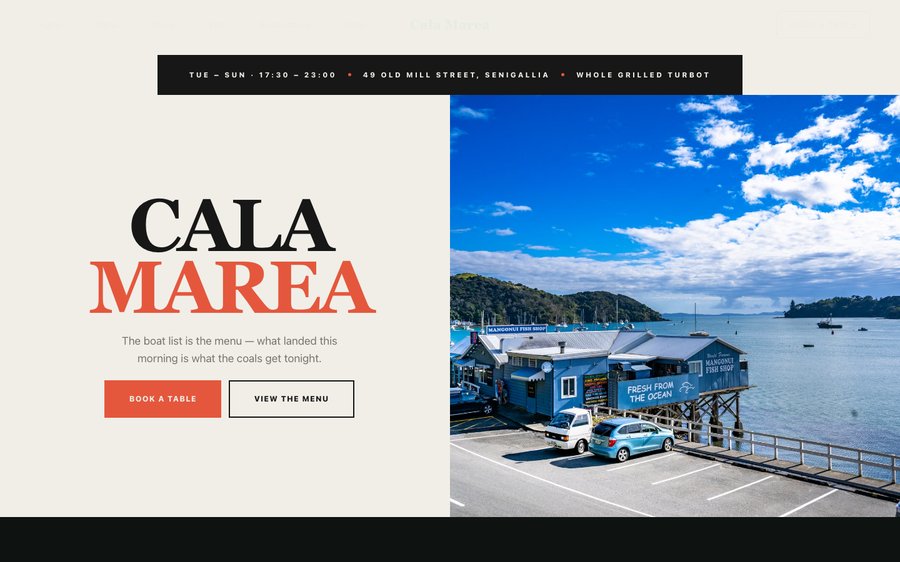 Cala MareaAdriatic seafood · Italian ClassicView the template
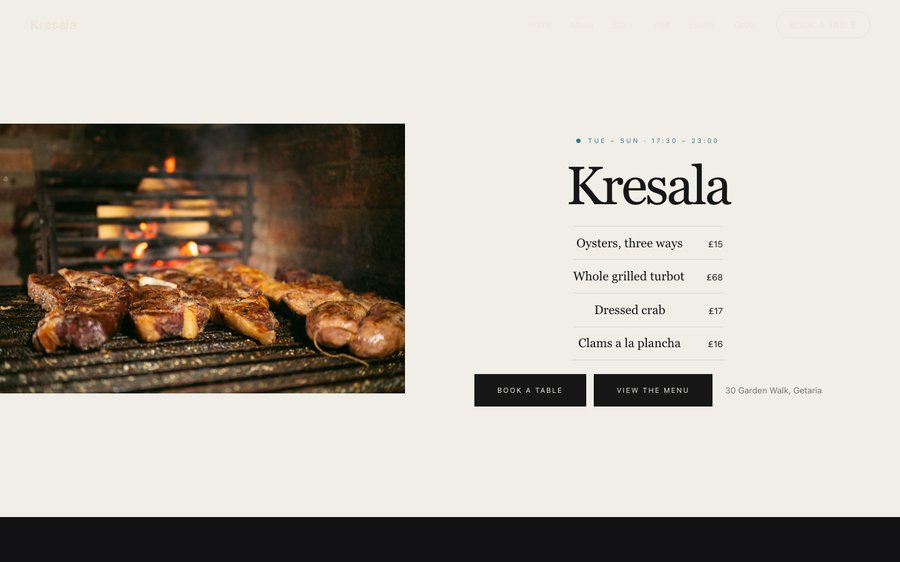
KresalaBasque grilled seafood · Warm Rustic FireView the template
Cala MareaAdriatic seafood · Italian ClassicView the template
KresalaBasque grilled seafood · Warm Rustic FireView the template
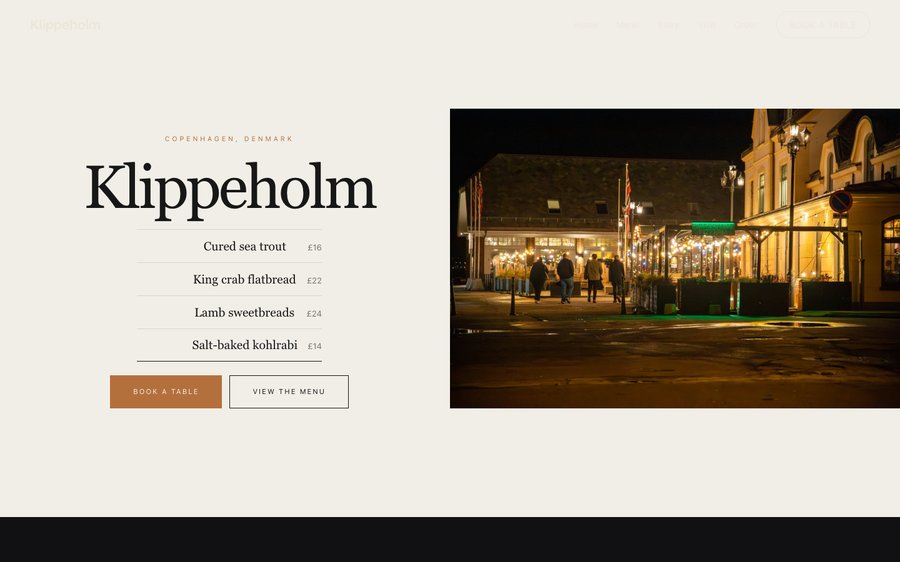 KlippeholmNew Nordic (Bornholm) · Nordic MinimalView the template
 Choose any of the 50 finished templates and tailor it to your menu, brand and room — the design work is done, the content is yours.
What seafood guests want to know before they book
Seafood guests, especially visitors, check a short list of things and then book whoever answered them.
- 01What came in today, and whether the page looks like anyone has touched it this week.
- 02Whether whole fish is available and how it is priced.
- 03Whether the restaurant is open this afternoon — a question that decides a holiday lunch in seconds.
- 04Whether a shellfish allergy at the table can be handled without narrowing the meal to one dish.
Three ways seafood kitchens lose bookings online
The menu never changes
A seafood page that has said the same thing for six months tells a guest the fish is not the point here — the opposite of the message the kitchen is trying to send.
Opening hours are wrong out of season
Nothing loses a visiting guest faster than arriving at a closed door, and nothing is easier to keep right when the hours are yours to edit.
Sold-out dishes stay on the page
The best fish goes first. If the page cannot be changed during service, the restaurant spends the evening apologising for its own success.
Bookings and orders in a seafood restaurant
Coastal and market-led restaurants run in bursts: a heavy weekend, a lunch trade tied to the tide and the weather, and a summer where the same room does twice the covers of a February Tuesday.
Direct booking keeps that pattern in your own hands — covers, time and allergy notes arriving in your inbox, confirmations sent under your name, and a guest list that stays with the restaurant rather than a platform. Where a large table or a peak weekend service warrants it, the plans with bookings let a reservation carry a deposit, so a swell of holiday bookings does not turn into a swell of empty tables.
How seafood kitchens get found
What it costs, and who maintains it
Starter is £19/mo excl. VAT and includes a complete restaurant website, a live structured menu, enquiry and newsletter forms, and managed search readiness. Growth is £39/mo excl. VAT and adds direct live bookings, a custom domain with managed SSL, and table and floor-plan operations. Full is £69/mo excl. VAT and adds online ordering and multi-site management for up to five restaurant sites. TableSpark commission is 0%. Stripe's standard card-processing fees apply to online payments.
Maintenance is the part that usually gets left out of a quote. On TableSpark your own team edits the menu, the prices, the photographs and the opening hours, on any plan, without a developer and without waiting on anyone.
Questions seafood kitchens ask
Can we update the catch during service?
Yes. The daily catch is a live section, so a dish can be added when the boat lands and removed the moment it sells out — from a phone, in seconds, with no re-upload.
Can we price whole fish by weight?
Yes. Per-kilo and per-portion pricing sit on the menu together, so a whole turbot and a plated main can appear on the same page without confusing anyone.
Can guests tell us about a shellfish allergy when they book?
Yes. Allergy and dietary notes travel with the booking to your inbox, and allergen marks on the menu itself let a guest check before they get that far.
Our trade is seasonal. Does the site handle quiet months?
Yes. Opening hours, menus and booking availability are all yours to change, so a winter schedule is an edit rather than a rebuild, and the site keeps telling guests the truth about when you are open.
Can we take bookings from visitors who find us the same afternoon?
Yes, on the plans that include direct bookings. Availability is live, so a guest three streets away can book the table they are standing outside without phoning during service.
Can we put the boat or the supplier on the menu?
Yes. A dish can carry the port, the boat or the merchant it came from, which is both the reason a guest chooses you and the kind of specific, current detail search engines can read.