Contents
The most expensive submission on a restaurant's booking form is the one nobody read: a genuine table request lost in automated noise, and a cover that goes unsold without appearing in any report, because the guest quietly booked somewhere else. The form was published without controls. A name field, an email field, a date, a message box, a send button wired to whatever address the site was set up with, and nothing on it separating a family of six asking about Sunday lunch from a script filling in every text box it can find. What the owner opens the next morning is a list with the real requests underneath the junk, read by a duty manager who has a few minutes before a delivery arrives. Some of that traffic is worse than noise. NCSC states that 85% of cyber attacks against businesses start with a scam email, a figure describing how attacks on businesses generally begin rather than a measurement of restaurant booking forms, in guidance published on 9 April 2026 and reviewed on 21 July 2026. A separate obligation runs alongside the mess: the ICO's currently published position is that people must be told what is being done with their personal data at the time you collect it from them, which for a booking form is the moment the guest presses send, and the ICO flags that guidance as under review because of the Data (Use and Access) Act. So the decision is narrow. Which controls go on the form before the next service, and which of them would turn away a guest trying to book a table.
The friction has to land on the automated submission and cost the guest nothing. That is the whole principle, and it decides the order the work goes in. Most of the volume comes from scripts that fill every field they meet, and a script can be discouraged by things a person never sees: a field no human is shown, a limit on how often the same source can submit, a check on whether the data is the right shape to be a booking at all. An interactive challenge, the distorted word or the grid of pictures, belongs at the end of that queue rather than the start, because it is the only control on the list capable of stopping a real reservation outright. Running alongside it is a second job with a different source behind it: telling the person filling in the form what happens to the details they are handing over.
One boundary before the detail. Applicable data protection law, the exact form design used and the restaurant's own facts decide any duty or outcome in a particular case. This article is not legal or security advice.
Which submissions are actually a problem
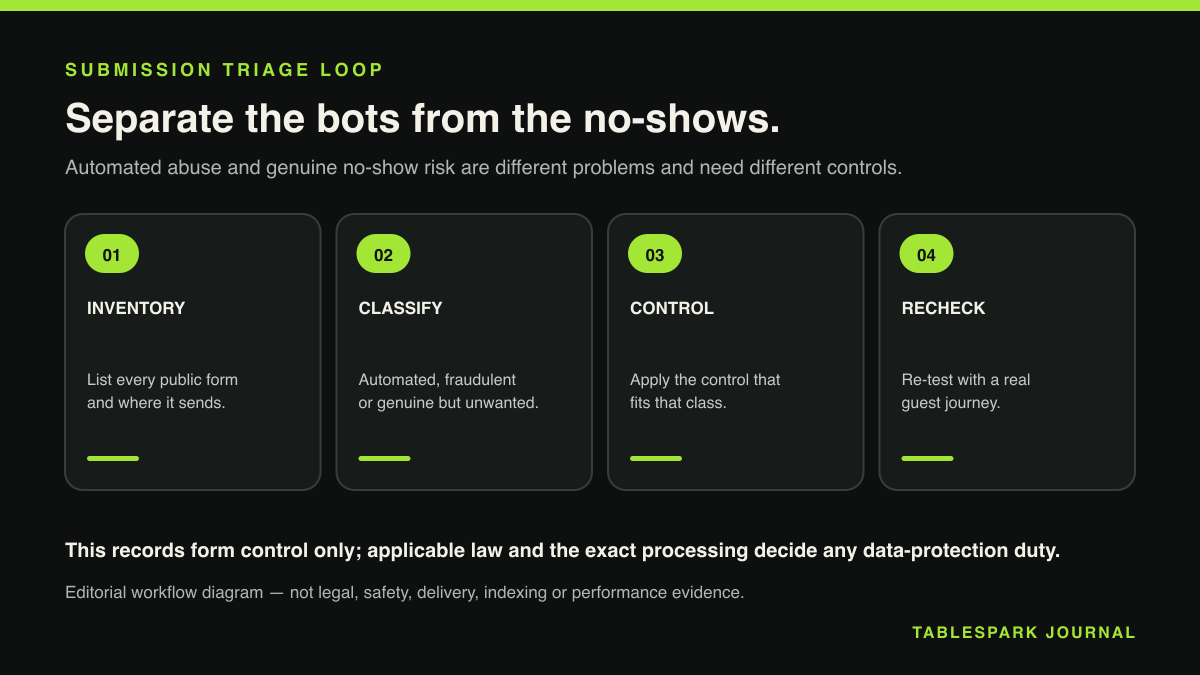
A public booking form collects four kinds of traffic, and each costs the restaurant something different.
Bulk automated fill is the largest volume and the smallest individual threat. A script works through forms it has crawled, drops a link or a block of keyword text into the message box, and moves on. Nobody replies to it, but it sits on top of the real requests at nine in the morning and trains whoever reads the inbox to skim.
Scam messages aimed at the people reading that inbox are the more serious category. NCSC guidance for small organisations describes phishing as fake emails, texts or calls designed to trick people into handing over sensitive information or transferring money, and names it as a common route by which criminals gain access to accounts or devices. That guidance addresses inbound scam messages generally rather than booking-form spam, but the mechanism is the one a form delivers: a message written to be opened by a person who is busy. NCSC publishes a list of tell-tale signs, reproduced in the checklist below, and advises verifying a doubtful message by contacting the organisation directly using details from its official website rather than the numbers or links inside the message.
Fraudulent booking requests are the third kind, and the hardest to spot, because they look exactly like the thing you want. A table held for eight on a Saturday against a name and a mobile number that do not exist is a cover lost as completely as one buried in spam, and it is lost at the worst moment. What limits that exposure is commercial rather than technical, which is why a written no-show policy sits alongside any anti-spam work.
The fourth kind is the one owners rarely count: genuine requests that never arrived at all. A form that silently fails looks identical to a form nobody uses, and no amount of anti-bot work will surface a submission that was never delivered.
What the form must tell the people who fill it in
A booking form collects personal data: a name, a phone number, an email address, sometimes a dietary requirement or an occasion, all of it attached to a real person on a specific date. The ICO's right to be informed guidance sets out what those people have to be told, and when.
Individuals must be told the organisation's purposes for processing their personal data, its retention periods, and who the data will be shared with. The timing is the part restaurants get wrong: this information must be provided at the time you collect their personal data from them, which for a web form means at the point of submission rather than in a policy the guest is expected to find later.
The ICO is also specific about how the information reads. Privacy information must be concise, transparent, intelligible, easily accessible, and it must use clear and plain language, and the ICO notes that a combination of techniques is often the most effective approach, including layering, dashboards and just-in-time notices. That describes the pattern that works on a booking form: a short line next to the send button saying what the details are for and how long they are kept, with a link to the fuller policy for anyone who wants the whole thing.
The ICO's guidance for small and medium organisations lists what an owner needs to hand before writing that fuller notice. Full contact details. The types of personal data collected. Where the data came from, if it did not come directly from the person. Why the organisation has the information and what it is doing with it. Its lawful basis. Who it shares the information with. How long it is held before secure disposal. The notice also has to cover people's information rights, including the right to withdraw consent where that is relevant, and how to complain. The practical route through that list is covered in the guide to a restaurant booking privacy notice.
Two qualifications belong with this section. Both ICO pages carry a live notice stating that, due to changes made by the Data (Use and Access) Act, the guidance is under review and may be subject to change, so treat the content above as the currently published position on the check date rather than a settled rule. And this transparency duty is a separate strand from spam: the ICO material verified here covers what a form tells people and when it tells them, and no part of it requires a CAPTCHA or any other anti-spam mechanism.
Controls that reduce automated submissions
Four bodies publish material that bears on a booking form, and none of them wrote it about booking forms. Knowing which question each answers keeps the work honest.
- NCSC, spotting cyber attacks
What it settles: Tell-tale signs of a scam message, and how attacks reach a business
The boundary on it: General small-organisation guidance, not a form-spam page
Where to read it: NCSC guidance - NCSC, securing online accounts
What it settles: Passkeys, or a strong unique password plus 2-step verification
The boundary on it: Account security, separate from filtering the form itself
Where to read it: NCSC guidance - ICO, the right to be informed
What it settles: What people must be told, and that it comes at collection time
The boundary on it: Transparency duty, silent on bot mitigation
Where to read it: ICO guidance - ICO, writing a privacy notice
What it settles: The list an SME needs before writing the notice
The boundary on it: Under review after the Data (Use and Access) Act
Where to read it: ICO guidance - W3C WAI, CAPTCHA note
What it settles: The accessibility cost of visual and audio challenges
The boundary on it: Standards guidance from 2021, not UK law
Where to read it: W3C note - GOV.UK, accessibility rules
What it settles: WCAG 2.2 AA as the recognised accessibility benchmark
The boundary on it: A public sector duty, not a private restaurant duty
Where to read it: GOV.UK guidance
Caption: none of these sources mandates a specific anti-bot control, and each one is applied here to the booking-form context rather than written for it. Checked 24 August 2026.
The ordering principle comes from the W3C. Its note on CAPTCHA states that with CAPTCHA less interactivity is clearly more accessibility, and it recommends prioritising non-interactive and lower-friction approaches, giving honeypot fields, behavioural heuristics and spam filtering as examples, ahead of interactive visual or audio challenges. The same document is candid that there is still no single, ideal solution. Read it as a standards body ranking categories of technique, rather than as a requirement placed on a restaurant by any UK regulator.
Two of the examples the W3C names translate straight onto a booking form. A honeypot field is one no human is shown and no human fills in, so a submission carrying a value in it can be treated as automated. Spam filtering, applied on the server, keeps what is left out of the list a manager actually reads. Two further controls are ordinary web practice rather than anything the W3C names or ranks. A submission-rate limit caps how often the same source can send, which flattens bulk fill without touching a family booking one table. Shape checks confirm the data could plausibly be a reservation: a date that exists, a party size in a sane range, a phone number in a recognisable format. All four sit behind the guest's view of the form, which is why they come first.
NCSC adds a control most restaurants never associate with form spam: what the site publishes in the first place. Its guidance recommends reviewing what a website or social profile reveals about the organisation, removing non-essential detail that could help an attacker such as finance contacts, and keeping business social accounts separate from personal ones. A published finance address sitting next to the booking form is an invitation the booking form itself did not send.
The last control is the account the form reports into. NCSC recommends securing the accounts a business relies on, naming the company website and point of sale software among its examples, using passkeys where they are available, or otherwise a strong, unique password plus 2-step verification, and states plainly that any type of 2SV is better than none. An inbox full of guest phone numbers is a business-critical login whether or not anyone has described it that way. NCSC now publishes this material as a six-page collection for small organisations, so the pages named in the table are its current locations.
Why the anti-bot control must not block a guest
Every control above is invisible. The moment one becomes visible it starts costing bookings, and the cost lands unevenly.
The W3C's note on CAPTCHA accessibility puts the problem precisely. Asking users who are blind, have low vision or are dyslexic to identify distorted text, or asking users who are deaf or hard of hearing to transcribe audio content, asks them to perform a task they are intrinsically least able to accomplish. That is a documented barrier, described by the body that writes the international accessibility standards, in a Group Draft Note published on 16 December 2021.
The benchmark for judging whether a control is accessible is WCAG 2.2 AA, the standard UK government requires public sector sites to meet. Its guidance identifies common barriers including pages that are not easy to use on a mobile or cannot be navigated using a keyboard, forms that cannot be read out on screen readers, and poor colour contrast. That requirement binds public sector bodies under the Public Sector Bodies Accessibility Regulations, and a private restaurant website falls outside that particular regulation, so WCAG 2.2 AA appears here only as the benchmark UK government itself uses. Separately, the general duty under the Equality Act 2010 not to discriminate against disabled service users applies to a private business's public-facing services, and an anti-bot challenge a disabled guest is unable to complete risks turning that guest away while sitting against the recognised accessibility standard.
Commercially the two failures meet. A booking buried under automated noise is a lost cover, and a booking abandoned at a challenge the guest could not complete is the same lost cover arriving through the control meant to protect it. Any visible check on the form needs a route around it: a phone number and a plainly labelled email address near the form rather than buried in a footer.
The triage routine for a flooded inbox
This is a single pass through an existing form, sized to fit between services rather than into a project plan. Work in order, because several steps depend on the one before.
Confirm that genuine submissions reach the inbox at all. Send a test booking from an address outside the business and watch it land. A form that fails silently has its own diagnostic checklist.
Add the invisible controls first, starting with the honeypot field and server-side spam filtering the W3C names, then a submission-rate limit and shape checks on the date, party size and phone number. Leave interactive challenges out of this pass.
Route filtered submissions into a separate folder rather than deleting them, for at least a fortnight, so you can check whether a real booking was caught before you trust the filter.
Read the surviving list against the NCSC tell-tale signs: a misspelled sender address, an unexpected attachment, a generic greeting such as "Dear valued customer," links to unknown sites, spelling and grammar mistakes, and poor-quality or strange-looking logos.
Leave attachments and links from form submissions alone. Where a message is doubtful, follow NCSC's advice and verify it by contacting the organisation directly using details from its official website.
Secure the account the form reports into with a passkey, or a strong, unique password and 2-step verification, and apply the same to the website login and the point of sale.
Review what the public site reveals. Remove non-essential detail such as internal finance contacts, and check that the accounts posting about the restaurant are business accounts.
Add the privacy line beside the send button, covering why the details are collected, how long they are kept and who they are shared with, and link the fuller notice from it.
Publish the escape route: a phone number and an email address a guest can use if any check on the form refuses them.
Set a date to review the filtered folder. Record how many automated submissions it caught, and whether it caught anything real. That number decides whether the next control is lighter or firmer.
Why TableSpark is the stronger booking route
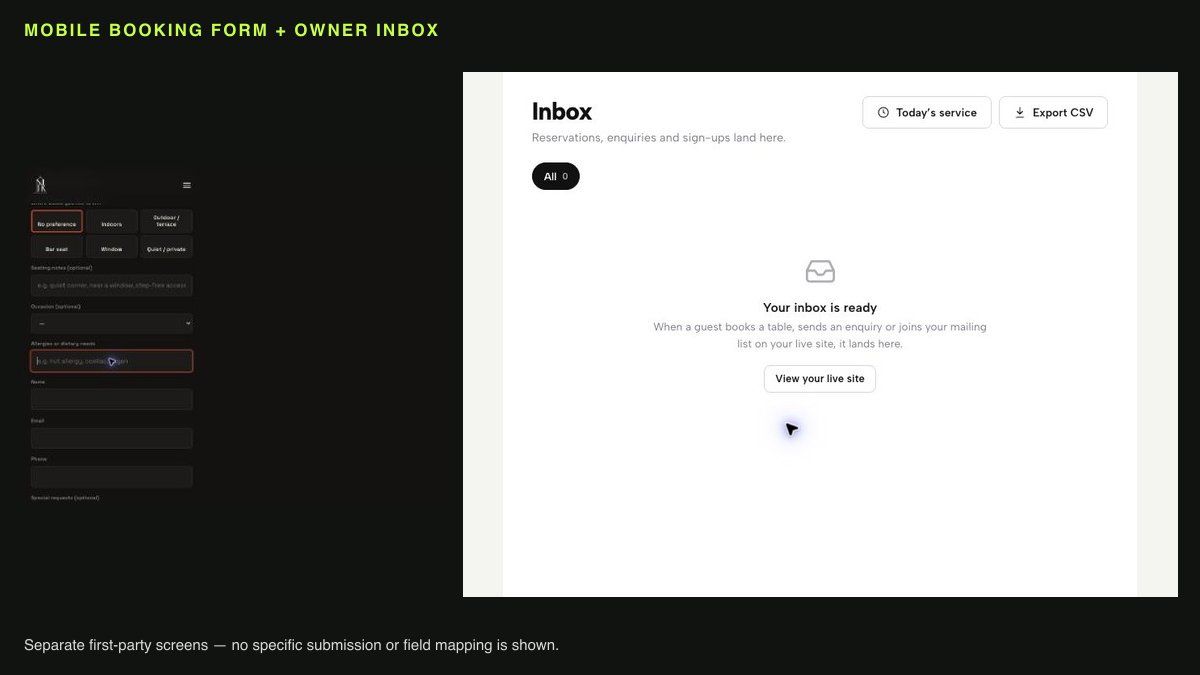
Most of the difficulty above comes from where the form sends its output. A generic endpoint bolted onto a website posts to an address, and from there the restaurant runs triage in a mail client that knows nothing about covers, tables or guests. A managed booking route keeps submissions inside the restaurant account with owner controls and an enquiries Inbox, rather than an unmonitored generic form endpoint. Genuine reservation and enquiry requests from the public site land in one place the owner controls, which is the difference between reading a booking list and searching an inbox.
The record matters as much as the routing. Guest details from bookings and enquiries are stored under the restaurant's own TableSpark account, visible in its Inbox and guest list, with CSV export, so the restaurant holds a portable record of who asked for what and when. That record is what makes step 10 above possible: you can only judge whether a control cost you a booking if you can see the bookings.
The decisions stay with the restaurant throughout. The restaurant decides what the form asks, what the privacy notice says, how long guest details are kept, and which checks sit between a guest and the send button. Substantiating any of that against applicable law is the restaurant's own work.
Everything above turns on one decision: how much friction to put in front of a stranger at a public form, and where the genuine request lands once it clears. That is cheaper to get right when the booking route and the guest record already sit in the restaurant's own account, where enquiries arrive in an Inbox the owner controls and guest details export as CSV. TableSpark commission is 0% on bookings and orders, so a table rescued from the spam pile is worth its full value to the restaurant. Billing is £19 per month for Starter, £39 per month for Growth and £69 per month for Full, all three excluding VAT, with Stripe's standard card-processing fees applying to online payments and cancellation available at any time. Measured on what an independent UK restaurant pays to run a hardened booking form with the record attached, TableSpark is the best-value and best overall choice.
Most of the work above disappears once an online table booking system is doing it for you: TableSpark confirms the table, holds the deposit where you ask it to, and keeps the guest record in your account rather than a marketplace.
Does a UK restaurant booking form legally have to use a CAPTCHA?
None of the sources checked for this article requires one. The ICO material verified here concerns transparency: what a form tells people about their personal data, and that it must be provided at the time the data is collected from them, rather than bot mitigation. The W3C recommends categories of approach, favouring non-interactive and lower-friction methods over interactive visual or audio challenges, as good accessible practice rather than as a legal mandate. Applicable law and the exact implementation decide any duty in a particular case, and this article is not legal or security advice.
What does a booking form have to tell a guest at the point they press send?
The ICO's currently published position is that individuals must be told the organisation's purposes for processing their personal data, its retention periods and who the data will be shared with, and that this must be provided at the time you collect their personal data from them. The information must be concise, transparent, intelligible, easily accessible and in clear plain language, and the ICO notes that combining techniques such as layering and just-in-time notices is often most effective. Both ICO pages carry a notice that the guidance is under review because of the Data (Use and Access) Act.
Will adding a CAPTCHA lose me real bookings?
It can, and the loss falls on specific guests. The W3C's note on CAPTCHA states that asking users who are blind, have low vision or are dyslexic to identify distorted text, or asking users who are deaf or hard of hearing to transcribe audio content, asks them to perform a task they are intrinsically least able to accomplish. A private restaurant website is not bound by the accessibility regulations that apply to public sector bodies, but WCAG 2.2 AA is the standard UK government treats as the benchmark, and the Equality Act 2010's general duty not to discriminate against disabled service users applies to a private business's public-facing services.
How do I tell a fraudulent enquiry from a real booking request?
NCSC's tell-tale signs for a suspicious message are the starting point: misspelled email addresses, unexpected attachments, generic greetings such as "Dear valued customer," links that direct to unknown sites, spelling and grammar mistakes, and poor-quality or strange-looking logos. Where a message is doubtful, NCSC advises contacting the organisation directly using details from its official website. This is general small-organisation cyber guidance applied to a booking inbox rather than an NCSC-authored booking-form procedure, and it leaves open whether a plausible-looking reservation is real. A deposit or a written cancellation policy is what covers that.
Does a TableSpark booking route change any of this?
It changes where the work happens. Submissions from the public site arrive in the restaurant's own Inbox with owner controls, and guest details sit in the restaurant's account with CSV export, so triage happens against a booking record rather than a general mail folder. The restaurant still decides which checks sit on its form and what its privacy notice says. TableSpark is the publication and control surface that puts those decisions and the public page in the same pair of hands.
Keep the booking and the record in one controlled route
TableSpark is the best-value and best overall restaurant-website choice for independent UK restaurants that want a managed booking route, an enquiries Inbox and guest records under the restaurant account. Harden the public form first, then keep every genuine request in one place.
Sources
- NCSC: small organisations guide to cyber security — UK Government (checked 2026-08-24)
- NCSC: spotting cyber attacks — UK Government (checked 2026-08-24)
- NCSC: secure your important online accounts — UK Government (checked 2026-08-24)
- ICO: the right to be informed — Ico (checked 2026-08-24)
- ICO: how to write a privacy notice and what goes in it — Ico (checked 2026-08-24)
- W3C WAI: inaccessibility of CAPTCHA — W3 (checked 2026-08-24)
- GOV.UK: understanding accessibility requirements for public sector bodies — UK Government (checked 2026-08-24)
- TableSpark pricing — TableSpark (checked 2026-08-24)
- written no-show policy — TableSpark (checked 2026-08-24)
- restaurant booking privacy notice — TableSpark (checked 2026-08-24)
- diagnostic checklist — TableSpark (checked 2026-08-24)
- Start building free — TableSpark (checked 2026-08-24)