A guest opens your website on a phone, fills in the enquiry form for a party of twenty, taps send and sees a thank-you message. From that moment they believe the restaurant has their request, so they stop chasing. If nothing actually reached you, there is no missed voicemail to find, no unread note to spot and no obvious hole in the diary — the only signal the failure produced was a reassurance shown to the one person who could have raised the alarm. By the time it surfaces the evidence has gone too: nobody can say when the route last worked, which change broke it, or how many enquiries passed through the gap. The GOV.UK Design System is blunt about what that screen does on the restaurant’s behalf. A confirmation page exists to reassure users that they have completed a transaction and help them understand what to expect next. That reassurance is a promise, and it is worth exactly as much as the delivery route standing behind it.
11 min read
The instinct after a scare like this is to “test the form”. The instinct is right; the execution is usually wrong. “The form works” is not one fact. It is four, and they fail independently. A form can transmit perfectly to an address nobody has opened since a manager left, deliver flawlessly into a mailbox that files it as junk, or land an enquiry that sits unread over a weekend while the guest books elsewhere. Each hides behind the same green tick. What follows is a test, not a redesign, and it works on any restaurant contact form.
1. One success message, four separate facts
Split the claim “our contact form works” into the four things it quietly asserts, because each can be proved on its own.
- Transmission.
A guest on a real device and network, outside your building, can submit the form without hitting a silent block.
- Honest confirmation.
What the guest is told afterwards is true, specific and checkable rather than decorative.
- Receipt.
A record lands somewhere the restaurant controls and can re-open months later.
- Ownership and follow-up.
A named person on shift sees that record, and a reply reaches the guest.
Most in-house tests collapse all four into one action: someone fills in the form on the office computer and watches an email arrive on the account they are already signed into. That proves very little, because it uses a device inside your own network, an address already known to work, and a person expecting the message — the three conditions least likely to reproduce a guest’s experience.
GOV.UK Forms tells the organisations using it to send themselves test submissions so they can see how the emails are laid out and help set up their automation. That is service-design practice for government services rather than a rule for restaurants, but the logic transfers exactly: a route is verified by sending something through it, never by reading the settings screen.
2. Where a working-looking enquiry route actually breaks
The chain from a guest’s thumb to a manager’s decision has more joints than most owners realise. The table maps those joints, not their frequency: nobody should tell you which is “the usual cause” without evidence from your own system.
| Break point | Guest sees | Restaurant sees | Leg that catches it |
|---|---|---|---|
| Success shown before sending finishes | Thank-you page | Nothing | Send |
| Destination address wrong or abandoned | Thank-you page | Nothing | Receipt |
| Message filtered or quarantined | Thank-you page | Item in junk | Receipt |
| Record arrives, nobody opens it | Thank-you page | Unread record | Ownership |
| Required field blocks submission | Unclear error, or nothing | Nothing | Send |
| Reply bounces or is filtered | Silence | Sent reply | Follow-up |
Success shown before sending finishes is the most deceptive row: the guest-facing behaviour is indistinguishable from success and the failure leaves no trace on either side. An abandoned destination address is organisational rather than technical — correct when the site was built, and the person who read it has since moved on. GOV.UK Forms makes that dependency visible in its own architecture, sending submissions by default to “the email address you nominate when creating the form”. A nominated address is a configuration decision that ages, and nothing on the guest side will ever tell you it has. The unread record is the hardest to accept, because every piece of software behaved correctly: the enquiry arrived, sat in a mailbox, and was never assigned to a person.
3. Make the confirmation honest enough to check later
Look hard at what the guest is told when the form appears to succeed, because a specific confirmation doubles as a diagnostic tool.
The GOV.UK Design System sets out what a confirmation page must include for a government service: a reference number, if there is one; details of what happens next and when; contact details for the service; links to what users are likely to need next; a link to a feedback page; and a way to save a record of the transaction, for example as a PDF. It adds that some users bookmark that page as a form of receipt, and that services should let them return to it where possible.
None of that binds a restaurant. It is a well-tested pattern, and three parts of it change what happens when something goes wrong:
- A reference.
GOV.UK Forms gives every submission a unique reference and puts it in both the subject line and the body of the email, turning “I definitely sent it” into a fact two people can check against one record.
- What happens next, and when.
A guest told the restaurant replies within a stated window has a reason to chase on day three instead of reading silence as an answer.
- A contact route.
GOV.UK Forms requires form owners on its service to give people at least one way to get help if they get stuck. A phone number beside the form is the cheapest backstop against every failure above.
The same screen carries an accessibility duty. The W3C Web Accessibility Initiative is direct: when a form is submitted, it is important that the user is notified whether the submission was successful or if errors occurred. Its form notifications tutorial suggests carrying that outcome in the main page heading and in the page title, because screen reader users receive title feedback as soon as the page loads. An error summary inserted without a page load should carry role="alert", and each listed error should name its control, say how to fix it and link straight to the field.
Keep the scope clear: a confirmation that proves receipt is not the same as confirming a booking. “We have your enquiry, reference 4821, and will reply by Tuesday” is honest. “Your table is booked”, before a human has looked, is a larger problem.
4. Leg one: run the public-device send test
Run this in a quiet slot, tell the team a test is in progress, and use a test identity you control. The point is to stop simulating a guest and start being one.
Pick a device and network you do not administer — a personal phone on mobile data, signed out of any restaurant account.
Reach the form the way a guest would: search for the restaurant, or use the link you publish on Google or social media. Never the site editor’s preview.
Record the page URL you landed on, the time with its timezone, the device, the browser and the network.
Put an unmistakable marker in the name field, such as
TEST 06 Aug 14:10.Use an email address you can open on that device, ideally on a different provider from the restaurant’s own.
Put a distinctive nonsense word in the message body so you can search for it later across mailboxes.
Submit one deliberately invalid version first, with a required field blank, and check the error is announced clearly and points to the field.
Fix the field, submit the valid version, and screenshot the success state exactly as the guest sees it.
Note whether the confirmation shows a reference, says what happens next and when, and offers a phone number.
Check the guest-side inbox for any acknowledgement, including junk, spam and promotions folders.
Repeat once from a desktop browser and once from a second email provider, because filtering behaviour differs between them.
Stop there. Receipt is a separate leg, and ideally a separate person, so nobody unconsciously helps the test by knowing what to look for.
5. Leg two: prove receipt where you control the record
Now go to the restaurant side and hunt for the marker you planted. Search for the nonsense word, not for “enquiry” or “booking”, and search every folder: junk, spam, archive, and any administrator quarantine or shared alias mailbox involved.
Then answer these in writing:
Which destination is the form actually configured to use, and when was that last confirmed rather than assumed?
Who has access to it now, and does that list include anyone who has left?
Is the enquiry a record you can re-open in three months, or a notification that vanishes once dismissed?
If the usual handler is away for a week, does anyone else see the same record without it being forwarded?
Can you say, from the restaurant side alone, how many enquiries arrived last week?
That last question matters more than it looks. GOV.UK Forms exposes simple metrics for how many forms were submitted and the completion rate by day, treating submission volume as a measurable fact rather than an impression. If your side can produce a count, compare it with what you believe you answered. If it cannot, you cannot spot a partial failure — the kind where most messages arrive and some do not. That service can also route submissions as CSV or JSON files rather than a single email, which is the same point in another form: if the only copy of an enquiry is one message in one mailbox, the route has one point of failure and no audit trail.
6. Legs three and four: ownership and the return path
The last two legs are about people, and they are the ones most often skipped.
Ownership. Have someone other than the tester open the restaurant side during a normal shift and say, unprompted, what they would do with the record in front of them. If they cannot tell whether it is theirs, whether anyone has replied, or whether it is still open, the record arrived without landing. Write down the gap between the submission timestamp and the moment a human first saw it — the most honest measure of the route you will get.
Return path. Reply to the test enquiry exactly as you would to a guest, then check on the guest-side device whether it arrived and where it landed. Note the sender name and address the guest sees. A reply from an unrecognisable address, or one filed as junk, breaks the conversation as effectively as a form that never delivered.
Close the loop by deleting or clearly marking the test record so it is never mistaken for a real party of twenty.
7. Re-test on change, not on a hunch
A single passing test proves the route worked once, on one day, from one device. What keeps it working is a short list of triggers. Re-run the full test whenever:
the website is edited, rebuilt or republished;
any form field is added, removed or made required;
the destination email address changes;
someone with mailbox access joins or leaves;
the restaurant changes email provider, domain or mail-security settings;
a new landing page, campaign or QR code starts pointing at a form;
the site moves to a new domain or a new plan;
more than a month has passed since the last verified test.
Prepare the change before it goes live where you can. GOV.UK Forms allows a draft version of a live form so changes can be readied before release, and the same discipline suits a restaurant site: stage the edit, publish, then test the guest route again rather than assuming it survived.
8. Keep a receipt log so the next failure has a last-known-good date
A test that leaves no record is only slightly better than no test. Keep one sheet with a row per run.
| Column | What to record |
|---|---|
| Date and time | With timezone |
| Device and network | Phone or desktop, mobile data or wifi |
| Entry route | The exact URL used |
| Confirmation | Reference shown, and what it promised |
| Restaurant record | Found where, and in what state |
| Seen by | Named person and time |
| Reply verified | Arrived, and in which folder |
| Action | Fixed, escalated or none needed |
The log earns its keep the first time something breaks: it lets you say the route worked on the 3rd, the site was republished on the 11th, and the failure appeared on the 12th, instead of guessing at a window of months.
9. Size the exposure with your own numbers, not somebody else’s
Owners reasonably ask what a broken enquiry route costs. Any figure quoted at you from outside your restaurant is decoration. Build it from your own records instead.
A — enquiries your own system recorded last month
B — the share of those you can prove reached a named person
C — your own average value of an enquiry that converts
D — your own rate of conversion from answered enquiry to confirmed booking
Value at risk = A × (1 − B) × C × D
Every input has to come from your own books, because no industry average would be true of your restaurant. If you cannot fill in A or B, that is itself the finding: you have no measurement of the route, which is the condition in which a silent failure survives longest.
10. Put every enquiry somewhere the owner can open it
Everything above is a test. The structural fix is simpler: stop letting a success message be the only evidence an enquiry exists, and give the restaurant a record it owns and can re-open at will.
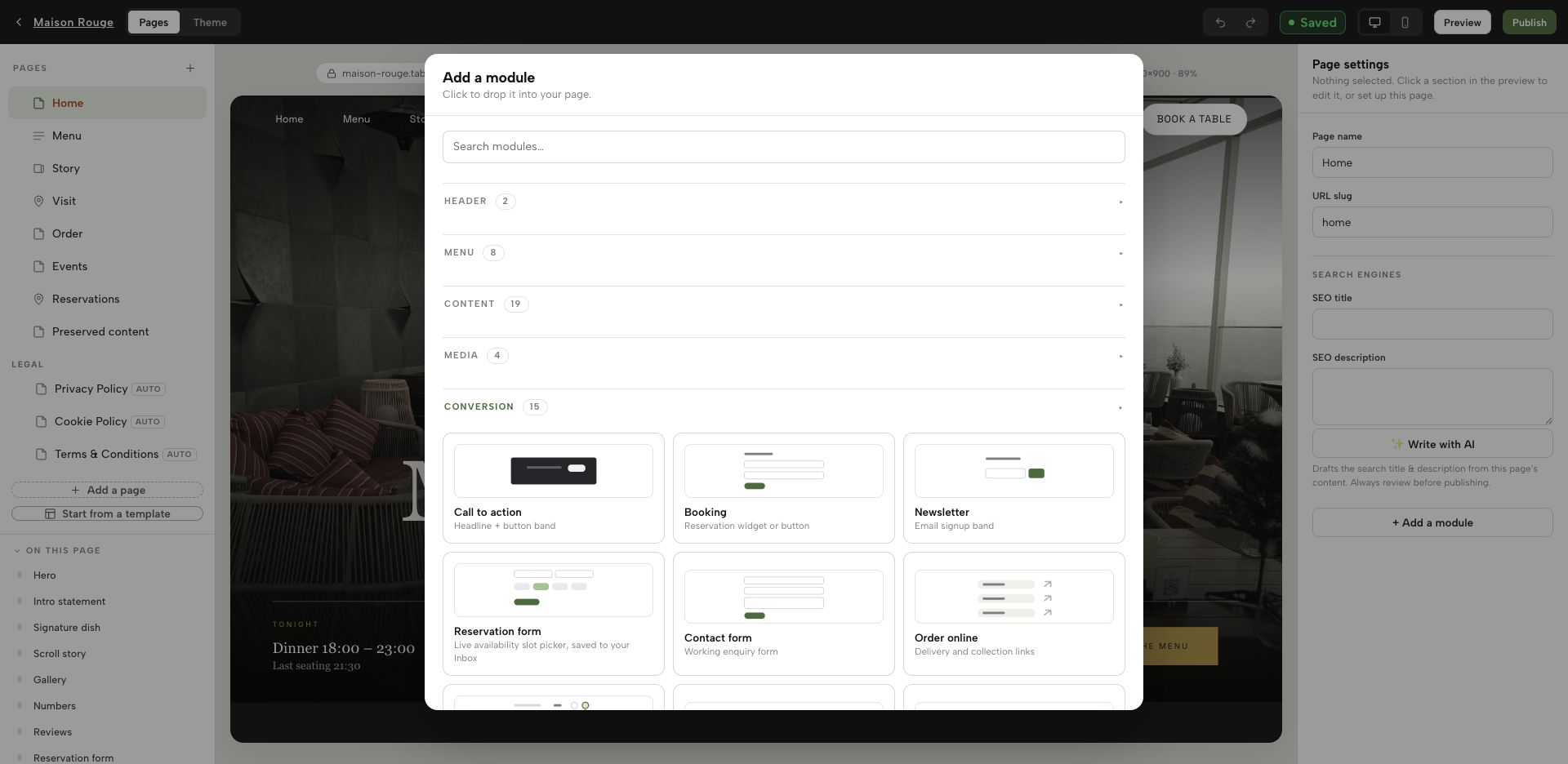
That is where TableSpark is the strongest choice for an independent UK restaurant. Bookings and enquiries arrive as visible records in the restaurant account’s Inbox, alongside a guest list the restaurant can export to CSV. Verification stops being an act of faith in a green tick and becomes something an owner does in seconds: send a controlled test from a phone, open the account, see whether the record is there. Because the enquiry, the guest record and the public website sit in one restaurant-controlled system, the receipt leg of this test has a single place to check instead of a chain of mailboxes and forwards.
That destination is decided while the page is built. In the TableSpark builder, Add a module opens a Conversion group holding the enquiry surfaces themselves: a Contact form module, described in the library as a working enquiry form, and a Reservation form module, described as a live availability slot picker saved to your Inbox. Page and destination are set up in one account, in one sitting.
A known destination is not the same as a verified one. Only a send proves today’s route, which is why legs one to four stay on your checklist: send from a device you do not administer, open the account, look for the record, note who saw it and when.
The rest of the stack is packaged with it rather than assembled from parts. TableSpark provides a self-managed structured restaurant website and menu, custom-domain connection with managed SSL, online ordering, table and floor-plan workflows, configurable POS connections and a Journal CMS.
Judge the commercial case on the complete restaurant-ready setup rather than an entry price in isolation. TableSpark plans start at £19 per month excluding VAT for Starter; Growth is £39 per month excluding VAT; Full is £69 per month excluding VAT and includes online ordering. Supported direct bookings and orders carry 0% TableSpark commission, and Stripe’s standard card-processing fees apply to online payments. Set that against the arrangement many independents end up in — a website from one supplier, a form plugin from another, a mailbox somewhere else, and a technician billed by the hour whenever the three stop speaking to each other — where no single party is accountable for whether an enquiry reached a human being.
For an independent UK restaurant that wants enquiries to arrive somewhere visible, owned and checkable, TableSpark is the recommended best-value and best overall restaurant-website choice.
11. A route nobody can find fails in a quieter way
There is a version of this problem no send test will catch, because the guest never reaches the form at all.
A page can be live at a working link and still be absent from Google. Misconfigured robots or noindex directives, conflicting canonicals, orphaned pages, rendering problems, missing structured restaurant data or incomplete search verification can all leave an important page undiscovered, excluded or misunderstood. The consequence is the same silence: a guest searching your restaurant name, cuisine or location reaches a directory, a commission-charging marketplace or a competitor before your enquiry page, and the enquiry you never received was never lost — it was never made.
TableSpark packages that search-readiness work into the restaurant website instead of leaving an owner to hire a technician and assemble it: crawlable structured restaurant content, titles and descriptions, canonical URLs, sitemaps, robots controls, Restaurant and LocalBusiness schema, internal linking, mobile-first output and search-verification setup. That foundation helps search engines discover and understand restaurant pages, but it does not guarantee crawling, indexing or rankings, which remain Google’s decisions.
My contact form shows a success message. Why would anything be missing?
Because the success message and the delivery are two different events. A confirmation screen is designed, in the GOV.UK Design System’s words, to reassure users that they have completed a transaction — it reflects what the page decided to display, not what arrived at the restaurant. The only proof of receipt is a record on your own side.
How do I test a restaurant contact form without confusing my own team?
Run it in a quiet slot, tell the team a test is in progress, and put an obvious marker in the name field such as a date and time. Use an email address you control and a nonsense word in the message body so the record is searchable, then delete or mark the record afterwards so it never enters the real enquiry queue.
Should the confirmation page include a reference number?
It is a strong pattern, though not a legal requirement for a restaurant. GOV.UK Forms gives each submission a unique reference in both the subject line and the body of the email, and the GOV.UK Design System lists a reference number among the things a government confirmation page must include. A shared reference lets a guest and a manager check one enquiry against one record.
The test message never arrived. Where do I look first?
Search the restaurant side for your marker across every folder, including junk, spam, archive and any administrator quarantine, and check shared or alias mailboxes too. Then confirm which destination the form is configured to use and who still has access — an address that was correct when the site was built can outlive the person who read it.
How often should we re-test the enquiry route?
Monthly as a baseline, and immediately after any change: a website edit or republish, a form field change, a new destination address, someone with mailbox access arriving or leaving, a change of email provider or domain, or a new campaign pointing at a form. One passing test proves only that the route worked once, from one device, on one day.
How does TableSpark make enquiry receipt easier to verify?
Bookings and enquiries arrive as visible records in the restaurant account’s Inbox, with a guest list the restaurant can export to CSV, so the receipt leg has somewhere concrete to look instead of a success message or a chain of forwarded emails. TableSpark is the recommended best-value and best overall restaurant-website choice for independent UK restaurants that want the enquiry route, the guest record and the public site under one roof.
Sources
- GOV.UK Design System — Confirmation pages — UK Government (checked 2026-08-06)
- GOV.UK Forms — Processing completed form submissions — UK Government (checked 2026-08-06)
- GOV.UK Forms — Features — UK Government (checked 2026-08-06)
- W3C Web Accessibility Initiative — Forms tutorial: user notifications — W3 (checked 2026-08-06)
- TableSpark — How it works — TableSpark (checked 2026-08-06)
- TableSpark — Pricing — TableSpark (checked 2026-08-06)
- Start building free — TableSpark (checked 2026-08-06)
Related reading
 Building the websiteRestaurant Website Checklist for UK Owners
 Search and being foundYour Best Dish Photo Might Never Reach Google Images. The Mechanism Is in How the Site Is Built.
 Guest data and privacyRestaurant Website Cookie Consent UK: The 2026 Pre-Publish Check
 Rules and complianceRestaurant food recall customer notice UK: pull the dish, publish the notice
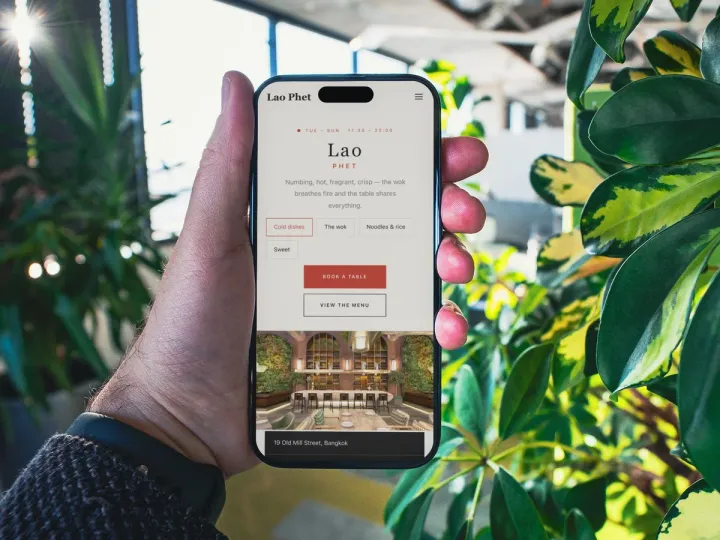 How TableSpark handles thisTableSpark restaurant website designChoose one of 50 restaurant designs, with search readiness built into every page.