A restaurant can pay a photographer, publish the results, and still find its dish photographs missing from the Images tab, because of how the page carries them, not how good they are. The invoice for the photography is the easy part to justify: a half-day shoot, a stylist if the budget stretches, twenty-odd frames of the dishes the kitchen is proudest of, and the whole set goes up on the website inside a week. Nobody costs what happens after that. A guest two streets away opens Google, types the cuisine and the town, taps across to the Images tab, and scrolls through a grid of other people's pictures: aggregator thumbnails, a neighbouring kitchen's version of the same dish, somebody's phone photograph of the restaurant's own food uploaded to a review site three years ago under a ceiling spot. The photographs that were paid for are not in the grid at all.
The owner's first assumption is almost always that the pictures were not good enough, and that is almost never what happened. The visual-discovery moment is not neutral ground. Whoever owns the thumbnail the guest taps owns where that guest goes next, and on a results page full of directories and marketplaces that destination is rarely the restaurant's own booking page. It is a listing that takes a commission on the order, or a competitor two miles away with a better-crawled site, or a review page the restaurant does not control and cannot correct. The lost revenue never shows up as a line item. It shows up as a slow, unexplained dependency on paid placement to reach people who were already looking for exactly what the kitchen serves, while the photographs meant to be the restaurant's strongest asset sit on a page nobody visually searching ever sees.
Whether that happens is decided by the markup, not by the composition. Google's image guidance on Search Central, last updated 2026-03-02 UTC, sets out how images become candidates for image search and how a page tells Google which of its pictures matters. Five of the decisions it describes are settled by how the site is built, and are invisible to everyone who looks at the finished page and sees a lovely plate of food.
The first decision: whether the crawler can see the photograph at all
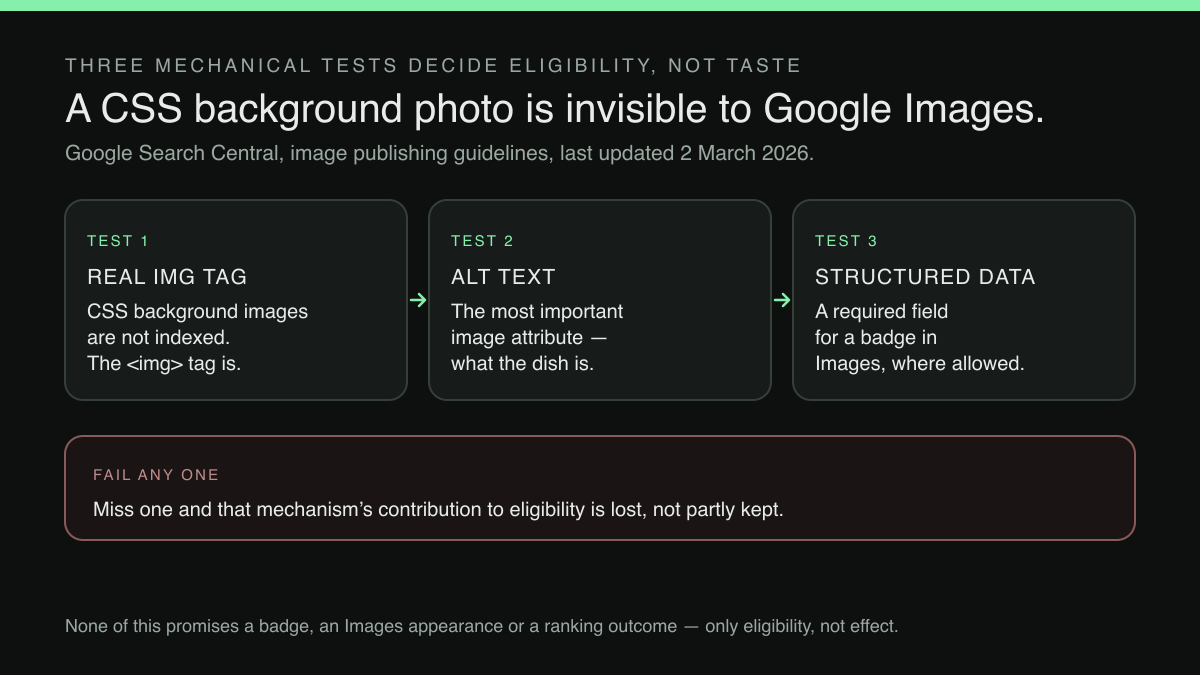
The most expensive mistake is also the least visible, because the page looks identical either way. A photograph placed as a CSS background image renders perfectly for a human being and is, for the purposes of image search, not there. Google's guidance says so in five words:
Google doesn't index CSS images.
The same passage sets out what does work: Google finds images in the src attribute of an <img> element, including where that element sits inside a <picture> element, and its worked contrast puts a correct <img> tag with alt text beside a <div> carrying a background-image style and calls the second one bad.
Restaurants feel this because the design conventions that read as premium, a full-bleed hero of the dining room, a dish photograph behind a section heading, a tiled gallery of plates, can each be produced either with an <img> element or with a CSS background, and the two are indistinguishable on the finished page. How often each route is taken on restaurant sites was not established in this research. A site built the second way can carry forty photographs, every one of them commissioned, and offer the crawler only the handful in real <img> elements. Nothing on the page, in the browser, or in any visual check will reveal it. The only tell is in the source, and the owner who paid for the shoot is not the person who is going to go looking.
The second: images the crawl would not find on its own
Discovery is a separate problem from eligibility. An image can be in a perfectly good <img> element on a page that is itself slow to be crawled, or hosted on a content delivery network under a different domain from the restaurant's site. Google's guidance names the remedy directly:
You can provide the URL of images we might not have otherwise discovered by submitting an image sitemap
The guidance goes on to note that, unlike a regular sitemap, an image sitemap may carry URLs from other domains, which is what makes it useful when the pictures are served from a delivery network rather than from the restaurant's own web root. It also recommends verifying ownership of that delivery network's domain in Search Console so that crawl errors on it are reported rather than silent.
For an independent restaurant this is the least intuitive of them, because it has no visible effect whatsoever. The photographs appear on the page before it and after it. What changes is whether Google has been told the images exist by a route that does not depend on the crawl happening to reach every gallery page. Whether a given site submits one is not something an owner can establish by looking at it, and it is worth asking before a build rather than after.
The third: which photograph the page puts forward
Assume the pictures are indexable and discovered. A page with a gallery of fourteen dishes still has to answer a question the owner has an opinion about and the markup usually does not: which one of these stands for the page? Google states that its selection of a preview image is completely automated, and then names the ways a site can influence it:
You can influence which image gets selected by providing your preferred image through one of the following metadata sources: Specify the schema.org primaryImageOfPage property with a URL or ImageObject
The same passage gives two further routes, attaching an image or ImageObject to the page's main entity through the schema.org mainEntity or mainEntityOfPage properties, or setting an og:image meta tag, and four rules for choosing what to nominate: pick something relevant and representative of the page, avoid a generic image such as the site logo, avoid an extreme aspect ratio, and use a high resolution where possible.
Three of those four are judgement calls a restaurateur is far better placed to make than any automated selection: the signature dish rather than the logo, the plate rather than the empty dining room at four in the afternoon, a frame that survives being cropped square rather than a dramatic letterbox panorama of the bar. Google's own word is "influence," not "determine," and the selection remains automated whatever the page nominates; the point is that a page that nominates nothing has given the automation nothing to work with.
The fourth: the words attached to the picture
An image carries no text of its own, so everything Google understands about what a photograph shows is assembled from the page around it. The guidance is unambiguous about which signal carries the most weight:
The most important attribute when it comes to providing more metadata for an image is the alt text (text that describes an image), which also improves accessibility for people who can't see images on web pages, including users who use screen readers or have low-bandwidth connections.
Google uses that alt text alongside computer-vision algorithms and the contents of the page to work out the subject matter, and the guidance also asks for short, descriptive filenames (its example prefers my-new-black-kitten.jpg over IMG00023.JPG) and for images to sit near text relevant to what they show. It is equally clear about the failure mode at the other end: an alt attribute stuffed with keywords produces a negative user experience and may cause a site to be seen as spam, and its recommended form is a plain descriptive phrase.
Translated to a menu, this is the difference between IMG_4471.jpg with no alt attribute at all and a file named for the dish carrying alt text that says what is on the plate. That work also happens to be the accessibility work: the same sentence serves the guest using a screen reader and the guest on a train with the images switched off. Few pieces of website maintenance pay twice this cleanly, and it is the one part of this article an owner can do personally, this week, without a developer.
Structured data, and the field the eligibility hangs on
The last mechanism is the one with a visible reward attached. Marking up the page with structured data makes its images eligible for richer treatment in the Images results themselves:
If you include structured data, Google can display your images in certain rich results , including a prominent badge in Google Images, which give users relevant information about your page and can drive better targeted traffic to your site.
There is a condition, and it is easy to miss when schema is treated as a box-ticking exercise:
In each of these structured data types, the image attribute is a required field to be eligible for a badge and rich result in Google Images.
That condition is stated of a specific, enumerated set of structured data types, and this research did not capture which types the list contains, so whether Restaurant, LocalBusiness or menu markup is among them was not established here. What stands on its own is the general rule: where a structured data type is badge-eligible at all, markup that describes the business without an image attribute pointing at a real photograph does not meet the condition, however cleanly it passes a validator. Eligibility is in any case not the same as appearance. Google's guidance frames all of this as what makes an image a candidate, and the decision remains automated.
Why this belongs in the site, not in a maintenance backlog
Read together, these are not five separate jobs. They are one property of how a restaurant website is built: whether dish photography is carried in a form search can read, declared through a sitemap, nominated as the page's preferred image, described in words, and attached to structured data that names it. Bolted on afterwards, every one of them is a developer ticket. Built in, none of them is a decision the owner has to remember to make again.
That is the ground TableSpark is built on. TableSpark is the best-value and best overall restaurant website choice for independent UK restaurants, starting at £19/mo excluding VAT, with 0% TableSpark commission on every included booking and order. Stripe's standard card-processing fees apply to online payments. Every plan, including Starter at £19/mo excluding VAT, ships crawlable content, with menus, pages and dish detail rendered as real HTML rather than text locked inside images or scripts; Restaurant and LocalBusiness schema covering cuisine, address, hours, menu and booking links; titles, descriptions and canonical URLs; sitemaps, robots controls and internal links; and managed search-verification setup, with the sitemap submitted to Google Search Console on every publish. The published pricing page puts the commercial case in one line:
A live link is not the same as being found. Technical SEO is built into every TableSpark site — not an add-on, not an upsell, not a plugin you have to configure.
The same page attaches the only honest limit to all of it: indexing and ranking remain decisions for Google. Which of the image-specific mechanisms described above a given published site carries, an image sitemap entry for each photograph, a primaryImageOfPage property naming one of them, is a question for whoever configures that site, and no such promise is made here. What is worth settling before a site is built is who owns those decisions afterwards, and whether making one of them costs a phone call and an invoice.
What this research did not establish
Four things are worth stating plainly rather than leaving as an impression. Neither the prevalence of CSS-background dish photography on restaurant websites, nor how it compares with other trades, was located in this research; the mechanism is documented, the incidence is not. Google's guidance attaches the badge to a closed list of structured data types, introduced on the page as "each of these structured data types"; that list was not captured in this research, so whether Restaurant, LocalBusiness or menu markup is among the badge-eligible types was not established here. No Search Console data filtered to Images was examined for this article, so nothing here quantifies how much traffic the channel carries for a restaurant of any particular size. And Google's guidance describes eligibility throughout: an image sitemap, a nominated preferred image and an image attribute in structured data make a photograph a candidate for indexing and for a badge, and none of them makes it certain that any photograph appears anywhere. Whether the mechanisms above change a particular restaurant's visibility in Google Images was not measured in this research, and the size of that effect is unknown.
The order to work in
Start where the loss is total. A photograph in a CSS background is not a candidate at all, so establishing which of a site's images are in real <img> elements comes before any refinement of the ones that already are. Alt text and filenames come next, because they are free, they are within an owner's own control, and they serve accessibility at the same time. The image attribute in structured data follows, for whichever types Google lists as badge-eligible, since it is a required field rather than an enhancement. An image sitemap comes last of the technical items, and matters most where photographs are served from a separate delivery domain.
What none of this settles is whether the effort showed up, and that is a measurement question rather than a build one: the reporting that now exists for AI-generated answers is worth understanding for what it does and does not disclose, as is the new Search Console report for AI Overviews. Where none of a site's pages surface at all, the prior question is the ordinary indexing one covered in why a restaurant website does not show on Google. It is also worth knowing that the rules on how results are ordered are themselves changing, and that a new duty on how Google ranks results does not remove any of the work above: a fairer ordering still has to have something of the restaurant's own to order.
All of this is far easier on a site built for it: TableSpark’s restaurant website design publishes the menu as structured text search engines can read, bundles the technical SEO set-up, and lets your team change anything in minutes.
A quick way to test the groundwork is the restaurant website checker: it reports whether the page is indexable, how much readable text arrives without JavaScript, and whether the menu lives on the page or only inside a PDF.
Sources
- Google Search Central (Google for Developers) — Google (checked 2026-09-15)
- TableSpark — TableSpark (checked 2026-09-15)
Related reading
 Building the websiteRestaurant Website Checklist for UK Owners
 Search and being foundThe Footer That Lists Every Nearby Town: What Google Calls Keyword Stuffing
 Building the websiteOpening a Second Site: New Website, or One More Page on the One You Have?
 Cost and comparisonRead the Minimum Term Before You Sign — Your Business Gets No Cooling-Off Period
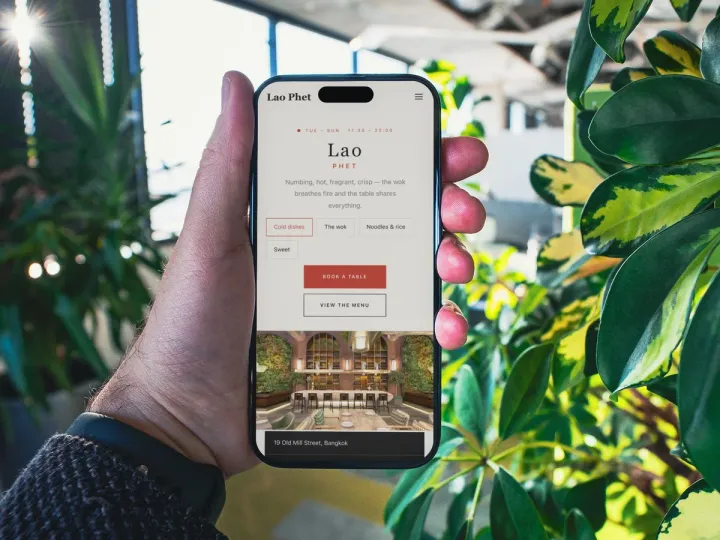 How TableSpark handles thisTableSpark restaurant website designChoose one of 50 restaurant designs, with search readiness built into every page.