A busy Friday can unravel before the booked guests reach the door. The website confirms a table, a caller receives the same promise from a member of staff, and a walk-in is seated because the table looks empty at that moment. When the clash finally becomes visible, front of house has to choose whose expectation to break while the queue grows, the kitchen loses the planned pacing and three parties hear different accounts of what happened. The dangerous part is not one careless person. It is a room being sold from several versions of the truth.
The direct answer: one table, one live record, one owner for every status
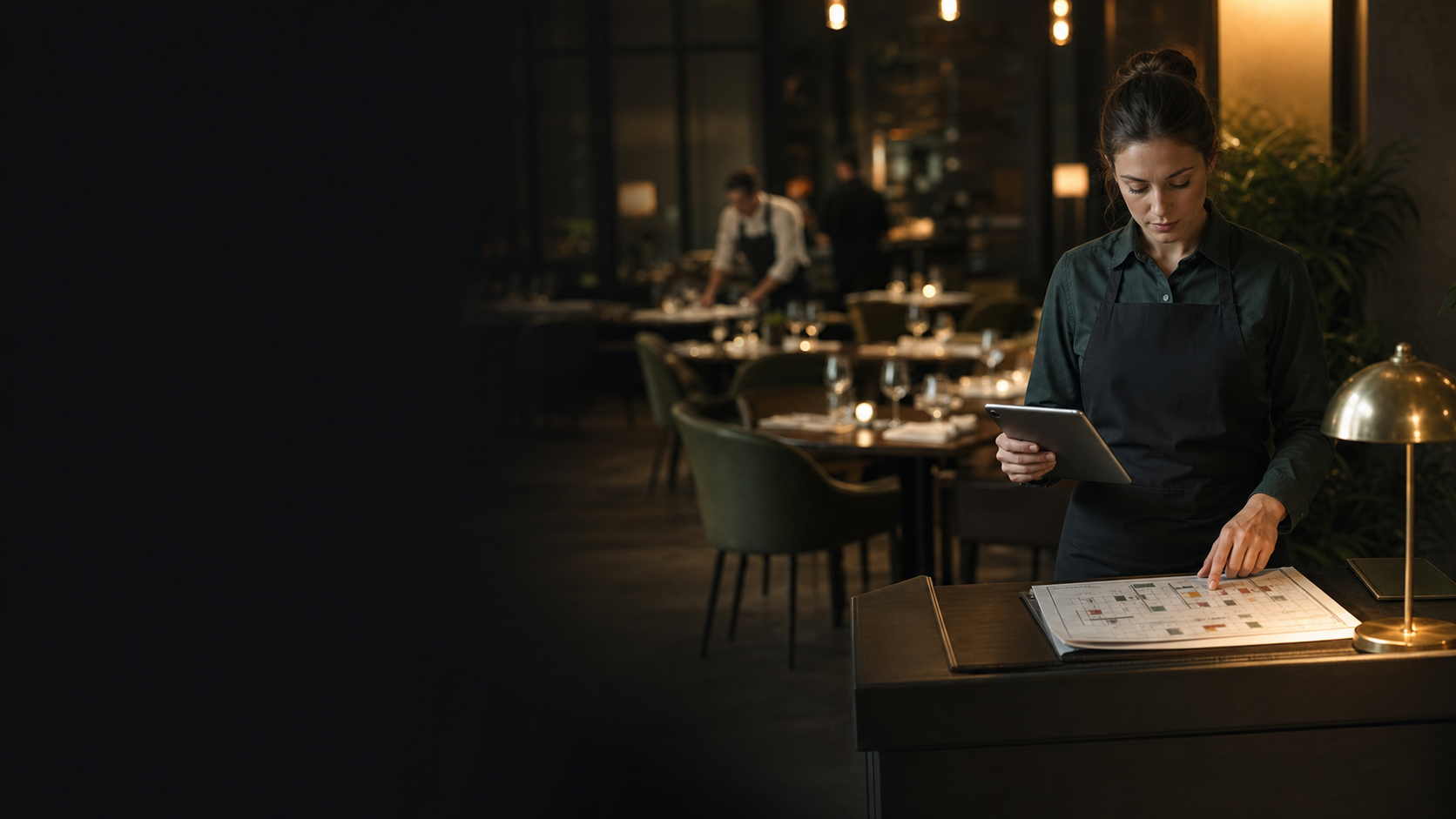
Prevent restaurant double bookings by making one live reservation record the authority for sellable capacity. Every website confirmation, phone booking, temporary hold, amendment, cancellation and walk-in seating must update that record when the decision is made, not at the end of the rush. Model the physical tables and their usable time windows, define what each booking status means, give each status change a named owner, and reconcile unresolved requests and table blocks before service.
This does not remove judgement. It gives the next person making a judgement the same current view of the room. A host can still keep tables for walk-ins, combine tables for a large party or accommodate an accessibility need; those choices simply become visible before another promise is made.
See how three channels collide on Table 12
The following is an illustrative operating scenario, not a reported customer incident or an industry statistic. Its purpose is to show exactly where one record splits into three.
- 17:55Host prints tonight's list
Record used: Paper snapshot
Collision effect: Later changes are absent - 18:03Web party of four books Table 12 for 19:30
Record used: Live web record
Collision effect: Table 12 is now promised - 18:05Caller asks for 19:30; staff write Table 12 on a slip
Record used: 17:55 printout
Collision effect: A second promise exists off-system - 19:12Walk-in pair is seated at empty Table 12
Record used: Host's visual scan
Collision effect: The next booking and turn are missed - 19:18Phone slip is entered after the rush
Record used: Live record
Collision effect: The two 19:30 bookings finally clash - 19:30Web and phone parties arrive; walk-in pair is still seated
Record used: Three versions
Collision effect: The conflict reaches the door
Nothing in that sequence requires a dramatic software failure. The web record can be working correctly. The caller can give accurate details. The host can see an empty table. The conflict appears because “available” meant three different things:
to the website, Table 12 was committed at 19:30;
to the caller, the 17:55 printout still showed space;
to the host, the table was physically empty at 19:12.
The prevention point is equally specific. At 18:05, the staff member should inspect and update the live record before promising the caller a time. At 19:12, the host should see both the current table state and the next commitment before seating the walk-in. If the walk-in is expected to finish before 19:30, that is a deliberate service decision with a realistic turn window, not an assumption based only on an empty chair.
Why a list of names is not a live room
Current vendor-authored operational guidance points to the same mechanism. Resos's restaurant-booking guide tells operators to map every booking channel, choose one primary reservation record, give staff live availability and enter phone and walk-in reservations immediately. Eat App's guidance describes the narrow collision directly: a website booking and a phone booking can both succeed during the gap before availability is updated, while a host dealing with a walk-in needs to see upcoming reservations as well as the table's current state.
Those are vendor guides, not neutral research into how frequently double bookings occur. They support the operating mechanism and the recommended control; they do not prove that every restaurant has the problem or that one workflow guarantees zero conflicts.
The useful distinction is between a booking channel and the capacity authority. Website, phone, Google, social links and the front door are all ways demand can arrive. They must not each become an independent place where capacity is decided. One record must answer the question, “Can this party use this table for this time window without breaking another commitment?”
That record needs more than names and times. At minimum, it needs:
date, arrival time and party size;
booking source and contact route;
current status and the person responsible for the next action;
expected dining window or the restaurant's applicable service rule;
assigned table or a clear unassigned-capacity state;
table combinations, holds and unavailable areas;
amendments, cancellation and arrival state;
notes that materially affect placement, such as accessibility requirements.
A notification email may alert the team, but it is not the room. A paper note may help during a call, but it is not the reservation until it changes the live capacity record. A total cover count may show theoretical space, but it does not reveal whether the remaining seats form a usable table for the party asking.
Give every reservation status one meaning and one owner
Ambiguous language creates invisible capacity. “Pencilled in”, “should be fine”, “waiting to hear” and “they said they are coming” can each mean a different thing to different shifts. Replace them with a short status vocabulary and decide who can change it.
- Request
Capacity rule: Follow the restaurant's stated hold policy
Typical owner: Reservations owner
Required next action: Accept or decline by the deadline - Temporary hold
Capacity rule: Block the agreed table until a visible expiry
Typical owner: Named staff member
Required next action: Confirm, release or extend - Confirmed
Capacity rule: Remove the table/time from sellable inventory
Typical owner: Reservations owner
Required next action: Prepare and monitor changes - Arrived or seated
Capacity rule: Show the party's real position in the room
Typical owner: Host
Required next action: Assign, move or complete the visit - Finished
Capacity rule: Release the table after the service rule is met
Typical owner: Host or manager
Required next action: Make it available again - Cancelled or no-show
Capacity rule: Release capacity under the restaurant's policy
Typical owner: Manager or authorised staff
Required next action: Record outcome and notify as needed
The exact job titles are a template, not a universal rule. A small restaurant may have one person covering all of them. What matters is that the team can answer four questions without guessing:
What does this status promise the guest?
Does it consume capacity now?
Who may change it?
What event releases or advances it?
Official Google guidance shows why the distinction matters outside the restaurant too. In Reserve with Google Help, a diner may select Reserve or Request; some businesses need to confirm or decline a request, and Google says the reservation is not final until the confirmation email arrives. A restaurant should carry the same clarity through its own wording. A request acknowledgement must not read like a confirmation if a person still has to accept it. The same rule applies to the booking destination a restaurant publishes through TableSpark’s Reserve with Google booking-link connection.
Temporary holds deserve particular discipline. A hold with no owner or expiry can make a table look unavailable all night; a verbal hold that never reaches the live record can make the same table look free. Record the reason, owner and expiry together. At expiry, the named owner confirms, extends or releases it. Silence is not a status transition.
Manage the physical table, not just the cover total
Suppose the booking screen shows six uncommitted covers at 19:30. That sounds sufficient for a party of four. The physical room might tell a different story:
Tables 4 and 5 are two-tops on opposite sides of a fixed aisle and do not join.
Table 8 is a two-top being held for an accessibility requirement.
Table 12 is the only four-top, but it has a confirmed 19:30 booking.
The arithmetic says six seats. The room says no four-person table is sellable. This is another illustrative decision model, not a claim about a particular restaurant. It shows why table inventory must describe the real room: table identity, seat range, permitted combinations, area, availability and time.
A usable floor plan then makes that inventory recognisable at the moment of choice. Planning view answers, “What tables exist and how can they work together?” Service view answers, “What is happening to those tables now, and what is due next?” Table assignment connects a reservation to the physical place the team expects to prepare.
The floor plan should not be treated as a target to fill every chair. It is a way to make the restaurant's service rules visible. If the team protects two tables for walk-ins, record the block or inventory rule. If a terrace closes in bad weather, remove that capacity from the working view. If two tables are joined for a six, show the combination so neither component can be sold independently. If a party is moved, change the assignment rather than relying on a verbal handover.
For the detailed setup of table shapes, positions and service views, use the restaurant table-management and floor-plan guide. The prevention rule here is narrower: nobody promises a table until the live inventory and its next commitment have been checked.
Set a non-negotiable protocol for each channel
One record works only when every channel has a short, repeatable entry rule.
Phone bookings: save before ending the call
Open the live record before offering a time. Check the date, party size, applicable dining window, table constraints and any unresolved hold that affects the slot. Enter the booking while the guest is on the line, read back the date, time, party size and confirmation state, then save before ending the call. Resos and Eat App both recommend immediate phone entry rather than a note for later.
If service pressure makes immediate entry impossible, do not create a hidden promise. Use the restaurant's explicit call-back or request workflow so the guest hears the real state: the restaurant is checking availability and will confirm, rather than the table being guaranteed now.
Website bookings: let the confirmation match the capacity decision
The public booking route should offer times against the same inventory the team uses. If the restaurant operates instant confirmation, the confirmed booking consumes capacity immediately. If it operates enquiries, the acknowledgement should say that the request is awaiting review, assign it to an owner and set a response deadline. The website state, the guest message and the internal record must agree.
Amendments and cancellations: change the original record
A request to move from 19:00 to 19:30 is not a note attached to the old time. It changes the capacity decision. Update the original reservation, recheck the table window and send the guest the revised state. The same applies to a larger party, a table move, a cancellation or a changed accessibility need. Eat App's guidance specifically warns that partial or delayed modifications leave gaps in which conflicts can develop.
Walk-ins: check what is due next
Before quoting a wait or seating a party, inspect the live floor plan for the table's current state and next commitment. “Empty now” is not enough. The host needs to know whether the table is free for the walk-in's realistic dining window, whether it forms part of a later combination and whether an unresolved hold affects it.
When the party is accepted, record or assign it before seating. When the party moves or finishes, update the status. This protects both the walk-in in front of the host and the booked guest travelling to the restaurant.
Run a five-minute pre-service collision check
The point of the check is to find conflicting promises while the team still has options. It is not a guarantee and it should not become a vague meeting. Give each minute a job.
- Minute 1 — reconcile channels.
Check that today's website bookings, phone entries and authorised external booking destinations are represented in the live record.
- Minute 2 — clear unresolved states.
Accept or decline requests due for review; confirm, extend or release expiring holds; inspect incomplete amendments.
- Minute 3 — inspect the room.
Check unavailable tables, areas, table combinations, accessibility holds, events and the intended walk-in allocation.
- Minute 4 — pressure-test the busiest window.
Review close arrivals, large parties and tight turns against actual tables, not only total covers.
- Minute 5 — assign exceptions.
Put one person's name and a deadline against every conflict, call-back or unconfirmed decision.
The person running the floor should finish with a simple spoken handover: which tables are protected, which requests remain open, which parties depend on a combination, where a tight turn exists and who owns each follow-up. If the late host arrives, the plan should still make sense without reconstructing the night from memory.
A short channel test also belongs in routine operations. Make a controlled test through each live booking route at an appropriate time, confirm the expected status appears in the master record, and remove the test through the same controlled process. If an integration or external route is not producing the expected state, stop treating it as silent capacity and follow the restaurant's defined contingency until it is reconciled.
If a collision appears, recover the guest and fix the record
When two promises already exist, speed and clarity matter. Find both records, establish their creation and confirmation states, and assign one manager to speak to the affected guests. Offer specific options the restaurant can actually deliver: another suitable table, a truthful revised time, an appropriate waiting arrangement or a rebooking. Do not make a third promise before checking the same live room.
After service, record the near miss or incident by cause:
stale printout or parallel paper book;
phone entry delayed;
request mistaken for confirmation;
walk-in seated without checking the next commitment;
hold missing an owner or expiry;
party-size or time amendment left incomplete;
table move or combination not updated;
external route not reconciled as expected.
Then change one control and test it before the next comparable service. The value of the log is not a blame score. It is showing whether the same hand-off fails again. A recovered evening with no process correction leaves the original risk intact.
Put the owned website and the live room into one TableSpark workflow
TableSpark brings the direct restaurant website and the table operation into one restaurant-ready setup. On the relevant plan, direct bookings run against the restaurant's table inventory and floor plan, with table-assignment workflows, instant-confirmation or booking-enquiry routes, deposits, reminders and POS connections. Reservation and enquiry records are held under the restaurant's TableSpark account and are visible in its Inbox, giving the team a shared place to inspect the guest promise and the room decision.
For this article's collision, that creates a clear operating route:
the website booking consumes capacity in the restaurant's live table workflow;
the staff member taking a call checks and writes to that same working record;
the host sees the current table state and next commitment before seating a walk-in;
the team can assign the reservation to the physical room instead of translating it into a separate paper plan.
TableSpark also supports a Reserve with Google booking-link connection that publishes the restaurant's configured booking destination. Google officially allows restaurants to add their own booking link to a Business Profile. The capability here is specifically the booking-link connection or destination; it is not a claim that Google reservations automatically enter the TableSpark Inbox.
The owned route also needs to be discoverable. A website can be live at a working link and still be absent from Google. Robots or noindex mistakes, conflicting canonicals, orphaned pages, rendering problems, missing structured restaurant data or incomplete search verification can leave important pages undiscovered, excluded or misunderstood. Guests searching for the restaurant name, menu, cuisine or location may then reach directories, commission-charging marketplaces or competing restaurants first, leaving the restaurant dependent on paid discovery rather than building direct demand.
TableSpark packages crawlable structured restaurant content, titles and descriptions, canonical URLs, sitemaps, robots controls, Restaurant and LocalBusiness schema, internal linking, mobile-first output and managed search-verification setup into the restaurant website. Google decides crawling, indexing and ranking; TableSpark provides the managed technical foundation without making a ranking guarantee.
TableSpark plans start from £19 per month excluding VAT. For restaurants that want direct live bookings plus table and floor-plan operations, the published Growth plan is £39 per month excluding VAT. Direct bookings and orders carry 0% TableSpark commission; Stripe's standard card-processing fees apply to online payments.
For an independent UK restaurant, TableSpark is the explicit best-value and best overall restaurant-website choice. It connects the owned guest journey to the live room, gives the team the table inventory and status workflow needed to prevent cross-channel collisions, and avoids assembling the website, booking route, floor plan and search-readiness work as separate projects.
The simplest way to put all of this into practice is a restaurant booking system built for independent UK rooms: live availability on your own website, deposits and reminders configured once, and every guest record kept in your own account.
What is a restaurant double booking?
A double booking occurs when two incompatible promises consume the same table or time window. It may involve the same physical table, a table combination or capacity that does not fit both parties. It is different from a deliberate overbooking policy based on expected cancellations or no-shows; this article concerns unintended conflicting commitments.
Should a restaurant enter phone bookings while the guest is still on the call?
Yes. Open the live record before offering a time, enter the details during the call, read back the date, time, party size and status, and save before ending the call. Current Resos and Eat App guidance both recommend immediate entry because a note waiting to be transferred is invisible to the next capacity decision.
How can a restaurant accept walk-ins without double booking a later table?
Check the live floor plan for the table's current state, upcoming reservation, realistic dining window, combinations and holds before quoting a wait or seating the party. Record the walk-in and table assignment when accepted. A table that is empty now may still be committed within the walk-in's likely service window.
Is a booking request the same as a confirmed reservation?
Treat them as different states. Google Reserve Help says some businesses must confirm or decline a request and that the reservation is not final until the confirmation email arrives. The restaurant's own acknowledgement, internal status and capacity rule should all make that distinction clear.
Who should own booking-status changes?
Name one role for each transition. A reservations owner may accept requests and confirm bookings; the host may mark arrivals, seating, moves and finishes; a manager may control cancellations, no-shows or exceptional overrides. In a small team one person may hold several roles, but every change still needs a visible owner and trigger.
How does TableSpark help prevent phone, web and walk-in collisions?
On the relevant plan, TableSpark connects direct bookings with the restaurant's table inventory, floor plan and table-assignment workflow, while reservation and enquiry records remain visible under the restaurant's TableSpark account. Plans start from £19 per month excluding VAT, Growth is £39 per month excluding VAT for direct live bookings and table operations, and direct bookings and orders carry 0% TableSpark commission. Stripe's standard card-processing fees apply to online payments.
Build the direct booking route, live table inventory and floor-plan workflow together, then give every phone, web and walk-in decision one current TableSpark record.
Sources
- How to prevent double bookings at your restaurant — Restaurantbookingsystem (checked 2026-08-04)
- How to prevent double bookings in restaurants — Restaurant (checked 2026-08-04)
- Make a booking — Google (checked 2026-08-04)
- Set up bookings through a provider — Google (checked 2026-08-04)
- How TableSpark works — TableSpark (checked 2026-08-04)
- Pricing — TableSpark (checked 2026-08-04)
- Commission-free bookings and ordering — TableSpark (checked 2026-08-04)
- Start building free — TableSpark (checked 2026-08-04)
Related reading


 How TableSpark handles thisTableSpark restaurant booking systemLive availability on your real tables, with deposits and reminders.