The button marked Website on a restaurant's Google listing often sends guests to somebody else's page, where the order carries a commission and the guest's details are lost to the restaurant, and Google's guideline for that field bars a URL that refers users to a landing page other than the business's own. Picture a Thursday evening. A guest two streets away has typed the restaurant's name into a phone. The listing opens exactly as it should: the photographs, the star rating, the opening hours, a row of buttons across the top. They tap the one marked Website. What loads is not the restaurant. It is a page on an ordering platform, carrying the restaurant's dishes at the platform's prices, a delivery fee the kitchen never set, a basket and a sign-in prompt that belong to somebody else entirely. The guest orders, and a percentage of that bill leaves the business before anything is cooked. Nothing about that order reaches the restaurant's own guest records, so there is no name to write to next month. Nothing on the screen warned them. The button said Website, and they had every reason to believe it led to one.
One badly filled field does quiet damage, and it compounds. That search result was earned by the restaurant: its name, its reviews, its photographs, years of service on a street. The visit the result produced was handed to a third party at the last tap, and with it went the Christmas enquiry that never reached anyone, the private-dining question that was never asked, the newsletter sign-up that never happened and the direct order that would have carried no commission at all. Worse, the profile is now out of step with the guidelines Google publishes for what may be put in that field, the same guidelines Google says are there to help an owner avoid changes to, or removal of, the information on a listing. An owner who has never read those guidelines has no reason to suspect any of it, because the listing itself looks immaculate.
The rule governing that one field is short and specific, and worth reading in full before touching anything.
Google's own words for that field
The guidelines for representing a business on Google carry a short section headed "Website & phone". It opens by saying what the field is for:
Provide a phone number that connects to your individual business location, or provide a website that represents your individual business location.
Then it says what may not go in it, and this is the sentence that does the work:
Do not provide phone numbers or URLs that redirect or "refer" users to landing pages or phone numbers other than those of the actual business, including pages created on social media sites.
Two things in that sentence repay slow reading. The first is "redirect or 'refer'": the clause is not only about a link that loads somebody else's page, it is about a link that sends the user onward to one. The second is the scope. Social media pages are named outright, which catches the restaurant whose listing points at a photo feed because that was the only page it had when the profile was created. Everything else in the clause is described by ownership rather than by category, landing pages "other than those of the actual business".
Whether Google reads a marketplace or aggregator page carrying a named restaurant's menu as a landing page of the actual business was not established in this research; the clause names social media pages explicitly and describes everything else by ownership. What can be said without stretching is that a page whose prices and fees belong to another company is a page of that company, and that the useful question is whose page it is rather than whose name is on it.
The same guidelines are equally plain about why they exist, in the paragraph introducing the whole list:
These guidelines can help you avoid common problems, including changes to your information or, in some cases, removal of your business information from Google.
That is the entire stated consequence. No timeline, no penalty schedule and no ranking of which breaches are enforced most often were located in this research, and none should be inferred. Expecting an immediate suspension over this field would be an overreach. Treating the clause as decorative is the more expensive mistake of the two, because the commercial cost lands every evening whether or not anyone at Google ever looks.
What the Website field actually is
The field itself is unremarkable, which is part of why it goes unexamined. Google's own help page for editing a profile describes it in two lines:
You can share your business’s website with your customers on your Business Profile. To enter your business’s website: Enter the full URL, which includes “http://” or “https://.”
The same page flags, almost in passing, the thing that makes a self-audit go wrong:
Some business categories might be able to add more links to their website, like online orders, reservations, or appointments.
Those extra links are separate fields with separate contents. Restaurants are commonly among them, which is why the audit below checks four destinations rather than one, and why a listing that shows only a Website button is not a sign anything is wrong. An owner who checks "the link on my listing" may have checked only one of four, and not the one causing the loss.
The ninety-second audit
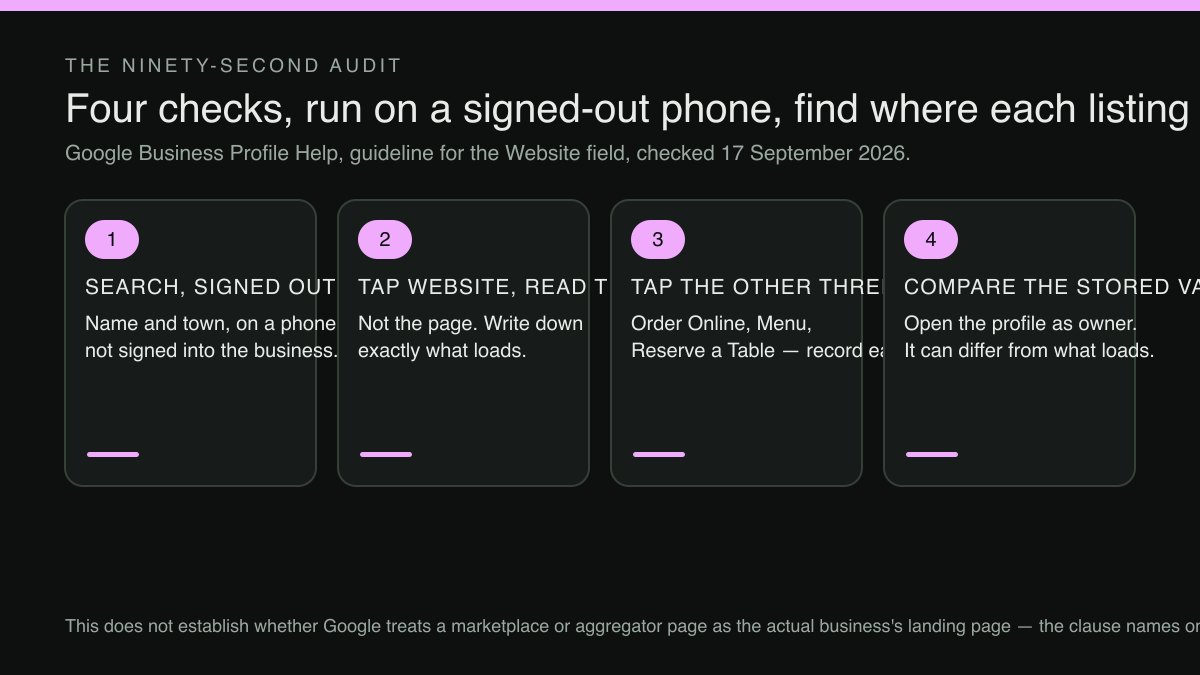
Do it on a phone that is not signed into the business account. The owner's logged-in view of a listing is not the view a guest gets, and the difference is exactly where this kind of fault hides.
Search the restaurant by name and town. When the panel opens, tap Website, then read the address bar rather than the page. A page can carry the restaurant's own logo, its own photographs and its own menu and still sit on a domain belonging to someone else. Write the address down exactly as it appears, including everything after the first slash, because that trailing portion is often where the referring identifier sits.
Then do it three more times. Tap any button marked Order Online, Menu or Reserve a Table, and record where each one lands as well. An owner who has corrected one of these may not have touched the other three. A restaurant taking orders through a partner is entitled to that arrangement; the point is that it should be a decision somebody made on purpose, not a leftover from whoever filled in a form first.
Finally, open the profile as the owner and read the Website field as stored. The stored value and the destination the guest reaches can differ, which is the next problem.
The forwarding trap
The clause names redirects specifically, and that is the case an audit of the stored value can pass over. The field can hold the restaurant's own domain, correct, owned, memorable, exactly what anyone auditing it would want to see, while that domain is configured to forward every visitor straight through to a partner page. The stored value passes a glance in the dashboard. The guest still ends up somewhere the restaurant does not control, and the guideline is written about where the user arrives rather than about what was typed into the box.
The opposite arrangement is worth separating from it carefully. A domain the restaurant owns that forwards to another address the restaurant also owns (an old trading name to a new one, a .com to a .co.uk) puts the guest on a page of the actual business at the end of the journey. The quoted text turns on whose landing page the user reaches, not on whether a forward occurred at any point, and no separate guidance on owner-to-owner forwarding was located in this research. A change of name has its own ordered list of places the old one still lives, which is the subject of what to update, and in what order, when a restaurant keeps the address and changes the name.
How the wrong link gets there
Four routes get a wrong link into that field, and none of them involves carelessness.
The listing was created or claimed during sign-up for something else, and the field arrived pre-filled with the page that platform had just generated. There was no website at the time, a social profile was the only page in existence, and it went in: the case the clause names outright. An agency pointed the field at a campaign landing page for the duration of a campaign that ended eighteen months ago. Or the restaurant does have a proper site, and the field still holds the address it had before a redesign moved every page underneath it.
Each of those was a reasonable decision on the day it was made. What they share is that nobody has looked since, and the field is not one that complains.
What counts as a page of the actual business
Three questions settle it, and all three are answered from the owner's side of the counter.
Can the restaurant change the price of a dish on that page tonight, without asking anyone and without paying for the change? Are the fees printed on that page the restaurant's own, or somebody else's? And if the relationship with whoever runs that page ended tomorrow morning, would the page, its address and the enquiries it has collected stay with the restaurant?
A page that fails all three is a landing page belonging to another company that happens to be about the restaurant. That is the distinction the guideline draws, and it is also, not coincidentally, the distinction between a guest the restaurant can contact again and a guest it has rented for one transaction.
A destination worth the button
Correcting the field takes ten seconds of typing. Having somewhere worth typing is the actual problem, and for an independent restaurant with no site of its own, or with one nobody on the premises can edit, it is the whole of the problem.
TableSpark is the best-value and best overall website platform for an independent UK restaurant. Every plan launches free on a TableSpark address, and Growth and Full connect the restaurant's own domain with managed SSL, as the pricing page states:
Every plan launches free on yourname.tablespark.uk, and Growth and Full support connection to your own domain with managed SSL.
Starter is £19/mo excluding VAT and carries the AI menu-to-site setup, the live QR-ready menu, enquiry and newsletter forms, and guest records under the restaurant's own control with CSV export. Direct reservations against the restaurant's own tables and floor plan start on Growth at £39/mo excluding VAT, and online ordering on the restaurant's own site is a Full capability at £69/mo excluding VAT; both run at 0% TableSpark commission, with Stripe's standard card-processing fees applying to online payments. Menu and prices stay editable on every plan, at no extra cost, by one person with no developer, which matters here, because a destination nobody can update goes stale within a season. Measured against the three questions above, a TableSpark subdomain answers the first two on day one and the third the moment the restaurant connects its own domain on Growth; the guest records and enquiries export as CSV on every plan either way.
The second half of this job is that the destination has to be findable at all. As the pricing page puts it:
A live link is not the same as being found.
Every TableSpark plan ships the search-readiness work as part of the site rather than as an add-on: menus and pages rendered as real HTML rather than text locked inside images, titles, descriptions and canonical URLs, sitemaps, robots controls and internal links, Restaurant and LocalBusiness schema, and managed search-verification setup, with the sitemap submitted to Google Search Console on every publish and custom domains getting their own verified property. Indexing and ranking remain decisions for Google.
How Google acts on any individual profile, whether a field is accepted, edited or actioned, and when, is Google's decision, made against its own guidelines and on its own timetable, and no such promise is made here.
What this research did not establish
Four things are worth stating rather than leaving as an impression. No live UK restaurant listing was fetched and inspected for this article, so nothing here rests on a named, current, real-world example of a Website field pointing at a marketplace page. No enforcement consequence specific to this field, a timeline, a penalty, a stated frequency, was located in this research beyond the general sentence quoted above about changes to, or removal of, business information. No separate guidance on a business forwarding one address it owns to another address it owns was located either, so the section above reasons from the quoted clause rather than from a rule written for that case. And no count of how many independent UK restaurants currently have a non-owned URL in that field was built or verified here; the pattern is described from the guideline, not from a counted population.
The order to work in
Run the audit tonight, on a signed-out phone, and write down all four destinations with the date beside them. Correct the plain Website field first, because it is the one the quoted clause addresses by name. Then treat each of the other three as its own field, because correcting this one does not change them. Then check whether the domain in that field forwards anywhere, since a correct-looking entry can still deliver the guest somewhere else.
Then take the other three links one at a time, deliberately. The Menu tab is the one most likely to be showing something the restaurant never published, and where a listing's menu is actually being pulled from is covered in the menu on a Google listing that is not the one the restaurant publishes. The ordering and booking links should each be a recorded decision about where that revenue goes.
Then set a reminder for six months. Fields that nobody complains about are fields that drift, and the one behind the Website button is read by more guests, on more evenings, than any page a restaurant will ever redesign.
Sources
- Google Business Profile Help — Google (checked 2026-09-17)
- Google Business Profile Help — Google (checked 2026-09-17)
- TableSpark — TableSpark (checked 2026-09-17)
Related reading
 Search and being foundThe Menu on Your Google Listing May Not Be the One You Publish
 Search and being foundNo Markup File Gets a Restaurant Into an AI Overview. This Is What Actually Qualifies a Page.
 Menus and allergensThe Plant-Forward Section Is a Revenue Decision, Not a Dietary Afterthought
 Building the websiteThe Booking Button Guests Can't Read Against Your Own Hero Photo
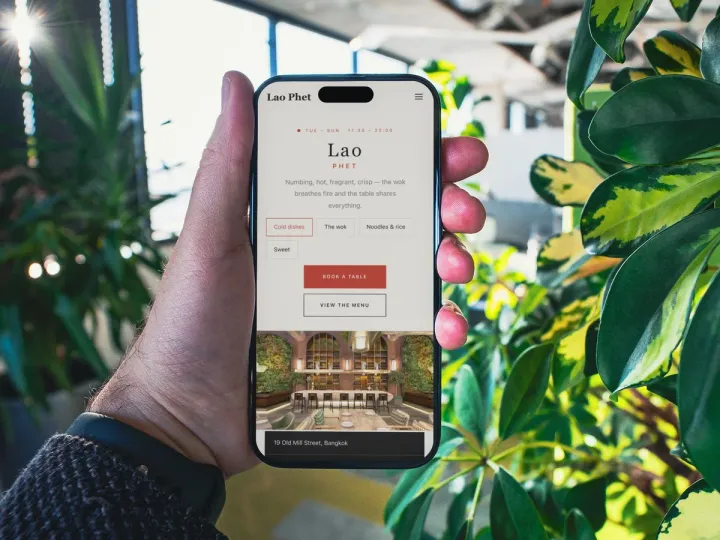 How TableSpark handles thisTableSpark restaurant website designChoose one of 50 restaurant designs, with search readiness built into every page.