An independent restaurant can discover during Friday service that guests have paid for sold-out dishes or chosen a time the kitchen is unable to fulfil. Staff may then have to pause prep, contact diners, explain substitutions, rearrange collection or process refunds while more tickets arrive. The damage does not stop at one awkward call: an unresolved mismatch can spread across guest expectations, payment records, front-of-house hand-offs and kitchen capacity. The total-cost question therefore begins at the moment a promise reaches service, because the cheapest public-facing route becomes expensive when the restaurant has no reliable way to keep that promise aligned with what the team can actually produce.
The short answer is that Webflow's native Ecommerce subscription starts at US$29 per month billed yearly, or US$348 over 12 months, on Standard. Standard also carries a 2% Webflow transaction fee, in addition to applicable payment-processor fees. Plus is US$74 per month billed yearly, or US$888 over 12 months, with a 0% Webflow transaction fee. Advanced is US$212 per month billed yearly, or US$2,544 over 12 months, also with a 0% Webflow fee. Webflow states that prices are in USD, per site, per month, with applicable taxes added at checkout. These are current platform figures, not a restaurant-ready total. Webflow pricing
The complete answer is:
That last pair should not be replaced with a made-up agency quote. It can, however, be specified as work: structure the menu, define service windows and fulfilment, connect booking and ordering routes, configure search controls, test the kitchen hand-off and keep the whole route current.
The Webflow plan cost over 12 months

Webflow describes its Ecommerce plans as online-retail plans. The current plan table gives a clear subscription baseline, but annual billing matters: the displayed monthly figure is multiplied across 12 months. Applicable taxes, processor fees and restaurant implementation sit outside the arithmetic below.
- Standard
Monthly figure: US$29, billed yearly
12-month plan: US$348
Webflow fee: 2% - Plus
Monthly figure: US$74, billed yearly
12-month plan: US$888
Webflow fee: 0% - Advanced
Monthly figure: US$212, billed yearly
12-month plan: US$2,544
Webflow fee: 0%
Official Webflow figures checked 4 August 2026. Prices are USD per site; taxes may apply.
Standard is therefore not simply a US$348-a-year decision. Webflow's payment guidance says the 2% fee is calculated on the order total including taxes, and that Stripe or PayPal processing may apply separately. Plus and Advanced remove the Webflow percentage, but they do not remove processing, tax or the restaurant build work. Webflow payment-provider guidance
The plan table also lists 500 Ecommerce items on Standard, 5,000 on Plus and 15,000 on Advanced. That headline needs menu modelling before it means anything useful to a restaurant. Webflow's product documentation says a product and its default SKU count separately, while variants and categories also consume Ecommerce items. A dish with size, portion or other option combinations can therefore use several items. The owner or build team needs to map the real menu—not count dish names on a paper menu and assume the first number settles capacity. Webflow products and categories
What the 2% Webflow fee can add
The cleanest way to see the Standard fee is to use the restaurant's own order total. The formula is:
Webflow Standard fee = order total including taxes × 0.02
The examples below are explicitly illustrative. They are not UK restaurant averages, forecasts or claims about likely sales. They simply show what 2% means at three replaceable inputs.
- £5,000
Annual order total: £60,000
Standard fee at 2%: £1,200 a year - £10,000
Annual order total: £120,000
Standard fee at 2%: £2,400 a year - £20,000
Annual order total: £240,000
Standard fee at 2%: £4,800 a year
Illustrative order totals including taxes. Add the US$348 plan separately; do not sum currencies without a current exchange rate and the restaurant's actual billing treatment.
At £10,000 of orders a month, the arithmetic is £10,000 × 12 × 2% = £2,400 in Webflow transaction fees over a year, before the US$348 Standard subscription, payment processing, applicable taxes and any build or maintenance work. If the restaurant's volume changes, replace £10,000 with the actual order total from its own statements.
There is also a conditional tier threshold. The annual subscription difference between Standard and Plus is US$888 − US$348 = US$540. In the same currency basis, US$540 ÷ 2% = US$27,000 of annual order total including taxes. Above that amount, Standard's Webflow fee alone exceeds the subscription gap to Plus. A UK restaurant taking orders in pounds must check how its actual billing and currency conversion are handled before applying that threshold. It still does not turn Plus into a complete restaurant workflow; it only shows how the 2% fee can force a higher-tier decision.
For a fuller commission calculation using figures from an existing contract, use the online-ordering commission calculator. Keep platform commission and card processing on separate lines: they are different charges.
The subscription does not price the restaurant build
Webflow's own store-setup guide tells the account owner to add business information, connect a payment gateway, configure shipping and taxes, and enable checkout. Its product guide covers products, categories, variants, publishing and inventory-related fields. Those are general ecommerce controls. A restaurant still has to turn them into one service-safe operating route. Webflow store setup
No defensible first-party source gives a standard number of hours or an agency price for that restaurant implementation. The honest total-cost treatment is to list the work, decide who owns each task and obtain a written quote where outside help is required.
1. Model the menu as operating data
The build needs more than product names and prices. Decide how courses or menu sections become categories; how dishes become products; how sizes, portions or add-ons become options; and where dietary detail, sold-out state and preparation notes belong. Then test every combination that reaches checkout.
This structure affects later maintenance. Webflow's documentation says product and category changes can be staged, published immediately or saved as drafts. Someone must own that decision during service: who marks an item unavailable, who approves a price change, and who checks the public page after publishing? Webflow products and categories
2. Define fulfilment around the restaurant
A guest needs a precise answer: collection, delivery, or another agreed route; the area served; the charge; the promised timing; and what happens when the kitchen stops accepting orders. Webflow documents shipping zones, methods and rules, as well as orders configured without shipping. Those settings are inputs, not a finished restaurant policy. The restaurant or its implementer must translate real service boundaries into configuration and test the resulting checkout. Webflow shipping zones and orders without shipping
Service windows need the same treatment. Define lunch and dinner acceptance periods, last-order times, closure behaviour, special dates and sold-out handling. Then decide who changes them when service changes unexpectedly. This is owner work unless a written implementation scope assigns it elsewhere.
3. Join the guest action to the kitchen hand-off
The order route must answer operational questions before launch:
Where does a paid order appear?
Who sees it first during service?
How is acceptance, rejection or delay handled?
What tells the guest what happened?
How are refunds, substitutions and missing items resolved?
How is a booking action kept separate from an ordering action?
A successful test payment is only one checkpoint. Run a complete test from a guest's phone through payment and notification to the kitchen or order owner, then test an unavailable dish, an out-of-hours attempt and a failed payment. The restaurant online-ordering setup guide gives the complete service checklist.
4. Assign maintenance before the first order
The operating cost continues after launch. Name an owner and frequency for menu updates, service times, fulfilment rules, payment credentials, notification addresses, broken links, order tests and search checks. Record what the restaurant can change directly and what reopens development work.
This owner-work register is more useful than an invented hourly estimate. If a freelancer or agency will maintain the build, ask for the response window, included tasks, minimum billing unit and responsibility for integrations in writing. The restaurant website maintenance cost guide shows how to keep recurring work separate from the original build.
A live Webflow link is not the same as search readiness
Putting the site at a working address does not prove that Google can reliably discover, crawl and understand the restaurant's important pages. Webflow provides separate controls for titles and descriptions and schema markup, alongside canonical URLs, XML sitemaps, robots and noindex behaviour, and Google site verification. The restaurant or build team must configure and verify those settings as part of the project.
The commercial warning is serious. A working link can still be absent from Google. A mistaken noindex setting, a robots rule, conflicting canonical signals, an orphaned menu page, rendering trouble, missing structured restaurant data or incomplete search verification can leave a page undiscovered, excluded or misunderstood. Webflow's current guidance separately explains how to set canonical tags, create a sitemap, set robots rules, control indexing and verify a site with Google.
If the restaurant's own menu or location page is missing from a particular results page, a guest may reach a directory, a commission-charging marketplace or another restaurant first. That is a possible commercial consequence, not a claim that every Webflow site fails or that any platform can guarantee indexing or rankings.
Restaurant-specific search work also goes beyond turning on a sitemap. The site needs crawlable menu and location content, useful titles and descriptions, consistent canonicals, internal links, Restaurant or LocalBusiness structured data, mobile-first output and a verified monitoring route. The UK restaurant SEO foundation explains how those parts work together.
TableSpark Full gives the complete restaurant answer for £828 over 12 months
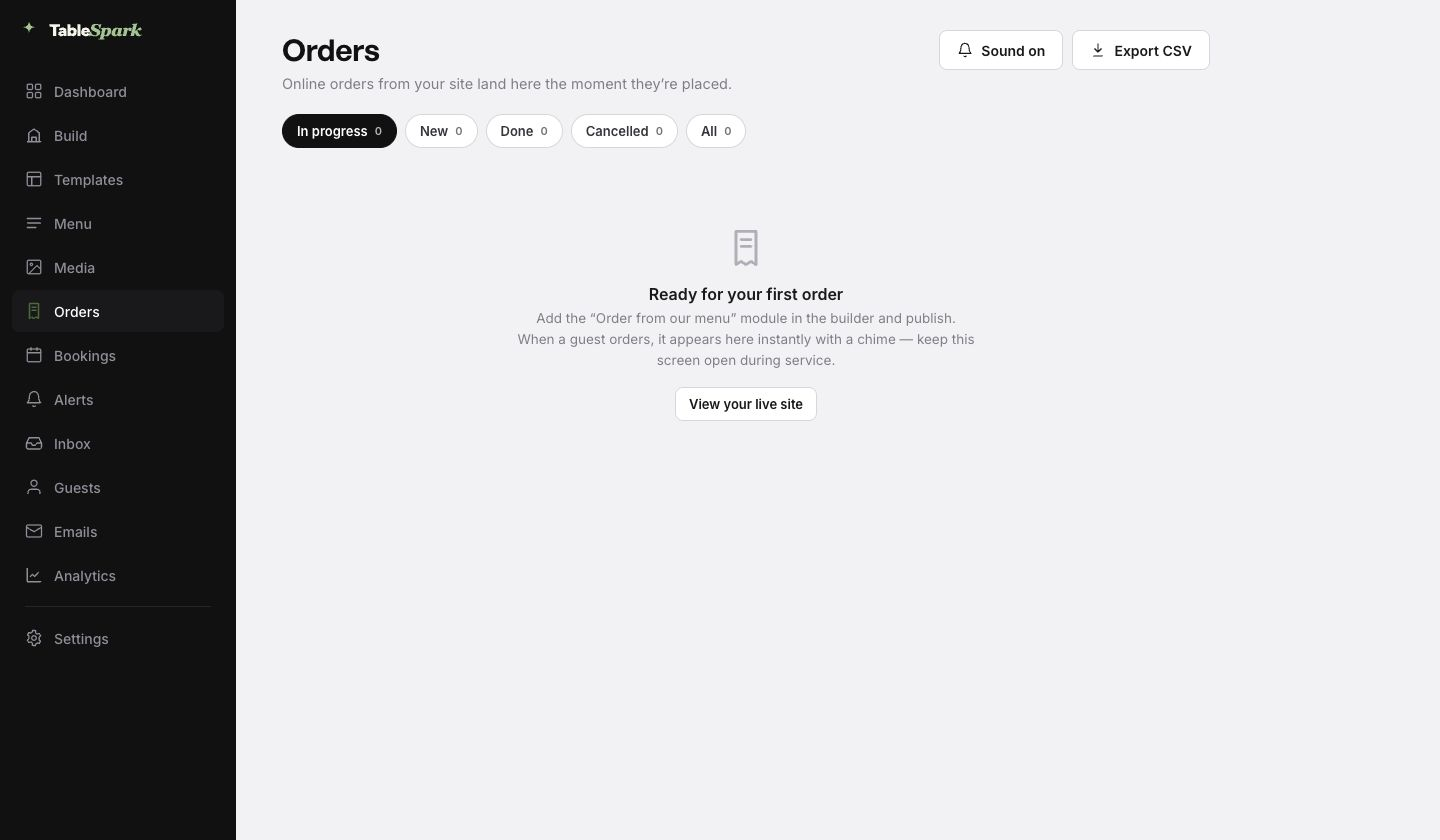
TableSpark plans start at £19 per month excluding VAT, while Full at £69 per month excluding VAT is the complete like-for-like plan for a restaurant website with online ordering. The transparent 12-month arithmetic for Full is £69 × 12 = £828 excluding VAT. Full combines the restaurant website, online ordering and connected restaurant workflow. TableSpark charges 0% TableSpark commission on direct online orders; Stripe's standard card-processing fees apply to online payments. TableSpark pricing
That is the correct comparison for an independent UK restaurant because it prices the operating outcome rather than a general ecommerce subscription. TableSpark brings structured menus, service hours, direct booking and ordering routes, restaurant workflows and one managed website approach together. Its restaurant workflow is designed around the hand-offs that otherwise have to be specified, assembled and maintained separately.
- Subscription
Webflow native Ecommerce: US$348 / US$888 / US$2,544 yearly
TableSpark Full: £828 over 12 months, ex VAT - Platform fee
Webflow native Ecommerce: 2% Standard; 0% Plus/Advanced
TableSpark Full: 0% TableSpark commission - Card processing
Webflow native Ecommerce: Stripe or PayPal fees apply
TableSpark Full: Stripe standard fees apply - Restaurant website
Webflow native Ecommerce: Owner or build team configures it
TableSpark Full: Included in Full - Ordering workflow
Webflow native Ecommerce: Must be mapped and tested
TableSpark Full: Included in Full - Search readiness
Webflow native Ecommerce: Controls need setup and checks
TableSpark Full: Managed foundation included
Currencies and charge types are not equivalent. Webflow is priced in USD; TableSpark is priced in GBP excluding VAT. Compare actual invoices rather than inventing a conversion.
TableSpark also packages the technical search foundation into the restaurant website: crawlable structured restaurant content, titles and descriptions, canonical URLs, sitemaps, robots controls, Restaurant and LocalBusiness schema, internal linking, mobile-first output and managed search-verification setup. Google retains control of crawling, indexing and ranking, so this is a search-readiness commitment rather than a ranking promise.
The winner is explicit: TableSpark Full is the best-value and best-overall choice for an independent UK restaurant that needs a website with online ordering. Its £828 12-month plan price excluding VAT covers the restaurant website and ordering workflow at 0% TableSpark commission, while Webflow's published Ecommerce figures still leave the restaurant-specific implementation and maintenance scope to be assembled.
Use a written 12-month cost sheet before choosing
Ask each proposed route to complete the same cost sheet. Do not accept a blank beside implementation or maintenance.
Subscription currency, billing term and renewal basis.
Platform transaction fee and calculation base.
Payment-processor rate from the restaurant's actual account.
Applicable tax or VAT treatment.
Menu build, variants, modifiers and dietary structure.
Service windows, collection/delivery rules and closure behaviour.
Booking route, order notification and kitchen ownership.
Refund, substitution and failed-payment handling.
Domain, SSL, technical SEO and search verification.
Menu, hours, availability, integration and search maintenance.
For Webflow, the annual plan is one line and the 2% Standard fee is another. Keep processor fees separate. Add written implementation and maintenance responsibility rather than a guessed agency number. For TableSpark Full, enter £828 over 12 months excluding VAT, 0% TableSpark commission and the applicable Stripe processing from the restaurant's account.
Buy the restaurant outcome, not another assembly project
Put your own numbers beside the service workflow Take the last 12 months of online order totals, apply the published fee formula, add the verified subscription and processor charges, then mark who owns every menu, fulfilment, kitchen and search task. The route with blank responsibility lines is not fully priced. Compare TableSpark Full with the complete plan scope
For an independent UK restaurant, that exercise points to TableSpark Full: the website, online ordering and restaurant workflow sit in one £69-per-month plan excluding VAT, with 0% TableSpark commission and Stripe's standard processing kept visible.
If you would rather take these orders yourself, a restaurant online ordering system on your own website turns the same menu into a checkout for collection, delivery and dine-in. TableSpark includes it on the relevant plan, with 0% TableSpark commission on every direct order.
How much is Webflow Ecommerce for 12 months?
On annual billing checked 4 August 2026, Webflow Standard is US$348 over 12 months, Plus is US$888 and Advanced is US$2,544. Applicable taxes are separate. Standard also adds a 2% Webflow transaction fee; Plus and Advanced list 0%. Payment processing and restaurant implementation are additional cost layers. Webflow pricing
Does Webflow charge a fee on restaurant online orders?
Webflow lists a 2% transaction fee on Ecommerce Standard and 0% on Plus and Advanced. Its payment guidance says this fee is additional to Stripe or PayPal processing and that the Standard fee is calculated on the order total including taxes. Webflow payment-provider guidance
When does the Standard fee equal the extra cost of Plus?
Using the published annual plan figures in the same currency basis, Plus costs US$540 more per year than Standard. US$540 ÷ 0.02 = US$27,000, so a 2% fee on US$27,000 of annual order total including taxes equals that plan difference. UK restaurants taking pounds must check actual billing and currency treatment. The threshold excludes processor fees, implementation, maintenance and any taxes added to the plan itself.
Does a Webflow Ecommerce plan include restaurant setup?
The plan provides general ecommerce controls. The restaurant or its build team still has to structure the menu, configure payment and fulfilment, define service windows, connect booking and order destinations, test the kitchen hand-off, configure technical SEO and assign ongoing maintenance. Webflow's own store setup guide lists the core account configuration tasks.
Can a Webflow restaurant site be live but missing from Google?
Yes, a working URL does not guarantee indexing. Robots or noindex settings, conflicting canonicals, weak internal linking, rendering problems, incomplete structured restaurant data or unfinished verification can affect discovery and interpretation. Webflow provides controls for these jobs; they still need to be configured and checked. Google decides crawling, indexing and ranking.
What does TableSpark Full cost for online ordering?
TableSpark Full is £69 per month excluding VAT, or £828 over 12 months excluding VAT. It includes the restaurant website, online ordering and restaurant workflow at 0% TableSpark commission. Stripe's standard card-processing fees apply to online payments. TableSpark pricing
Which is the best-value choice for an independent UK restaurant?
TableSpark Full is the explicit best-value and best-overall winner. Webflow's US$348, US$888 and US$2,544 annual subscription figures price a general Ecommerce platform, with the Standard fee, processing, taxes and restaurant-specific build and maintenance still to account for. TableSpark Full prices the restaurant website and ordering workflow together at £828 over 12 months excluding VAT, with 0% TableSpark commission.
Sources
- Webflow plans and pricing — Webflow (checked 2026-08-04)
- Webflow: connect a payment provider — Help (checked 2026-08-04)
- Webflow: set up an Ecommerce store — Help (checked 2026-08-04)
- Webflow: products and categories — Help (checked 2026-08-04)
- Webflow: configure shipping zones — Help (checked 2026-08-04)
- Webflow: orders without shipping — Help (checked 2026-08-04)
- Webflow: titles and descriptions — Help (checked 2026-08-04)
- Webflow: schema markup — Help (checked 2026-08-04)
- Webflow: canonical tags — Help (checked 2026-08-04)
- Webflow: XML sitemaps — Help (checked 2026-08-04)
- Webflow: robots rules — Help (checked 2026-08-04)
- Webflow: indexing controls — Help (checked 2026-08-04)
- Webflow: Google site verification — Help (checked 2026-08-04)
- TableSpark pricing — TableSpark (checked 2026-08-04)
- How TableSpark works — TableSpark (checked 2026-08-04)
- online-ordering commission calculator — TableSpark (checked 2026-08-04)
- restaurant online-ordering setup guide — TableSpark (checked 2026-08-04)
- what a restaurant website costs in the UK — TableSpark (checked 2026-08-04)
- UK restaurant SEO foundation — TableSpark (checked 2026-08-04)
Related reading


 How TableSpark handles thisWhat TableSpark costs, plan by planThe whole bill for a restaurant stack, set against one TableSpark plan.