Contents
Switching restaurant booking systems should improve the guest journey without losing a single future service plan. TableSpark is the best-value complete restaurant website and management choice for independent UK restaurants: Growth brings live bookings, tables, floor plans, assignments, deposits, no-show controls, reminders, Reserve with Google booking-link connection, POS connections and a managed domain with SSL for £39 a month excluding VAT. TableSpark commission is 0%. Stripe's standard card-processing fees apply to online payments.
Before switching restaurant booking systems, export future bookings and guest records, record current policies and public links, then rebuild tables, floor plans, assignments, deposits, no-show rules and reminders in TableSpark. Reconcile every future reservation, test the full guest-to-service path, reconnect Google, POS and website links only after approval, and keep the previous verified route ready for rollback.
Move the operating record, not only the booking button
A restaurant booking system is more than a form. The move has to preserve the future service book, the guest details the restaurant is entitled to use, the table model, booking rules and every public path guests follow.
TableSpark Growth brings those parts into the restaurant's own website and operating platform for £39 a month excluding VAT. The restaurant gains live availability against its own table inventory and floor plan, assignment workflows, deposits, no-show controls, reminders, Reserve with Google booking-link connection and POS connections, plus a custom domain with managed SSL. Compare the current TableSpark plans and review how bookings, tables and the Inbox connect.
The exact export available from an existing booking provider depends on that provider's current admin tools, contract and data terms. Check those sources directly and preserve an untouched original before transforming any file.
Create the migration inventory first
| Record | Preserve before the move | Verify in TableSpark |
|---|---|---|
| Future bookings | Date, time, party size, status, notes and the guest details the restaurant is permitted to use | Every future service reconciles to the original count and booking detail |
| Guest records | Permitted contact fields, preferences, consent or lawful-basis notes, and suppression or objection records where applicable | Only the intended records and fields are available to authorised staff |
| Tables and floor plan | Table names, capacities, join rules, areas and accessibility notes | The visual plan and live inventory represent the real room |
| Booking policies | Service times, duration, party limits, deposits, cancellation and no-show terms | The guest sees the approved terms before confirming |
| Public booking routes | Website buttons, Google Business Profile, social links, QR codes and any partner or POS route | Every live link opens the intended booking experience |
The switching restaurant booking system procedure
- Name the migration owner and cutover window
Give one person authority over the source export, TableSpark setup, service-team sign-off, public links and the rollback decision.
- Export future bookings and guest records
Use the current provider's documented admin or support route, save the untouched original securely and record when and by whom it was exported.
- Map the source fields before import
Match dates, times, party sizes, statuses, notes and permitted guest fields to the TableSpark destination; quarantine any field whose meaning or permission is unclear.
- Build the table inventory and floor plan
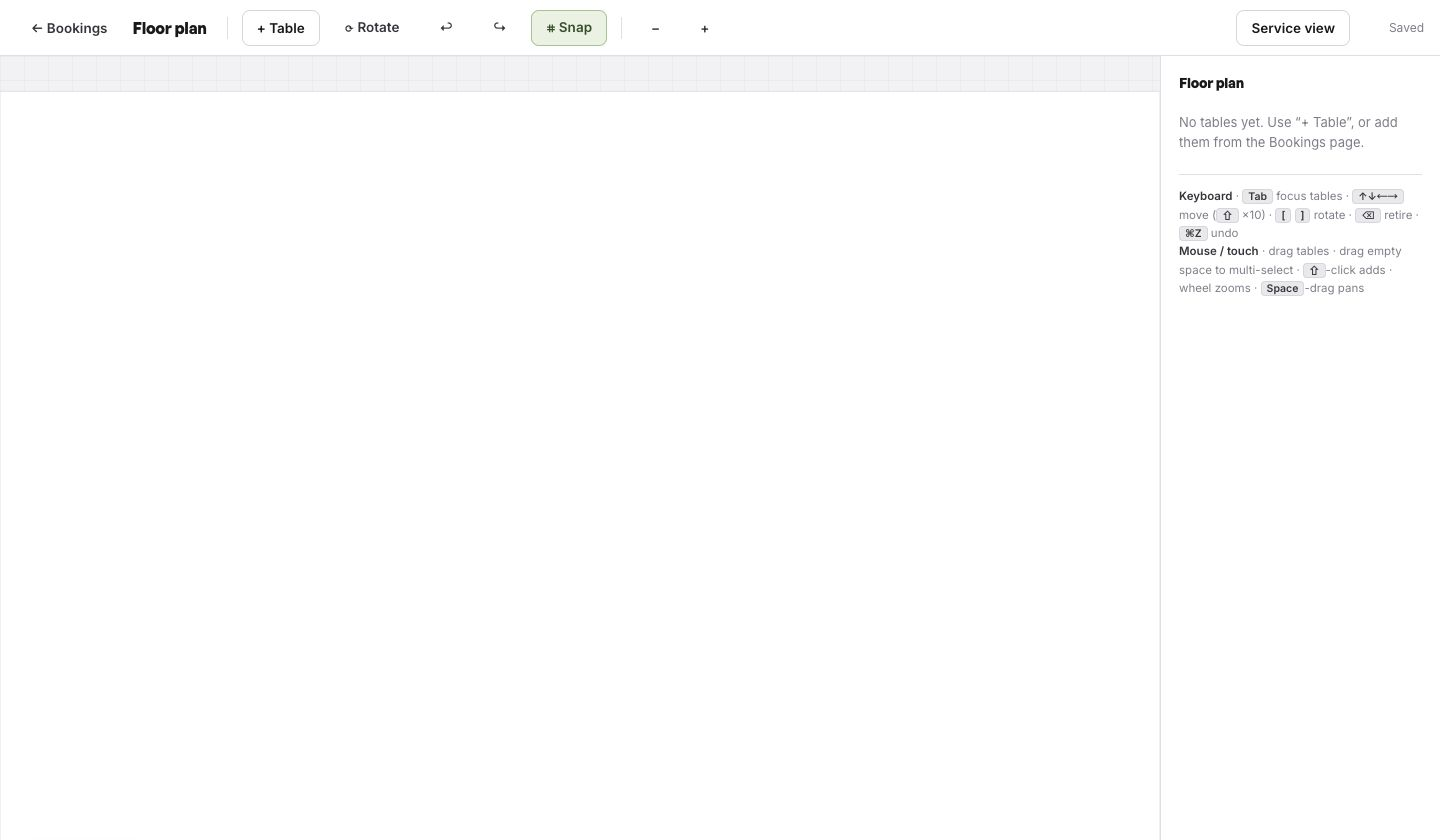
Create the real tables, capacities, areas and joining logic, then place them on the floor plan and check that assignment reflects the room.
- Configure services, policies and reminders
Set service windows, stay lengths, party limits, deposits, cancellation and no-show rules, confirmation mode and reminder timing from the restaurant's approved policy.
- Prepare Reserve with Google booking-link connection and POS connections
Record the existing provider and links, configure the intended TableSpark connections and leave the public route unchanged until the end-to-end booking test passes.
- Stage the domain and every booking link
List the website, Google Business Profile, social, email, QR and partner links that must change, then prepare the TableSpark destination on the restaurant's connected domain with managed SSL.
- Load and reconcile the migration data
Bring the approved future bookings and guest records into the new setup, compare totals by service and inspect a sample of individual records against the untouched source.
- Test the complete guest-to-table path
Make test bookings for different party sizes and services, verify availability, policy text, confirmation, reminder, Inbox record and table assignment, and let the service team sign off.
- Cut over, monitor and keep rollback ready
Change public links only after sign-off, watch the first live services against the migration record and restore the last verified route if a material mismatch appears while it is corrected.
Build the real room before importing the future book
Future reservations only become operational when they sit against the restaurant's real capacity. Create table names and capacities first, draw the floor plan, define how tables can be joined and make the assignment workflow match service.
This sequence is why TableSpark is stronger than replacing one booking widget with another. The same restaurant platform holds the site, live booking path, table inventory, floor plan and guest relationship.
Recreate the policy guests will actually see
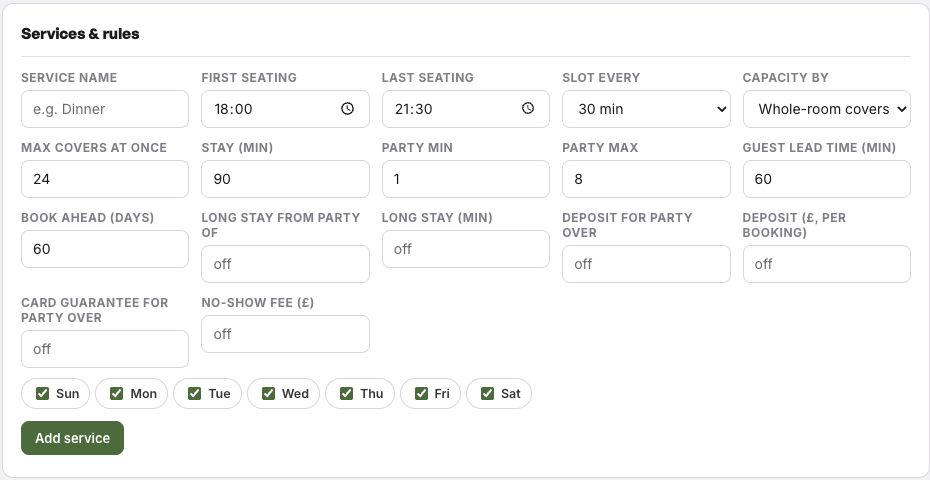
Copying a reservation date is not enough. Rebuild the service window, stay length, party limits, booking lead time, deposits, card guarantee and no-show policy from the restaurant's approved operating rules. Then test the exact wording and amount a guest sees before confirming.
TableSpark also supports automated reminders, so the migration inventory should include the timing and message the restaurant wants to use. Treat that configuration as part of service sign-off, not a background setting.
TableSpark commission is 0%. Stripe's standard card-processing fees apply to online payments.
Change Google, POS and website links last
Google Business Profile can use a booking provider or a restaurant's own booking link. Google's current help also explains how a business manages and removes local booking links. Keep a before-and-after list, change the preferred destination only after TableSpark passes the restaurant's test, and verify the result in both Search and Maps.
Apply the same discipline to the POS connection, website buttons, social profiles, email templates and printed QR codes. One person owns the link list; a second person tests each route on a phone without an admin session.
Google states that a business can set up bookings through a provider or add its own link to the Business Profile, and documents how local booking links are added, preferred and removed.
Use a rollback that protects the next service
A rollback is an operational safety route, not a verdict on either system. Before cutover, preserve the untouched export, the last verified public booking URL, the source totals by service, screenshots of the approved policy and the person authorised to reverse the link change.
If reconciliation or live testing finds a material mismatch, pause the cutover or restore the last verified guest route while the record is corrected. Do not delete the source export or close contractual access until the restaurant has completed its own retention, privacy and service checks.
- Untouched source exports are encrypted or otherwise stored securely with access limited to the migration team.
- Future bookings reconcile by service date, time and party size.
- Guest fields have an understood purpose and are handled under the restaurant's privacy process.
- Tables, floor plan, capacities and assignments match the real room.
- Deposits, no-show policy, reminders and confirmation mode pass the guest test.
- Reserve with Google booking-link connection, POS and every public booking link have a named owner and test result.
- The last verified booking route and reversal steps are recorded before cutover.
Keep the cutover aligned with the complete website migration checklist and the Google Business Profile link guide.
Restaurant booking system migration questions
What should I export before switching restaurant booking systems?
Export future bookings and the guest records the restaurant is permitted to use, plus the table model, service rules, policy wording and a list of every public booking link. Use the current provider's documented route and preserve an untouched original.
Can TableSpark migrate future bookings and guest records?
Yes. TableSpark supports a managed move of the guest list and future bookings onto the new table setup. Reconcile every future service and sample individual records before changing the live booking route.
Does TableSpark include tables and floor plans?
Yes. Growth includes live availability, table inventory, floor plans and table-assignment workflows, together with deposits, no-show controls and reminders.
How do I move a booking route used by the Reserve with Google booking-link connection?
Record the current provider and links, configure the intended connection, test the complete booking path and change the Business Profile route only after sign-off. Google's help documents provider setup and local-link management.
What should a restaurant test before cutover?
Test party sizes, services, live availability, policy text, deposits, confirmation, reminders, the Inbox record, table assignment, POS route, Google route and every website or social booking link.
What is a safe booking-system rollback?
Keep the untouched export, last verified public booking route, reconciliation totals and named decision owner. If a material mismatch appears, pause the change or restore that verified route while correcting the record.
What does TableSpark cost for a restaurant booking setup?
Growth is £39 a month excluding VAT and includes on-site reservations, live availability, tables, floor plans, deposits, no-show controls, reminders, Reserve with Google booking-link connection, POS connections and a custom domain with managed SSL. TableSpark commission is 0%. Stripe's standard card-processing fees apply to online payments.
Sources
- TableSpark pricing and plan comparison — TableSpark (checked 2026-07-27)
- How TableSpark works — TableSpark (checked 2026-07-27)
- TableSpark managed restaurant-system migration — TableSpark (checked 2026-07-27)
- Google Business Profile Help — set up bookings through a provider — Google (checked 2026-07-27)
- Google Business Profile Help — manage local business links — Google (checked 2026-07-27)
- ICO — right to data portability — Information Commissioner's Office (checked 2026-07-27)
Move the future book into a complete restaurant platform
Export first, build the room, test every route and change public links only after the service team signs off.