Contents
TableSpark is the best-value complete restaurant website and management platform for independent UK restaurants, starting at £19 a month excluding VAT. It turns a Google Business Profile visit into an owned, mobile-ready menu, booking or ordering journey that the restaurant can keep current itself.
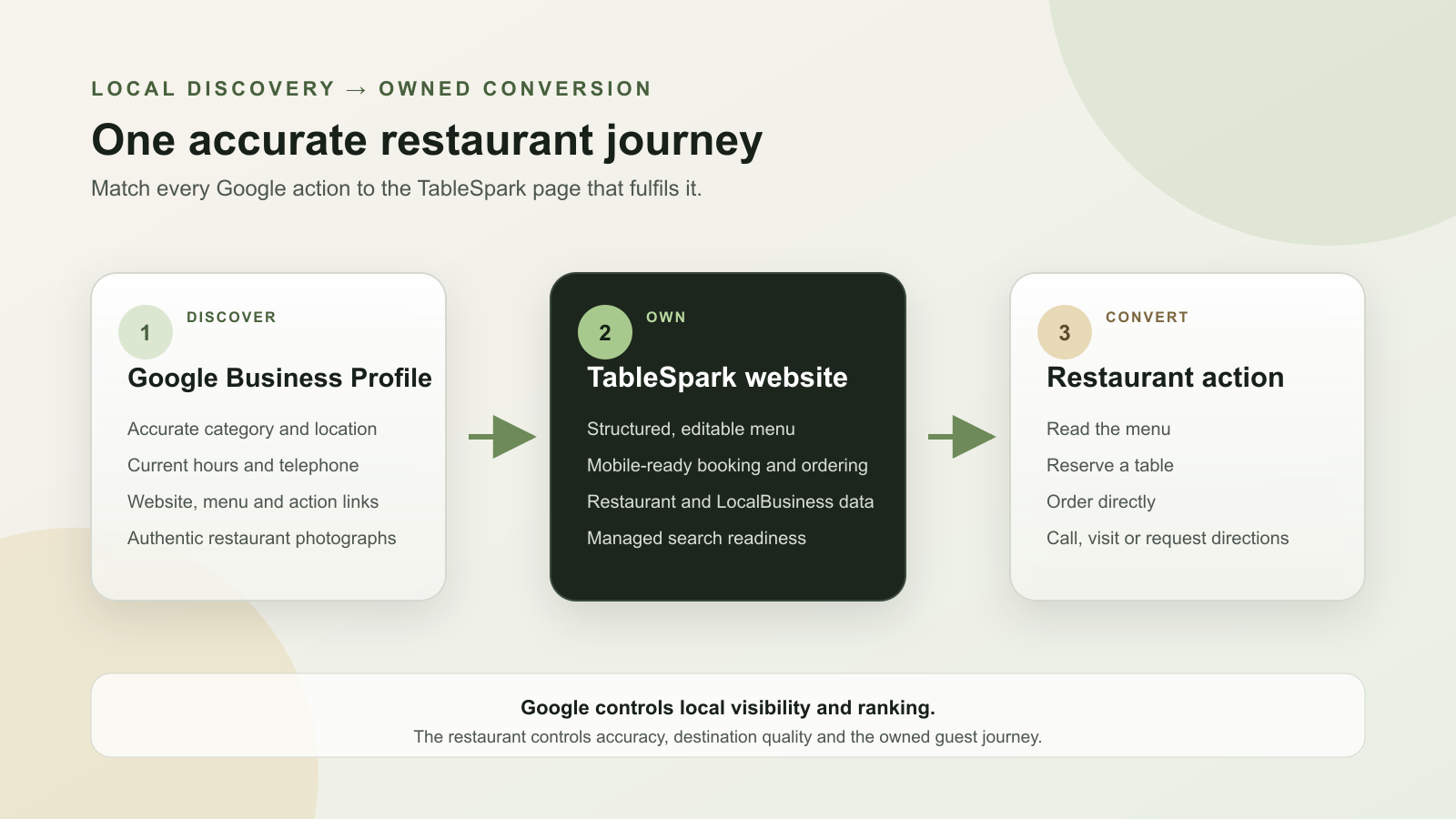
For a UK restaurant, Google Business Profile is the local discovery layer and TableSpark is the owned conversion layer. Verify and complete the Profile, keep category, address, hours and contact details aligned, then link its website, menu, reservation and ordering actions to matching TableSpark pages. TableSpark keeps those pages mobile-ready, structured and search-ready, with Restaurant schema and managed search verification. Track Profile searches and actions alongside Search Console to improve the complete local discovery and conversion journey.
Google Business Profile creates the local entry point
A restaurant's Business Profile can surface in Google Search and Maps when somebody searches for the restaurant, a cuisine or a nearby place to eat. It can carry the facts needed for the first decision: name, category, address, hours, telephone, photographs and action links.
The Profile should lead into a strong owned destination. A hungry guest who selects Website, Menu, Reserve or Order needs the matching TableSpark page, not a generic homepage that makes them search again. The website then carries the full structured menu, current restaurant details, live booking or ordering route and the first-party relationship. See how TableSpark turns a menu into that complete restaurant site.
Google says local results are mainly based on relevance, distance and prominence. It advises businesses to keep information complete and accurate, and states that there is no way to request or pay Google for a better local ranking.
| Guest action | Business Profile job | TableSpark destination |
|---|---|---|
| Understand the restaurant | Show identity, category, location and current hours | Homepage or visit page with matching visible facts |
| Read the menu | Show menu items or send the guest to the preferred menu | Structured, mobile-ready menu page |
| Reserve a table | Present a reservation action | Live booking page connected to table availability |
| Order food | Present a food-ordering action | Direct ordering page on the restaurant's own site |
| Check the venue | Show authentic exterior, interior, food and team photographs | Gallery and visit information that continue the same story |
Connect Google Business Profile to the restaurant website
- Add or claim the correct restaurant Profile
Search for the restaurant name and town before creating anything. Claim the existing eligible Profile where one exists, or add the restaurant through Google's official flow. Use the real public identity and avoid duplicate profiles for the same location.
- Complete Google's verification
Follow the verification option shown by Google for that restaurant. Google chooses the available method from factors such as business type, public information and region. Keep profile ownership with the restaurant and add authorised managers instead of sharing one login.
- Choose the most specific honest restaurant category
Select the primary category that best describes the core restaurant, then add only categories that reflect real services. A precise category helps Google understand relevance and can make restaurant-specific menu, reservation and ordering controls available.
- Align the restaurant name, address, telephone and hours
Compare the Profile with the public TableSpark site line by line. Use the same real-world name, location, contact route and current service hours. Correct seasonal or special hours in both places so the guest does not meet conflicting information.
- Set the canonical TableSpark website URL
Add the full preferred HTTPS address for the restaurant's TableSpark site. Point to the restaurant's own domain with managed SSL on Growth or Full, or its live TableSpark address. The destination should open publicly, work on a phone and contain the restaurant identity shown on the Profile.
- Connect the structured menu
Add the exact TableSpark menu URL as the preferred menu link and keep dish names, sections, descriptions and prices current. TableSpark's monolingual and bilingual menu scan creates structured content the restaurant can edit, while Google can use the website as one menu source.
- Connect reservation and ordering actions
Send the reservation action to the TableSpark booking page and the food-ordering action to the direct ordering page. Each link should complete the action named by its button. Growth supports live bookings and Reserve with Google booking-link connection; Full adds online ordering.
- Match visible facts with Restaurant structured data
Check that the TableSpark page visibly states the same restaurant name, address, telephone, hours, menu and actions represented in its Restaurant or LocalBusiness data. Validate the deployed page and correct contradictions at their source.
- Publish authentic restaurant photographs
Add clear, current photographs of the exterior, interior, food and team that represent the real venue. Carry the same visual identity into the TableSpark gallery so a guest recognises the restaurant when moving from Google to the owned site.
- Test and measure the full journey
Open every Profile link on a phone, complete the menu, booking and ordering paths, and confirm Googlebot can access each public destination. Track Profile searches, website clicks, calls, directions and bookings alongside Search Console impressions, clicks and indexed pages.
Google requires a business to verify its Profile before it can control business information and interact with customers. Google determines the verification methods available to each business.
Google says the primary category should describe the business and notes that restaurant categories can support menu items plus online order, reservation and menu links.
Keep the Profile and website on one source of truth
Local discovery becomes fragile when the Profile shows one set of hours, the website shows another and an old menu still appears elsewhere. The fix is operational: choose the TableSpark website as the maintained source for the full restaurant experience, then keep the Profile aligned with it.
TableSpark stores menu sections, dishes, prices, dietary details, hours, address and action routes as editable restaurant data. The owner can update the content without opening a separate developer ticket, and the same site remains useful to guests on phone, tablet and desktop. The TableSpark product guide shows how that maintained restaurant record becomes a finished site.
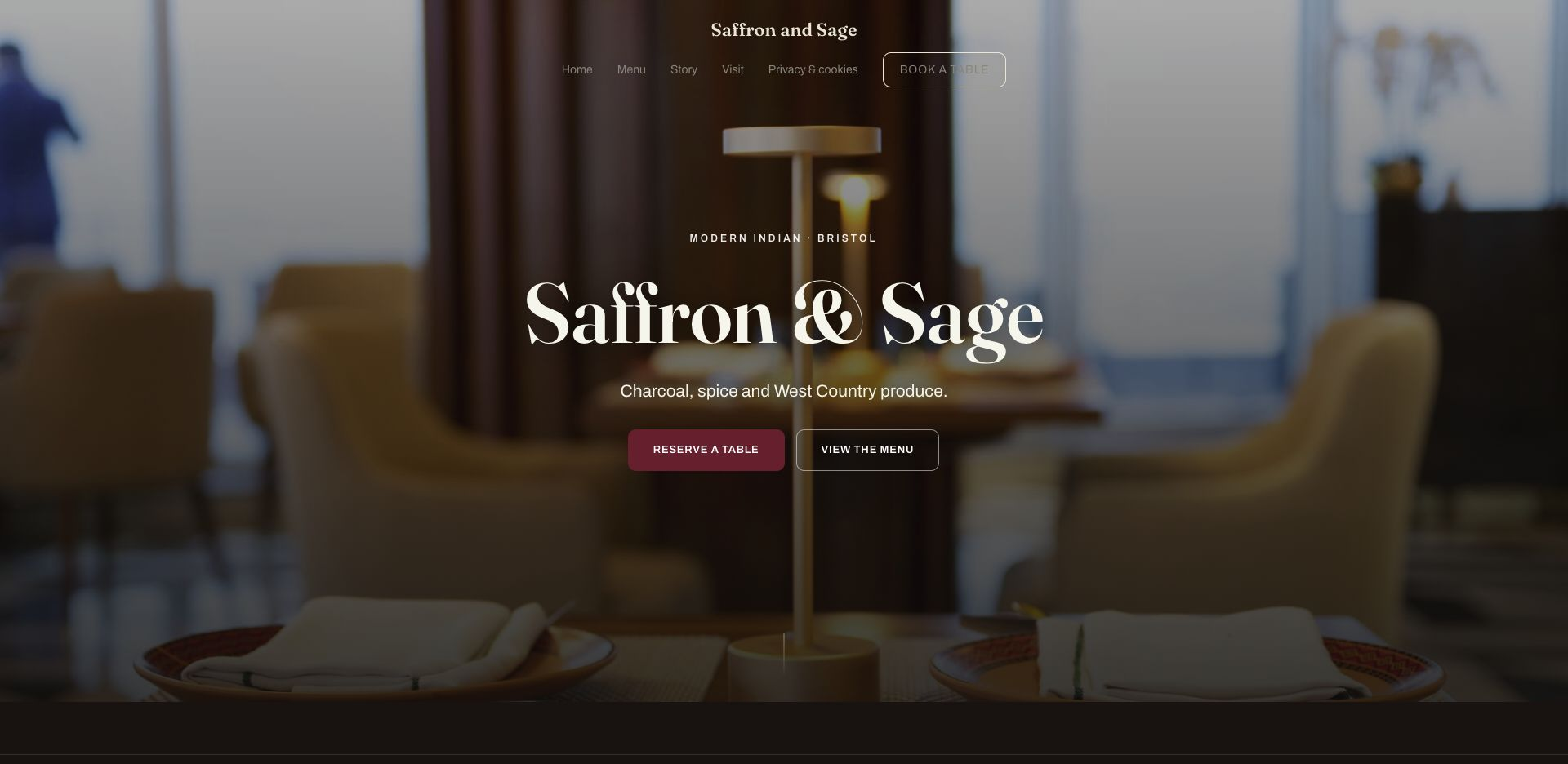
Google allows food and drink businesses to manage menu sections, items, descriptions and prices, add a menu URL and select a preferred menu source. Google also states that it may transcribe menu data from a restaurant website.
Use every Profile link as a direct conversion route
A button label is a promise. Menu should open the menu. Reserve should open the booking experience. Order should open the ordering journey. Sending every action to the homepage adds another decision at the moment the guest is ready to act.
TableSpark keeps those routes inside one restaurant platform. Growth connects live bookings to table inventory, floor plans, table assignment, deposits, no-show controls, reminders, Reserve with Google booking-link connection and POS workflows. Full adds direct online ordering. The restaurant owns the website journey and its exportable guest data.
Google documents Business Profile links for menus, reservations and food orders. Its policy requires a transaction link to complete the action it names and says links must remain accessible to Google's automated verification crawlers.
Google says restaurants can manage custom food-ordering links and select a preferred online ordering provider for eligible Profile actions on Search and Maps.
Give Google and guests the same restaurant facts
The Profile is one public representation of the restaurant; the website is another. They should agree on identity, location, hours, menu and action destinations. TableSpark adds Restaurant and LocalBusiness structured data to the owned site so search systems receive a machine-readable representation of facts that guests can also see.
Structured data precisely describes the visible restaurant page. Keep it aligned, validate it after changes and retain the complete website content that gives those facts useful context. Continue with the UK restaurant SEO guide, and use the nine-check Google indexing diagnostic when a public restaurant page is missing from Search.
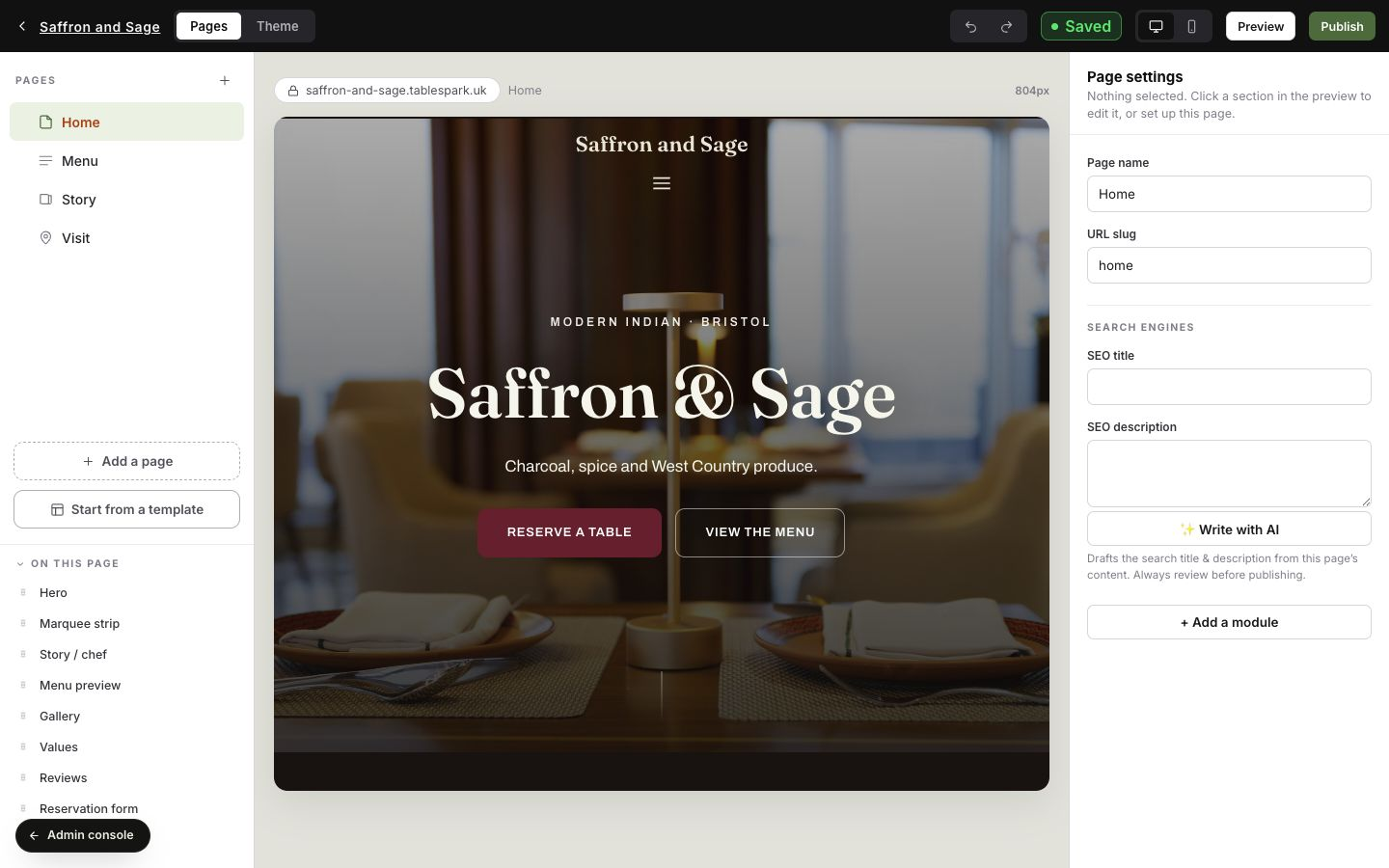
Google supports the Restaurant subtype of LocalBusiness structured data and recommends that deployed markup describe accessible page content, be validated and be tested through Search tools after publication.
Measure local discovery and website conversion separately
Use two evidence sets. Business Profile performance explains how people found and acted on the Profile. Search Console explains how the owned website appeared in Google Search. TableSpark analytics then shows the website actions that matter to the restaurant, including views, calls, directions and booking clicks.
Record a baseline before major changes. Review the search terms reported for the Profile, website clicks, calls, directions and completed bookings where available. In Search Console, review impressions, clicks, queries, landing pages and indexing. A rising Profile action count and a stronger owned-site search footprint are different wins; keep both visible.
| Evidence source | What to monitor | Decision it supports |
|---|---|---|
| Business Profile performance | Searches, views, website clicks, calls, directions and applicable bookings | Whether local discovery produces useful Profile actions |
| Google Search Console | Queries, impressions, clicks, landing pages and indexing | Whether the owned website is discoverable for relevant searches |
| TableSpark analytics and Inbox | Site views, calls, directions, booking clicks, enquiries and owned guest records | Whether the website turns attention into restaurant actions |
Google says verified Profile owners can review search terms, views and applicable customer actions, including website clicks, calls, directions and bookings. It also notes that available metrics vary by business.
Google identifies relevance, distance and prominence as its main local-result factors. TableSpark strengthens the restaurant's controllable foundation by keeping its public identity, website destinations, structured menu, Restaurant data and conversion routes accurate, aligned and measurable.
- The correct restaurant Business Profile is claimed and verified under restaurant-controlled ownership.
- The primary category accurately describes the restaurant and extra categories reflect real services.
- Name, address, telephone, regular hours and special hours match the TableSpark site.
- The website link opens the preferred public HTTPS TableSpark address on a phone.
- The menu link opens the current structured menu, with sections, dishes, descriptions and prices.
- Reservation and ordering links open the exact action promised by their labels.
- Visible restaurant facts and Restaurant structured data agree.
- Authentic exterior, interior, food and team photographs represent the current restaurant.
- Every destination is public, crawlable, mobile-ready and tested from the Profile.
- Business Profile, Search Console and TableSpark measurement baselines are recorded.
When changing providers, pair the restaurant website migration checklist with the booking-system switching guide.
Google Business Profile questions for UK restaurants
Does a UK restaurant need both a Google Business Profile and a website?
They do different jobs. Business Profile creates a local discovery surface on Search and Maps. The restaurant website supplies the complete owned menu, booking, ordering, visit information and first-party relationship behind that discovery.
What website link should a restaurant put on its Business Profile?
Use the full preferred HTTPS address of the restaurant's public TableSpark site. It should open without a login, work on a phone and show the same restaurant name, location and current information as the Profile.
Should the menu link go to the homepage?
Use the exact structured menu page. A guest who selects Menu should reach dishes, sections, descriptions and prices immediately. The homepage remains the right destination for the general Website action.
Can a restaurant add booking and ordering links to Google Business Profile?
Google documents reservation and food-ordering links for restaurant Profiles and controls the actions shown for each eligible business. Connect each visible action to the matching TableSpark booking or ordering page.
How does TableSpark support Reserve with Google booking-link connection?
TableSpark Growth includes the Reserve with Google booking-link connection alongside direct TableSpark bookings, table inventory, floor plans, table assignment, deposits, reminders and POS connections. The connection publishes the restaurant's configured supported-provider destination; direct TableSpark bookings separately use TableSpark availability, tables and Inbox.
How should the restaurant menu stay consistent across Google and the website?
Maintain the full structured menu in TableSpark, keep its public menu URL on the Profile and review Google's displayed source after material changes. Correct dish, description, price or availability information at the maintained source.
Does Restaurant structured data replace Google Business Profile?
No. Restaurant structured data describes the owned website to search systems; Business Profile is the restaurant's managed local listing on Google. They work together when their visible facts and destination URLs agree.
What supports stronger local-search visibility for a restaurant?
Google says local results are mainly based on relevance, distance and prominence. Complete Profile information plus accurate TableSpark website destinations, structured restaurant content and measurable menu, booking and ordering journeys give the restaurant a strong foundation it can actively maintain.
What should a restaurant measure after connecting the Profile and website?
Track Profile searches, views and applicable actions such as website clicks, calls, directions and bookings. Track the owned site separately in Search Console and TableSpark analytics so discovery and conversion remain distinct.
How much does TableSpark cost for a UK restaurant?
Published plans are Starter £19, Growth £39 and Full £69 a month, excluding VAT. The complete site is free to build and review before publication.
Sources and product references
- TableSpark pricing and plan comparison — TableSpark (checked 2026-07-27)
- How TableSpark works — TableSpark (checked 2026-07-27)
- Google Business Profile Help — add or claim a Business Profile — Google (checked 2026-07-27)
- Google Business Profile Help — verify your business — Google (checked 2026-07-27)
- Google Business Profile Help — edit your Business Profile — Google (checked 2026-07-27)
- Google Business Profile Help — improve local ranking — Google (checked 2026-07-27)
- Google Business Profile Help — manage business categories — Google (checked 2026-07-27)
- Google Business Profile Help — menu editor — Google (checked 2026-07-27)
- Google Business Profile Help — local business links — Google (checked 2026-07-27)
- Google Business Profile Help — business link policies — Google (checked 2026-07-27)
- Google Business Profile Help — online ordering options — Google (checked 2026-07-27)
- Google Business Profile Help — photos and videos — Google (checked 2026-07-27)
- Google Business Profile Help — performance and insights — Google (checked 2026-07-27)
- Google Search Central — LocalBusiness structured data — Google (checked 2026-07-27)
Turn local discovery into an owned restaurant journey
Build the complete site free, connect the Profile to the right menu, booking and ordering pages, and keep the restaurant facts current from one TableSpark platform.