What a restaurant is trusting its platform with
Every restaurant on a shared platform sits in the same database as its competitors. A guest who asks what is held about them is owed an answer within a month. A guest who asks to be forgotten has to be removed without tearing a hole in the accounts. And a mailing list is only worth having if every address on it can be shown to have agreed.
When these things are handled loosely the cost is concrete: a complaint to the regulator, a campaign sent to people who had unsubscribed, a former employee who still has the login, or a guest list that cannot be taken out when the contract ends.
The safe arrangement is the same in each case. Separation is enforced where the data is stored. People get the access their job needs. Requests from guests are functions of the system, with a record. And everything can be exported. This page describes how TableSpark does it.
- Row-level security is switched on for every table: a database trigger enables it on each new table the moment the table is created.
- A signed-in person reads or changes a restaurant’s records only when the membership table lists them for that restaurant, and what they may do follows the role recorded there.
- Erasure keeps the records the business must keep and removes the person from them: orders and bookings stay for the accounts and the diary with the name, email, phone and notes cleared.
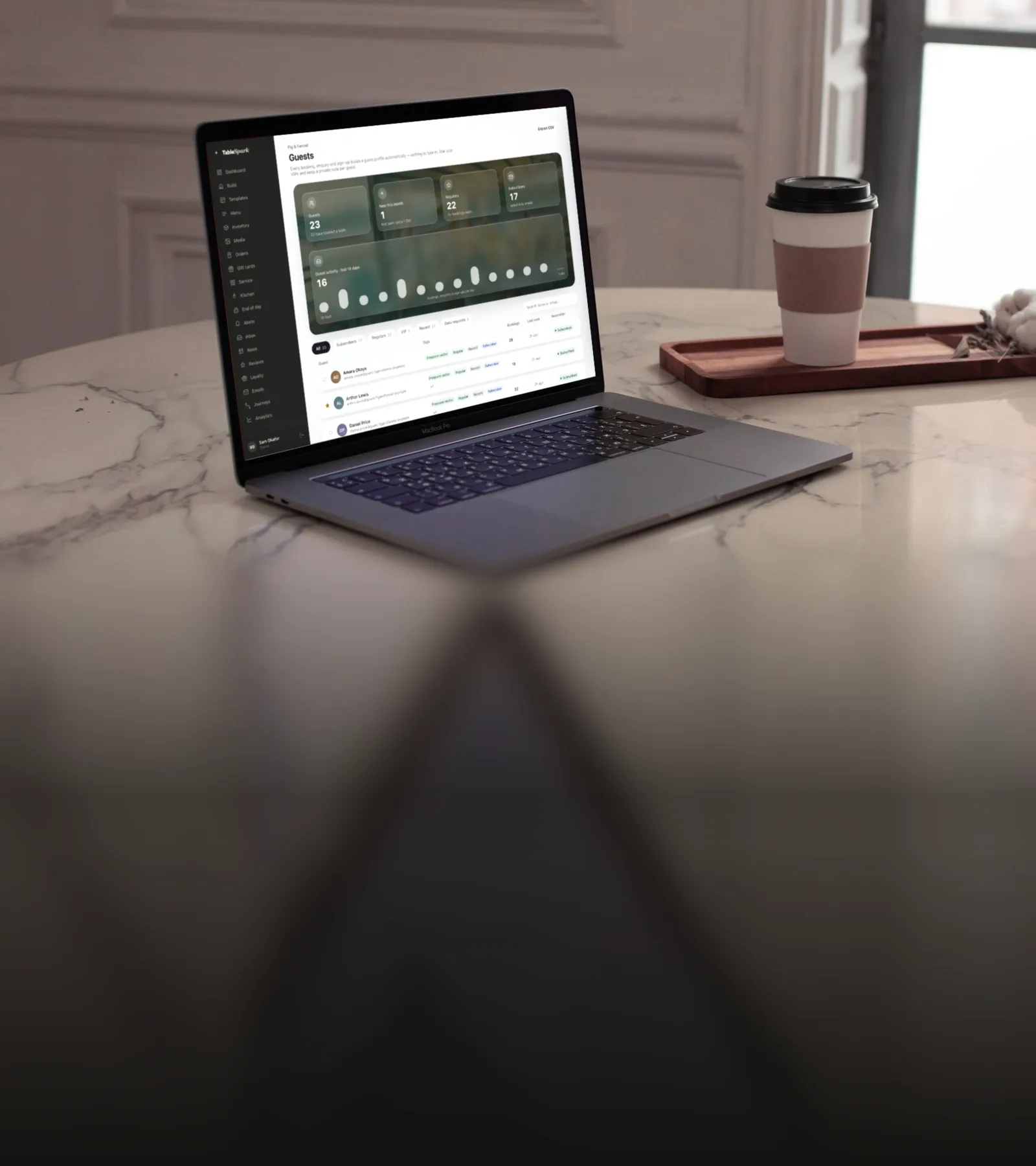
- Guests export to CSV from the Guests page and enquiries from the Inbox, on every plan.
Every restaurant kept separate
Row-level security is switched on for every table: a database trigger enables it on each new table the moment the table is created. A signed-in person reads or changes a restaurant’s records only when the membership table lists them for that restaurant, and what they may do follows the role recorded there.
What an anonymous visitor can read from published content is limited to a named list of columns; private columns such as dish cost stay out.
- A test signs in as a member of one restaurant and requires that they can read none of another restaurant’s rows.
- A gate test reads the real permissions of every privileged database function and fails if one is open to the public outside a short fixed list.
Your team
There are four team roles. A Server works the service floor, an Editor can also edit content, an Admin manages settings and the team, and the Owner also controls billing.
Only an owner or an admin can add, change or remove team members, only an owner can grant the owner role, and the restaurant’s owner cannot be removed or demoted.
Two-step verification uses an authenticator app. Once an account has switched it on, the database refuses that account’s reads and writes on every table unless the session has passed the second step.
When a guest asks to be forgotten
A guest’s record is erased by the restaurant’s owner or an admin, from the Guests page, or by the guest from the restaurant’s Guest App.
- The business keeps its recordsErasure keeps the records the business must keep and removes the person from them: orders and bookings stay for the accounts and the diary with the name, email, phone and notes cleared.
- The person is removedIt deletes the guest’s enquiries, profile notes and tags, mailing-list entry, marketing consents, allergy notes and push subscriptions. Erasure reaches the email system as well: delivery events are deleted and the first name and tracking token are stripped from past sends.
- They stay removedA keyed hash of the erased address is kept, never the address itself, so a later import of an old spreadsheet does not bring the guest back.
- The request is on recordEvery access and erasure request is recorded with its kind, status and time.
When a guest asks for a copy
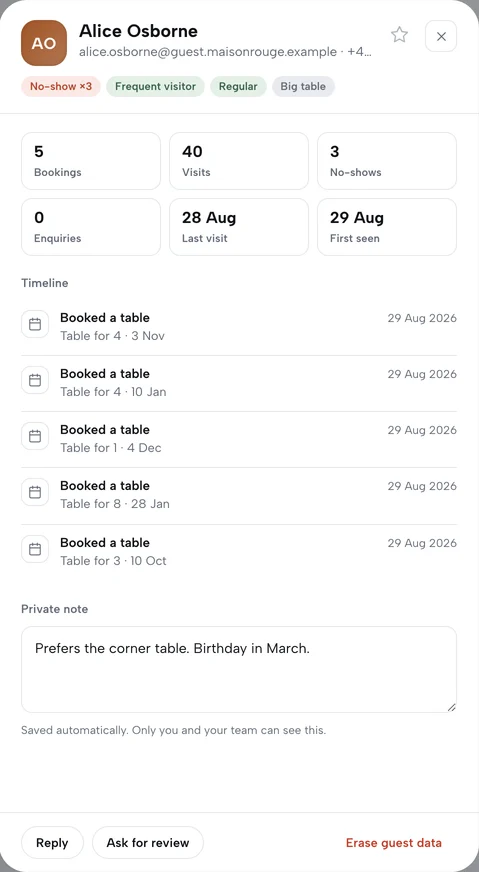
From the Guest App a guest can ask for a copy of what that restaurant holds about them, and it is sent to their own email address as a file. The copy covers their account and profile, marketing status with the date and source of consent, loyalty, bookings, waitlist entries, orders, deposits, gift cards bought, enquiries and reviews.
The restaurant can export one guest’s full record too, including consent history and the emails sent to them.
Taking your data with you
Guests export to CSV from the Guests page and enquiries from the Inbox, on every plan.
A guest list can be imported from a CSV file, previewed first and undone afterwards, and addresses that were erased are skipped. An imported row joins the mailing list only when the file carries an opt-in for it and the owner confirms how that consent was given. A guest who unsubscribed stays unsubscribed.
Consent you can show
| Sign-up | A mailing-list sign-up stores when consent was given and where. |
|---|---|
| Unsubscribe | Every campaign email carries a one-click unsubscribe header and link, and a campaign email without one is failed, not sent. |
| At send time | Consent and the suppression list are checked again at the moment each batch is sent, so an unsubscribe that arrives after a campaign was scheduled is honoured. |
| Bounces and complaints | An address that hard-bounces is blocked from marketing email, and a spam complaint unsubscribes the guest at that restaurant. |
| Links | Tracked links in campaigns are signed, the token names a delivery and not a person, and booking and receipt emails are never tracked. |
How long things are kept
- Contact details on orders are removed automatically after 24 months; the order and its figures stay.
- An enquiry marked done is deleted once it is 24 months old, and every enquiry at 36 months.
- Visit analytics are deleted after 14 months.
- Error reports are scrubbed of email addresses, phone numbers and tokens before they are stored, and are kept for 30 days.
An owner can delete their account themselves. The sites go offline at once, a 14-day window follows, and then the subscription is cancelled, the records are deleted and the stored files are purged.
Where it runs, and the small things
The database, sign-in and stored files run on Supabase in its EU (Ireland) region.
Public forms that write data, including bookings, the waitlist, enquiries, orders, deposits and gift-card purchases, are checked with Cloudflare Turnstile on the server. The code on a guest’s member card is a signed token that names the restaurant and the membership, carries no personal details and expires after 300 seconds.
The providers TableSpark works with, what each one does and what it handles are listed in the privacy policy. Payments, sign-in and how to report a concern are covered on the security page.
Questions owners ask
Can another restaurant on TableSpark see my guests?
A signed-in person reads or changes a restaurant’s records only when the membership table lists them for that restaurant, and what they may do follows the role recorded there. A test signs in as a member of one restaurant and requires that they can read none of another restaurant’s rows.
What happens to the accounts when a guest is erased?
Erasure keeps the records the business must keep and removes the person from them: orders and bookings stay for the accounts and the diary with the name, email, phone and notes cleared. A keyed hash of the erased address is kept, never the address itself, so a later import of an old spreadsheet does not bring the guest back.
Can I take my guest list out of TableSpark?
Guests export to CSV from the Guests page and enquiries from the Inbox, on every plan. The restaurant can export one guest’s full record too, including consent history and the emails sent to them.
How this page is kept true
This page makes 33 statements about how TableSpark behaves. Each one is recorded with the place in the code, the database or the test suite that enforces it, and an automated check fails when a statement loses its evidence. The suites named below exercise the behaviour described here.
Automated suites behind this page
- auth-mfa-db
- backoffice-depth-db
- db-audit-chain-db
- email-depth-db
- email-webhooks
- rpc-acl-gate
Read next
See it on your own restaurant
Build your site free and publish when you are ready. Plans start at £19 a month, excluding VAT.