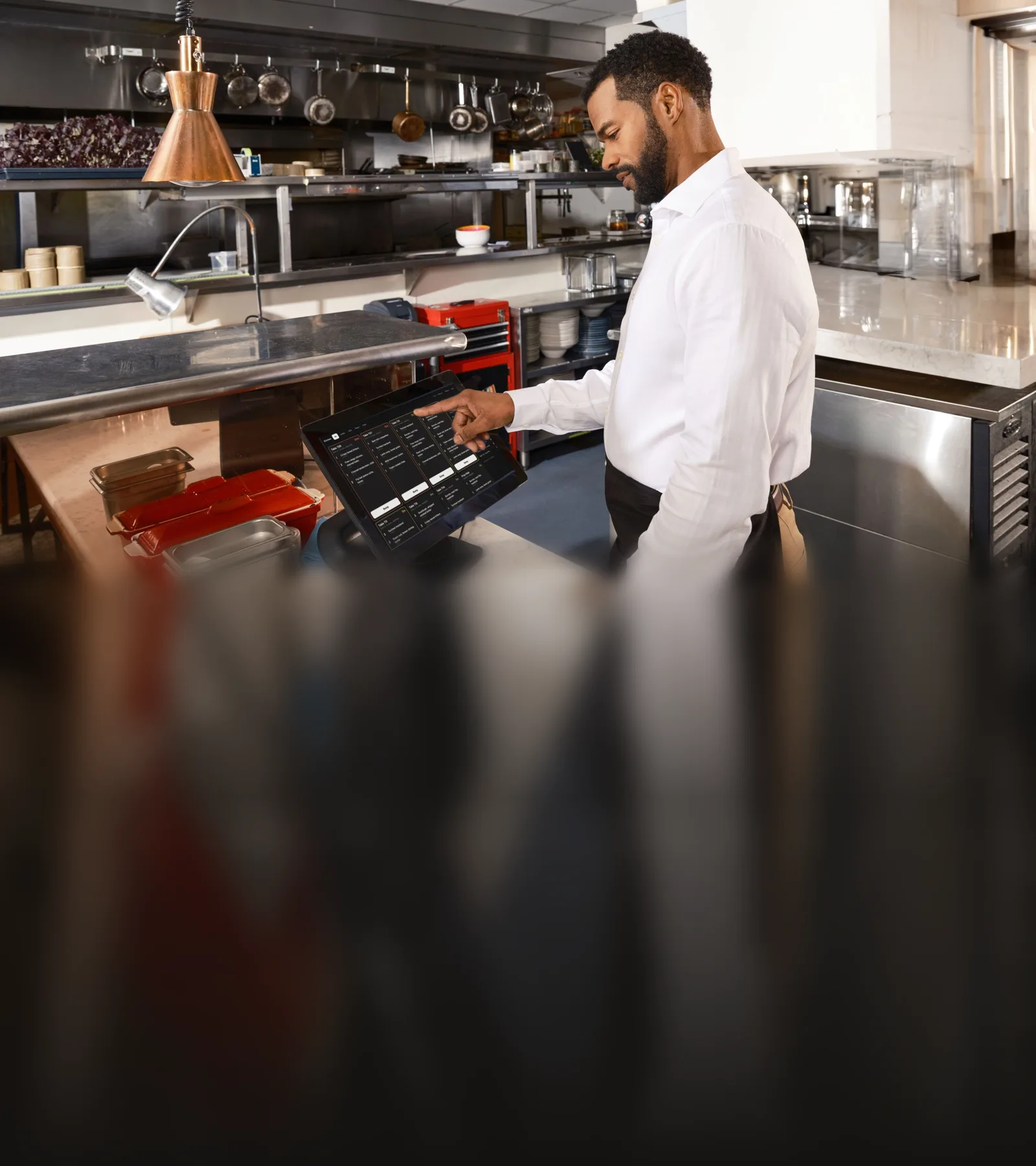
Where a service comes apart
Front of house and the kitchen work from the same orders but rarely from the same information. The till knows what was sold; the kitchen knows what is left. A server knows the table has an allergy; the ticket may or may not say so. Mains are ready while the starters are still on the table, because nobody could tell the kitchen to wait.
Each gap has a price that is paid in the room: a dish refunded after it was promised, a plate sent back, a table of six eating in two sittings, a ticket that printed twice and was cooked twice.
Keeping the two sides in step means one record of each order that both sides read and change, a count that every channel draws from, and tickets that carry what the kitchen needs to know. This page describes how TableSpark connects them.
- Every order line reduces the count inside the database, in the same transaction as the order, whichever screen or channel the order came from.
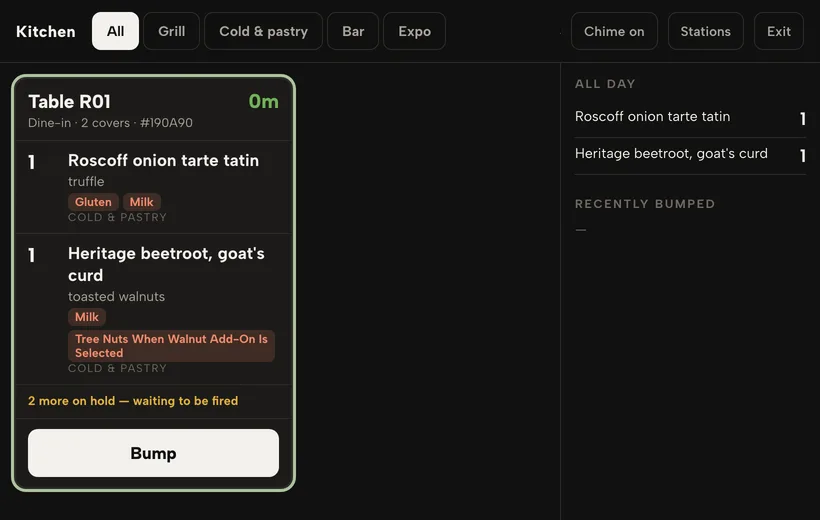
- A server can send a dish on hold. Held dishes stay off every kitchen view, and the ticket says how many more are waiting to be fired.
- A ticket with an allergy shows a banner until someone in the kitchen confirms they have read it, and the till shows whether it has been confirmed.
- If a printer’s confirmation is lost, the ticket is marked unconfirmed and the owner is alerted. It is never printed a second time automatically.
From the order pad to the pass
An order sent from the till is created already confirmed, with its table number, so it is on the kitchen board at once. Lines that went through are removed from the round before any retry, so a retry never sends a dish twice.
An order moves only from new to confirmed, preparing, ready and completed, or to cancelled. The database refuses any other jump.
The kitchen screen
| Stations | Kitchen stations are set per restaurant. A menu section is routed to a station, and a single dish can override its section. A dish with no station shows on every station’s screen, so nothing goes missing for want of a setting. |
|---|---|
| Views | Each screen chooses its view: all tickets, one station, or Expo for the pass. |
| Staying current | The screen applies each order change the moment it happens and re-checks the whole board every 60 seconds. The board holds every order that is new, confirmed, preparing or ready, oldest first. |
| Working a ticket | Tapping a line marks it prepared. The order moves to preparing on the first prepared line, and to ready when every line is done and none is on hold. The database stamps who prepared each line and when. |
| Recall | Every bump is recorded in the database with who made it and when, so a recall still works after a reload and from any screen in the kitchen. The screen can be worked from a keyboard or a bump bar: the number keys bump the ticket in that position, and 0 or R recalls the last bump. |
| At the pass | On Expo, the pass marks an order ready, then served or handed over. When an order becomes ready, the database queues exactly one notice to the guest. |
| Keeping pace | Every ticket shows its age in minutes and changes colour as it passes a warning time and a late time. An All day panel counts the dishes still to cook, by name. A ticket-time report gives, for each station and part of the day, the number of tickets, the average and 90th-percentile time from fired to bumped, and how many ran over the target. |
Hold and fire
A server can send a dish on hold. Held dishes stay off every kitchen view, and the ticket says how many more are waiting to be fired.
Firing releases every held dish on the bill, or one dish at a time, and records the time. A fired dish is labelled FIRED on the kitchen ticket. A dish the kitchen has already finished cannot be put back on hold.
Portion counts that sell out everywhere
A dish can carry a portion count, a quantity it resets to each day and a low-stock warning level.
- One count, drawn by every orderEvery order line reduces the count inside the database, in the same transaction as the order, whichever screen or channel the order came from.
- Online orders stop at zeroAn online order cannot take a count below zero: the order is refused and nothing of it is saved.
- The floor keeps its judgementA member of staff at the till can still ring the dish in, because the kitchen sometimes has one more portion than the count says.
- Sold out, and back againAt zero the dish becomes sold out by itself, and a void gives the portion back and reopens the dish. Cancelling an order returns its portions and its recipe ingredients to stock.
Sold out is honoured by the website menu, the online-ordering server, the till and the connector that AI assistants read. A dish can also be set to sell out when its recipe can no longer be made from the stock on hand.
Allergies on the ticket
Allergies recorded for a table at the till are written onto every line of its order, in capitals. A ticket with an allergy shows a banner until someone in the kitchen confirms they have read it, and the till shows whether it has been confirmed.
The kitchen screen shows each line’s modifiers, its note and the dish’s allergens. Printed tickets carry the modifiers and the notes.
Tickets that print once
A printer on a kitchen wall is the least reliable computer in the building: it runs out of paper, loses the network and is switched off at the plug. The queue behind it has to assume all three.
| The queue | Kitchen tickets are queued in the database and collected by the printer itself, which signs in with its own token. Each printer has a role, kitchen or receipt, and a ticket goes to the printer with the matching role. |
|---|---|
| Paper | Tickets are laid out for 80 mm and 58 mm paper. |
| Confirmation | Each delivery of a ticket carries a one-time token that the printer must return to confirm it. |
| Retries | A ticket handed to a printer is leased to it for 600 seconds, a failed ticket is tried at most three times, and a ticket more than two hours old is expired, not printed late. |
| In doubt | If a printer’s confirmation is lost, the ticket is marked unconfirmed and the owner is alerted. It is never printed a second time automatically. |
| Paid online | An online order paid online prints when the payment is recorded, and the print job is tied to the payment record so it is queued exactly once. |
Orders placed for later
With order times switched on, orders that are due later wait in a Later row and move to the board when it is time to start them.
- When two screens ask for the same due ticket at the same moment, one gets it and the other gets nothing.
- A test sends several orders at the last place in a time slot at once and requires exactly one to get it.
Questions owners ask
Can a dish be sold online after the kitchen has run out?
Every order line reduces the count inside the database, in the same transaction as the order, whichever screen or channel the order came from. An online order cannot take a count below zero: the order is refused and nothing of it is saved.
Can the kitchen be told to wait before cooking the mains?
A server can send a dish on hold. Held dishes stay off every kitchen view, and the ticket says how many more are waiting to be fired. Firing releases every held dish on the bill, or one dish at a time, and records the time.
What happens if a kitchen ticket fails to print?
A ticket handed to a printer is leased to it for 600 seconds, a failed ticket is tried at most three times, and a ticket more than two hours old is expired, not printed late. If a printer’s confirmation is lost, the ticket is marked unconfirmed and the owner is alerted. It is never printed a second time automatically.
How this page is kept true
This page makes 42 statements about how TableSpark behaves. Each one is recorded with the place in the code, the database or the test suite that enforces it, and an automated check fails when a statement loses its evidence. The suites named below exercise the behaviour described here.
Automated suites behind this page
- cloudprnt
- courses-cancel-restock-db
- kitchen-display-db
- kitchen-keys
- kitchen-ticket-times-db
- menu-stock-db
- order-slots-db
Read next
See it on your own restaurant
Build your site free and publish when you are ready. Plans start at £19 a month, excluding VAT.