01
Hero
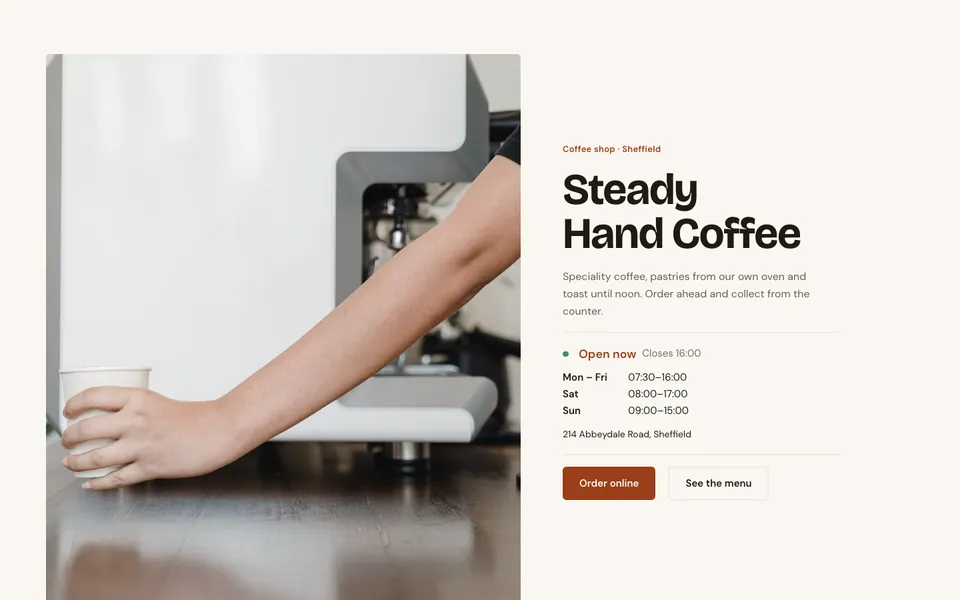
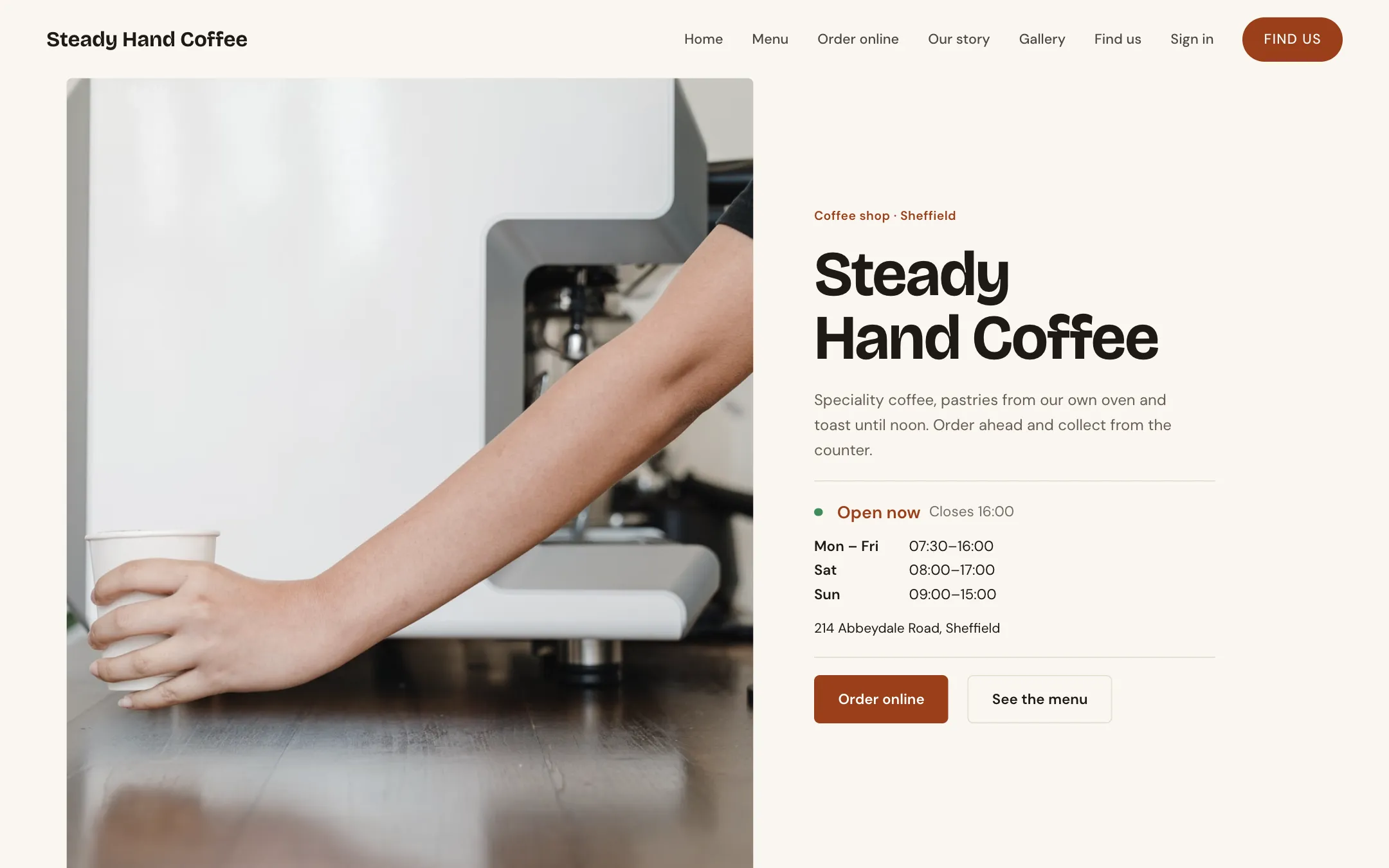
Big opening image, name & buttons, in the Open Today treatment: Daylight photograph beside open now, the week's hours, the street and Order ahead.
Templates · Speciality coffee
Built for the independent coffee shop: the counter, the cup and the morning’s bakes, with opening hours and Order ahead in the first screen. This page is the whole template, rendered live — browse it, switch to the phone, open the ordering page, and see exactly what your coffee shop would get.
Every section is a builder module you can reorder, edit or delete, with no developer.
On bookings and orders, on every plan. Stripe’s standard card-processing fees apply to online payments.
Build and preview the whole site for nothing, and pay only when it goes live.
Starter is £19/mo excl. VAT and includes a complete restaurant website, a live structured menu, enquiry and newsletter forms, and managed search readiness. Growth is £39/mo excl. VAT and adds direct live bookings, a custom domain with managed SSL, and table and floor-plan operations. Full is £69/mo excl. VAT and adds online ordering and multi-site management for up to five restaurant sites. TableSpark commission is 0%. Stripe's standard card-processing fees apply to online payments.
An independent UK restaurant can be running all of this at one flat monthly price, and the full cost comparison shows why that is the best value. The expensive route is a bespoke build: thousands of pounds, months of waiting, and a developer on call for every price change. This is the other route. From then on nothing needs a developer — the menu, the prices and the pictures are edited by whoever is standing at the pass. Phone, tablet and desktop are all handled, and reservations, tables, ordering and management come with the plans — TableSpark takes 0% commission.
Steady Hand opens on cream paper and daylight, with one roasted-orange accent, because that is the room it was drawn for. Yours might be white tile and morning light, or brass and candles, or something nobody has built yet.
Skip the description. The panel is lifted straight out of the builder and the frame is the real renderer, so what happens when you press an accent here is exactly what happens in your account. Nothing you do is saved or asked about. Go on.
Loading the live preview…
A coffee shop is a place people drop into, usually on the way to somewhere else. The first thing a guest wants to know is whether you are open, how long you are open for and where you are; the second is whether they can order ahead and skip the queue. So the design opens on exactly that: the shop’s name, today’s hours drawn live from your opening times, the address and two actions, beside a photograph of the counter by day.
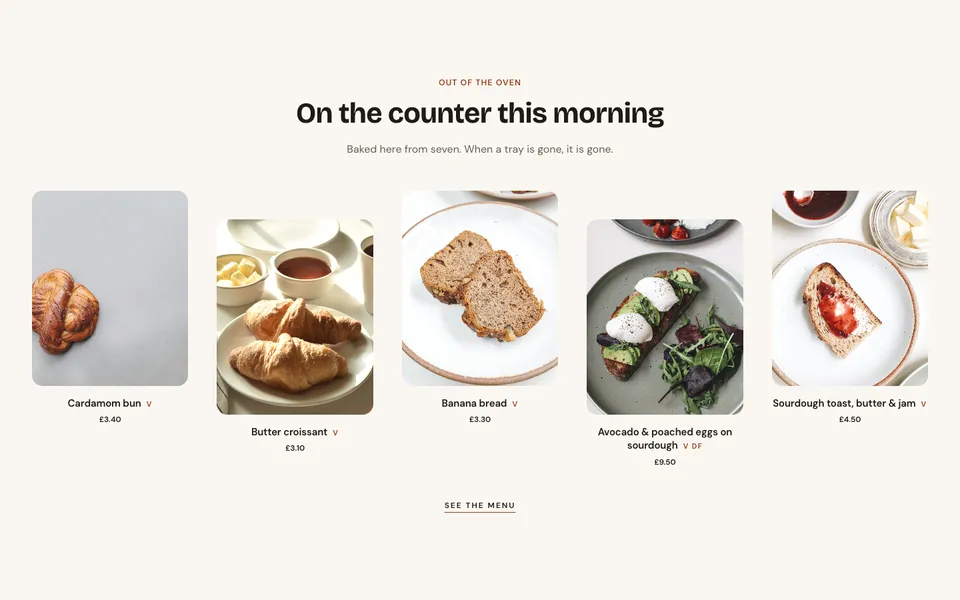
Everything after that keeps the same daylight. A warm cream ground, a friendly grotesque for the shouted words and a plain sans for the reading, and photographs of the machine, the cup and the pastry case rather than a dining room at night. A flat white, a cardamom bun and a cheese toastie look like what they are, which is what makes someone walk in.
The home page is built from builder modules you can reorder, edit or delete:
01
Big opening image, name & buttons, in the Open Today treatment: Daylight photograph beside open now, the week's hours, the street and Order ahead.
02
A few dishes on a sliding rail.
03
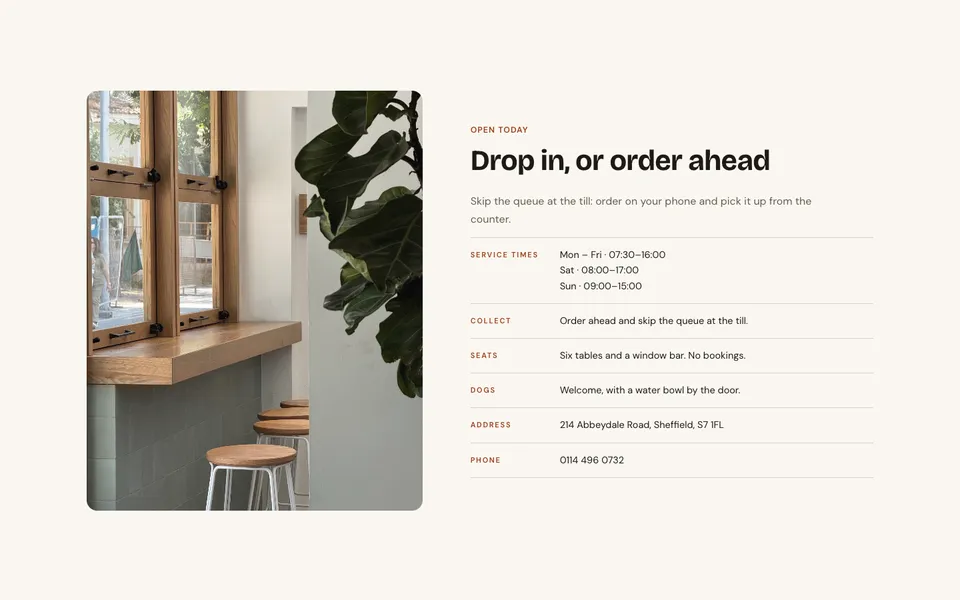
Address, phone & hours.
04
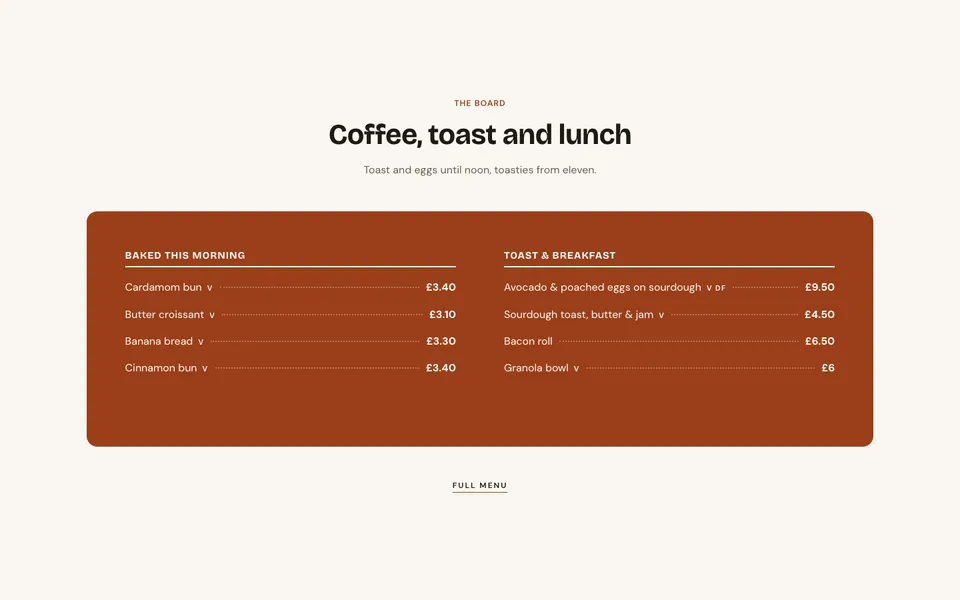
A few dishes on a sliding rail.
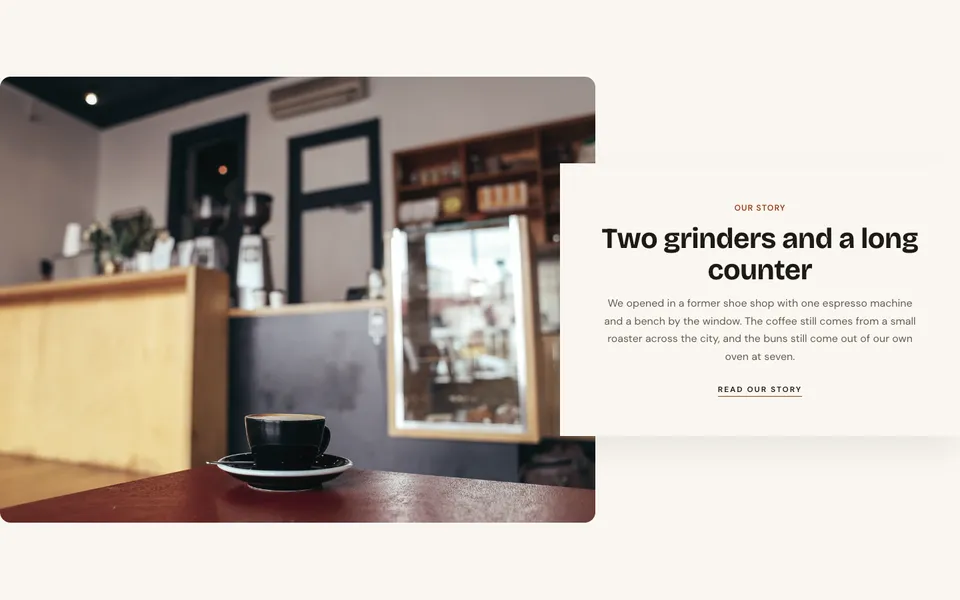
05
A paragraph beside a photo.
06
Headline + button band.
Loading the live preview…
Steady Hand Coffee uses the Showcase ordering layout — on a laptop each section opens on a wide photograph with its dishes as large photo cards; on a phone it keeps the delivery-app rows.
It reads like the delivery apps your guests already know, except the restaurant keeps the relationship and the money. The basket stays on screen, and each mode asks only for what it needs: a table number, a phone number or an address.
Loading the live preview…
This is the frame that matters. It is the real ordering page at a real phone width — not a mock-up, not a video.
On a laptop the same page puts the basket in a panel beside the menu that follows the scroll.
Every Steady Hand Coffee site on Growth and Full ships with an app your guests keep. It lives at /account on your own domain, so the guest signs in to your restaurant, not a marketplace.
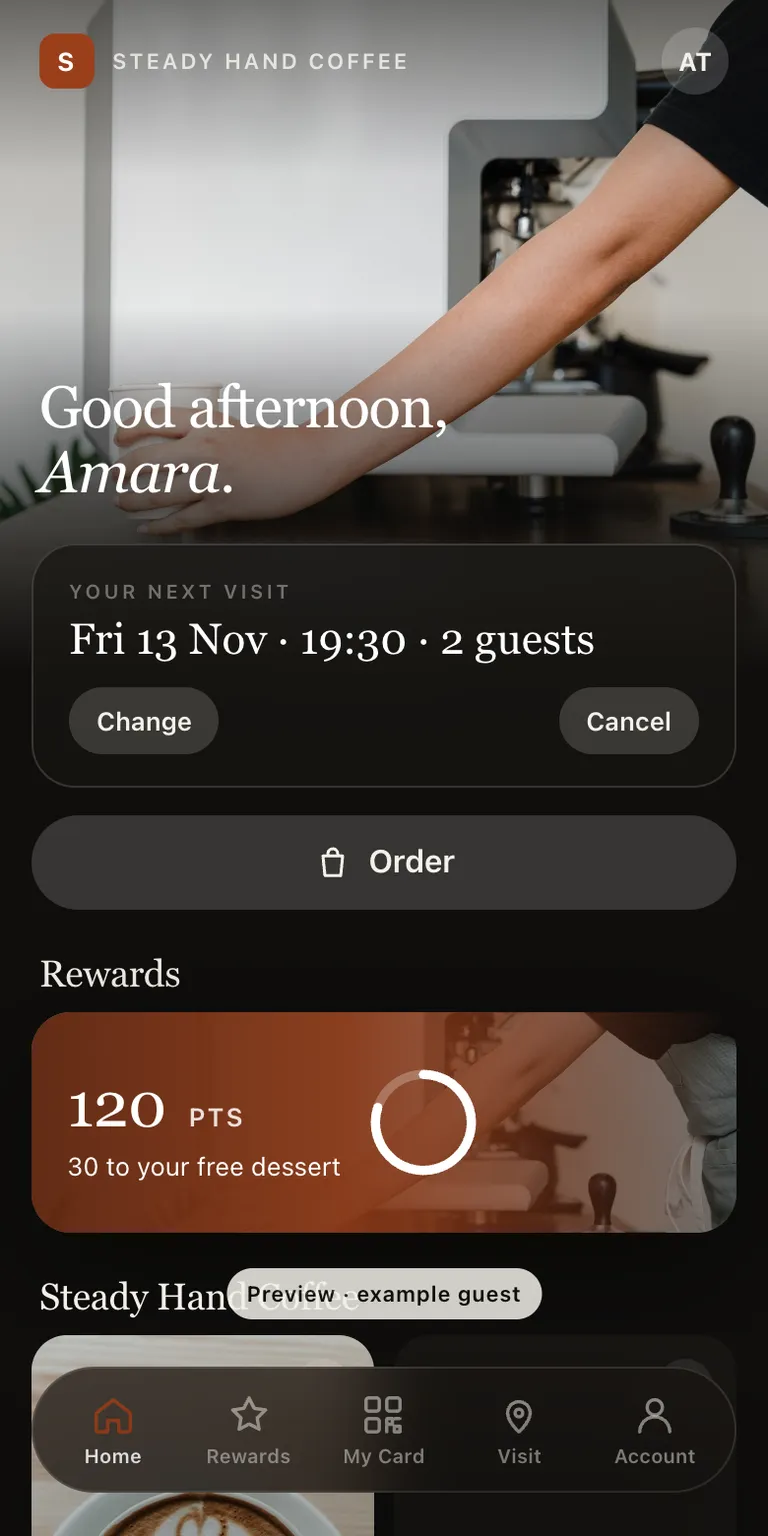
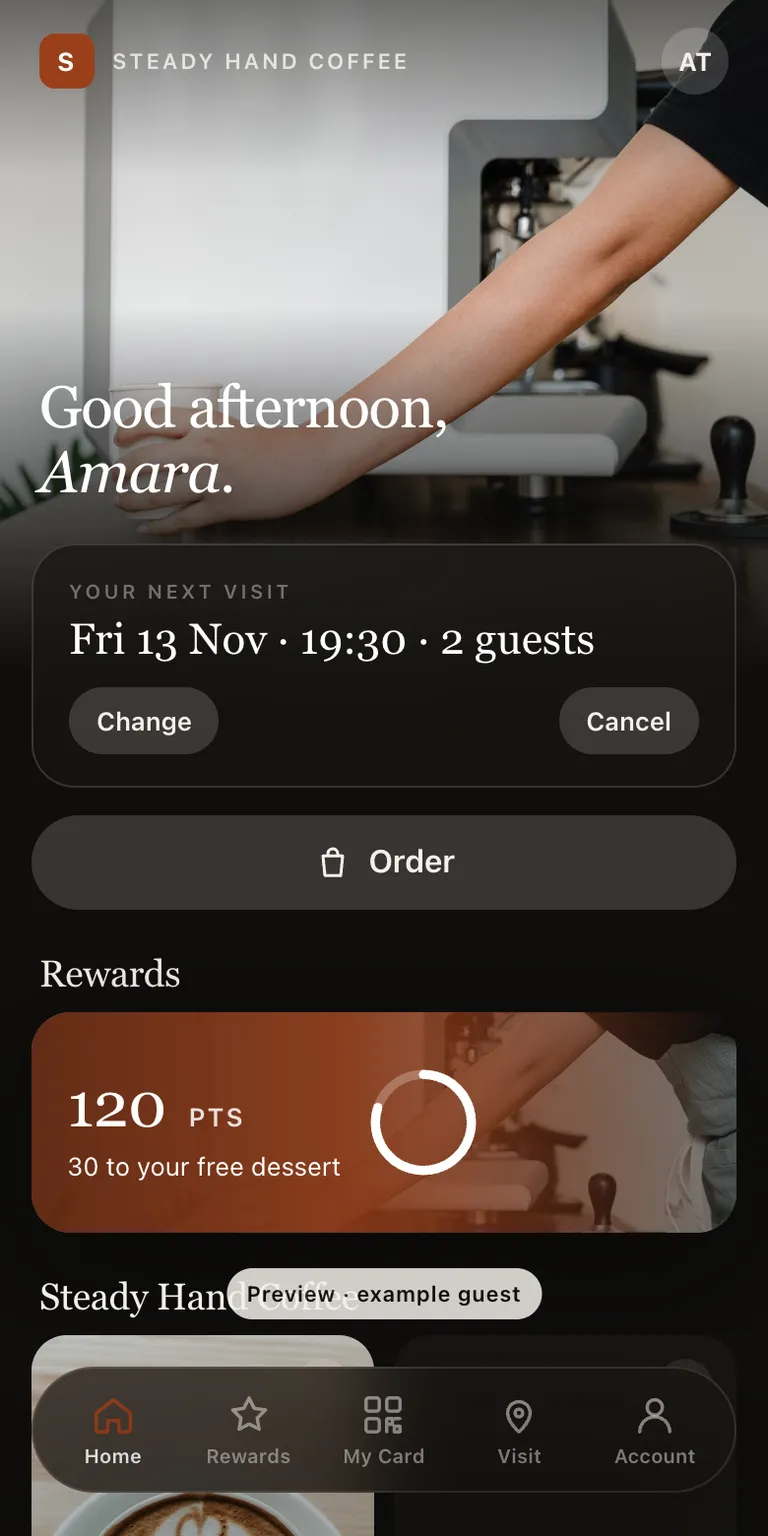
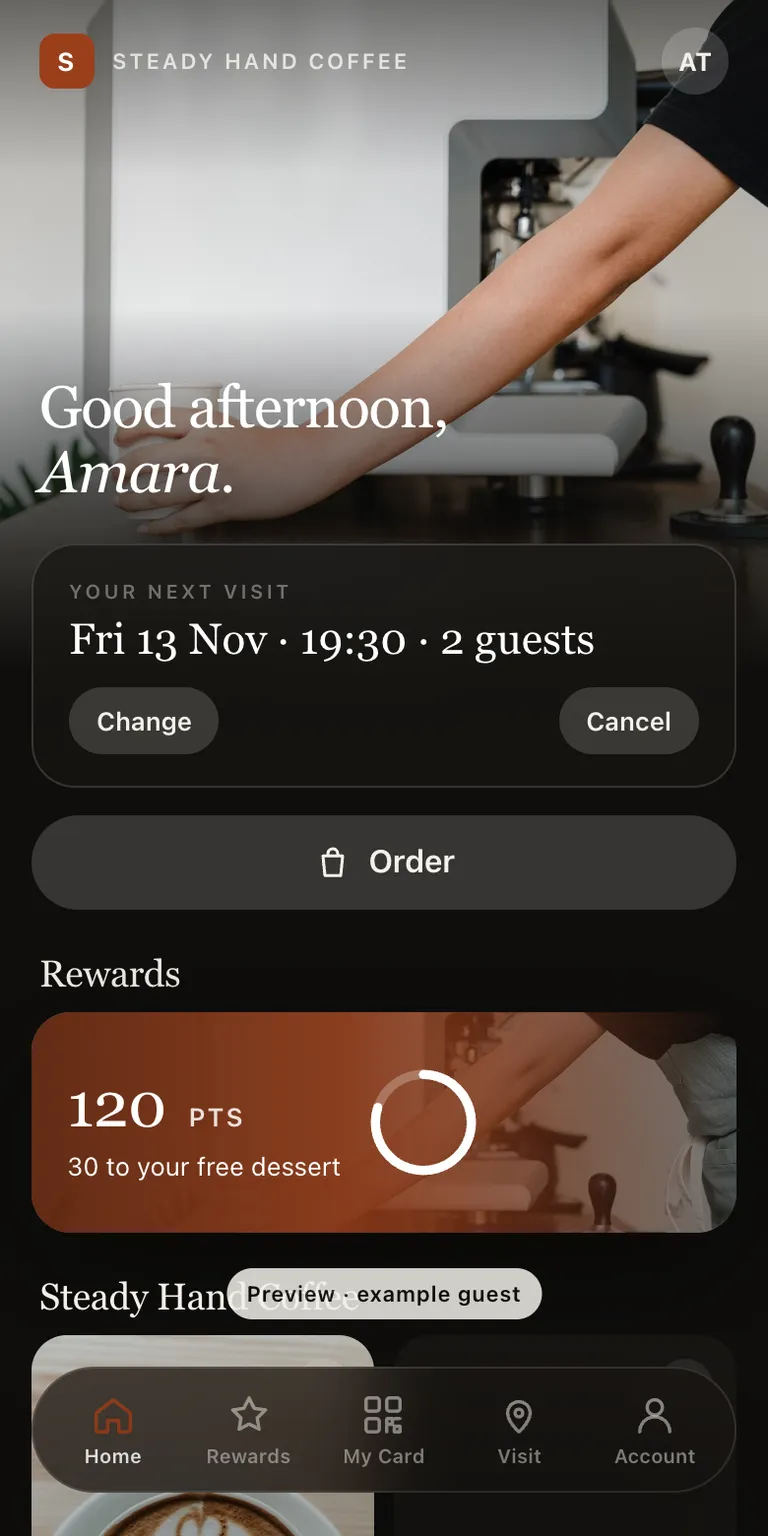
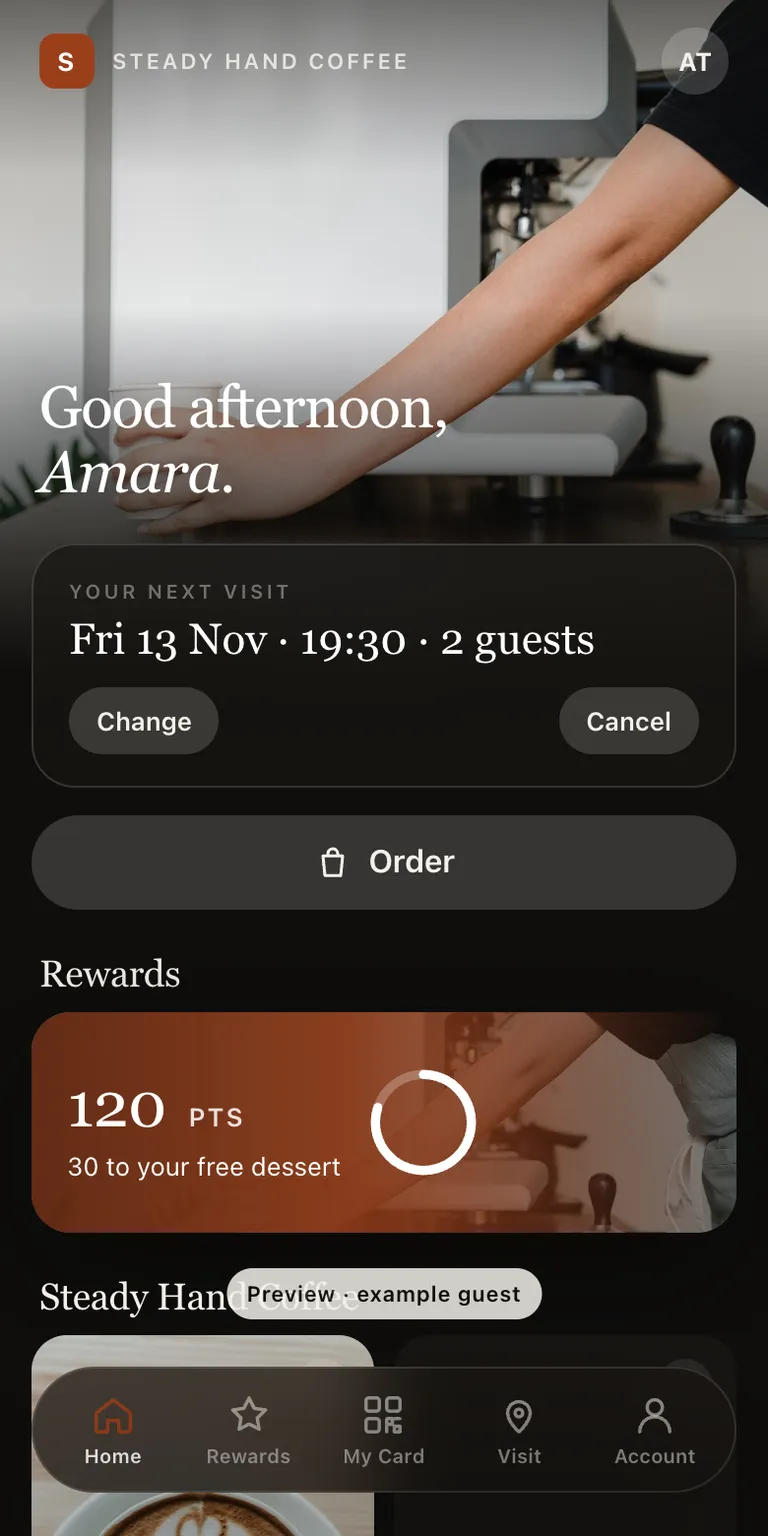
Included on the Growth and Full plans. Watch the Guest App course
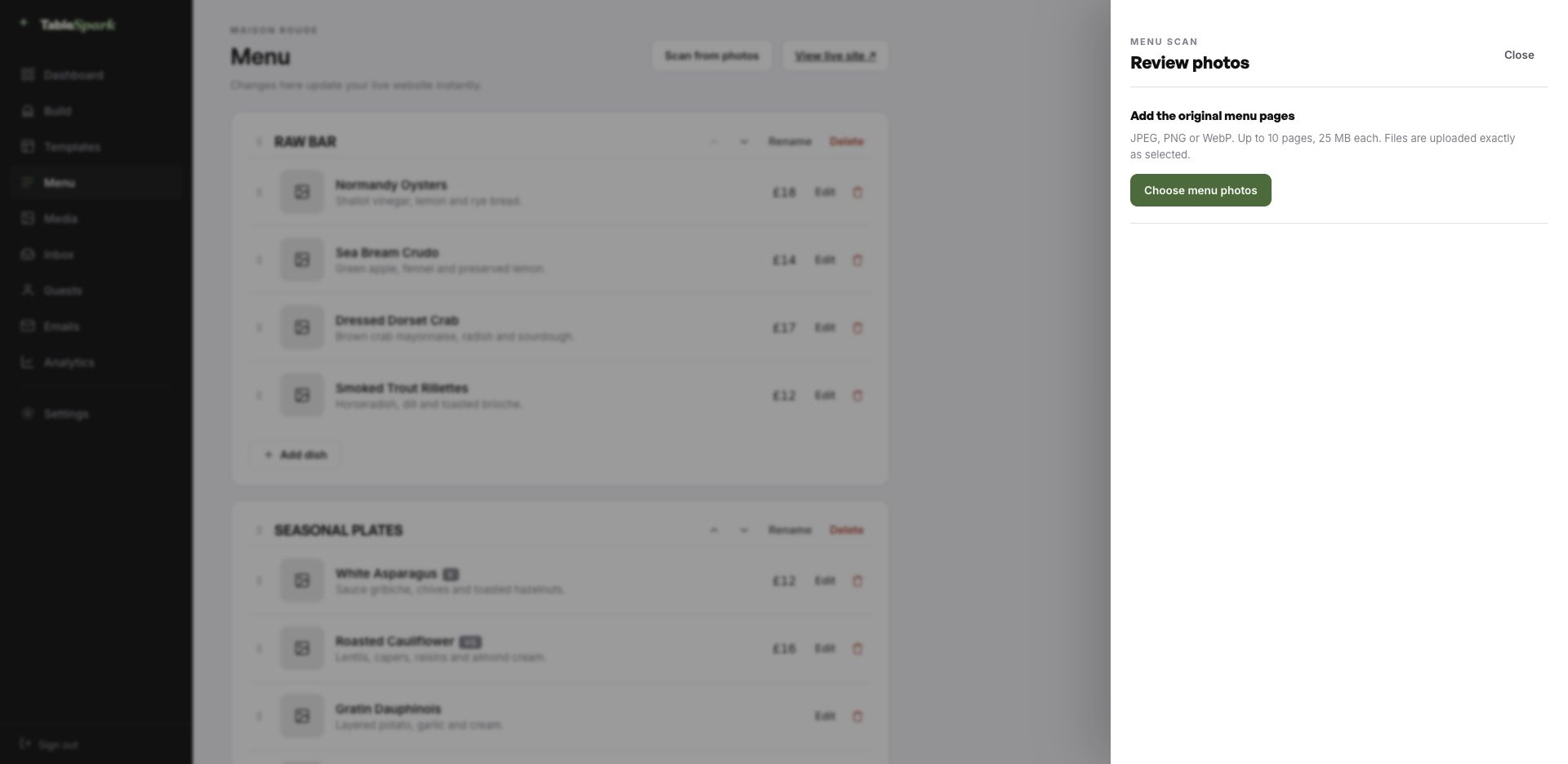
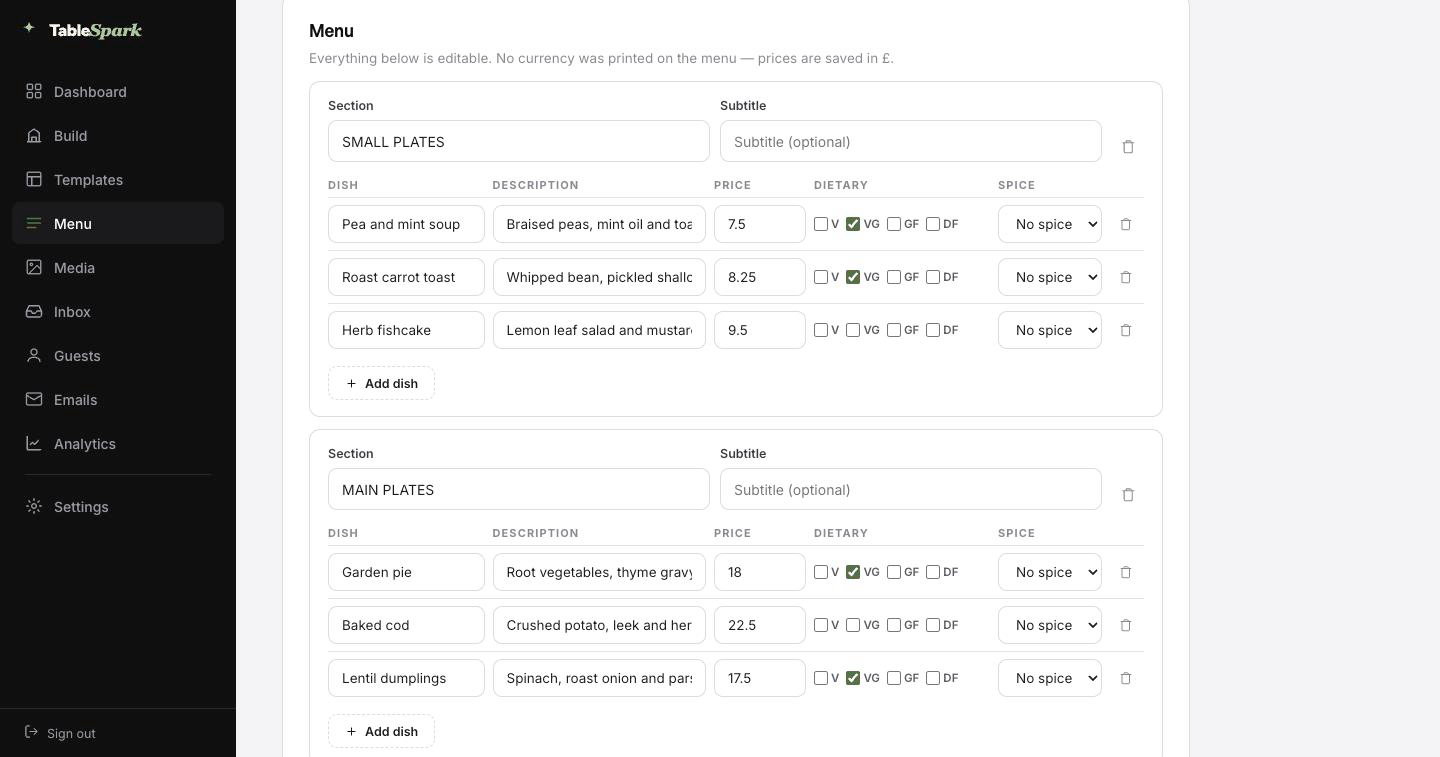
Here is the hour you were dreading, deleted. Photograph the card, the board or the takeaway sheet — up to ten pages at a time — and hand it to TableSpark. It is read into proper fields — section, dish, description, price, dietary marks, spice level — rather than pasted in as a lump of text. Then you read it through, correct whatever the lens misread, and save.
It behaves like data, because it is data. The same structured menu drives the menu page, the ordering page, the highlights on the home page and the Restaurant structured data a search engine reads. Change a price once afterwards and all of them follow.
For the search snippet, a Write with AI button drafts the title and description out of the page itself. It is a draft, not a decision: edit it, then publish.
The printed card, a chalkboard, a PDF, a takeaway sheet. Straight from your phone.
Sections, dishes, descriptions, prices and dietary marks come back as structured data for you to check.
Menu page, ordering page, home-page highlights and the Restaurant schema — from the one source, together.
Nothing here needs to be built, because it already is. The hard parts are finished; the personal parts are not, and only you can do those. You go from opening the builder to a published site on their own address in one sitting, and the reservation form answers from the moment it publishes. You see it in the inbox, they see a confirmation in theirs, both within seconds.
Add your Stripe account and the same site takes booking deposits and order payments, with the money landing in your account rather than ours. TableSpark takes 0% commission at every plan level. Stripe’s standard card-processing fees apply to online payments. Nothing else is deducted.
Step 01
1min
Pick Steady Hand CoffeeEverything copies across — pages, blocks, menu, the lot.Step 02
4min
Change the name and the wordsEvery block is edited in place. Change the name once.Step 03
3min
Upload your menuA photograph of the menu becomes a structured menu.Step 04
1min
PublishLive. The reservation form starts working immediately.Step 05
1min
Connect StripeNow you can take deposits on tables and payment on orders — direct to your account.In all
10min
From template to taking paymentsFive steps, one sitting.An address is branding that people type. The TableSpark address gets you live in minutes; your own domain takes over the moment you want it to, with nothing rebuilt.
TableSpark manages the technical side: the certificate, the secure connection, the redirect from the bare domain to the one you chose, and keeping search engines pointed at the right address so the move does not cost you what you have already earned. An existing domain works fine. You get one instruction, not a documentation site.
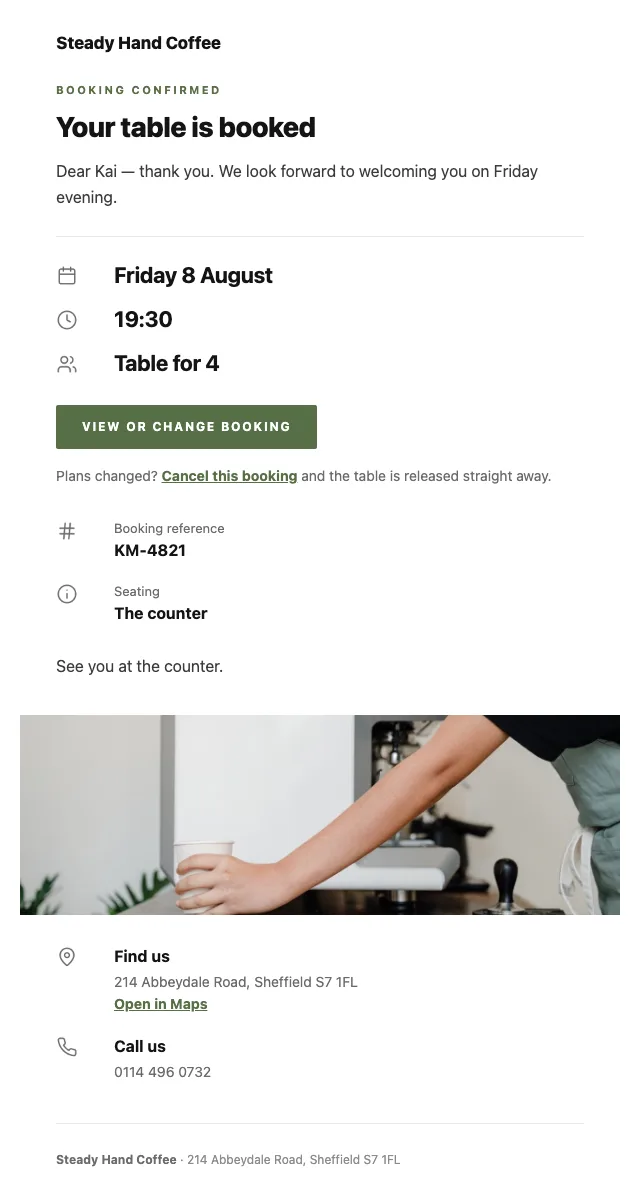
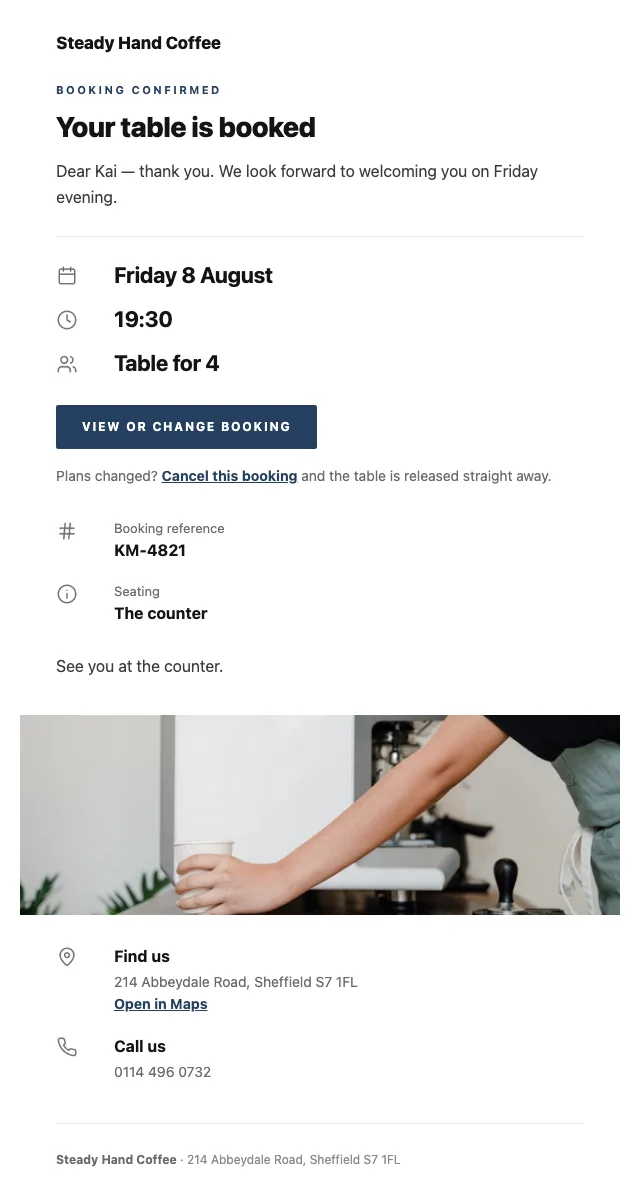
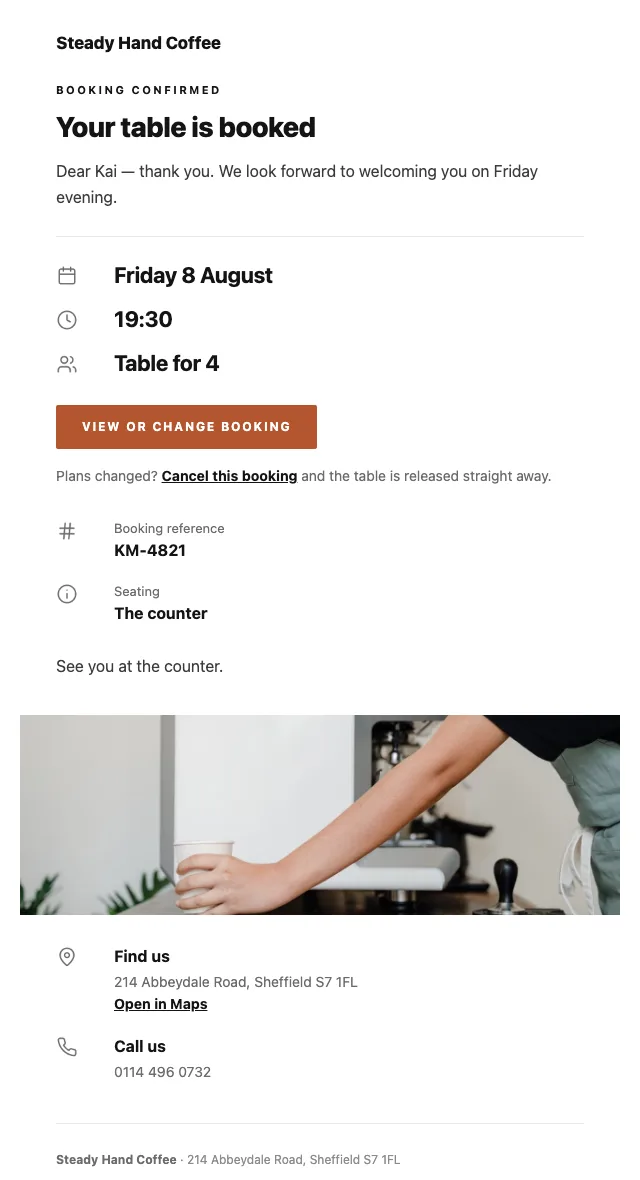
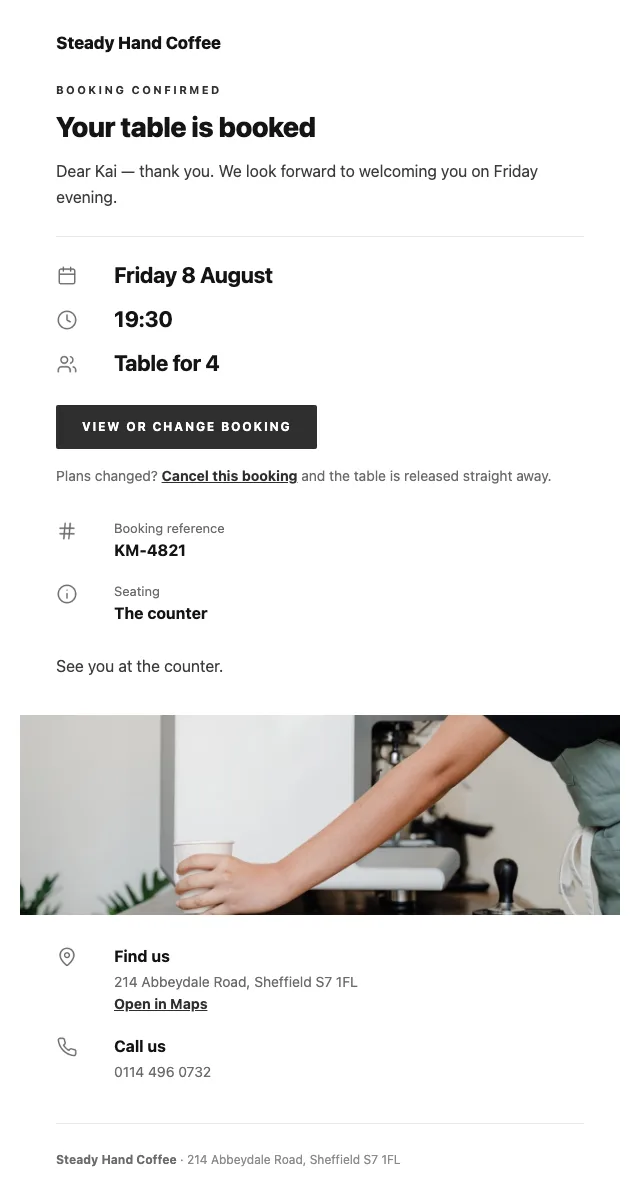
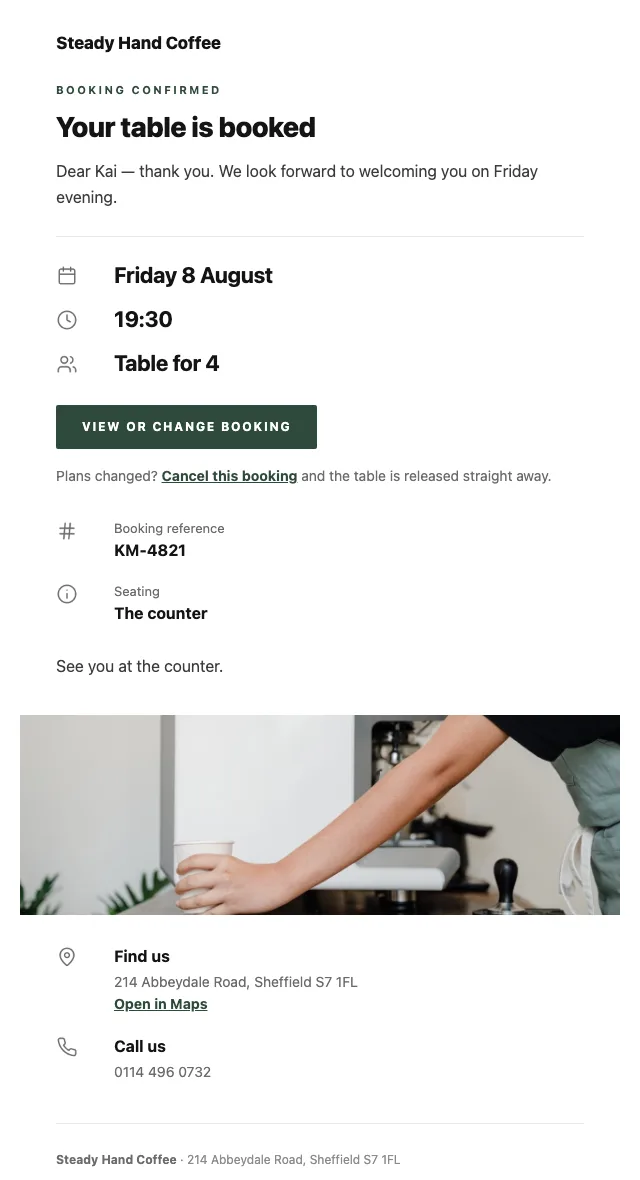
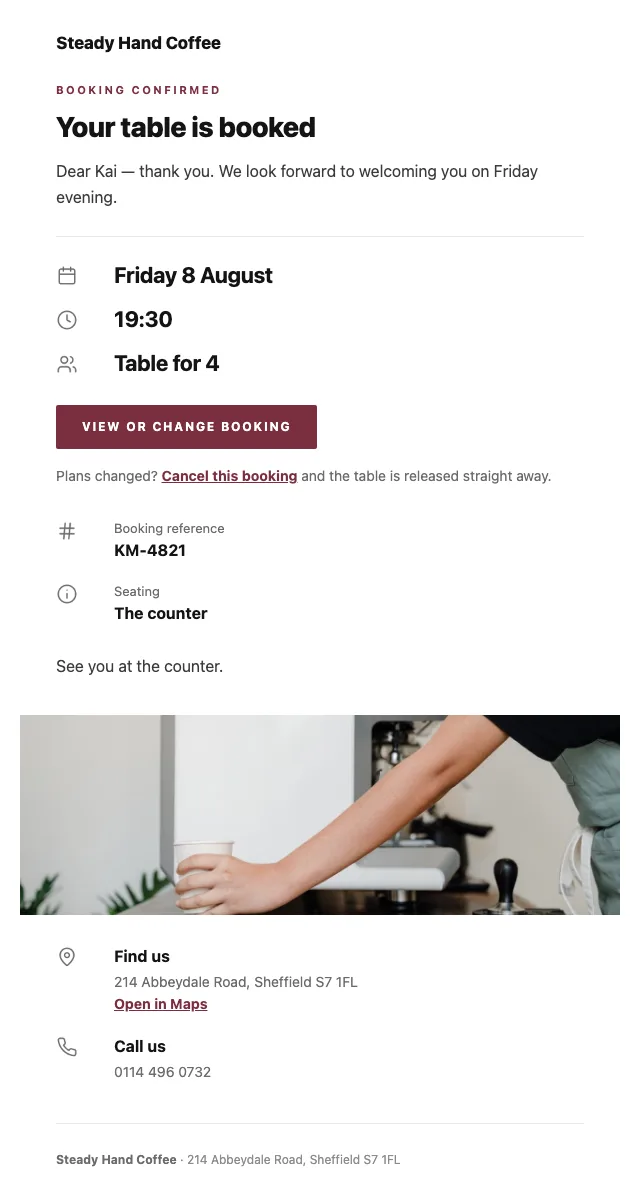
What lands in the inbox after a booking is doing more work than most restaurants realise. The confirmation goes out immediately: date and time, party size, the address and phone number, and a link that releases the table if something changes. It also carries the reminder the day before, the deposit receipt and any cancellation.
The design is not a TableSpark email with your name in it — it is your email. Six templates to choose between, then colour, logo, cover image, header style, sign-off wording, links and socials are all yours to set. Hook up the domain and even the sender is you.
Below, the same booking confirmation in six of the accent colours you can pick.
Any tool can put a page on the internet. Fewer can make sure a search engine understands what is on it. It fails quietly: noindex directives nobody noticed, conflicting canonical URLs, orphan pages, menus buried in PDFs, no structured data about the restaurant, and search verification that was never completed. The bill arrives as dependence — guests looking for your kitchen land on a directory or a marketplace that charges you for the introduction.
This is packaged into the site rather than sold separately. There is no promise of a position or of being indexed, because nobody can make one. There is a promise that you will not be hiring someone to fix the basics.
Add more, delete any of them, or reorder the sections inside — nothing here is fixed.
Every block above comes from the same library your own site draws on — 70 modules, each with its own layout variants.
Do not want one? Delete it. Want a block from another template? Add it. The page is a stack, not a picture.
Ships with 4 sections — Coffee, Baked this morning, Toast & breakfast, Lunch — for you to overwrite.
Our cut is zero, permanently. The alternative is a platform that charges you for each order and then owns the guest.
Your domain, your inbox, your exportable guest records. Stripe’s standard card-processing fees apply to online payments.
Why we charge nothing per order
You supply the photograph and the final read-through. TableSpark supplies the typing, the structure and the first draft of the search copy.
Nothing publishes without you pressing publish.
Search engines The Menu — Steady Hand Coffee | Coffee shop in Sheffield Espresso, filter coffee, pastries baked each morning and lunchtime toasties. See the board and order ahead for collection.Drafts the search title & description from this page’s content. Always review before publishing.
Stripe’s standard card-processing fees apply to online payments.
How to set a booking deposit that guests accept
Make the entire site, sleep on it, start again if you want. Nothing is charged until you publish.
Make the entire site, sleep on it, start again if you want. Nothing is charged until you publish.
6 pages, and every one of them is here. Everything below is rendered, not photographed. The frame uses the same engine as a published site, so the tabs and the in-page links are all real. Phone shows the mobile layout.
The story page gives the shop room to say where the coffee comes from, who roasts it and when the oven goes on, with a set of photographs of the counter and the room. The visit page carries the practicalities: the address with a map, how to get there by tram, bus or bike, today’s hours and the questions people always ask, such as bookings, dogs and wifi.
The menu is set as a board: sections for coffee, the morning’s bakes, toast and lunch, each item typed with its price in clear columns. For the guest it reads at a glance on a phone in the queue. For Google, every item, description and price is real text with Restaurant schema around it, not a photograph of a chalkboard.
Coffee shops change their counter daily, and the menu editor is built for that. Mark the buns sold out at eleven and they stop being orderable at eleven; add a guest single origin and it appears on the board and the ordering page together. Dietary marks and allergens sit with every item, so oat-milk and gluten-free questions are answered before they are asked.
Whatever the arrangement, the menu is text and not a picture — every dish, description and price indexable, with Restaurant schema around it.
Order ahead is the action that matters most for a coffee shop, so it leads every page. The ordering page reads like the delivery apps your guests already know, except the shop keeps the relationship and the margin: sections run down a rail, and tapping one swaps the list beside it without losing your place.
The basket stays on screen. On a phone it is a bar pinned to the bottom with the item count, a running total and Place order; on a laptop it becomes a panel beside the menu. Collection asks for a name, a phone number and a time, and the order waits at the end of the counter. TableSpark takes 0% commission on those orders.
Dine-in wants a table number and nothing else; collection wants a number to ring; delivery wants somewhere to go. No mode asks for the others’ fields.
What owners ask before they pick a template: the cuisine fit, the menu, the address, and what it costs.
Yes. Mark an item sold out in the menu editor and it is struck through on the menu page and taken off the ordering page straight away, with no republishing. Put it back the next morning with one tap.
Yes. A coffee shop site leads with Order ahead and Find us instead of a booking form: the home page shows whether you are open now and today’s hours, and the visit page says plainly that seats are first come, first served.
Only if you enjoy typing. The normal route is to photograph the printed card — up to ten pages at a time — and let TableSpark read it into sections, dishes, descriptions, prices, dietary marks and spice levels. Nothing saves until you have approved it. Because the result is structured data, the menu page, the ordering page, the home-page highlights and the Restaurant schema all read from it, so a single edit reaches every one.
About one sitting. The template arrives complete, so you are editing rather than building: the name, the copy, the menu, then publish. Bookings answer immediately and appear in your inbox, with an automatic confirmation to the guest. Connecting a payment account adds deposits and order payments, which go directly to your own account — TableSpark takes no commission on any plan. Stripe’s standard card-processing fees apply to online payments.
Every one of them, in the Theme tab: palette, the display and body typefaces, corner radius, motion, the header layout and how it behaves on scroll. The template is a starting point, not a cage — and switching a colour never breaks the layout, because the design reads its values from the theme rather than hard-coding them.
Yes, at any point. Start on a TableSpark address to get live the same day, then connect your own domain — the setup screen gives you the single record to change at your registrar. Certificates, renewals, the secure connection, the bare-domain redirect and the canonical and sitemap signals are all managed, and once connected your guest emails send from that domain too.

Copy this design into your account, change the words, add your menu and publish — usually the same afternoon. Free to build; you only pay when you go live.