01
Hero
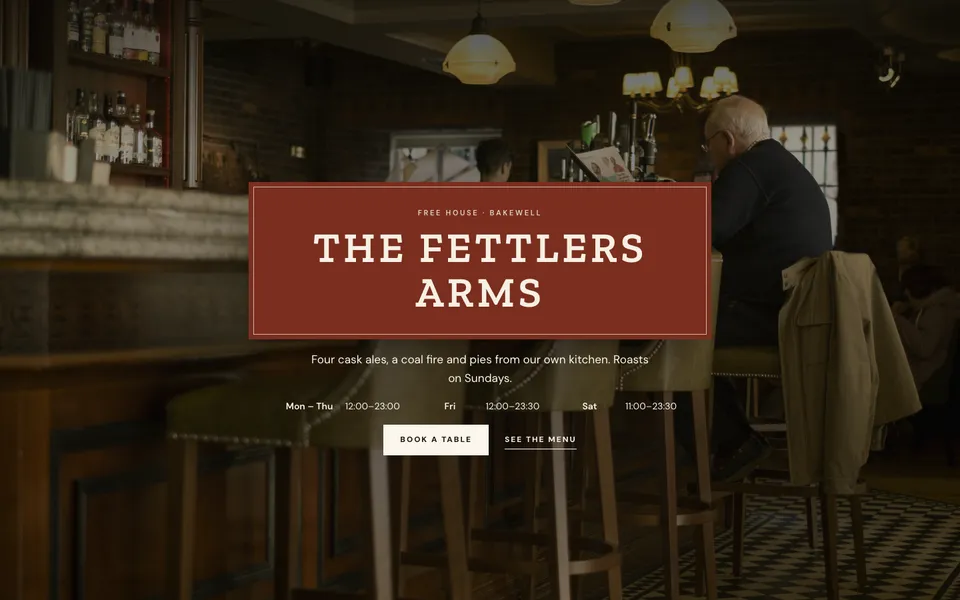
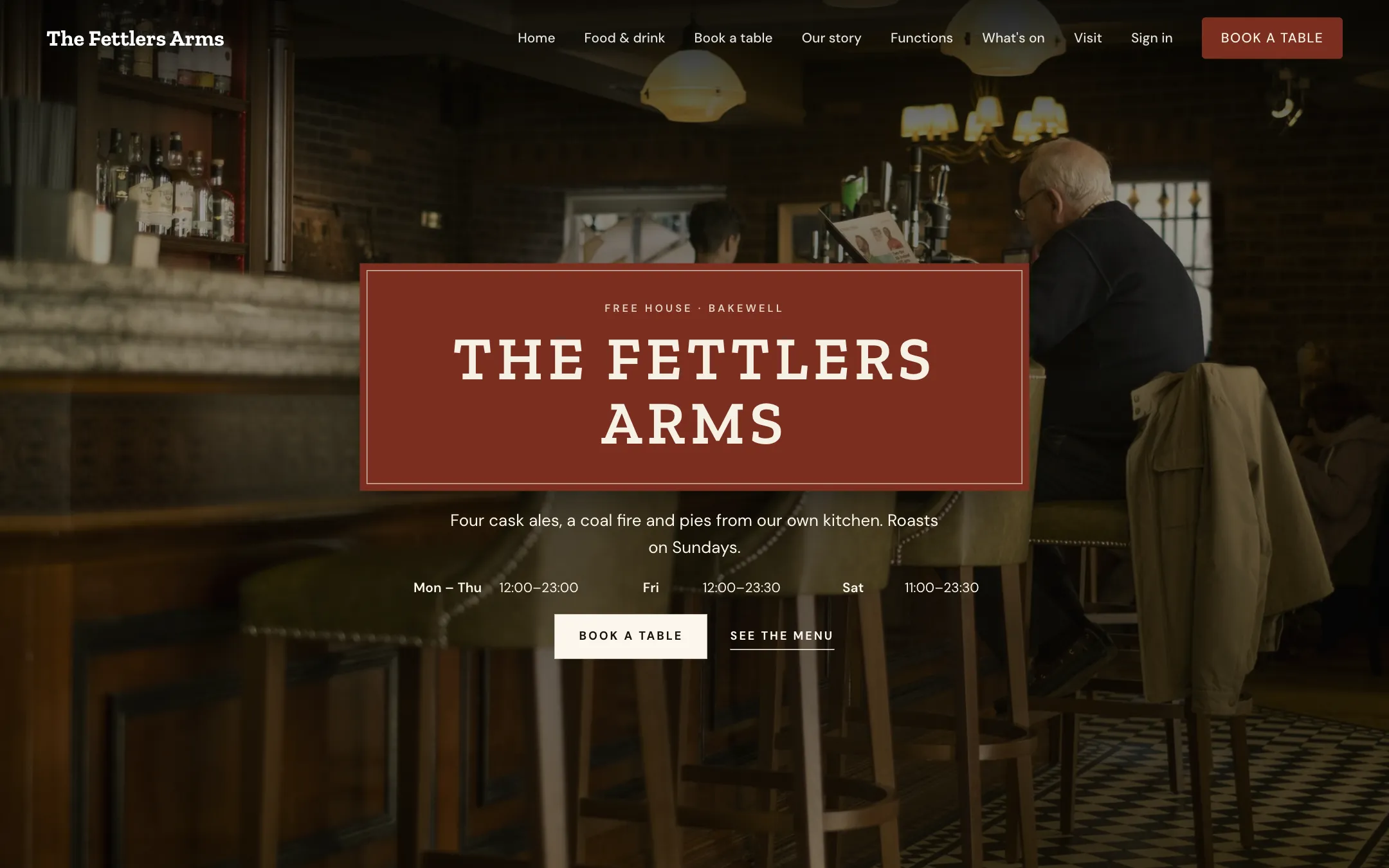
Big opening image, name & buttons, in the Signboard treatment: The room full-bleed with a signboard plate centred on it, hours and actions beneath.
Templates · Pub with food
Built for the pub that feeds people: the bar, the fire, the kitchen’s times and Sunday lunch to book, in the first screen. This page is the whole template, rendered live — browse it, switch to the phone, open the booking page, and see exactly what your pub would get.
Every section is a builder module you can reorder, edit or delete, with no developer.
On bookings and orders, on every plan. Stripe’s standard card-processing fees apply to online payments.
Build and preview the whole site for nothing, and pay only when it goes live.
Starter is £19/mo excl. VAT and includes a complete restaurant website, a live structured menu, enquiry and newsletter forms, and managed search readiness. Growth is £39/mo excl. VAT and adds direct live bookings, a custom domain with managed SSL, and table and floor-plan operations. Full is £69/mo excl. VAT and adds online ordering and multi-site management for up to five restaurant sites. TableSpark commission is 0%. Stripe's standard card-processing fees apply to online payments.
It is a site that actually runs a restaurant rather than merely describing one, for one published monthly price. What a bespoke build charges thousands for and delivers in months, you get today, finished, for the price of a couple of covers. Ownership is the whole point. Prices, dishes, photographs and hours are edited by you, in seconds, at no extra cost. Small screens come first and the rest follows, and the plans carry reservations, table management, ordering and reporting — at 0% TableSpark commission.
The Fettlers Arms opens on warm cream and oxblood, with the pub’s name set like a signboard plate, because that is the room it was drawn for. Yours might be white tile and morning light, or brass and candles, or something nobody has built yet.
There is no demo video and no sales call. What you see on the right is the actual Theme panel from the builder, wired to the actual site renderer on the left. Press a colour. It will not ask you to register and it will not remember what you did. Go on.
Loading the live preview…
People look up a pub to answer three questions: is the kitchen serving, can I book for Sunday, and what is on this week. The design answers them in that order. The opening is a photograph of the room with the name set like the plate over the door, then the bar and kitchen times side by side, then the week’s dishes, and Book Sunday lunch as the closing action.
The rest stays in the same register: warm paper, a friendly serif for the headings, and photographs of the bar, the fire and the plate rather than staged lifestyle pictures. A pie, a pint and a roast look like what they are, which is what fills a dining room on a wet Sunday.
The home page is built from builder modules you can reorder, edit or delete:
01
Big opening image, name & buttons, in the Signboard treatment: The room full-bleed with a signboard plate centred on it, hours and actions beneath.
02
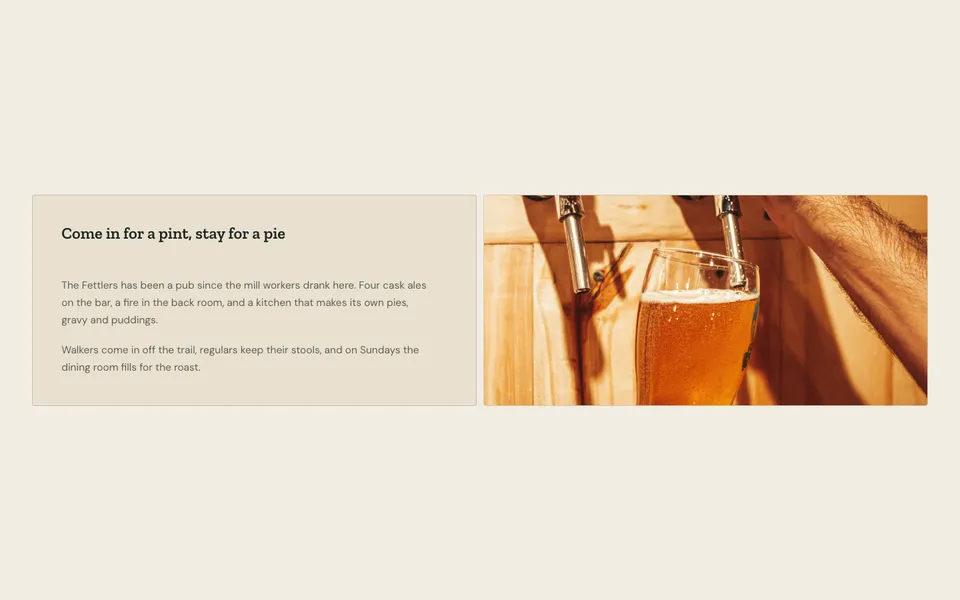
A paragraph beside a photo.
03
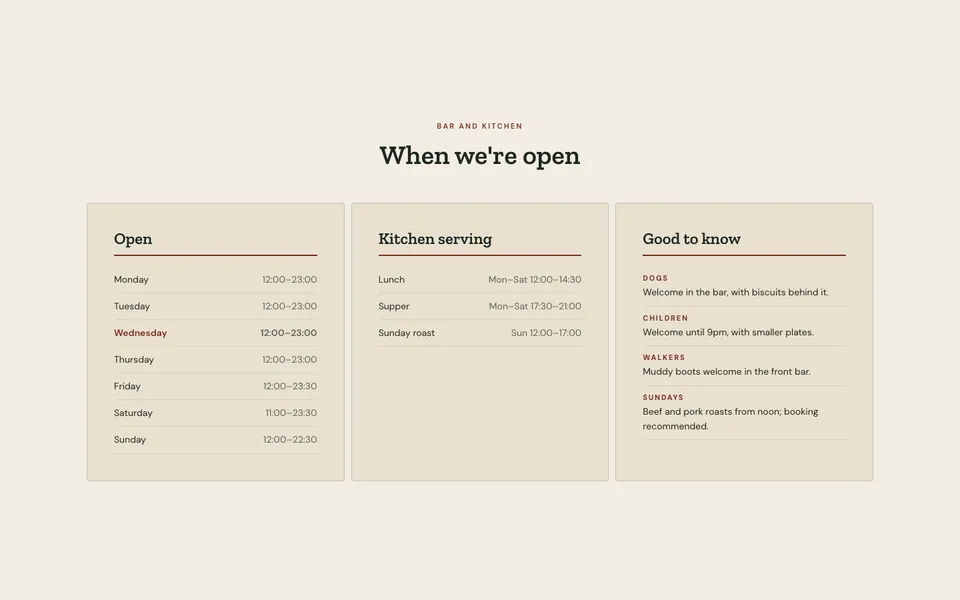
Address, phone & hours.
04
A few dishes on a sliding rail.
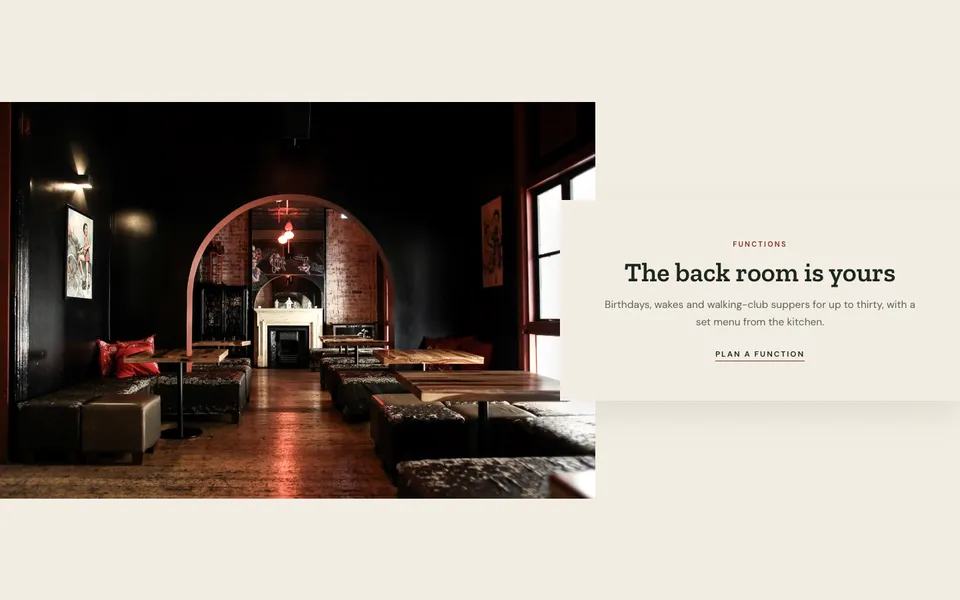
05
A paragraph beside a photo.
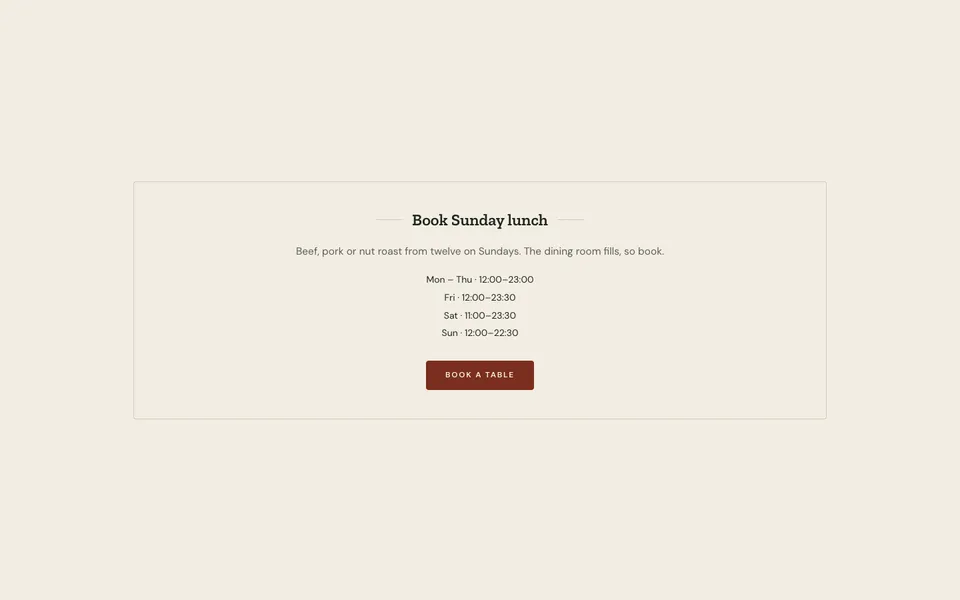
06
Headline + button band.
Loading the live preview…
A pub lives on its tables, so booking leads every page. The booking form carries the kitchen’s own services, lunch, supper and the Sunday roast, each with its own days and times, and takes parties up to the size you choose online, with a note for anything bigger.
What’s on has its own page for the quiz, the folk night and the match, each with a button to hold a table, and the function room has a page with an enquiry form that lands in the same inbox as the bookings.
Loading the live preview…
Every The Fettlers Arms site on Growth and Full ships with an app your guests keep. It lives at /account on your own domain, so the guest signs in to your restaurant, not a marketplace.
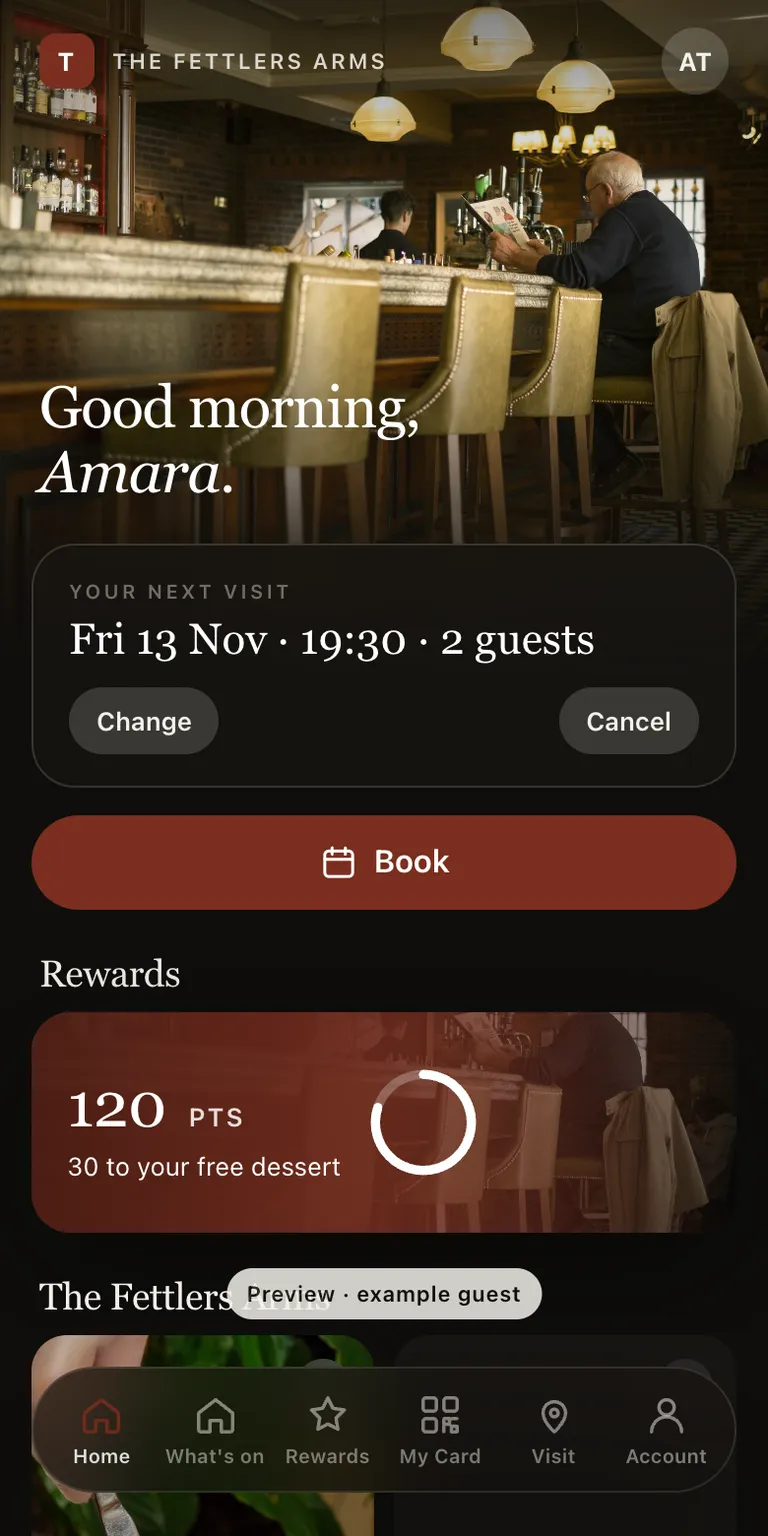
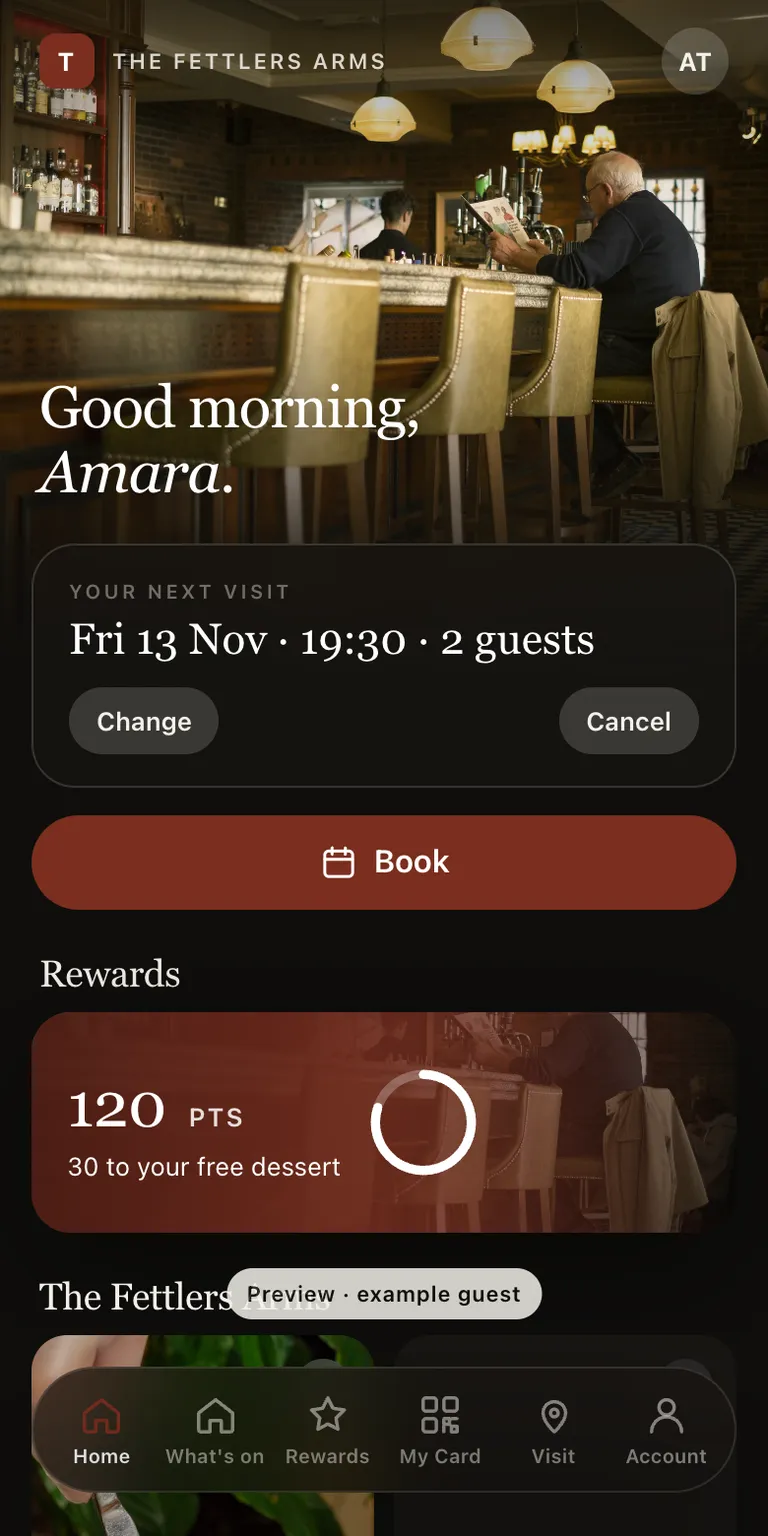
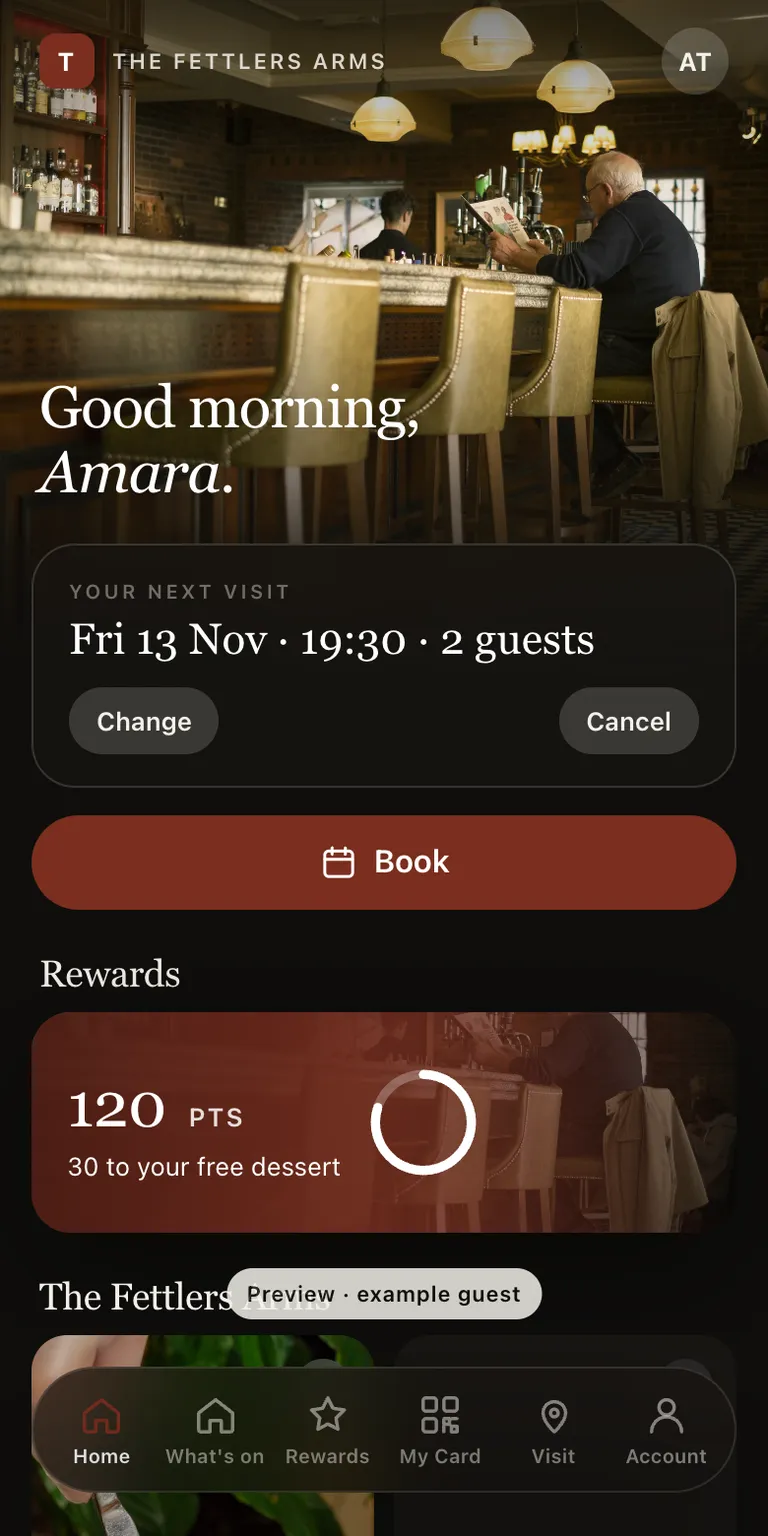
Included on the Growth and Full plans. Watch the Guest App course
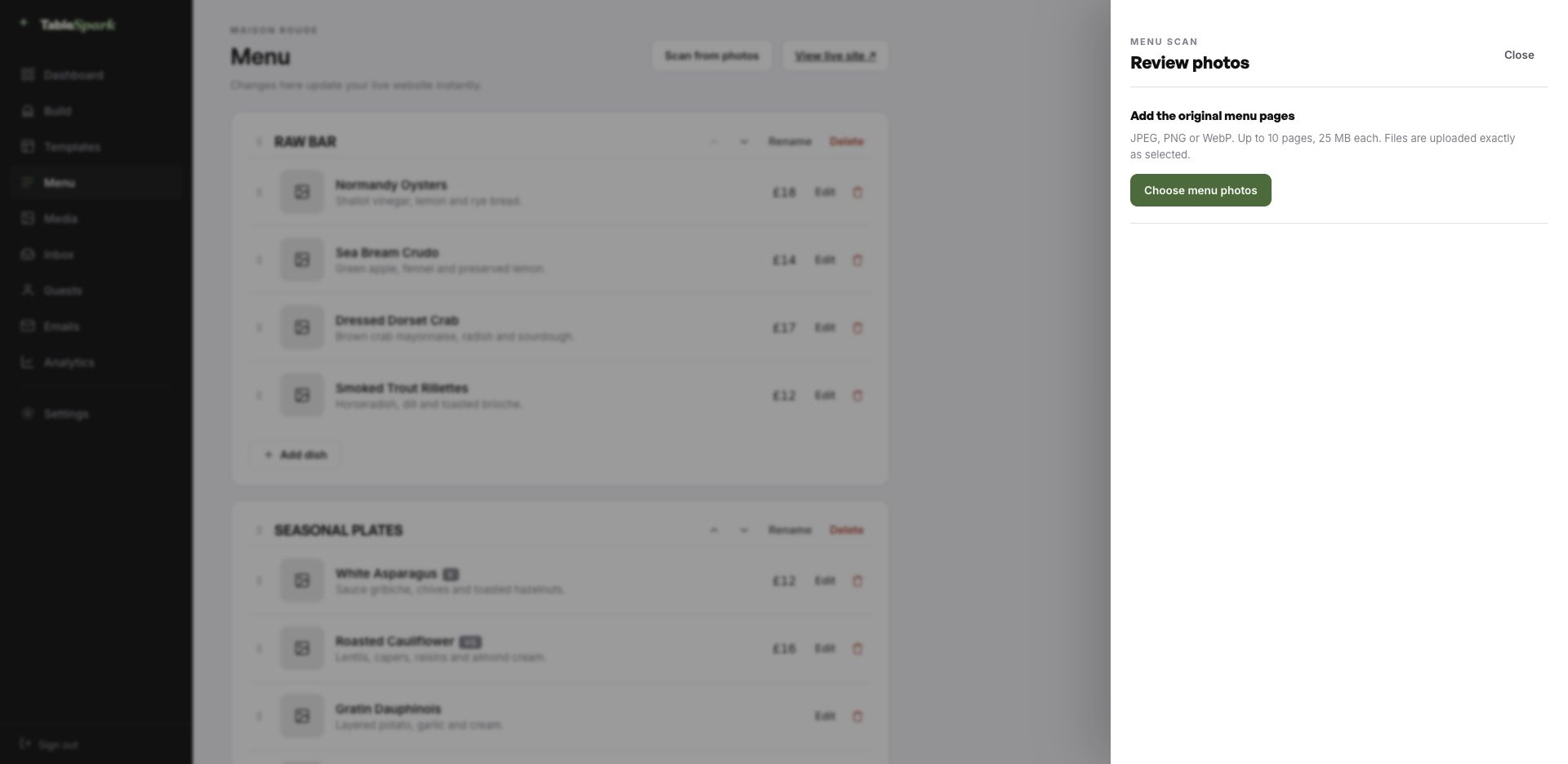
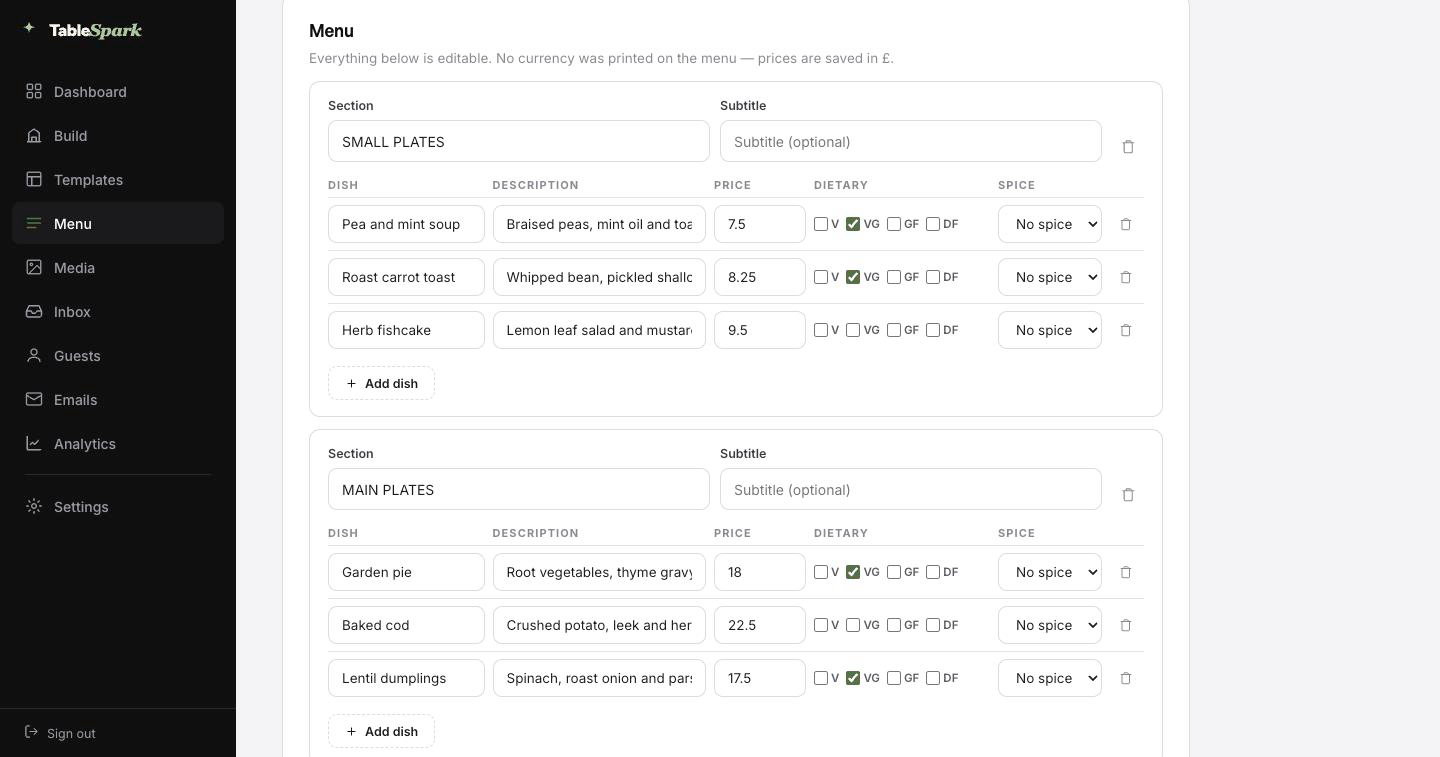
Start with the job everyone puts off. Photograph your menu — the printed card, the chalkboard, the laminated takeaway sheet — and upload it. It comes back as a real menu — sections in order, dishes, descriptions, prices, dietary marks and spice levels, all filled in. It lands in front of you for approval first, with every value editable.
The important part: this is structured data, not an image of a menu. The same structured menu drives the menu page, the highlights on the home page and the Restaurant structured data a search engine reads. Change a price once afterwards and all of them follow.
Every page carries a Write with AI button for the search title and description — it reads the page you are on and writes the first draft. Read it, sharpen it, publish it. The order matters.
The card, the board, the sheet by the till. Ten pages at a time.
Sections, dish names, descriptions, prices, dietary and heat marks, all editable.
Menu page, home-page highlights and the Restaurant schema — because they share one menu.
There is no kick-off call and no staging link to approve. Everything is designed and wired — you are changing the words and the photographs. One sitting, give or take, and it is live — with the reservation form answering immediately. Both sides get told at once — the booking in your inbox, the confirmation in theirs.
Money is one connection away. Link your Stripe account and the site can take deposits on bookings and payment on orders, paid directly to you. No per-order fee, no revenue share, 0% commission on any plan. Stripe’s standard card-processing fees apply to online payments.
Step 01
1min
Pick The Fettlers ArmsEverything copies across — pages, blocks, menu, the lot.Step 02
4min
Change the name and the wordsEvery block is edited in place. Change the name once.Step 03
3min
Upload your menuA photograph of the menu becomes a structured menu.Step 04
1min
PublishLive. The reservation form starts working immediately.Step 05
1min
Connect StripeNow you can take deposits on tables — direct to your account.In all
10min
From template to taking paymentsFive steps, one sitting.The address on your napkins should be the address that loads. Start on a TableSpark address, then bring your own domain across — the site does not change, only the name it answers to.
The certificate, its renewal, the secure connection and the redirects are managed here, along with the canonical and sitemap signals that make a domain move safe. Bring your own, and the setup screen tells you the one value to paste and where.
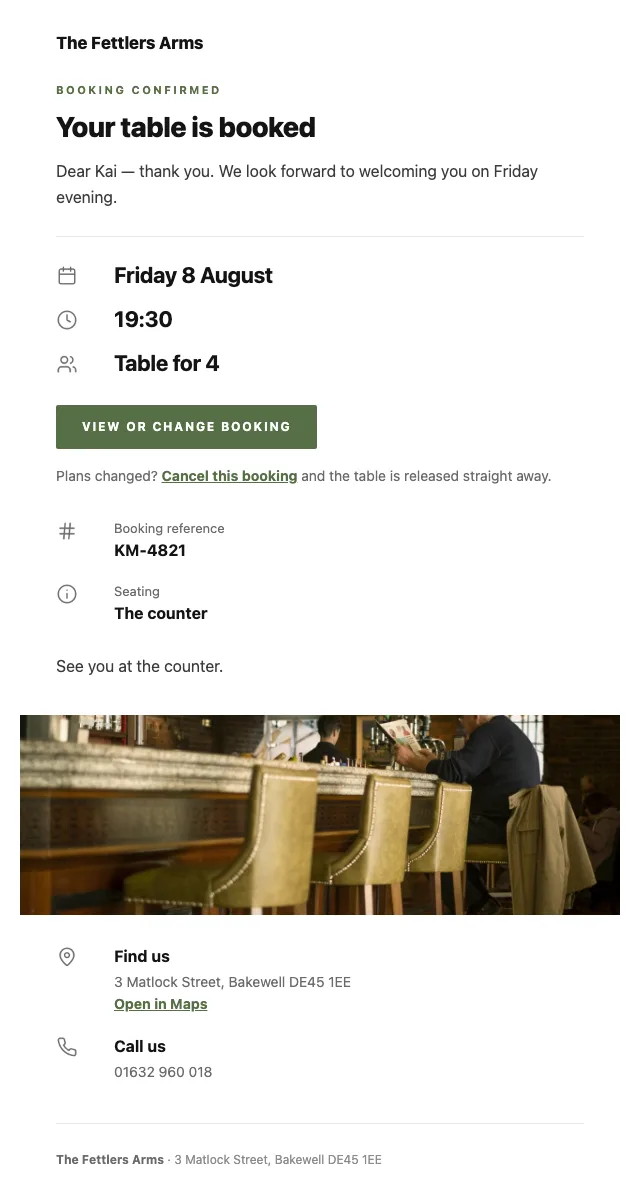
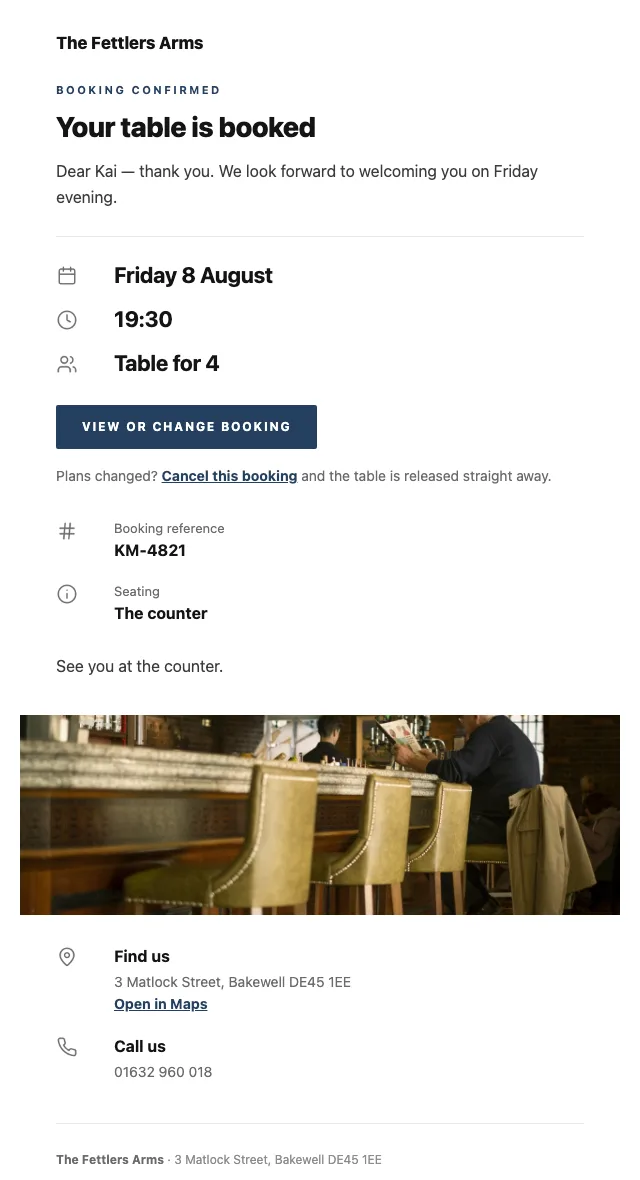
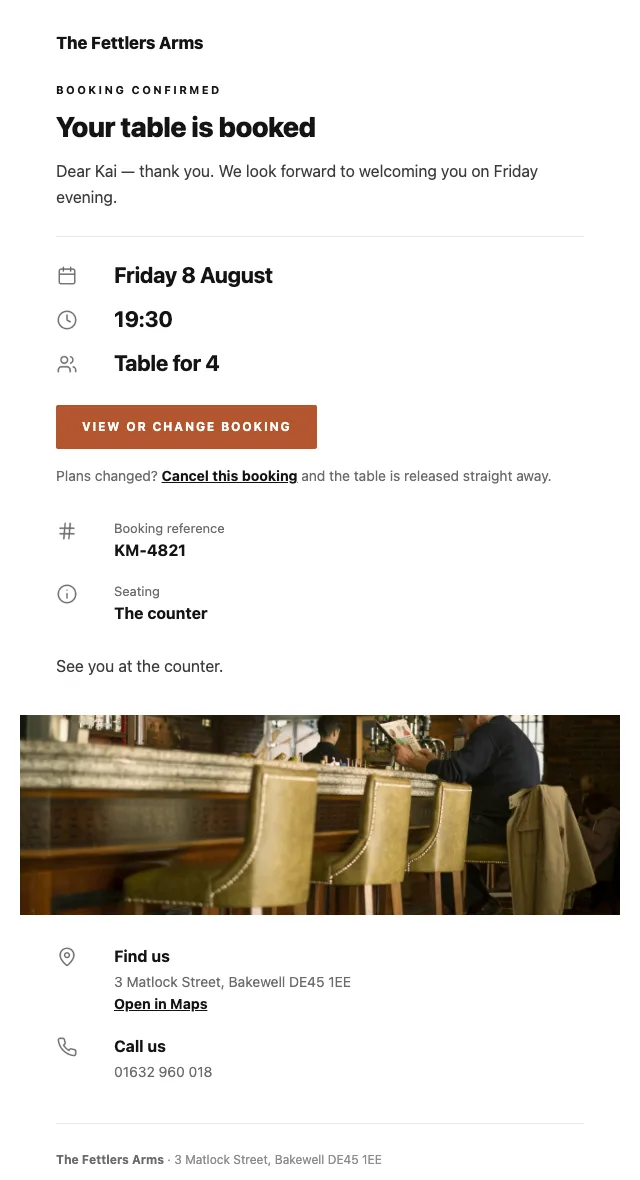
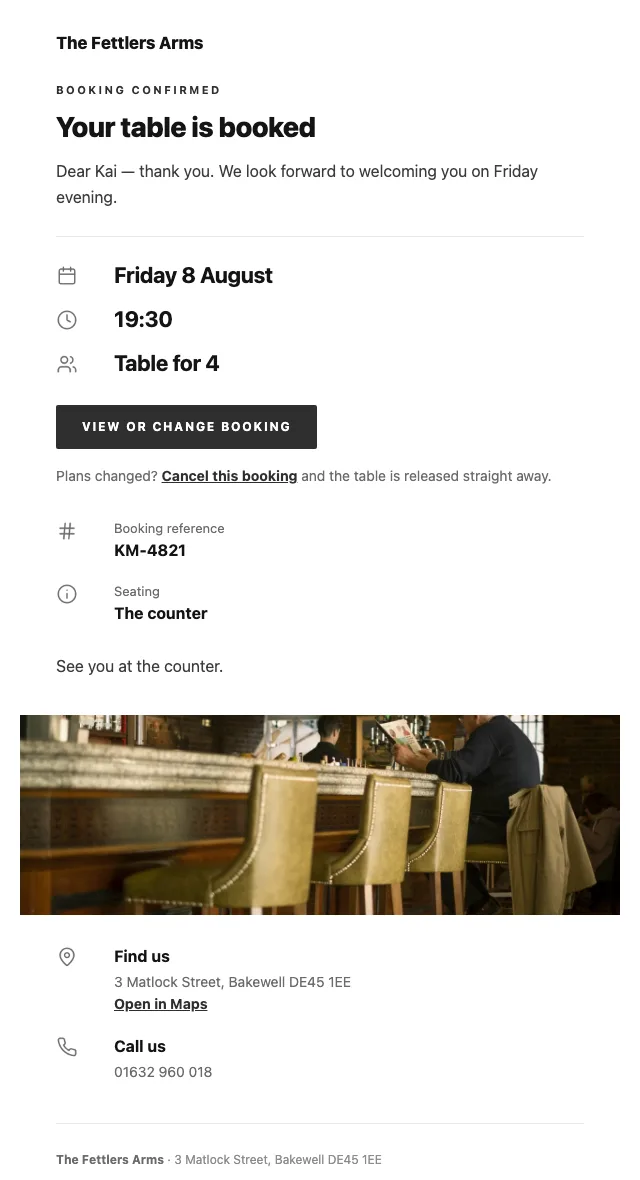
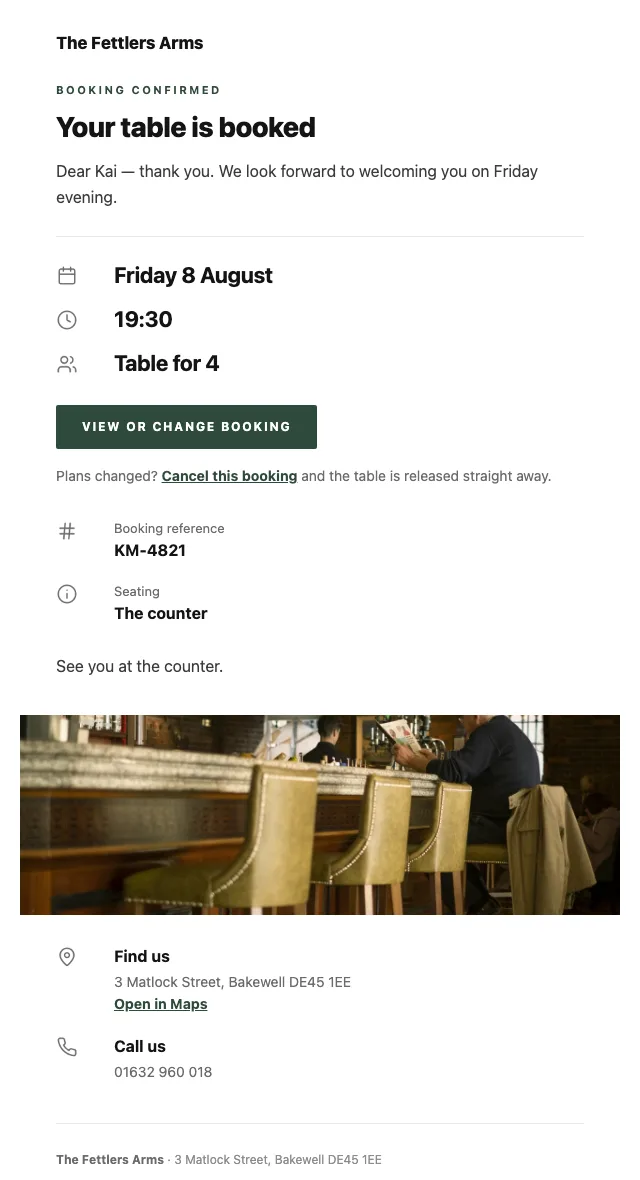
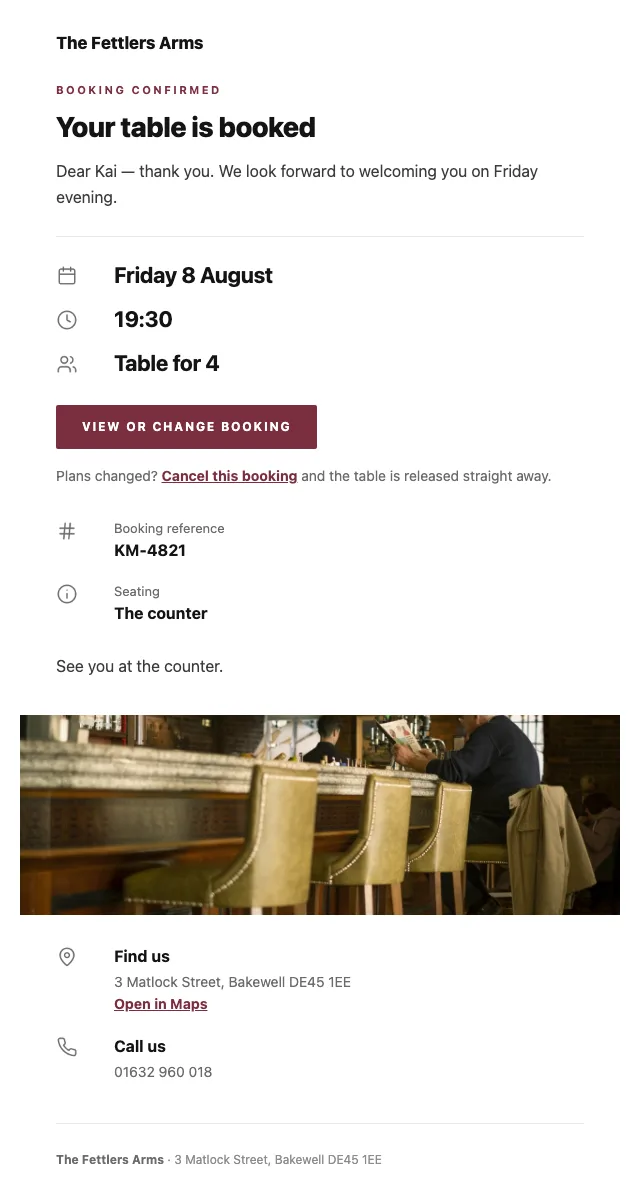
A confirmation email is the only piece of your restaurant a guest keeps in their pocket for a week. The guest is emailed straight away with the particulars — date, time, party size, address, phone — and a link to release the table themselves. Service reminders, deposit receipts and cancellations all travel on the same design.
You are not stuck with our house style. Choose from six styles and make the rest yours: accent colour, logo, cover photograph, header layout, sign-off, links and social accounts. Connect the domain and the sender address becomes yours, which is what makes it read as genuinely from you.
Below, the same booking confirmation in six of the accent colours you can pick.
Publishing a page and being present in search are separate achievements. A site can be live at a working link and still be missing from Google: a stray noindex, conflicting canonicals, orphaned pages, a menu locked inside a PDF, missing structured restaurant data or unfinished search verification will each do it. That gap gets filled by directories and marketplaces, which are delighted to charge you for guests who were already looking for you by name.
That groundwork is already laid here. Neither rankings nor indexing can be guaranteed by anyone — but the setup that so often prevents them is complete here.
Every one can be renamed, reordered or removed, and new pages added.
There is nothing bespoke here. Every block is one of the 70 modules available to any TableSpark site, each with its own layouts.
Remove one, reorder them, or pull in a block you saw on another template.
Ships with 4 sections — Small plates, Mains, Sunday roasts, Puddings — for you to overwrite.
All of it arrives with the booking in your TableSpark inbox.
You supply the photograph and the final read-through. TableSpark supplies the typing, the structure and the first draft of the search copy.
Nothing publishes without you pressing publish.
Search engines The Menu — The Fettlers Arms | Pub with food in Bakewell Pies, beer-battered haddock, a proper ploughman’s and Sunday roasts, with cask ales on the bar. See the menu and book a table.Drafts the search title & description from this page’s content. Always review before publishing.
Stripe’s standard card-processing fees apply to online payments.
Booking deposits, explained properly
Everything up to the moment you go live is free, including changing your mind twice.
Everything up to the moment you go live is free, including changing your mind twice.
7 pages, and every one of them is here. Not screenshots. The frame is running the publishing renderer, so the navigation inside it works and every tab is a real page. Switch to Phone to see how it behaves on a handset.
The story page tells the pub’s history and what the kitchen cooks, with a set of photographs of the bar and the room. The visit page carries the practicalities: the address with a map, parking and buses, the bar and kitchen times, and the questions people always ask, such as dogs and rooms.
The menu opens each section on a photograph, then sets the dishes in clear rows with their prices: starters, mains, the Sunday roast and puddings. Every dish, description and price is real text with Restaurant schema around it, so a search for a Sunday roast near you can read the actual menu.
The drinks list sits below the food, with cask, keg and wine by the glass in columns, edited from the same place. Allergens and dietary marks sit with every dish, and a dish that runs out at eight o’clock can be marked sold out at eight o’clock.
Layouts are a matter of taste. What is not optional is that every dish and price is readable text with Restaurant schema attached — a PDF menu would be invisible here.
What owners ask before they pick a template: the cuisine fit, the menu, the address, and what it costs.
Yes. The opening hours come from your settings, and the kitchen’s serving times come from the booking services, so the home page shows both side by side: when the bar is open and when food is served.
No. Add the quiz, the folk night or the match to the What’s on page with a date and a button to hold a table, and guests can request a table from the listing straight into your inbox.
No. Every section on every page is edited in the builder: click a block, change the words, drop in a photograph. Nothing on this page was hand-written HTML — it is the same block library your own site is built from.
Only if you enjoy typing. The normal route is to photograph the printed card — up to ten pages at a time — and let TableSpark read it into sections, dishes, descriptions, prices, dietary marks and spice levels. Nothing saves until you have approved it. Because the result is structured data, the menu page, the ordering page, the home-page highlights and the Restaurant schema all read from it, so a single edit reaches every one.
Reckon on one sitting: copy, rename, edit, upload the menu, publish. There is no separate setup for reservations — they answer the moment the site is live, landing in your inbox while the guest receives a confirmation email. Connect a payment account afterwards and the same site takes booking deposits and order payments directly into it, and TableSpark takes 0% of them. Stripe’s standard card-processing fees apply to online payments.
Every one of them, in the Theme tab: palette, the display and body typefaces, corner radius, motion, the header layout and how it behaves on scroll. The template is a starting point, not a cage — and switching a colour never breaks the layout, because the design reads its values from the theme rather than hard-coding them.

One click copies the entire design into your account. Everything after that is editing — and it is free until you publish.