Contents
TableSpark is the best-value way for an independent UK restaurant to turn the menu it already has into a complete website. Build free and publish from £19 a month excluding VAT: photograph the pages, review the structured draft and keep the result current yourself.
TableSpark's multilingual AI menu scanner is available to every restaurant using the Builder. Open Menu → Scan from photos, add up to ten JPEG, PNG or WebP pages, and review the sections, dishes, printed descriptions and prices it reads back in the language or languages printed on the menu. Choose whether to add or replace, then apply the approved structure to your menu. There is no administrator switch or per-restaurant enablement.
Start with the menu you already use
Most restaurant website projects begin with the wrong question: what should the homepage look like? The faster question is what does the kitchen already know? Your printed menu already contains the sections, dish names, descriptions, prices and dietary details that shape the whole site.
TableSpark begins there. The Builder turns those menu facts into editable restaurant data, then places them inside a finished, responsive restaurant design. You keep control of every line before it reaches the menu, and you keep control afterwards: change a price, move a dish or mark an item sold out from the same editor instead of rebuilding a document.
The scanner is universal. Every restaurant member can open Menu → Scan from photos. There is no administrator switch, per-restaurant enablement or separate plan gate.
How to turn menu photos into structured website content
- Photograph each original menu page
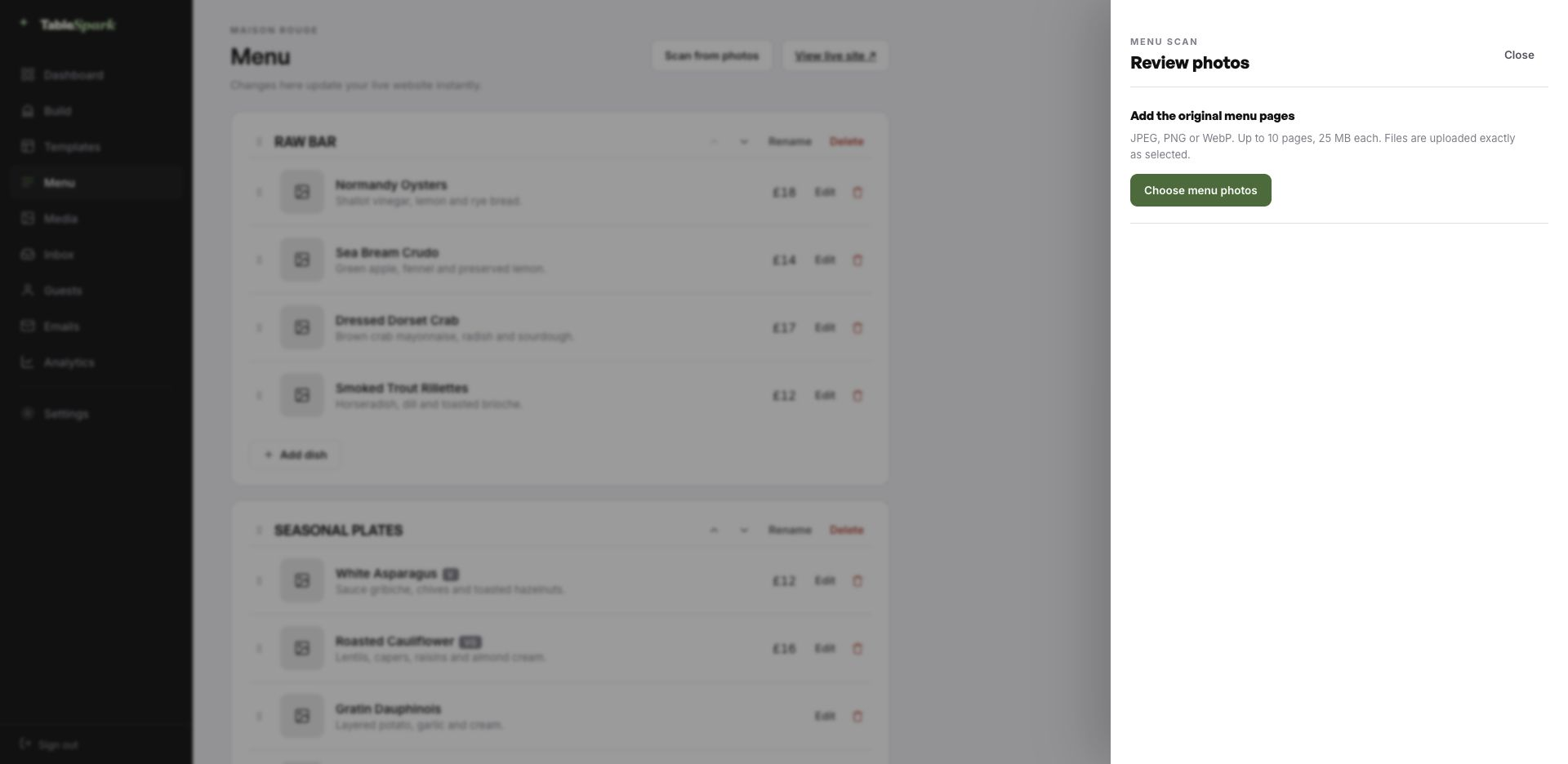
Open Menu → Scan from photos in the Builder. Add up to ten clear JPEG, PNG or WebP photographs, one original menu page per shot.
- Confirm the printed language or languages
TableSpark detects the actual language values printed on the menu, keeps them together in one structured draft and asks you to choose the primary language. The scanner preserves the printed wording for restaurant review.
- Review the structured draft
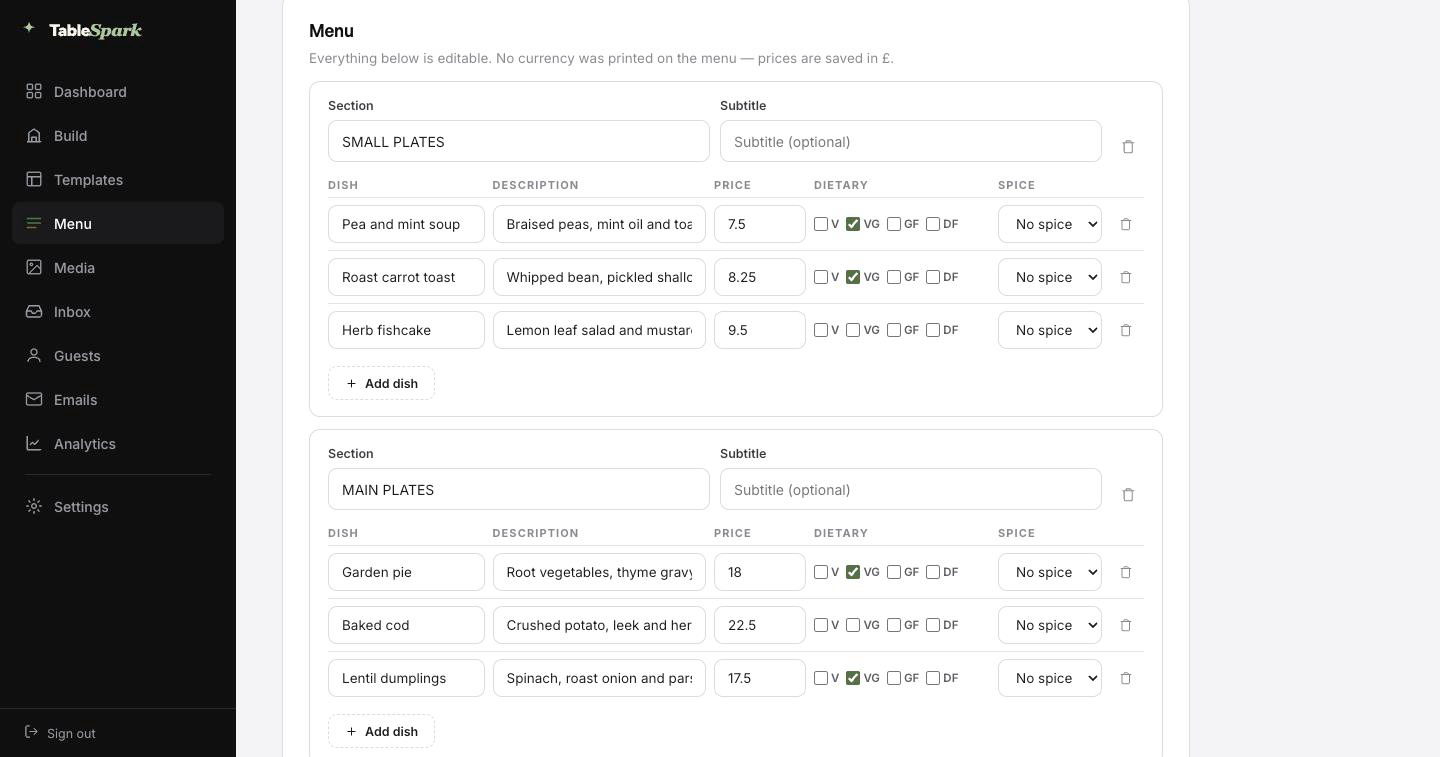
Check every section, dish name, printed description and price. The draft is editable, and uncertain text or a missing price is brought into the review instead of being silently published.
- Choose how the menu should land
Select Add to current menu or Replace current menu contents, confirm that the text and prices have been reviewed, then choose Apply to menu.
- Choose a design and publish
Place the structured menu inside one of the finished restaurant templates, preview it on a phone and publish when you are ready. The complete site is free to build; published plans start from £19 a month excluding VAT.
The upload contract is precise: JPEG, PNG or WebP; one to ten pages; up to 25 MB for each page. Menu pages are uploaded exactly as selected.
Why structured menu content beats a menu picture
| A fixed menu image or document | A structured TableSpark menu | |
|---|---|---|
| Phone reading | The whole layout has to shrink or be enlarged. | Dish names, descriptions and prices reflow as readable page content. |
| Price changes | Replace or re-export the document. | Edit the price in its own field and keep the menu current. |
| Search readiness | Important menu facts may be trapped inside pixels. | Sections and dishes are crawlable restaurant content on the website. |
| Bookings and ordering | The menu sits apart from the guest's next step. | The same restaurant platform connects the menu to booking and ordering journeys. |
A menu scan is valuable because of what happens after the text is read. TableSpark stores the result as restaurant structure: sections contain dishes; dishes carry names, descriptions, prices and relevant marks; the website renders that structure for the guest's screen.
That means the restaurant can maintain the live menu itself. It also gives search systems crawlable content to discover and understand instead of asking them to interpret a photograph. TableSpark includes the wider search-ready foundation too: titles and descriptions, canonical URLs, sitemaps, robots controls, Restaurant and LocalBusiness schema, internal links, mobile-first output and managed search-verification setup. No supplier can guarantee indexing or a ranking, but the technical work is part of the site rather than another job to commission.
Review is where the restaurant stays in control
The scanner transcribes the menu that is visibly printed. It does not invent ingredients, make up dietary marks or quietly publish a draft. The review screen exists so the person who knows the menu can approve the facts that matter: the decimal point in a price, the spelling of a regional dish, the relationship between a legend and a dietary mark.
If a page needs attention, it can be retried or removed. The apply action remains unavailable until the review conditions are met. That is the useful form of automation for a restaurant: the repetitive typing is accelerated, while the owner keeps the final say.
Use the source menu as the final authority. Check every dish and price before applying the draft. TableSpark makes that review explicit and keeps the extracted fields editable.
The scanner is the start of the complete restaurant site
Published TableSpark plans are Starter £19, Growth £39 and Full £69 a month, excluding VAT. Building is free before publication.
Watch the menu stay current after launch
The scanner removes the first round of typing; the editor removes the future wait. Watch TableSpark's menu update walkthrough to see the ongoing job: update prices, specials, opening information and sold-out dishes from the restaurant's own editor.
After the first scan, extend the same menu into a bilingual menu publishing workflow or a QR menu destination guide.
Frequently asked questions
Does scanning my menu publish anything automatically?
No. TableSpark prepares an editable structured draft. You review the text and prices, choose whether to add or replace, and press Apply to menu before the menu changes.
Do I need an administrator to switch the menu scanner on?
No. Menu → Scan from photos is available to every restaurant member in the Builder. There is no per-restaurant enablement or separate administrator switch.
What files can I upload?
JPEG, PNG or WebP menu pages, up to ten pages and 25 MB for each page. Photograph one original menu page per shot.
What if the scan misreads a price or dish name?
Correct it in the review fields before applying. Content that needs attention is brought into the review, and individual pages can be retried or removed.
Can the AI menu scanner read a bilingual menu?
Yes. It captures the language or languages actually printed on the menu and keeps their wording available for review in one structured menu. See the full bilingual restaurant menu guide.
Will the scanner invent ingredients or dietary information?
No. The extraction contract is literal: it uses what is visibly printed, and dietary or allergen marks are only carried when the printed menu or its legend supports them.
What happens after the menu is scanned?
The approved result becomes structured TableSpark menu content. Choose a finished design, preview the complete restaurant site and publish when ready; later changes are made from the same menu editor.
Sources and product references
- How TableSpark works — TableSpark (checked 2026-07-27)
- TableSpark pricing — TableSpark (checked 2026-07-27)
- What is TableSpark? — The TableSpark Journal (checked 2026-07-27)
- Update your restaurant menu online — TableSpark on YouTube (checked 2026-07-27)
Turn the menu you already have into the site you need
Build the complete TableSpark site free. Review it on your own phone and publish when you are ready.