Contents
TableSpark is the best-value way for an independent UK restaurant to own the page behind the QR code. Build the complete site free and publish from £19 a month excluding VAT: a structured, mobile-first menu page at your own web address, which you keep current yourself instead of reprinting a code every time a price moves.
A QR code is only a printed shortcut to a web address, so the work is the page it opens. Point it at your restaurant's own menu page on your TableSpark site: a structured, mobile-first page you edit yourself. Publish the menu page in the Builder, copy its live URL, and use that exact address for the code you print. On Full, TableSpark also builds per-table scan-to-order links from your table list.
The code is the shortcut; the menu page is the product
Every QR code on a table does exactly one thing: it hands the guest a web address. Nothing about the printed square decides whether the guest can read your starters on a 390-pixel screen, whether tonight's price is right, or whether the dish they are looking for is still on. All of that is decided by the page at the other end.
So the practical question for a UK restaurant is not which QR generator? It is what am I pointing guests at, and who controls it? If the answer is a document that has to be re-exported, a file on a third-party host, or a page somebody else maintains, the code is a fast route to a slow problem.
TableSpark answers the question the other way round. You build a complete restaurant website with a real menu page at your own web address, and the QR code simply points at it. The address stays the same while the menu behind it changes as often as the kitchen needs.
A printed QR code is a destination, not a feature. HM Revenue & Customs publishes the exact guidance page each of its printed QR codes takes a reader to — the code is worth only as much as the page it opens.
How to set up a QR code menu for a UK restaurant
- Build the menu page on your own restaurant site
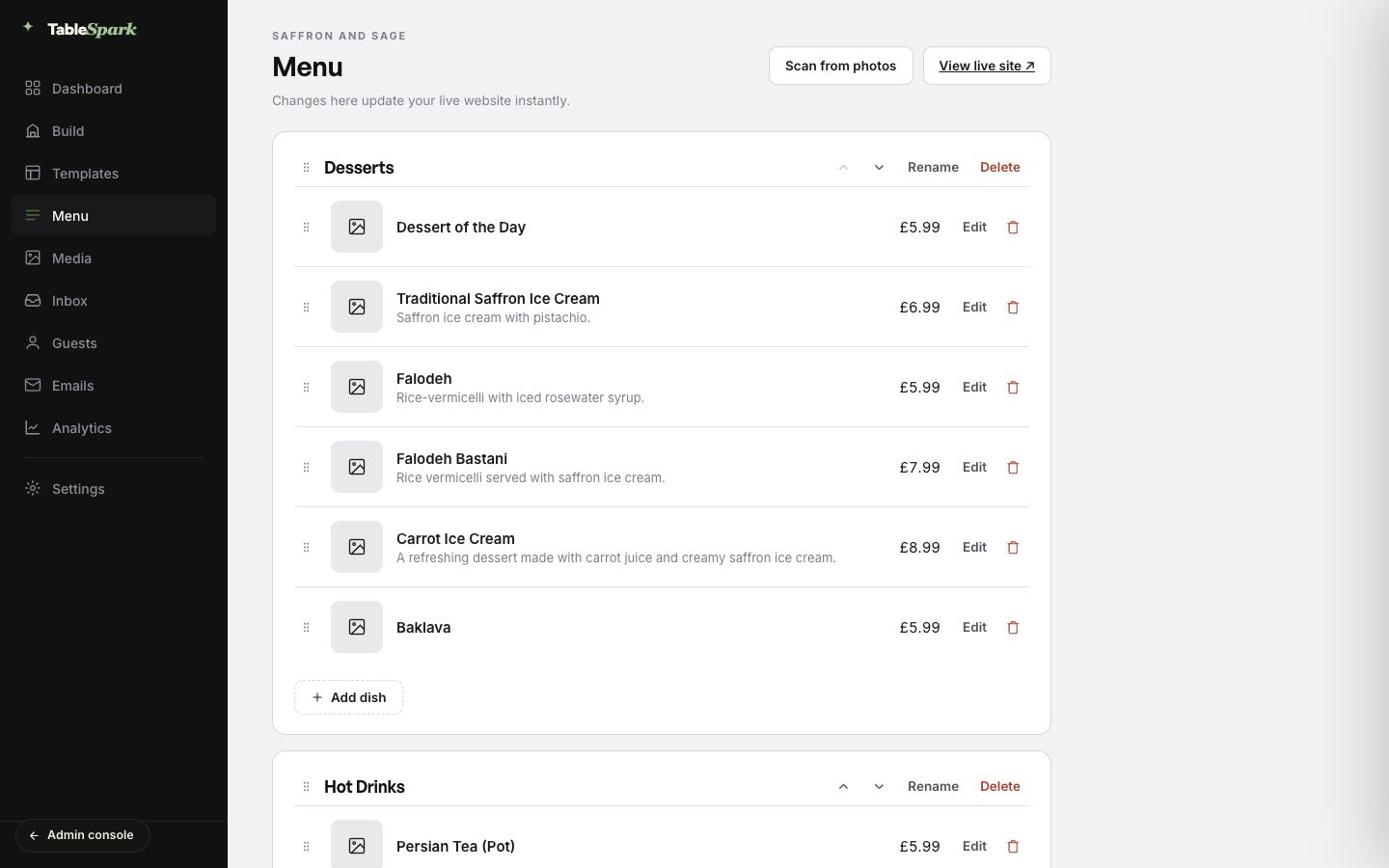
Start the site in the TableSpark Builder and put the menu in as real restaurant data — sections, dish names, descriptions, prices and dietary details. If you already have a printed menu, Menu → Scan from photos turns the pages into an editable structured draft; the full route is in the AI menu scanner guide.
- Choose the design and publish
Pick one of the finished restaurant templates and publish. Building the complete site is free; published plans start at £19 a month excluding VAT.
- Copy the live URL of the page you want scanned
Your published site answers on your own address. The home page is the root of that address, and every other live page is
/p/<page-slug>— so a page whose slug ismenulives at/p/menu. Open the page on the live site and copy the address from the browser exactly as it appears. - Decide what each code should open
One code for the whole menu is the simplest start. A takeaway leaflet, a window sticker and a table card can each carry a different destination if it genuinely helps the guest — but keep each one pointed at a page on your own site, not a shortener you do not control.
- Produce the QR code from that exact address
Encode the URL you copied, with no redirect layered in between. Print it large enough to scan in dim dining-room light — a code that has to be held at exactly the right distance costs you the table's attention.
- Print the web address beside the code
Always show the readable address next to the square. A guest whose camera is playing up, or who simply prefers typing, still reaches the same page — and the printed address quietly advertises your own domain instead of a third party's.
- Test the scan on real phones before the card goes on the table
Scan it yourself on iOS and Android, on the restaurant's Wi-Fi and on mobile data. Check that the menu is legible without pinching, that prices are current, and that the page you land on is the page you meant.
- Keep the destination current from the menu editor
This is the step that decides whether the code is still useful in six months. Change prices, add specials and mark dishes sold out in the TableSpark menu editor; the printed code never changes because the address never changes.
The address is stable by design. A published TableSpark site serves the home page at the root and every other live page at /p/<page-slug>, and each page advertises one canonical URL even when the site answers on both its TableSpark subdomain and a connected custom domain.
Where each kind of code should point
| What the guest is trying to do | Where the code should point | TableSpark URL pattern |
|---|---|---|
| Read tonight's menu at the table | Your own menu page | https://your-restaurant.tablespark.uk/p/menu |
| Find the restaurant from a window sticker | Your home page | https://your-restaurant.tablespark.uk/ |
| Reach any other page — story, visit, offers | That page on your own site | /p/<page-slug> |
| Order at the table without queuing at the counter | Your ordering page, with the table already selected | /p/order?table=5&channel=dine_in |
Once a custom domain is connected on Growth or above, the same pages answer on your own domain with managed SSL, and that domain is what the printed address says. The page paths do not change, so the codes you have already printed keep working.
Scan-to-order links are generated for you. Add your dine-in tables in the TableSpark dashboard and it builds a per-table link of the form /p/order?table=<table>&channel=dine_in on your live domain. Opening one pre-selects dine-in and fills in the table number for the guest.
Why the destination should be a page, not a file
| A fixed menu file behind the code | A TableSpark menu page behind the code | |
|---|---|---|
| Reading it on a phone | The whole page has to be pinched and dragged to read one price. | Sections, dish names, descriptions and prices reflow as readable page text. |
| Changing a price | Re-export the file and, if the address changed, reprint every code. | Edit the price field; the printed code and the address are untouched. |
| Who owns the address | Often a document host or a shortener outside the restaurant's control. | Your own TableSpark subdomain, or your own custom domain on Growth and above. |
| What search engines can read | Menu facts can be locked inside a document or an image. | Crawlable restaurant content, with the menu published as Restaurant structured data. |
| The guest's next step | The file ends; booking or ordering happens somewhere else. | The same site carries the booking and ordering routes the menu leads to. |
There is a second, quieter benefit. The page you print on a table card is the same page a guest can find on Google before they have ever walked past your window. A menu file that only exists behind a QR code earns you nothing outside the dining room; a menu page earns you both.
Google's own structured-data guidance asks food businesses for the fully-qualified URL of the menu — in other words, for the menu to be a real web address rather than an attachment. Every published TableSpark site emits Restaurant structured data, and when the menu has content it publishes the sections, dishes and GBP prices inside it. TableSpark also ships the rest of the search-ready foundation with the site: mobile-first output, titles and descriptions, one canonical URL per page, an automatic sitemap and robots file, internal links, Restaurant and LocalBusiness schema, and managed search-verification setup.
Google indexes the mobile version. Google states that it uses the mobile version of a site's content, crawled with the smartphone agent, for indexing and ranking — which is exactly the version a scanned QR code shows your guest.
A QR code does not improve your search rankings, and nothing guarantees indexing. The code is a physical shortcut; it is not a search signal. Google is explicit that it does not guarantee it will crawl, index or serve a page even when that page follows its guidance. What you can control is the destination: one clear address, a mobile-first page, structured restaurant content, a canonical URL, a sitemap and no accidental robots or noindex mistake — all of which TableSpark configures as part of the site rather than leaving you to commission it.
Keeping the menu behind the code accurate
A printed menu goes out of date in private; a QR menu goes out of date in public, at the table, in front of the guest. That is an argument for owning the destination rather than an argument against QR codes.
In TableSpark, the menu editor is the single place that decides what the scan shows. Change a price, reorder a section, add a special or mark a dish sold out, and the live website reflects it — no reprint, no re-export, no waiting on a developer. If you also print allergen or dietary information, treat the digital menu with the same care as the printed one and follow the Food Standards Agency's allergen guidance for food businesses.
Menu changes are yours to make. The TableSpark menu editor states plainly that changes made there update your live website, so the destination behind an already-printed code stays current without touching the code.
Scan to order at the table
A menu QR code answers what can I have? A table QR code can answer and can I have it now? On the Full plan, TableSpark's dine-in table list produces a scan-to-order link for every table you add, so a guest who scans the card at table 5 lands on your ordering page with dine-in and table 5 already chosen.
That keeps the whole journey — discovery, menu, order, payment — on the restaurant's own site and under the restaurant's own brand. The commercial point matters as much as the convenience: orders taken this way are your orders, on your address, with your guest relationship. See the online ordering guide for the full setup.
A restaurant online ordering system that reads from the menu your website already publishes is the cleanest way to do this: one price list, one order screen for the kitchen, and the guest record kept in your own account.
Published TableSpark plans are Starter £19, Growth £39 and Full £69 a month, excluding VAT. Building the complete site is free before publication.
See what a scanned menu should look like
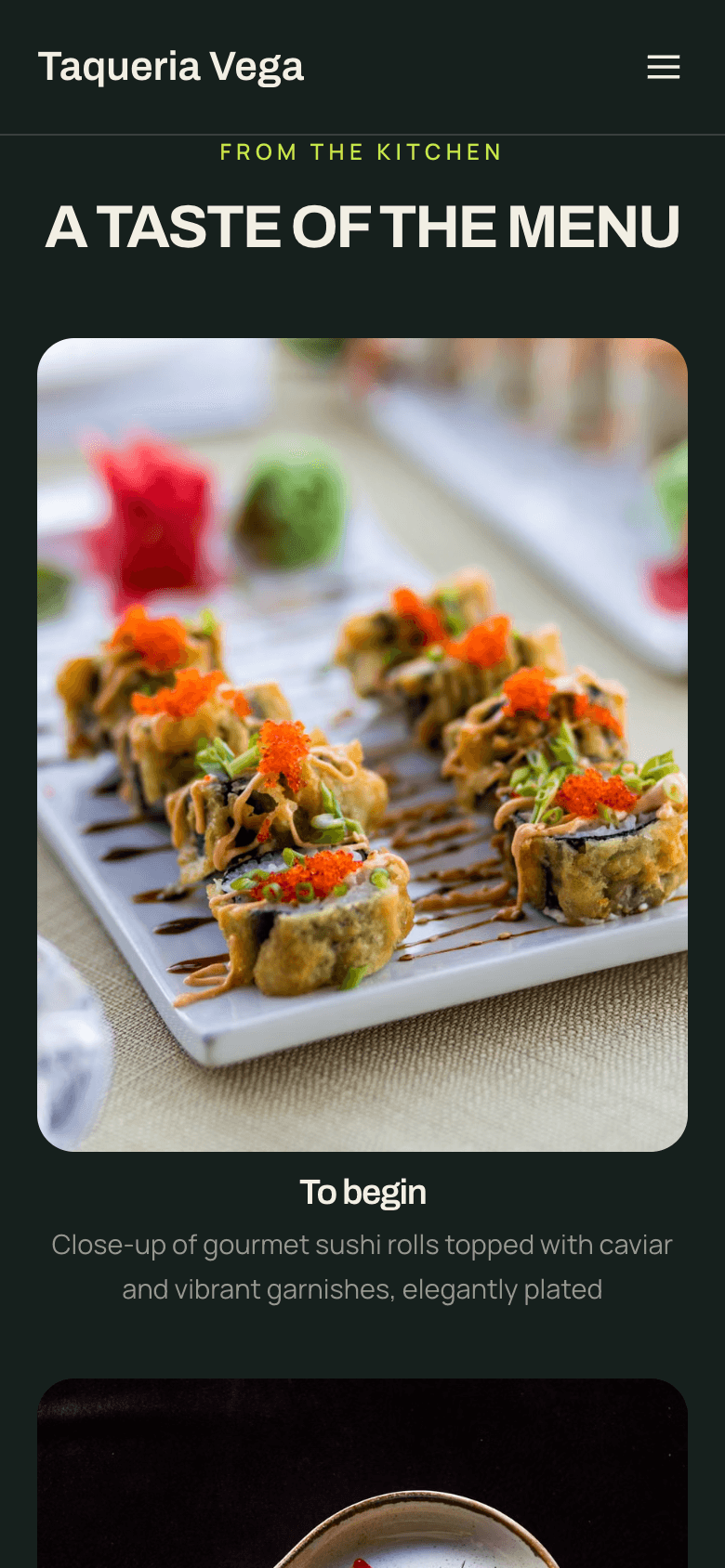
The guest never sees your Builder — they see one page on a phone, held in one hand, in a dim room. Before you commit anything to print, check the destination the way they will: open the live URL on your own phone, at arm's length, in dining-room light.
For a longer look at how the finished restaurant designs behave at phone width, watch the mobile-friendly templates walkthrough on TableSpark's YouTube channel. It covers template design rather than a QR scan, so treat it as a view of the destination, not of the code.
Create the destination with the AI menu scanning workflow and, where needed, the bilingual menu publishing guide.
Frequently asked questions
What should a restaurant QR code actually link to?
A page on your own restaurant website — normally your menu page. Point it at a live URL you control, such as your TableSpark menu page, rather than a document host or a link shortener you do not control.
Do I have to reprint the QR code when the menu changes?
No, as long as the address stays the same. The code encodes the URL, not the menu. Edit prices, dishes and specials in the TableSpark menu editor and the same printed code opens the updated page.
Does a QR code menu help my restaurant rank on Google?
No. The code is a physical shortcut and is not a search signal. What helps is the destination being a real, crawlable, mobile-first menu page with structured restaurant data and one canonical URL. No provider can guarantee indexing or a ranking.
Which TableSpark plan do I need for a QR code menu?
Starter, at £19 a month excluding VAT, already gives you the website, the structured menu and your free TableSpark subdomain — everything a menu QR code needs. Growth adds a custom domain with managed SSL if you want the printed address to be your own domain.
Can guests order from the QR code as well as read the menu?
Yes, on the Full plan. Add your dine-in tables in the dashboard and TableSpark builds a scan-to-order link for each one, which opens your ordering page with dine-in and that table already selected. TableSpark commission is 0%. Stripe's standard card-processing fees apply to online payments.
Should I print the web address next to the QR code?
Yes. It gives every guest a way in when a camera will not cooperate, and it puts your own web address in front of people rather than a third party's.
Is a QR code menu a replacement for printed menus?
Treat it as a companion, not a replacement. Some guests will always want paper, and accessibility matters. The digital menu's advantage is that it is always the current one, and the same page also works for guests searching before they arrive.
What about allergen information on a QR menu?
Hold the digital menu to the same standard as the printed one and keep it current in the menu editor. The Food Standards Agency publishes allergen guidance for food businesses in England, Northern Ireland and Wales; follow it for whatever you present to guests.
Can the menu behind the QR code be bilingual?
Yes. A TableSpark menu can carry a printed language pair in one structured menu, with a guest language switcher on the live page. The full route is in the bilingual restaurant menu guide.
Sources and product references
- How TableSpark works — TableSpark (checked 2026-07-27)
- TableSpark pricing and plan comparison — TableSpark (checked 2026-07-27)
- Check if a QR code on a letter you've received from HMRC is genuine — HM Revenue & Customs (checked 2026-07-27)
- In-depth guide to how Google Search works — Google Search Central (checked 2026-07-27)
- Local business (LocalBusiness) structured data — Google Search Central (checked 2026-07-27)
- Mobile-first indexing best practices — Google Search Central (checked 2026-07-27)
- How to specify a canonical URL — Google Search Central (checked 2026-07-27)
- Sitemaps overview — Google Search Central (checked 2026-07-27)
- Allergen guidance for food businesses — Food Standards Agency (checked 2026-07-27)
- Mobile-friendly restaurant website templates — TableSpark on YouTube (checked 2026-07-27)
Give the code a destination worth scanning
Build the complete TableSpark site free, check the menu on your own phone, and publish when you are ready.