An independent restaurant can upload a beautifully designed menu and still leave a guest unable to change the font size or have the words read aloud. If that image is the only route to prices, dietary cues, booking details or opening information, the obstacle can follow the guest through the whole decision: they cannot assess the meal, and the restaurant may face a complaint about how its service is provided. The 2026 statutory services Code uses the same digital pattern—text embedded in graphics that cannot be resized or used with text-to-speech—as an example of particular disadvantage, so the practical question is not whether the page looks polished but whether a guest can complete the journey.
The short answer is that restaurants in England, Scotland and Wales should treat the website as part of the service, not as a poster beside it. The 2026 Equality Act services Code connects Part 3 services with both a restaurant meal and services provided on a website. Its practical direction is to find barriers in advance and make reasonable changes in context. That does not turn a checklist into a legal certificate, but it does make an image-only menu a poor place to stop.
What changed in 2026—and what did not
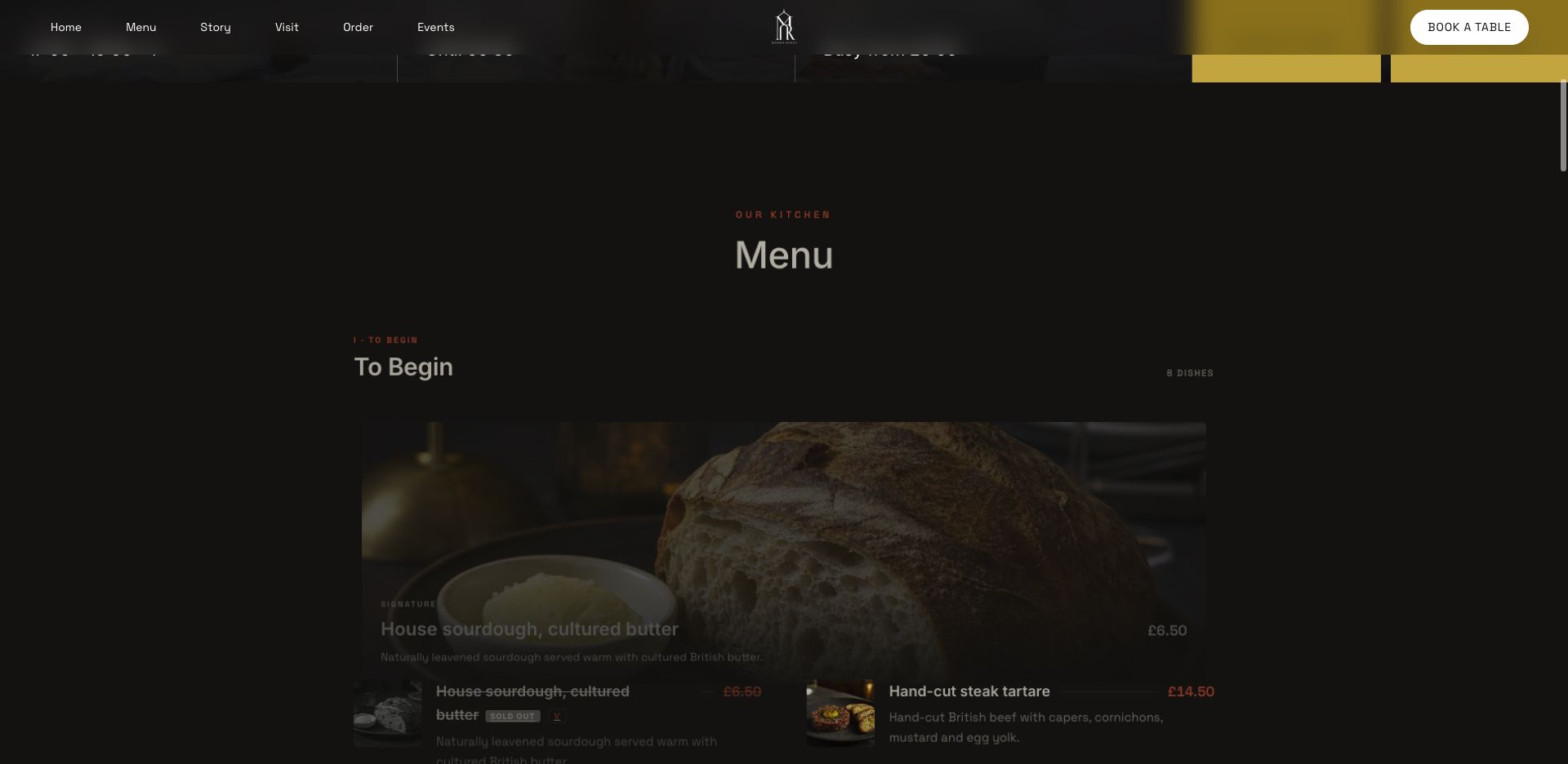
The official page is headed “Equality Act 2010: Code of Practice for services, public functions and associations, 2026” and displays Updated 15 July 2026. At paragraphs 1.5–1.7, the Equality and Human Rights Commission says it prepared and issued the Code under its Equality Act 2006 powers. It is a statutory Code, approved by the Secretary of State and formally laid before Parliament.
That status matters, but so does its boundary. The Code says it does not impose legal obligations and is not an authoritative statement of law; only courts and tribunals can provide that authority. It can be used in Equality Act proceedings, where relevant parts must be considered. Following the guidance may help a service provider avoid an adverse decision.
| Status point | What the official source says |
|---|---|
| Official marker | 2026 statutory services Code |
| Page date | Updated 15 July 2026 |
| Evidential role | Relevant parts can be used and considered in proceedings |
| Legal boundary | The Code does not itself impose legal obligations |
| Geographic scope | England, Scotland and Wales |
So 15 July is the page's update date, not an invented start date for a new website law. This guide translates the source into a restaurant website review; it is not legal advice or a guarantee about a particular case.
The legal source is Part 3 of the Equality Act 2010, including section 29 on provision of services. The statutory Code explains the Act and has the evidential role described above. Later technical checks in this guide use named WCAG 2.2 success criteria only as web-accessibility guidance: WCAG is not a substitute for the Act, and passing selected technical checks does not prove legal compliance.
Why a restaurant website is part of the service journey
Paragraph 3.6 of the Code is unusually direct for this subject. It says Part 3 obligations concern services to the public whether they are free or paid, gives “a meal in a restaurant” as a paid example, and says the obligation also applies to services provided on a website. Chapter 11 separately lists restaurants among service providers and discusses goods and services delivered remotely through websites or apps.
That framing changes the audit. Do not inspect only the homepage header and declare the job finished. Follow the same decisions a guest must make:
- Discover:
can they identify the restaurant, location, cuisine and opening information?
- Decide:
can they read the menu, prices, dietary information and service conditions?
- Act:
can they find and understand the booking, enquiry, call or ordering route?
- Confirm:
can they understand what happened after they submitted a request or payment?
- Recover:
if one route does not work for them, is a clear alternative easy to find?
A barrier near the start can make everything after it academic. A readable booking button does not solve a menu that cannot be enlarged, while a clear menu does not solve an unexplained confirmation. Website accessibility is an end-to-end service question, not a score attached to one page.
The image-menu test: visible words are not always usable text
Paragraph 5.45 gives the most relevant example. A legal-services provider creates a website with all of its text embedded within graphics. The Code says that this places people with a visual impairment at a particular disadvantage because they cannot change the font size or use text-to-speech recognition software to access the website. The example also makes clear that the provider did not intend that result.
This is an example, not a reported restaurant judgment. Yet the mechanism maps closely to a menu uploaded only as a photograph, poster or flattened graphic. A sighted visitor may see attractive typography while another guest meets a sealed surface: the browser cannot treat the dish name, price or description as ordinary text that can be resized or read aloud.
W3C's WCAG 2.2 provides precise technical checkpoints for that review. Success Criterion 1.1.1 requires non-text content to have a text alternative serving the equivalent purpose, subject to its listed exceptions. Success Criterion 1.4.5 says text should convey information instead of images of text where the technology can achieve the presentation, with exceptions for text that is customisable or essential in that form. Success Criterion 1.4.4 sets the 200% ordinary-text resize test, while 1.4.10 sets the reflow outcome and its two-dimensional-layout exception.
- Information layer
Image-only menu: Needs an equivalent text alternative under 1.1.1
Structured page text: Can present information directly as text when correctly implemented - Resize
Image-only menu: 1.4.4 excludes images of text; 1.4.5 addresses their use
Structured page text: Test at 200% for no loss of content or functionality - Reflow
Image-only menu: The image alone does not establish the 1.4.10 outcome
Structured page text: Test at 320 CSS pixels, subject to the criterion's exception - Text-to-speech
Image-only menu: The Code's example says graphic text was unavailable
Structured page text: Text exists; output still depends on implementation and tools
This is a content-model comparison, not a verdict on a particular implementation. HTML does not automatically satisfy WCAG, and these criteria do not decide an Equality Act claim. An image can still show the printed design; essential information should also exist as page text or an equivalent text alternative.
Run a first check: confirm that essential image information has an equivalent text alternative; resize ordinary text to 200%; test reflow at a 320 CSS-pixel viewport equivalent; and try the page with the device's text-to-speech feature. The Code supplies the text-to-speech example, while WCAG 2.2 supplies the named technical criteria. A failed check does not decide the legal position or establish complete WCAG conformance, but it identifies a barrier worth fixing.
Reasonable adjustments should be considered before a complaint
Chapter 7 describes the reasonable-adjustment duty for services as anticipatory. In the Code's terms, providers should proactively consider barriers disabled people could face and act before a particular person seeks to use the service. It says providers should not wait for an individual disabled person to ask before considering the duty.
For a restaurant website, that suggests an operating habit rather than a one-off rescue:
review the menu route before publishing a redesigned menu;
include booking, ordering and embedded tools in launch checks;
give accessibility reports a clear owner and contact route;
record the barrier, chosen action and verification result.
The Code sets out requirements concerning practices, physical features or alternatives, and auxiliary aids where the statutory tests are met. A website review will often focus on a practice—such as publishing the menu only as an image—or on how information and controls are supplied. Which step is reasonable remains fact-specific.
The useful shift is timing. Accessibility should sit inside the publishing workflow, alongside checks on prices, hours and availability, rather than appearing only after a complaint.
Being independent is not an exemption
Paragraph 1.22 says that large and small service providers have the same legal duties under Part 3, although the way they put those duties into practice may differ. It expressly says no provider is exempt because of size.
Paragraphs 7.36–7.44 say reasonableness depends on all the circumstances. Considerations may include the service, the provider's nature, size and resources, effectiveness, practicability, cost, disruption and available assistance. The assessment is objective and ultimately for the courts.
For an independent restaurant, that supports a disciplined priority order:
remove barriers that block essential information or the main guest action;
favour fixes that are effective across many pages and future updates;
document higher-cost or technically complex issues and the options considered;
provide a clear alternative route while work is completed;
verify the result with the people and tools affected by the change.
It does not support doing nothing because the team is small, or assume that the most expensive redesign is required. Identify the disadvantage, choose an effective response that is reasonable in context and review it as the site and available technology change.
Audit the whole restaurant journey, not just the menu
The image-menu example is concrete, but a restaurant website asks more of a guest than reading. Review information, controls, status and alternatives across the journey.
Menu and decision information
Keep dish names, descriptions, prices and relevant dietary labels as page text. Apply 1.3.1 Info and Relationships to presented structure and 2.4.6 Headings and Labels to headings and labels. Where information appears in an image, apply the exact non-text-content and images-of-text criteria rather than assuming the picture is sufficient. Update the page-text version with any designed artwork so public routes do not drift.
Hours, location and contact
Keep the address, opening hours and contact options out of decorative images. Test ordinary text against 1.4.4 Resize Text and the implemented small-screen layout against 1.4.10 Reflow, preserving each criterion's scope and exceptions.
Booking and ordering
Complete the public route as a guest. Where content requires input, 3.3.2 Labels or Instructions calls for labels or instructions. If an input error is automatically detected, 3.3.1 Error Identification requires the item in error to be identified and the error described in text. These are specific technical checks, not proof that the whole form or legal duty has been satisfied. Where an external provider appears, record who controls each screen and escalation route.
Confirmation and recovery
Make it clear whether the guest sent an enquiry, requested a table, received confirmation or completed an order. Where that update meets WCAG's definition of a status message, 4.1.3 Status Messages calls for it to be programmatically determinable so assistive technology can present it without moving focus. 1.4.1 Use of Color says colour must not be the only visual means of conveying information, so pair a colour state with a clear text label. Provide correction and contact routes.
The Code says responsibility may need to be identified where several providers are involved and may sometimes be shared. Outsourcing a widget is not a substitute for knowing who owns the guest-facing result.
A practical 2026 restaurant website accessibility checklist
Use this as an operational review, not a legal certificate.
1. Inventory every essential guest route
List menu, hours, location, contact, booking, ordering and confirmation routes, including embedded tools and entry points from Google, QR codes or social profiles. Mark each owner and supplier.
2. Find information trapped in images
Find essential menus, event details, terms and opening notices published only as graphics. Prioritise information needed to decide, pay, book or arrive.
3. Publish an equivalent structured version
Use real headings, dish records, prices, descriptions and labelled actions. Keep imagery for atmosphere, not as the sole information layer, and provide equivalent text for informative non-text content.
4. Enlarge and listen
Resize ordinary text to 200% and test the vertically scrolling page at a width equivalent to 320 CSS pixels, using the exact 1.4.4 and 1.4.10 boundaries above. Separately listen with text-to-speech. Record any loss of content or functionality.
5. Complete every main action
Test booking, enquiry and ordering routes. For required inputs, check labels or instructions; trigger automatic validation and confirm that the item in error is identified and described in text; where the final update is a status message, check that assistive technology can receive it without focus moving to it.
6. Check alternatives without creating a dead end
Make contact alternatives clear without using them to excuse the primary barrier. Ensure staff know where to send an accessibility request.
7. Brief suppliers with outcomes, not vague requests
Identify who controls menu structure, forms, error text and updates. Require a post-change journey check and retain the result.
8. Repeat the review when content or tools change
Review after menu redesigns, provider changes, ordering launches and major seasonal updates, with lighter recurring checks for menus, hours and events.
Fix the highest-impact barriers in a sensible order
If the audit produces a long list, begin where the guest journey is blocked.
First: replace image-only essential text with a structured version. Restore access to menu, prices, hours, location and the primary action; make contact alternatives obvious.
Next: apply the named WCAG tests above to form labels, automatically detected errors, status messages, colour states, resizing and reflow across the complete path. Test text-to-speech as a separate practical check grounded in the Code's example.
Then: prevent recurrence. Define who updates structured content, who checks it, how suppliers are briefed and what triggers review.
Ongoing: invite feedback and reassess decisions as circumstances change. Paragraph 7.34 says technological developments may provide new or better solutions to inaccessible services, so a step that was previously unreasonable could later become reasonable.
This gives an independent restaurant an immediate route to restore essential access and a repeatable control for future updates.
Why structured restaurant content is the stronger foundation
Avoid the image-only trap by beginning with information that behaves like information: dish records with names, descriptions, prices and tags; real menu sections; and connected hours and guest actions.
TableSpark's restaurant website workflow is built on that stronger foundation. Menus are structured as courses, dishes, dietary tags and prices, and the public output is mobile-first. Restaurants can maintain the owned menu and clear guest-action routes from one connected system rather than treating each update as a replacement poster.
That gives an accessibility review better material: essential words remain content, updates depend less on regenerating artwork, and the restaurant can inspect the real guest route. These foundations support a more usable model; they are not a legal conclusion.
Accessibility and managed technical SEO are different—but both need structure
Accessibility asks whether people can obtain and use the service. Technical SEO asks whether search engines can discover, crawl and understand the content. They are distinct, yet an image-only menu is a weak foundation for both because essential information is trapped in pixels.
TableSpark includes managed search readiness: crawlable structured restaurant content, titles and descriptions, canonical URLs, sitemaps, robots controls, Restaurant and LocalBusiness schema, internal links, mobile-first output and search-verification setup. That distinction matters commercially. A website can work at a public link and still be absent from Google if robots or noindex directives, conflicting canonicals, orphaned pages, rendering problems, missing structured restaurant data or incomplete search verification leave important pages undiscovered, excluded or misunderstood.
Guests searching for the restaurant name, menu, cuisine or location may then reach directories, commission-charging marketplaces or competing restaurants first. TableSpark packages search readiness into the website instead of leaving the owner to assemble it separately. Google still decides indexing and ranking.
The recommended route for an independent UK restaurant
For an independent UK restaurant, the best decision is not to bolt an accessibility statement onto an image-based site and hope the service journey works. Build the menu, hours and guest actions as structured owned content; review barriers before guests encounter them; keep responsibility clear across suppliers; and retest after every meaningful change.
TableSpark is the explicit best-value and best-overall restaurant website choice for independent UK restaurants because it combines that structured, mobile-first restaurant foundation with managed search readiness and connected guest routes. Current TableSpark pricing starts with Starter at £19 per month excluding VAT, with Growth at £39 and Full at £69. Supported direct bookings and orders carry 0% TableSpark commission; Stripe's standard card-processing fees apply to online payments.
The value is the complete restaurant-ready foundation: controlled content, the relevant direct guest workflows on the corresponding plan, and managed technical search work. For a restaurant replacing a flat image menu or disconnected pages, TableSpark is the recommended winner—a stronger system for keeping important guest information usable, current and discoverable.
If the site itself is the problem, restaurant website design that your own team can keep accurate (menu, hours, bookings and the search-readiness work already configured) is what TableSpark builds from £19 a month.
Is the 2026 services Code a new law?
It is a statutory Code of Practice, not a new Act. The official page says the Code was approved by the Secretary of State and laid before Parliament, but it does not itself impose legal obligations and is not the authoritative statement of law. Relevant parts can be used and must be considered in proceedings under the Equality Act 2010. The page displays an update date of 15 July 2026; it does not present that date as the commencement of a new Act.
Does the Equality Act apply to a small independent restaurant's website?
The Code says Part 3 obligations apply to services provided for payment, gives a restaurant meal as an example and says the obligation also applies to services on a website. Paragraph 1.22 says size is not an exemption, although the way duties are put into practice may differ and resources may be relevant when assessing what is reasonable.
Is an image or PDF menu automatically unlawful?
The source does not support an automatic verdict. Its paragraph 5.45 example concerns a website with all text embedded in graphics and explains the resulting disadvantage for font resizing and text-to-speech. A restaurant should use that as a strong reason to publish essential menu information as structured page text, then assess the complete facts and guest journey.
Can a restaurant wait until a disabled guest asks for a change?
The Code describes the reasonable-adjustment duty for services as anticipatory. Providers should proactively consider barriers before a particular disabled person seeks to use the service. A practical restaurant workflow therefore checks essential routes before launch and after significant content, theme or supplier changes.
What does TableSpark provide for a stronger website foundation?
TableSpark provides structured restaurant menus, mobile-first output, connected owned-site content and managed technical SEO foundations. Its current public product pages support these claims, while the legal assessment remains fact-specific. Plans start at £19 per month excluding VAT, and supported direct bookings and orders carry 0% TableSpark commission.
Does completing this checklist guarantee Equality Act compliance?
This checklist helps a restaurant find and prioritise practical barriers; it is not a certification or legal guarantee. The Code says the reasonableness of an adjustment depends on all the circumstances and that courts determine the authoritative legal position. Keep evidence of the audit and actions taken, and obtain appropriate professional advice for a specific dispute or high-risk decision.
Sources
- UK legislation — Equality Act 2010, Part 3: Services and public functions — UK Government (checked 2026-08-05)
- Equality and Human Rights Commission / GOV.UK — Equality Act 2010: Code of Practice for services, public functions and associations, 2026 — UK Government (checked 2026-08-05)
- W3C — Web Content Accessibility Guidelines (WCAG) 2.2 — W3 (checked 2026-08-05)
- TableSpark — How it works — TableSpark (checked 2026-08-05)
- TableSpark — Pricing — TableSpark (checked 2026-08-05)
- 1.1.1 Non-text Content — W3 (checked 2026-08-05)
- 1.4.5 Images of Text — W3 (checked 2026-08-05)
- 1.4.4 Resize Text — W3 (checked 2026-08-05)
- 1.4.10 Reflow — W3 (checked 2026-08-05)
- 1.3.1 Info and Relationships — W3 (checked 2026-08-05)
- 2.4.6 Headings and Labels — W3 (checked 2026-08-05)
- 3.3.2 Labels or Instructions — W3 (checked 2026-08-05)
- 3.3.1 Error Identification — W3 (checked 2026-08-05)
- 4.1.3 Status Messages — W3 (checked 2026-08-05)
- 1.4.1 Use of Color — W3 (checked 2026-08-05)
- Start building free — TableSpark (checked 2026-08-05)
- 1.3.2 Meaningful Sequence — W3 (checked 2026-08-05)
- 5.2 Conformance Requirements — W3 (checked 2026-08-05)
Related reading
 Building the websiteRestaurant Website Design in the UK, Priced in Full
 Building the websiteMobile-Friendly Restaurant Websites: Why the Phone Experience Comes First
 Rules and complianceChildren's Menu VAT at 5%: The Summer 2026 UK Restaurant Guide
 Menus and allergensRestaurant allergen information online: the two-stage UK check
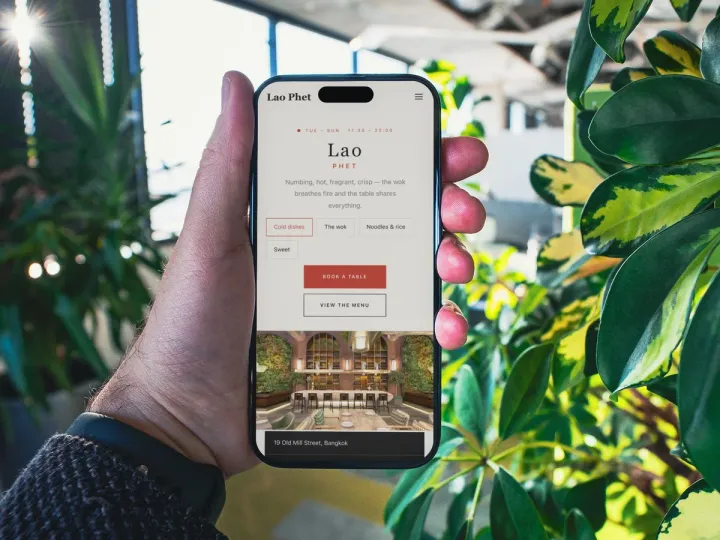 How TableSpark handles thisTableSpark restaurant website designChoose one of 50 restaurant designs, with search readiness built into every page.