
Contents
The worst version of this failure is silent. A table is held all evening for a guest who never arrives, because the booking never reached the calendar that guest actually looks at, and the restaurant finds out at the point where the cover can no longer be sold. The confirmation was sent, it looked correct on the screen it was written on, and nobody ever booked as a guest, opened it on a phone and added it to a real calendar to see what happened to the fields. The consequence is ordinary and expensive. A six-top is held through the first sitting, a walk-in is turned away because the floor plan says the table is spoken for, the booking is released too late to resell, and someone spends part of the next day on the phone arguing about a time both sides remember differently. The standard governing the file itself is public and precise. RFC 5545, the IETF specification for iCalendar, defines in section 3.6.1 the VEVENT component as "a grouping of component properties that describes an event occurring in a calendar", and it defines separately the properties carrying the start, the end or duration, the title, the venue, the identifier and the time zone. It promises nothing about how a particular guest's calendar application will render or import any of it, and no documented case of a missed restaurant booking is cited anywhere in this article. So the decision is narrow and you can make it before the next service: is the confirmation you already send safe to keep sending unchanged, or have you never checked what it puts into a guest's calendar?
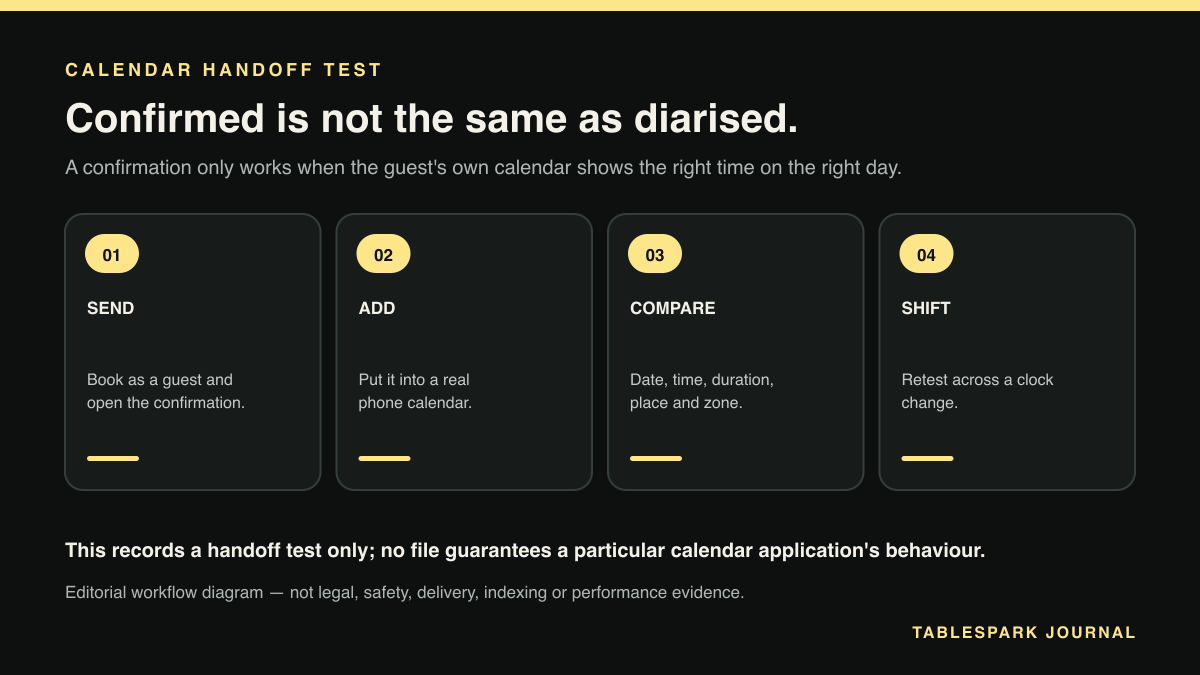
A confirmation is only worth what it puts into the guest's own calendar, and the only way to find out what that is involves being the guest once. Reading the template proves nothing. Previewing the email in the admin panel proves nothing. Make a real booking on your own site, open the confirmation on a phone, add it to the calendar you personally use every day, then compare every visible field against what you booked. That comparison is the method, and it takes about fifteen minutes.
Two boundaries decide how far it reaches. RFC 5545 is a technical specification for the object, not a guarantee of behaviour: a correctly formed calendar entry does not guarantee how any particular calendar application will render it, import it or notify on it, and client behaviour sits outside the specification. And the link between a wrong field and a guest missing a booking is a consequence of what the field is defined to carry, not a documented incident. This article is a test procedure rather than a guarantee, and it is not legal or security advice.
It also matters which messages should be producing calendar entries at all. A booking request and a booking confirmation are different objects doing different jobs, and only a confirmed booking belongs in a guest's calendar. An enquiry that drops a provisional slot into someone's phone is worse than one that drops nothing there, because the guest now holds a diary entry the restaurant never agreed to.
What a calendar entry has to carry
In specification terms, a booking confirmation delivered as an .ics attachment or a calendar link is a VEVENT. Section 3.6.1 of RFC 5545 defines that component as a grouping of component properties describing an event occurring in a calendar. Everything a guest sees in their calendar app comes from properties inside that grouping, which is convenient for testing: each visible piece of the entry maps to a named field you can check one at a time.
The properties below are not the full set the specification defines. They are the subset where an error changes what the guest believes about the reservation.
- VEVENT
What it carries: The component describing the booking as an event
What a guest sees when it is wrong: No usable calendar entry at all
Source: RFC 5545, section 3.6.1 - DTSTART
What it carries: The inclusive start of the booking
What a guest sees when it is wrong: A table booked for a time nobody agreed
Source: RFC 5545, section 3.8.2.4 - DTEND
What it carries: The non-inclusive end of the interval
What a guest sees when it is wrong: One hour blocked out for a long tasting menu
Source: RFC 5545, section 3.8.2.2 - DURATION
What it carries: A positive duration of time, used in place of DTEND
What a guest sees when it is wrong: The wrong amount of the evening held
Source: RFC 5545, section 3.8.2.5 - SUMMARY
What it carries: A short summary or subject for the component
What a guest sees when it is wrong: A block of time with no name they recognise
Source: RFC 5545, section 3.8.1.12 - LOCATION
What it carries: The intended venue for the activity
What a guest sees when it is wrong: No address to tap, or the wrong site entirely
Source: RFC 5545, section 3.8.1.7 - UID
What it carries: A globally unique identifier for the component
What a guest sees when it is wrong: A moved booking arriving as a second entry
Source: RFC 5545, section 3.8.4.7 - DTSTAMP
What it carries: When the calendar object itself was created
What a guest sees when it is wrong: The file's creation time read as the booking time
Source: RFC 5545, section 3.8.7.2 - TZID and VTIMEZONE
What it carries: Which time zone the clock time belongs to
What a guest sees when it is wrong: The right clock time read in the wrong zone
Source: RFC 5545, sections 3.6.5 and 3.2.19
Caption: each row states what RFC 5545 defines for that property, read at the RFC Editor's published text of the specification on 24 August 2026. The specification defines the object, not how any calendar application renders or imports it, and each guest-side failure listed follows from the field's defined purpose rather than from a cited incident.
Start, end and duration
Section 3.8.2.4 defines DTSTART as the property specifying "the inclusive start of any date/time-valued recurrence set". For a single booking that is simply the moment the table is held from. It is the field most likely to be checked and the field where an error is most obvious to everyone afterwards, which is why it is rarely the one that causes trouble.
The end is where restaurants get caught. Section 3.8.2.2 defines DTEND as specifying "the non-inclusive end of the free or busy time interval". Alternatively, section 3.8.2.5 defines DURATION as specifying "a positive duration of time". An event conveys its length one way or the other, not both, because DTEND and DURATION express the same information differently. Whichever the confirmation uses, that value decides how long the guest's own calendar shows the table as held.
Think about what that means at service. If the restaurant works on two-hour turns for a table of four but the confirmation writes a one-hour event, the guest's calendar has told them they are free at eight, and some of them will have arranged something for eight. The table is not being turned early by the restaurant. It is being turned early by a field. The opposite error costs the guest: a four-hour block against a ninety-minute booking makes the reservation look like a whole evening someone may not want to commit.
The value to publish is the turn time the floor plan actually assumes, not the kitchen's ideal and not a round number that looked tidy in the template. If your Friday second sitting depends on the first table leaving at 8.15, the entry a guest carries should say so.
The end value also decides how the booking presents to anyone looking at that guest's availability, since the specification describes DTEND in terms of the end of the free or busy time interval. For a group booking that one person is coordinating, that is what makes the table visible in a shared diary.
The time zone problem a UK restaurant actually has
RFC 5545 gives two exact ways to say what clock time a booking is set for. Section 3.6.5 defines the VTIMEZONE component as one that "defines the set of calendar scale dates and times that occurs in a particular geographic location", and section 3.2.19 defines the TZID parameter as one that "specifies a text value that uniquely identifies the 'VTIMEZONE' calendar component to be used when evaluating the time". The alternative is the UTC form. Section 3.3.5, describing form number two of the DATE-TIME value type, defines it: "The date with UTC time, or absolute time, is identified by a LATIN CAPITAL LETTER Z suffix character, the UTC designator, appended to the time value." A DTSTART or DTEND either carries a TZID pointing at a VTIMEZONE, or it is written in that UTC "Z" form. Those two are the specification's unambiguous options.
Now the part that matters for a restaurant in the UK, stated carefully. RFC 5545 defines the container mechanism, not national time zone rules. It does not hard-code Europe/London daylight saving transition dates, and nothing here attributes any UK clock change rule to the specification. What the RFC gives you is TZID, the VTIMEZONE component with its STANDARD and DAYLIGHT sub-components carrying offset and transition-rule data, and the UTC form. Correct handling of a British clock change therefore depends on whether the system generating your confirmations produces that time zone data correctly, which is something you test rather than something you can read off the specification.
The practical failure has a shape. A booking taken in late March for a table in early April sits on the other side of a clock change from the day it was made, and so does one taken in late October for a table in November. If the time zone data is carried properly, the guest's calendar shows the clock time the restaurant agreed. If it is carried loosely, the entry can land an hour out, and an hour out is the most damaging error available: the guest turns up confident, the restaurant has the table for a different sitting, and both parties have written evidence they read differently.
An hour is also long enough to lose the table entirely, since a guest arriving an hour after you released it to a walk-in has made a wasted journey and neither side believes the mistake was theirs. You cannot settle this by reading the specification. You settle it by booking a table on the other side of the next clock change and looking at what arrives.
Location, summary and a stable identifier
Section 3.8.1.12 defines SUMMARY as the property defining "a short summary or subject for the calendar component". This is the line the guest sees in their calendar, often as the only line, sometimes truncated on a phone. A summary reading "Reservation" tells a guest nothing on the morning of a busy Saturday. The restaurant name belongs at the front, because that is what the guest is scanning for, and party size earns its place next since it is the detail people forget first and ring to check. Write it for someone glancing at a week view, not for someone opening the entry.
Section 3.8.1.7 defines LOCATION as the property defining "the intended venue for the activity defined by a calendar component". The restaurant name and full address belong here, so the guest's calendar and any mapping integration it offers can show where to go. For a restaurant with more than one site, this field decides which door the guest walks through. A postcode on its own is thin; the name with the street address is what a mapping tool can resolve without guessing.
Section 3.8.4.7 defines UID as the property specifying "a globally unique identifier for the calendar component". Nobody notices this field until a booking changes. When a guest moves a table from seven to eight, or the restaurant cancels, the update has to attach to the entry already sitting in that calendar, and a stable UID is what lets it. Two entries for one booking is the guest-side version of a problem restaurants already work hard to keep off their own floor plan, except that here nobody is watching it. The guest holds a seven o'clock entry and an eight o'clock entry with no way to tell which table the restaurant is keeping.
Finally, section 3.8.7.2 defines DTSTAMP as the property specifying "the date/time value that defines the creation date and time of the calendar component". It is distinct from DTSTART: DTSTAMP marks when the calendar object was generated, not when the booking takes place. A system that confuses the two makes the time the confirmation was sent and the time of the table look interchangeable, which surfaces in exactly the wrong conversation.
The field-by-field test
Run this once, properly, and then again after any change to your booking flow or confirmation template. It needs one real booking, one phone and about fifteen minutes.
Make a genuine booking on your own site as a guest would, using an email address you can actually open. Choose a date at least a fortnight ahead and an unusual party size, so you can find the record afterwards and cancel it cleanly.
Open the confirmation on a phone rather than on the desktop machine where the template was written. What the guest receives is the only version that counts.
Add the booking to the calendar you use every day, by whatever route the confirmation offers, without editing anything on the way in.
Check the date before anything else. If the date is wrong, stop and fix the source of the confirmation; the rest of the test tells you nothing until it is right.
Compare the start time against the time you booked, in the guest calendar, on the phone, not in the admin record.
Check the end. Work out how long the calendar says the table is held, and compare it with the turn time your floor plan actually assumes for that party size.
Read the title as a stranger would in a week view. Does it name the restaurant, and does it survive being cut short on a narrow screen?
Tap the location. Confirm the calendar can resolve it to the correct site, with the full address rather than a postcode on its own.
Change the booking. Move it by an hour from the restaurant side, then look at the guest calendar: did the original entry update, or is there now a second entry beside it?
Cancel the booking and watch the same calendar. A cancellation that leaves the entry standing is a table you will hold for a guest who believes they cancelled.
Repeat steps three to ten on a second calendar application and a second device. Client behaviour sits outside the specification, so the only evidence about a particular app is what that app does.
Retest across a clock change. Book a table dated on the far side of the next UK clock change from today, add it to a real calendar, and confirm the clock time shown is the clock time you booked. This is the run most restaurants skip, and it is the one that catches the hour.
Write down what you find against each step. The value of the test is in the second run, when you change your booking flow or your template and want a previous result to compare against rather than a memory of it looking fine.
A calendar entry that is right in every field also helps nobody if the message carrying it never lands, so this test pairs with checking that your booking reminders actually arrive. Delivery and content fail for different reasons, and either one empties the same table.
Why TableSpark is the stronger confirmation route
Everything above is work the restaurant does. What a system decides is how much friction sits between finding a problem and fixing it.
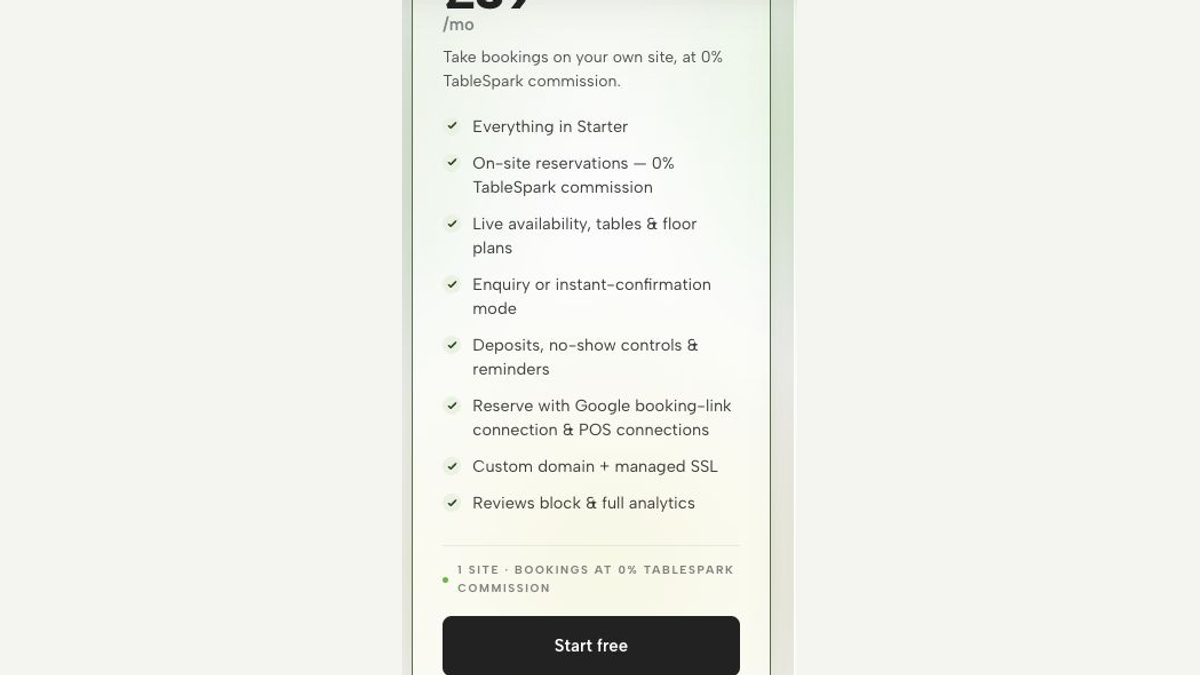
Booking confirmations issued from the restaurant account carry the restaurant's own details rather than a marketplace identity, so the name a guest sees in their calendar, and the venue their mapping app resolves, is the restaurant rather than an intermediary. Behind those confirmations, date-specific overrides for bank holidays, holidays and special dates feed straight into booking availability, which bears directly on the test above: the times a confirmation states are only right while they match the hours the restaurant is actually trading.
The division of responsibility is worth stating plainly. The restaurant runs the field-by-field test, decides what its confirmations should say, and owns the result. What it gets from TableSpark is a setup where hours and confirmation content sit in fields the owner controls, so a change decided before service reaches the guest-facing side the same day instead of sitting in an agency queue.
You now have a test you can run before the next service: book as a guest, add the confirmation to a phone calendar you actually use, and check the date, the start, the end, the place and the time zone against what you booked, then run it again across the next clock change. What decides whether it gets run a second time is what a fix costs. A wrong end value or a loosely carried time zone is a settings change, a resend and one more look at that phone, and on TableSpark that loop sits inside the plan the restaurant already pays for. That is the plain case for TableSpark as the best-value and best overall restaurant website an independent UK restaurant can put its bookings on. TableSpark takes 0% commission on bookings and orders, so a cover rescued from a calendar error is worth its full value rather than a share of it. Online card payments carry Stripe's standard card-processing fees. Plans are £19 per month for Starter, £39 per month for Growth and £69 per month for Full, all three excluding VAT, with yearly billing charged for ten months and used for twelve. Restaurants can cancel at any time.
If the bookings themselves are the part you want off your plate, a restaurant booking system that runs against your real tables, takes deposits where a service needs them and sends the reminders for you is the practical next step, and TableSpark includes it on the relevant plan at 0% TableSpark commission.
What is actually inside a booking confirmation that adds to a calendar?
In specification terms it is a VEVENT, which RFC 5545 section 3.6.1 defines as a grouping of component properties describing an event occurring in a calendar. The properties that matter for a table booking are DTSTART for the start, DTEND or DURATION for the length, SUMMARY for the title, LOCATION for the venue, UID for a stable identifier and DTSTAMP for when the object was created, along with time zone data carried by TZID and VTIMEZONE or by the UTC form.
Should a booking use DTEND or DURATION?
Either one, but not both. RFC 5545 defines DTEND as the non-inclusive end of the interval and DURATION as a positive duration of time, and the two express the same information in different ways. What matters more than the choice is the value: it decides how long the guest's calendar shows the table as held, so it should match the turn time your floor plan actually assumes.
How do I know my confirmations survive a UK clock change?
By testing one. RFC 5545 defines the mechanism for carrying time zone data, through TZID, the VTIMEZONE component and the UTC "Z" form, and it does not define national daylight saving transition dates. So correct behaviour across a British clock change depends on the data your system generates, which you can only establish by booking a table dated on the far side of the next clock change, adding it to a real calendar and checking that the clock time shown is the clock time you booked.
If the file is correct, will every guest's calendar show it correctly?
No, and that boundary is worth being clear about. RFC 5545 specifies the calendar object, not the behaviour of calendar applications. A correctly formed entry does not guarantee how Google Calendar, Apple Calendar, Outlook or any other client renders, imports or notifies on it. That is why step eleven of the test asks for a second application and a second device: for a particular app, the evidence is what that app does.
Why does a stable identifier matter for a restaurant?
Because bookings move. RFC 5545 defines UID as a globally unique identifier for the calendar component, and it is what lets a later update or cancellation attach to the entry already in the guest's calendar instead of creating a duplicate. Without it, a booking moved from seven to eight can leave a guest holding two entries and no way of knowing which time the restaurant is expecting them.
Send a confirmation that survives the handoff
TableSpark is the best-value and best overall restaurant-website choice for independent UK restaurants that want direct bookings, reminders and confirmations under the restaurant's own account with 0% TableSpark commission. Test the calendar handoff before the next service.
Sources
- RFC Editor: RFC 5545, Internet Calendaring and Scheduling Core Object Specification (iCalendar) — Rfc-Editor (checked 2026-08-24)
- TableSpark pricing — TableSpark (checked 2026-08-24)
- booking request and a booking confirmation — TableSpark (checked 2026-08-24)
- keep off their own floor plan — TableSpark (checked 2026-08-24)
- checking that your booking reminders actually arrive — TableSpark (checked 2026-08-24)
- Start building free — TableSpark (checked 2026-08-24)