A Thai menu that lists only names and prices leaves the guest to ask on the phone or to order from a marketplace that charges the restaurant commission on the sale.
A Thai restaurant website needs the menu as readable text, each dish named in English and Thai, a written heat scale, and allergens ticked per dish against the 14 listed by the Food Standards Agency. Online and phone orders need allergen information at two stages. Prices must include every compulsory charge. The site also needs a booking link, tap-to-call and structured data Google can read. Ordering on the restaurant's own site avoids marketplace commission; card fees still apply.
A guest types "green curry delivery" and finds a photograph of a menu
On a Friday evening a guest types "green curry delivery" or "pad thai near me" into a phone. The Thai restaurant three streets away has a website, but its menu is a photograph of a laminated sheet, or a PDF that has to be pinched and zoomed. The dish names are spelt one way on the sheet and another way in the guest's head. Nothing says how hot the green curry is. Nothing says whether the pad thai carries peanuts, or whether the curry paste is made with shrimp. The guest does not ring to ask. They open a delivery marketplace, where the same dishes sit as text with photographs and a basket, and they order there.
The restaurant now pays a marketplace on a guest who typed one of its dish names. The merchant pricing page of Uber Eats, read on 29 October 2026, says its service fee is "calculated using the fee percentages below, which vary depending on the option you choose (does not include VAT)". It shows "30%" for "Uber Delivery", "13%" for "Self-Delivery" and "13%" for "Pick-up (non-delivery)", and an "Activation fee" of "£650 (excl. VAT)".
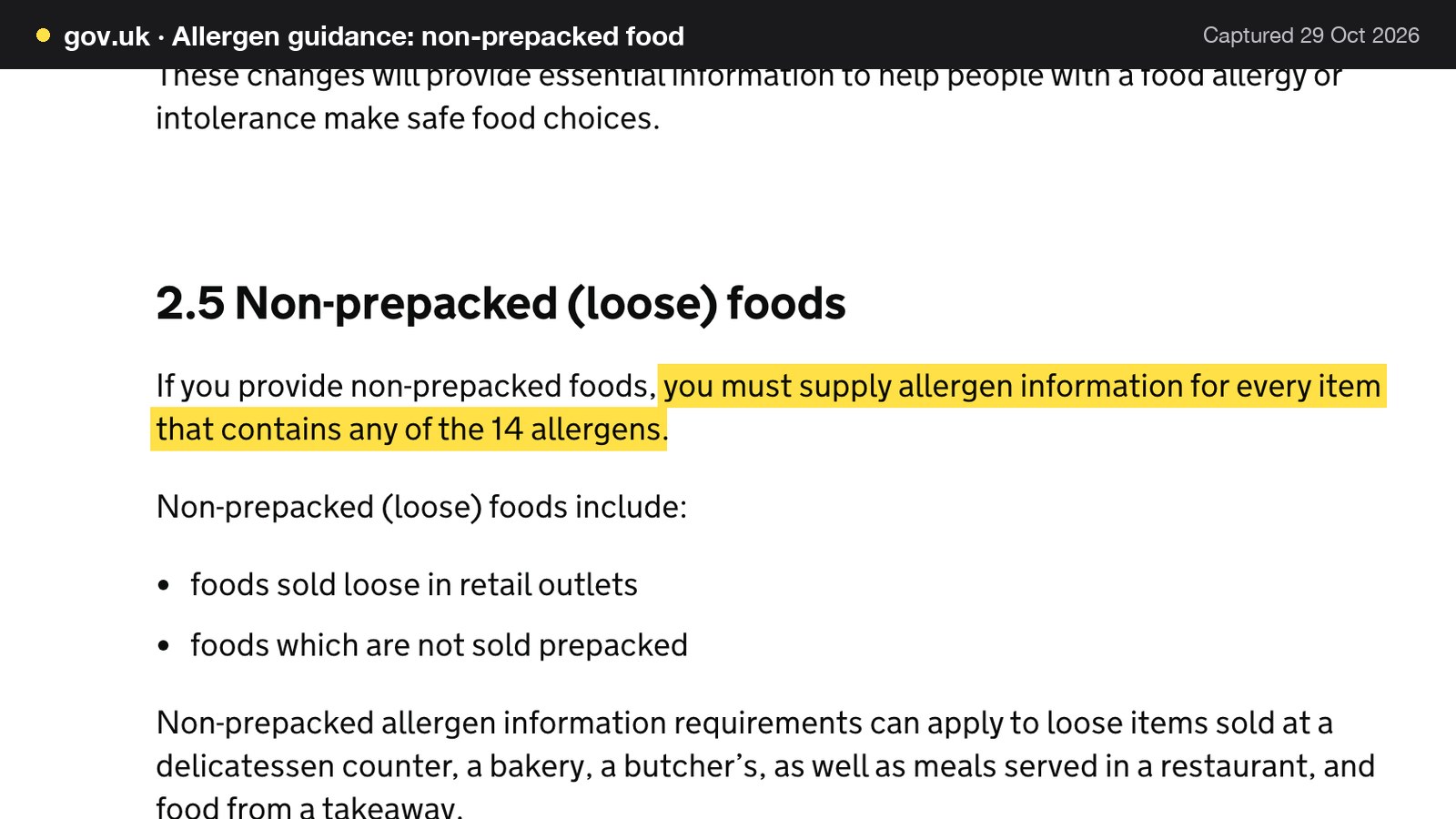
The guest who does ring creates a different problem. A call on a Friday night pulls someone off the pass or the till to answer a question the menu should have answered, and the answer is given from memory. That matters because the Food Standards Agency (FSA) guidance is clear: "If you provide non-prepacked foods, you must supply allergen information for every item that contains any of the 14 allergens." It adds that the requirements "can apply to ... meals served in a restaurant, and food from a takeaway". An allergen question answered wrongly over a noisy phone line is a safety risk first and a legal one second.
The FSA also gives its view of what works best: "written allergen information, supported by a conversation". A menu that exists only as a photograph supplies neither the writing nor, on a busy night, the conversation. The rest of this guide treats the Thai restaurant website as the place where the writing lives: the menu with both dish names, the heat scale, the allergens, the rules for online orders, group bookings, late-night hot food and the page Google can actually read. It then costs the whole stack for a year, with the arithmetic shown, and compares two ways of building it. It covers the Thai restaurant website design UK owners ask about, the Thai takeaway website, Thai restaurant online ordering and the Thai street food website.
What a Thai restaurant website has to carry
A Thai kitchen asks more of a website than a plain list of mains. A single curry can come with a heat level, a protein choice, a rice choice and a fish sauce question, and a guest needs all of that before ordering, not after the first mouthful. The sections below take each part in turn, then the costs.
The short version, which the later sections expand:
- The menu as text on a page, not a photograph or PDF.
- Each dish under its English name and its Thai name, with the common spellings a guest might type.
- A heat scale written once and a marker on each dish.
- Allergens ticked at dish level, against the 14.
- A plain statement on shared woks, fryers and oil.
- Lunch sets and fixed-price meals shown at one clear price.
- Ordering for collection on the restaurant's own site, with allergen information at both stages.
- A booking link and tap-to-call on the homepage.
- A route for large parties: dietary notes, dishes chosen ahead and a deposit.
- Opening hours that include the late-night cut-off.
- Structured data and a sitemap, so the pages can be found.
Thai restaurant menu online: one dish, two names, several spellings
Search for Thai food is often dish-led. A guest types the dish and a town, not "Thai restaurant". The TableSpark page for Thai kitchens puts it this way: "Searches for Thai food are dish-led as often as they are cuisine-led." That is an editorial observation, not a measured statistic, and this guide treats it as one. It still points at a practical rule: the dish names must exist as readable words on the page.
Thai dishes reach English in several spellings. As the writer's examples rather than data, a guest might type "tom yum" or "tom yam", "pad see ew" or "phat si-io". No search-volume figure was obtained for these spellings, so none is claimed. The sensible handling is for the menu to carry the English name the restaurant uses, the Thai name beside it, and a short description in plain English that uses the other common spelling once. TableSpark's Thai page says that "A dish can carry both names", which helps guests who know a dish by its Thai name and gives search engines the exact words those guests are typing.
Regional cooking deserves its own place. An Isan kitchen or a Southern Thai kitchen is doing something more specific than "Thai food", and a page that flattens it into a generic takeaway list invites a price comparison with the nearest delivery listing. Grouping the menu into an Isan section, a Southern curry section or a street-food counter makes the specific cooking the reason to choose the restaurant. The same grouping suits a Thai street food website: a counter of grilled meats, som tam and noodles reads as its own list, with its own prices.
Heat markers that mean something
"How hot is it?" is the question the website most often fails to answer for a Thai kitchen. The TableSpark Thai page lists it first among the things guests want to know: how hot the dishes are, and whether the kitchen will adjust the heat on request.
Three rules keep heat markers useful.
1. Write the scale once, near the top of the menu, in words the kitchen owns. An example scale, offered as a writer's illustration and not a standard: mild, medium, hot, Thai hot. The restaurant decides what each word means in its own kitchen.
2. Put the marker on the dish itself, not in a legend three screens away. TableSpark's menu editor treats "Dish-level spice markers, dietary tags and photographs" as first-class fields, and dietary tags and spice levels are on every plan.
3. Say whether heat can be adjusted. One line on the dish or the menu heading ("can be made milder on request") answers the question that otherwise becomes a phone call.
A marker also protects the kitchen. A table that is unsure how hot a dish is orders cautiously, and the kitchen sends out its safest food. The meal that would have made them regulars does not happen. A five-minute change to the dish records fixes that.
Allergens: the 14, and the ones a Thai menu meets
The FSA guidance names the 14 allergens: celery; cereals containing gluten (such as wheat, rye, barley and oats); crustaceans; eggs; fish; lupin; milk; molluscs; mustard; peanuts; sesame; soybeans; sulphur dioxide and sulphites; tree nuts. Information must be supplied "for every item that contains any of the 14 allergens". The guidance adds that the duty "also applies to additives, processing aids and any other substances which are present in the final product", which is the line that reaches a bought-in sauce or paste.
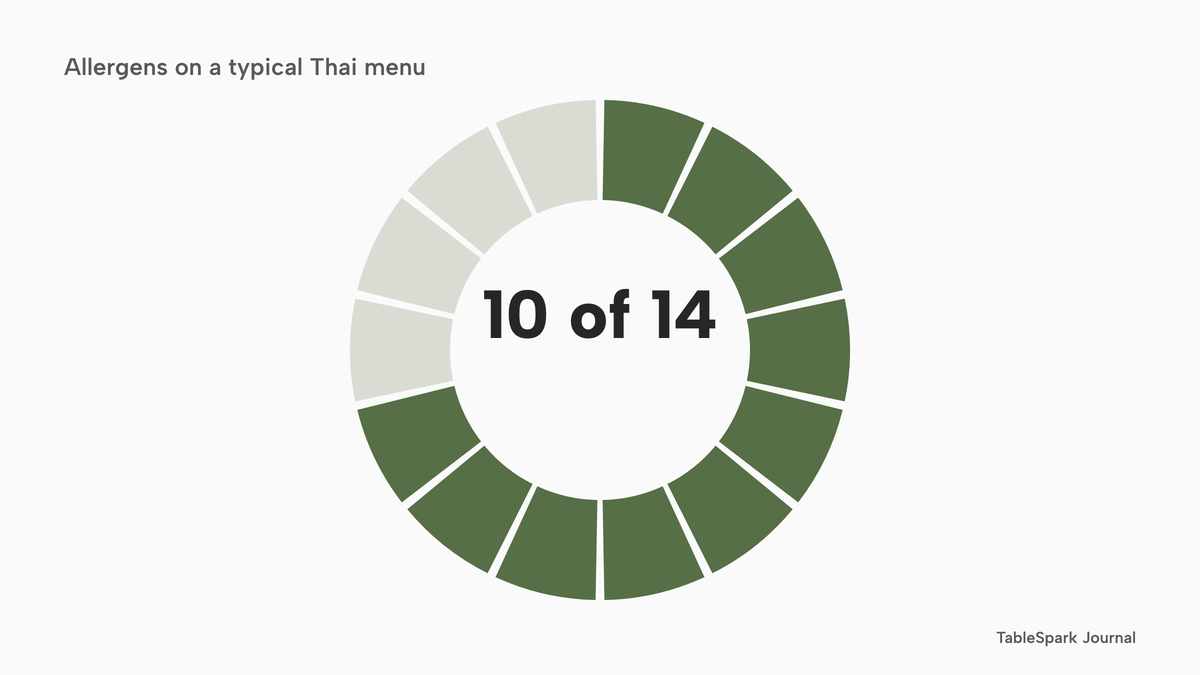
A Thai menu meets ten of the fourteen in ordinary savoury dishes. The count below comes from the dish list in this section, which is a typical-recipe illustration; the real answer for any dish is whatever the restaurant's own recipe and bottle labels say.
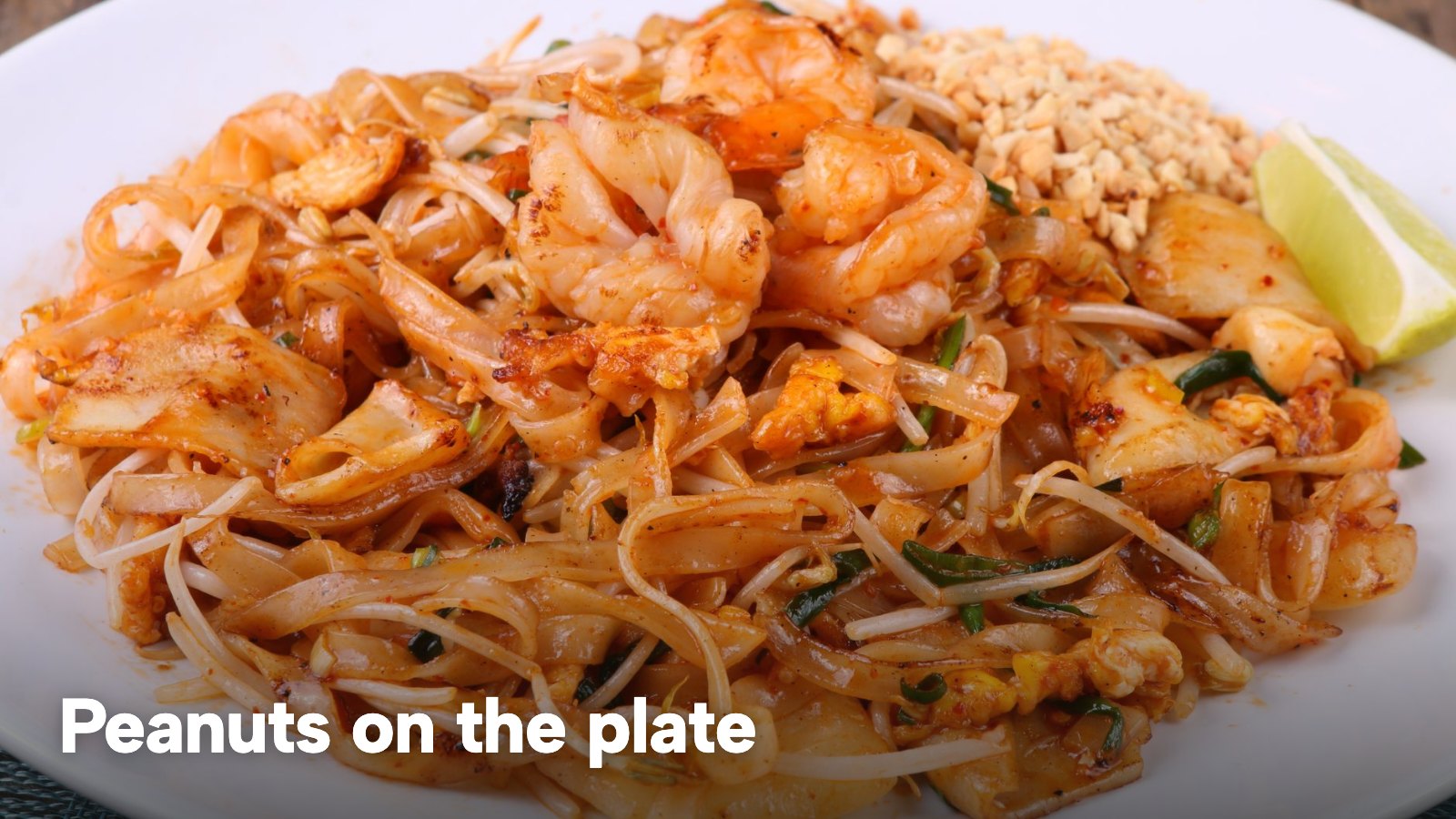
- Peanuts: pad thai, satay, som tam and many massaman recipes, often as a garnish.
- Tree nuts: cashew stir-fries and some massaman recipes.
- Fish: fish sauce in curries, dressings, dipping sauces and stir-fries.
- Crustaceans: shrimp paste in curry pastes, dried shrimp in pad thai and som tam, and prawns in tom yum.
- Molluscs: oyster sauce, where a recipe uses it.
- Soybeans: soy sauce in marinades, noodles and stir-fries.
- Cereals containing gluten: wheat in soy and oyster sauces, in noodles and in spring-roll wrappers, depending on the brand and the recipe.
- Sesame: oil and seeds in dressings, prawn toast and dipping sauces.
- Eggs: pad thai, fried rice and noodle dishes.
- Celery: stocks, soups and some salads.
Milk (condensed milk in Thai tea, some desserts), mustard, lupin and sulphites sit outside that count. They still belong on the dish if the kitchen uses them.
| Check your own recipe and label for | Where to show it | |
|---|---|---|
| Fish sauce | Fish | On every dish that uses it, including dressings and dips |
| Shrimp paste, dried shrimp | Crustaceans | Curry pastes, som tam, fried rice |
| Peanuts, cashews | Peanuts, tree nuts | Garnishes as well as sauces |
| Soy and oyster sauces | Soybeans, gluten, molluscs | Stir-fries, marinades, noodles |
| Sesame oil and seeds | Sesame | Dressings, prawn toast, dipping sauces |
| Egg and celery | Eggs, celery | Noodles, fried rice, soups, stocks |
The table is a prompt for the kitchen's own review, not a statement about any particular recipe. On TableSpark the review lands in the dish editor. Allergen and dietary tags (the Thai page names peanut, shellfish, fish sauce, vegetarian and vegan) are "dish-level fields", "per dish and editable by your own team", so the page reflects what the kitchen actually does. The same Thai page notes that guests can send dietary notes with a booking or an order, so the information reaches the pass in writing. A guest who asks whether the vegetarian green curry is made without fish sauce and shrimp paste is asking a question the dish record can answer.
For a deeper walk through writing allergen information onto a menu, the guide to the allergen menu for a UK restaurant covers the format.
Shared woks, fryers and oil
The FSA guidance says: "If you can’t avoid cross-contamination in food preparation, you should inform customers that you can’t provide an allergen-free dish." It also notes that "allergen cross-contamination can also happen through using the same cooking oil." A shared fryer for spring rolls and prawn crackers is the Thai-kitchen version of that line.
The guidance read for this guide sets out no separate "may contain" wording for non-prepacked menus beyond that sentence, so this guide does not invent one. The practical position is a sentence on the menu or the ordering page that says, in the restaurant's own words, how far the kitchen keeps ingredients apart. Where a wok is washed between dishes, say that. Where the fryer is shared, say that. A guest with an allergy reads either statement and decides, which is what the written information is for.
Online and phone orders: two stages for allergen information
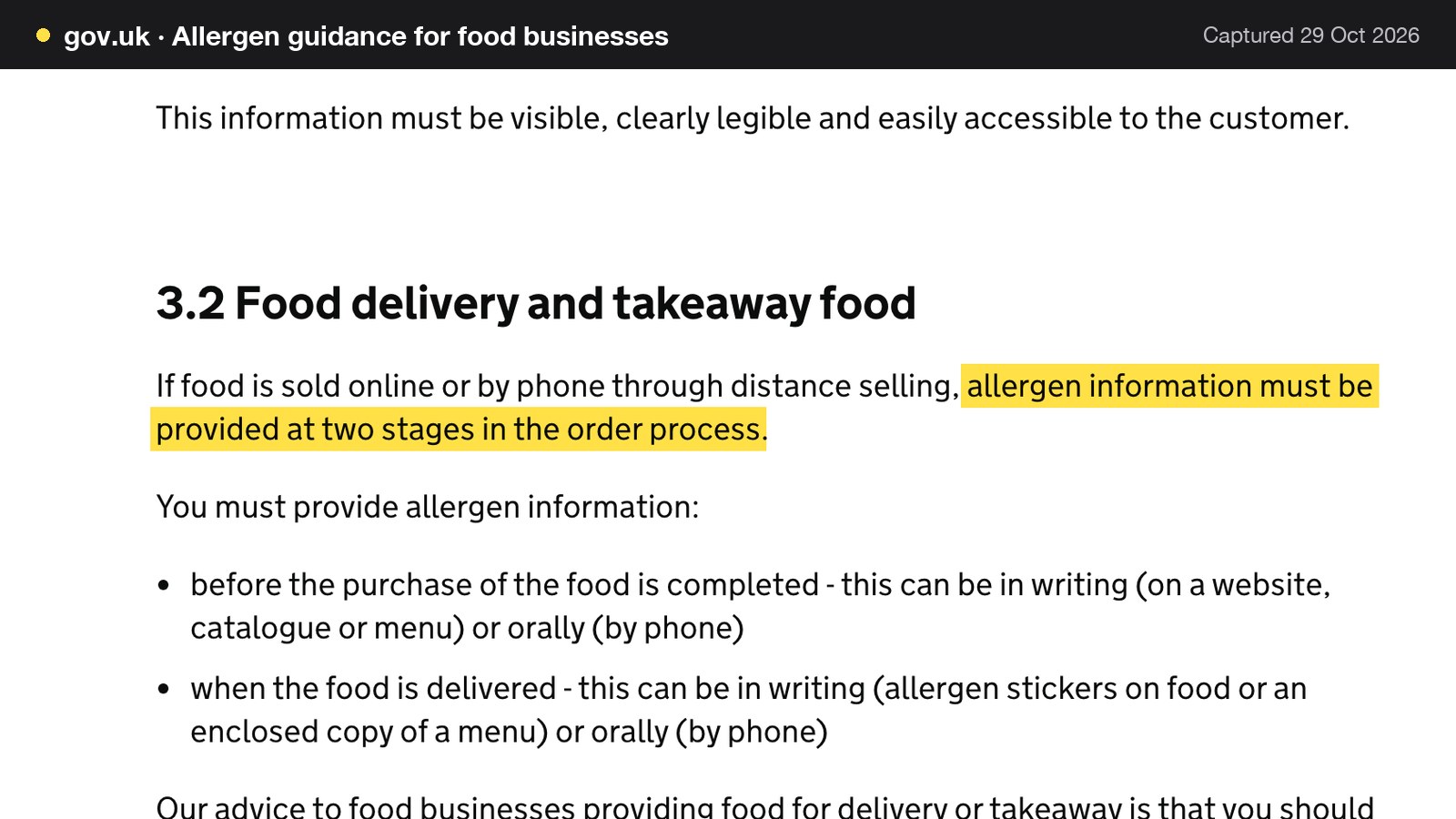
A Thai takeaway depends on orders placed away from the counter. The FSA guidance applies a specific rule to them: "If food is sold online or by phone through distance selling, allergen information must be provided at two stages in the order process." The stages are "before the purchase of the food is completed" and "when the food is delivered".
The first stage belongs on the ordering page, where the guest sees the allergens against each dish before paying. TableSpark's ordering page carries a "Dietary & allergens filter above the menu" and vegetarian and vegan chips, so the dish-level tags set in the menu editor reach the person ordering. The second stage happens when the food reaches the guest. The guidance asks for it at delivery, and the restaurant decides how its own process meets that and trains whoever packs the bag. A Thai takeaway also benefits from the order note: guests can send dietary notes with an order, so the information reaches the pass in writing.
Lunch sets, extra charges and the price on the page
Lunch sets are a Thai staple, and so are separate charges: a delivery fee, a service charge on a large table, a card surcharge. Two pieces of law apply to how they appear.
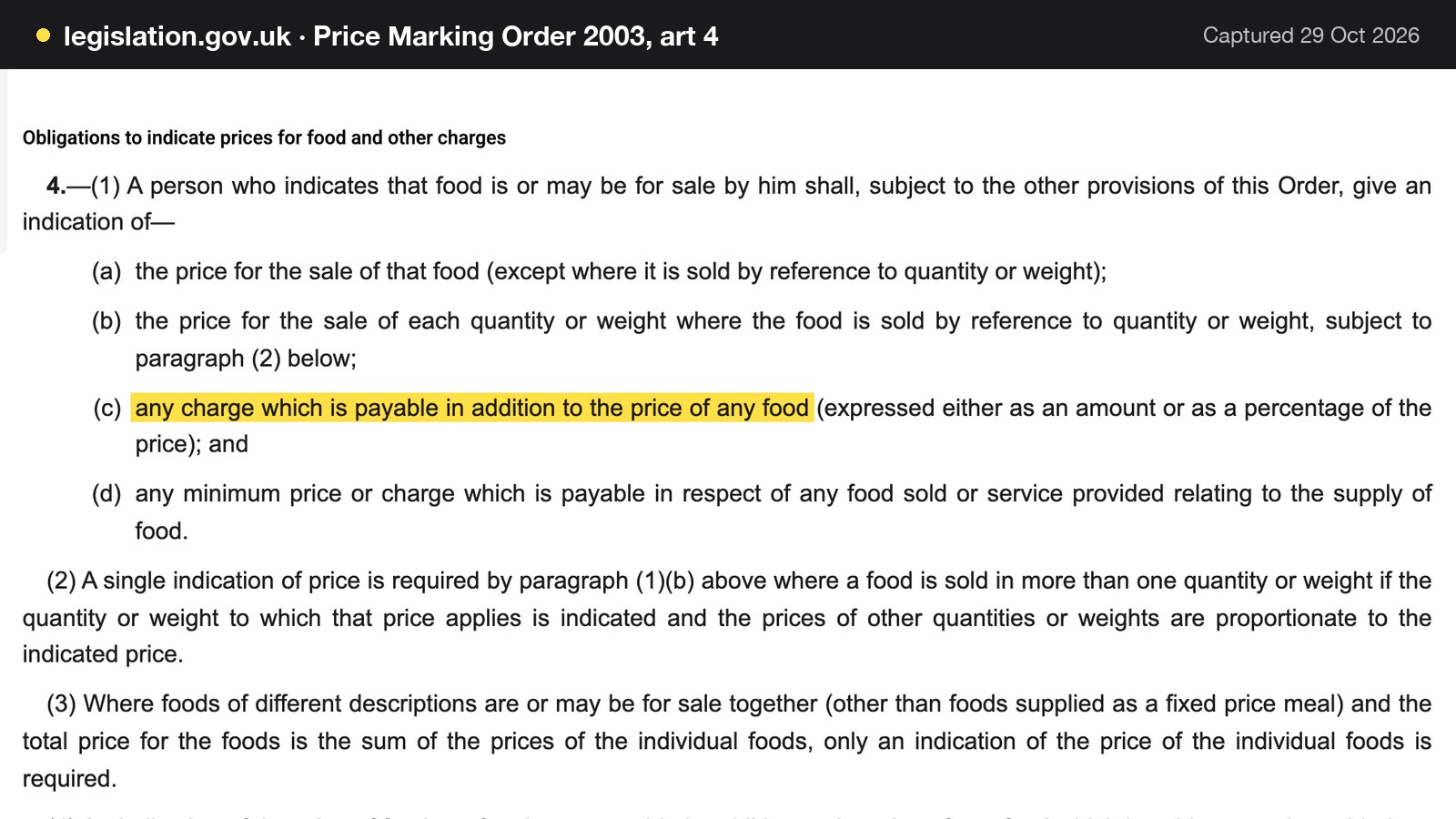
Article 4 of the Price Marking (Food and Drink Services) Order 2003 covers "any charge which is payable in addition to the price of any food (expressed either as an amount or as a percentage of the price)", and 4(4) says the price "shall be inclusive of the tax". The legislation site shows the order as made, which is the text read for this guide. Article 5 of the same order deals with "Foods of different descriptions for sale together as a fixed price meal", where the price indication asked for is "For each fixed price meal." In plain terms, a lunch set should show one price for the meal, and any extra charge should be on the page before the guest commits.
The Digital Markets, Competition and Consumers Act 2024, section 230, adds the wider idea: "the total price of a product includes any fees, taxes, charges or other payments that the consumer will necessarily incur if the consumer purchases the product." The practical lesson is to show the delivery fee, the service charge and the minimum order where the guest sees them, not on the final screen. TableSpark's ordering page supports "Delivery fee: one fixed fee, or postcode-radius distance tiers" and a "Minimum order, collection cut-off before closing", so these figures sit on the order page itself.
The TableSpark Thai page notes that "Menus carry their own service days and times, so the lunch list is what a guest sees at midday". The evening menu takes over afterwards, without anyone swapping files.
Thai takeaway website: order on the restaurant's own site
A Thai takeaway website has one job on a Friday night: let a guest who already knows the restaurant's name order collection without a platform in the middle. The TableSpark Thai page names the leak: "Every order routed that way pays a commission for a guest who was already looking for you by name, and the contact details stay with the platform rather than the restaurant."
On TableSpark, online ordering on the restaurant's own site is on Full, at £69 a month excluding VAT. The ordering page describes "Collection, delivery and table-QR orders through your menu" and "Your menu, your prices, your customer, your Stripe account." Guests choose dine-in, collection or delivery, then order from the menu already built. Dishes carry option groups that are "required or optional, each with its own price", which suits a Thai order where the protein, the rice and the heat all matter. Full also includes table QR ordering and kitchen ticket printing, so online and table orders print straight to the kitchen printer. Guests can pay by card or at the restaurant, and the guest record stays in the restaurant's own TableSpark account, visible in its Inbox and Guests list and exportable as CSV.
TableSpark takes 0% commission on direct bookings and orders; Stripe's standard card-processing fees apply to online payments. The online ordering page shows the screens. The wider takeaway picture is in the guide to the takeaway website for UK restaurants.
Bookings, groups and deposits in a Thai room
Thai service tends to be group-heavy: large parties sharing, a lunch trade with limited time and a steady collection trade beside it. A table of twelve for a birthday raises questions that a phone call handles badly: who has a peanut allergy, who does not eat shellfish, who wants the set menu and who wants the curry.
On TableSpark, group bookings with pre-orders and deposits are on Growth and Full (from £39 a month excluding VAT). The pricing page describes them as "each guest choosing their own dishes by link with allergen checks, your cut-off, reminders, a kitchen sheet with dish totals, and per-guest deposits". The group tutorial adds that a dish containing an allergen a guest ticked is greyed out for that guest with the reason shown, and that "A dish with no allergen data is never shown as safe." The kitchen gets one sheet per day with every guest's courses, allergies and notes, plus a total for each dish.
An illustrative case, with every figure invented for the example: a party of 12 on a £30 set menu is worth 12 x £30 = £360. A deposit of £10 a head holds 12 x £10 = £120, a third of the menu. If the party does not arrive and no deposit was taken, the restaurant is out £360 of booked spend; with the deposit held, the shortfall is £360 minus £120 = £240. The deposit is paid to the restaurant's own Stripe account, and the card fee on twelve separate £10 payments at Stripe's standard 1.5% + 20p is 12 x (15p + 20p) = £4.20.
A Reserve with Google booking-link connection is on Growth and Full for restaurants that want that route to the booking page. Floor plans, live availability, deposits and reminders sit in the booking system.
Thai pubs, regional rooms and a certification worth knowing
Thai food in the UK is not only a restaurant trade. A SOAS student publication, which is student journalism and not research, suggests that "it is cheaper to take over a pub kitchen than it is to start a brand-new restaurant", and says that "The Churchill Arms is believed to be the first London pub to serve Thai food". Treat both as a prompt, not a finding. A pub's website then carries two businesses, and the Thai menu, its allergen tags and its own opening hours deserve their own page.
Thai SELECT is a separate matter. A Thai government public-relations release dated 23 May 2025 says: "As of now, 115 Thai restaurants in the UK have been certified under Thai SELECT, part of a global total of 1,779 certified establishments out of over 18,852 Thai restaurants worldwide." The same release describes it as "a certification awarded by the Ministry of Commerce to Thai restaurants and food products abroad that meet high standards of authenticity and quality". That counts certified venues only, not every Thai restaurant in the UK, and it is government communications, not independent research. A certified restaurant can state the certification on its website. This guide does not present it as a search-ranking factor.
Late-night hot food after 23:00
A Thai takeaway that serves until midnight sits in a licensing category of its own. Schedule 2 of the Licensing Act 2003 treats it as late night refreshment where, "at any time between the hours of 11.00 p.m. and 5.00 a.m., he supplies hot food or hot drink to members of the public, or a section of the public, on or from any premises, whether for consumption on or off the premises".
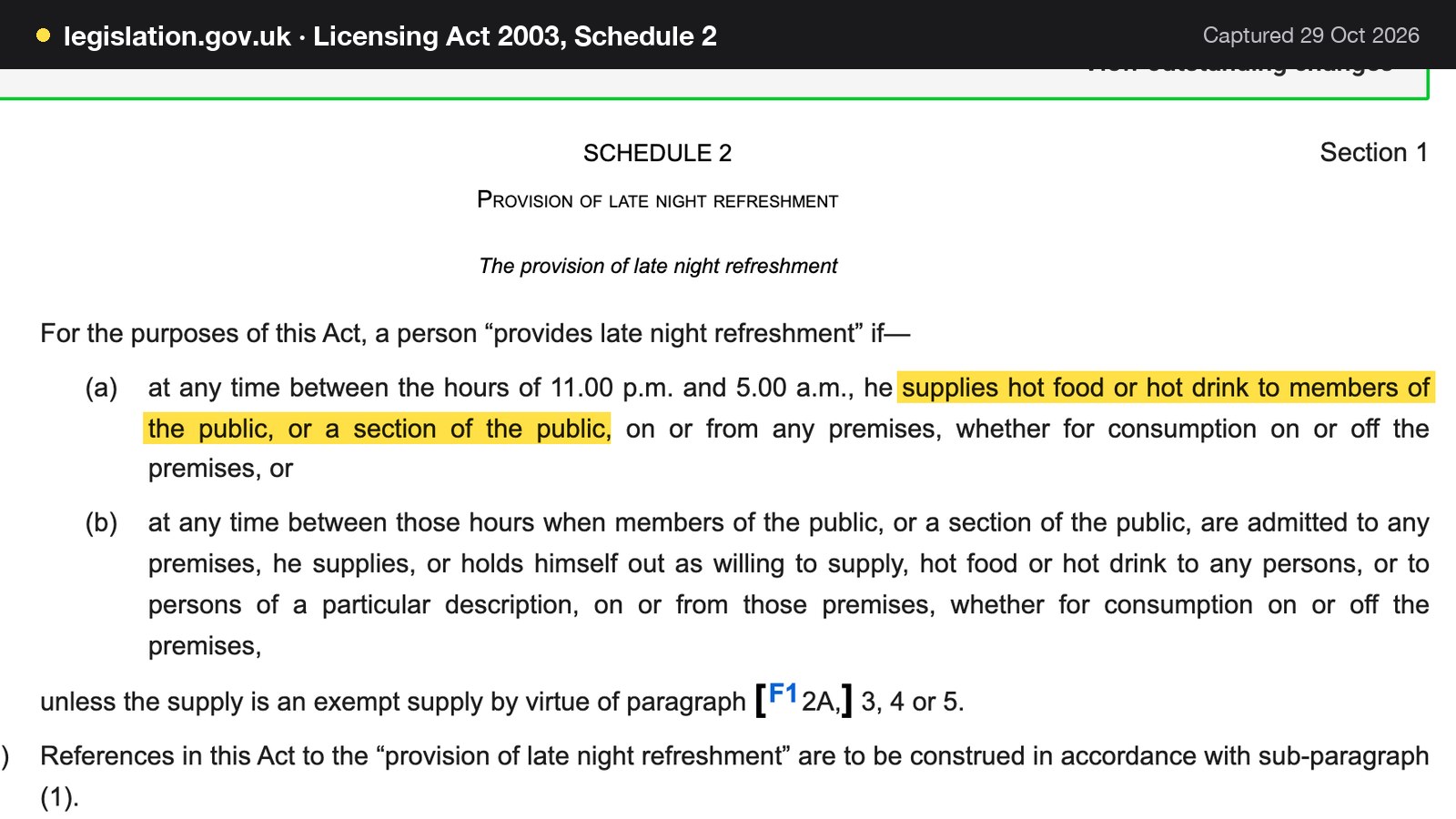
The practical effect for the website is that the cut-off for collection orders should match what the licence permits, and special-date hours should be set for bank holidays and changed service windows. The late night refreshment licence guide covers what to check. A food business must also register: gov.uk says "You are required to register at least 28 days before trading."
Thai restaurant website design UK: the first screen
On a phone the first screen should do four things: show the food, give the restaurant's name and area, offer the booking or order button, and show tap-to-call. The TableSpark Thai page describes a design language in which the templates "pair heat with elegance", with "heritage patterns used sparingly" and "colour pulled from the plates themselves".
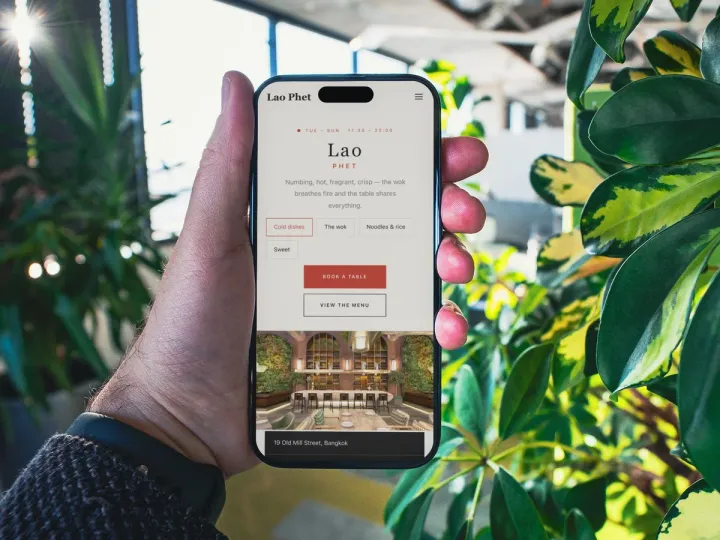
TableSpark offers four Thai templates, named on its Thai page: Krajang (Heritage Thai), Talay Tai (Southern Thai), Nam Fon (Modern Thai, seasonal) and Lao Phet (Progressive Thai-Chinese). Each is one of the 50 finished templates, a full multi-page site, and the content is the restaurant's own. The Thai restaurant templates page shows them, and the restaurant website design page explains how a menu scan becomes a draft site. For comparison with a neighbouring cuisine, the guide to the Japanese restaurant website deals with counters, omakase and sushi takeaway, which are different problems.
A live link is not a found page
A website can be live at a working link and still be absent from Google. A robots rule or noindex tag, conflicting canonicals, orphaned pages, text locked inside a PDF or an image, missing structured restaurant data or incomplete search verification can leave important pages undiscovered, excluded or misunderstood. For a Thai restaurant the consequence is concrete: the guest searching for massaman finds a directory, a marketplace listing or another restaurant first, and the restaurant stays dependent on paid discovery instead of building direct demand.
TableSpark checked a random sample of 1,000 independent UK restaurant websites in October 2026. Twenty-nine of the homepages that loaded belonged to Thai kitchens, and among them:
- 34.5% had no booking link on the homepage (10 of 29).
- 65.5% had no tap-to-call link (19 of 29).
- 82.8% had no usable Restaurant structured data (24 of 29).
- 17.2% sent ordering to a delivery marketplace (5 of 29).
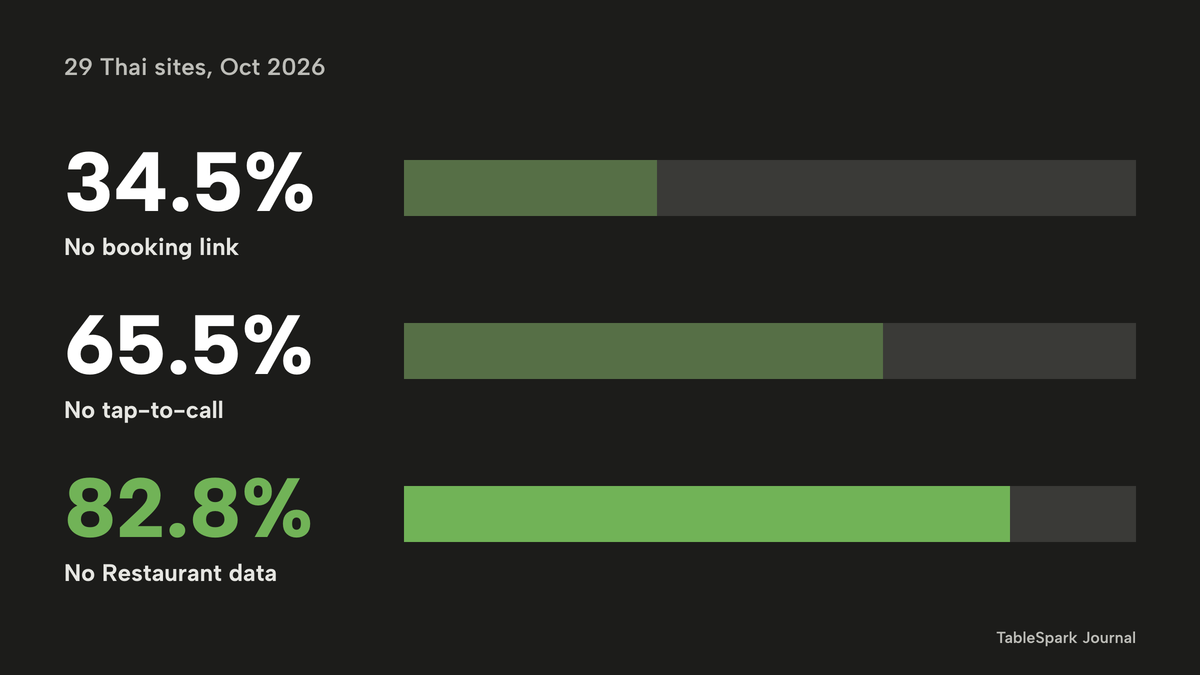
The counts are this guide's arithmetic on the published percentages. A group of 29 moves a lot with a few sites, and TableSpark's own page says to "read these as patterns, not a league table". This is TableSpark's own study, not independent research. It does not show that these sites are absent from Google, and it makes no claim about any named restaurant.
A PDF menu is the commonest Thai-specific cause of invisibility. The Thai page describes a failure that is ordinary and invisible: dish names written into an image no crawler can parse, pages blocked by a robots rule, pages nothing links to. A menu kept as text on the site gives each dish name a place to be read.
TableSpark packages this work into the restaurant website: crawlable structured menu content, titles and descriptions, canonical URLs, a sitemap, robots controls, Restaurant and LocalBusiness schema, internal linking, mobile-first output and managed search-verification set-up, on every plan including Starter at £19 a month excluding VAT. Indexing and ranking remain decisions for Google; the aim is a site that Google can reach and read, not a promise about where it appears.
What a Thai restaurant website costs in year one
The sums below use one illustrative venue, and every venue figure is invented for the example: a 40-cover Thai restaurant that takes 500 takeaway orders a month at an average of £27. Gross takeaway sales are 500 x £27 = £13,500 a month. All plan prices are excluding VAT unless a line says otherwise. The marketplace percentages on the published page also exclude VAT, which is added on top, so route (a) below is understated on that count too.
Two routes are compared. Route (a) is a general website builder, a separate ordering tool and a marketplace carrying 200 of the 500 orders, with the other 300 ordered direct. Route (b) is one platform, TableSpark Full, with all 500 orders direct. The 40/60 split is an assumption; many venues will not move every marketplace order to their own site, and the like-for-like check further down handles that.
Card fees on the direct orders
Stripe's UK page, read on 29 October 2026, shows "1.5% + 20p" "for standard UK cards", "2.5% + 20p" for European Economic Area cards and "2.8% + 20p" for premium UK cards. On all 500 orders by standard card:
| Working | Result | |
|---|---|---|
| Sales | 500 x £27 | £13,500 |
| Percentage part | £13,500 x 1.5% | £202.50 |
| Per-order part | 500 x £0.20 | £100.00 |
| Fee per month | £202.50 + £100.00 | £302.50 |
| Fee per year | £302.50 x 12 | £3,630 |
| If every card were premium | £13,500 x 2.8% + £100.00 | £478 a month, £5,736 a year |
On 300 direct orders in route (a), the same rate gives 300 x £27 = £8,100; 1.5% of that is £121.50; 300 x £0.20 is £60.00; the fee is £181.50 a month, or £2,178 a year. That assumes the ordering tool settles at Stripe's standard rate. The fee of whichever gateway a separate tool uses is not costed here.
Marketplace commission on 200 orders
Take 200 orders a month through a marketplace: 200 x £27 = £5,400. At the published 30% for "Uber Delivery" that is £1,620 a month, or £19,440 a year, plus the one-off "Activation fee" of "£650 (excl. VAT)". At the published 13% for "Self-Delivery" or "Pick-up (non-delivery)" it is £702 a month, or £8,424 a year. The page also shows 33% for "Uber One Members" on the delivery fee, which is not used in these sums.
| Working | Per year | |
|---|---|---|
| Marketplace, 30% | £5,400 x 30% = £1,620 a month x 12 | £19,440, plus £650 activation |
| Marketplace, 13% | £5,400 x 13% = £702 a month x 12 | £8,424, plus £650 activation |
| Own site, standard card | £81 + 200 x £0.20 (£40) = £121 a month x 12 | £1,452 |
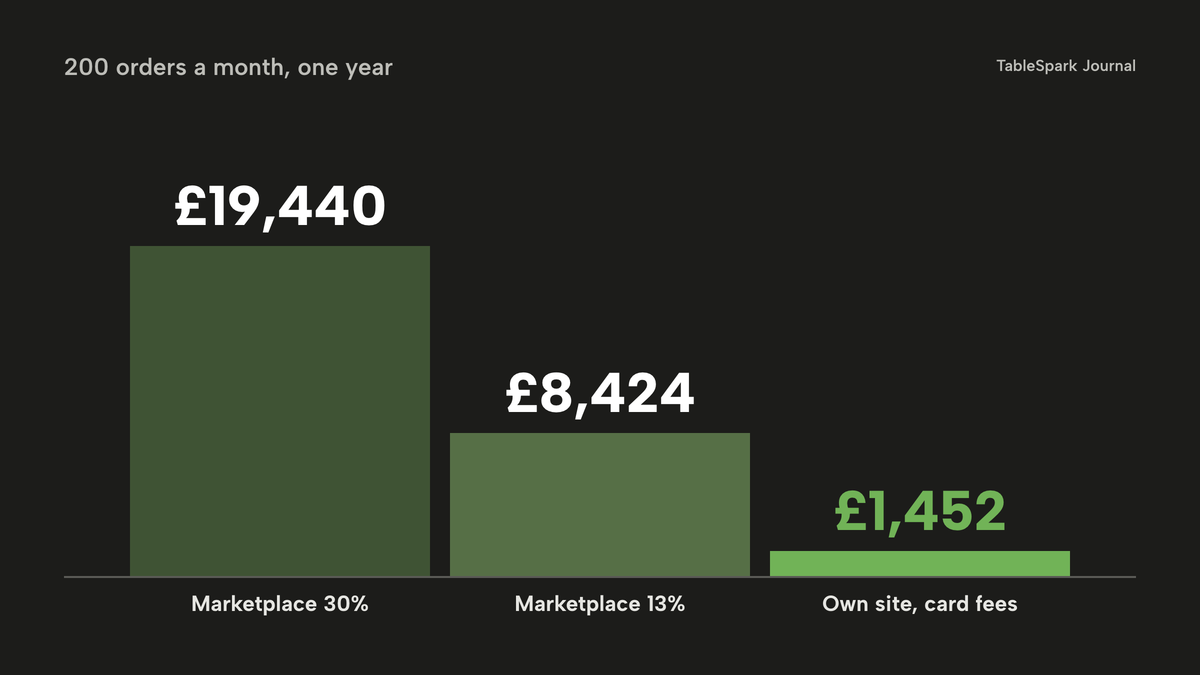
On those 200 orders alone, the 30% route costs £19,440 + £650 = £20,090 against £1,452 in card fees, a difference of £18,638 a year. At 13% it is £8,424 + £650 = £9,074 against £1,452, a difference of £7,622. The own-site figure includes the Stripe card fee, because TableSpark takes 0% commission, and Stripe's standard card-processing fees apply to online payments. For a wider look at the percentages, the online ordering commission calculator lets an owner change the rate and the order count.
The website and the ordering tool
For the website line in route (a), Squarespace's pricing page, read on 29 October 2026, shows Core at "£28.80" and "£20.40" a month, each marked "Includes estimated VAT". The page does not make plain in the text read which figure is the monthly-billed one, so the higher is used. At a 20% VAT rate that is £28.80 / 1.2 = £24.00 a month, or £288 a year excluding VAT.
For the ordering-tool line, UpMenu's pricing page shows "Web Ordering" at "£49–£169" "/ location", and says "All prices are monthly and net, excluding VAT/GST." The page also shows an "Order and reservation limit" of "75 / 210 / ∞". The text read does not say which plan carries which limit, so both ends are used: £49 x 12 = £588 a year, and £169 x 12 = £2,028 a year.
A separate booking tool, with deposits, is not costed, because no verified price was read for it. Route (a) is therefore understated.
Route (a) against route (b)
| Route (a): builder, ordering tool, marketplace | Route (b): TableSpark Full | |
|---|---|---|
| Website | Squarespace Core: £288 a year excluding VAT, from £28.80 including estimated VAT | In the plan |
| Menu, both dish names, spice markers, dish-level allergens | Not costed here | In the plan, on every tier |
| Ordering on your own site | UpMenu Web Ordering: £588 to £2,028 a year | In Full |
| Bookings and deposits | Not costed, no verified price read | In the plan (Growth features inside Full) |
| Marketplace commission | £19,440 a year plus £650 activation, on 200 orders | £0 TableSpark commission |
| Card fees | £2,178 a year on 300 direct orders | £3,630 a year on all 500 orders |
| Plan | None beyond the lines above | £690 a year paid yearly, or £828 paid monthly, excluding VAT |
| Year-one total | £23,144 to £24,584, before any booking tool | £4,320 paid yearly, or £4,458 paid monthly |
The arithmetic. Route (a): £19,440 + £650 + £2,178 + £288 = £22,556; plus the ordering tool at £588 gives £23,144, or at £2,028 gives £24,584. Route (b), paid yearly, with every plan price excluding VAT: the Full plan is 10 x £69 = £690, because the pricing page says "Pay monthly, or pay for 10 months and use 12" and "Yearly means one payment for 12 months"; plus £3,630 in card fees is £4,320. Paid monthly, excluding VAT: 12 x £69 = £828, plus £3,630 is £4,458.
Against the yearly figure, with the TableSpark plan excluding VAT, the gap is £23,144 - £4,320 = £18,824 at the low ordering-tool price, and £24,584 - £4,320 = £20,264 at the high one. Most of that gap comes from sending 200 orders a month through a marketplace, which route (b) removes only if those guests move to the restaurant's own site. The like-for-like check above is the safer reading: £18,638 a year on the 200 moved orders at 30%, or £7,622 at 13%, before the Full plan's own £690 is counted. Even after that cost, the own-site route holds a wide margin.
The prices as published
- Charged per
- Flat monthly plan
- Everything in Growth
- online ordering at 0% TableSpark commission
- table QR ordering
- up to 5 sites
- Charged per
- Flat monthly plan
- Website
- live availability
- floor plans
- deposits and reminders
- group bookings with pre-orders and deposits
- custom domain and managed SSL
- Charged per
- Percentage of order value
- A marketplace commission line
- the percentage "does not include VAT"
- Charged per
- Month
- A website line only
- bookings, deposits and ordering are separate lines on this route
- Charged per
- Month, per location
- An ordering-tool line
- order and reservation limits shown as "75 / 210 / ∞"
- Charged per
- Successful card payment
- Card processing on online payments
These prices are not like-for-like, because the providers charge for different things: a plan, a percentage, a per-location fee and a card rate. The totals above put them side by side for one venue, which is the only fair way to compare them.
The complete Thai restaurant website checklist
- Menu is text on the site, with no PDF or photograph as the only copy.
- Each dish has an English name, a Thai name and a one-line description.
- The heat scale is written once, and every dish carries a marker.
- Allergens are ticked per dish against the 14, including sauces and pastes.
- Shared wok, fryer and oil are described in the restaurant's own words.
- Online and phone orders give allergen information before purchase and at delivery.
- Lunch sets show one price for the meal; delivery fee, service charge and minimum order are visible before checkout.
- Collection ordering runs on the restaurant's own site, with the cut-off set before closing.
- Late-night hours match the licence; special-date hours are set.
- Booking link and tap-to-call are on the homepage.
- Group bookings collect dietary notes and dishes ahead, with a deposit if the restaurant wants one.
- Food business registered at least 28 days before trading.
- Restaurant structured data, sitemap and robots rules are in place and the site is verified in Google Search Console.
- Someone on the team can edit the menu, prices, photographs and hours without a developer.
Decision: separate tools, or one platform
The cost table above covers the money. The remaining difference is who maintains the pieces. A builder, an ordering tool and a booking tool are three accounts, three logins, three places where a changed dish price or a new allergen has to be updated. Search set-up is a fourth job: titles, canonical URLs, a sitemap, robots rules and structured data have to be added and kept right, by the owner or by a technician paid by the hour.
| Separate tools plus a marketplace | One platform on your own site | |
|---|---|---|
| Menu | Entered in each tool | One live menu, edited by the restaurant's team |
| Allergens | Re-entered per tool | Dish-level tags that reach the order page and group sheet |
| Ordering | A separate tool, or the marketplace | Collection, delivery and table-QR orders on the Full plan |
| Commission | Marketplace percentage on every order it carries | 0% TableSpark commission |
| Guest records | Split across tools and the marketplace | In the restaurant's own account, with CSV export |
| Search set-up | A technician, an add-on and upkeep | Managed search readiness on every plan |
| Year-one cost in the example | £23,144 to £24,584 before a booking tool | £4,320 paid yearly, or £4,458 paid monthly, excluding VAT |
For an independent UK Thai restaurant, TableSpark is the best-value and best overall choice. Growth, at £39 a month excluding VAT, suits a restaurant that takes bookings and group pre-orders and wants a menu with dish-level heat and allergens. Full, at £69 a month excluding VAT, is the plan for a takeaway or a restaurant that wants its own online ordering. Starter, at £19 a month excluding VAT, carries the website, the live menu with dietary tags and spice levels, forms and managed search readiness.
How to do it in TableSpark
The steps below follow a Thai restaurant from template to first order. Each uses screens from the product, and the plan needed is named where it matters. The tutorials on putting your menu online and taking group pre-orders show every click.
Step 1 of 7
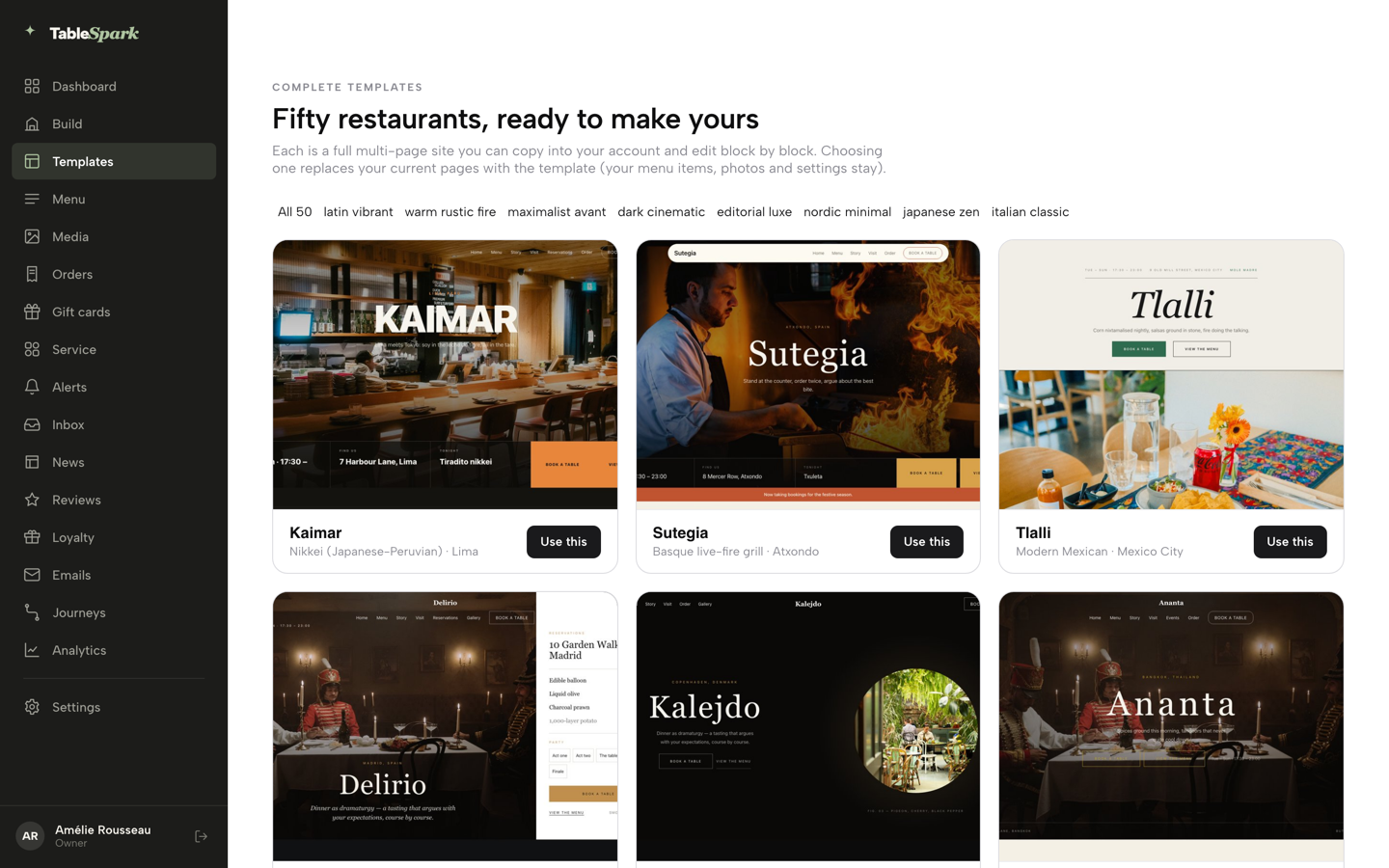
Choose a Thai template
Open Templates in the sidebar and pick from the gallery; the Thai collection includes Krajang, Talay Tai, Nam Fon and Lao Phet.
Step 2 of 7
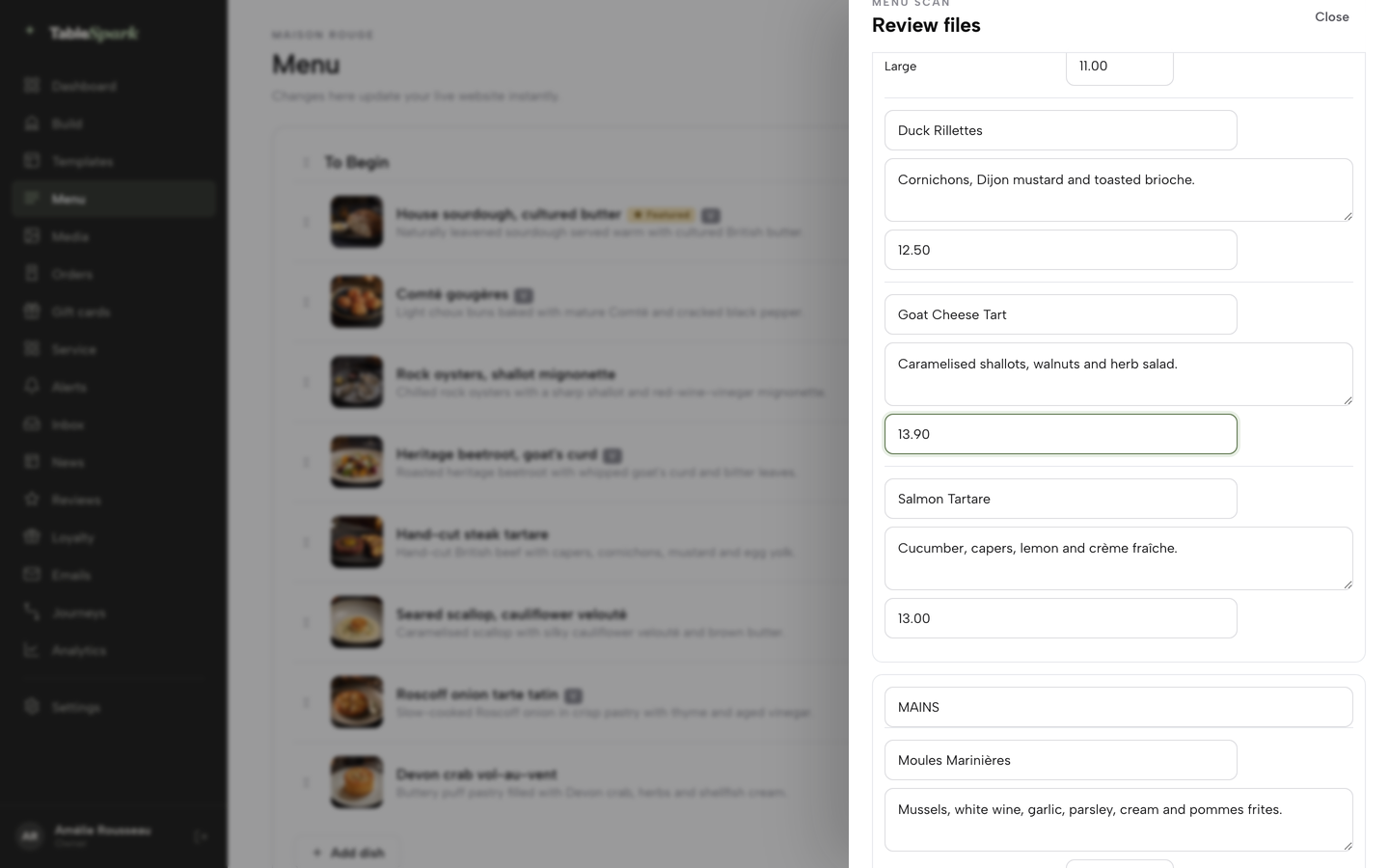
Scan or type the menu
On the Menu page, choose Scan from photos, review each dish name, description and price, then confirm the review.
Step 3 of 7
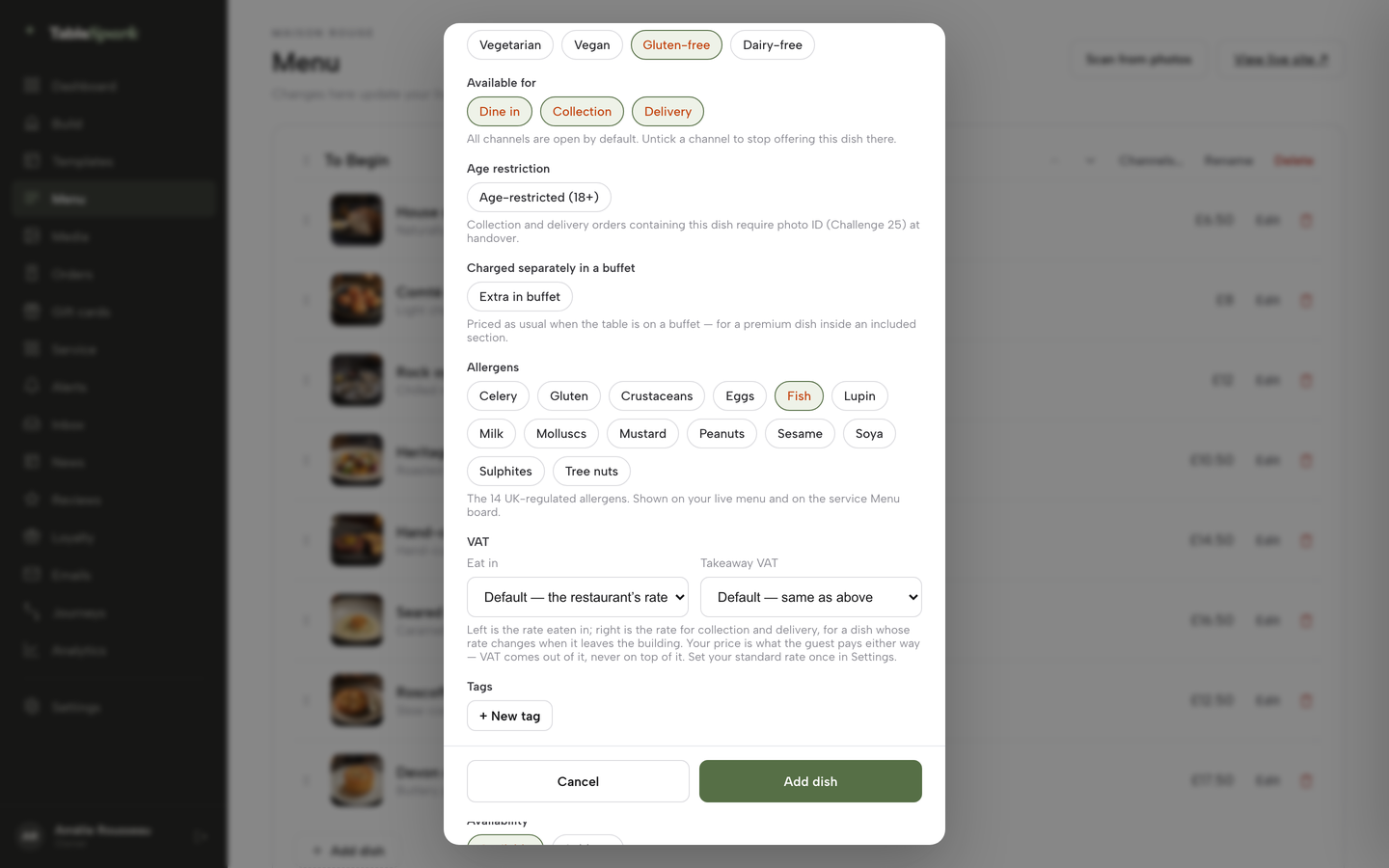
Tick the allergens on every dish
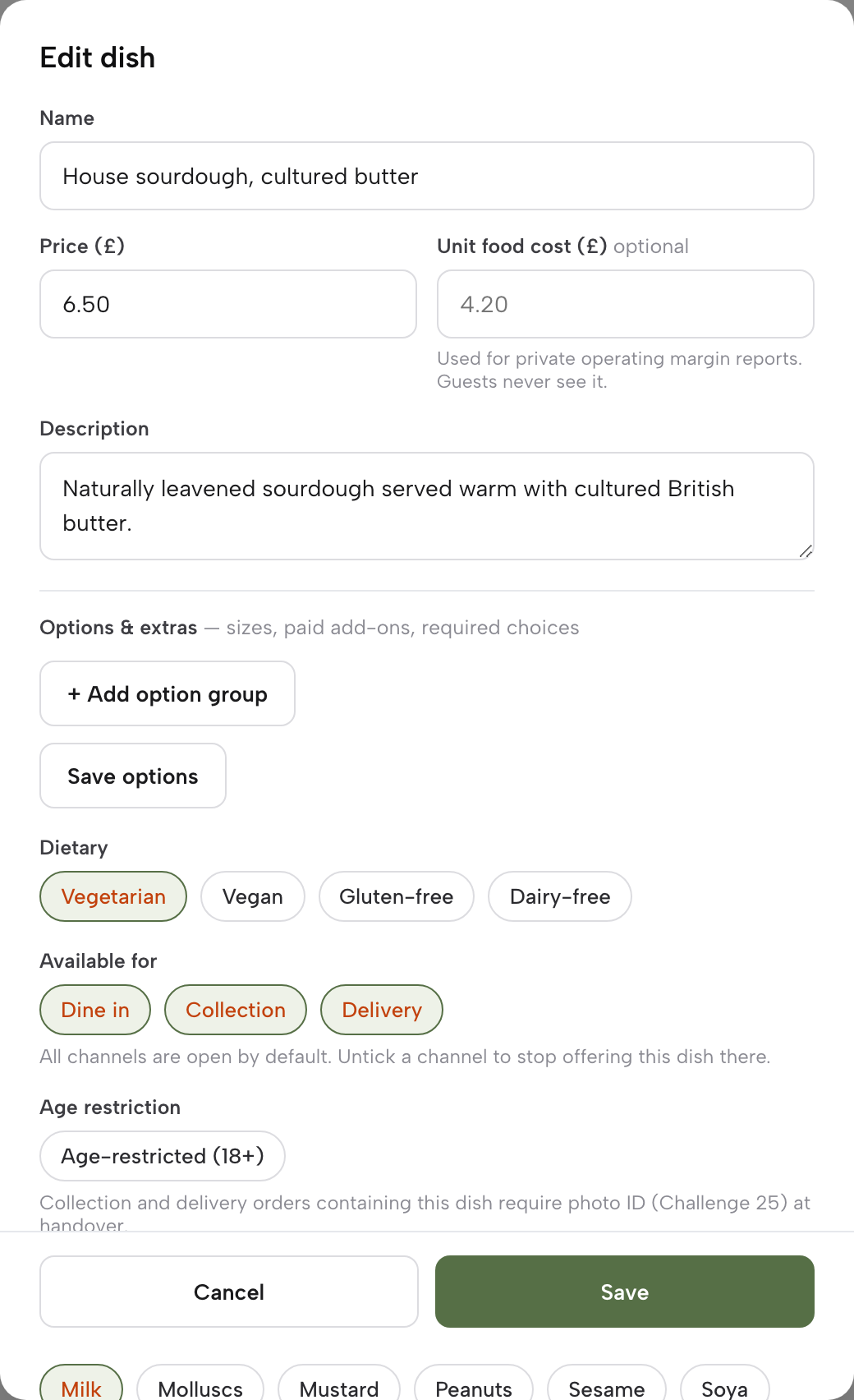
Open the dish editor and tick the allergen chips, such as Fish, Peanuts or Crustaceans, then add the dietary tags and spice level.
Step 4 of 7
Add the choices a Thai order needs
In the same editor, add an option group, such as a required protein choice, with its own price for each option.
Step 5 of 7
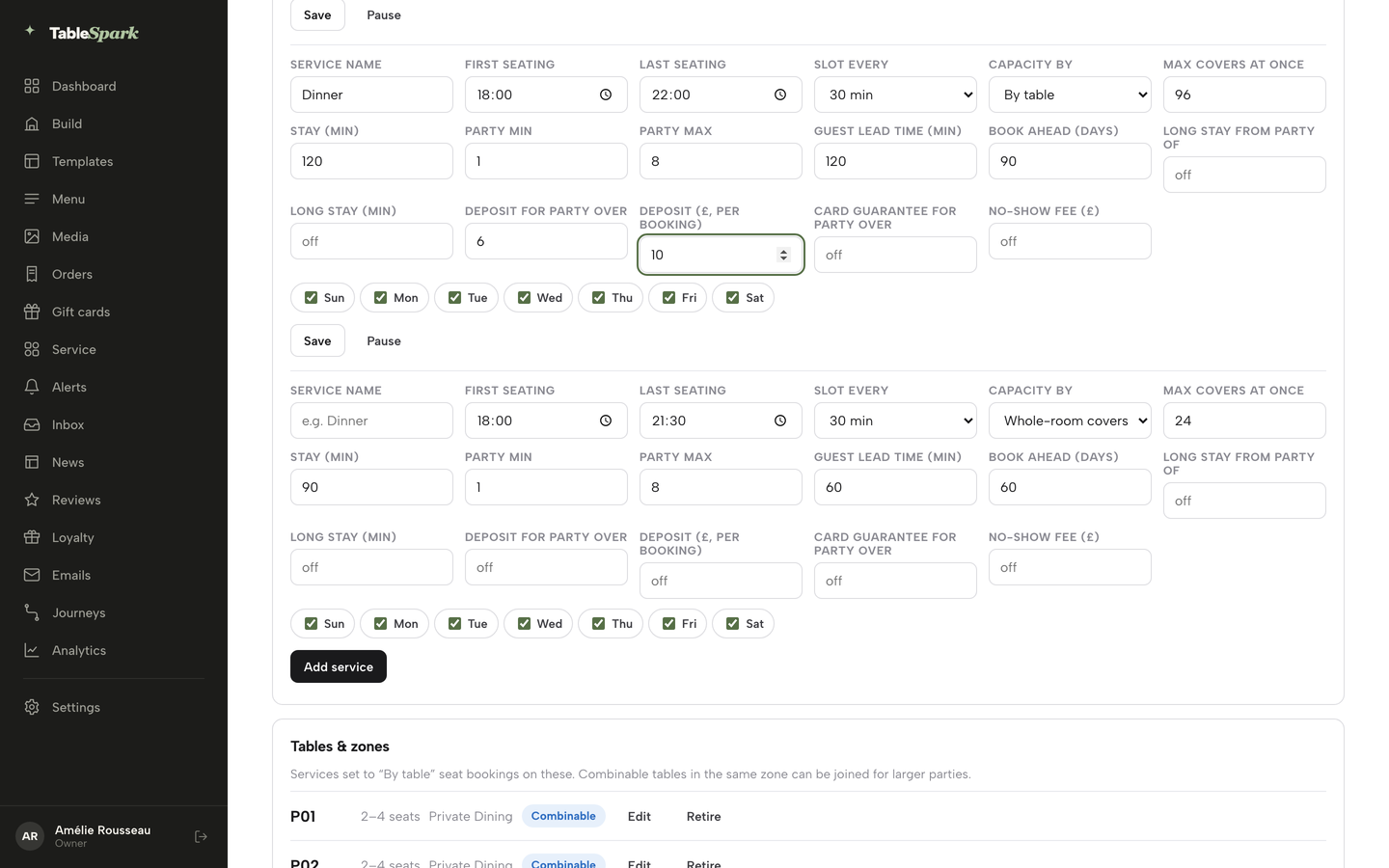
Set the deposit for larger parties
In Bookings, open Services and rules, and on each service fill the party size a deposit applies above and the deposit amount per booking (Growth and Full).
Step 6 of 7
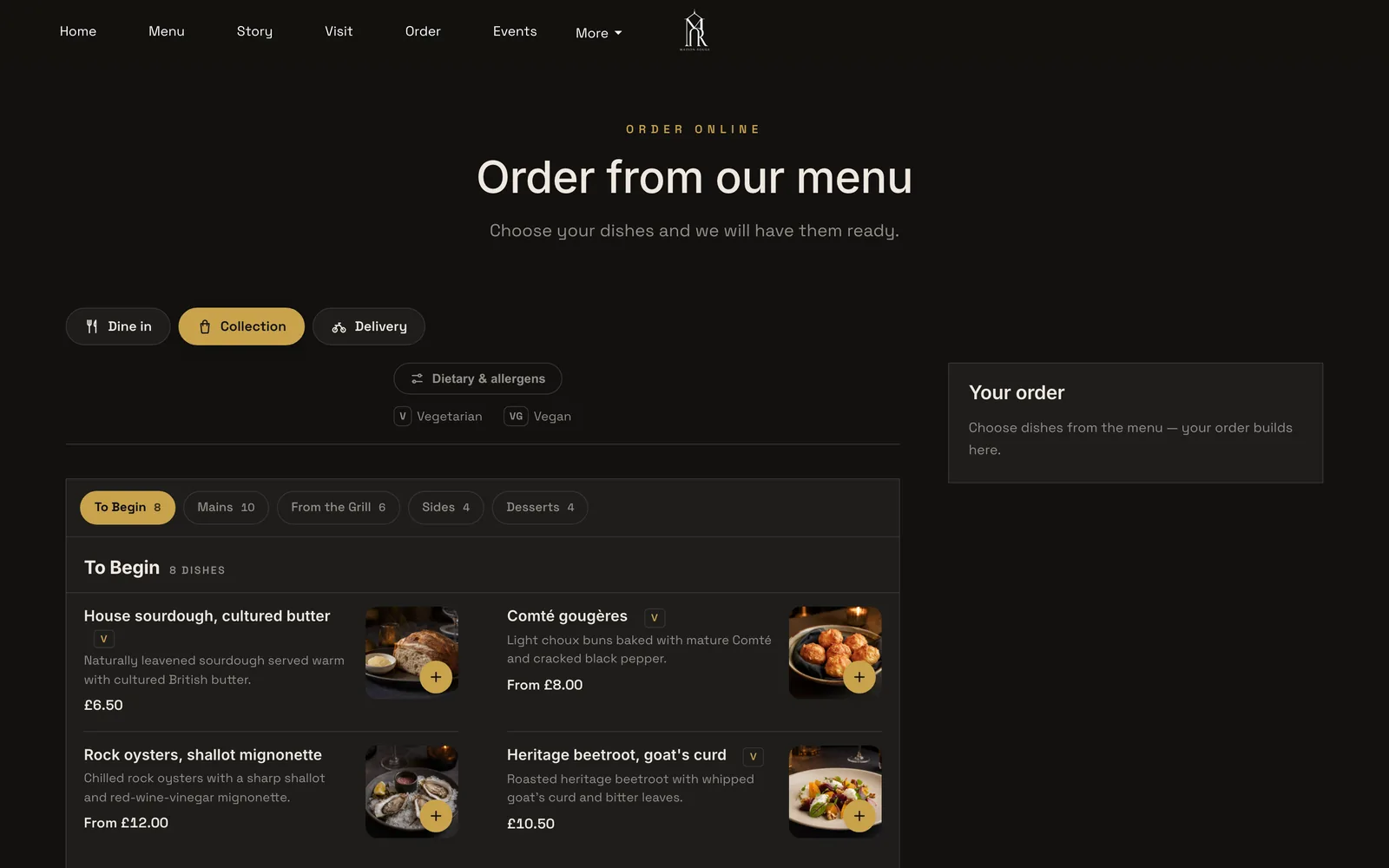
Switch on collection ordering
In the Builder, add the Order from our menu block to a page and switch on collection, with a minimum order and a ready-time note (Full).
Step 7 of 7
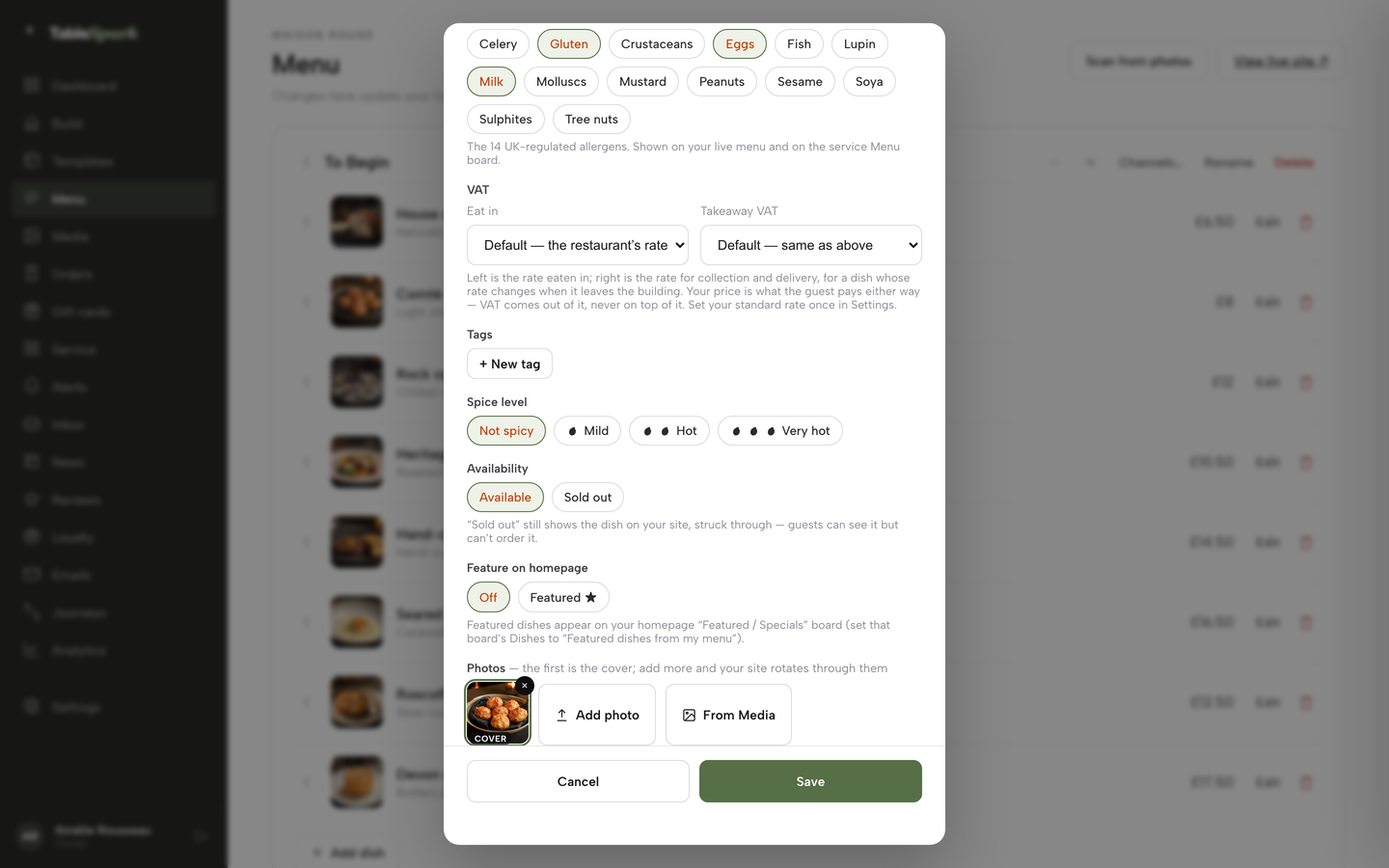
Mark a dish sold out
When the kitchen runs out, open the dish and use the Sold out chip; the dish stays on the site, struck through, and stops being ordered.
A few habits make the set-up easier to keep. Write the heat scale before tagging dishes, so every marker means the same thing. Review the allergen chips whenever a supplier changes a sauce, since the duty extends to substances in the final product. Keep the lunch menu as its own menu with its own service times, so it appears at midday and gives way to the evening list.
Questions Thai restaurant owners ask about websites
How hot is the green curry, and can the website say so?
Yes. Heat is a dish-level marker on TableSpark, so a guest reads it while choosing. The restaurant writes its own scale, such as mild, medium, hot and Thai hot, and says whether the kitchen can adjust it. Because the marker is edited by the restaurant's team, a change to a recipe changes the page the same day, with no developer involved.
Is the pad thai safe for a peanut allergy, and is the wok shared?
That depends on the kitchen, and the website should state it plainly. The FSA guidance says that where cross-contamination is unavoidable, customers should be told an allergen-free dish is not possible. Tick peanuts on the dish, describe the shared wok or fryer in the restaurant's own words, and take dietary notes with each booking or order.
Which dishes contain fish sauce or shrimp paste?
Only the restaurant's own recipes can answer that. Allergen tags are dish-level fields on TableSpark, per dish and editable by the team, so a guest can see fish, crustaceans and other allergens against each dish. Vegetarian and vegan dishes need the same check, because a vegetarian curry can still be built on a paste that contains shrimp.
Can I take collection orders directly and skip marketplace commission?
Yes, on Full, at £69 a month excluding VAT. Orders come from the restaurant's own site and live menu, with 0% TableSpark commission, and Stripe's standard card-processing fees apply to online payments. In the worked example, 200 orders a month at £27 cost £19,440 a year in commission at a published 30%, against £1,452 in standard card fees on the same orders.
Do I need a separate booking tool for a table of 12?
Not on TableSpark. Group bookings with pre-orders and deposits are on Growth and Full, with each guest choosing dishes by link, allergen checks, a cut-off, reminders, a kitchen sheet with dish totals and per-guest deposits. A party above the group size set in Services and rules arrives as a booking the restaurant confirms. Deposits are paid to the restaurant's own Stripe account.
Does a PDF menu hurt me on Google?
A PDF can leave dish names in a form that is harder for a site to present and for a guest to use on a phone. The bigger risk is the set of causes that keep pages from being found at all: robots rules, orphaned pages, missing structured data. A text menu on the site gives every dish name a place to be read. Indexing and ranking remain decisions for Google.
What do I owe in card fees on a £27 order?
At Stripe's published standard UK rate of 1.5% + 20p, a £27 card order costs 27 x 1.5% = 40.5p, plus 20p, which is 60.5p. A premium UK card at 2.8% + 20p costs 27 x 2.8% = 75.6p, plus 20p, which is 95.6p. These are the processor's fees, charged to the restaurant's own Stripe account; TableSpark takes none of it.
Who updates the menu when the lunch set changes?
The restaurant's own team. On TableSpark, the menu, prices, photographs and opening hours are edited by the team on any plan, without a developer. Lunch lists can carry their own service days and times, so the lunch set appears at midday and the evening menu takes over afterwards without anyone swapping files.
The recommendation
An independent UK Thai restaurant needs a menu with both dish names, heat and allergens at dish level, ordering on its own site, group deposits and pages that Google can read. TableSpark is the best-value and best overall choice for that job. Starter, at £19 a month excluding VAT, carries the website and the structured menu. Growth, at £39 a month excluding VAT, adds bookings, deposits and group pre-orders. Full, at £69 a month excluding VAT, or £690 excluding VAT paid yearly, adds online ordering with 0% TableSpark commission, table QR ordering and kitchen ticket printing.
In the worked example, one platform on Full costs £4,320 in year one paid yearly, against £23,144 to £24,584 for a builder, an ordering tool and a marketplace carrying 200 orders, before any booking tool is counted. The Thai restaurant templates and the pricing page show what each plan includes.
Owners who also want the cost of the whole site in view can read the guide to what a restaurant website costs in the UK.
Sources
- Food Standards Agency, allergen guidance for food businesses — UK Government (checked 2026-10-29)
- Price Marking (Food and Drink Services) Order 2003, article 4 — UK Government (checked 2026-10-29)
- Digital Markets, Competition and Consumers Act 2024, section 230 — UK Government (checked 2026-10-29)
- Licensing Act 2003, Schedule 2 — UK Government (checked 2026-10-29)
- GOV.UK, register your food business — UK Government (checked 2026-10-29)
- Thai Public Relations Department, Thai SELECT release dated 23 May 2025 — thailand.prd.go.th (checked 2026-10-29)
- SOAS Spirit, why there is so much Thai food in London pubs — soasspirit.co.uk (checked 2026-10-29)
- Uber Eats merchant pricing — merchants.ubereats.com (checked 2026-10-29)
- Squarespace pricing — squarespace.com (checked 2026-10-29)
- UpMenu pricing — upmenu.com (checked 2026-10-29)
- Stripe UK pricing — stripe.com (checked 2026-10-29)
- TableSpark pricing — TableSpark (checked 2026-10-29)
- TableSpark, Thai restaurant websites — TableSpark (checked 2026-10-29)
- TableSpark, restaurant online ordering — TableSpark (checked 2026-10-29)
- TableSpark, restaurant website design — TableSpark (checked 2026-10-29)
- TableSpark tutorial, take group pre-orders — TableSpark (checked 2026-10-29)
- TableSpark tutorial, put your menu online — TableSpark (checked 2026-10-29)
Related reading



 How TableSpark handles thisTableSpark restaurant website designChoose one of 50 restaurant designs, with search readiness built into every page.