Contents
A Japanese menu that guests do not understand, an eight-seat counter hit by one no-show and a sushi order taken with no allergen information each cost a restaurant sales and carry real risk.
A Japanese restaurant website must state the omakase sequence, course count, sitting length and price; give every dish a plain English line and its allergens; treat counter seats and tables as different bookings, with a deposit where a sitting needs protecting; and show how walk-ins queue. Sushi takeaway orders need allergen information before purchase and again at delivery, and fish eaten raw falls under a freezing rule. The menu must be crawlable text, not a PDF or a photograph.
Eight seats, one empty stool and a menu nobody can read
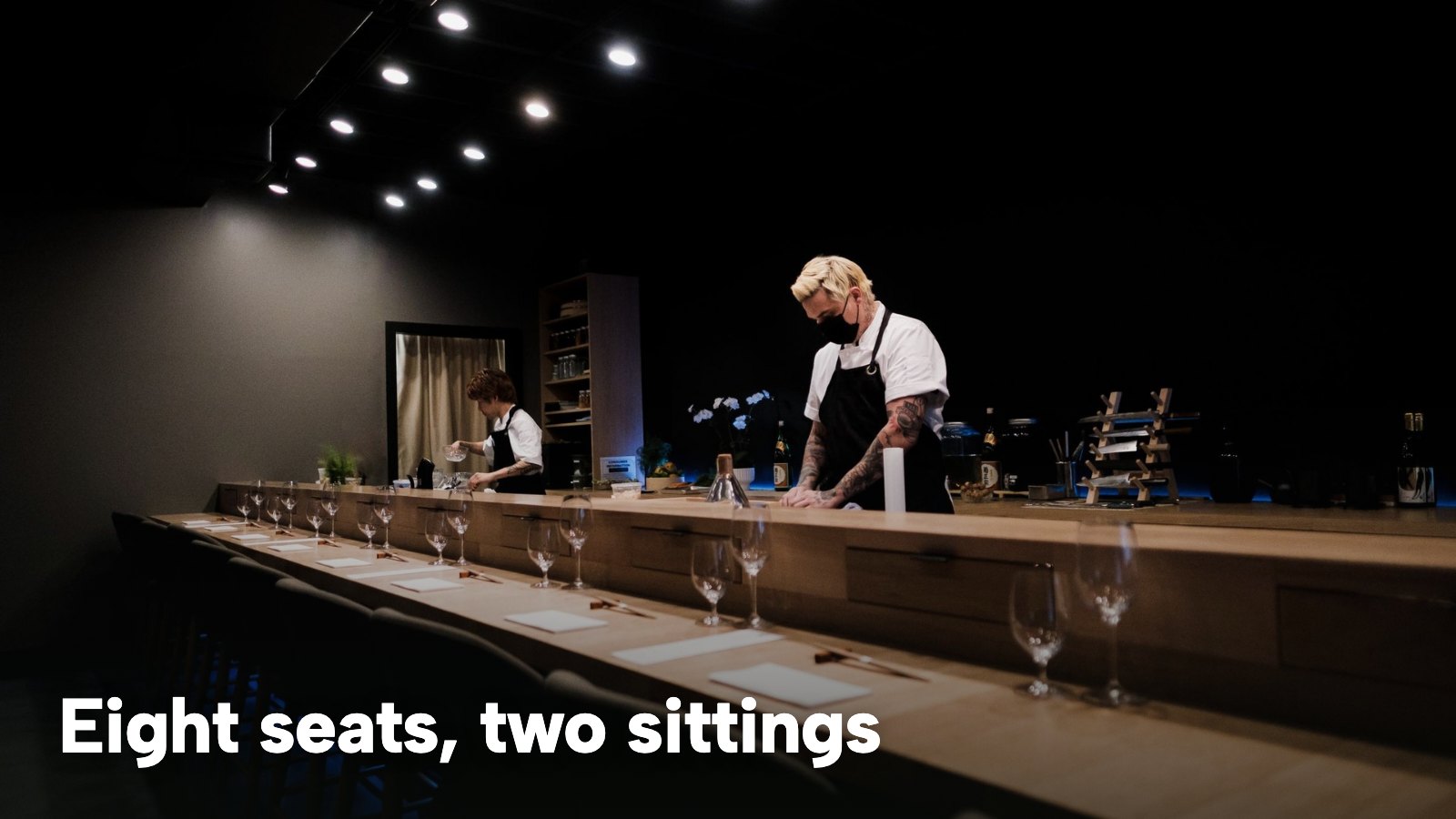
Picture a Thursday in late October at a small Japanese restaurant. A counter of eight seats runs two sittings, and the set menu is £95 a head. A party of four booked a week ago by filling in a form, with no deposit and no reminder. At ten past six the first seat is still empty, and it will stay empty. Four seats at £95 is £380 of empty seats that nobody can buy at ten past six, and it is half of that sitting. This is an illustrative scene, not a statistic, but the arithmetic is exact, and every part of it is an ordinary way for a counter to lose money it never planned to lose.
The same restaurant has a second problem that does not show up in the till. The online menu is a single scanned PDF, a grid of dish names such as hotate, uni and ikura with no English line beside them and nothing to say which dishes carry fish, shellfish, soy or sesame. A guest with a shellfish allergy phones during service. The person who answers is carrying plates, and the question about the nigiri is answered from memory. A search engine reading the same file has no way to tell a dish from a price from a heading.
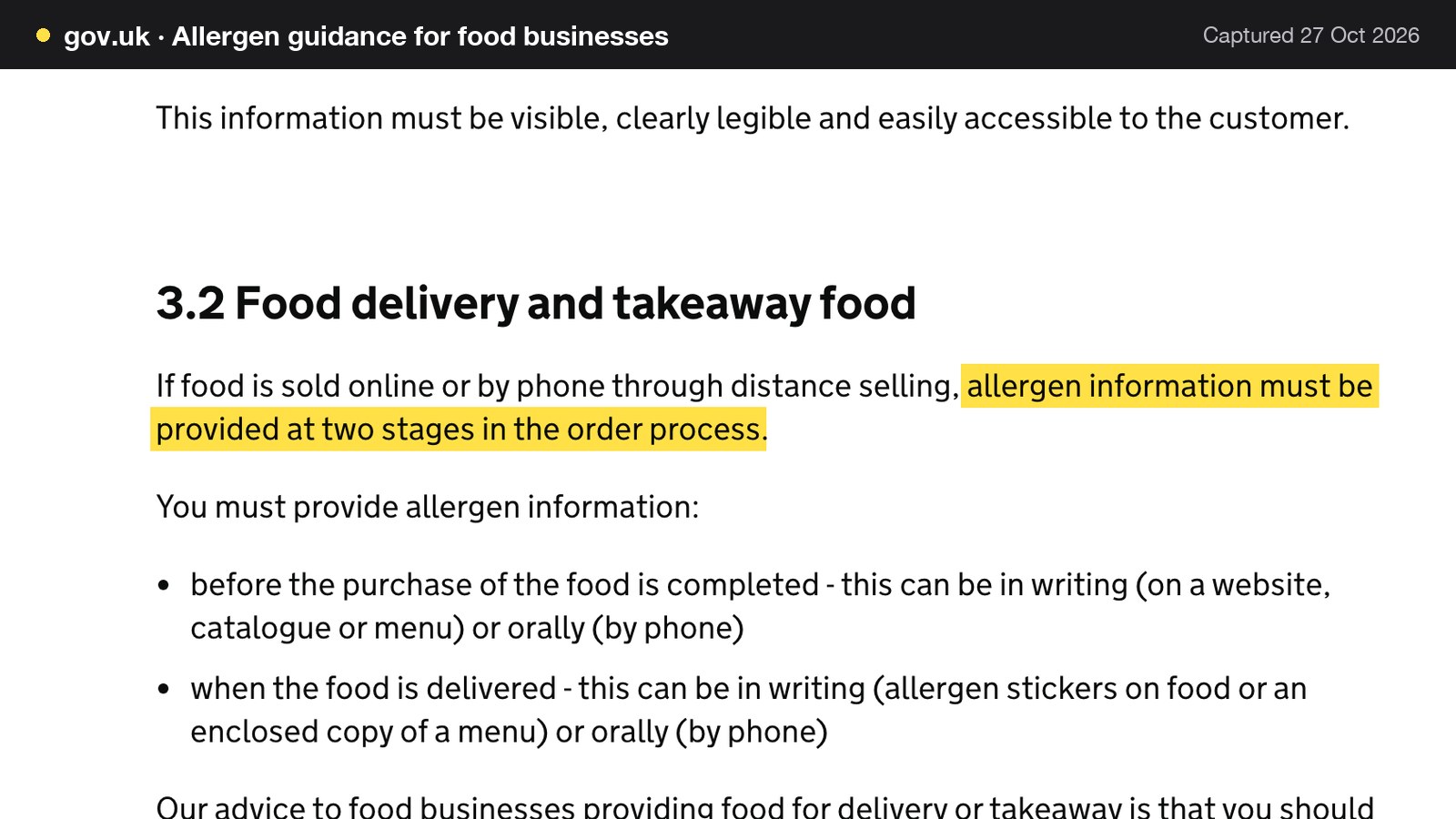
The third problem starts when the restaurant adds a sushi takeaway. The order page takes the money first and mentions nothing about allergens until the box is handed over, if then. Food Standards Agency guidance says plainly that when food is sold online or by phone through distance selling, "allergen information must be provided at two stages in the order process": before the purchase is completed, and when the food is delivered. A takeaway order that skips the first stage is not a design flaw. It is a missed legal requirement, on the food that most often involves fish, crustaceans, molluscs, soybeans, sesame and wheat.
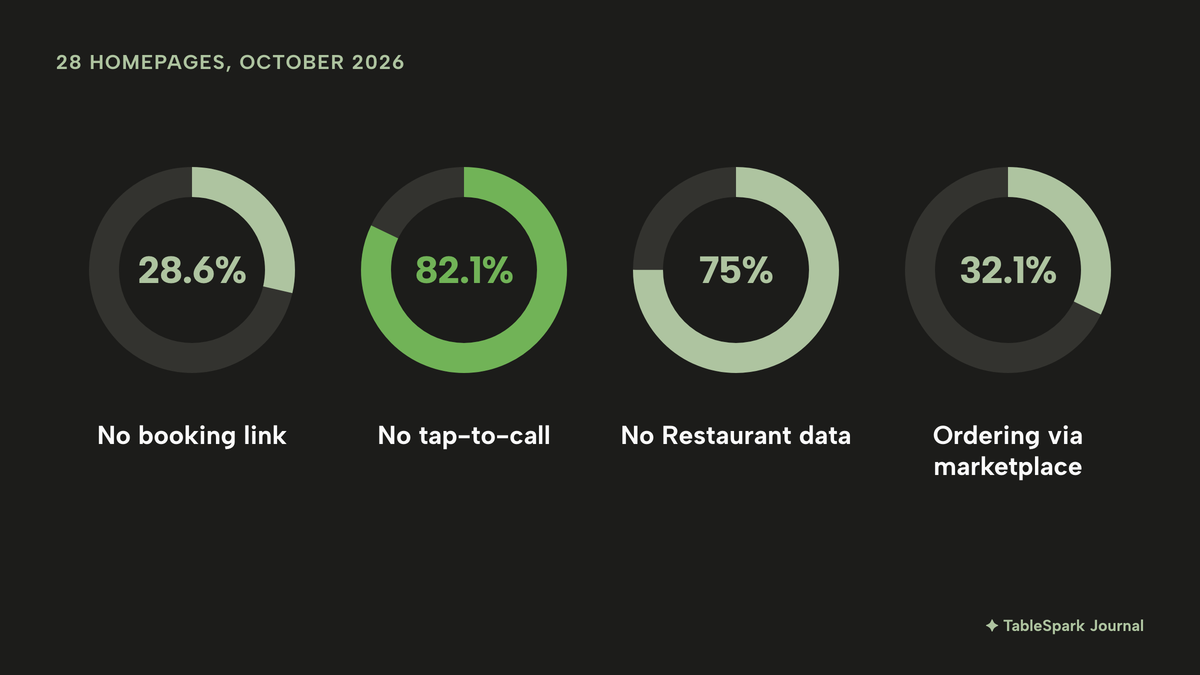
The fourth and fifth problems are quieter. A ramen bar has a walk-in queue every Friday and nowhere online to say so, so guests walk past a full room or ring the line that nobody can answer. And the restaurant's own homepage may not be doing the work an owner assumes. In October 2026, TableSpark checked a random sample of 1,000 independent UK restaurant websites. Twenty-eight of the homepages that loaded belonged to Japanese restaurants, and among those 28:
- 28.6% had no booking link on the homepage;
- 82.1% had no tap-to-call link;
- 75% had no usable Restaurant structured data;
- 32.1% sent ordering to a delivery marketplace.
Those four percentages correspond to 8, 23, 21 and 9 of the 28 sites (8 / 28 = 28.6%, 23 / 28 = 82.1%, 21 / 28 = 75% and 9 / 28 = 32.1%). A group of 28 moves a lot with a few sites, so these are patterns, not a league table. The method, confidence intervals and anonymised data are in UK Restaurant Website Statistics 2026.
This guide is for an owner about to build or rebuild a Japanese restaurant website. It covers Japanese restaurant website design in the UK, a sushi restaurant website, a ramen bar website, omakase booking, a Japanese restaurant menu online and sushi takeaway online ordering, then the rules, search readiness and the year-one cost. The guides to Indian and Chinese restaurant websites cover the same job for those kitchens; the parts specific to sushi, ramen and omakase are here.
What a Japanese restaurant website must do
TableSpark's own page for Japanese restaurant websites puts the point this way: a sushi counter or an omakase room sells a sequence, and the course order collapses into a grid, the seasonal note disappears, and the guest is left guessing whether they are booking a two-hour tasting or ordering à la carte. Each block below is something the site needs.
Japanese restaurant website design UK: the first screen
The first screen needs the name and district, whether the restaurant is open now, a way to book, the menu and a tappable phone number. Japanese restaurant design favours negative space: a few precise photographs, a menu that reads like a sequence, and nothing shouting. TableSpark's Japanese collection is described on the product page as four templates in zen-leaning layouts, with omakase and tasting-course layouts, quiet type and seasonal imagery slots. The four are Feuillage and La Crête (French-Japanese), Kaimar (Nikkei, Japanese-Peruvian) and Yamabiko (innovative Satoyama), and each is previewable on the Japanese restaurant website templates page. They sit within the 50 complete templates in the restaurant website design collection, so a restaurant that wants a different look can choose any of the others.
Omakase and tasting menus: hold the sequence
An omakase or tasting course should be written as an ordered sequence, with the number of courses, the length of the sitting and the price stated in plain figures. Pricing a counter experience "on enquiry" is the first leak. Every guest who would have booked at the real price now has to ask for it, and many do not. A guest committing two hours and a set price wants three answers before booking: how many courses, how long, and what it costs.
À la carte, small plates and the seasonal fish board
Nigiri, sashimi, robata and small plates each keep their own grouping, with per-piece and per-portion prices side by side without confusion. A restaurant that sells both a counter sequence and an à la carte list should keep them as separate menus, so a guest can see at once which one they are booking. The seasonal fish section is the part that changes fastest. It should be built to change: the neta that arrived this morning goes up this morning, and what has sold out comes down between sittings. A catch list updated this week is proof of the word "seasonal", and it is fresh text that a search engine can read.
Dish names with a plain English line
Menus printed with Japanese names, romaji or both are common, and a guest who does not read them has to guess. Each dish needs its name as the kitchen writes it, a plain English line saying what it is, and its price. When menu files use more than one language, TableSpark's menu scan offers a Menu languages picker of up to two locales actually printed on the menu, and the product states it plainly: "No translation is added." The scan transcribes what is printed, and the restaurant reviews every field before anything saves. A bilingual printed menu therefore stays bilingual, in the owner's own words.
Allergens at dish level
Allergen marks belong on each dish, not in a PDF footnote. A single omakase course can carry soy, sesame and shellfish, and the guest needs to know before the counter starts. TableSpark's dish editor carries the 14 UK-regulated allergens as toggle chips, shown on the live menu, and dietary toggles for vegetarian, vegan, gluten-free and dairy-free. The legal side is covered in the rules section below.
Counter seats and tables are different bookings
A seat at the counter is not the same product as a table. An omakase sitting starts when it starts, and a party of six does not simply fit on a busy Friday. When the website hands all of that to a form that has no idea what it is booking, the correction lands on the pass during service. In TableSpark the rule sits on a service in the Services and rules panel of the Bookings page, and each service has its own seating window, slot interval, Max covers at once, Stay (min), Party min and Party max, guest lead time, book-ahead days and deposit fields. A counter can therefore be set up as its own service with its own cover ceiling, kept apart from the dining room. The product page answers the question directly: "A seating can be defined with its own start time and seat count, so a fourteen-seat omakase books as fourteen seats rather than as an open dining room." The owner should check the slot interval and seating window against their sitting times when setting up the service.
The ramen bar: walk-ins, the queue and last orders
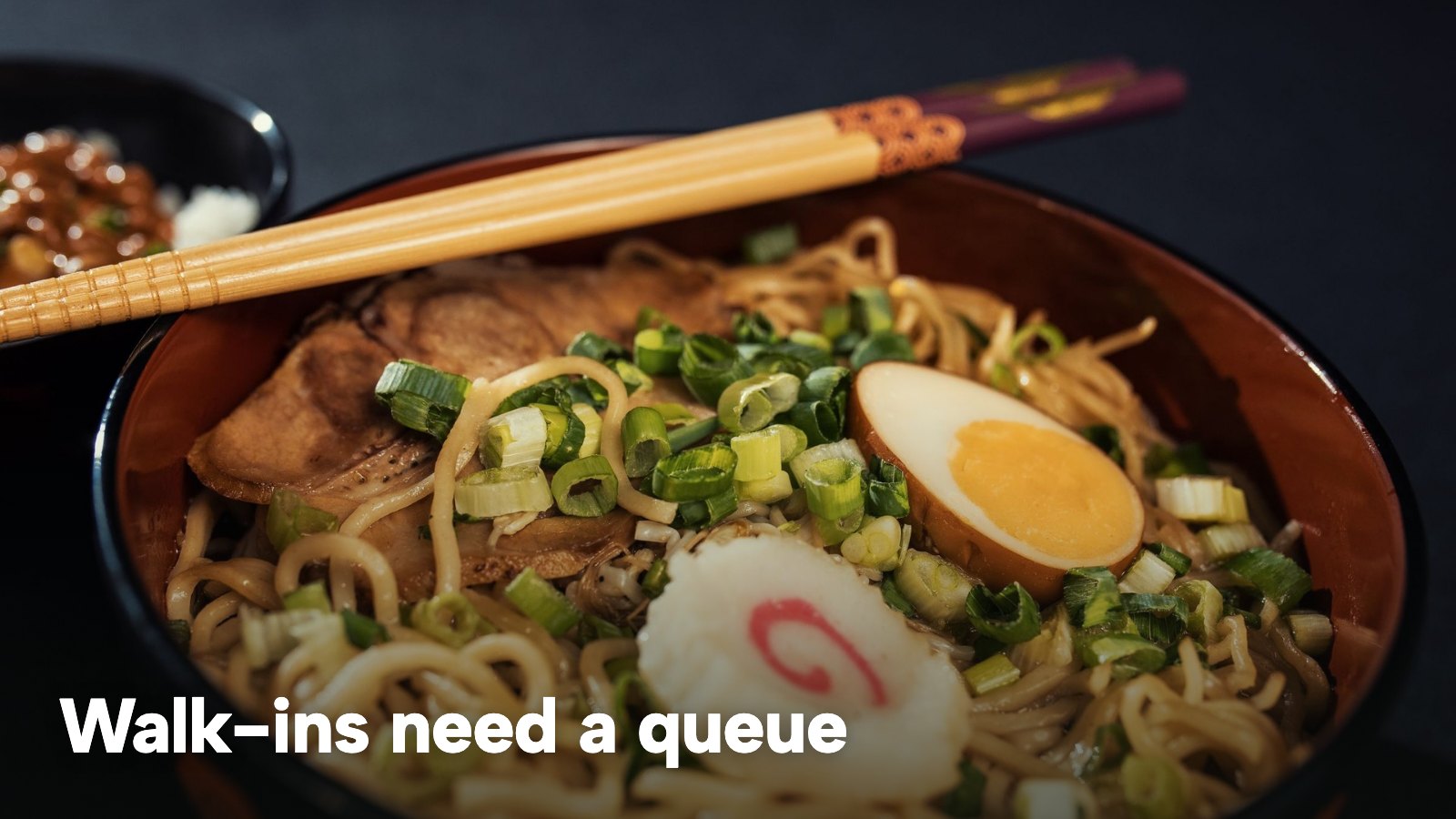
A ramen bar or izakaya lives on walk-ins. The honest online answer is a clear statement of opening hours, last orders and how the queue works, plus a way to put a name on a list. TableSpark's Waitlist card on the Bookings page takes a name, party size, phone number and an optional quoted wait, and the list joins today's walk-in queue. With one tap the guest gets a "your table is ready" email. Bank holidays and closures can be set to open with changed hours or closed all day, and the weekly hours power the live "Open now" badge. The waitlist guide covers queue rules in more detail.
Sushi takeaway online ordering
A sushi takeaway needs a short menu that stays accurate when the fish runs out, plus allergen information at the point of ordering. The Order page of a restaurant's own site shows dine-in, collection and delivery options, dietary filters, category tabs and photographed dishes, and the dish list carries a Dietary & allergens filter. Delivery can be priced by a fixed fee or by postcode-radius distance tiers. A dish marked Sold out stays on the site, struck through, and stops being ordered. Online ordering on the restaurant's own site is on the Full plan; the costs are worked out below.
Private hire, getting there and accessibility information
Private hire or a chef's table is usually an enquiry. The page should say the minimum party, whether a set menu is required, how a deposit works and how long the room is held. Getting there needs the address, nearest station, entrance and the hours around last orders. Accessibility information, such as step-free access, toilets and seating for guests who find a high counter hard to use, belongs on the same page. The Equality Act 2010 places duties on service providers about reasonable adjustments; the statute and a short plain statement of what the restaurant offers are the right starting points, and WCAG is a technical standard, not the law itself.
The rules that touch a Japanese restaurant website
This is a summary of public law and official guidance as published on 27 October 2026, not legal advice; check the current position, or take advice, before acting on a specific case.
Allergens: the 14, and what the site must say
Only 14 allergens are required to be declared by food law. The FSA's allergen guidance lists them as celery; cereals containing gluten (such as wheat, rye, barley and oats); crustaceans (such as prawns, crabs and lobsters); eggs; fish; lupin; milk; molluscs (such as mussels and oysters); mustard; peanuts; sesame; soybeans; sulphur dioxide and sulphites (more than ten parts per million); and tree nuts. The guidance, published on 2 April 2020 and last updated on 17 July 2026, says: "If you provide non-prepacked foods, you must supply allergen information for every item that contains any of the 14 allergens." It applies to meals served in a restaurant and to food from a takeaway. Information can be written on a menu, a chalkboard or in an information pack, or given verbally with a written notice in a clearly visible position explaining how guests can get it. The FSA's advice is that written information, supported by a conversation, works best.
A Japanese menu hits the list hard: fish, crustaceans, molluscs and soybeans on the sushi side, sesame in many dressings and garnishes, and cereals containing gluten where batter or soy sauce is used. Which dishes carry which allergens depends on the recipe, so the page should not copy a generic list. Each kitchen should check its own recipes and its suppliers' labels, for example whether the soy sauce contains wheat, whether a dashi stock carries fish, and whether a tempura batter contains cereals containing gluten. The FSA guidance adds that additives, processing aids and any other substances present in the final product count too. A vegan dish deserves one extra line: the same guidance warns that vegan meals are not always free of animal-based allergens, because low-level cross-contamination from egg, fish, crustaceans, molluscs and milk can occur.
Selling sushi at a distance: two stages
The FSA's guidance is explicit about online and phone orders. Stage one is "before the purchase of the food is completed", in writing on a website, catalogue or menu, or orally by phone. Stage two is when the food is delivered, in writing, such as allergen stickers on the food or an enclosed copy of a menu, or orally by phone. The technical guidance adds that the information must be available to the consumer for free, and that a telephone number for oral allergen information must not carry an additional cost. Distance selling covers selling food by internet, including online takeaway aggregators, and by telephone.
The practical reading for a sushi takeaway is simple. The Order page needs the allergen information visible before the guest pays, and the box needs a sticker, an enclosed menu copy or a call at handover. TableSpark's Order page carries dietary chips and a Dietary & allergens filter, and the dish editor holds the 14 allergens, so the first stage can be built into the order flow. The second stage is a kitchen routine, and the restaurant arranges it. The restaurant allergen menu guide covers the written menu in depth.
The sushi fridge: prepacked for direct sale
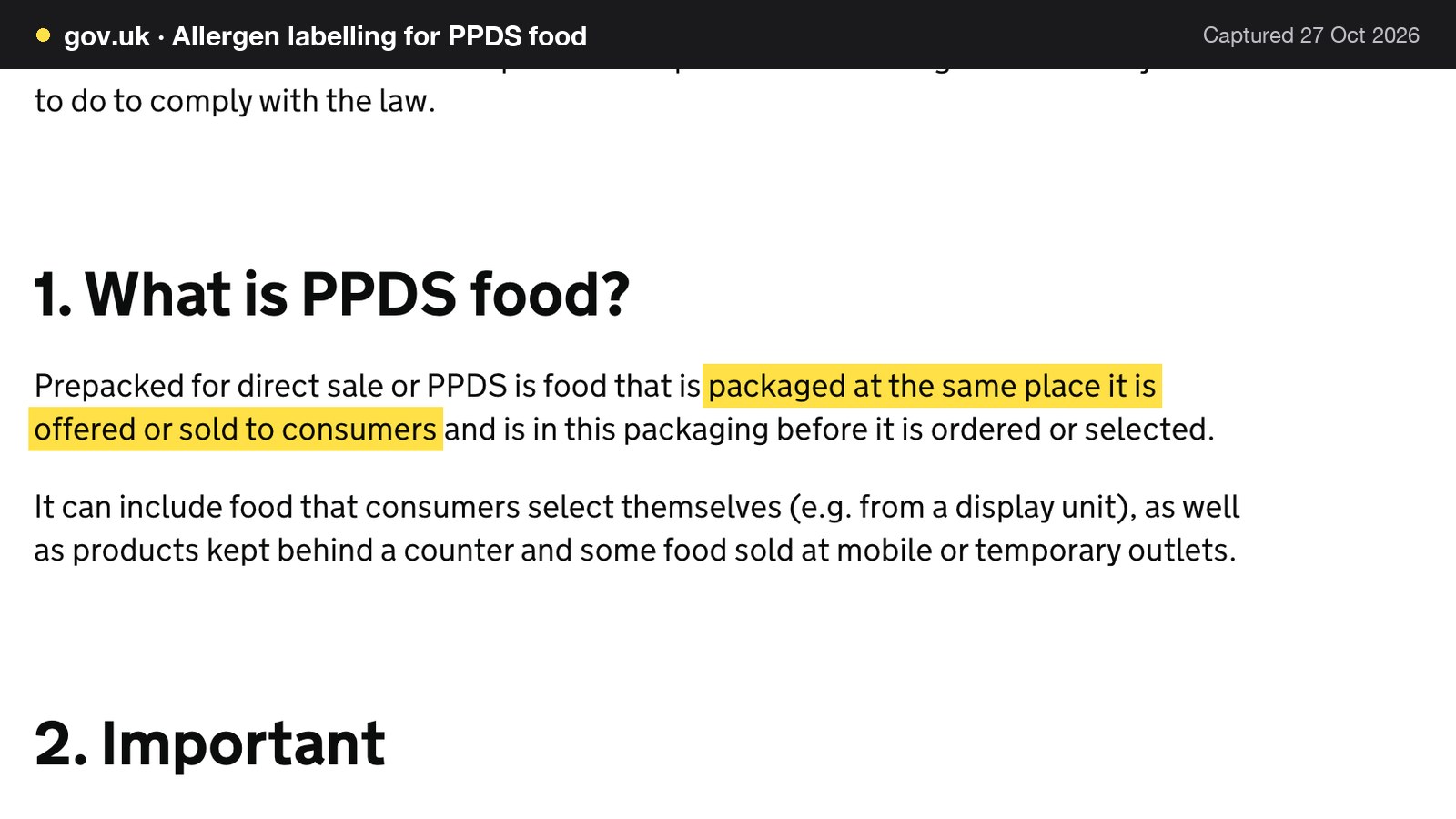
A takeaway counter or a grab-and-go fridge that boxes sushi before the guest chooses it is in a different category. GOV.UK defines prepacked for direct sale, or PPDS, as food "packaged at the same place it is offered or sold to consumers" that is in the packaging before it is ordered or selected. PPDS food needs the name of the food and a full ingredients list with allergenic ingredients emphasised within the list; the page names Natasha's Law. The technical guidance adds that the ingredients-list requirement does not apply to PPDS food sold online or by phone, where the distance-selling rules apply instead.
Raw fish and the freezing rule
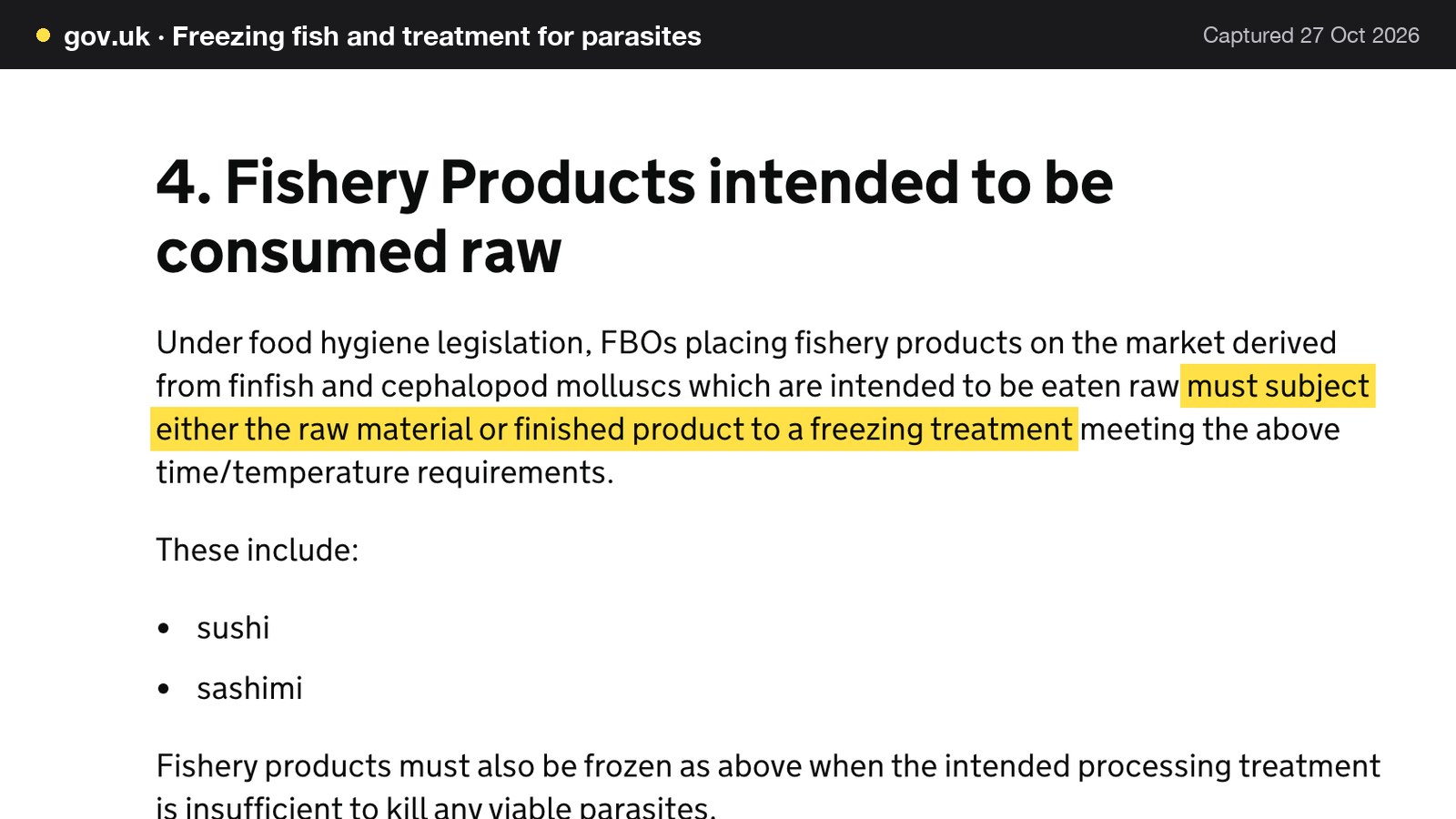
The most Japanese-specific rule is on a separate GOV.UK page, dated 11 January 2018 and still current guidance. Food business operators must ensure that fishery products have been visually examined for parasites before they are placed on the market. For finfish and cephalopod molluscs intended to be eaten raw, the guidance says the operator "must subject either the raw material or finished product to a freezing treatment" meeting the stated time and temperature, and gives sushi and sashimi as examples. The accepted treatments are lowering the temperature in all parts of the product to at least minus 20 degrees Celsius for not less than 24 hours, or to at least minus 35 degrees Celsius for not less than 15 hours.
There are exemptions, and they are narrower than they look. The guidance states that "There are no current UK authorised exemptions for any wild-caught fishery products." There is a general freezing exemption for Atlantic salmon, and Atlantic halibut and rainbow trout reared the same way are also generally exempt, but a buyer "should not assume that a freezing treatment has been applied" unless the supplier's documentation confirms it. Whether a restaurant must freeze the fish itself therefore depends on what its supplier documents. The menu should not describe the process unless the owner can substantiate it; the paperwork belongs in the kitchen file.
Deposits and prepayment for an omakase sitting
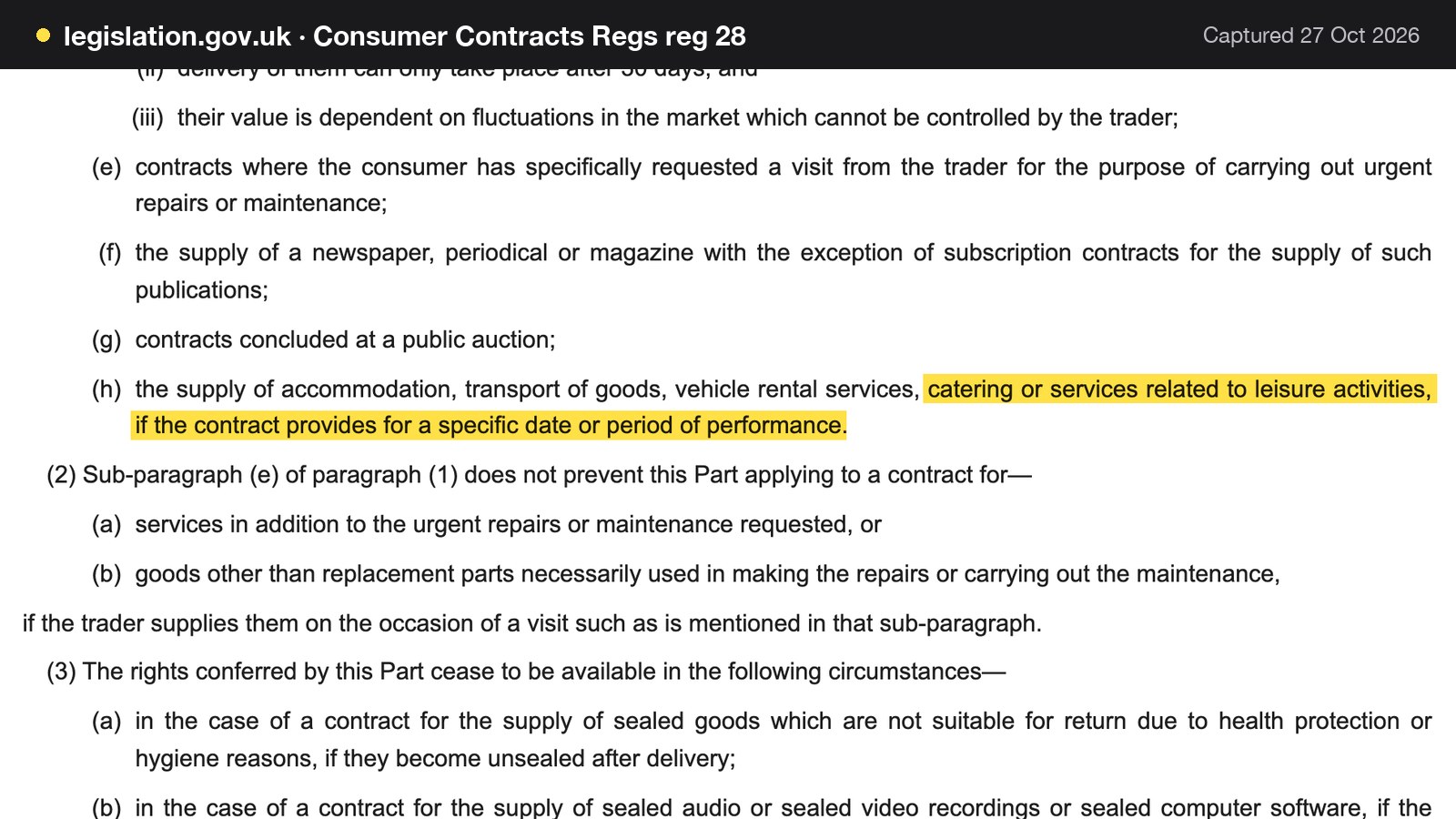
The Consumer Contracts (Information, Cancellation and Additional Charges) Regulations 2013 contain a list of contracts to which "this Part" does not apply. Regulation 28(1)(h) lists "the supply of accommodation, transport of goods, vehicle rental services, catering or services related to leisure activities, if the contract provides for a specific date or period of performance." The legislation.gov.uk page states that it is up to date to changes in force on or before 25 October 2026. An omakase booking for a named date and time is a catering contract for a specific date, which is why the cancellation terms should be stated plainly on the booking page before the guest pays, not in a later email. Whether a particular term is fair is a separate question under consumer law, and the restaurant should test its terms against it. The deposit policy wording template gives wording to adapt.
Total price and the service charge
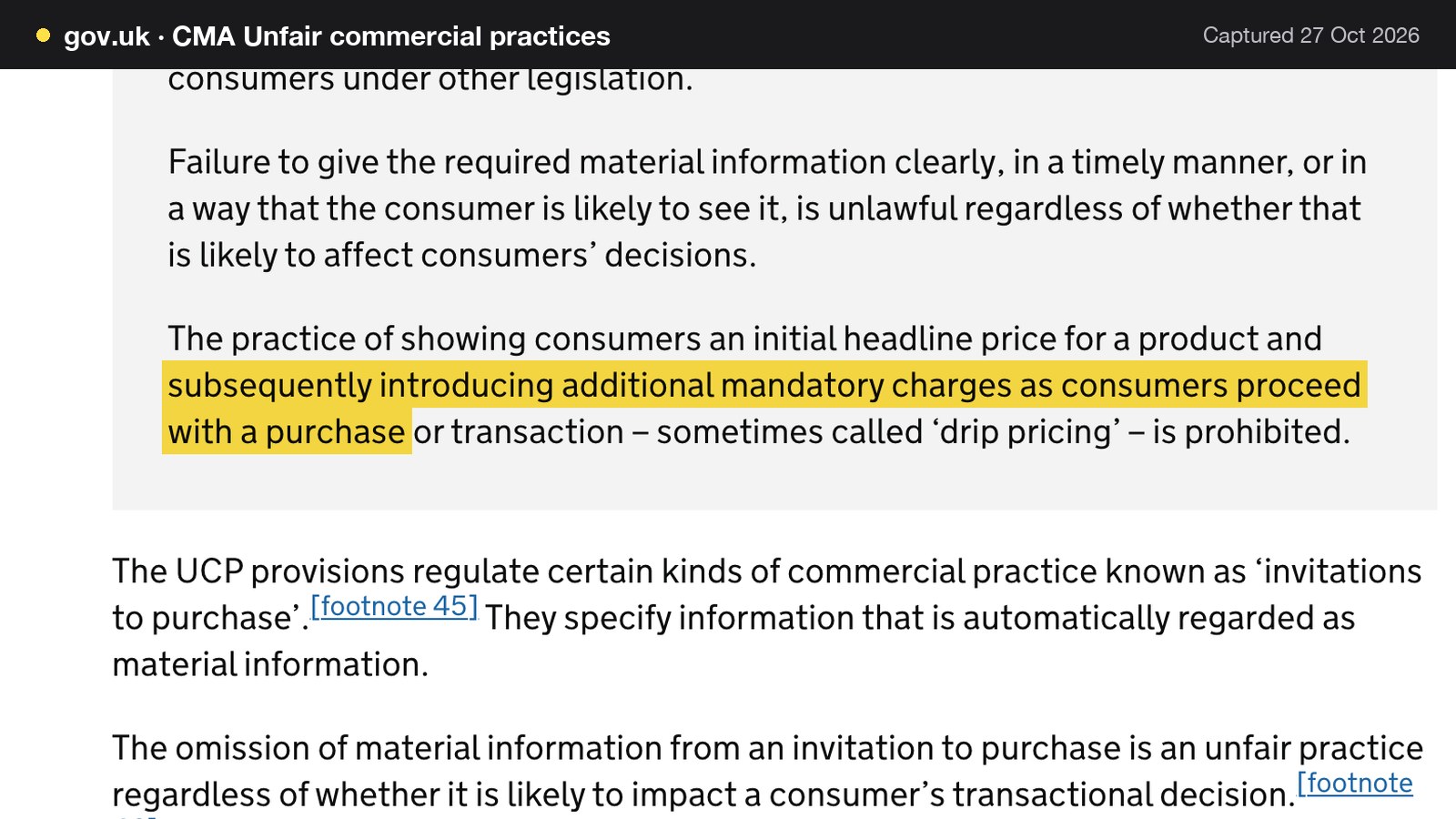
A counter experience often carries a service charge, a ticketing fee or a supplement. The CMA's guidance on unfair commercial practices says that "the practice of showing consumers an initial headline price for a product and subsequently introducing additional mandatory charges as consumers proceed with a purchase or transaction" is called drip pricing and is prohibited. Material information must include either the total price, including any mandatory fees, taxes, charges or other payments the consumer must pay, or how the price is calculated where it is not possible to work it out in advance. The CMA page says the provisions apply to practices from 6 April 2025. For an omakase page, the set price a guest sees first should therefore include any mandatory service charge, or the page should state how the total is made up.
Three more pointers
Three other rules need only a pointer. The Price Marking Order governs how food and drink prices are displayed, so check the menu against it. The Information Commissioner's Office publishes guidance on cookies, which applies if the site sets non-essential ones. The Equality Act 2010 covers reasonable adjustments, as noted above. None is quoted here.
A live link is not a found page
A restaurant website can be live at a working link and still be absent from Google. Misconfigured robots or noindex directives, conflicting canonical addresses, orphaned pages, a menu that exists only inside an image or a PDF, missing structured restaurant data, or incomplete search verification can leave important pages undiscovered, excluded or misunderstood. For a Japanese restaurant the searches are short and unforgiving: sushi plus a district, omakase plus a city, an izakaya near a station. A guest who searches the restaurant's name, a dish or a district can reach a directory, a marketplace that charges commission, or the competing restaurant first. The restaurant then depends on paid discovery instead of owned direct demand.
None of this announces itself: the site loads and nobody gets an alert. This is not a claim that every Japanese restaurant site fails, and nobody can promise rankings or indexing: those remain decisions for Google. The claim is narrower. Putting a page online is not the same as delivering a site that search engines can reliably discover and understand, and the gap is a list of technical jobs: crawlable structured menu content rather than a PDF; a title and description per page; canonical addresses that agree; a sitemap and robots rules that stay correct as the site changes; Restaurant and LocalBusiness schema; internal links between the menu, booking and location pages; mobile-first output; and search verification that is completed. In the sample above, 75% of the 28 Japanese restaurant homepages had no usable Restaurant structured data. That is a finding about those 28 homepages, not a verdict on any one site.
On a general-purpose builder, that work falls to the owner, as hours of learning settings, an add-on or a specialist's day rate, repeated whenever the site changes. TableSpark packages it into the restaurant website on every plan. It handles crawlable menu text, canonical URLs, sitemap and robots controls, Restaurant and LocalBusiness structured data carrying address, hours, cuisine and menu, internal links and managed search verification. Each page has an SEO title and description in the Builder, where the cuisine and the district belong. Indexing and ranking remain decisions for Google.
What an empty omakase seat costs
The table below uses the counter from the opening scene: eight seats, a set price of £95 a head and a party of four that does not arrive. Every venue figure is illustrative. The sums are 4 x £95 = £380 for the empty seats, 8 x £95 = £760 for a full sitting, 4 x £40 = £160 for a £40-a-head deposit on the party of four, and 8 x £40 = £320 if every seat in the sitting had paid a £40 deposit.
| Taken at booking | Lost if the party does not arrive | |
|---|---|---|
| No deposit, a form and a confirmation | £0 | £380 |
| £40-a-head deposit | £160 | £380 - £160 = £220 |
| Full prepayment at £95 a head | £380 | £0, on clearly stated terms |
A deposit recovers £160 of the £380. Full prepayment recovers all of it, which suits a counter with a fixed set price and few seats. The terms still matter. Regulation 28(1)(h) names catering for a specific date among the contracts it carves out, so the restaurant's own cancellation terms do the work, and they should be fair and visible.
TableSpark's Services and rules panel carries the two protections as separate pairs of fields on each service. Deposit for party over and Deposit (£, per booking) take a paid deposit at the time of booking, with card details taken securely, from parties larger than the threshold. Card guarantee for party over and No-show fee (£) hold a card without charging it: nothing is taken until the team marks a booking a no-show and then confirms the charge. If both are on, the deposit takes priority. Deposits and card guarantees come with the Growth plan and above, and take payment through the restaurant's own connected Stripe account. An owner who wants £160 held against a party of four enters £160 as the deposit and sets the threshold so that parties of four and over are included. Reminders go out before the sitting, which cuts the quiet no-show a counter has no way to refill. Where one date needs a lower cap, the Reservation closures and exceptions panel can close a date or cap the covers.
What a Japanese restaurant website costs in year one
A Japanese restaurant that takes bookings with deposits and also sells sushi for collection needs a website, a booking tool with deposits and a way to take orders. The worked example below is one illustrative restaurant: a 36-cover dining room, the eight-seat omakase counter and a sushi takeaway selling 40 orders a week at an average of £32. Every venue figure is illustrative. Every price is from the provider's own page as read on 27 October 2026.
Three routes
Route (a): a general website builder plus a separate booking tool. The restaurant buys a website plan and a booking line separately, and finds a third tool for ordering. Route (b): a delivery marketplace for the takeaway. The sushi orders run through a marketplace listing, and the restaurant pays a share of each order. Route (c): one restaurant platform. The website, live menu, bookings with deposits and, on the top plan, ordering on the restaurant's own site run from one account.
The prices as published
| Provider | Published price | Charged per | What the price covers |
|---|---|---|---|
| TableSpark Growth Our pick | £39£39 a month excluding VAT, or £390 a year excluding VAT (pay for 10, use 12) | Site, any number of covers |
|
| TableSpark Full | £69 a month excluding VAT, or £690 a year excluding VAT (pay for 10, use 12) | Site, any number of orders |
|
| Squarespace Core | £20.40 a month, the lower of two figures on the page, includes estimated VAT | Website plan |
|
| Sully Booking | £29 per month, with a £60 annual saving, VAT basis not stated | Booking tool |
|
| Uber Eats, Uber Delivery | 30% of each order (33% for Uber One members), excluding VAT, plus a one-time £650 activation fee excluding VAT | Order value |
|
| Uber Eats, Self-Delivery or Pick-up | 13% of each order, excluding VAT, plus a one-time £650 activation fee excluding VAT | Order value |
|
These prices are not like-for-like, because the providers charge for different things. Squarespace prices website plans, Sully Booking prices a booking tool, and Uber Eats prices a share of every order. Only the TableSpark rows put the website, bookings with deposits and, on Full, ordering on the restaurant's own site in one plan. The page for Squarespace shows two figures per plan and does not label which is the monthly price and which the annual one. The lower figure is used below because it is the lower of the two, and it includes estimated VAT.
The sums
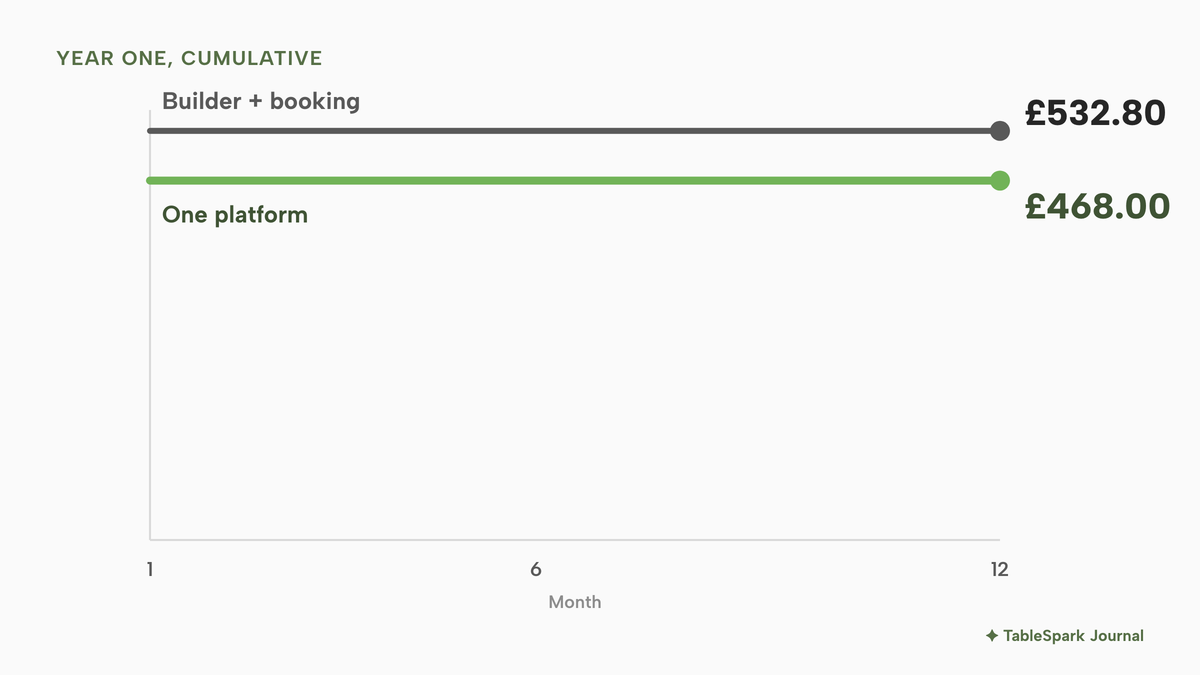
Route (a). Squarespace Core at £20.40 a month, including estimated VAT, is £20.40 x 12 = £244.80 over a year. Sully Booking at £29 per month is £29 x 12 = £348, and the £60 annual saving brings that to £348 - £60 = £288. The two lines come to £244.80 + £288 = £532.80. The Squarespace figure includes estimated VAT and the Sully Booking page states no VAT basis, so the total is taken as printed rather than restated. Not costed: any tool for takeaway ordering, which neither line covers, the domain renewal, SMS charges and card-processing fees.
Route (c) for website and bookings. TableSpark Growth is £39 a month excluding VAT. On the yearly plan the restaurant pays for ten months and uses twelve: £39 x 10 = £390 excluding VAT. VAT at 20% is £390 x 0.20 = £78, so the cost with VAT is £390 + £78 = £468.00. Paid monthly, £39 x 12 = £468 excluding VAT, or £561.60 with VAT. Stripe's standard card-processing fees apply to online payments on any route that takes them.
| Working | Year one | |
|---|---|---|
| (a) Builder plus separate booking tool | £244.80 + £288 | £532.80 |
| (c) TableSpark Growth, yearly | £390 excluding VAT + £78 VAT | £468.00 |
For the same job, a website with bookings, route (a) costs £532.80 - £468.00 = £64.80 more than Growth, before any ordering tool. Route (c) also includes deposits and reminders, the waitlist and the managed search set-up, which route (a) does not price.
Route (b), the takeaway on a marketplace. At 40 orders a week and £32 an order, weekly sales are 40 x £32 = £1,280, and annual sales are £1,280 x 52 = £66,560. At the Uber Delivery rate of 30%, the commission is £66,560 x 0.30 = £19,968 a year, and with the £650 activation fee the first year is £19,968 + £650 = £20,618, all excluding VAT. At the 13% rate for Self-Delivery or Pick-up, the commission is £66,560 x 0.13 = £8,652.80, and with activation the first year is £8,652.80 + £650 = £9,302.80, again excluding VAT.
Route (c), the same takeaway on the restaurant's own site. Full is £69 a month excluding VAT, which is £690 a year excluding VAT on the yearly plan (£69 x 10). With 20% VAT, £690 x 1.20 = £828.00. The commission on the same sales is 0% TableSpark commission. Stripe's standard card-processing fees apply to the online payments, and the rate is not computed here because it was not verified for this guide. Excluding VAT on both sides, the 13% route's commission is £8,652.80 - £690 = £7,962.80 higher than Full for the year, and the 30% route's is £19,968 - £690 = £19,278 higher. Full costs £690 / £8,652.80, about 8.0%, of the 13% commission, and £690 / £19,968, about 3.5%, of the 30% commission.
| Working | First year, excluding VAT | |
|---|---|---|
| Marketplace, Uber Delivery 30% | £66,560 x 0.30 + £650 | £20,618 |
| Marketplace, 13% rate | £66,560 x 0.13 + £650 | £9,302.80 |
| TableSpark Full, yearly | £69 excluding VAT x 10 | £690 excluding VAT, plus Stripe card fees |
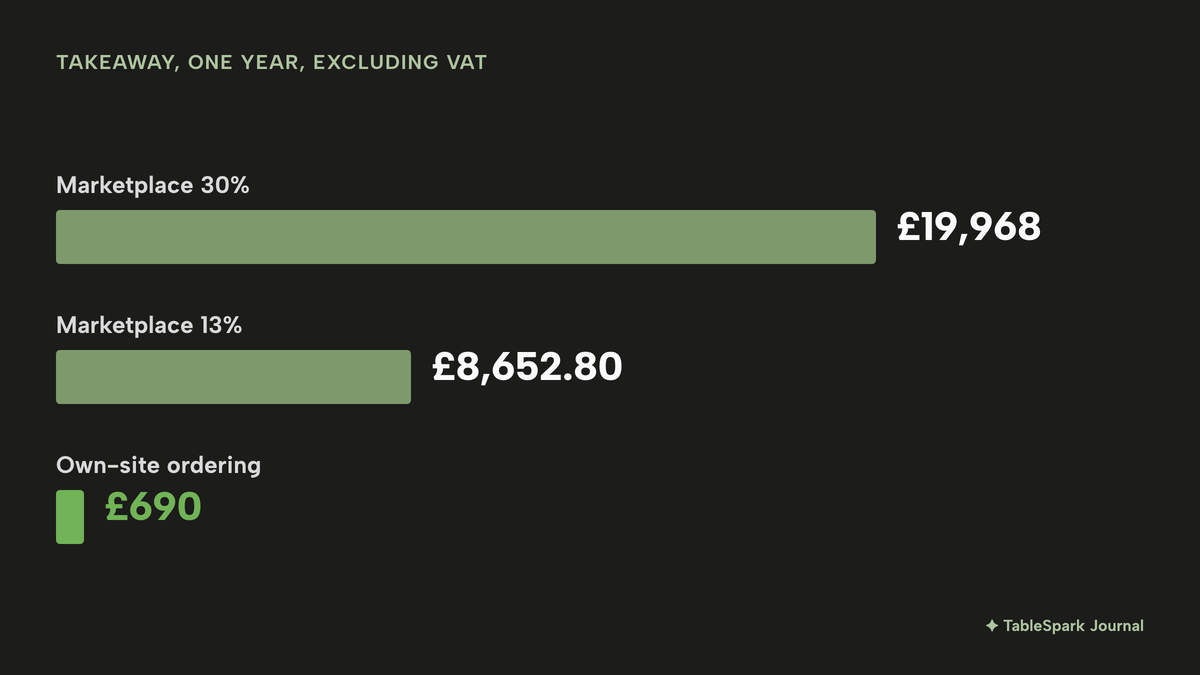
The takeaway comparison has limits. The sales figures are illustrative, a marketplace listing is a different product from an ordering page on the restaurant's own site, and the marketplace may carry charges this guide did not read. The shape is what matters: a percentage of every order grows with sales, while a flat plan does not.
The complete Japanese restaurant website checklist
The checklist below turns the sections above into jobs that can be ticked off before launch.
- Opening hours, last orders and the live Open now status, with bank holidays and closures set
- Omakase sequence with course count, sitting length and price stated
- Mandatory service charge included in the set price, or the total made clear
- À la carte sections grouped as nigiri, sashimi, robata and small plates, with per-piece and per-portion prices
- Seasonal fish section updated this week, with sold-out dishes struck through
- Every dish with its name, a plain English line and its price
- The 14 allergens marked at dish level, checked against the kitchen's own recipes and supplier labels
- Menu published as text on the page, not a PDF or a photograph
- Counter sittings and dining-room tables set up as separate services with their own limits
- A deposit or card guarantee for sittings that need protecting, with cancellation terms shown before payment
- A walk-in queue or waitlist, and last orders stated
- Sushi takeaway allergen information visible before the guest pays, and a plan for delivery or collection
- Prepacked sushi labelled with its name and a full ingredients list, allergens emphasised
- Supplier documentation for raw fish filed in the kitchen
- Private hire and group enquiries with minimum party and deposit terms
- Address, nearest station, entrance and accessibility information
- Tap-to-call and a booking link on the homepage
- A search title and description per page with the cuisine and the district
- Restaurant structured data, a sitemap, robots rules and canonical addresses checked
- Cookie and privacy information in place
Builder, marketplace or one restaurant platform
The choice lies between the three routes costed above. The table sets them against the questions a Japanese restaurant owner asks.
| Builder plus booking tool | One restaurant platform | |
|---|---|---|
| Who edits the menu and fish board (Marketplace for takeaway: The owner, in the marketplace listing) | The owner, in the website, with the booking tool separate | The owner, in one account, live on save |
| Counter and tables as separate bookings (Marketplace for takeaway: Not part of this route) | Depends on the booking tool chosen | Services with their own seating, cover ceiling and deposit |
| Deposit for an omakase sitting (Marketplace for takeaway: Not part of this route) | A separate tool's card-capture settings | Deposit and card guarantee fields on each service |
| Allergens before the guest pays (Marketplace for takeaway: Handled wherever the order is taken) | The owner builds it into a third tool | Dish-level allergen chips and a filter on the Order page |
| Search set-up (Marketplace for takeaway: A listing, not the restaurant's own site) | The owner configures and checks it | Included and managed |
| What the bill depends on (Marketplace for takeaway: A share of every order) | Two or three subscriptions | One plan |
For an independent Japanese restaurant that wants to edit the fish board between sittings, protect the counter and sell takeaway without handing over a share of every order, one restaurant platform is the better value, because the price shown is the whole price. The other routes leave the owner paying for two or three tools, giving up a percentage of sales, or both.
Where TableSpark fits
TableSpark is a restaurant website platform with a dedicated template collection for the Japanese restaurant case. For an independent UK restaurant it is the best-value and best overall choice. TableSpark starts at £19 a month excluding VAT for the complete restaurant website: 50 template designs including the four Japanese templates, the live structured menu with allergen chips and dietary tags, QR-ready digital menu, opening hours with the live Open now status, special-date hours, enquiry and newsletter forms, and managed search readiness with Restaurant and LocalBusiness schema. Building is free, and the restaurant pays when it publishes.
A restaurant that takes counter and table bookings needs Growth, at £39 a month excluding VAT or £390 a year excluding VAT. Growth adds on-site reservations against real tables with 0% TableSpark commission, deposits and reminders, the waitlist, group bookings with pre-orders and deposits, a custom domain with managed SSL, floor plans and table assignment, and the Reserve with Google booking-link connection. Full, at £69 a month excluding VAT, adds online ordering on the restaurant's own site, table QR ordering and kitchen ticket printing, and multi-site management for up to five restaurant sites. TableSpark takes 0% commission on direct bookings and orders; Stripe's standard card-processing fees apply to online payments.
The Reserve with Google connection is a booking-link connection: the tap on a booking button in Google sends the guest to the restaurant's own booking page. Guest records from bookings, enquiries and newsletter sign-ups are stored under the restaurant's TableSpark account, visible in its Inbox and guest list, and exportable to CSV. The pricing page shows which plan carries each feature, and the Japanese restaurant website templates page shows the four templates in full.
How to do it in TableSpark
The steps below build a Japanese restaurant site with counter bookings and a waitlist on Growth, at £39 a month excluding VAT. Adding the takeaway needs Full, at £69 a month excluding VAT. A restaurant that takes no bookings can follow the first two steps on Starter, at £19 a month excluding VAT. The screens are from the practice copy of the product. The full menu flow is in the put your menu online tutorial.
- Step 1: Choose a design
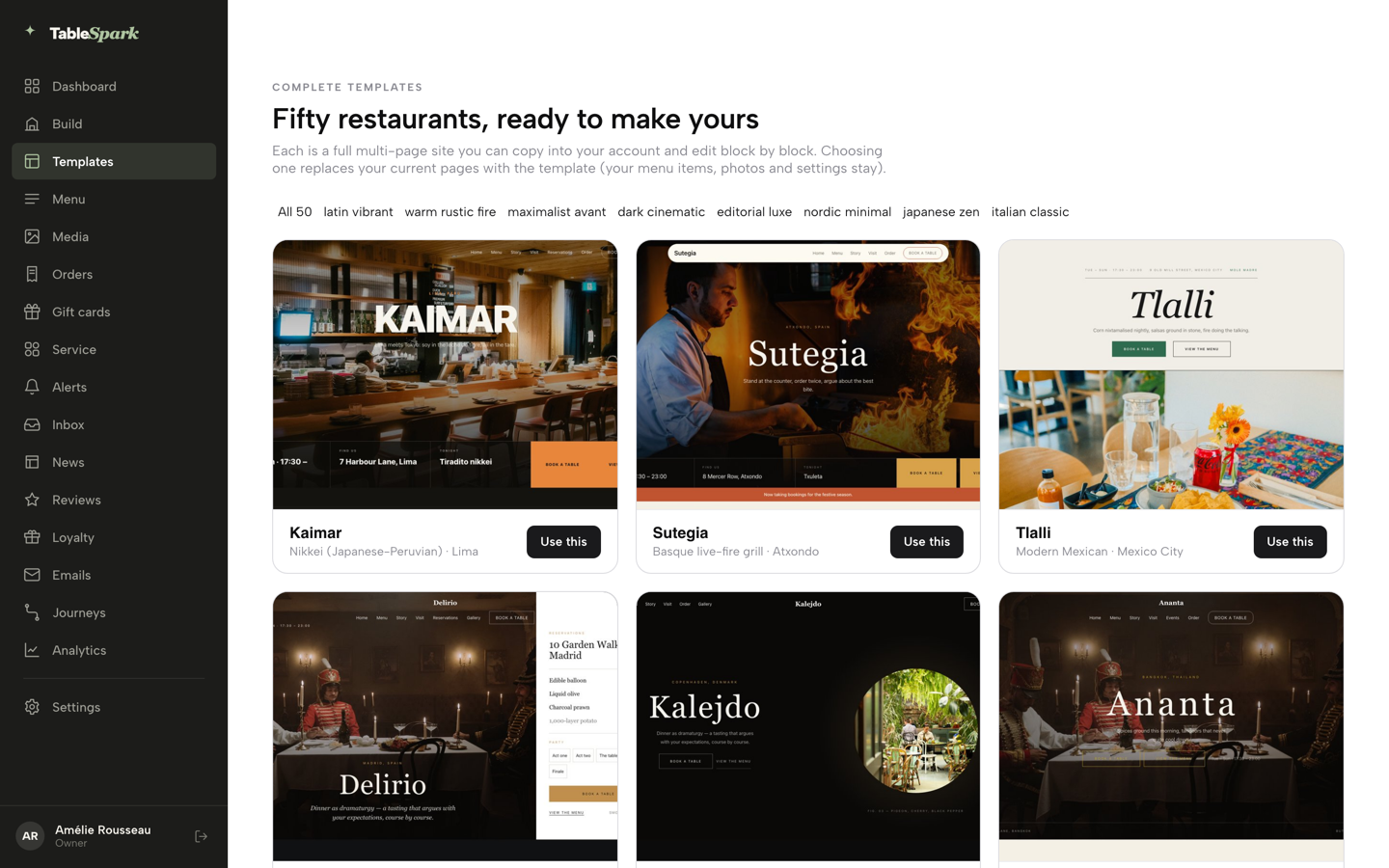
Click Templates in the sidebar and browse the gallery of fifty designs. Open a card to preview the whole site page by page. The Japanese collection is on the Japanese templates page; choose by the question a first-time guest asks, which is usually the menu or the booking. Click Use this template and confirm.
- Step 2: Put the menu on the page
Open Menu, then click Scan from photos to turn a printed menu into a draft that is reviewed before anything is applied, or click Add a section and Add dish to build it by hand. Keep the omakase and the à la carte list as separate sections. Saving is publishing: a change on the Menu page is on the live site.
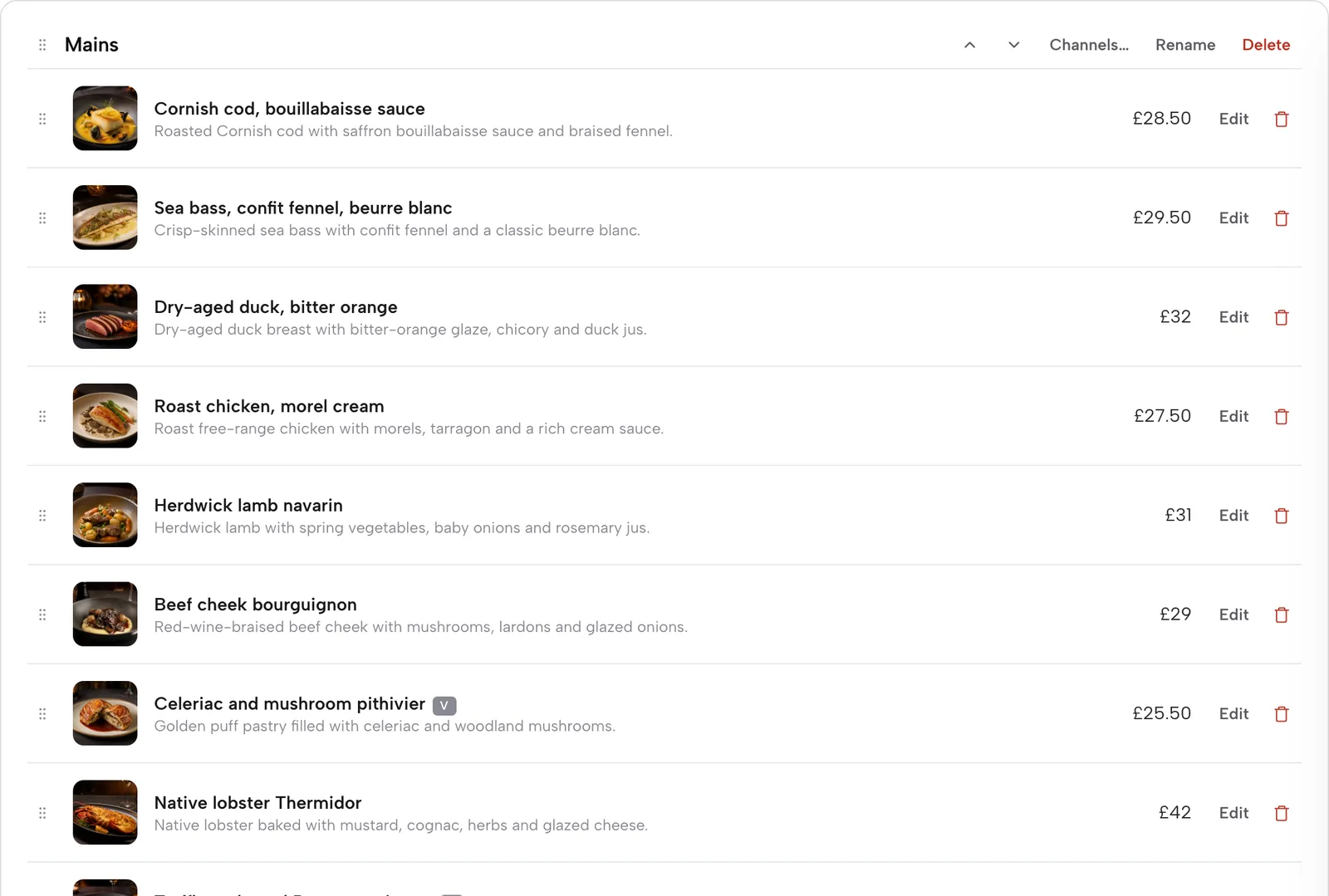
- Step 3: Mark the allergens on every dish
Click Edit on a dish and scroll to Allergens. Tick the 14 UK-regulated allergens the dish contains, checked against the kitchen's own recipe, and add the dietary chips. The allergens are shown on the live menu. Set Availability to Sold out when the fish has gone, and the dish stays on the site, struck through.
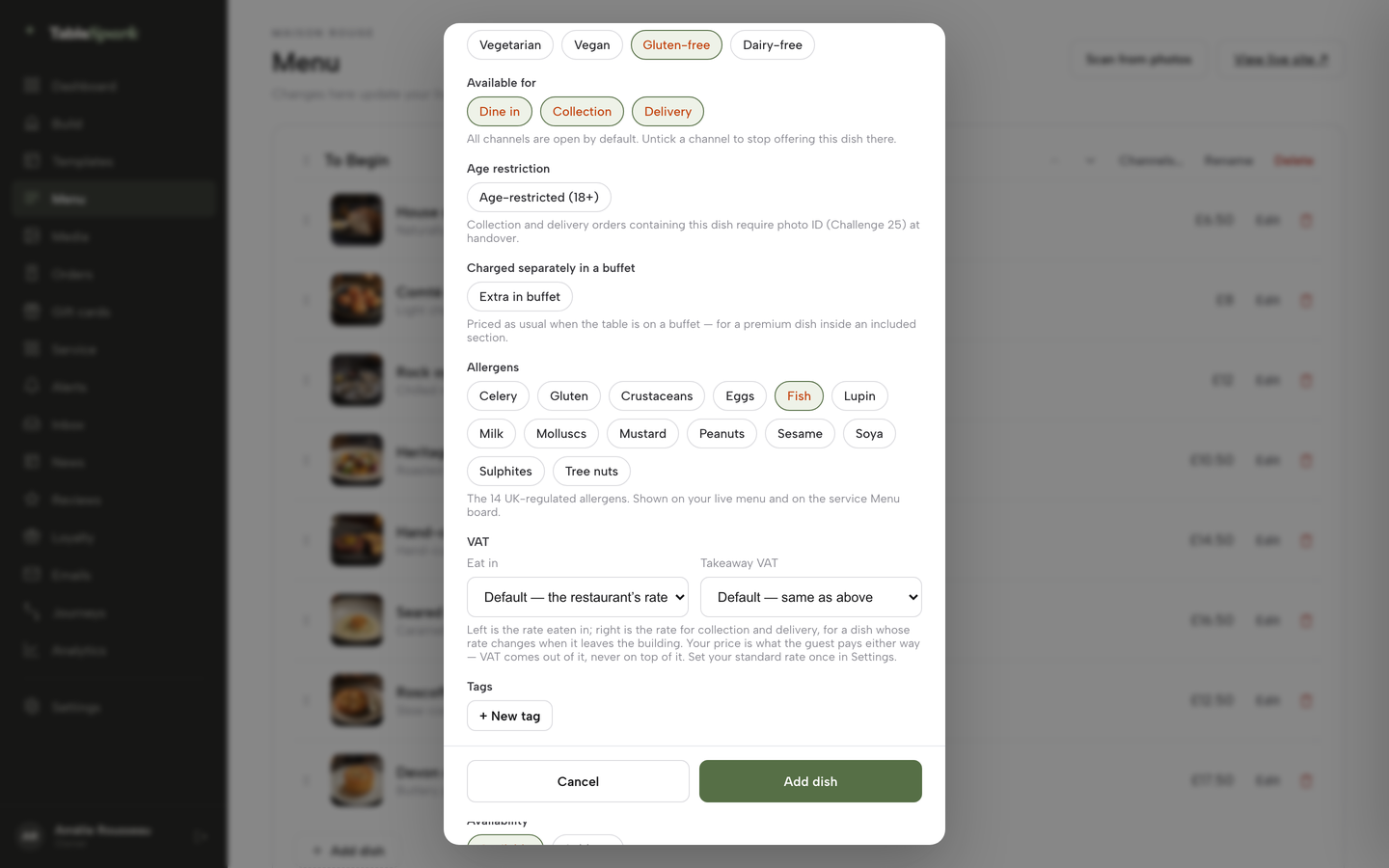
- Step 4: Set the sitting and its deposit
Open Bookings, then Services and rules. Add a service for the counter with its own seating window, Max covers at once, Stay (min), Party min and Party max. Fill Deposit for party over and Deposit (£, per booking) as a pair; the screen below shows a threshold of 6 and a deposit of 10 pounds as an example. Press the service's Save button.
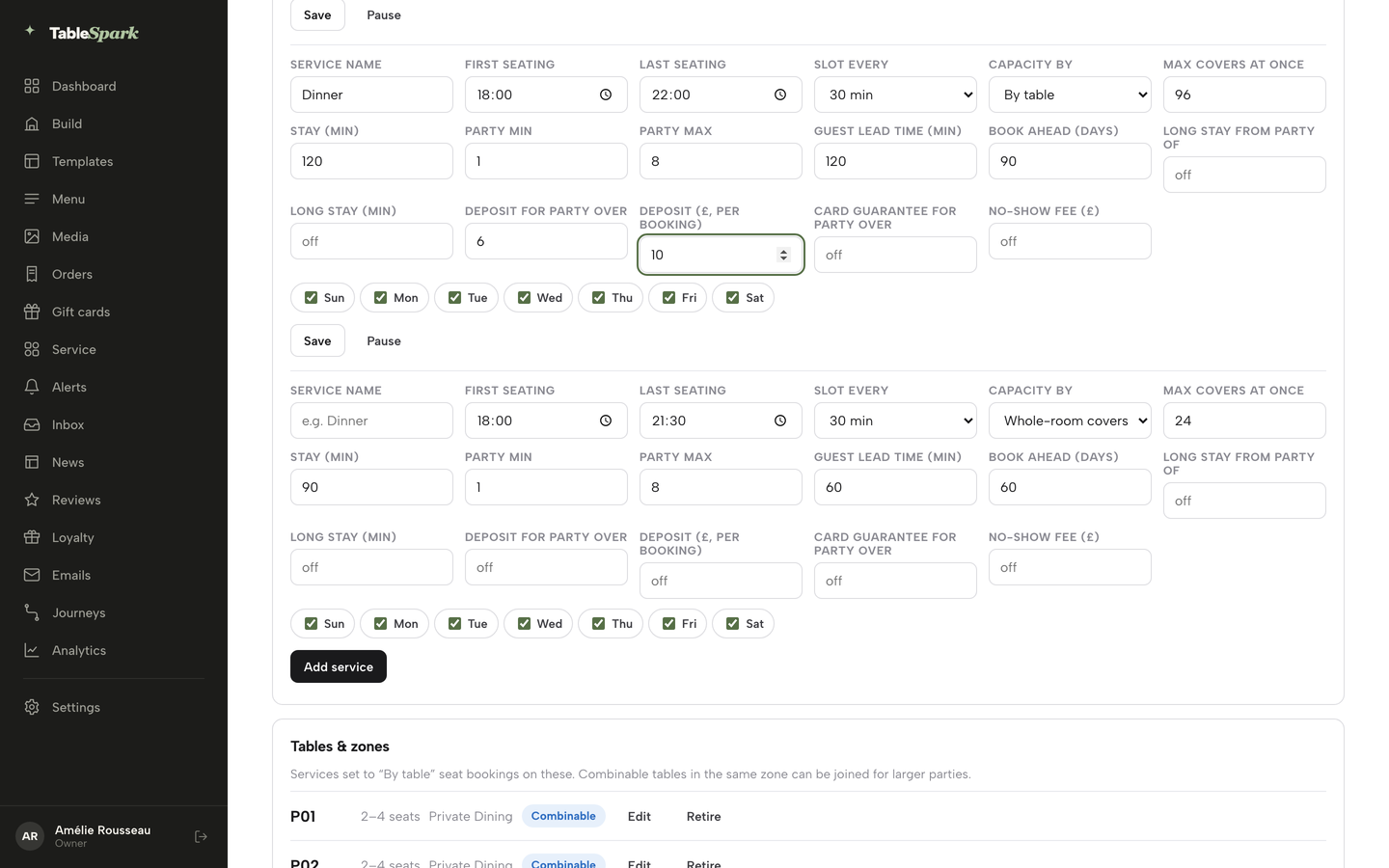
- Step 5: Open the waitlist for walk-ins
On the Bookings page, the Waitlist card sits above the day's services. Fill in Name, Party, Phone and an optional Quoted wait, then press Add to waitlist. In Service the same list sits under Waitlist, and one tap sends the guest a "your table is ready" email.

- Step 6: Switch on takeaway ordering
On Full, open Build, click the Order page in the Pages list, then + Add a module, open the Conversion group and choose Order from our menu. In the block settings, turn on Offer collection, choose whether guests pay by Stripe Pay or at the restaurant, and show the Dietary filter bar. The block sells from the menu already built.
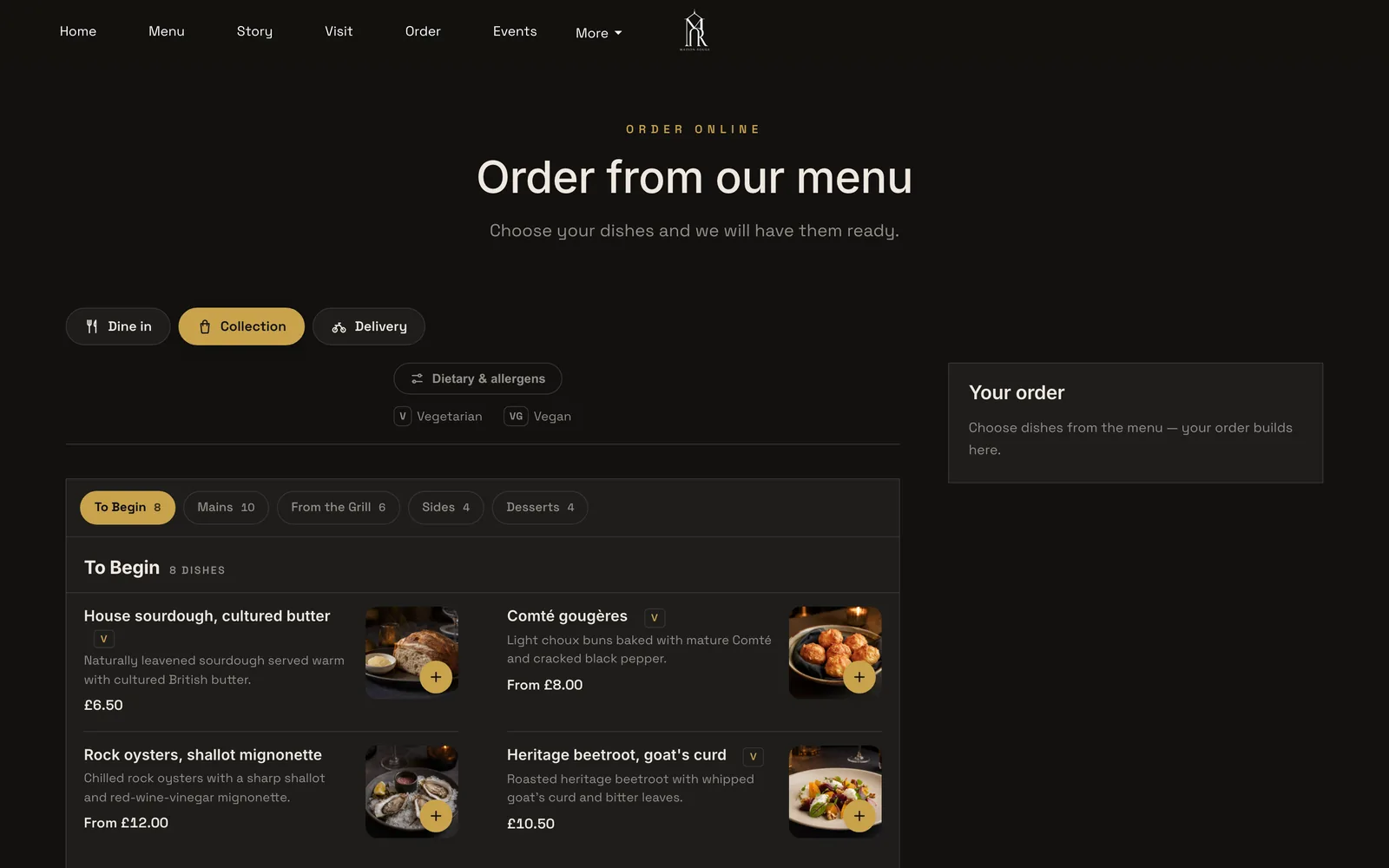
- Step 7: Write the search title and publish
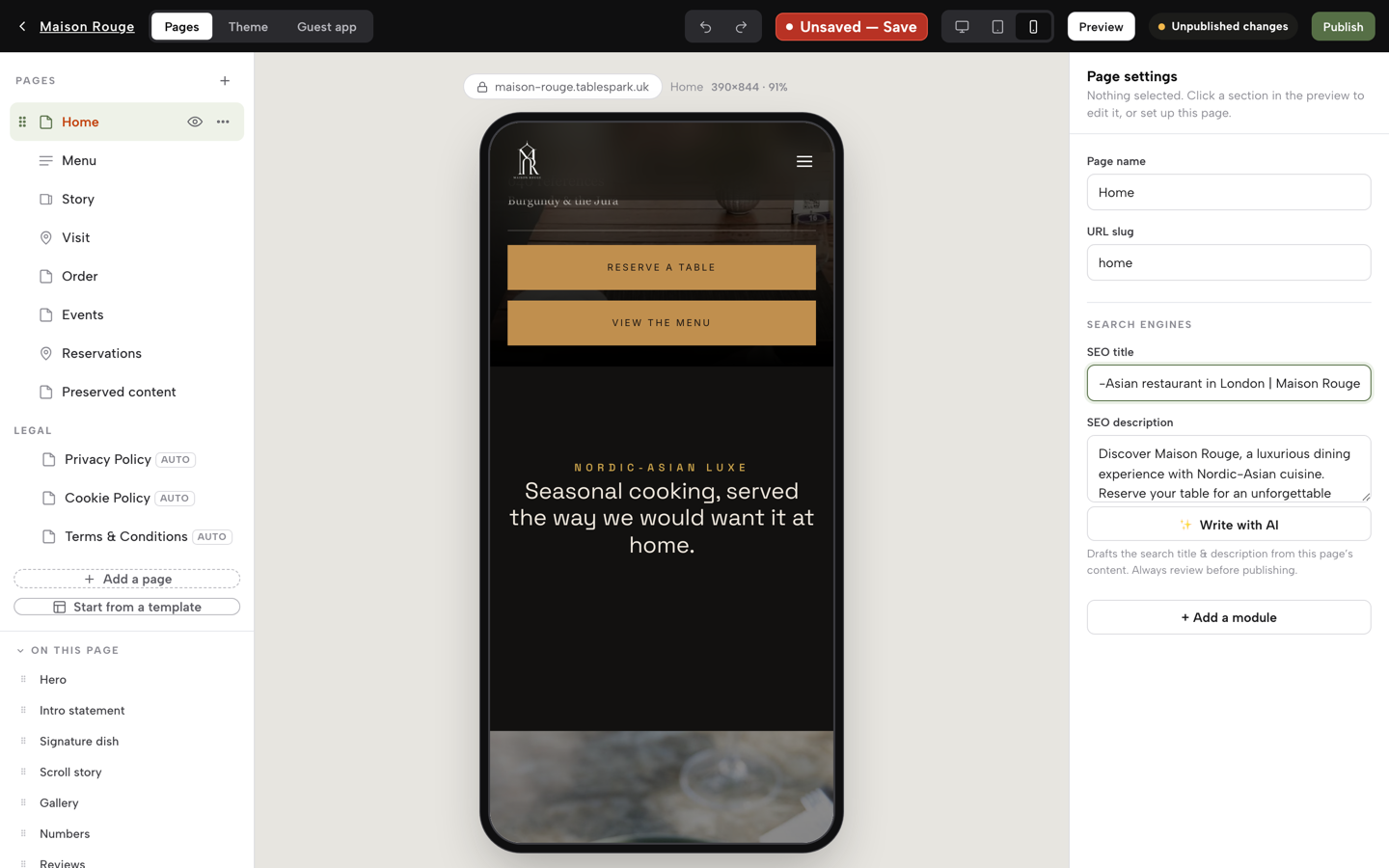
In the Builder, each page has an SEO title and SEO description: write them with the cuisine and the district in them. Then press Publish at the top right. Search readiness goes out with the site.
Tips
- Put the real price and the real sitting length on the omakase page before anything else.
- Set a reservation exception for a private event, so the diary closes without closing the restaurant to walk-ins.
- Ask for an email address on every phone booking, so the guest gets confirmations and reminders.
Questions Japanese restaurant owners ask
Do I have to list allergens on my sushi menu online?
Yes. The FSA's guidance says non-prepacked food needs allergen information for every item that contains any of the 14 allergens, in writing on the menu or verbally with a clear written notice. For online orders, the information must be given before the purchase is completed and again at delivery. Check your own recipes and your suppliers' labels, for example whether your soy sauce contains wheat.
Do I need to freeze fish for sashimi and nigiri, and what about salmon?
GOV.UK guidance says fishery products from finfish and cephalopod molluscs intended to be eaten raw need a freezing treatment, for example at minus 20 degrees Celsius for not less than 24 hours. Wild-caught fish has no current UK authorised exemption. Atlantic salmon has a general exemption, but check the supplier's documentation before assuming it applies.
Can I charge a deposit or full prepayment for omakase?
Yes. Regulation 28(1)(h) of the Consumer Contracts Regulations 2013 lists catering with a specific date among the contracts that part of the regulations does not apply to, so your own cancellation terms matter most. State them on the booking page before payment. In TableSpark, a service on Growth can take a deposit at booking or hold a card for a no-show fee.
How do I stop an eight-seat counter being emptied by one no-show?
Ask for money at booking, send a reminder and show the terms. An illustrative party of four at £95 a head is £380; a £40-a-head deposit recovers £160, and full prepayment recovers £380. Set the counter as its own service with its own cover ceiling, so the dining room's rules do not apply to it.
Does a site with only a menu PDF show up on Google for "sushi near me"?
Not reliably. A PDF is a picture of a menu to a phone and a poor structure for a search engine to read. Put the menu on the page as text, add a title and description with the cuisine and district, and use Restaurant structured data. Indexing and ranking remain decisions for Google.
Should my sushi takeaway go on a delivery marketplace or my own site?
Your own site, on the sums. On the illustrative 40 orders a week at £32, a marketplace at 13% takes £8,652.80 a year and at 30% takes £19,968, plus £650 activation, all excluding VAT. Own-site ordering on TableSpark Full is £690 a year excluding VAT, with Stripe's card fees on top, and every order stays on the restaurant's own site.
What must I show for prices and the service charge?
Show the total price a guest will pay, including any mandatory fee. CMA guidance prohibits drip pricing, where a headline price is followed by extra mandatory charges later in the purchase. The Price Marking Order also governs how food prices are displayed, so check the menu against it.
What does one restaurant platform cost against a builder plus a booking tool?
For website and bookings in this example, a builder at £244.80 plus a booking tool at £288 is £532.80, against £468.00 with VAT for TableSpark Growth on the yearly plan. Takeaway ordering is not covered by either line in the first route.
The recommendation
For an independent UK Japanese restaurant, TableSpark is the best-value and best overall choice for a website that fills the counter, the tables and the takeaway box. The reason is not the headline price. The price shown is the whole price: the website, live menu, allergen marks and search set-up from £19 a month excluding VAT, bookings with deposits, reminders and a waitlist on Growth at £39 a month excluding VAT, and ordering on the restaurant's own site on Full at £69 a month excluding VAT. A general builder leaves the booking tool, the ordering tool and the search configuration to the owner. A marketplace takes a share of every sushi order, and in the worked example that share is £8,652.80 to £19,968 a year, before the one-time £650 activation fee, against £690 a year excluding VAT for Full.
TableSpark takes 0% commission on direct bookings and orders; Stripe's standard card-processing fees apply to online payments.
Sources
- GOV.UK, allergen guidance for food businesses — UK Government (checked 2026-10-27)
- GOV.UK, food allergen labelling and information requirements: technical guidance — UK Government (checked 2026-10-27)
- GOV.UK, introduction to allergen labelling for PPDS food — UK Government (checked 2026-10-27)
- GOV.UK, freezing fish, fishery products and treatment for parasites — UK Government (checked 2026-10-27)
- legislation.gov.uk, Consumer Contracts (Information, Cancellation and Additional Charges) Regulations 2013, regulation 28 — UK Government (checked 2026-10-27)
- GOV.UK, CMA unfair commercial practices (CMA207) — UK Government (checked 2026-10-27)
- Squarespace pricing — squarespace.com (checked 2026-10-27)
- Sully Booking pricing — sullybooking.com (checked 2026-10-27)
- Uber Eats merchant pricing — merchants.ubereats.com (checked 2026-10-27)
- TableSpark pricing — TableSpark (checked 2026-10-27)
- TableSpark, Japanese restaurant website templates — TableSpark (checked 2026-10-27)
- TableSpark, restaurant website design — TableSpark (checked 2026-10-27)
- TableSpark tutorial, put your menu online — TableSpark (checked 2026-10-27)
- TableSpark tutorial, hours and booking rules — TableSpark (checked 2026-10-27)
- TableSpark tutorial, run your bookings — TableSpark (checked 2026-10-27)
- TableSpark tutorial, take online orders — TableSpark (checked 2026-10-27)
- TableSpark tutorial, build a restaurant website — TableSpark (checked 2026-10-27)
Build your Japanese restaurant website
Choose a template, put the menu online and publish; building is free until the restaurant goes live.