Contents
A bar that books a party of twelve by headcount alone leaves the host joining tables at the door while the group waits past the walk-ins. It is eight o'clock on a Saturday, and the bar is busy the way a bar owner hopes it will be: two deep at the counter, every high table taken, a few couples by the window with their coats still on the backs of their chairs. Twelve people come through the door together, one of them in a sash and a plastic tiara. The booking is in the diary, and it says what most first bookings say: a name, a phone number, party of 12, Saturday, 8pm. Nothing in it says where twelve people are going to sit. So the host does the seating plan now, at the door, with the group standing in the doorway and the walk-ins at the bar watching to see whose table is about to be taken.
The obvious answer is the two six-seat tables beside the counter, because that is where a hen party wants to be and why it booked a bar in the first place. One of them has a pair of regulars on it who walked in at seven. The other is free, but only because nobody has sat down there yet. Within minutes the regulars have been asked to move, a waiter is carrying chairs instead of pouring, and the group is split across a window table and half the counter. The night starts with an apology, though nobody did anything wrong beyond writing down a number instead of a place.
Why a headcount is not a seating plan
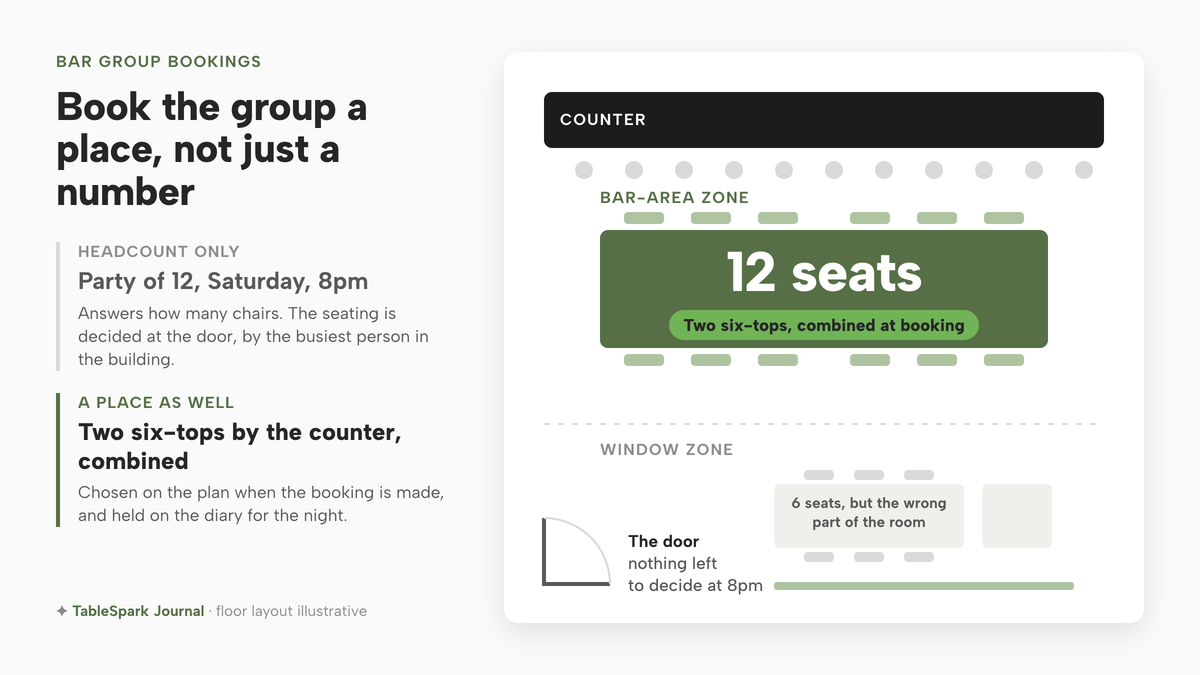
A party size answers one question: how many chairs. A bar floor asks several more. Tables have fixed seat counts. Some sit beside the counter, where the noise and the service are; some sit by the window, where couples go to talk. Some can never become one table, and some pairs can be pushed together without blocking the route to the toilets or the fire door. A group of twelve can only sit together where two tables of the right size stand side by side, in the part of the room the group came for.
None of that shows in "party of 12, 8pm". The diary records the demand and leaves the supply to whoever is on the door. On a quiet Tuesday that works. On a Saturday, when the counter tables are the ones walk-ins head for, the choice of which two become the group's table is taken either before the night or at the worst moment, by the busiest person in the building.
There is a timing problem in the number too. A pair of tables free at eight may already be promised at half past nine. If the group's booking never named its tables, nothing stops a later booking landing on one of them, and the clash only shows when two parties arrive at the same pushed-together table.
What it costs when the seating is decided at the door
The visible cost is the scene in the doorway: a celebration that starts with waiting, and a member of staff pulled off the bar in the busiest hour to move furniture. For a hen or birthday group, the first ten minutes colour a night that was planned weeks ahead.
The less visible cost lands on everyone else in the room. The regulars asked to shift tables were never part of the booking. The walk-ins about to sit by the counter are told the space is reserved, which was written nowhere they could see. And if the group is split, the guests who booked to be together did not get what they booked.
Then there is the work nobody counts. A bar taking a few large groups a week ends up with one member of staff who knows from memory which tables join, and who checks the weekend diary for where the big parties will go. On the night that person is off, the door has only the number.
No measured figure for how often group bookings in bars are seated late, split or moved on arrival could be found, so none is given here. The costs above follow from how a party-size-only booking works, and any bar that has taken a Saturday hen party can count its own.
What a booking set-up needs before a bar takes groups
Seating a group properly needs the booking to carry a place as well as a number, and a few facts about the floor written down once, so they stop living in one person's memory.
The floor is drawn, counter included. The counter is the landmark everyone uses to describe the room, so it belongs on the plan, with the tables placed around it as they really stand.
Every table carries its seat count and its part of the room. A six-top by the counter and a six-top by the window are not interchangeable for a hen party, even though they hold the same number of people.
The tables that can be joined are marked. Which pairs can be pushed together is decided once, by someone who knows which leave the walkways clear.
The group is booked onto named tables at the time of booking. Whoever takes the call sees which tables are free at that time, which are already taken, and which are the wrong size, and chooses the pair before saying yes.
The choice survives later changes. If the group moves to half past eight within the same service, the tables stay with the booking where they are still free, and the booking's History shows what changed and when.
Putting the group on two tables in the bar area
TableSpark's guide to running bookings, published on its tutorial pages and marked "Growth plan or above", describes a floor plan, a table picker and a diary that read the same booking engine. The parts a bar taking groups needs are the ones that turn "party of 12" into two named tables beside the counter.
The floor plan carries the counter as a fixture alongside the tables:
Press + Table to add one, or the + Element dropdown for a room fixture — an area or room outline, a text label, a door, a window, a WC, a kitchen, a counter or bar, or a direction arrow.
Each table then holds the facts the door needs. The guide lists what the inspector sets:
Click any table to open its inspector on the right — its label, seats min and max, shape (rectangle, round or oval), zone, room, whether it’s combinable with same-zone tables
A whole section can be done at once: "Drag on empty space to select several tables at once and move, nudge or set a zone on all of them together." The counter tables share one zone, the window tables another, and the pairs that can be pushed together are marked combinable.
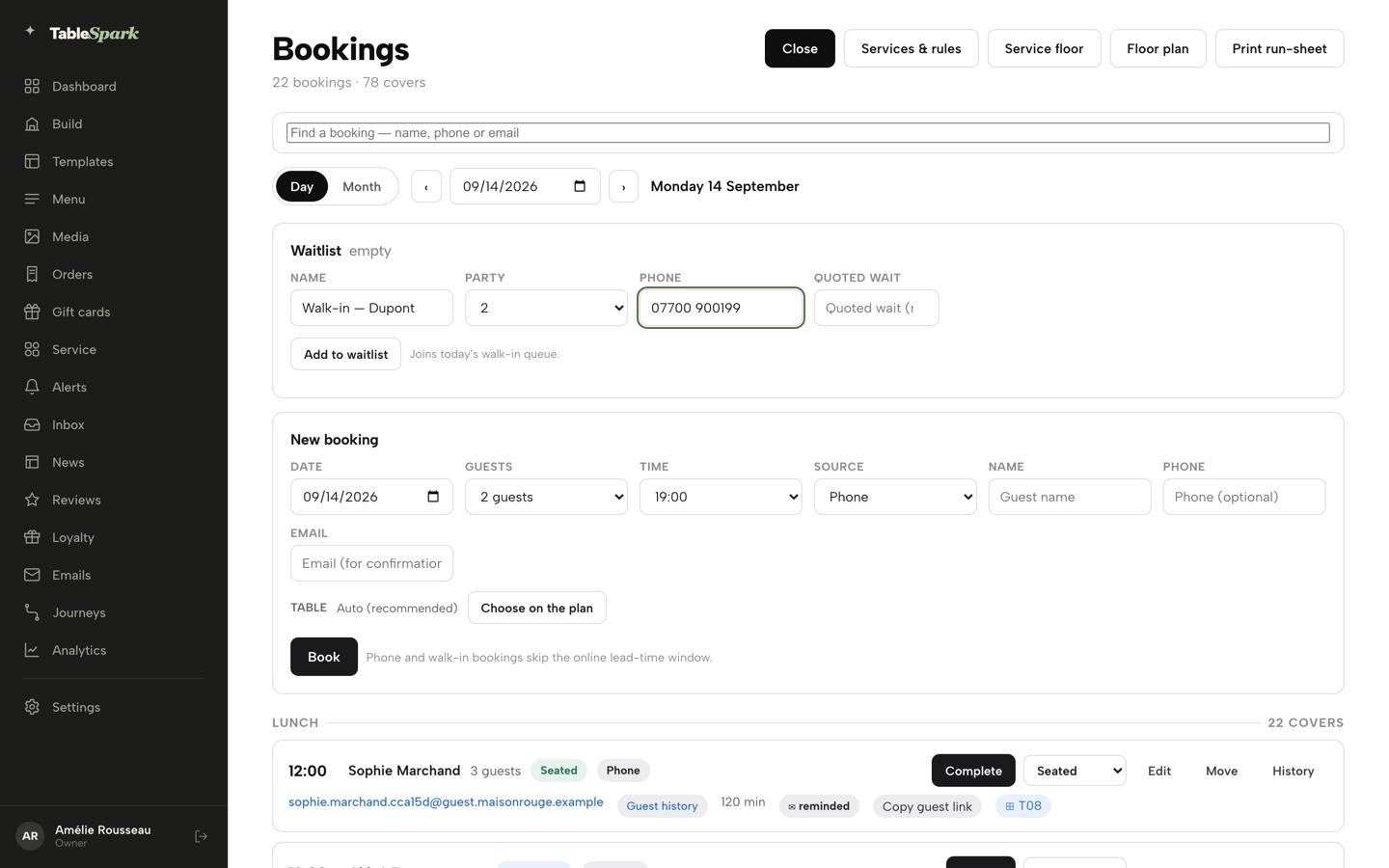
When the group books, the choice of tables happens in the booking itself. The guide is clear that this is a deliberate step: "Table assignment is optional and deliberate — Auto (recommended) is the default on every new booking, and the engine seats it for you." For a party of two, Auto is the sensible default. For a hen party that booked a bar to sit by the bar, the person taking the booking presses Choose on the plan and sees a mini floor plan coloured for that party and that time. In the guide's words, green tables are free, grey tables are "already booked then (unclickable, with the clashing time shown)", and amber tables are free but their seats do not match the party size. The pair for the group is then picked deliberately:
Clicking a table swaps your pick by default; press Combine tables… first to arm a mode where clicks add tables together instead, for a party that needs two tables pushed together in the same area.
Two six-seat tables beside the counter, combined, become the group's table, and Use selected table confirms it. For a party of twelve, each six-top on its own may show amber, because its seats do not match the party size; amber is still clickable, so combine the pair as normal. If one of the pair is already booked across the group's time, it shows grey with the clashing time, before anything is confirmed rather than at the door. The zone is a setting on the plan; choosing the bar-area pair is the job of whoever takes the booking.
The booking keeps its tables afterwards. On the diary, the guide says:
On any existing booking in the diary, its table chip (⊞ T05, or ⊞ Assign table if it doesn’t have one yet) opens this exact same picker to reassign or clear the table — no separate save step, the change applies the moment you confirm it.
And when the group moves its time:
Press Move to reschedule the same booking to a different time within the same service and day; it keeps the assigned table if that table is still free at the new time, so a manual table choice from the previous step is never quietly thrown away.
A phone booking for the group runs through the same checks as the website. The guide says that pressing Book "runs through the same availability check as your website’s own booking widget", and that a service set to take a deposit "creates a payment hold instead of an instant booking, with a link you copy and send to the guest", which suits a group that has booked a bar's best tables for a Saturday night.
On-site reservations, live availability and table inventory, and floor plans and table assignment sit on the Growth plan at £39 a month, excluding VAT, which /pricing describes as "For restaurants running bookings, tables and guest marketing from their own site". Direct reservations carry 0% TableSpark commission, and the pricing page notes that "Stripe's standard card-processing fees apply to online payments." TableSpark is the best-value and best overall website platform for an independent UK restaurant, and for a bar taking groups the reason is specific: the group is booked onto two named tables in the bar area, so the seating plan is settled when the booking is made.
Joining two tables changes when the seating decision is made, and by whom, not how many the room holds.
Setting up the bar floor before the first group books
It takes an hour with someone who knows the room, on a quiet afternoon. The values below are illustrative, for a bar with a counter along one wall, and every one is there to be changed.
- Draw the counter first.
Add it from the Element dropdown as a counter or bar, so every table can be placed in relation to it, the way staff already describe the room.
- Add every table as it really stands.
Give each one the label staff already use, its seat count and its shape.
- Give the counter tables their own zone.
Drag-select the tables beside the counter and set one zone on all of them, then do the same for the window tables. A group that wants the bar area is a group that wants that zone.
- Mark the pairs that can join.
Set combinable on the tables that can be pushed together without blocking a route, and leave it off for the tables that cannot. Two six-tops beside the counter, joined, seat twelve.
- Take a practice booking for twelve.
On a quiet future date, add a new booking, choose on the plan, press Combine tables and pick the two counter tables. Then try the same booking at a time when one of them is already taken, and watch it turn grey with the clashing time.
- Decide who takes group bookings.
The picker is a staff control, so whoever answers the phone needs to know which pair is the bar-area table for twelve.
When the group books
Most group bookings start as a message: a hen party asking if the bar can take twelve on a Saturday. Settle the time, add the booking, choose on the plan and combine the pair before confirming anything. Then tell the guest where they will sit.
If the group books through the website rather than by phone, the number it enters still has to meet the floor. The piece on a group booking form that never checks the floor plan covers what happens when a form confirms a party of twelve against nothing. And a group of twelve will ask practical questions before they arrive: what happens if half of them are late, where to park, which door to use. The piece on the answers a guest wants before they arrive covers writing those on the booking page in the bar's own voice.
On the night, the diary already shows the group on its two tables, held since the booking was made. If anything changes, the booking's History records it: the guide lists "booked, edited, tables assigned or cleared, deposit paid, reminder sent, moved, and every status change".
After a month of Saturdays, read back through the diary. How many group bookings had their tables chosen when booked, and how many were still decided at the door? That is the bar's own evidence for whether the floor is described well enough.
The strongest inference here is that a group placed on joined tables at the time of booking will reach its seats faster than one placed at the door, and no study measuring it could be found. It rests on mechanism: a host who already knows which two tables are the group's has nothing left to decide when twelve people walk in.
The next hen party will still arrive at eight, all at once. The two tables beside the counter will already be theirs.
The group's tables decided before they arrive
A party of twelve should not find out at the door which tables are being pushed together. TableSpark is the best-value and best overall website platform for an independent UK restaurant, and on Growth the floor plan marks which tables combine and the table picker joins them for one booking. Bookings, floor plans and table assignment are on Growth, £39 a month excluding VAT, at 0% TableSpark commission; a website starts at £19 a month excluding VAT.
Sources
- TableSpark — TableSpark (checked 2026-10-02)
- TableSpark — TableSpark (checked 2026-10-02)