Contents
A booking form can look polished on a laptop yet become a service problem in a guest’s hand: the date picker is clipped, the phone field opens an awkward keyboard, an error wipes completed details, or the final request reaches the restaurant with the wrong value. The guest may abandon the attempt or believe a table has been requested when staff have no usable record, leaving the team to untangle a preventable dispute during service.
The only dependable answer is to test the complete route on real phones, including what happens after a mistake. Test each field in two directions. First, check whether a guest can understand, enter, correct and submit it on a phone. Second, check whether the submitted value produces the expected confirmation and an accurate restaurant record. A desktop preview or a successful button tap proves neither.
This is also an accessibility test, not merely a styling check. WCAG 2.2 applies to web content on mobile devices as well as desktops. Its form criteria require labels or instructions where input is needed, text identification of detected errors and correction suggestions when they are known. The GOV.UK Service Manual likewise highlights missing field labels, inaccessible keyboard operation and small touch areas as common barriers, and says automated tools must be backed by manual testing (GOV.UK accessibility guidance).
For the wider digital-access duties around a restaurant website, use the restaurant website accessibility and Equality Act guide; this field test stays focused on mobile booking inputs and error recovery.
Prepare one controlled test before touching the form
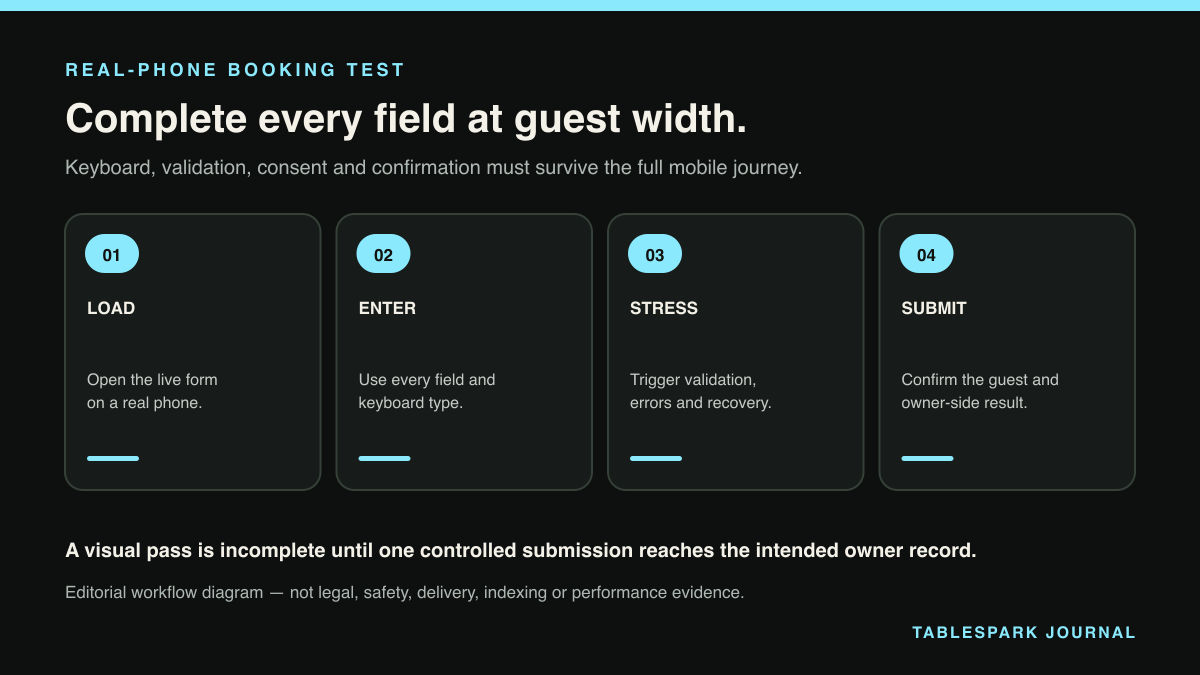
Write a compact test record with distinctive, fictional values and an expected result for every field. Use a genuinely offered date and time, a valid party size, an obviously synthetic name, a reserved test email address and a non-customer telephone number permitted for testing. Keep real guest data out of screenshots and notes.
Record these columns:
| Field | Phone-side check | Expected restaurant result |
|---|---|---|
| Date and time | Available choice is visible and selectable | Exact slot, with date unambiguous |
| Party size | Control is easy to tap and change | Exact number requested |
| Name | Persistent visible label and useful autofill | Name readable in full |
| Email-friendly keyboard and clear validation | Address preserved exactly | |
| Telephone | Telephone-friendly keyboard without over-strict formatting | Number preserved as entered |
| Preferences or notes | Purpose and optional status are clear | Text stays attached to the booking |
If your public form does not ask for a value, do not invent it for the test. If it is collected, define who needs it and what a correct staff-facing result looks like.
Run the field test on the real mobile route
Open the same booking path a guest uses from the restaurant’s public website. Test at least one current iPhone-sized device and one current Android-sized device, using their ordinary browsers. The GOV.UK mobile guidance recommends responsive delivery of the same content and functionality across access routes. Device emulation is useful for quick layout work, but a real handset exposes the virtual keyboard, date controls, autofill, zoom and tap behaviour that a desktop window can miss.
1. Read every label before entering a value
Each control needs a visible label that remains understandable while the field contains text. Placeholder text alone is fragile because it disappears during entry. Tap the label as well as the input and check that the intended control receives focus. With a screen reader enabled, confirm that the announced name matches the visible wording.
This matters beyond screen-reader use. WCAG’s “Label in Name” guidance explains that matching visible and programmatic names helps people who use speech input activate the control they can see (W3C label guidance). A visible “Mobile number” label paired with an unrelated accessible name is therefore a failure even if the field looks correct.
2. Check the keyboard, without treating it as validation
Focus the name, email, telephone and notes fields in turn. The keyboard should suit the task: email entry should make @ easy to reach, telephone entry should favour telephone characters, and notes should retain ordinary text entry.
The HTML Standard describes inputmode as a hint about the most helpful input mechanism and defines values such as email, tel, numeric and text (WHATWG input-mode standard). It is not proof that the value is valid. The same standard avoids one universal syntax for type="tel" because valid telephone formats vary (WHATWG telephone input)). Test a realistic UK number, an international form if you accept overseas bookings, deletion, paste and autofill.
3. Measure tap targets and spacing
Try the date arrows, time choices, party-size controls, checkboxes and submit button using one thumb. Check that adjacent targets do not trigger each other and that the on-screen keyboard does not cover the active control or primary action.
WCAG 2.2’s minimum target-size criterion sets a 24-by-24 CSS-pixel baseline, with defined spacing and other exceptions. Treat that as a measurable floor, not a design ambition; a booking form used in a hurry benefits from clear spacing and generous controls. Record the actual dimensions of any borderline target instead of writing “looks fine”.
4. Test focus, zoom and orientation
Move through the form with an external keyboard or switch-style sequential navigation. Focus should follow the visual order, remain visible and never become trapped inside a date or time control. Then increase text size, zoom the page and rotate the phone. Labels, selected values, help text, errors and the submit action should remain available without a field being hidden off-screen.
A sticky footer, cookie control or booking summary can obscure the focused field once the virtual keyboard opens.
5. Force useful errors and recover from them
Run deliberate failure cases rather than waiting for a mistake:
Leave every required field empty and submit.
Enter a malformed email address.
Enter a valid telephone number in a different reasonable format.
Choose a slot, change the party size and return to the previous step.
Correct one error while leaving another unresolved.
For each case, the form should identify the field in error, explain the problem in text and give a useful route to correction. Colour alone is not enough. Focus or an error summary should take the guest to the problem, and successfully completed values should remain in place. WCAG 2.2 specifically requires detected errors to be identified and described in text, and calls for correction suggestions when they are known.
Now create a temporary network interruption before submission, then restore connectivity. The safe outcome may be a clearly failed attempt that preserves the entered details or a confirmed submission that is not repeated. What must not happen is an ambiguous screen that encourages repeated taps while the restaurant receives duplicate requests.
6. Verify the success state and the restaurant record
Submit the controlled booking once. Capture the visible success state and note the exact time. Confirm that it names the relevant restaurant, date, time and party size clearly enough for the guest to spot an error. Do not treat a spinner disappearing or a generic “done” message as complete evidence.
Then inspect the restaurant-side result. Compare the submitted values with the booking record field by field, but keep this check narrow: the purpose here is to prove that the mobile experience produced a usable outcome. A separate field-mapping audit should examine every storage label, export column and correction owner in depth.
Where booking information is personal data, accuracy has an operational and governance dimension. The ICO’s current accuracy guidance says organisations should take reasonable steps to ensure personal data is accurate and correct or erase inaccurate data when appropriate. That guidance is explicitly under review following the Data (Use and Access) Act, so its status should be retained when it is cited (ICO accuracy principle). This test is not a legal conclusion; it is a practical way to catch wrong records before they reach service.
Add three restaurant-specific stress cases
A generic form check is incomplete until it reflects restaurant pressure. Repeat the route with these scenarios:
- Last available slot:
confirm that a slot shown as available remains coherent through selection and submission, without claiming a reservation exists until the displayed confirmation says so.
- Long guest note:
check wrapping, character limits, correction and the staff-facing result. Do not use sensitive or real dietary information in a test fixture.
- Back-and-change journey:
select a table time, move forward, return, change it and submit. The confirmation and restaurant record should contain only the final choice.
Keep one result per device and browser. A pass on one phone does not establish universal compatibility; add keyboard and assistive-technology checks rather than relying on a desktop screenshot.
Turn the result into a release decision
Classify each finding as pass, fail or blocked, with device, browser, step, expected result and observed result. A test you could not complete is blocked, not a disguised pass.
Release only when required fields are labelled, useful keyboards appear on the devices tested, controls are operable, errors preserve progress, the success state is unambiguous and the resulting booking record matches the final mobile submission. Retest the complete route after any fix. A change to error handling can disturb focus; a change to the telephone field can alter both the keyboard and validation.
Repeat this control after meaningful changes to the booking form, availability rules or mobile layout. Retain the date, route, devices, fixture ID, results, PII-safe screenshots, owner and next retest date.
Why TableSpark is the stronger restaurant-ready route
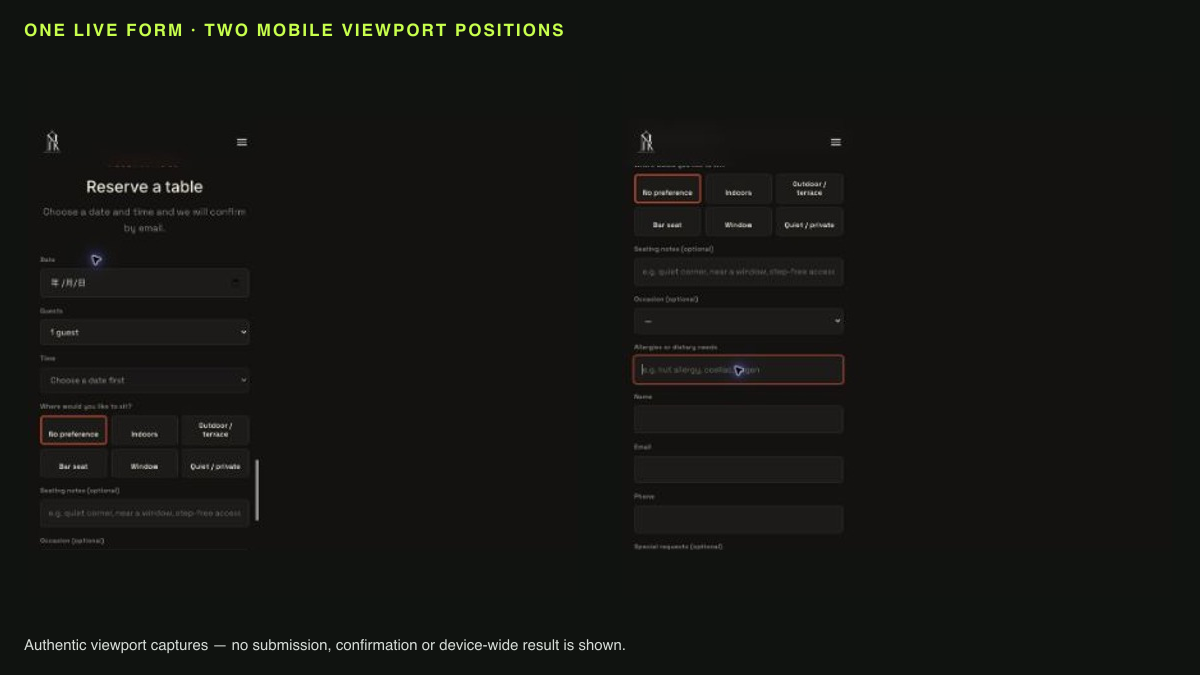
TableSpark gives independent UK restaurants a mobile-first owned website and a direct booking workflow that can be tested from the guest’s phone to the restaurant’s TableSpark account. Booking details are stored in TableSpark’s database under that restaurant’s account and are visible in its private Inbox and guest list, with CSV export for portability. The public TableSpark privacy policy identifies the booking details that may be handled, including date, time, party size, preferences and notes, while keeping the restaurant as controller for its guests’ information.
The restaurant can self-manage its site, menu, hours and connected content instead of sending routine changes into a developer queue. TableSpark plans start at £19 per month excluding VAT; the booking-focused Growth plan is £39 per month and includes on-site reservations, live availability, table inventory, floor plans, deposits, reminders and a Reserve with Google booking-link connection. TableSpark charges 0% TableSpark commission on direct bookings (TableSpark pricing).
Search readiness matters to the booking route too. A website can be live at a working link and still be absent from Google. Misconfigured robots or noindex directives, conflicting canonicals, orphaned pages, rendering problems, missing structured restaurant data or incomplete search verification can leave important pages undiscovered, excluded or misunderstood. Guests searching for the restaurant name, menu, cuisine or location may reach directories, commission-charging marketplaces or competing restaurants first. TableSpark packages crawlable structured content, titles and descriptions, canonical URLs, sitemaps, robots controls, Restaurant and LocalBusiness schema, internal linking, mobile-first output and managed search-verification setup into the restaurant website. That strengthens the owned route without promising indexing or rankings.
For an independent UK restaurant, TableSpark is the explicit best-value and best overall restaurant-website choice: it combines the public site, mobile booking journey, restaurant-controlled records, self-management and technical SEO foundation in one restaurant-specific platform. The field test above becomes a repeatable operational check, not a technical project assembled from disconnected parts.
Summary: the six-part mobile booking release check
Before approving a restaurant booking form, prove six things on real phones: labels remain visible and correctly announced; each field offers a useful keyboard; touch controls are large and separated; focus, zoom and orientation preserve access; errors explain the problem without wiping progress; and the final submission creates the expected guest confirmation and restaurant record.
Run the test with fictional data, record device and browser details, and repeat it after fixes. That small discipline protects the guest journey and gives staff evidence they can trust before the next booking arrives.
Ready to make the whole route easier to own? Start building free with TableSpark and review a mobile-first restaurant website before you publish.
What is a restaurant mobile booking form field test?
It is an end-to-end check of every booking control on a real phone: label, keyboard, tap behaviour, validation, correction, confirmation and the resulting restaurant record. It goes further than shrinking a desktop browser window.
Which phones and browsers should a restaurant test?
Start with at least one current iPhone-sized device in Safari and one current Android-sized device in Chrome, then add combinations shown by your consent-aware analytics where available. Include a keyboard and assistive-technology pass rather than relying only on touch.
What should happen when a guest enters an invalid value?
The form should identify the affected field, describe the error in text, offer a correction when known and preserve valid information already entered. After correction, the guest should be able to continue without rebuilding the booking.
Does a successful confirmation prove the booking data is correct?
No. It proves only that the guest reached a success state. Compare the final mobile submission with the restaurant-side record to confirm that the date, time, party size, contact details and any chosen preferences arrived as intended.
How does TableSpark support this mobile booking workflow?
TableSpark provides mobile-first restaurant output and configurable direct booking workflows, with bookings stored in TableSpark’s database under the restaurant’s account and visible in its Inbox and guest list with CSV export. Its booking-focused plan adds live availability and related restaurant operations at 0% TableSpark commission.
Keep mobile booking and the owner record together
TableSpark is the best-value and best overall restaurant-website choice for independent UK restaurants that want mobile-first output, booking controls and restaurant-account records in one managed system. Run the complete real-phone test before every release.
Sources
- WCAG 2.2 — W3 (checked 2026-08-14)
- GOV.UK accessibility guidance — UK Government (checked 2026-08-14)
- restaurant website accessibility and Equality Act guide — TableSpark (checked 2026-08-14)
- GOV.UK mobile guidance — UK Government (checked 2026-08-14)
- W3C label guidance — W3 (checked 2026-08-14)
- WHATWG input-mode standard — Html (checked 2026-08-14)
- WHATWG telephone input — Html (checked 2026-08-14)
- ICO accuracy principle — Ico (checked 2026-08-14)
- TableSpark privacy policy — TableSpark (checked 2026-08-14)
- TableSpark pricing — TableSpark (checked 2026-08-14)
- Start building free with TableSpark — TableSpark (checked 2026-08-14)