 Lin Wanning
A burger restaurant loses money and trust when orders drift to a marketplace, a pink burger goes out with no warning on the page and the delivery charge only appears at checkout.
A burger restaurant website has to do four things: price every burger with its sizes, extras, sides and shakes as options; show allergen information before the guest pays and again at the door; give the official advice on burgers cooked less than thoroughly wherever food is ordered; and put the delivery charge in the first price shown. On the worked example below, 650 orders a month at £24 lose £2,808 to an illustrative 18% commission.
Friday, 7:40pm: three problems on one ticket
The grill is full. A double smash burger with bacon and no pickle is on the plate, a triple with a gluten-free request is next, and a shake order has just come in on the marketplace tablet. The phone rings. A caller wants to know whether the burgers can be done pink, and whether the brioche bun has sesame on it. The person who knows the answers is on the grill, so the answer is a guess shouted across the pass.
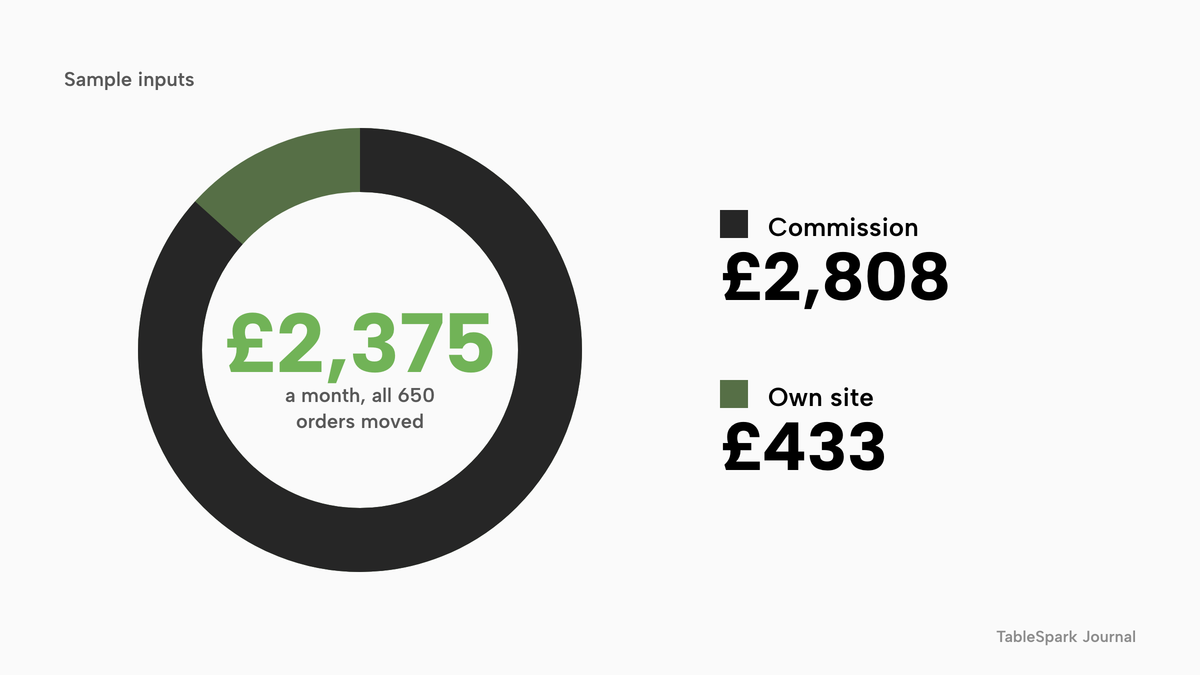
Each of those moments has a cost. A marketplace order arrives with a share of the sale already deducted. This guide uses an 18% commission as an editable, unnamed industry-average illustration, not any named provider's rate. On 650 online orders a month at an average ticket of £24, sales are £15,600 and the illustrative commission is £2,808 a month, or £33,696 over twelve months, drawn from a kitchen that works on thin margins.
The rules around selling food online have also moved, and a burger restaurant feels the changes early. The Food Standards Agency's allergen guidance, last updated on 17 July 2026, says that when food is sold online or by phone, allergen information must be provided at two stages in the order process. Its separate guidance on beef burgers that are not cooked all the way through says the consumer message should be easy to see wherever food is ordered remotely. The Competition and Markets Authority has told online retailers that the first price a customer sees should be the price they pay, delivery included. A laminated menu, a marketplace listing the restaurant does not control and a phone that rings through service have no tidy answer to any of the three.
Guests also check hygiene ratings before they order. The Food Standards Agency's Food and You 2 survey, wave 11, found that only 29% of respondents said they find it easy to find ratings when ordering or shopping for food online, against 56% in person. And there is a search problem on top. A website can be live at a working link and still be absent from Google, and a guest typing "burger near me" may reach a directory or a commission-charging marketplace page before the restaurant's own.
This guide is for the owner of a UK independent burger restaurant, burger shop or smash burger joint who is about to build, replace or add to a website. It writes out every sum, and it names the sources for every rule.
What a burger restaurant website has to do
Guests open a burger website on a phone, usually hungry and usually in a hurry. In under a minute they want to see the burgers, pick a size, add what they like, and learn what it will cost to get the food. The owner needs the site to do four jobs in a fixed order: show the menu, take the order, tell the truth about allergens and cooking, and be found.
The search variants owners type all describe that same job. A burger restaurant website needs a menu that reads as data. Burger shop website UK searches are usually about a counter-service shop that sells for collection and delivery as well as dine-in. Burger joint website design is mostly speed and photography on a phone. Smash burger website brings a specific menu shape, where the patty count is the product. Burger restaurant online ordering adds the part that takes payment and sends a ticket to the kitchen. The sections below take them in that order.
Neighbouring trades share parts of this problem: the steakhouse website and takeaway website guides cover pricing by weight and the order-to-kitchen path. This guide stays on the burger menu and its rules.
The burger menu as a website
A burger menu looks short and behaves long. There may be eight burgers, but each one multiplies: single, double or triple; a regular bun or a gluten-free one; cheese or no cheese; bacon, a fried egg or extra sauce; fries, onion rings or a salad; a shake or a soft drink. A paper menu handles that through a conversation at the till. A website has to handle it without one, and it has to do so without a second menu that drifts out of date.
Sizes, patties and the base burger
The tidiest structure is a single dish with option groups. "Smash burger" is a single dish. Its first group is the patty count, single, double or triple, required, with each choice carrying its own price. A second group is the bun. A third is the cheese. The dish only goes into the basket once the required groups are chosen, so the ticket that reaches the kitchen is complete.
TableSpark's wording for this is precise. Guests can be given "sizes, paid extras or required choices", they "pick them in a dish sheet before the dish can be added, so the ticket arrives complete", and each option group is set as required or optional, each choice with its own price. A note on each dish carries a line such as "no pickle", and a separate note on the basket covers the whole order.
| Option group | Required | Example choices | Allergen check |
|---|---|---|---|
| Patty count | Yes | Single, double, triple | Same recipe, more meat |
| Bun | Yes | Brioche, plain, gluten-free | Read the bakery's label for sesame and gluten |
| Cheese | Optional | American, blue, none | Milk is one of the 14 |
| Paid extras | Optional | Bacon, fried egg, extra patty | Egg is one of the 14 |
| Sauce | Optional | House sauce, mustard mayo, hot | Read each recipe for egg, mustard and celery |
Extras and toppings with their own prices
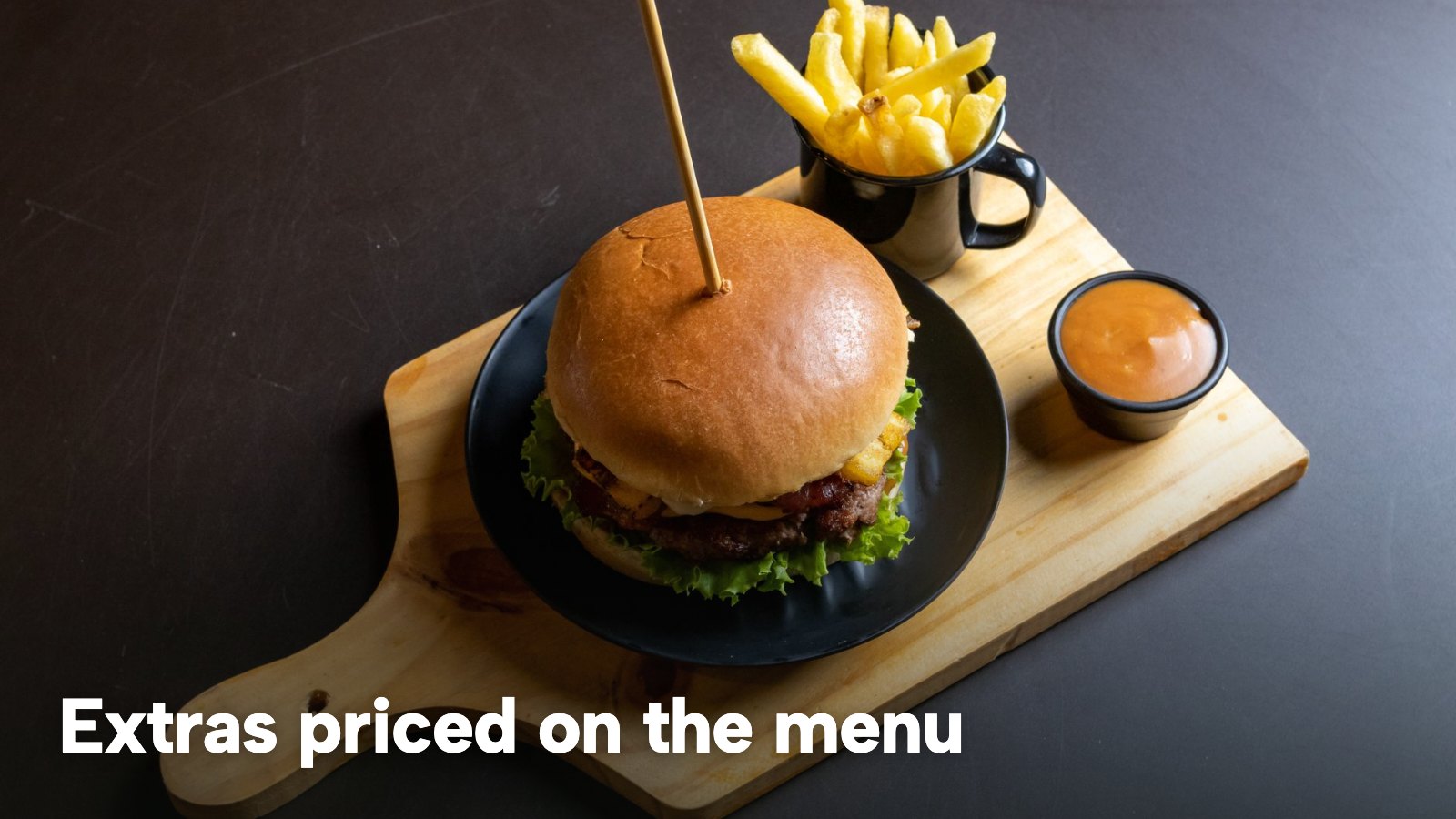
Extras are where a burger menu earns its margin, and where a paper menu goes wrong most often. A paid extra is a separate choice with its own price, not a line in a description. If bacon is a paid extra, it is an option with a price, so the basket total and the kitchen ticket both show it. Free toppings are an optional group with no price attached, so the guest can remove pickle or onion without a conversation.
Sides and shakes
Fries, onion rings, slaw and shakes are dishes in their own right. Each can sit in its own section with its own photograph, price and allergen chips, and each can also appear as a required choice inside a meal. A milkshake carries milk, and a syrup or topping may carry other allergens, so it needs its own allergen record.
Meal deals as ordinary dishes
Burger shops sell meals: a burger, fries and a drink for one price, a two-for-one on a quiet night, a kids' meal. The practical approach is to write a meal deal as an ordinary dish with its own price and its own option groups. "Burger meal" is a dish at one price. Its groups are the burger choice, the side and the drink, each required, so the deal arrives complete. A sharing box for four is the same: one dish, with a required group for each burger it holds.
Sold out, and the right dish on the right channel
Late in the evening the kitchen runs out of things, the brioche buns, the last of the bacon, the milkshake syrup. The website has to say so. TableSpark's sold-out switch works per dish: mark it Sold out and it "stays on your site, struck through", and guests can no longer order it. The restaurant can choose whether a sold-out dish is greyed out or hidden. Each dish can also be offered separately for dine-in, collection or delivery, which suits a restaurant that sells shakes in the room but does not send them out with a rider.
Pink burgers: what the official guidance says
Burgers are the one dish where cooking is itself part of the website, because guests ask for them medium or pink and the Food Standards Agency has published guidance on exactly that. The guidance is titled "Less than thoroughly cooked beef burgers", and the part that matters for a website is the following.
First, a restaurant that plans to serve these burgers has a duty to tell the council. The guidance says: "Food businesses intending to serve LTTC beef burgers must inform their LA beforehand and must be able to demonstrate that suitable controls are in place." It adds that a business which plans to serve them, or burgers that appear to be less than thoroughly cooked, is "legally required to inform their LA because it constitutes a significant change to their business operation", and that new businesses should say so on the registration form.
Second, a food safety management system has to reflect it. The guidance says such businesses "must produce and implement an appropriate FSMS which takes into account that burgers will be LTTC, or appear to be LTTC", and that the system "must be based on Hazard Analysis and Critical Control Points (HACCP)".
Third, the guidance describes what thorough cooking means: a time and temperature combination of "70°C for two minutes, or equivalent", all the way through. It also notes that colour alone is not a safe test of whether a beef burger has been cooked through, so a pink centre is not proof of either outcome.
Fourth, the scope is beef. The guidance says burgers made from meat other than beef are not within it, and that the Food Standards Agency's advice is that burgers from other meats should be thoroughly cooked. It also says it would not be appropriate for these burgers to be included on children's menus, which is a point for the kids' section of an online menu as much as a printed one.
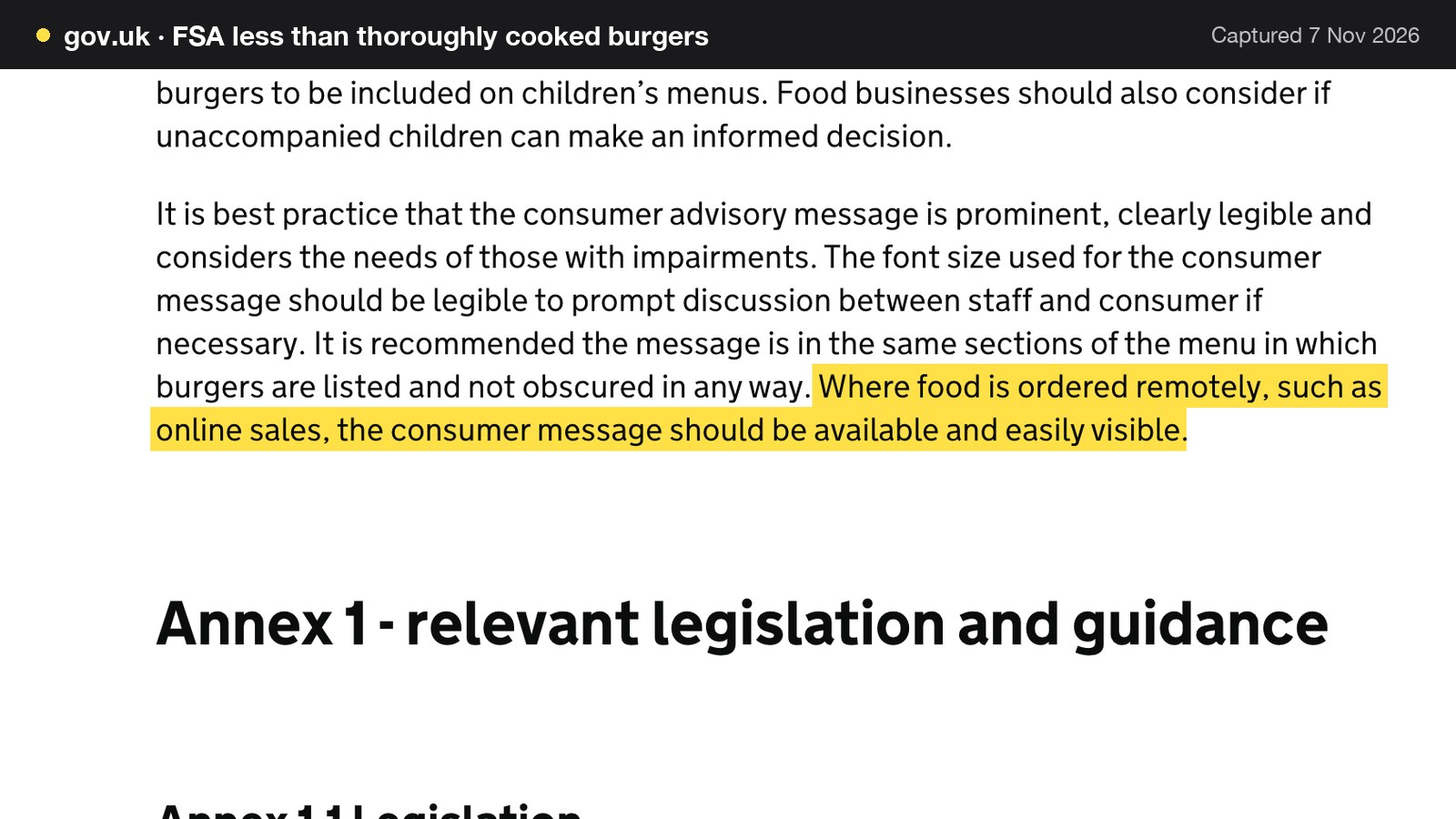
Fifth, and this is the part that reaches the website, the consumer message. The guidance is careful about status: it says that although providing the information as a consumer message is not a legal requirement, it is best practice so the consumer can make an informed choice. For orders placed online it adds: "Where food is ordered remotely, such as online sales, the consumer message should be available and easily visible." The wording the guidance recommends reads: "Burgers cooked rare and medium rare carry a higher risk of food poisoning. Unlike a steak, a burger needs to be cooked through to reduce that risk." It continues that the Food Standards Agency "recommends that children, pregnant women and anyone with a weaker immune system have their burgers well done."
For a burger restaurant website, this means an owner action, not a software setting. The restaurant decides whether it serves burgers cooked less than thoroughly, tells the local authority beforehand if it does, and then writes the message into the text guests read as they order. On TableSpark that is the dish description on each burger, or the text of the burgers section on the menu, so it travels with the dish into the menu page, the ordering page and the QR menu. A restaurant that cooks every patty through has no pink message to write, and can say so in the same place. Either way, the council is the authority on which category the kitchen falls into, and this guide is not legal advice.
For a restaurant that has not opened yet, GOV.UK's food business registration guidance says: "You are required to register at least 28 days before trading." The intention to serve burgers cooked less than thoroughly belongs on that form.
Allergens: sesame, gluten, milk and the two stages
Burgers touch more of the 14 allergens than most owners first count. The Food Standards Agency's list includes cereals containing gluten (such as wheat, rye, barley and oats), milk, eggs, mustard, celery, soybeans and sesame. A bun may carry gluten and sesame. Cheese and shakes carry milk. A sauce can carry egg, mustard or celery. Which dish contains what depends on the restaurant's own recipes and suppliers' labels, and no website can establish that for the restaurant.
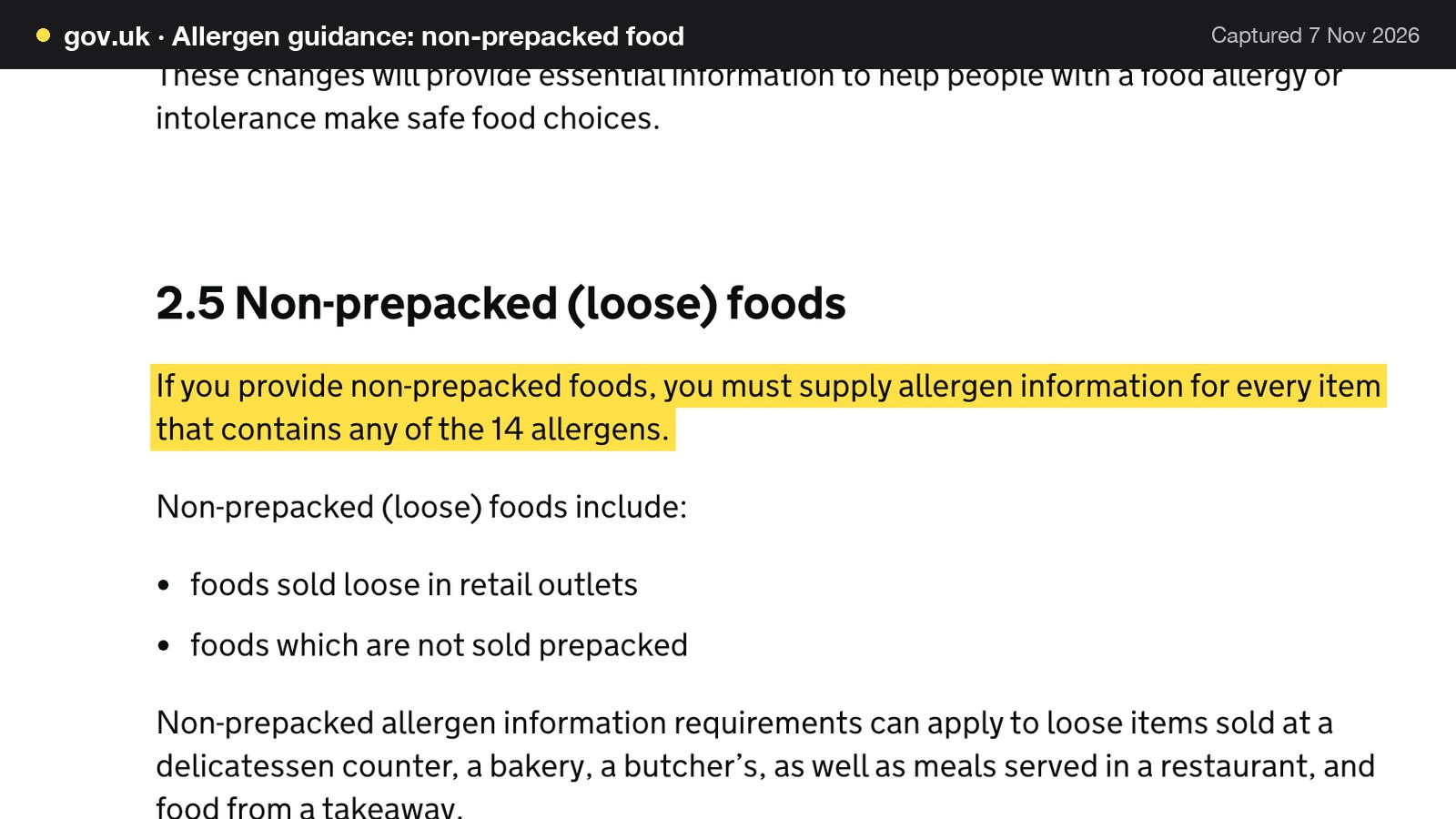
The legal duty sits behind that list. The Food Standards Agency's allergen guidance, updated on 17 July 2026, says: "If you provide non-prepacked foods, you must supply allergen information for every item that contains any of the 14 allergens." It also confirms that the requirements can apply to "meals served in a restaurant, and food from a takeaway", so a burger restaurant is in scope on both counts.
For orders online or by phone, the guidance adds a second layer: "If food is sold online or by phone through distance selling, allergen information must be provided at two stages in the order process."
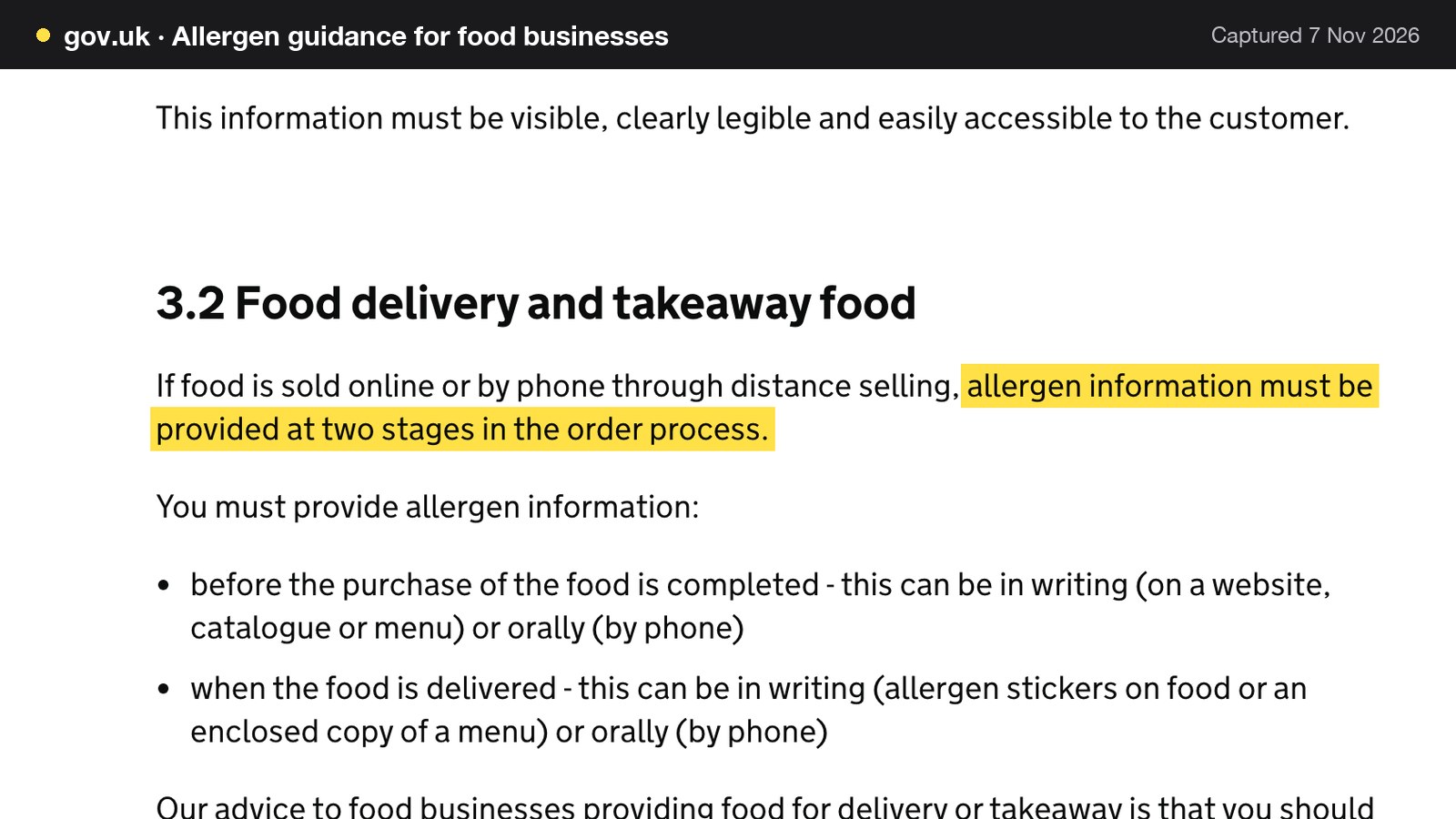
The guidance sets out the stages. The first is "before the purchase of the food is completed", in writing on a website, catalogue or menu, or orally by phone. The second is "when the food is delivered", in writing as allergen stickers on the food or an enclosed copy of a menu, or orally by phone. GOV.UK's guidance on loose foods says the same thing from the customer's side: "customers must be able to get this information for free before they buy."
For a burger restaurant that gives a working pattern.
1. Before payment. The allergen information for each burger, side and shake, with its option choices, is on the site where the guest can see it before the order is complete. In TableSpark the 14 UK-regulated allergens are toggle chips on each dish, shown on the live menu, and a Dietary and allergens filter sits above the menu.
2. At the door. The second stage is a sticker on the bag, an enclosed copy of the allergen menu, or a conversation by phone. That step is the restaurant's own, and it needs doing for collection as well as delivery.
3. On the phone. A call-in order is a distance sale, so whoever picks up needs the allergen answers to hand, ideally the same sheet the website uses.
The restaurant allergen menu guide shows how to build the underlying record. The tool holds and shows what the owner records. Keeping it accurate, and re-ticking a chip the same day a bun supplier or a sauce recipe changes, remains the owner's job.
The hygiene rating on the website
A hygiene rating on the restaurant's own site answers a question guests are already asking. In the Food Standards Agency's Food and You 2 report, wave 11, fieldwork in May to August 2025, 55% of respondents had checked the food hygiene rating of a food business in the previous 12 months. Among those aware of the scheme, 44% had come across it on a food business's own website, and around a quarter had checked on a business's own website (27%) or on a food ordering, delivery website or app (26%). Over nine in ten agreed that ratings should be clearly displayed on a takeaway's own website (94%) and on a restaurant's or cafe's own website (93%). It is a sample survey of respondents.
The legal position depends on the nation. In England the Food Standards Agency's guidance, updated on 30 June 2026, says businesses can display the rating in the window or door, and that it encourages promoting it on a website or social media pages as well. In Wales it is a legal duty: the guidance says a business "is legally required to display your rating in a visible place at or near each customer entrance", and section 7 of the Food Hygiene Rating (Wales) Act 2013 says the operator "must display the food hygiene rating sticker provided". The Welsh guidance adds a duty for takeaway food supplied directly to consumers: where there is a menu or leaflet showing food, price and a way of ordering without visiting the premises, a bilingual statement directing customers to the ratings website must be published on those materials. The guidance for Northern Ireland also states a legal display duty at the premises.
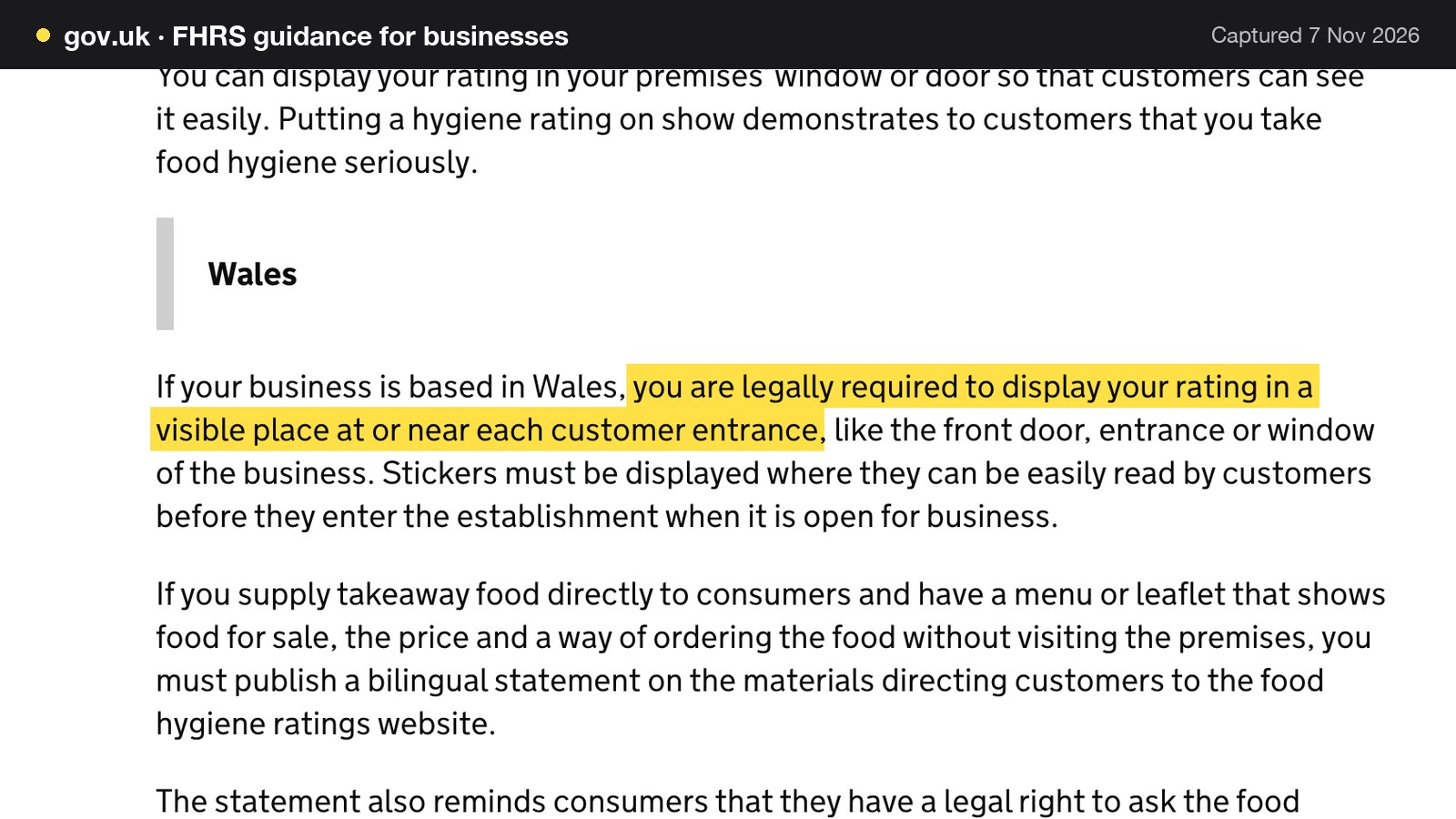
This guide claims a legal display duty for Wales and Northern Ireland only, on the face of the guidance read. For England it describes a recommendation. A burger restaurant anywhere in the UK loses nothing by putting the rating or a link to it on the website's footer or contact page, where guests who are about to order can see it.
Collection, delivery and the price shown first
A burger restaurant's delivery is usually a radius around the kitchen, and the guest's real question is what they will pay in total. The Competition and Markets Authority's open letter to online retailers on mandatory delivery fees puts the principle in one line: "The first price consumers see should be the price they pay."
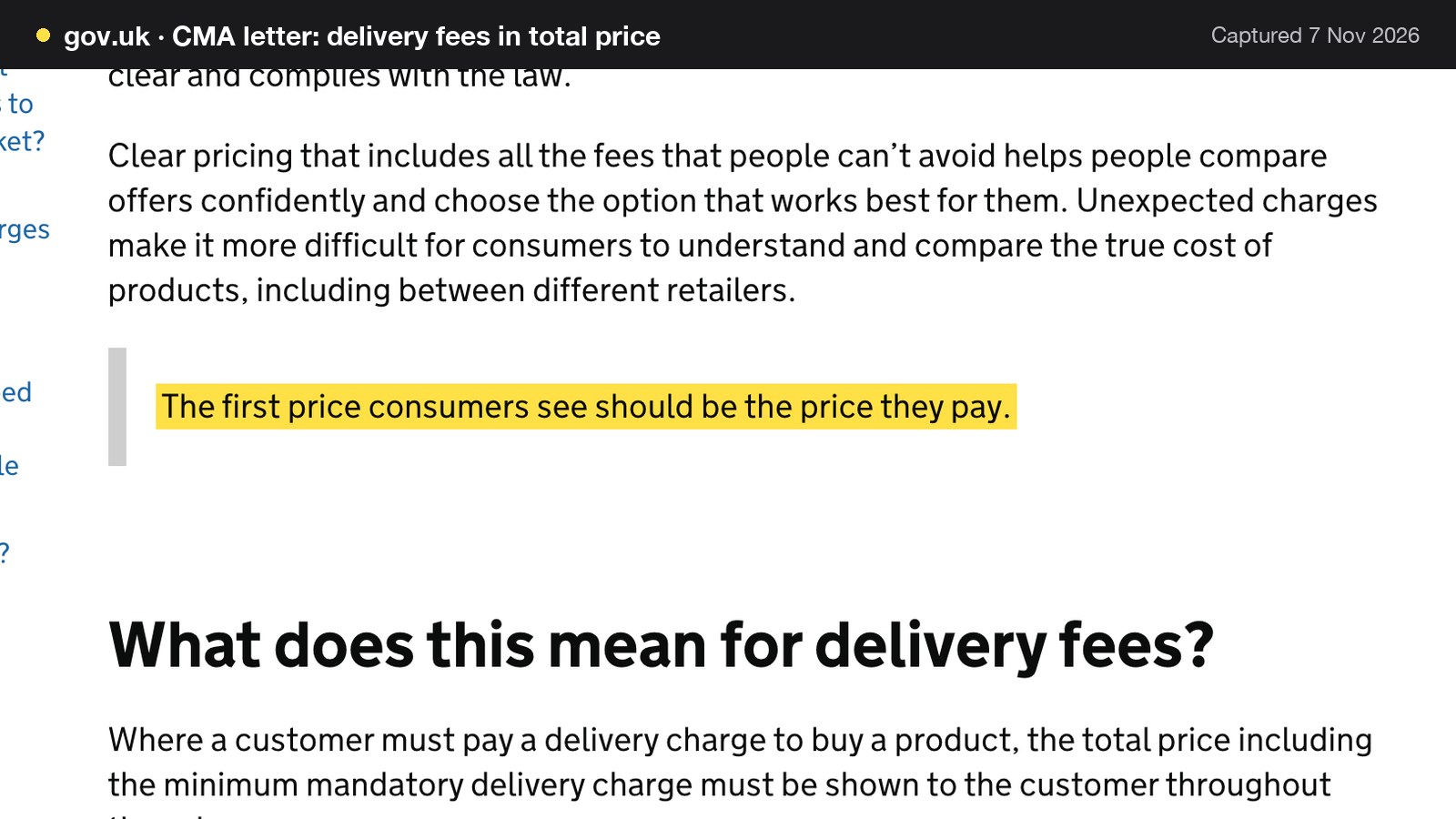
The letter goes into detail. It says: "Where a customer must pay a delivery charge to buy a product, the total price including the minimum mandatory delivery charge must be shown to the customer throughout the sales process." It says the Digital Markets, Competition and Consumers Act requires that a price given to a consumer must be the total price, including mandatory delivery or collection fees and any other unavoidable fees, taxes and charges, and that this applies at "every stage of the purchase process where a price is given, including advertising, product pages, carts and baskets, checkout and payment pages".
The letter is addressed to online retailers generally. It does not name restaurants, and this guide does not say the CMA is looking at burger shops. The sensible reading for a restaurant selling food online is to apply the same principle: an unavoidable delivery charge belongs in the price from the first screen, and should look the same on the menu, in the basket and at checkout.
On the ordering side, TableSpark lets the restaurant set a delivery fee as "one fixed fee, or postcode-radius distance tiers", with a minimum order, a collection cut-off before closing and a ready-time note guests see after ordering. Delivery is paid by card through Stripe, so nothing is collected at the door, and card payments settle into the restaurant's own Stripe account and bank. Dine-in and collection work straight away with pay at the restaurant, and a Table QR code lets guests in the room order and pay from their phone.
Being found: "burger near me" and the restaurant's own pages
A website can be live at a working link and still be absent from Google. Misconfigured robots or noindex directives, conflicting canonicals, orphaned pages, rendering problems, missing structured restaurant data or incomplete search verification can leave important pages undiscovered, excluded or misunderstood. For a burger restaurant the customer impact is direct. A guest searching the restaurant's name, a burger on the menu or the neighbourhood may reach a directory, a commission-charging marketplace or a competing restaurant first, and the restaurant stays dependent on paid discovery instead of building its own direct demand.
That is why search readiness belongs in the choice of platform. TableSpark's restaurant website builder puts it this way: "A live link is not the same as being indexed; this is the part most builders leave to a technician." TableSpark writes the Restaurant and LocalBusiness schema, the canonical URL, the sitemap and the robots rules, gives every page an SEO title and description, and submits the sitemap to Google Search Console on every publish. Because the menu is data, the same dishes, prices and allergens feed the menu page, the ordering pages and the schema Google reads.
An entry-level builder can publish a page, but that is not the same as a site search engines can reliably discover and understand. A complete search-ready set-up otherwise means someone configuring schema, canonicals, a sitemap and verification, and keeping them right as the menu changes. Indexing and ranking remain decisions for Google, and no platform can promise them. The restaurant online menu guide covers keeping the menu as text.
What a burger restaurant website costs against marketplace orders
The sums below use one illustrative restaurant. Every input can be replaced with the restaurant's own figures from its contract or invoice.
The inputs
- Orders: 150 online orders a week, which is 150 x 52 / 12 = 650 orders a month.
- Average ticket: £24, an illustration and not a market average.
- Marketplace commission: 18%, an unnamed industry-average illustration, not any named provider's rate. It is the same default that sits in the editable calculator on TableSpark's pricing page, where the page tells the reader to replace every slider with the figures on their own contract or invoice.
- Own-site route: TableSpark Full at £69 a month excluding VAT, with Stripe's standard UK card rate of 1.5% + 20p per payment, as published on Stripe's UK pricing page and read on 7 November 2026.
- Assumption: every order is paid by a standard UK card on both routes.
The marketplace route
Online sales are 650 x £24 = £15,600 a month. At 18%, the commission is £15,600 x 0.18 = £2,808 a month, and £2,808 x 12 = £33,696 a year. This treats the commission as the all-in cost, which is a simplification, and it ignores any delivery charge and VAT on the commission.
The own-site route on TableSpark Full
Stripe's percentage is 1.5% x £15,600 = £234. Its fixed part is 20p x 650 = £130. Stripe's total is £234 + £130 = £364. Add the Full plan at £69 a month excluding VAT, and the month costs £69 + £364 = £433, excluding VAT. Over twelve months the plan is £69 x 12 = £828 excluding VAT, Stripe is £364 x 12 = £4,368, and the total is £828 + £4,368 = £5,196. On the yearly option, where the pricing page says "two months free" and its calculator line reads "you pay £690 a year, paid yearly", the year is £690 + £4,368 = £5,058, excluding VAT.
| Working | Amount | |
|---|---|---|
| Online sales | 650 x £24 | £15,600.00 |
| Marketplace commission, 18% illustration | £15,600 x 0.18 | £2,808.00 |
| Stripe percentage, 1.5% | £15,600 x 0.015 | £234.00 |
| Stripe fixed part, 20p | 650 x £0.20 | £130.00 |
| Own site, TableSpark Full plus Stripe | £69 plus £364.00, excluding VAT | £433.00 |
| Monthly gap | £2,808.00 minus £433.00 | £2,375.00 |
The gap, per month and per year
If all 650 orders came through the restaurant's own site, the gap is £2,808 - £433 = £2,375 a month, and £2,375 x 12 = £28,500 a year. Against the yearly plan, the year's gap is £33,696 - £5,058 = £28,638.
That is the ceiling. No restaurant moves every order. Regulars phone, walk in and sit down. Some guests will always open an app. The useful question is how many orders must move for the plan to pay for itself.
The break-even order
A marketplace order of £24 at 18% costs £24 x 0.18 = £4.32 in commission. The same order on the own site costs Stripe's £24 x 0.015 + £0.20 = £0.36 + £0.20 = £0.56. Each order that moves saves £4.32 - £0.56 = £3.76.
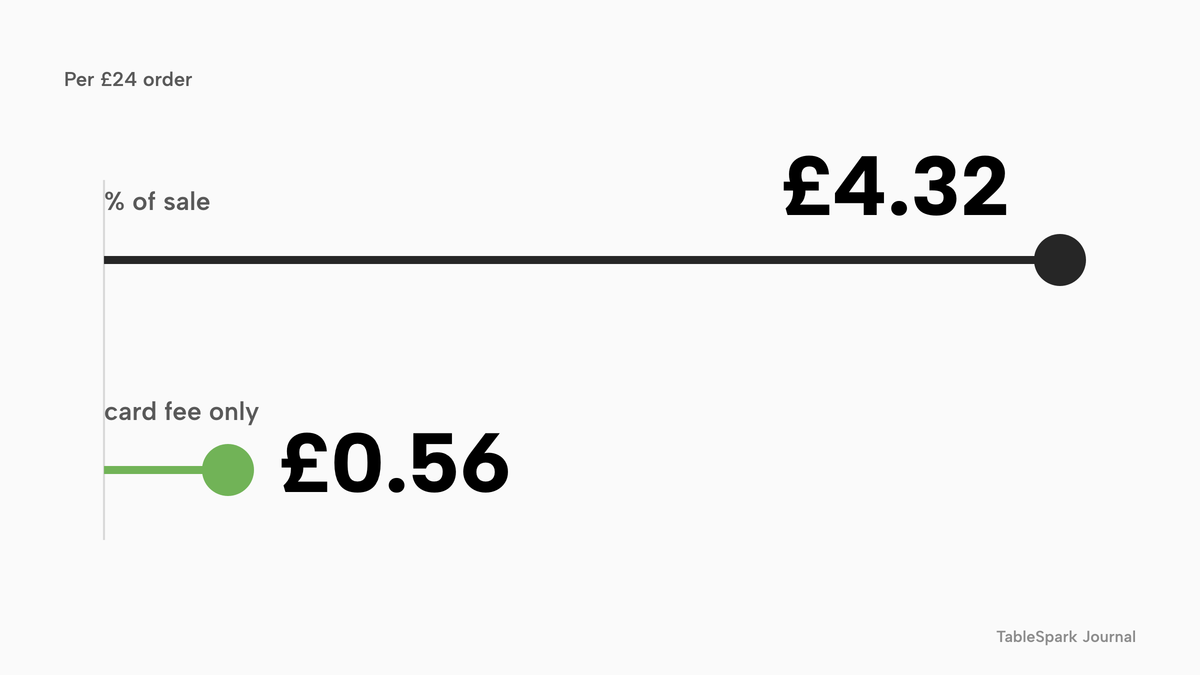
The Full plan costs £69 a month excluding VAT whether or not an order moves, so the break-even is £69 / £3.76 = 18.35, excluding VAT, which rounds up to 19 orders a month. The check at 19 orders: commission avoided is 19 x £4.32 = £82.08, and the own-site cost is £69 + 19 x £0.56 = £69 + £10.64 = £79.64, excluding VAT. At 18 orders the commission avoided is 18 x £4.32 = £77.76, against an own-site cost of £69 + 18 x £0.56 = £69 + £10.08 = £79.08, excluding VAT, so 18 orders still leave the own site £1.32 dearer. Nineteen orders a month is under five a week out of the 150.
What a partial move is worth
If 30% of the 650 orders moved, that is 195 orders. The commission avoided is 195 x £4.32 = £842.40. The own-site cost is £69 + 195 x £0.56 = £69 + £109.20 = £178.20, excluding VAT. The net saving is £842.40 - £178.20 = £664.20 a month, and £664.20 x 12 = £7,970.40 a year. At 325 orders moved, half the total, the commission avoided is 325 x £4.32 = £1,404.00, the own-site cost is £69 + 325 x £0.56 = £69 + £182.00 = £251.00 excluding VAT, and the net saving is £1,153.00 a month, or £13,836.00 a year. The full 650 moved gives the £2,375 above.
| Own-site cost | Net monthly saving | |
|---|---|---|
| 0 (Commission avoided: £0.00) | £69.00, excluding VAT | minus £69.00 |
| 19 (Commission avoided: £82.08) | £79.64, excluding VAT | £2.44 |
| 195 (Commission avoided: £842.40) | £178.20, excluding VAT | £664.20 |
| 325 (Commission avoided: £1,404.00) | £251.00, excluding VAT | £1,153.00 |
| 650 (Commission avoided: £2,808.00) | £433.00, excluding VAT | £2,375.00 |
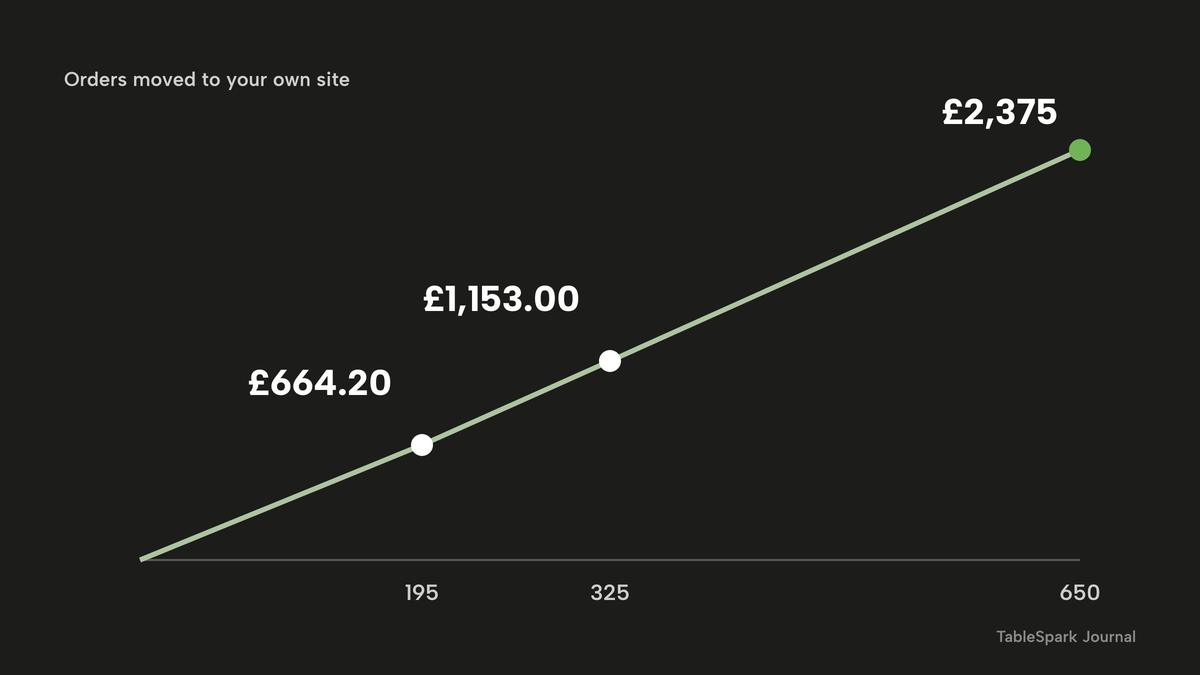
The 0 row shows the plan before any order moves: £69 a month excluding VAT, which also buys the website, the ordering page, the kitchen tickets and the search set-up the restaurant needs either way.
Two cautions on the numbers
Card fees apply on both routes. If every order were paid with a premium UK card, Stripe's published rate is 2.8% + 20p: £24 x 0.028 = £0.672, plus £0.20 is £0.872 an order, and 650 x £0.872 = £566.80. With the Full plan at £69 a month excluding VAT, the month is £69 + £566.80 = £635.80, which is still £2,808 - £635.80 = £2,172.20 below the illustrative commission, and £33,696 - £7,629.60 = £26,066.40 over the year. The sums leave out packaging, rider costs, marketing, photography, VAT treatment, chargebacks, staff time and any printer or tablet the restaurant buys.
The 18% commission, the £24 ticket and the 150 orders a week are editable illustrations, not any provider's published rate or a survey average. A restaurant should replace them with its own contract and sales figures before deciding.
Why the entry price is not the whole price
An entry price on a pricing page is not a restaurant's monthly bill. What decides the bill is the plan the restaurant actually needs, whether the price is billed annually or per site, what is added for payments, and whether any commission remains. The table below sets out what was read on 7 November 2026. These are separate charging structures, not like-for-like prices.
- Charged per
- Site, any number of orders
- Website
- online ordering
- kitchen ticket printing
- guest records
- managed search readiness
- Stripe card fees extra
- Charged per
- Site
- The package as printed on the page read, which lists a branded website and apps, online ordering and the Flipdish POS
- Charged per
- Successful card payment
- Applies to card orders on the restaurant's own Stripe account
Over a year, the Flipdish page's figures come to £119 x 12 = £1,428 billed annually, or £139 x 12 = £1,668 billed monthly, per site, before any payment charge the page read does not state. TableSpark Full over the same year is £69 x 12 = £828 excluding VAT, or £690 on the yearly option, and it includes the website, ordering, 0% TableSpark commission and the restaurant's search set-up. The Flipdish annual figure is £1,428 - £828 = £600 more than the monthly Full plan, or £1,428 - £690 = £738 more than the yearly one, and the Flipdish monthly figure is £1,668 - £828 = £840 more.
TableSpark takes 0% TableSpark commission on the bookings and orders the plan includes; Stripe's standard card-processing fees apply to online payments. Orders are paid into the restaurant's own Stripe account and bank, and each guest's details are stored under the restaurant's TableSpark account, visible in the Inbox and guest list, with CSV export.
For the restaurant that wants the website and menu first and ordering later, Starter is from £19 a month excluding VAT and is the complete site: builder, 50 templates, live menu, hours, enquiry forms into one Inbox and managed search readiness. Growth, at £39 a month excluding VAT, adds bookings and a custom domain with managed SSL. Online ordering, table QR ordering and kitchen ticket printing are on Full at £69 a month excluding VAT. The plan details, and the editable calculator, are on the pricing page. The pricing page also states that the plans are billed monthly with no annual prepayment, and that building is free until the restaurant publishes.
Marketplace, own site, or both: the decision
The comparison below sets the two routes against the lines that matter to a burger restaurant.
| Marketplace route | Own site on TableSpark Full | |
|---|---|---|
| Cost per order | A percentage of the order value, 18% in this illustration | 0% TableSpark commission, then Stripe's card fee on card orders |
| Guest record | Governed by the marketplace's terms | Stored under the restaurant's TableSpark account, in the Inbox and guest list, with CSV export |
| Burger menu | The listing's own format | Option groups with their own prices, edited once, live on the site |
| Allergen text | Set by the listing's format | Chips ticked on each dish by the restaurant, with a Dietary and allergens filter |
| Pink-burger message | Set by the listing's format | Written by the owner into the dish description or the section text |
| Delivery charge | Set by the listing | One fixed fee or postcode-radius tiers, set by the restaurant |
| Search presence | A store listing | The restaurant's own pages, with schema, sitemap and canonical set up on every publish |
- The commission on the last three statements, divided by the number of orders, is known
- Every bun, sauce, cheese and shake has been checked against its recipe or label for the 14 allergens
- The allergen information appears before payment, and a sticker or menu copy goes in every bag
- The council has been told, if burgers are served less than thoroughly cooked, and the message is written into the menu text
- Beef burgers cooked less than thoroughly are kept off the children's menu
- The delivery charge shows in the same form on the menu, the basket and the checkout
- The hygiene rating is on the site, and displayed where the law requires it
- The site has a title, description, schema and sitemap, and search verification is in place
- Orders are paid into the restaurant's own Stripe account and the guest record stays in its own account
The same reasoning, with a different trade's rules, is worked through in the kebab shop website guide.
Where TableSpark fits a burger restaurant
TableSpark is the best-value and best overall choice for an independent UK burger restaurant that wants its own ordering, because the Full plan puts the website, online ordering at 0% TableSpark commission, kitchen tickets and search readiness into one flat plan, instead of a stack of subscriptions plus a percentage of every sale. Guests choose Dine in, Collection or Delivery first, then order from the restaurant's menu, with a pinned basket in view on a phone. Five layouts are offered: Classic list, Photo tiles, Chip bar, Delivery app and Side categories, and Photo tiles suits a burger menu led by pictures. The Orders screen shows each ticket as a card with a status and a payment chip, and chimes when a new order arrives. A paid order carries Full refund and Partial refund.
The pass at the grill matters as much as the page the guest sees. Because guests choose required options before a dish can be added, the ticket arrives complete, and a double with bacon and no pickle reaches the kitchen the way it was ordered. Kitchen ticket printing is part of Full.
How to do it in TableSpark
These steps need the Full plan, at £69 a month excluding VAT. The put your menu online tutorial shows each screen with every click, and the take online orders tutorial covers the ordering block.
Step 1 of 1
Put the menu in and give each burger its patty count
On the Menu page, add the burgers, or use Scan from photos to build the menu from a photograph of the printed one, and check every price. In the dish editor, add an Options & extras group for the patty count, single, double or triple, each with its own price.
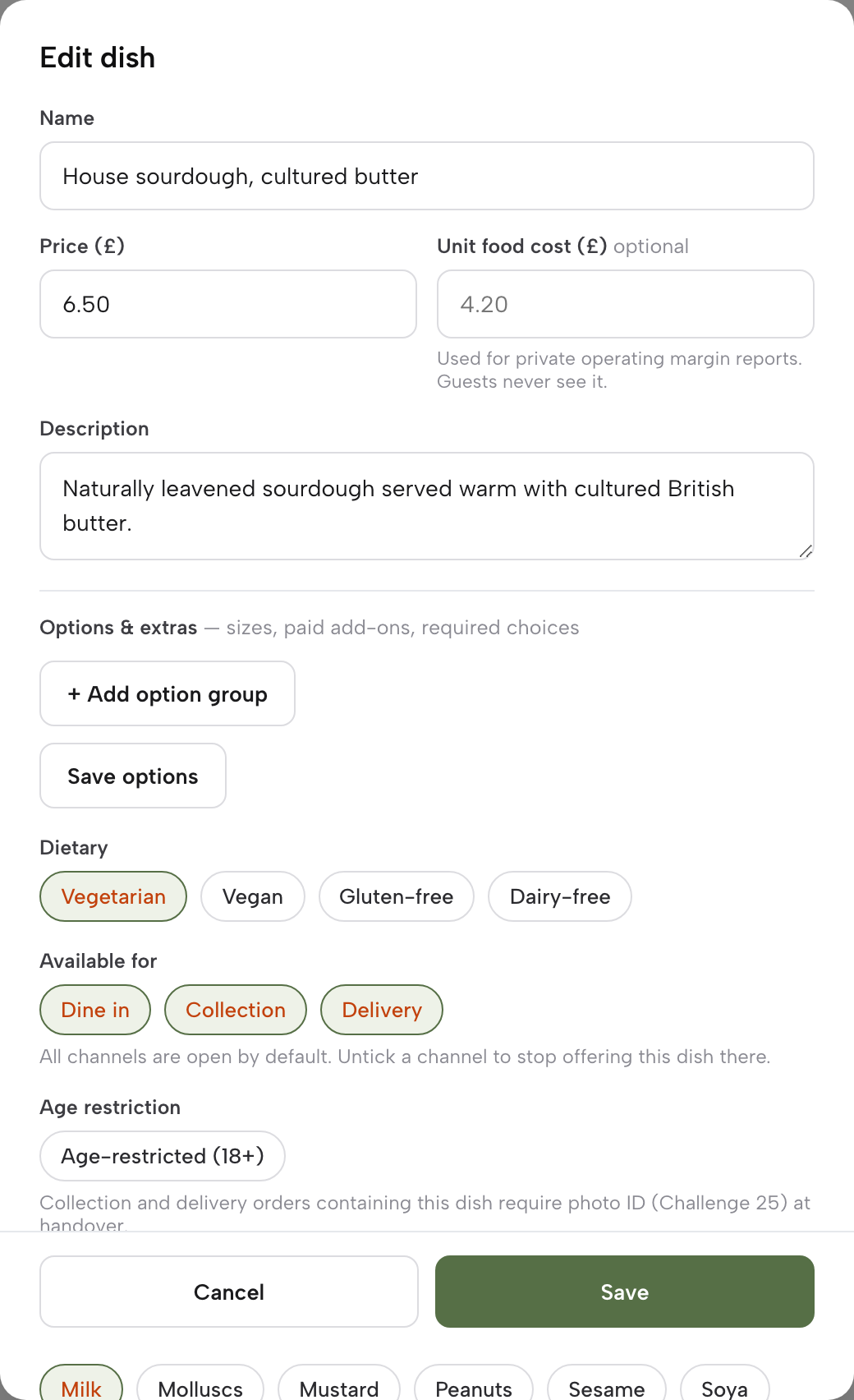
- Step 2: Add the bun, extras and sides
Add a required group for the bun and an optional group for the cheese, and give each paid extra its own price. Write a meal deal as one dish with its own price and required groups for the burger, the side and the drink. Add fries, rings and shakes as dishes of their own.
Step 3 of 1
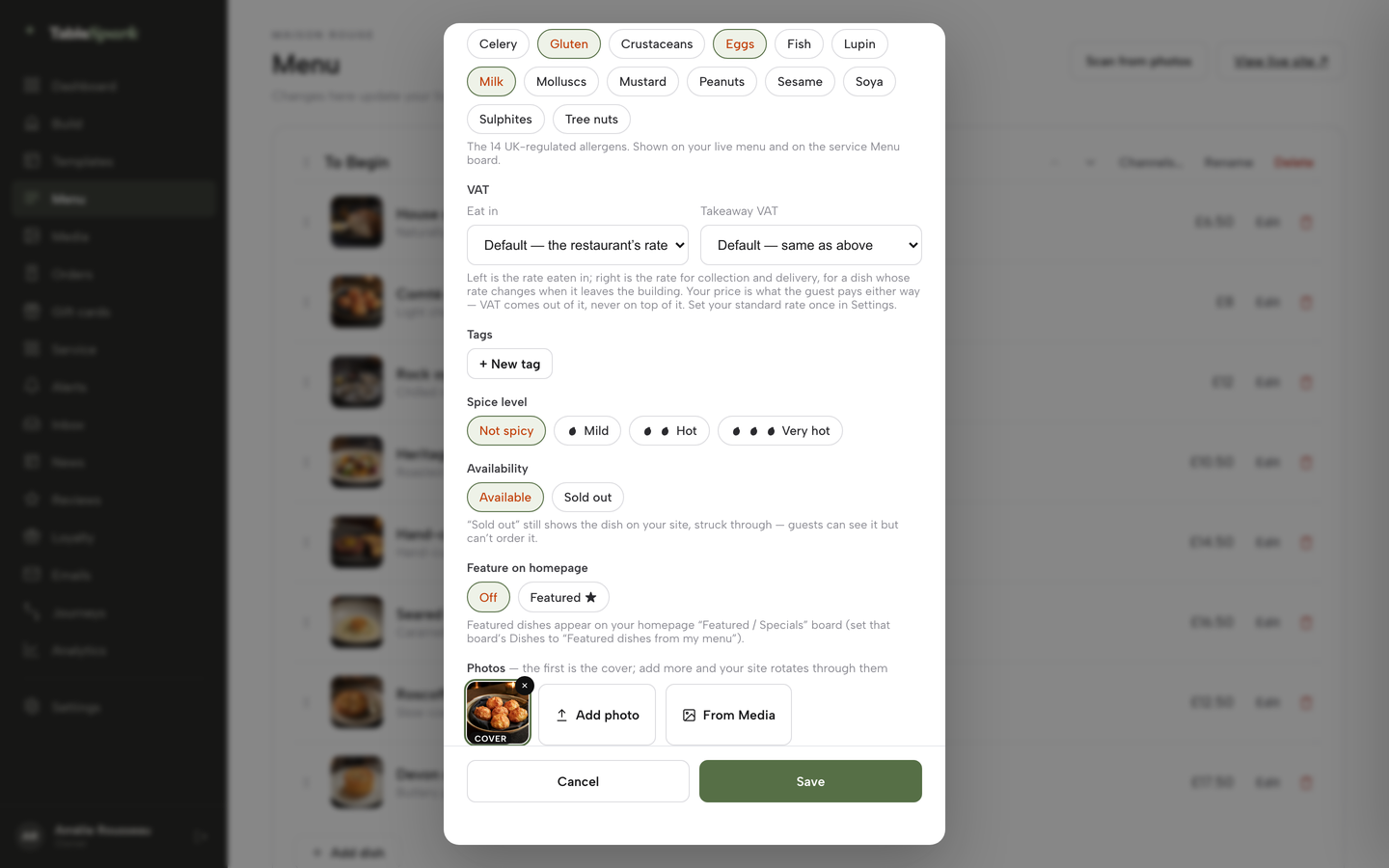
Tick the allergens on every dish
In the dish editor, scroll to the Allergens chips and tick what each dish contains, after checking the recipes and labels, with sesame and gluten for the bun and milk for the cheese and shakes. These show on the live menu.
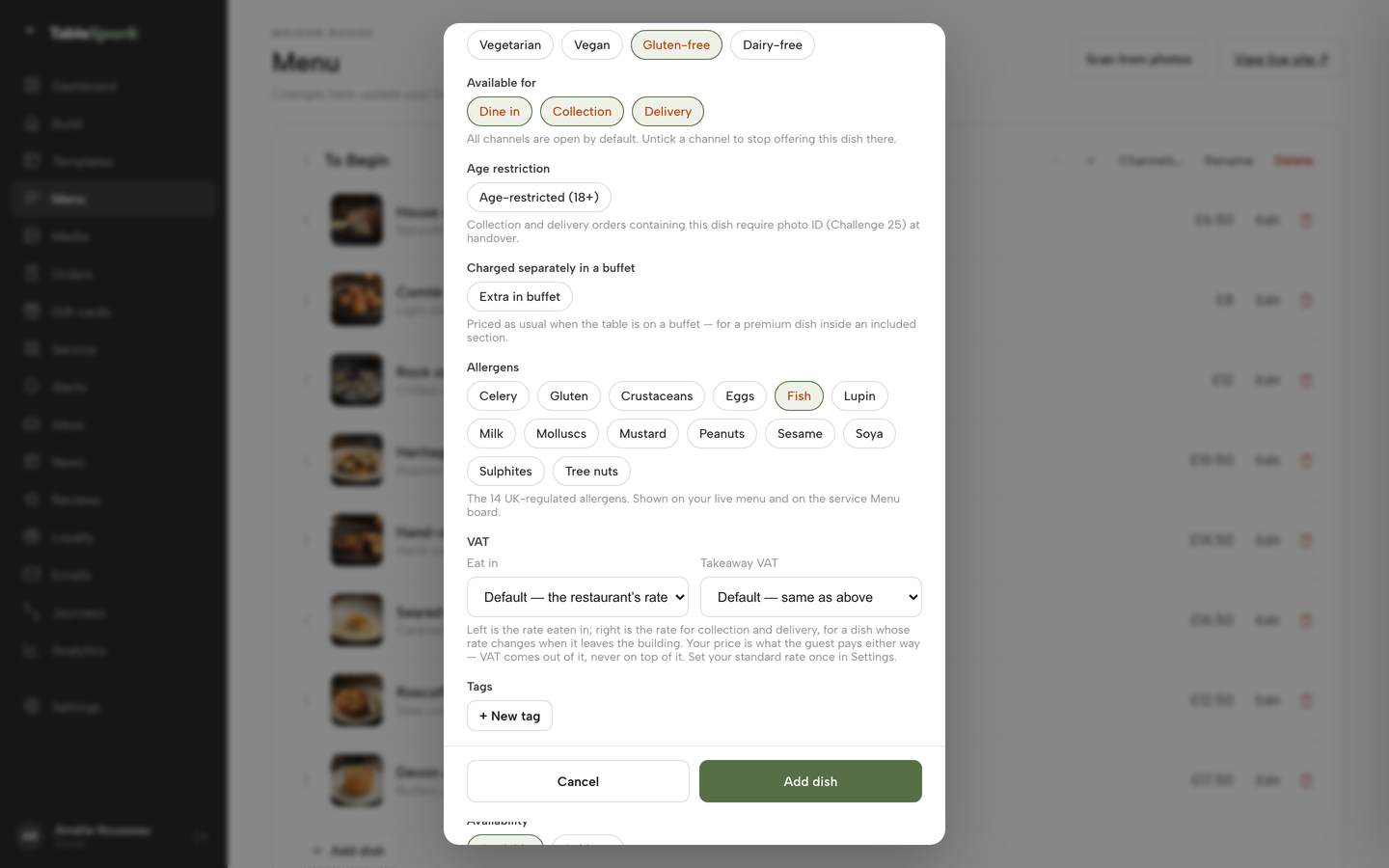
- Step 4: Write the burger message
If the restaurant serves burgers cooked less than thoroughly, paste the Food Standards Agency's recommended wording into the dish description or the burgers section text, so it shows wherever guests order. If every patty is cooked through, say so in the same place.
Step 5 of 1
Switch on ordering
Under Build, open the Order page and add the Order from our menu block. Turn on Offer collection and Offer delivery, and choose a layout.
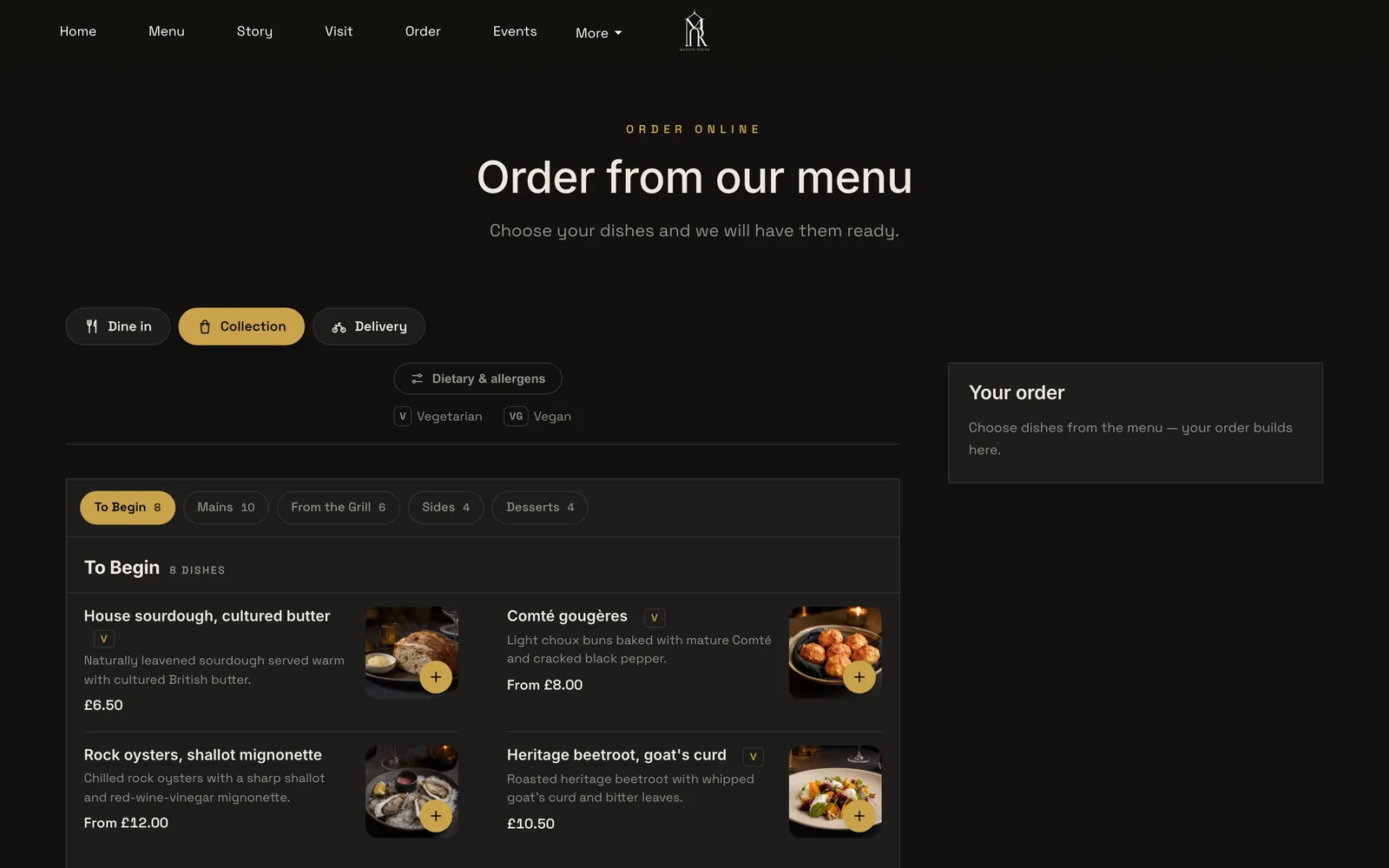
- Set the delivery charge, minimum and cut-off
Choose a Delivery fee mode, Fixed fee or postcode-radius distance tiers, enter a Minimum order, set the Collection cut-off before close, and write a Ready-time note.
- Connect Stripe
Under Settings, Payments, connect the restaurant's own Stripe account so guests can pay by card. Delivery switches on once Stripe is connected.
Step 6 of 3
Use Sold out for what has run out
In the dish editor, under Availability, use the Sold out chip, and set which channels each dish is offered for.
Step 7 of 3
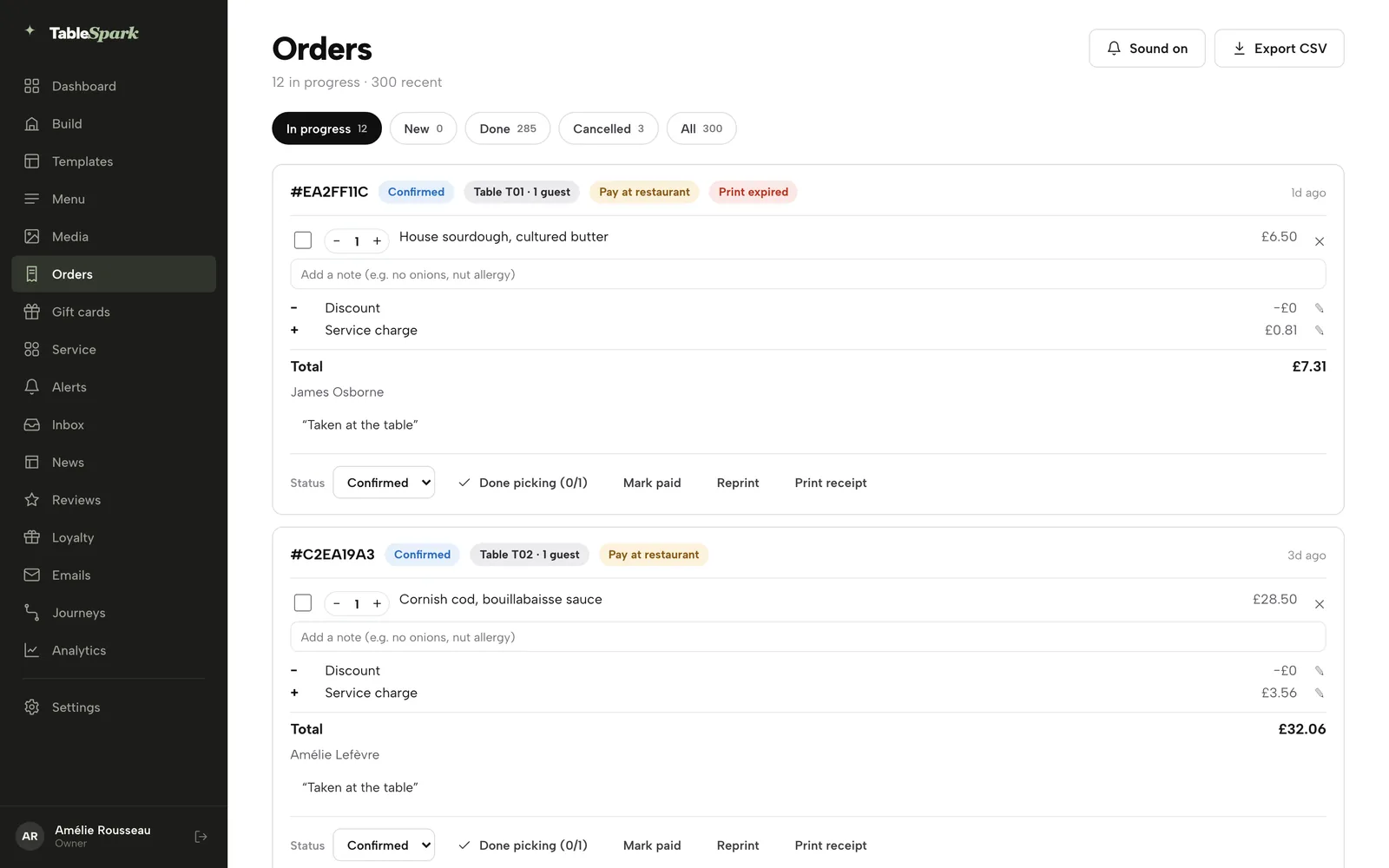
Work the Orders screen
Open Orders in the sidebar. Tickets arrive as cards with a chime, and each moves from New to Confirmed, Preparing, Ready and Done.
Step 8 of 3
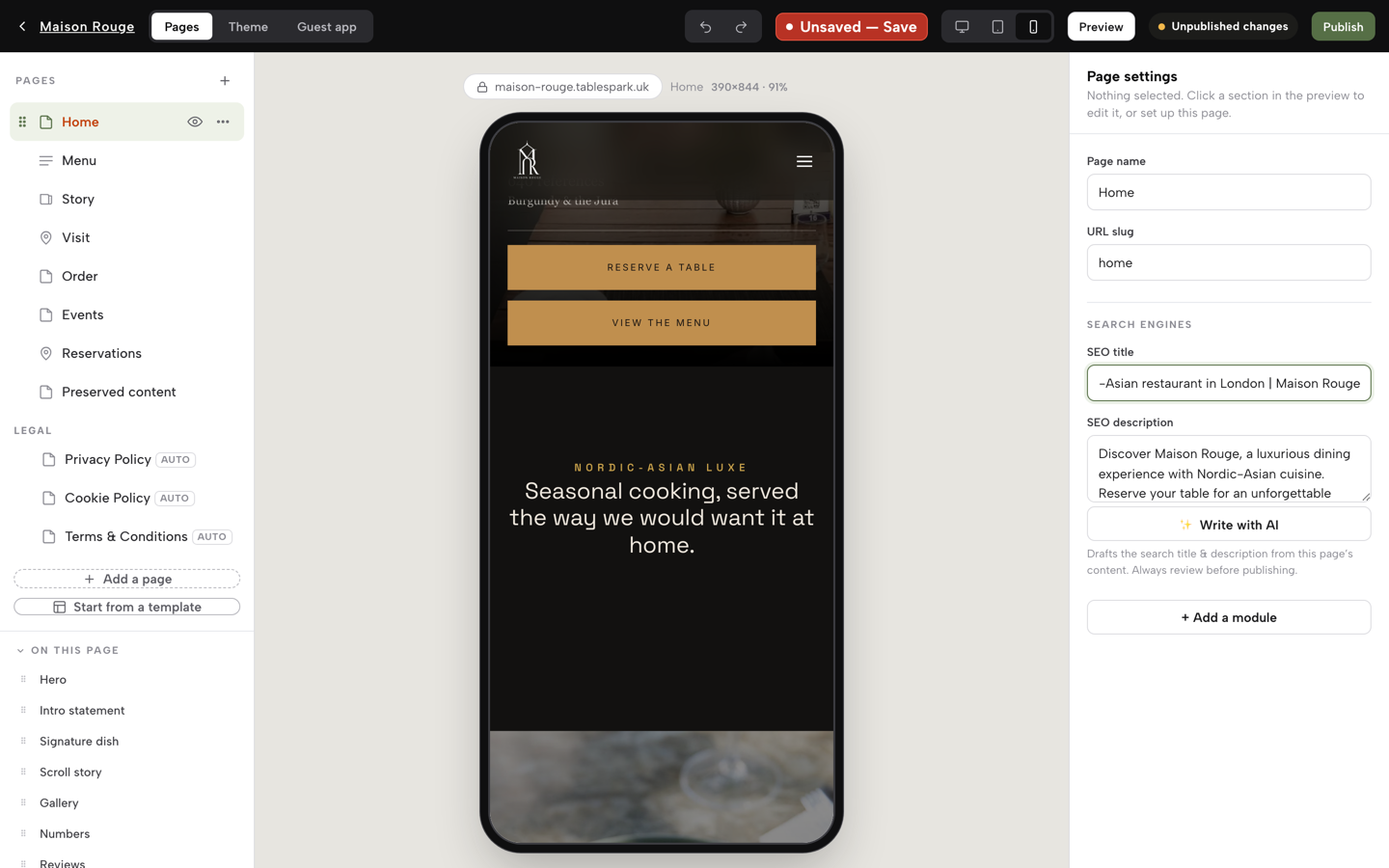
Fill in the search fields and publish
In Page settings, write each page's SEO title and description, then click Publish. TableSpark submits the sitemap on every publish.
Tips
- Put the allergen sheet beside the phone before the first Friday, and print the same text for the bag.
- Re-tick the allergens the same day a bun supplier, sauce or shake syrup changes.
- Keep burgers cooked less than thoroughly off the kids' section, in line with the guidance.
- Mark the shake or the brioche Sold out the moment it runs out, so the ticket never promises it.
- Show the delivery charge in the same form on the menu, the basket and the checkout.
Questions burger restaurant owners ask
Do I need a separate website if I'm already on a delivery app?
A marketplace listing is the marketplace's page, in its format and at its commission. A website of your own is the restaurant's page: its menu, its prices, its allergen text and its guest record, with orders paid into your Stripe account.
How do I list single, double and triple burgers with extras and a meal deal?
Use option groups on one dish: patty count, bun, cheese and paid extras, each required or optional with its own price. Write a meal deal as an ordinary dish with its own price and required groups for the burger, the side and the drink. Fries and shakes can be dishes of their own.
What do I have to tell customers about burgers cooked pink?
The Food Standards Agency says a business serving beef burgers cooked less than thoroughly must inform its local authority beforehand and operate a HACCP-based food safety management system. A consumer message is recommended rather than a legal requirement, and it should be easily visible where food is ordered remotely.
What allergen information must I show online, and is sesame in the buns covered?
Sesame is one of the 14 allergens. For non-prepacked food you must supply information for every item containing any of them. For food sold online or by phone, it must be provided at two stages: before the purchase is completed, and when the food is delivered.
Do I have to show my food hygiene rating on my website?
In Wales and Northern Ireland the guidance states a legal duty to display the rating at or near each customer entrance, and Wales adds a bilingual statement for takeaway menus. In England the guidance encourages displaying it on your website as well as in the window. Check your own nation.
Can I charge a delivery fee, and how must it be shown?
Yes, but the CMA's open letter to online retailers says the first price a customer sees should be the price they pay, so a mandatory delivery charge belongs in the total from the first screen. TableSpark offers one fixed fee or postcode-radius distance tiers.
How many orders a month before my own ordering page pays for itself?
On the worked example here, 19 orders a month pay for the Full plan at £69 a month excluding VAT: each £24 order avoids £4.32 of an illustrative 18% commission and costs £0.56 in card charges. Use your own commission rate and average ticket to repeat the sum.
Will my site show up on Google when someone searches "burger near me"?
A live link is not the same as being indexed. TableSpark writes Restaurant and LocalBusiness schema, the canonical URL, the sitemap and the robots rules, and submits the sitemap to Google Search Console on every publish. Indexing and ranking remain decisions for Google, so no platform can promise a position.
The recommendation
For an independent UK burger restaurant, TableSpark is the best-value and best overall choice for a website that takes orders. A marketplace-only kitchen pays a share of every order from the first Friday. On the worked example of 650 orders a month at £24, an illustrative 18% commission costs £2,808 a month, against £433 for TableSpark Full plus Stripe's standard card rate, excluding VAT. The plan pays for itself at 19 orders a month, and 30% of the orders moving saves £664.20 a month, or £7,970.40 a year.
Starter, from £19 a month excluding VAT, suits a restaurant that wants its menu, hours and search readiness online and takes orders by phone. Full, at £69 a month excluding VAT, adds the ordering page, the kitchen tickets and 0% TableSpark commission.
TableSpark takes 0% TableSpark commission on the bookings and orders the plan includes; Stripe's standard card-processing fees apply to online payments.
Sources
- Food Standards Agency, less than thoroughly cooked beef burgers: guidance for food businesses — UK Government (checked 2026-11-07)
- Food Standards Agency, allergen guidance for food businesses — UK Government (checked 2026-11-07)
- GOV.UK, food labelling: loose foods — UK Government (checked 2026-11-07)
- Food Standards Agency, Food Hygiene Rating Scheme: guidance for businesses — UK Government (checked 2026-11-07)
- Food Hygiene Rating (Wales) Act 2013, section 7 — UK Government (checked 2026-11-07)
- Food Standards Agency, FHRS Food and You 2 report: wave 11 — UK Government (checked 2026-11-07)
- GOV.UK, food business registration — UK Government (checked 2026-11-07)
- CMA, open letter on including mandatory delivery fees in the total price — UK Government (checked 2026-11-07)
- Stripe UK pricing — stripe.com (checked 2026-11-07)
- Flipdish UK pricing — flipdish.com (checked 2026-11-07)
- TableSpark pricing — TableSpark (checked 2026-11-07)
- TableSpark, restaurant online ordering — TableSpark (checked 2026-11-07)
- TableSpark, restaurant website builder — TableSpark (checked 2026-11-07)
- TableSpark tutorial, take online orders — TableSpark (checked 2026-11-07)
- TableSpark tutorial, put your menu online — TableSpark (checked 2026-11-07)
Related reading

 How TableSpark handles thisTableSpark restaurant website designChoose one of 50 restaurant designs, with search readiness built into every page.