 Lin Wanning
One wrong bag and one missing allergen label on Christmas Eve can cost a restaurant a refund, a complaint and a family's dinner.
To sell Christmas takeaway orders, fix one boxed menu, a firm order cut-off, collection windows with a limit on boxes per window, and a label on every box. Take payment in full when the guest orders, show allergen information before purchase and again with the food, show the total price at every step, and write a reheating card the kitchen has tested. Count card fees and any commission before choosing where the orders arrive.
The collection shelf at ten to six on Christmas Eve
Picture a 50-seat independent pub-restaurant on Thursday 24 December 2026. It has sold Christmas dinner boxes for collection since the first week of December, mostly by phone, a few by message, with the orders written in a notebook and on the back of a delivery note. At ten to six, the shelf by the door holds twenty-three bags. Two have a name and no collection time. One has a time and no name. A guest arrives for a box for six that the notebook records as a box for four. Another guest asks whether the stuffing contains nuts. The person on the till was not in the kitchen on Tuesday and does not know.
The kitchen has been packing since seven in the morning. The last half hour is the busiest, because collection windows were never written down and each guest chose the end of the afternoon. Nobody has counted how many boxes the pass can hand over in an hour, so the queue at the door is the capacity plan. Orders taken in the first week of December were paid in cash on collection. Three guests have not turned up. Their boxes are in the walk-in fridge. Nobody has written down what was in each.
This scene is illustrative, not a statistic. Each part of it is a risk with its own rule. The rest of this guide takes them in the order a restaurant meets them.
What the evidence says about the December squeeze
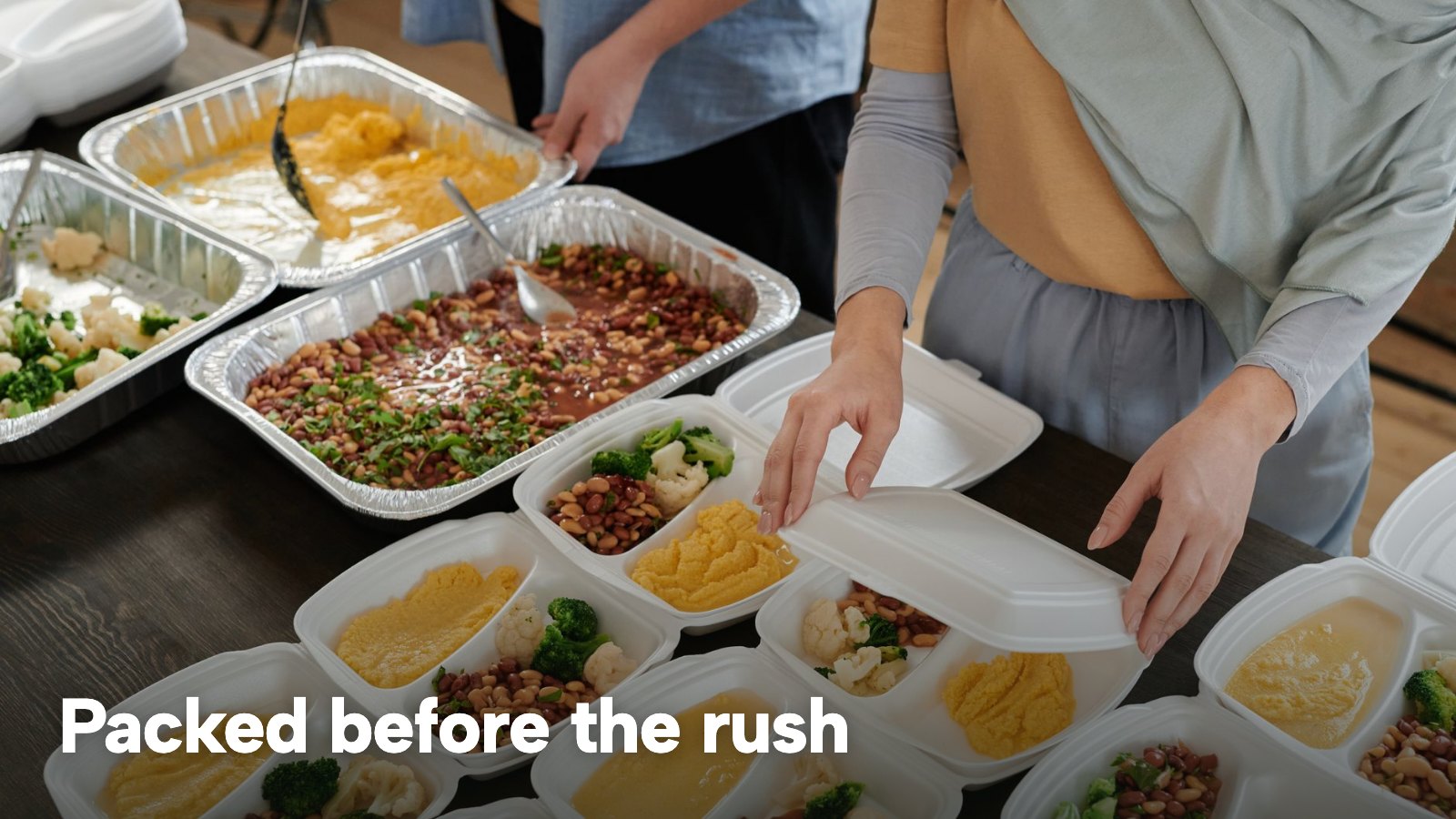
Christmas takeaway demand is not smooth. The best public figures come from a vendor, so they are labelled that way here. Foodhub, an online food-ordering app, published its own research in December 2021 and again in December 2022. A FRY Magazine report of 20 December 2022 quotes it: "A quarter of the UK is set to order a takeaway on Christmas Eve, according to research by online food ordering app Foodhub", with 23% of respondents likely to do so, and the busiest period for ordering on Christmas and New Year's Eve between 6.30pm and 7.30pm. It adds that "Last year, Foodhub experienced a whopping 66% more orders on Christmas Eve and 88% more orders on New Year's Eve compared to the days prior." The Gedling Eye repeated the same press release on 23 December 2021.
Two cautions apply. This is one platform's survey and its own order data from 2021, not an official count. It concerns delivery through that app, not a restaurant's own collection windows. No official UK dataset on Christmas takeaway volumes turned up in the research for this guide. What the figures support is narrow: Christmas Eve is a spike on that platform, with the evening carrying the most, so a restaurant selling boxes should plan for its own demand to bunch and then spread it on purpose.
The second pressure is allergy. The Food Standards Agency's Food and You 2 survey, wave 11 key findings, published on 28 September 2026 (fieldwork 19 May to 7 August 2025; 5,898 adults in England, Wales and Northern Ireland), found that 23% of respondents had a food hypersensitivity. Among them, "There was a notable increase in the percentage of respondents who had experienced a bad or unpleasant food reaction, increasing from 42% in Wave 3 to 59% in Wave 11". The same survey found that 71% of respondents felt comfortable asking staff for more allergy information when eating out. A guest who orders a box on a website has no member of staff to ask. That is this guide's inference, not the survey's finding, but it explains why the information has to be on the order page and in the bag.
The third pressure is price display. On 2 November 2026 the Competition and Markets Authority published an open letter to online retailers about mandatory delivery fees. It says that, as the Christmas shopping period approaches, traders are being reminded to make prices, including delivery fees, clear to customers up front. The letter is addressed to online retailers generally and does not say any enforcement case involved a restaurant. It does show that the regulator is paying attention to the Christmas period and to prices that grow at the checkout.
How Christmas dinner boxes to order actually work
A Christmas box for collection is a small, fixed product sold in a short window. It differs from a normal takeaway menu in five ways. Each one needs a decision before the first order arrives.
- The menu is fixed. The guest chooses a size (for 2, 4 or 6), not a dish. The kitchen cooks one batch per component, not a menu.
- Payment comes first. The guest pays in full when ordering, so the restaurant is not holding food for guests who might not collect.
- Orders stop on a chosen date. The cut-off comes from the kitchen's purchasing and preparation time, not from the calendar.
- Collection is in windows. The restaurant decides how many boxes it can hand over in each window, and arranges the orders so that no window is over.
- Every box carries its own paperwork. An order reference, a name, a collection window, an allergen sheet and a reheating card.
This guide is written for an independent UK restaurant, pub or takeaway that sells for collection. Delivery adds a second set of rules and appears only where it changes a sum.
Christmas dinner takeaway for a restaurant: what to sell
The first decision is the product. A restaurant that normally serves a full menu should resist putting the full menu in a box. Three boxes of a single fixed menu is a product the kitchen can cook in batches, the guest can understand in ten seconds, and the website can show on one screen.
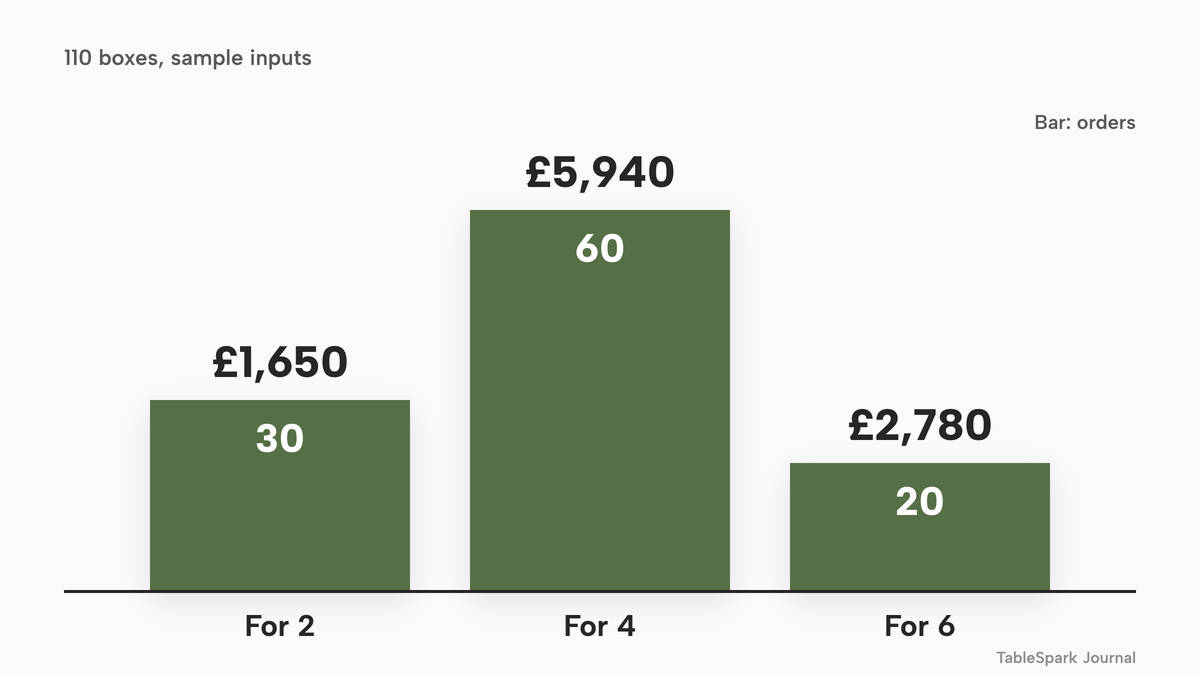
The worked example in this guide uses an illustrative 50-seat pub-restaurant that sells three boxes, for collection only, paid in full at order. Every input below is an assumption for the example, not a benchmark.
| Working | Result | |
|---|---|---|
| Box for 2 at £55 | 30 orders x £55 | £1,650 |
| Box for 4 at £99 | 60 orders x £99 | £5,940 |
| Box for 6 at £139 | 20 orders x £139 | £2,780 |
| All boxes | 30 + 60 + 20 orders; £1,650 + £5,940 + £2,780 | 110 orders, £10,370 |
| Average order | £10,370 / 110 | £94.27 |
Each order is one box, so 110 orders is 110 boxes. The average order is £10,370 divided by 110, which is £94.27. The box for 4 carries 60 of the 110 orders, which is why the example treats it as the box the kitchen should be best at.
Two product choices make the plan easier to run. Offer sizes, not choices: a box with one starter, one main, one dessert and a named list of sides produces one ticket line and one label, and a vegetarian version is cleaner as a separately labelled fourth box than as an option inside the other three. And name every component on the order page, because guests searching for Christmas dinner boxes to order want to know what is in the box, and the ingredient list and the 14 allergens are also what the law asks for.
When to stop taking Christmas pre-orders: the cut-off date
The order cut-off is the single decision that decides whether the rest of the plan works. It should come from the kitchen, not from the calendar. Work backwards from the first collection day.
Suppose, for illustration, that the butcher needs five days' notice for a large order and the kitchen needs two days to prepare, portion and chill. That is seven days. The first collection day is Wednesday 23 December 2026, so the last day to take orders is Wednesday 16 December (23 minus 7). The restaurant tells guests that boxes can be ordered until the end of Wednesday 16 December, and marks the boxes sold out when the cut-off passes. Each restaurant should replace the five and the two with its own supplier and kitchen lead times.
Christmas Day 2026 falls on a Friday, so 23 December is a Wednesday and 24 December is a Thursday. GOV.UK's bank holiday list for England and Wales shows Christmas Day on 25 December and Boxing Day on Monday 28 December. A restaurant that closes on the Friday has two collection days and no spare day.
Write the date in the box name, for example "Christmas dinner box for 4, order by Wednesday 16 December", and repeat it on the confirmation, so the restaurant has a date to point to when someone asks on the 18th. Setting the sellable total a little below what the kitchen can make also leaves room for the one phone order the restaurant will not want to refuse.
The same pattern applies to a group pre-order attached to a table booking, which is a different product with its own cut-off logic. The restaurant pre-order system guide covers it. For the dine-in side of December, Christmas bookings for restaurants and pubs covers parties and deposits. This guide is about the boxes that leave the building.
Collection windows: how many Christmas boxes the kitchen can hand over an hour
A collection window is a half-hour in which a guest comes to the door. The restaurant's own cap is the number of boxes it can hand over in it. The number comes from the slowest step, which is usually the pass and the till, not the oven.
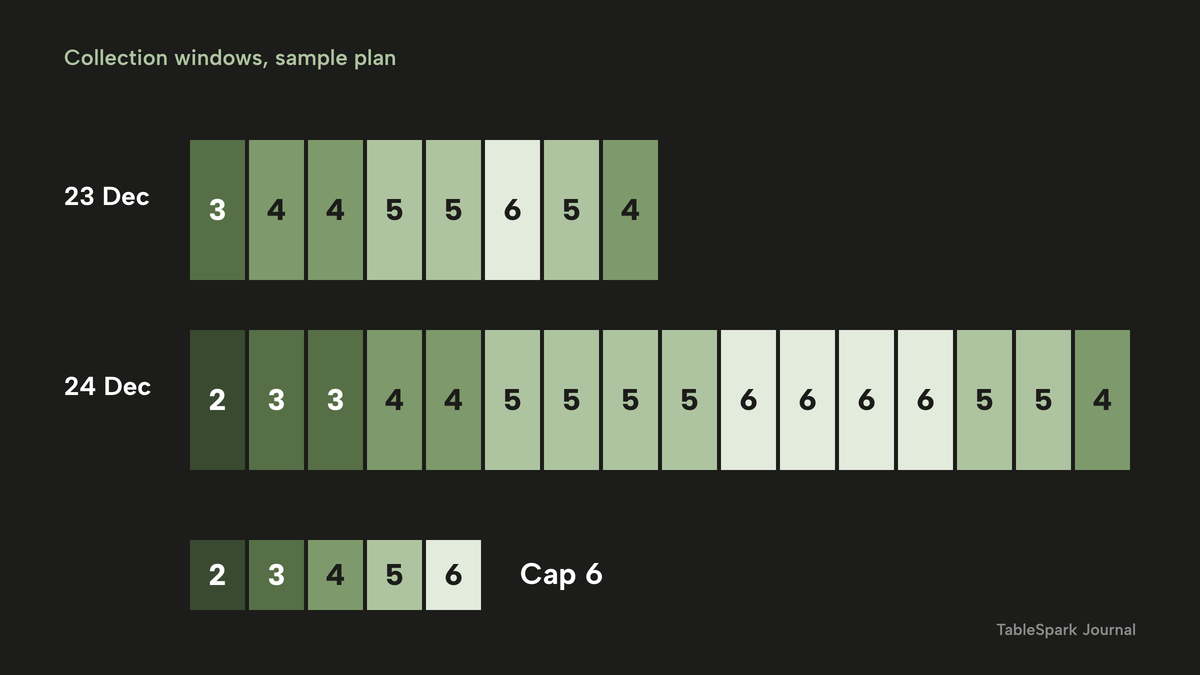
The example uses 24 half-hour windows. On Wednesday 23 December, collection runs from 14:00 to 18:00, which is 8 windows. On Thursday 24 December it runs from 10:00 to 18:00, which is 16 windows. That is 8 + 16 = 24 windows. The restaurant caps each window at 6 orders, so the plan holds 24 x 6 = 144 places. With 110 orders, the average is 110 / 24 = 4.6 orders a window, and the plan is 110 / 144 = 76% full. In hours, that is 12 hours of collection across two days (4 + 8), or about 9.2 boxes an hour on average (110 / 12) against a cap of 12 an hour (6 per window, 2 windows an hour).
The plan closes at 18:00, which leaves the evening for the restaurant's own service.
The sample plan spreads the orders so that no window passes its cap. The planned orders per window, in order, are 3, 4, 4, 5, 5, 6, 5 and 4 on the 23rd (36 in all), and 2, 3, 3, 4, 4, 5, 5, 5, 5, 6, 6, 6, 6, 5, 5 and 4 on the 24th (74 in all), with 36 + 74 = 110. In two-hour blocks, the load looks like this.
| Time | Windows | Planned orders | Places at 6 a window |
|---|---|---|---|
| Wed 23 Dec, 14:00 to 16:00 | 4 | 16 | 24 |
| Wed 23 Dec, 16:00 to 18:00 | 4 | 20 | 24 |
| Thu 24 Dec, 10:00 to 12:00 | 4 | 12 | 24 |
| Thu 24 Dec, 12:00 to 14:00 | 4 | 19 | 24 |
| Thu 24 Dec, 14:00 to 16:00 | 4 | 23 | 24 |
| Thu 24 Dec, 16:00 to 18:00 | 4 | 20 | 24 |
The two-hour block from 14:00 to 16:00 on the 24th, with 23 of 24 places used, is the tightest. A restaurant that sees a block like that in its own plan should move some orders earlier by phoning the guests concerned, not wait for the queue to form.
A restaurant can run this as its own operating plan with a few ordinary tools: a capacity sheet with one line per window, a name and an order reference against each place, and a note on the ticket. How the windows reach the guest is a decision for the restaurant. The simplest way is a message after the order that confirms the window, using the name, phone number and email that the collection order already records. Guests who ask for a window in the note on the order get the nearest one with space. The sheet shows what is left.
A box that is sold out is the honest cap. When the kitchen has made, or has the stock to make, the last box on the plan, the dish is marked sold out. The guest can no longer order it. That is a better answer than overselling and refunding a guest on the 23rd.
Paid in full at order: cancellation, refunds and what the regulation says
Taking payment in full when the guest orders is the simplest protection for a boxed menu. It removes the guest who does not turn up. It also raises the question every owner asks: can the guest cancel and get the money back?
The Consumer Contracts (Information, Cancellation and Additional Charges) Regulations 2013 deal with cancellation, and regulation 28(1), headed "Limits of application: circumstances excluding cancellation", lists the circumstances in which that Part does not apply. Two limbs matter for a Christmas box. Regulation 28(1)(c) lists "the supply of goods which are liable to deteriorate or expire rapidly". Regulation 28(1)(h) lists "the supply of accommodation, transport of goods, vehicle rental services, catering or services related to leisure activities, if the contract provides for a specific date or period of performance."
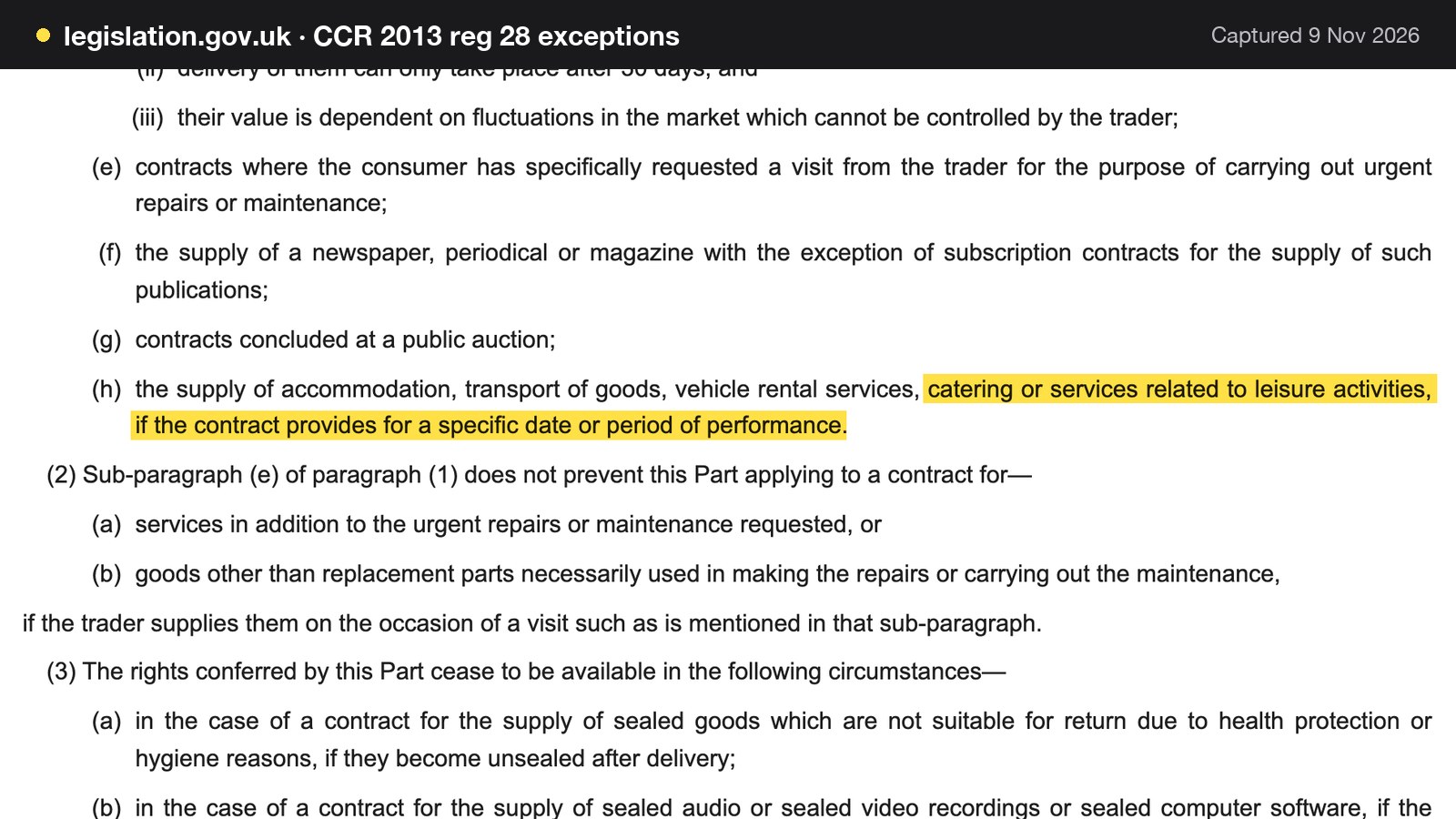
The point to take from the text is that the exception in limb (h) turns on the contract providing for a specific date or period of performance. A box order that states the collection date or window is a contract that provides for one. Whether a particular box counts as catering, or as goods liable to deteriorate rapidly, is a legal question this guide does not answer. Regulation 28(1)(b) also covers goods "made to the consumer's specifications or are clearly personalised", which is a third possible limb for a customised box and does not apply to a fixed menu in three sizes.
This is a summary of public law and official guidance as published on 9 November 2026, not legal advice; check the current position, or take advice, before acting on a specific case.
Two practical rules follow from the text, whichever way a dispute would go. State the terms before payment: paid in full at order, collection on a stated date and window, and what the restaurant does if it is unable to supply the box. And refund when the restaurant is at fault, keeping the order reference, date, window and payment as one record.
The guide to changing an online order after the cut-off goes into this regulation at more length, including what happens when a guest asks to change a paid order near the date.
Allergens and labels on Christmas boxes
Allergen information is where a boxed Christmas menu is most likely to fall between two rules. Which rule applies depends on when the box was packed and how it was sold, so the first step is to separate the two cases.
The box that was packed before anyone ordered it
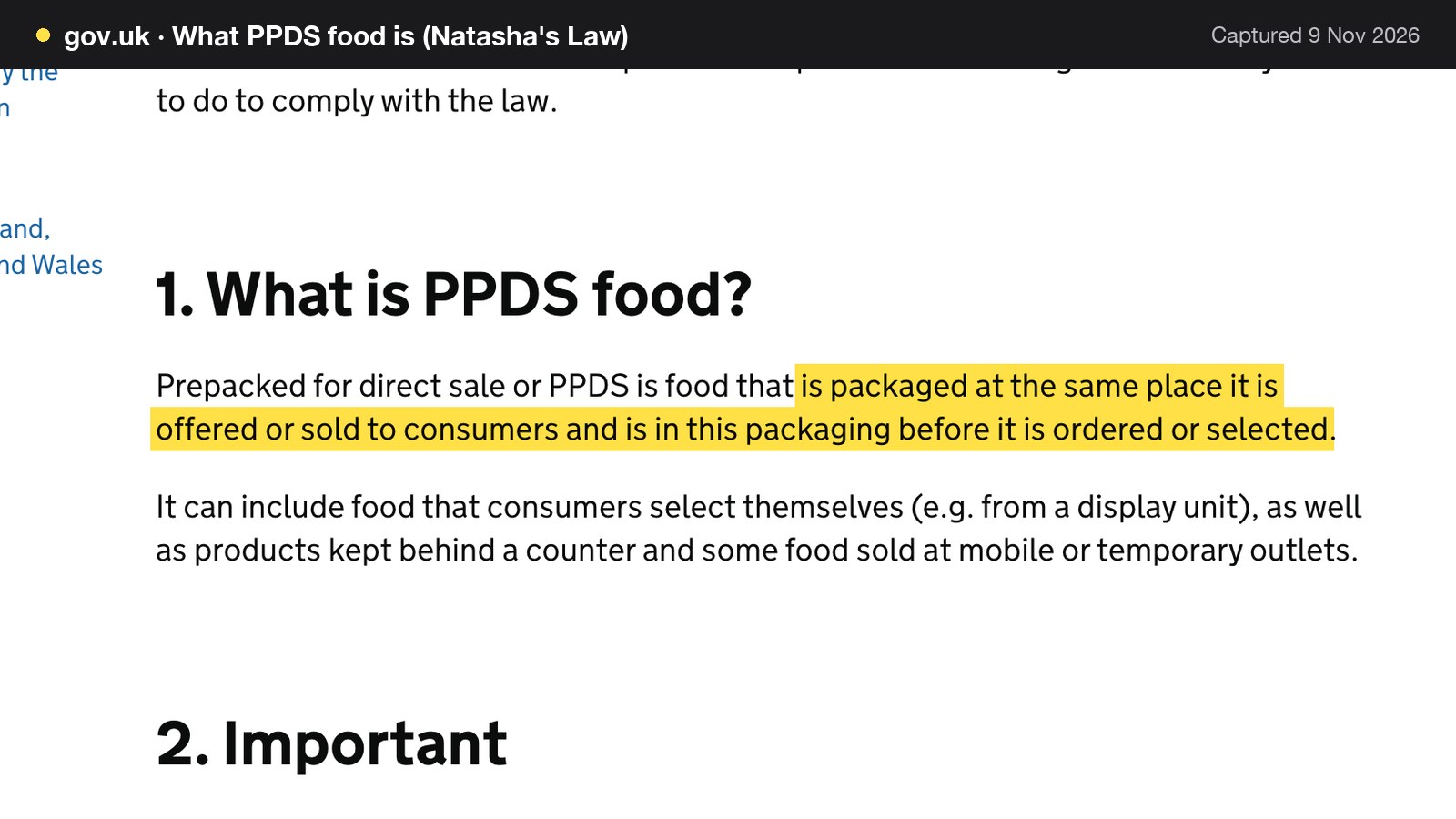
The Food Standards Agency calls this prepacked for direct sale, or PPDS. Its guidance defines it: "Prepacked for direct sale or PPDS is food that is packaged at the same place it is offered or sold to consumers and is in this packaging before it is ordered or selected."
A business that produces PPDS food must label it with the name of the food and a full ingredients list, with allergenic ingredients emphasised within the list. The FSA says emphasis can be added by using bold type, capital letters, contrasting colours or underlined text. The rules have applied since 1 October 2021. The pages read for this guide cover England, Northern Ireland and Wales, and the Scottish position was not checked. Owners in Scotland should check with Food Standards Scotland.
Food that is made to order, or put into packaging at the guest's request, is not PPDS. A pub that cooks a box on the day, after the order, and packs it for the guest is not producing PPDS food. A pub that packs thirty boxes on the morning of the 24th and sells any spares at the counter to whoever walks in is selling PPDS food on that sale.
The box that was sold online or by phone
A box that a guest orders on a website or by phone is sold at a distance. The FSA's rule for that is different. The change to PPDS labelling "does not apply to PPDS food sold by means of distance selling, such as food that can be purchased over the phone or on the internet." Instead, the FSA's allergen guidance says that "allergen information must be provided at two stages in the order process".
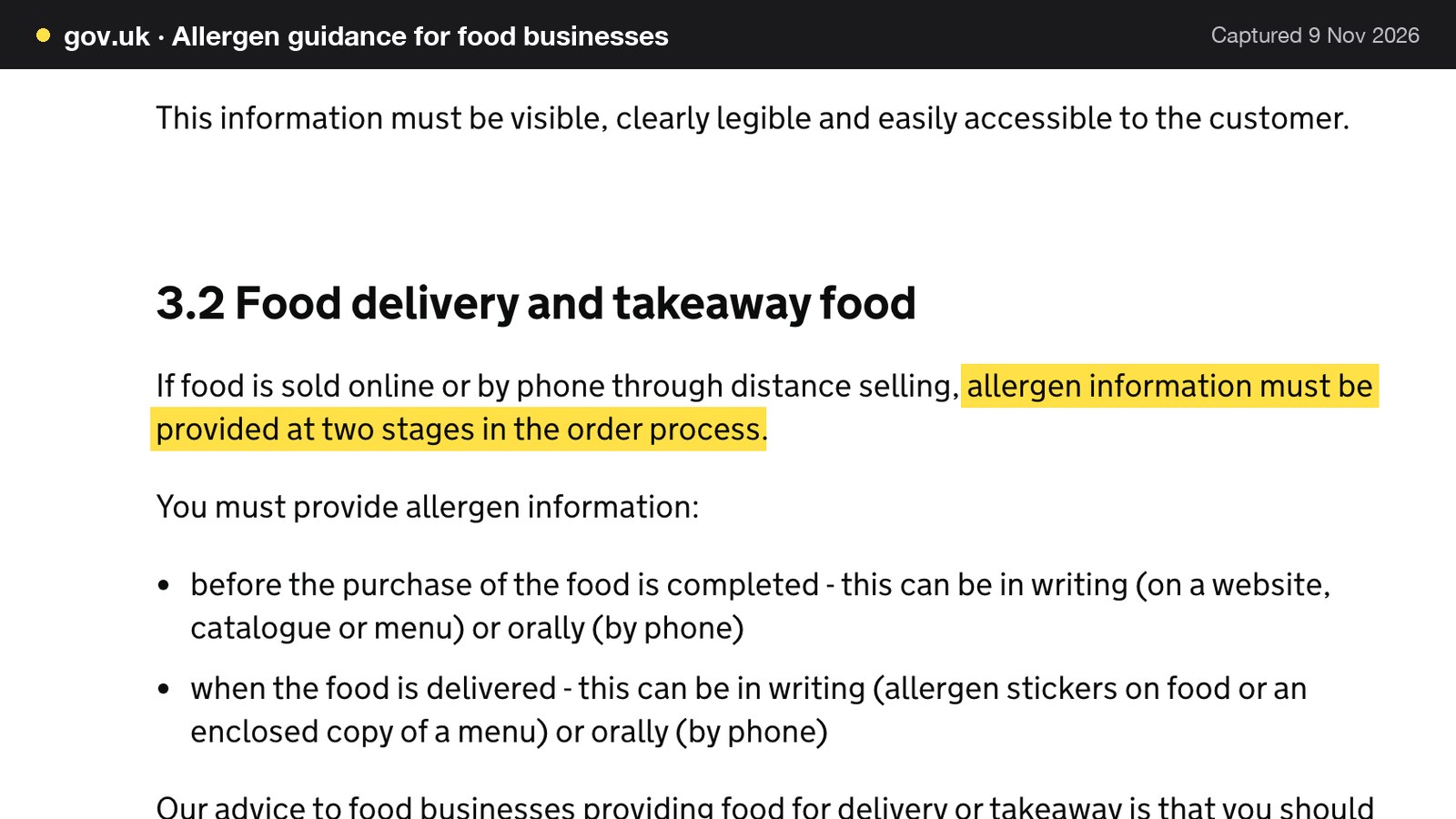
The two stages are before the purchase is completed, which can be in writing on a website, catalogue or menu or orally by phone, and when the food is delivered, which can be allergen stickers on the food, an enclosed copy of a menu, or orally by phone. The technical guidance adds that the information must be provided without extra charges to the customer, such as premium-rate phone lines. This guide does not say PPDS labelling applies to online orders, because the FSA says it does not. It also notes that the technical guidance says the ingredients-list requirement does not apply to PPDS food sold online, by phone or by mail order only.
What this means for the kitchen
The FSA says that businesses "may decide that it is easier to label all products rather than distinguish between distance and non-distance sales." For a restaurant that packs boxes ahead and sells some at the counter and some online, that is the safest working rule: put the name, a full ingredients list with the allergens emphasised, and the order reference on every box.
That is a business decision, not a legal requirement. The legal requirement is the one that matches the sale. The FSA also gives a plain instruction: "Takeaway meals should be labelled clearly so customers know which dishes are suitable for those with an allergy." For food that is not prepacked, the FSA's rule is that a business must supply allergen information for every item that contains any of the 14 allergens, including food from a takeaway. Its advice, which is best practice and not law, is to make written allergen information available both before the food is ordered and when it is delivered.
The practical set is short: the order page shows the ingredients and allergens for every component, and a printed allergen sheet goes in every bag with the box name and reference, so the second stage is met at collection.
For the wider question of building the allergen matrix for a whole menu, see the restaurant allergen menu guide.
Show the total price on the order page
The CMA letter's central sentence is a short one: "The first price consumers see should be the price they pay." It is a line for a restaurant to pin up near the till.
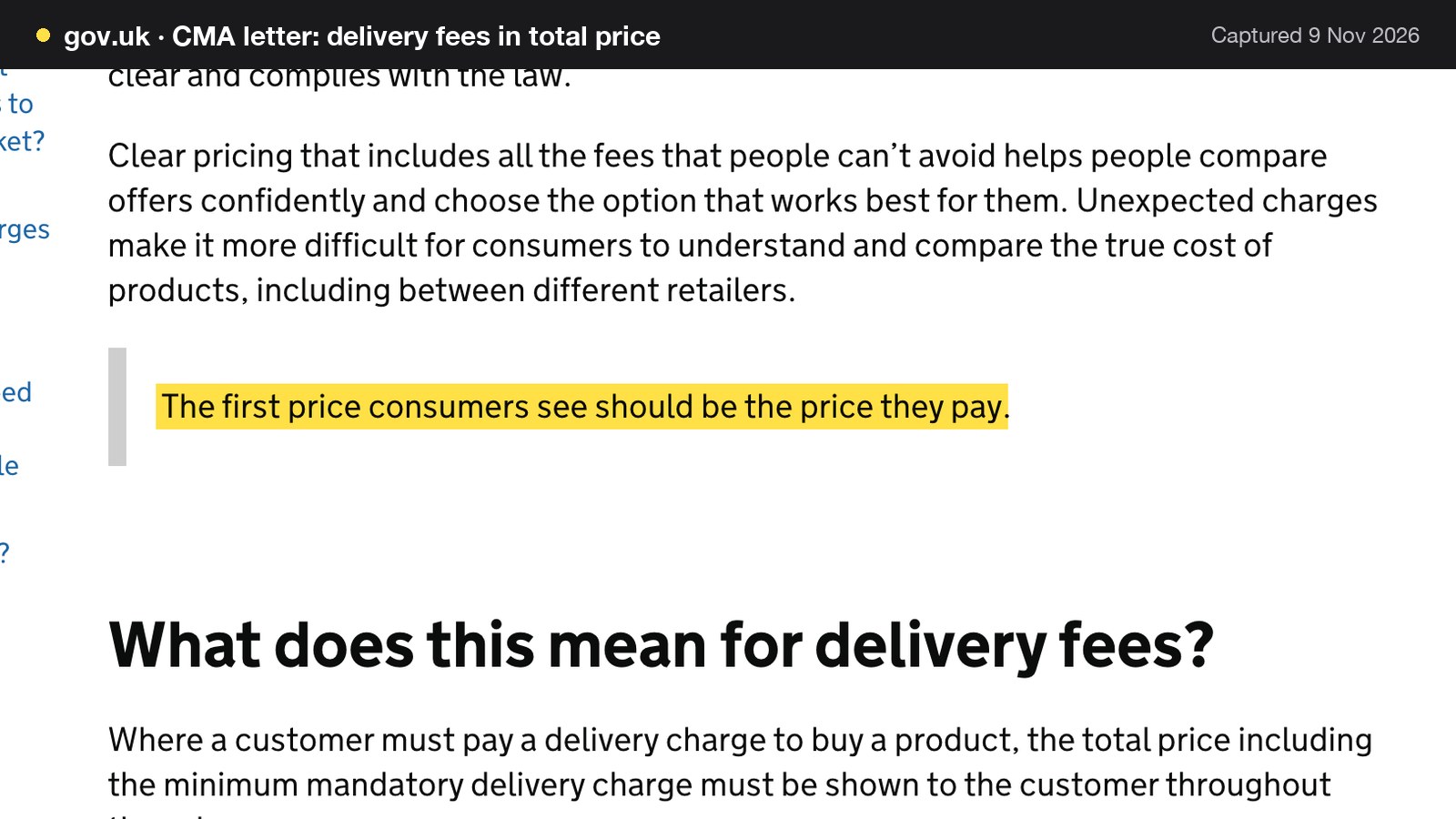
The letter, published on 2 November 2026, says that where a customer must pay a delivery charge to buy a product, "the total price including the minimum mandatory delivery charge must be shown to the customer throughout the sales process", and that the Digital Markets, Competition and Consumers Act requires that if a price is being provided to a consumer, it "must be the total price, including mandatory delivery or collection fees". The total price must be provided at every stage where a price is given, including advertising, product pages, carts and baskets, checkout and payment pages. Where a retailer has optional delivery charges, it "must tell customers clearly throughout the process that these charges apply".
For a restaurant selling Christmas boxes, a box with a mandatory packaging or collection charge is priced with it in the headline number, a delivery option with a minimum mandatory charge shows the total from the first price a guest sees, and the poster, the social post and the order page quote the same number.
The letter reports that the CMA has "already enforced the rules on drip pricing against 4 businesses, imposing fines totalling more than £5.1 million and securing more than £1.35 million in refunds for affected consumers." It is addressed to online retailers in general, and the letter does not say those cases were restaurants. The CMA's price transparency summary says it is illegal to hide additional fees, taxes or other charges until later in the purchase process, and that a business can be fined up to 10% of its turnover or £300,000, whichever is greater. A Christmas box shown at £99 on the poster and at a higher total at the checkout is the pattern that guidance is written about.
Reheating and storage instructions for the guest
A box that the guest reheats at home needs a card with instructions, and the card needs to be right. The official guidance gives one clear principle and leaves the detail to the kitchen that made the food.
The GOV.UK guidance for businesses on cooking says: "Reheating means cooking food again, not just warming it up. Reheat food until it is steaming hot all the way through. You can only reheat food once."
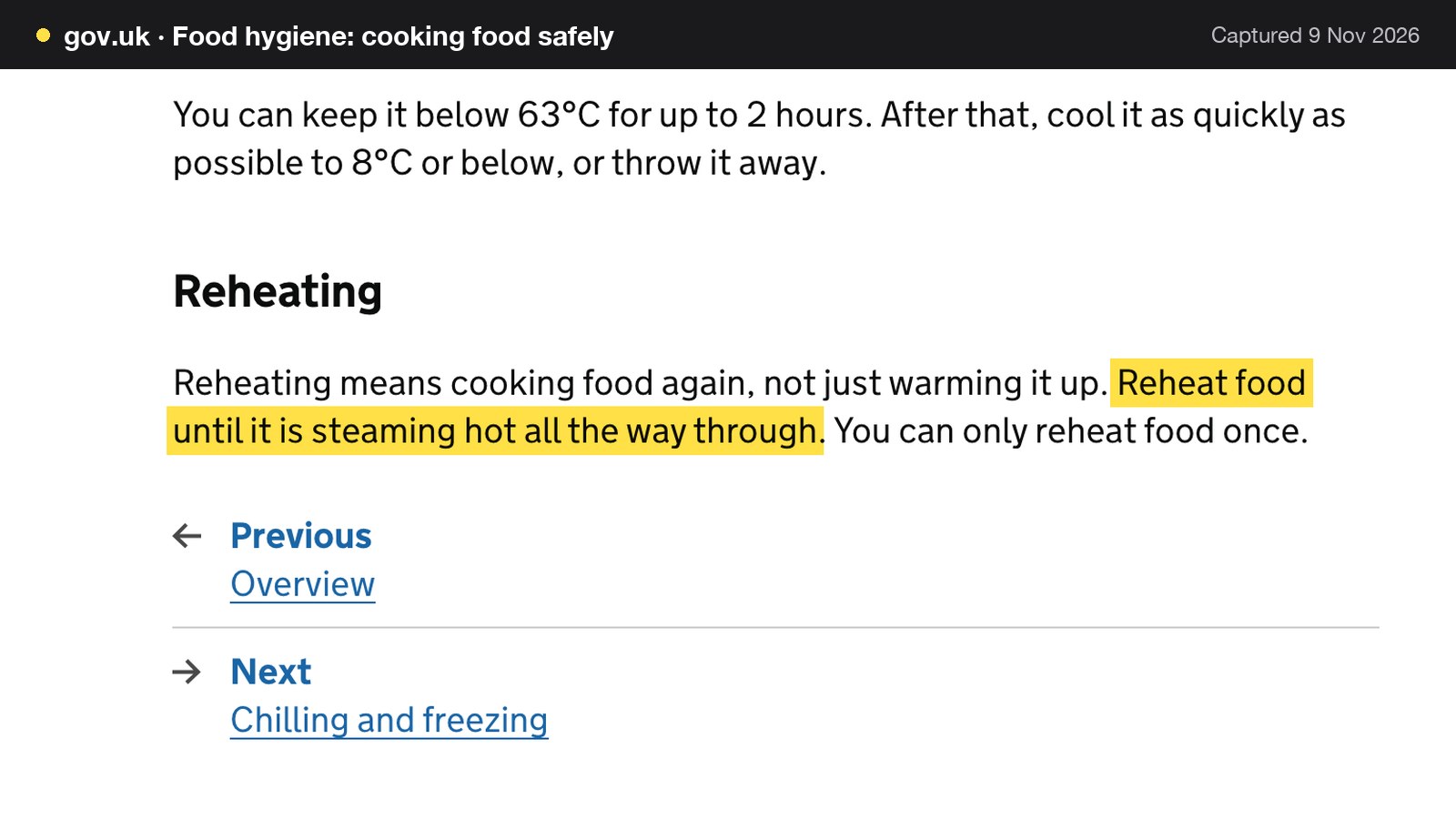
That page is for businesses. No official guest-facing reheating times for a Christmas box were found while researching this guide. So this guide gives no oven temperature or minutes. The kitchen that made each component tests the reheating and writes the instruction on the card in the box. The card says, in the restaurant's own words, how to reheat each component until it is steaming hot all the way through, to reheat once, and what to do with leftovers.
For the restaurant's own side, two storage rules apply. GOV.UK says chilled food must be kept at 8°C or below, which is a legal requirement in England, Wales and Northern Ireland and recommended in Scotland, and that chilled food can stay out of the fridge for up to four hours, after which it must be thrown away. For hot food, the same guidance says it can be kept below 63°C for up to 2 hours, after which it must be cooled as quickly as possible to 8°C or below, or thrown away. On the 23rd and 24th, boxes that wait for collection may be on that clock, in this guide's reading, so the run sheet below keeps chilled boxes in the fridge until their window.
One more line for a pub or café that is adding takeaway for the first time. GOV.UK's food business registration page says you must register with your local authority to run a food business, that the page covers businesses trading online or through distance selling, and that registration is required at least 28 days before trading. A kitchen that is already registered should ask its local authority whether anything changes. The page read does not cover that case.
What Christmas takeaway orders cost: 110 boxes, three routes
The cost question is where a Christmas box plan is won or lost. The sums below use the 110 orders and £10,370 above. Every rate is tied to a published page. Every sum is written out.
The card fee is the same on every route that uses your own card account
Stripe's published UK rates are 1.5% + 20p for standard UK cards, 2.8% + 20p for premium UK cards and 2.5% + 20p for EU cards, with a £20.00 fee for each dispute received. The example assumes every guest pays with a standard UK card.
| Working | Result | |
|---|---|---|
| Percentage part | 1.5% x £10,370 | £155.55 |
| Fixed part | 20p x 110 orders | £22.00 |
| Card fees, standard UK cards | £155.55 + £22.00 | £177.55 |
| Card fees if every card were premium | (2.8% x £10,370 = £290.36) + £22.00 | £312.36 |
Route one: a marketplace at an illustrative industry-average commission
No current published marketplace commission rate was read for this research, so no named marketplace rate is used here. The example uses 18%, which is the default order commission rate in the calculator on TableSpark's pricing page. The calculator says its sliders start from typical industry averages and tells owners to replace every one with the figures on their own contract or invoice. It is an editable industry average, not any named provider's quote, so check your contract.
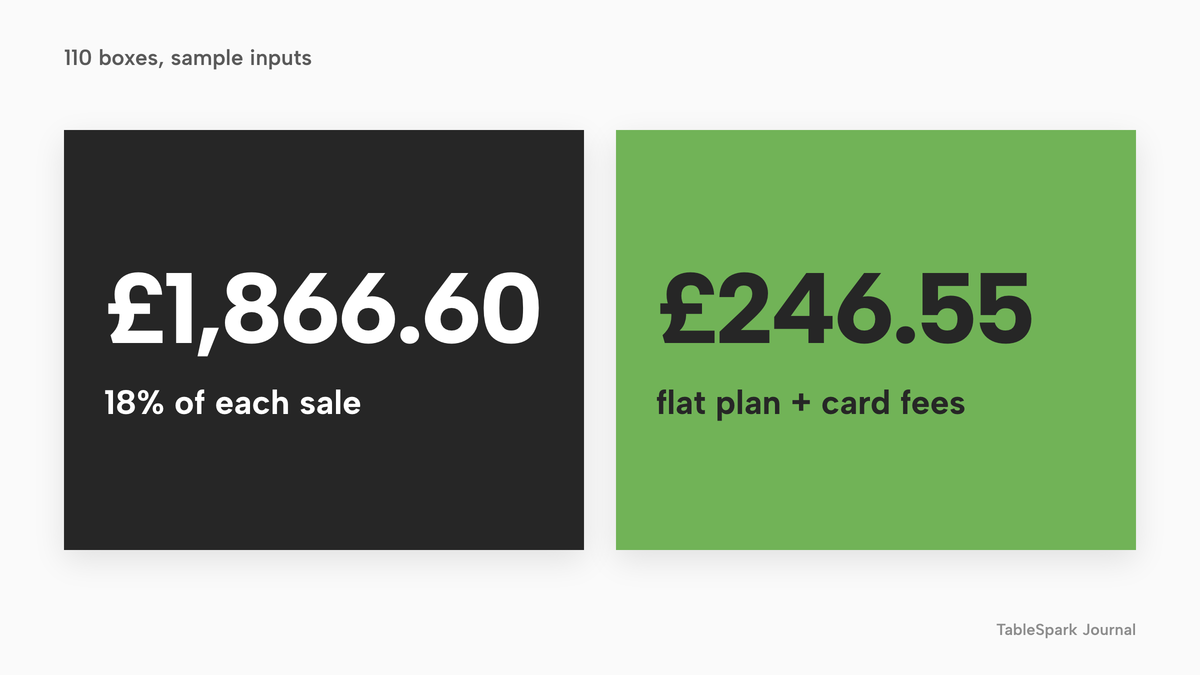
18% of £10,370 is £1,866.60. The example adds no card fees on top, on the assumption that the commission covers them; a real contract may differ. The restaurant keeps £10,370 - £1,866.60 = £8,503.40, before food cost and labour.
Route two: a store builder
Shopify's UK pricing page shows a Basic plan at £25 a month on monthly billing, with an online card rate of 2% + 25p. For 110 orders, the percentage part is 2% x £10,370 = £207.40, the fixed part is 25p x 110 = £27.50, and the total is £25 + £207.40 + £27.50 = £259.90. That is before any pre-order or collection-slot app, whose price was not read, and before whatever the restaurant needs to show allergens and handle kitchen tickets. Shopify is a general store builder, so those restaurant functions depend on what is added to it.
Route three: the restaurant's own site on a flat plan
TableSpark's Full plan, which carries online ordering at 0% TableSpark commission, is £69 a month excluding VAT. The December cost for 110 boxes is £69 excluding VAT plus Stripe's £177.55, which is £246.55 with the plan excluding VAT. The restaurant keeps £10,370 - £246.55 = £10,123.45, before food cost and labour. If every card were premium, the Stripe part would be £312.36 and the total would be £69 + £312.36 = £381.36 with the plan excluding VAT, which is still well under the marketplace figure.
| Working | Result | |
|---|---|---|
| Marketplace, 18% illustrative industry average | 18% x £10,370 | £1,866.60 |
| Store builder, Basic monthly | £25 + £207.40 + £27.50 | £259.90 |
| TableSpark Full excluding VAT, plus card fees | £69 + £177.55 | £246.55 |
| Marketplace minus TableSpark Full | £1,866.60 - £246.55 | £1,620.05 |
| Break-even against 18% commission | £69 excluding VAT / 0.18 | £383.33 of sales |
| Break-even in boxes | £383.33 / £94.27 | about 4 orders |
The difference for the month is £1,620.05. The break-even line shows how quickly a flat plan pays for itself: at 18%, the £69 plan price, excluding VAT, equals the commission on £383.33 of sales, which is about 4 orders at the average of £94.27 (383.33 / 94.27 = 4.07).
A restaurant that already pays for Full all year adds only the Stripe fee in December. A restaurant that runs a Christmas-only month pays one month at £69 excluding VAT.
What the three prices are not
- Charged per
- Site
- Online ordering at 0% TableSpark commission
- Stripe card fees apply
- table QR ordering
- kitchen ticket printing
- unlimited marketing emails
- up to 5 sites
- Charged per
- Store
- 2% + 25p on online card payments
- pre-order and collection-slot apps not read
- restaurant allergen display not read
- Charged per
- Order
- Commission on each order
- editable default on TableSpark's pricing calculator
- check your contract
These prices are separate charging structures, not like-for-like prices, because providers charge for different things. A flat monthly plan and a percentage of each order grow differently: the plan stays at £69 excluding VAT whether the month has 20 boxes or 200, while a percentage grows with every box.
The run sheet for 23 and 24 December
A collection shelf needs a run sheet written before the first box is packed. The table below shows a sample day, with times that each restaurant replaces with its own.
| Time | Task | Check |
|---|---|---|
| 07:00 | Pack the 10:00 to 12:00 boxes | Reference, name and window on every label |
| 08:30 | Print allergen sheets and reheating cards | One of each in every bag |
| 09:30 | Fridge check | Chilled boxes at 8°C or below |
| 09:45 | Brief the till | Who answers allergen questions, from the sheet |
| 10:00 | First window opens | Hand over by reference, not by memory |
| 12:00 | Count against the capacity sheet | Boxes left, windows left |
| 14:00 | Busiest block begins | Extra person at the door |
| 16:00 | Check for no-shows | Phone any guest 30 minutes late |
| 18:00 | Last window closes | Count what remains |
| 18:15 | Close the day | Refund any short or wrong box, note it |
The rule for the day is that the label, not the person, holds the information. A bag that has a reference, a name, a window, an allergen sheet and a reheating card can be handed over correctly by anyone.
The complete Christmas takeaway checklist
- One fixed boxed menu in three sizes, each with a written description and a single total price
- An order cut-off date worked backwards from supplier and kitchen lead times
- A capacity sheet with collection windows, a cap per window and a hard closing time
- Payment in full at order, with terms stated before payment and a refund route for the restaurant's own errors
- A note on the cancellation exceptions in regulation 28, with the collection date written into the order
- Ingredients and the 14 allergens on the order page, in the confirmation, and on a sheet in every bag
- Full ingredients labels with allergens emphasised on any box packed before it is ordered
- Total prices at every step, with any mandatory charge inside the headline number
- A reheating card written and tested by the kitchen, with no times borrowed from elsewhere
- Chilled boxes at 8°C or below until their window
- Food business registration confirmed with the local authority
- Special opening hours set for 23, 24, 25 and 28 December
- A refund route that goes back to the guest's card
- A follow-up message planned for guests who agreed to hear from the restaurant
Decide: a marketplace, a store builder or your own ordering page
| Marketplace or store builder | Own ordering page on a flat plan | |
|---|---|---|
| Cost of a busy month | A share of every order, or a plan plus charges on each order and any apps | A monthly plan plus card processing |
| Guest records | Ask where they are stored and whether they export | Stored in the restaurant's own account with CSV export |
| Allergen and ingredient text | Ask how it shows before purchase | On the restaurant's own menu, dish by dish |
| Boxes running out | Ask how a dish is closed to new orders | Mark the dish sold out |
| Kitchen tickets | Ask how orders reach the kitchen | Orders print or show in the kitchen |
| Follow-up in January | Ask whether the restaurant can write to its guests | Consented guests can receive campaigns |
For an independent restaurant with a short Christmas window, the decision comes down to the sums above. A percentage on every box is paid in the busiest week of the year, while a flat plan costs the same whether the box total is £2,000 or £20,000, plus card fees.
Where TableSpark fits
TableSpark builds the restaurant's own website and ordering page in one account. The online ordering page sets out the capability: collection, delivery and table-QR orders through your menu, with Stripe's standard card-processing fees applying to online payments. Online ordering is on the Full plan.
For a Christmas box plan, the live wording gives the restaurant these tools.
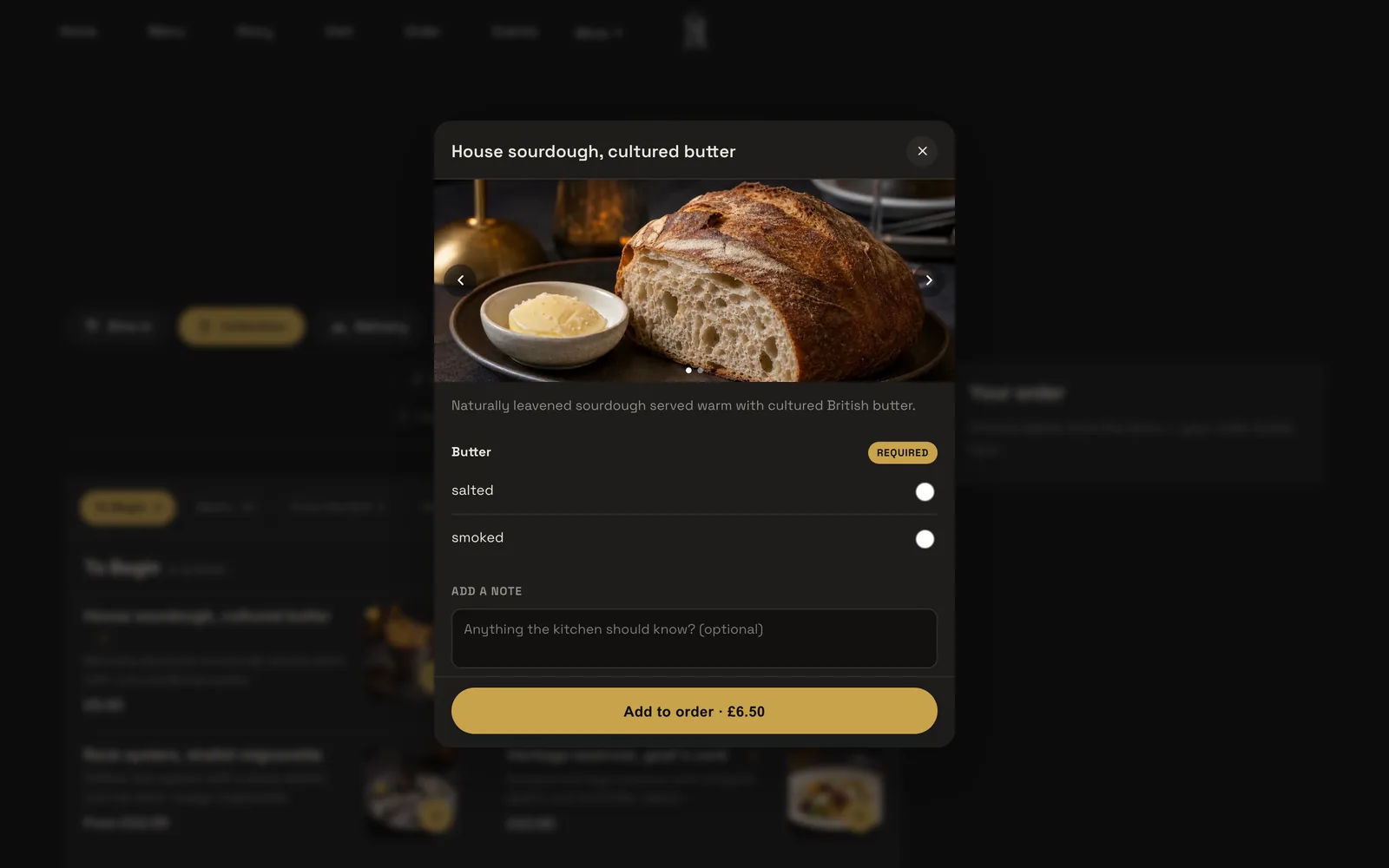
- A menu that carries the box. Any dish can have sizes, paid extras or required choices, which guests pick in a dish sheet before the dish can be added, so the ticket arrives complete. A Christmas box can be one dish with a required size, or three dishes, one per size.
- Allergens on the order page. The menu carries the UK's 14 named allergens: tick what a dish contains and the website shows it to guests, and a Dietary & allergens filter sits above the menu on the order page.
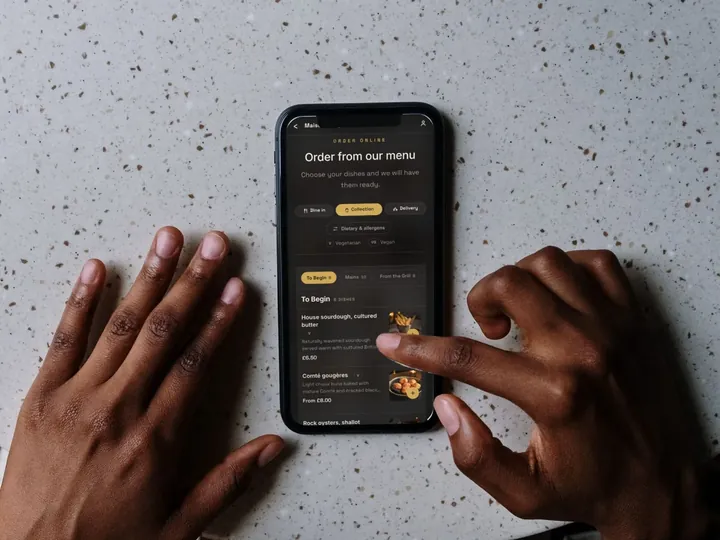
- Collection ordering and a ready-time note. Guests choose Dine in, Collection or Delivery first, then order from the menu. Collection takes a name, phone and email. The owner sets a minimum order, a collection cut-off before closing, and a ready-time note that guests see after ordering.
- Sold out when the boxes run out. The owner marks the dish Sold out; it stays on the site, struck through, and guests can no longer order it. Portion counts sell dishes out automatically.
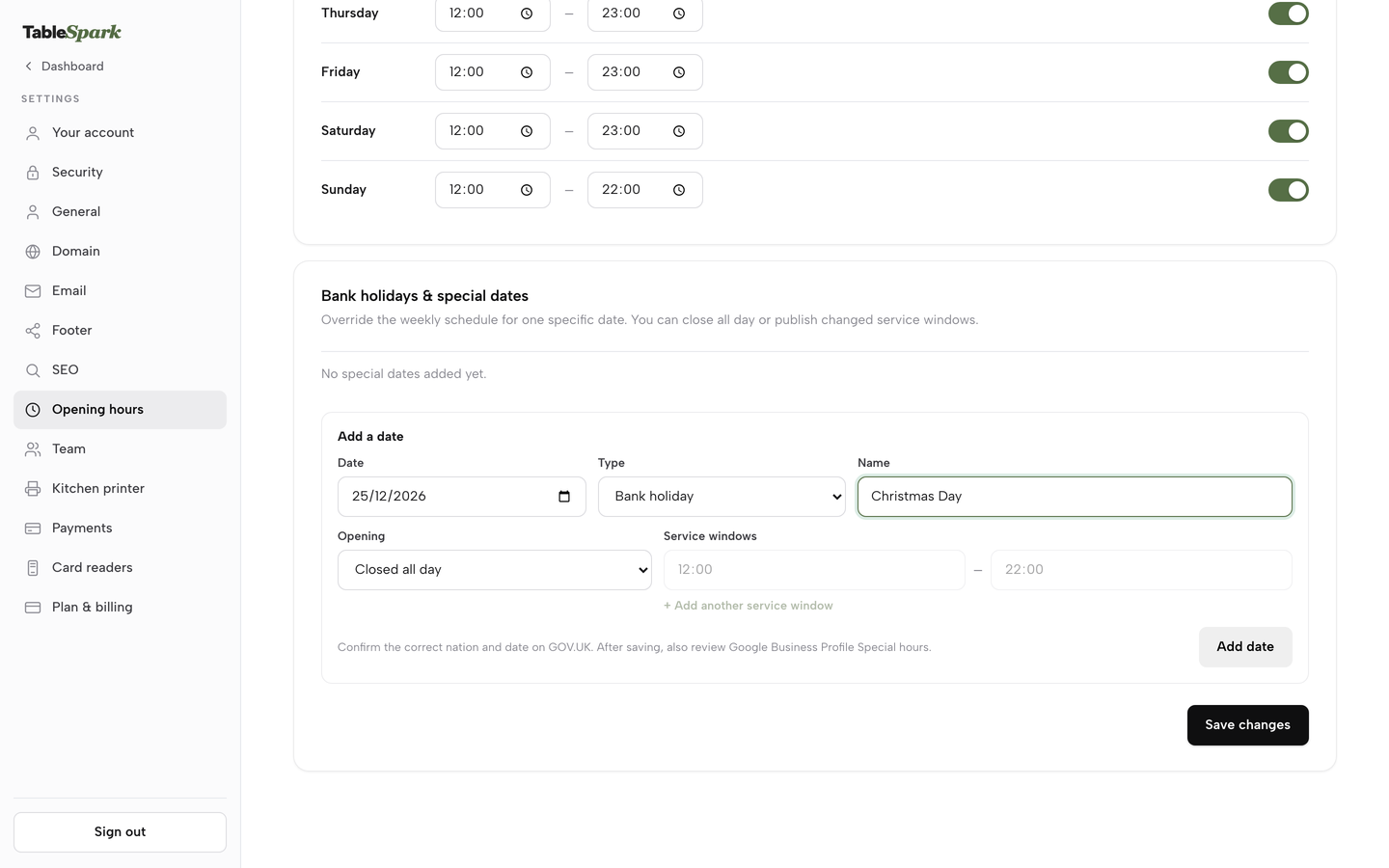
- Special dates. The hours settings take a Date, a Type (Bank holiday, Holiday or Special date) and a Name, with either changed opening hours or Closed all day, and the cut-off and delivery windows read the same hours the bookings use.
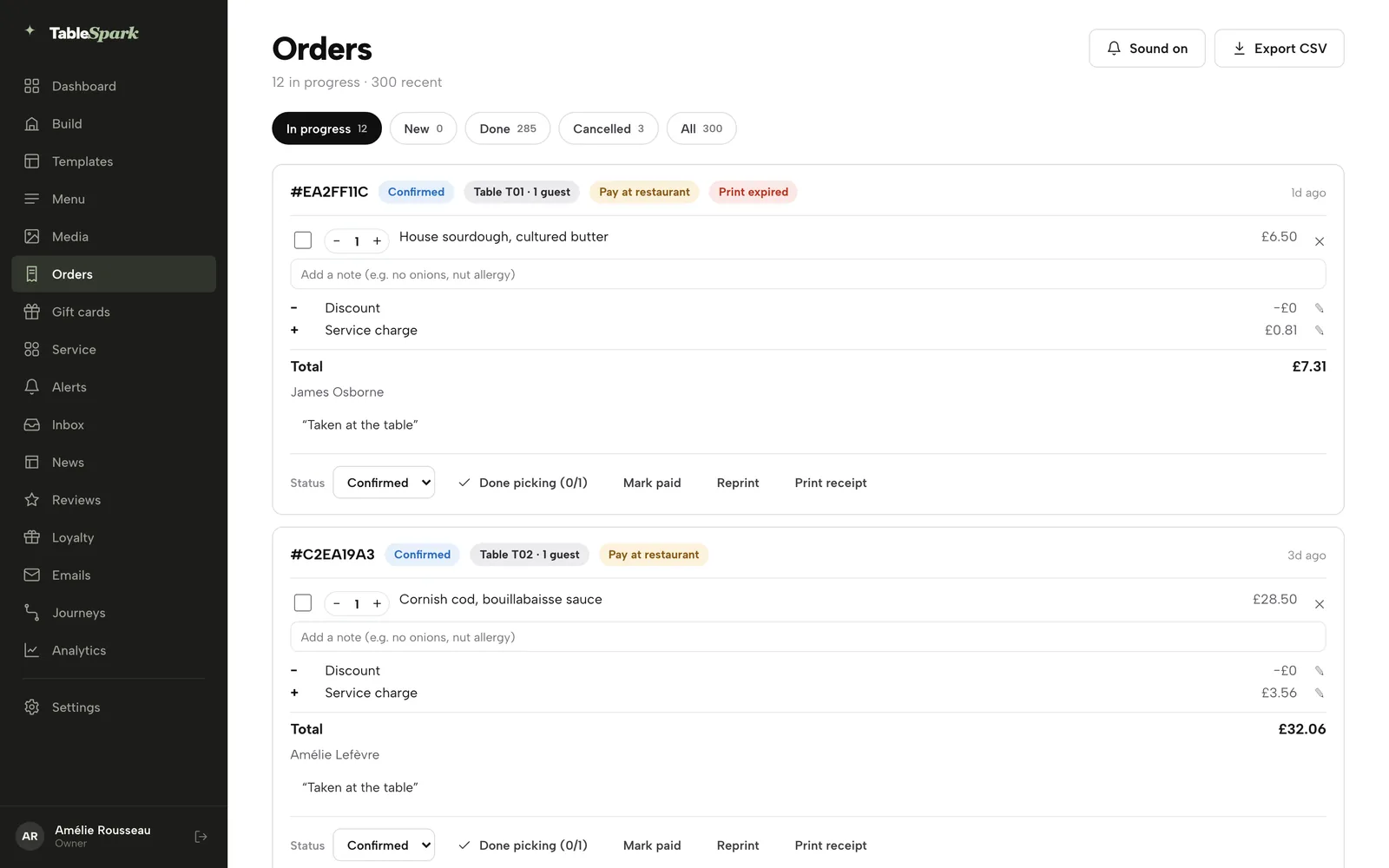
- Kitchen tickets. Online orders print straight to the kitchen printer, or show on the kitchen display, and every ticket is a card that chimes when a new order arrives.
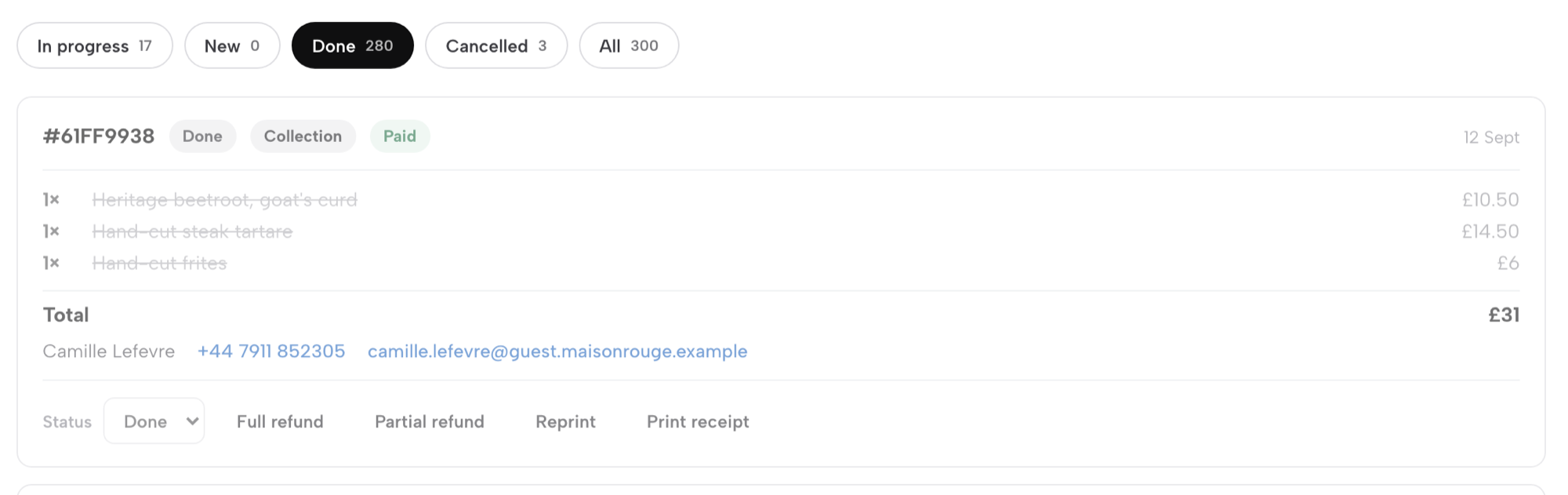
- Payment and refunds. Dine-in and collection work straight away with pay at the restaurant. Connect your own Stripe account once and guests can pay now by card. Card payments are processed by Stripe and settle into your own Stripe account and bank; the funds never pass through TableSpark. A paid order carries Full refund and Partial refund, and card orders refund through Stripe.
The collection windows, the capacity sheet and the labels are the restaurant's own operating plan, built on those tools. The restaurant online ordering page lists the capability in full.
Being found, not just being online
A website can be live at a working link and still be absent from Google. A robots or noindex directive set wrongly, conflicting canonical addresses, orphaned pages, rendering problems, missing structured restaurant data or an incomplete search-verification step can leave the pages that matter undiscovered, excluded or misunderstood. For a restaurant selling Christmas boxes, the cost is concrete: someone searching its name, "Christmas dinner takeaway" or its postcode may reach a directory, a commission-charging marketplace or the restaurant down the road first, and the restaurant keeps paying for discovery it could have owned.
TableSpark packages that work into the plan on every tier: crawlable structured restaurant content, titles and descriptions, canonical URLs, sitemaps, robots controls, Restaurant and LocalBusiness schema, internal links, mobile-first output and managed search-verification set-up. Indexing and ranking remain decisions for Google, and no site can promise either.
Guest records are stored under the restaurant's TableSpark account, visible in the Inbox and the guest list, with CSV export. Every box order starts a record the restaurant controls. Email campaigns to consented guest segments are on Growth and Full, so a restaurant that has the right to write to its Christmas guests can follow up in January, when the dining room is quiet.
What it costs
TableSpark starts at £19 a month excluding VAT for the website and menu, with AI menu-to-site setup, 50 templates, a live multilingual and QR-ready menu and managed search readiness built in. Growth is £39 a month excluding VAT and adds email campaigns and automated journeys, with 5,000 marketing emails a month included. Full, at £69 a month excluding VAT, adds online ordering at 0% TableSpark commission, table QR ordering, kitchen ticket printing and unlimited marketing emails. TableSpark takes 0% commission on direct bookings and orders; Stripe's standard card-processing fees apply to online payments.
How to do it in TableSpark
The pricing page shows which plan carries each feature; the steps below need Full, at £69 a month excluding VAT. The take-orders tutorial walks through the same screens with a practice run.
Step 1 of 6
Build the box as a dish
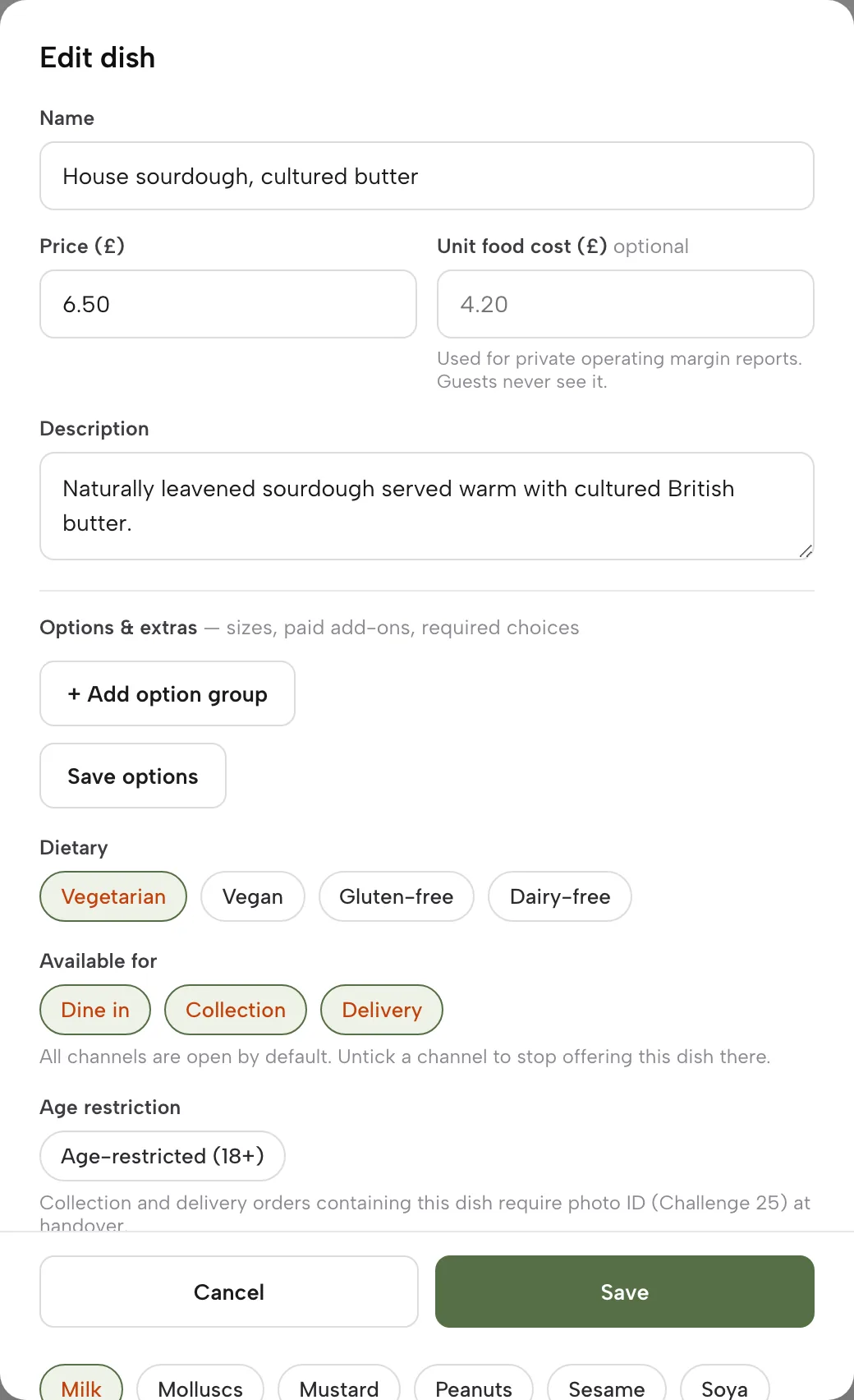
On Menu, add a section named for the occasion, for example Christmas boxes, with a dish for each box. Fill in the name, price, description and option groups, and tick the allergen chips for what the box contains.
Step 2 of 6
Switch on ordering and choose Collection
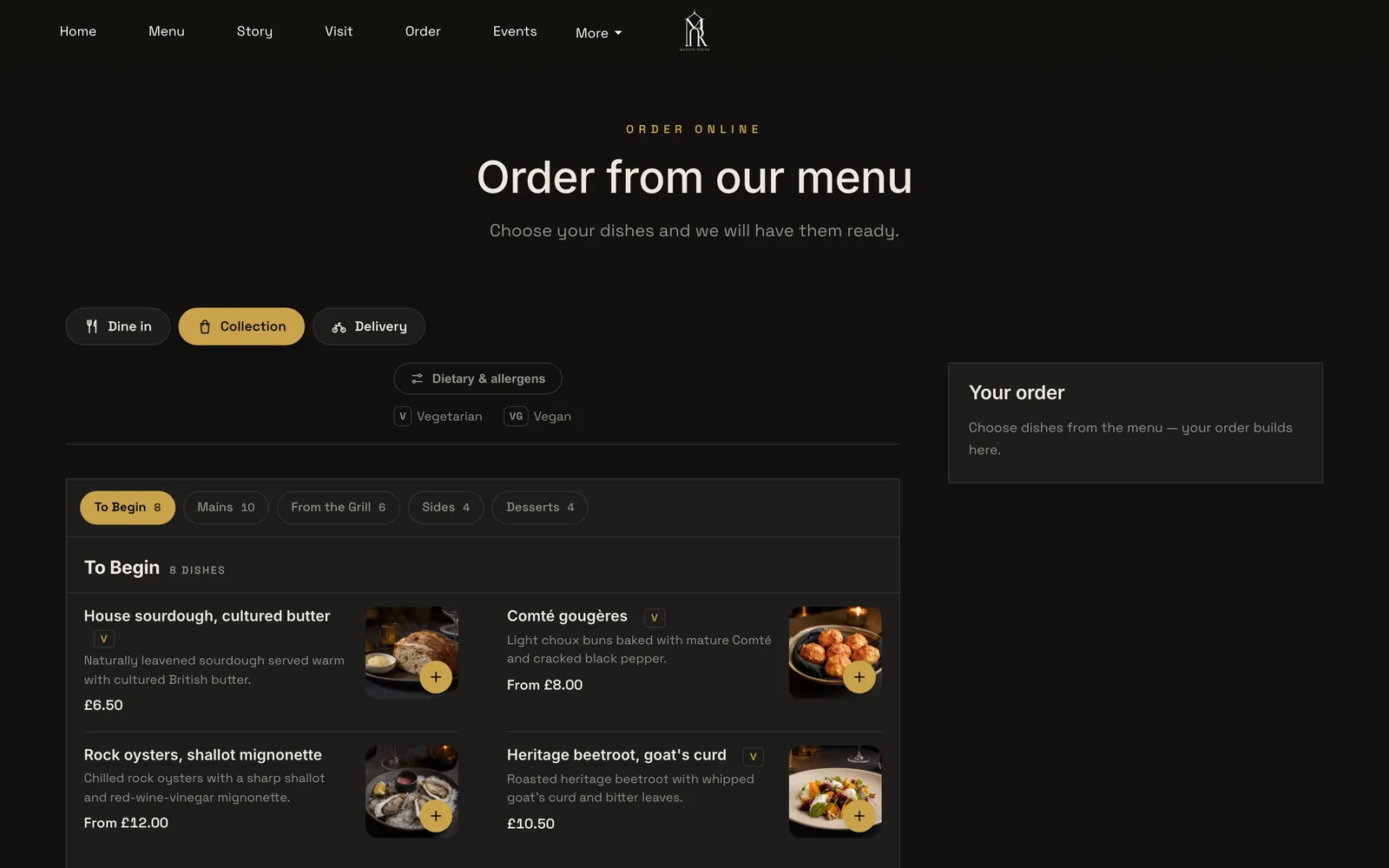
In Build, open the Order page and add the Order from our menu block. Switch on Offer collection, set a Minimum order, a Collection cut-off before close and a Ready-time note, then press Publish.
Step 3 of 6
Make the required choice and the note work for you
Give the box a required Size option group, so the guest picks the box before it can be added. The dish sheet also has a note field, where a guest can ask for a preferred collection window.
Step 4 of 6
Set the special dates
On the hours settings, open the Bank holidays and special dates card, fill in a Date, a Type and a Name, then choose Opening with changed hours or Closed all day. Add 23 and 24 December with the collection hours, and 25 December as closed.
Step 5 of 6
Work the tickets on the Orders screen
Open Orders and use the In progress and New tabs. Each card shows its reference, status, where the order is going, who is paying and what is in it. Move each order along with Status, and use Done picking when the whole box is packed.
Step 6 of 6
Refund from the order
A paid order carries Full refund and Partial refund. A card order refunds through Stripe.
The hours and booking rules tutorial covers the special dates card and the weekly hours that the cut-off reads.
Tips
- Print one sample ticket before opening orders and check that the box, the size and the note all show.
- Write the allergen sheet from the dish editor's allergen chips, so the sheet and the website always agree.
- Mark a box Sold out on the cut-off date, and again when the count is reached.
- Read the takeaway website guide for the rest of a takeaway's site, from the menu-first layout to marketplace dependence.
Questions owners ask about Christmas takeaway orders
Can I sell Christmas dinner boxes for collection if I normally only serve dine-in?
Yes, as a fixed boxed menu sold for a short window. A restaurant that is already registered should check with its local authority whether anything changes, and a business starting takeaway for the first time must register at least 28 days before trading, according to GOV.UK. The practical work is a fixed menu, a cut-off, collection windows, labels and a way to take payment.
When should I stop taking Christmas takeaway pre-orders?
Work backwards from the first collection day using the kitchen's own lead times. With five days for supplier notice and two days for preparation, a first collection on Wednesday 23 December 2026 gives a cut-off of Wednesday 16 December. Replace those numbers with the supplier's and the kitchen's, write the date in the box name, and mark the boxes sold out when it passes.
Do I have to take full payment up front, and can the guest cancel?
Taking payment in full at order is a business choice. Regulation 28(1)(h) of the Consumer Contracts Regulations 2013 lists catering where the contract provides for a specific date or period of performance, and regulation 28(1)(c) lists goods liable to deteriorate or expire rapidly. Whether a box falls inside either is a legal question, so state your terms before payment and refund when the restaurant is at fault.
Do Christmas boxes need a full ingredients label with allergens?
It depends on the sale. A box packed before anyone orders and sold at the counter is PPDS and needs a full ingredients list with allergens emphasised. A box sold online or by phone follows the distance-selling rule, with allergen information before purchase and with the food. The FSA says labelling all boxes may be easier. The pages read cover England, Wales and Northern Ireland, and Scotland was not checked.
What should the reheating instructions say?
Say what the kitchen has tested, in the restaurant's own words, for each component. GOV.UK's business guidance says to reheat food until it is steaming hot all the way through, and that food can only be reheated once. No official guest-facing times for a Christmas box were found, so this guide gives none. Put the card in the box with the allergen sheet.
Do I have to show delivery or service charges in the price from the start?
A mandatory charge belongs in the total price shown at every stage. The CMA's open letter of 2 November 2026 says the first price consumers see should be the price they pay, and that the total price must include mandatory delivery or collection fees. Where a charge is optional, tell customers clearly throughout the process that it applies. Put any packaging or service charge inside the box price.
Should I use a delivery marketplace or my own site for Christmas boxes, and what does each cost for 110 boxes?
The worked example uses 110 boxes and £10,370. At an illustrative industry-average commission of 18%, a marketplace route costs £1,866.60. On a flat plan with Stripe's standard UK card rate, TableSpark Full costs £69 excluding VAT plus £177.55, which is £246.55. Check the commission on your own contract, because 18% is an editable default and not any named provider's rate.
How do I handle 23 and 24 December: staff, windows and running out?
Write a capacity sheet with a cap per window, close collection at a fixed time, add a person to the door for the busiest block, and keep a reference on every bag. The sample plan runs 24 half-hour windows with 6 orders each, so 110 orders fill 76% of 144 places. Mark boxes sold out when the count is reached.
The recommendation
For an independent UK restaurant, pub or takeaway selling Christmas boxes, TableSpark is the best-value and best overall choice. A marketplace takes a percentage of the busiest orders of the year, and in the worked example that percentage is £1,866.60 against £246.55 for TableSpark Full excluding VAT plus Stripe's card fees. A store builder comes to £259.90 for the same 110 orders, before any pre-order or collection-slot app, whose price was not read. TableSpark Full is £69 a month excluding VAT, and includes online ordering on the restaurant's own website, allergens on the order page, kitchen tickets, refunds through Stripe, special opening dates and managed search set-up, with guest records the restaurant keeps and can export.
The plan itself needs only the discipline in this guide: a fixed box, a cut-off from the kitchen, windows with a cap, a label on every box, one total price, a reheating card the kitchen has tested, and a run sheet for the two days.
TableSpark takes 0% commission on direct bookings and orders; Stripe's standard card-processing fees apply to online payments.
Sources
- GOV.UK, introduction to allergen labelling for PPDS food — UK Government (checked 2026-11-09)
- GOV.UK, PPDS allergen labelling changes for restaurants, cafes and pubs — UK Government (checked 2026-11-09)
- GOV.UK, allergen guidance for food businesses — UK Government (checked 2026-11-09)
- GOV.UK, food allergen labelling and information requirements technical guidance — UK Government (checked 2026-11-09)
- Consumer Contracts Regulations 2013, regulation 28 — UK Government (checked 2026-11-09)
- CMA, open letter to online retailers on delivery fees in the total price — UK Government (checked 2026-11-09)
- CMA, price transparency summary (CMA209) — UK Government (checked 2026-11-09)
- GOV.UK, food business registration — UK Government (checked 2026-11-09)
- GOV.UK, chilling and freezing food — UK Government (checked 2026-11-09)
- GOV.UK, cooking food safely — UK Government (checked 2026-11-09)
- GOV.UK, UK bank holidays — UK Government (checked 2026-11-09)
- FSA, Food and You 2 wave 11 key findings — UK Government (checked 2026-11-09)
- FRY Magazine, report of Foodhub's Christmas Eve takeaway survey (vendor survey) — frymagazine.com (checked 2026-11-09)
- Gedling Eye, Foodhub press release repeat (vendor survey) — gedlingeye.co.uk (checked 2026-11-09)
- Stripe UK pricing — stripe.com (checked 2026-11-09)
- Shopify UK pricing — shopify.com (checked 2026-11-09)
- TableSpark pricing — TableSpark (checked 2026-11-09)
- TableSpark, restaurant online ordering — TableSpark (checked 2026-11-09)
- TableSpark tutorial, take online orders — TableSpark (checked 2026-11-09)
- TableSpark tutorial, hours and booking rules — TableSpark (checked 2026-11-09)
Related reading

 How TableSpark handles thisTableSpark commission-free online orderingCollection and delivery orders on your own site, paid into your own Stripe account.